



How Zenzap integrates with Slack
Zenzap connects to Slack through Slack’s official OAuth installation flow. A workspace member authorizes Zenzap, and Slack issues a token limited to the permissions granted during that authorization.
Once connected, your Zenzap agent can work with Slack on your behalf: reading conversation history, posting messages and replies, looking up users and channels, reading files shared in a conversation, and managing channels where the granted permissions allow it.
The agent operates from your Zenzap chat, not from inside Slack. You direct it in Zenzap, and it acts in Slack – so your team sees the result where the conversation already is.
How to add Zenzap to Slack
Zenzap’s Slack app is installed from inside Zenzap, so you will need a Zenzap account first. Creating one is free.
- Create a free account at zenzap.co
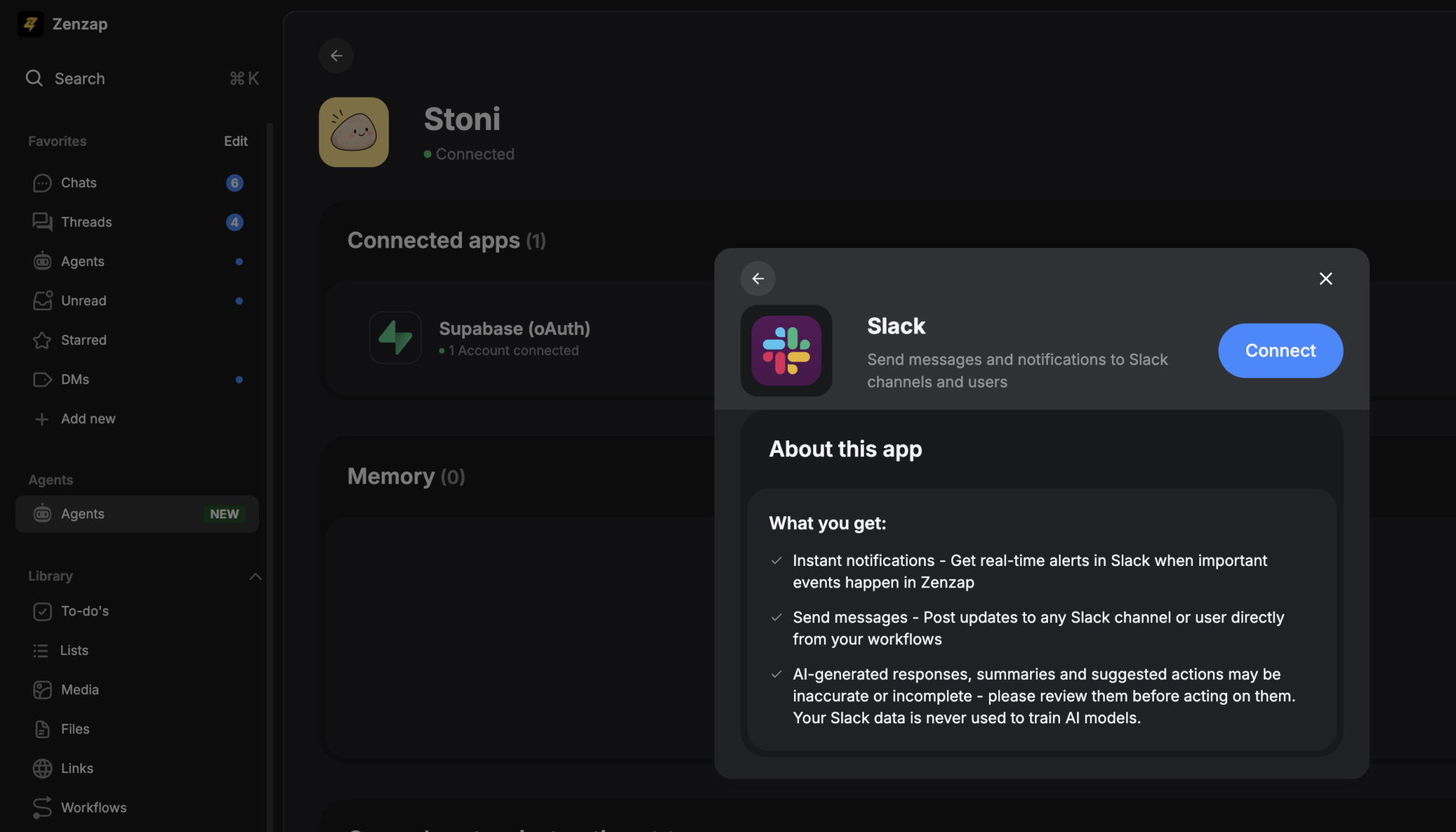
- Open your agent and go to Connectors
- Choose Slack and select Connect
- Slack asks you to authorize Zenzap for your workspace – review the permissions and approve.
- You are returned to Zenzap, and your agent’s Slack tools are ready to use
When Zenzap posts in Slack
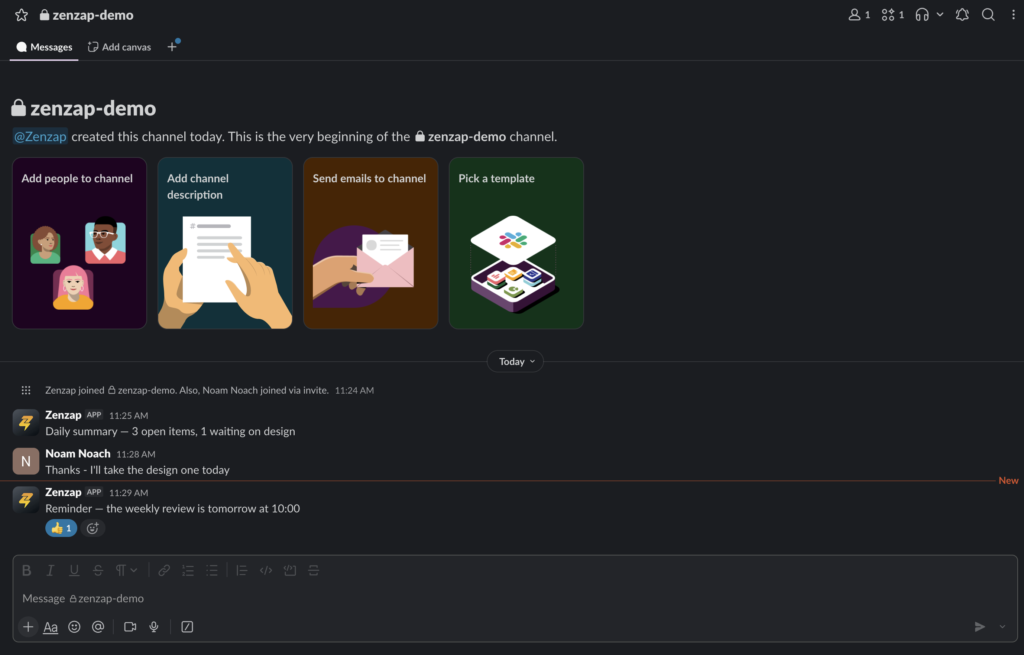
Zenzap never posts to Slack on its own. A message is only sent when:
- You ask for it in a Zenzap chat – for example, “reply to Dana in #design and tell her it’s approved”
- A workflow you created runs – a scheduled check you set up yourself, such as a daily summary of unanswered messages
The app does not monitor channels for mentions and does not reply to comments in Slack. Reading works the same way: the agent reads a conversation only when you ask it to, or when a workflow you configured runs. Nothing is read continuously, and the workspace is not indexed.
Private channels stay private. The agent can only read a private channel after a member of that channel invites the Zenzap app to it, and its contents are never exposed to anyone outside that channel.
You stay in control
You choose what the agent is allowed to do. Keep access read-only, require your approval before any action that writes to Slack, or let approved tasks run automatically. You can review the granted permissions or disconnect Slack at any time from your agent’s connector settings.
AI disclaimer
Zenzap’s Slack agent is powered by large language models. AI-generated responses, summaries and suggested actions may be inaccurate or incomplete, so please review them before acting on them. Your Slack data is never used to train AI models.