


What if you could give new hires the confidence to thrive on day one – without flooding them with tasks, messages, and endless how-to guides? Imagine turning the dreaded onboarding marathon into a truly welcoming, stress-free climb.
You bring on fresh talent to spark innovation, but too often they’re buried under a digital avalanche: scattered conversations, unclear priorities, and apps that require as much learning as the job itself. With Zenzap, onboarding new team members is less of a trial by fire and more of a ladder – each step carefully crafted so no detail gets lost and no one feels adrift.
Zenzap stands out in the team communication space by blending intuitive design, rapid setup, and crystal-clear workflows. There’s no IT wrangling needed to get started. Instead, new folks sign up, step in, and start contributing – sometimes within minutes.
Ready to ditch the first-day overwhelm? Come climb with us. Here is how Zenzap helps teams onboard new members confidently, calmly, and without chaos.
Table of contents
- Why information overload is the enemy of great onboarding
- Step 1: Start with intuitive simplicity
- Step 2: Guide gently with templates, tooltips, and preset channels
- Step 3: Structure for clarity, not clutter
- Step 4: Build confidence with secure access and transparent handholds
- Step 5: Ensure ongoing support and seamless integration
- Key takeaways
- FAQs
Why information overload is the enemy of great onboarding
Let’s be real. The first days in a new job should spark excitement, not anxiety. Yet too many tools dump everything up front: a clutter of emails, chat channels, and tools within tools. Research shows that productivity can tank by up to 40% when onboarding is confusing or fragmented.
The effects ripple fast. New hires hesitate to ask questions. Tasks slip through the cracks. Seasoned managers spend time firefighting instead of nurturing talent. Zenzap was built to change this – a communication platform where onboarding feels like “I belong here,” instead of “Where do I even start?”
Step 1: Start with intuitive simplicity
It all begins with a tool that feels second nature. Zenzap ditches the steep learning curve you find in most apps. There’s no intimidating dashboard or maze of settings to stumble through. Your new team member can sign up via email or Google and join your workspace with just a few clicks. Most teams are up and running in minutes – not days.
Admins aren’t IT wizards? No problem. Zenzap walks you through setting up projects, channels, and roles with step-by-step prompts. Just invite, welcome, and get to work.
Step 2: Guide gently with templates, tooltips, and preset channels
Information overwhelm shrinks when you introduce it in context. Zenzap makes this simple with ready-made workspace templates – think marketing, product, agency, whatever fits your world. Want a standard onboarding flow? Use built-in guidance, tooltips, and walkthroughs that ease new hires into key features, like task creation, calendar sync, and voice messaging.
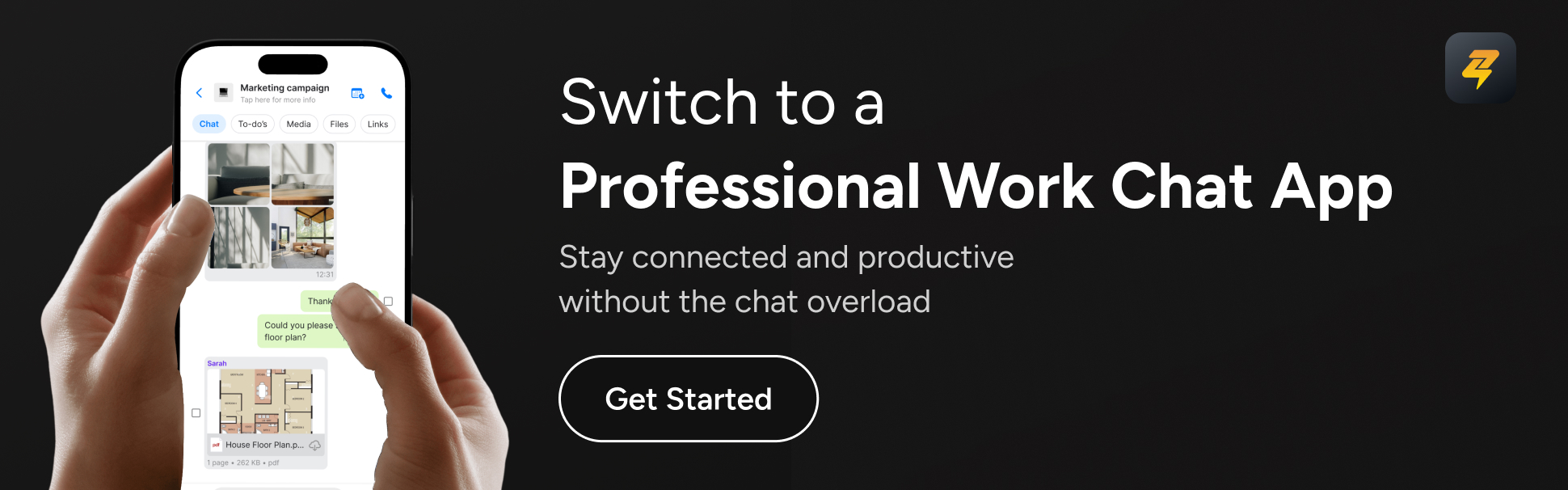
You don’t need to draft pages of instructions. As soon as your teammate joins, Zenzap’s onboarding helps them discover features exactly when they need them – never before, never too late. By the time the first coffee’s finished, your new hire feels right at home.
Step 3: Structure for clarity, not clutter
Think of Zenzap as the difference between a messy desk and a thoughtfully organized workspace. Communication is naturally segmented – one channel for each project, client, or team. There’s even a dedicated personal space for private notes.
Files, messages, and tasks live together, all in context. No more hunting in endless group chats or wondering which app holds the latest version of anything. Imagine onboarding a new marketing manager who, instead of sifting through old emails and random folders, finds pinned onboarding checklists, shared resources, and live help embedded right in the relevant channels. The result: nothing slips, nothing stresses, and collaboration kicks off from day one.
Step 4: Build confidence with secure access and transparent handholds
Security shouldn’t be a lesson at the end. Zenzap’s enterprise-grade protection has your back from the start. New users never access what they shouldn’t. Admins can grant or remove roles instantly, ensuring everyone only sees what’s essential. Files never linger on forgotten laptops – they’re always accessible, organized, and protected in the cloud.
No team member is ever left in the dark. Built-in search, pinned messages, and task assignments mean every answer is a few keystrokes away. Even if a manager is on vacation, Zenzap’s history and documentation fill in the blanks.
Step 5: Ensure ongoing support and seamless integration
Onboarding shouldn’t stop after day one. Zenzap keeps new hires supported with ongoing checklists, chat reminders, and prompt responses to questions. You assign team buddies, embed company values, and sync calendars – everything stays in one place, always up to date.
Integration with Google Calendar, Outlook, and your favorite task tools means nobody juggles tabs. Zenzap meets you where you work, so new hires never feel left behind, no matter how your company grows.
Key takeaways
- Onboard new hires in minutes with intuitive design and zero learning curve
- Ease information overload by introducing guidance and templates in context
- Keep communication clear and structured so nothing gets lost
- Ensure security and privacy with instant admin control
- Support new team members with ongoing resources and seamless tool integration

FAQs
Q: How fast can new team members get started with Zenzap? A: Most teams onboard in under an hour. New users just sign up, accept an invite, and follow built-in prompts. No long manuals or IT headaches.
Q: Do I need technical skills to set up onboarding channels and templates? A: Not at all. Zenzap’s user-friendly interface guides you through every step, whether you manage five people or fifty.
Q: Can Zenzap support checklists and onboarding tasks directly inside chat? A: Absolutely. Pin checklists, assign onboarding tasks, and embed documentation right in the relevant channels – new hires always know their next step.
Q: How does Zenzap keep onboarding secure? A: Enterprise-grade security, admin controls, and instant access removal mean sensitive information stays protected from day one and beyond.
Q: What if my team uses other calendar or task tools? A: Zenzap integrates with Google Calendar and Outlook, and supports workflow connections with commonly used third-party tools so new hires aren’t retraining on everything.
Q: Can I reuse my onboarding process for future hires? A: Yes! Create onboarding channels and templates once, then reuse or tweak for every new teammate – no need to start from scratch.
Celebrate every new hire’s potential
Picture this: New team members start strong, not lost. Veteran employees get time back, and leaders watch teams gel faster, all with less busywork. That’s not just tech progress – it is the Zenzap promise, where onboarding is a ramp up, not a hurdle.
Ready to make your next hire feel like part of the team – without the chaos? What would your team achieve if onboarding always set everyone up to win?