

Security & Compliance
Zenzap’s AI agents are SOC 2, GDPR, and ISO 27001 certified, with full HIPAA compliance and signed BAA for healthcare teams. Your data is never used to train AI models.


Zenzap’s Google Drive AI agent works across your workflows and alongside your team, all through a familiar chat interface.
Start for free, no credit card required.
 Connected
Tell your agent what you need in a message or voice note. It can work in Google Drive for you, finding information, taking action, and keeping track of tasks.
Works for me. Let’s lock that in.
Hey @Google Drive agent, follow up on our discussion and make the updates.


Done. It’s all in Google Drive.
Build workflows around how you actually work, then let your agent handle updates, follow-ups, and recurring work in Google Drive.
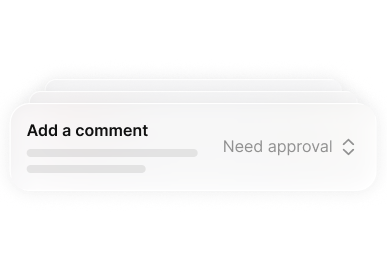
Choose what your agent can access and how it can act in Google Drive. Require approval before actions, keep access read-only, or allow approved work to run automatically.

Search Google Drive for supported files, folders, owners, metadata, and recent activity.
Create folders or upload supported files and documents through Google Drive.
Change supported names, locations, metadata, sharing, or access settings in Google Drive.
Check Google Drive for missing, outdated, unshared, or unusually changed content.
Bring supported file details and document information from Google Drive into the chat.
Run regular checks and keep document collection, review, or archiving work moving.
Zenzap’s AI agents are SOC 2, GDPR, and ISO 27001 certified, with full HIPAA compliance and signed BAA for healthcare teams. Your data is never used to train AI models.


Google Drive is Google's file sync app that lets you store all of your files online alongside your Google Docs documents, and keep them synced with all of your devices.
Your team, AI agents, and tools in one place.


