

Key Takeaways
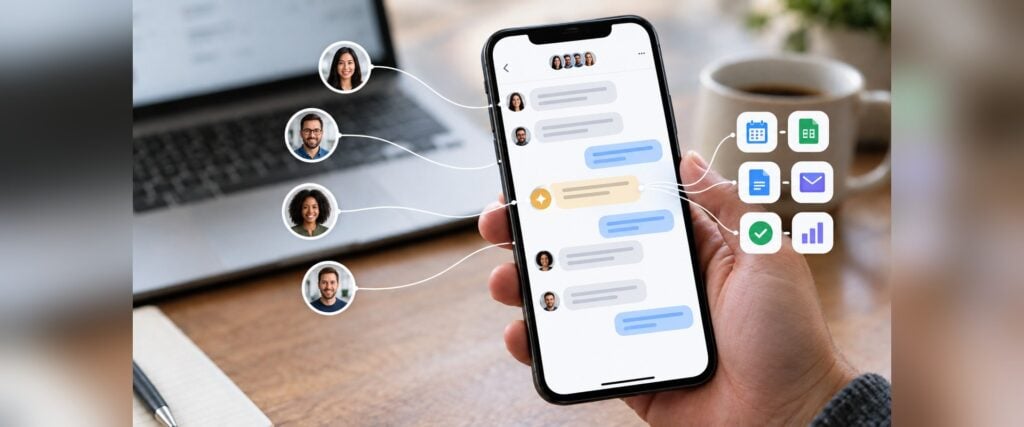
- A clinic director can keep patient follow-ups moving by putting one AI agent in the same secure chat where nurses, front desk staff, and care coordinators already work.
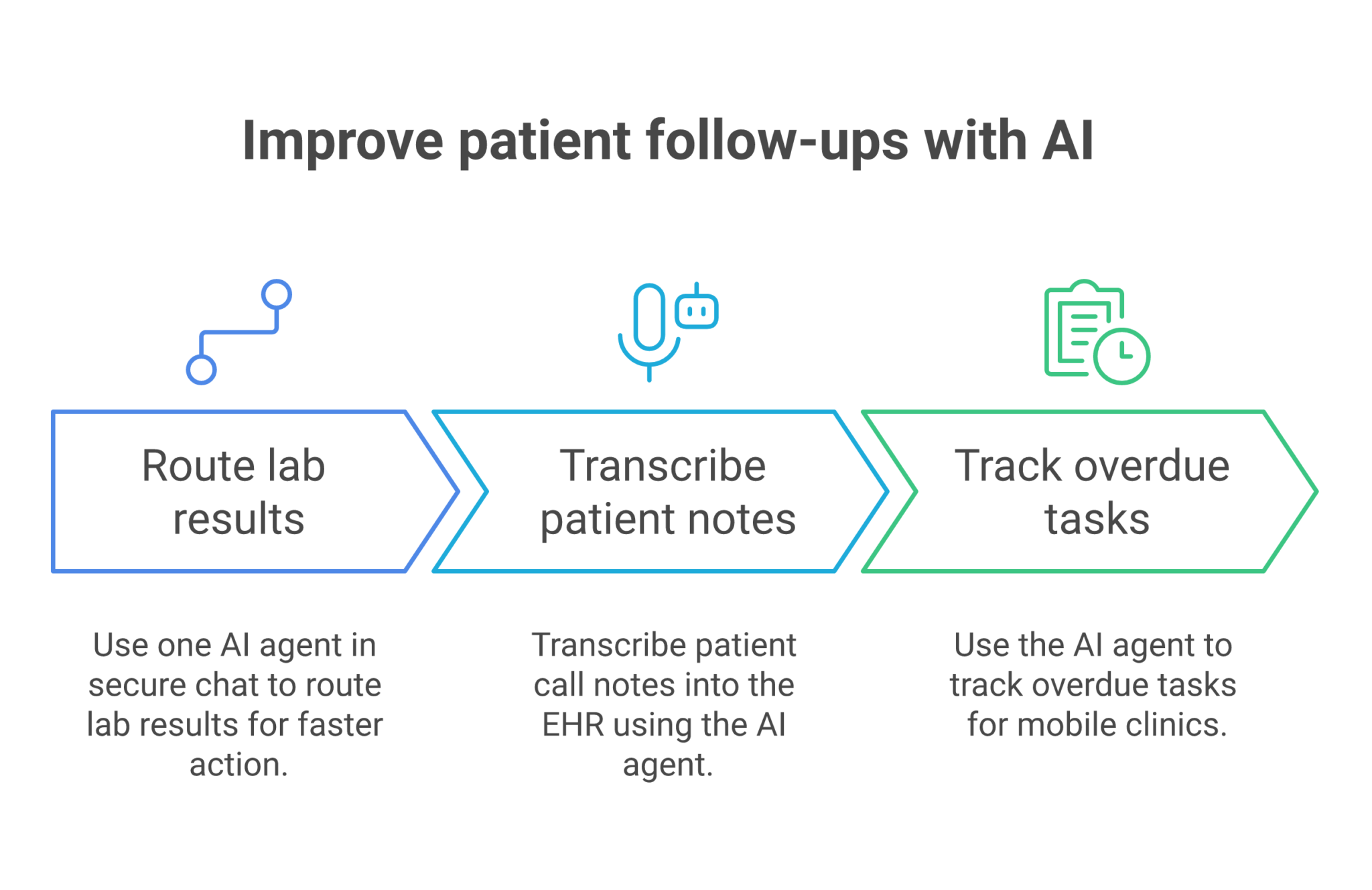
- The strongest fit is lab result routing, because a new result in the EHR needs a fast check, the right patient chat, and a clear owner before anyone misses a message.
- A second useful workflow is call note transcription, since post-call details can move from a patient conversation into the EHR without waiting for manual typing.
- The follow-up model works best when the agent tracks the trigger, the owner, the due date, and the exception path in one place.
- Secure chat matters because clinic follow-up spans EHR, billing, lab systems, and outreach, and that handoff chain breaks when context gets split across tools.
Introduction
A medical clinic director gets patient follow-ups done by putting AI agents into secure chat and using them to route lab results, turn patient calls into EHR notes, and flag anything overdue before it slips. In this article, the three use cases that fit best are lab result chat routing, patient call note transcription, and overdue invoice follow-up, because they map directly to the post-visit work a director actually owns. The most useful one is lab result routing, since it starts the fastest chain of action after a new result lands in the EHR.
That workload is larger than most teams admit. CapMinds says mobile clinics in the U.S. Now exceed 3,600 sites and handle about 10 million visits a year, which means even a small delay in follow-up scales fast across the calendar. A director who manages outcomes, documentation, and staff handoffs needs a system that keeps ownership visible inside the same place where the team already talks.
The practical shift is simple. Instead of asking staff to chase notes, results, and reminders across separate systems, the agent checks the record, posts the next step in chat, and keeps the thread open until the task is closed. That is where secure chat becomes operational, not just conversational.
Table of Contents
- Key Takeaways
- Introduction
- Use Case Table
- Lab Result Routing in the Patient Chat
- Turning Patient Calls Into EHR Notes
- Keeping Follow-Ups and Reminders from Stalling
- How a Director Runs the Workflow in Secure Chat
- A Clinic Follow-Up Setup That Stays Controlled
- What Patient Follow-Up Looks Like When the Team Shares Context
- Close the Loop on Follow-Ups Before They Drift
- FAQ
- About Zenzap
Use Case Table
This table shows the three workflows most relevant to a clinic director.
The sharpest conclusion is that the best fit is the one that turns follow-up into a tracked handoff, not a buried task.
| Use case | Who it is for | Trigger and action | What changes |
|---|---|---|---|
| Lab result chat routing | Clinic director and clinical staff | A new result posts in the EHR, the agent checks the patient and normal range, then finds the right patient chat | Results move into the right thread faster, with less hunting across tools |
| Patient call note transcription | Clinic director, nurses, and front desk staff | A patient call ends, the agent pulls the clinical details, then adds a standard note to the EHR | Call follow-up gets documented without waiting for manual recap time |
| Overdue invoice follow-up | Clinic director overseeing billing and admin work | An invoice is overdue, the agent checks the status, sends a reminder, then flags it if payment still has not arrived | Billing follow-up stays visible and does not disappear into a separate queue |
Lab Result Routing In The Patient Chat
Lab result routing is the highest-value follow-up workflow because it starts with a concrete event and ends with a visible action in the right thread. A director does not need another inbox for this. The agent checks the EHR for the patient and normal range, then places the result in the existing patient chat so the right staff member can respond.
CapMinds describes the handoff problem directly in its guide on how mobile clinics integrate EHR, billing, and follow-up workflows. It notes that when applications operate separately, staff have to reconstruct handoffs after the visit, which is exactly where lab follow-up can stall.
The value is in specificity. If a result is abnormal, the chat thread can show who reviewed it, what the trigger was, and who owns the next call. If the issue is routine, the agent can still post the result to the right place and keep the record complete.
What the Agent Does First
The workflow starts when the result lands in the EHR.
The agent reads the patient record, checks the result against the normal range, and finds the matching patient chat so the team does not have to search for it.
– The agent reads the patient identifier and the result details as soon as the EHR posts them.
– It checks whether the value sits inside or outside the normal range, then tags the right thread.
– The staff member who owns the case sees the update in the same chat where the rest of the discussion already happened.
That kind of routing reduces the number of places a result can sit unnoticed. In a clinic with busy follow-up volume, even one missed result can create a second call, a second note, and a second apology.
Why a Director Cares About the Handoff
The director owns follow-up quality, not just the message itself.
A clean routing step protects the audit trail because the thread records when the result arrived, who saw it, and what happened next.
Turning Patient Calls Into EHR Notes
Call note transcription is the second useful workflow because it removes one of the slowest parts of post-visit care. A staff member finishes a patient call, and the agent turns the transcript into a standard EHR note without making someone rewrite the conversation from memory.
The time savings are easier to see when you look at broader administrative load. Perspective AI cites a widely used time-and-motion study in Annals of Internal Medicine that found physicians spend roughly two hours on EHR and desk work for every hour of direct clinical face time. That is not a follow-up-only number, but it explains why call documentation gets delayed when the day is already full.
A clinic director gets two gains here. First, the note gets into the chart while the details are still fresh. Second, the same chat thread can show whether a follow-up task still needs a return call, a referral, or a billing check.
What Happens After the Call Ends
Once the call finishes, the transcript becomes the source of truth.
The agent pulls the relevant clinical details, writes the note in the EHR format the team uses, and leaves the chat thread ready for the next action.
1. The call ends and the transcript is available.
2. The agent extracts the clinical points that belong in the chart.
3. The note is written into the EHR in the standard format the clinic expects.
4. The team can keep the same thread open for any next step.
The useful part is the order. A staff member does not have to wait until the end of the day to remember what was said on the phone, and the note does not sit in a draft that nobody finds later.
Keeping Follow-Ups And Reminders From Stalling
Overdue invoice follow-up sounds financial, but it is a useful model for clinic operations because the structure is the same. A trigger happens, a check runs, a reminder goes out, and the case gets flagged if nothing changes by the deadline.
That pattern is worth using in healthcare because follow-up work often depends on a deadline. A lab result needs a response, a call note needs a chart entry, and a bill or balance needs review before it becomes a separate problem. A director can use the same chat-based setup for these exceptions and keep ownership visible.
HelloRache reports that the global AI healthcare market exceeded $39.34 billion in 2025, based on FortuneBusinessInsights. The figure does not prove one workflow by itself, but it shows why healthcare teams are moving toward AI-supported operations instead of treating automation as a side project.
- The agent checks the status in the connected billing or practice system.
- If the invoice is still open, it posts a reminder for the owner or client contact.
- If payment is still missing by the deadline, it flags the case for follow-up in chat.
- The director can see whether the task is still active without asking for a separate status update.
That pattern matters because it is easy to copy across clinic work. A missed patient callback, an unsigned note, or an unresolved referral can all use the same structure of check, notify, and escalate.
How A Director Runs The Workflow In Secure Chat
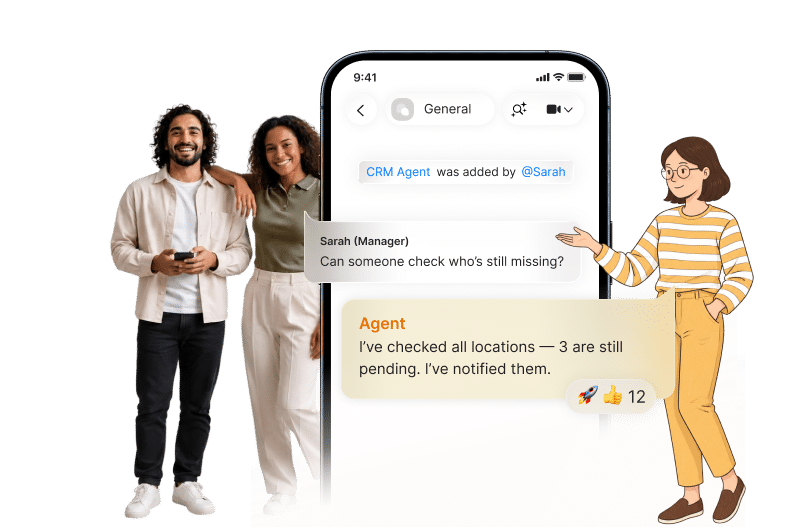
A clinic director gets the best result when the agent stays inside a controlled chat and uses the same context the staff already sees. The director does not need every task to move through email or a separate task board before it reaches the people who can act.
The reason is simple. Secure chat keeps the conversation, the task, and the follow-up in one place, while role-based access and approval controls keep sensitive work from spreading too widely. Zenzap is built around that model, with topic-scoped memory, approval controls for sensitive actions, and secure tool access.
This is also where internal context matters. The article on why ignoring chat context in AI agents costs your team deals and time explains the cost of splitting work across disconnected threads, and the clinic version is easy to see: if the result, the note, and the outreach each live somewhere else, the handoff slows down.
What the Director Sets up
A director can keep the setup light and still get real control.
The agent only needs access to the tools it must touch, and the team can decide which actions need approval before they run.
– The director adds the agent to the relevant clinic chat.
– The agent gets access to the EHR, billing, or calendar tools it needs.
– Read actions can run automatically, while sensitive writes can wait for approval.
– The team keeps the same thread for context, corrections, and exceptions.
That setup gives the clinic one visible path for follow-up. It also makes correction easier, because a staff member can fix the agent once in chat and the team can keep moving.
A Clinic Follow-Up Setup That Stays Controlled
The strongest clinic setup is not the most complicated one. It is the one that keeps sensitive actions narrow, keeps context local, and gives the director a clean record of what happened.
OmniMD reports that Epic holds roughly 37.7 percent of the acute care hospital market and 43.92 percent of the ambulatory market in the U.S., which shows how concentrated the EHR environment is. In the same discussion of interoperability, OmniMD says the market was around $6.68 billion in 2025 and is projected to pass $16 billion by 2034, while more than 85 percent of healthcare CIOs planned to increase interoperability spending over the next 12 months. Those numbers point to the same operational need, connected systems that can pass work cleanly from one step to the next.
A director can use that reality without turning the clinic into a technical project. The agent can live in secure chat, reach approved systems only, and keep follow-up work visible enough that the team sees unfinished items before they become misses.
What Controlled Access Looks Like in Practice
A controlled setup does not slow the team down.
It gives the director a defined path for read actions, write actions, and exception handling.
1. The agent reads the result or call data from the approved source.
2. It posts the follow-up task in the correct chat with the right owner.
3. If the next step is sensitive, the system asks for approval before writing back to the record.
4. The thread stays in place until the work is closed.
This is the part that keeps the workflow safe. A team can move quickly without giving every user broad access to every system.
What Patient Follow-Up Looks Like When The Team Shares Context
Shared context changes the quality of the follow-up, not just the speed.
When the nurse, coordinator, and director see the same thread, they do not have to rebuild the story from separate notes, and the agent gets better with corrections that stay in the same conversation.
That is also where internal chat use becomes valuable. The piece on better clinic communication with a team chat app shows how a clinic can keep operational communication and task handling in one place, which is the same structure a follow-up process needs. The chat becomes the record of what was requested, what was done, and what still needs attention.
The result is practical. A director can spot delays, a staff member can see the latest instruction, and the agent can keep learning which handoff belongs to which person.
Where the Team Feels the Difference
The change shows up in ordinary work, not in a dramatic overhaul.
– A lab result does not sit in silence because the right chat gets the update automatically.
– A patient callback does not wait for someone to type a note hours later.
– A missed payment or unresolved task gets flagged before it disappears from view.
That is the kind of follow-up system a clinic can maintain. It is visible, controlled, and easy for the team to use because the work stays where the conversation already happens.
Close The Loop On Follow-Ups Before They Drift
A clinic director gets patient follow-ups done by routing the work into secure chat, tying each task to a clear owner, and letting the agent handle the first pass across the tools. Lab results, call notes, and overdue reminders are the right starting points because they all depend on the same thing, a fast handoff with a visible trail.
If your clinic already sees follow-ups slipping between the EHR, billing, and staff conversations, the next step is to put one agent into the thread and give it a narrow job. Do you want the result, the note, and the follow-up to live in three places, or do you want one secure place where the team can finish the work together?
FAQ
Q: Which follow-up workflow should a clinic director automate first?
A: Lab result routing is usually the best first step because it starts from a clear trigger in the EHR and ends with an obvious action in chat. The agent checks the patient and normal range, then places the result in the right thread. That makes it easier to see who owns the next step. It also gives the director a clean audit trail from the start.
Q: Why use secure chat instead of email for patient follow-up?
A: Secure chat keeps the conversation, the task, and the handoff together. Email splits the thread across inboxes and makes it easier to miss a reply or an exception. In a clinic, that split can delay a result review or a callback. Chat also makes correction faster because the team can adjust the workflow in the same place.
Q: How does patient call note transcription help the team?
A: It turns a finished call into a standard EHR note without forcing someone to rewrite the details later. That saves time and reduces the chance of leaving out the follow-up reason, referral, or next action. It also keeps the record current while the details are still fresh. For a director, that means fewer charting delays and fewer loose ends.
Q: What makes this approach safe for healthcare work?
A: The workflow stays safer when access is narrow, approvals are used for sensitive actions, and memory stays scoped to the topic. That keeps one patient thread from leaking into another case. It also means the agent only reaches approved tools and approved actions. A director keeps control over what the agent can read and what it can write.
Q: Can this help with billing follow-up too?
A: Yes, the same structure works for overdue billing tasks. The agent checks the status, sends the reminder, and flags the case if it still needs attention after the deadline. That keeps revenue follow-up from being buried under patient care work. It also gives the director one place to see what is still open.
About Zenzap
Zenzap gives you AI agents that do work for you, connected to your tools and your team through a secure chat. Setup takes one click: no code, no developer. Unlike Claude or ChatGPT, the agents come already built and connected. You talk to them like a coworker: tag them into chats, correct them once and they remember. They act across your tools, automate workflows, build reports and graphs, summarize chats, flag what needs attention and coordinate people and tasks. One person gets value alone. Add your team, and every correction makes the agent sharper. Agents start in about 300 ms and run on managed infrastructure. Memory stays isolated by topic, and agents never hold credentials. They reach only approved domains, and sensitive actions need your approval.