Running an online store means the same work comes back every day, spread across different apps and different people on your team. AI agents for ecommerce can take that repeat work off your team’s plate.
Below, we’ll go over how AI agents work in an online store, what to look for, how to build your AI agents and workflows, how to organize them by team, ten of the most common ways to use them, and how to stay in control.
How to Use AI Agents for Ecommerce
To use AI agents for ecommerce, connect the AI agents to the tools your store runs on. Then give the AI agents the jobs your team repeats every day, like tracking shipments, checking stock, and approving returns.
Your store’s tools are usually your store platform, your helpdesk, your shipping app, and your inventory system. An AI agent is AI that takes action in those tools. For example, the AI agent can look up an order, prepare a report, flag a late shipment, or draft a purchase order.
Your team stays in charge. The AI agent does the checking and drafting, and a person approves anything that matters, like a refund or a supplier order.
Most AI agent tools let you use an AI agent in two ways.
- When you ask, like “Which orders from yesterday haven’t shipped?” the AI agent checks your store and answers.
- As a workflow, the same job runs on its own, on a schedule or when something happens, like a product dropping to low stock.
Asking gets you a one-time answer. A workflow keeps doing the job every day without anyone asking, which is where most of the value for a busy store comes from.
The easiest way to do this is with Zenzap, an AI agent platform for ecommerce workflow automation where you build AI agents in one click, connect them to your store tools, and talk to them in an intuitive chat. We’ll use Zenzap for every step and example in this guide.
In Zenzap, you add people and AI agents to the same group chat, so your support agents, warehouse lead, and owner can all work with the same AI agents, wherever each person works.
Why Are Ecommerce Teams Using AI Agents in 2026?
Ecommerce teams are using AI agents in 2026 because shoppers now buy through AI, and the extra orders, questions, and channels all land on the same small team behind the store.
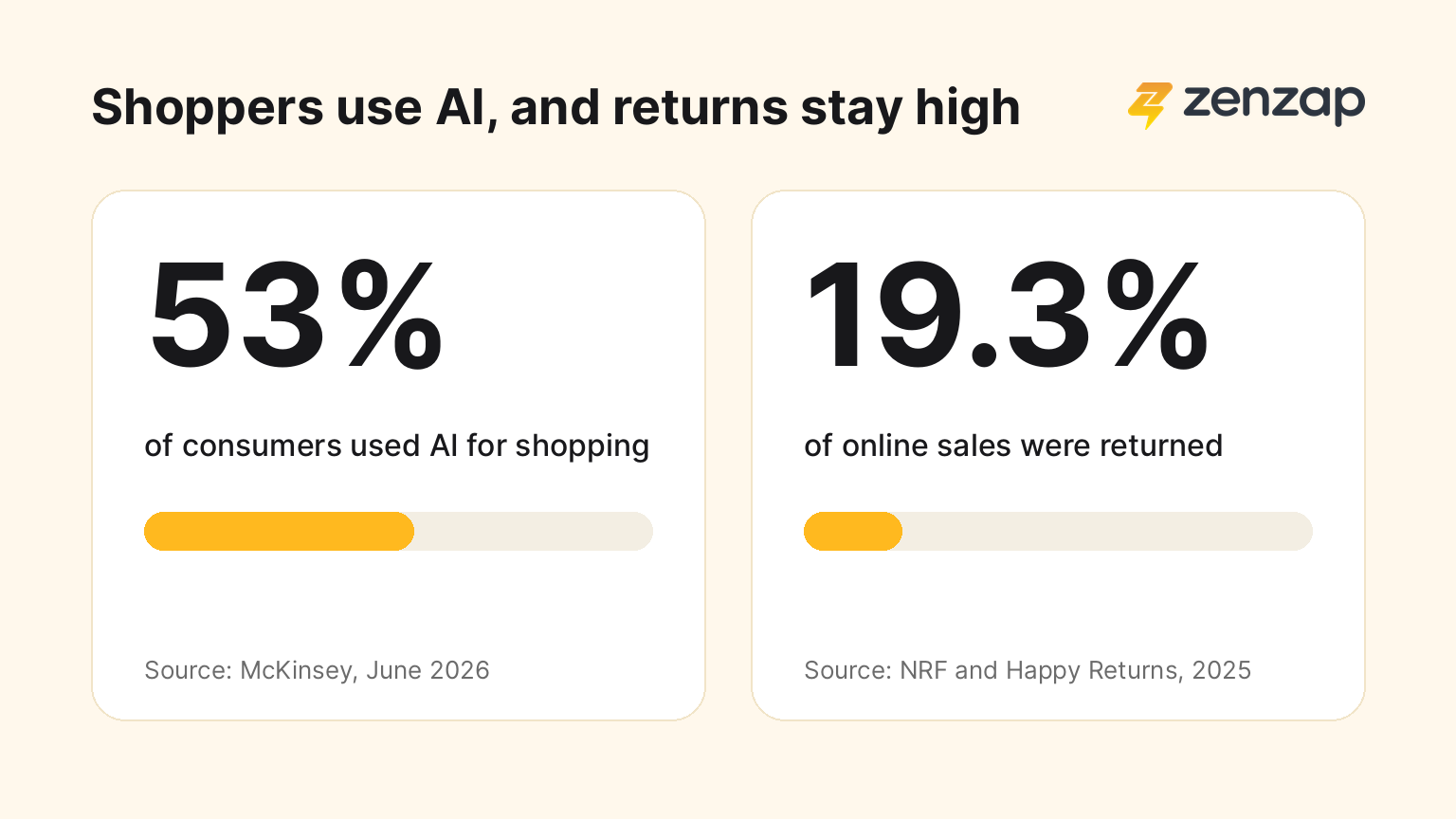
In a June 2026 survey of about 21,000 consumers in 11 countries, McKinsey found that 53% had used AI for shopping in the past three months. People call this shift agentic commerce. AI tools like ChatGPT and Google’s AI Mode now find, compare, and sometimes buy products for the shopper. Shopify stores can now sell inside those AI tools, so a store’s orders can come from more places than ever.
Agentic commerce changes the work behind the store in two ways.
- Product data has to be right everywhere. AI shopping tools read your listings, prices, and stock to decide what to recommend, so a missing size or an outdated price can mean your product gets skipped.
- More orders mean more of everything else, like more “Where is my order?” questions, more shipping problems, and more returns. The National Retail Federation (NRF) and Happy Returns estimated that 19.3% of online sales would be returned in 2025, and every return needs a policy check and a refund decision.
Most coverage of AI in ecommerce is about shopping assistants that talk to customers. AI agents for your team do a different job. AI agents can help your team keep up with the work those customers create.
What to Look for in AI Agents for Ecommerce
The best AI agents for ecommerce connect to your store tools, work with your whole team, and let a person approve anything that costs money. Look for these seven things.
- Connects to the tools your store runs on. The AI agent should work with your store platform, helpdesk, shipping app, inventory system, and accounting tool. An AI agent that can’t see your orders and stock can’t help with them.
- Works with your whole team. Support, the warehouse, and the owner should be able to use the same AI agent and see what the AI agent did. A personal AI assistant on one person’s account leaves everyone else out, and the knowledge leaves when that person does.
- Lets you approve what matters. You should be able to choose what the AI agent can do in each tool, like read-only, act after your approval, or no access. Refunds, supplier orders, and price changes should wait for a person.
- Easy for remote and frontline staff. Remote support agents and warehouse staff often work on their phones. The AI agent should be as easy to use as sending a message, with no technical setup.
- Gives the owner control over access. You should decide who can add AI agents, and removing someone from the team should remove their access to the AI agents and your store data.
- Builds workflows from plain language. You should be able to describe a job in a sentence and have the AI agent build the workflow. The AI agent should also learn from your corrections and flag the issue when a workflow stops working.
- Keeps customer and business data safe. Your AI agent will see customer names, addresses, orders, and sales numbers, so check how the tool handles that data. Look for a tool that encrypts your data, keeps the data owned by your company, never uses the data to train AI models, and only sees the tools you connect. The AI agent should never see your passwords, and every app connected or disconnected should be recorded. Check for compliance standards like SOC 2 and GDPR.
Zenzap checks every box on this list. Zenzap connects to 2,000+ work tools with a one-click login, and you choose what each AI agent can do in each tool, like read-only, act with your approval, or no access.
You also decide who in your company can add AI agents. Adding someone to a group chat gives them the AI agents in that chat, and removing them takes that access away in the same step. Your data is encrypted, owned by your company, and never used to train AI models.
Zenzap AI agents never see your passwords, and Zenzap meets SOC 2, GDPR, HIPAA, and ISO 27001 standards.
How to Build AI Agents and Workflows for Your Ecommerce Store
The best way to build AI agents and workflows for your ecommerce store is to start with one job your team repeats every day. Get that job working, then add the next one. Here are the steps.
- Pick one job. Choose something your team does every day, like checking stock or catching late shipments.
- Download Zenzap. The first thing you see in the app is an AI agent, ready for you to build.
- Build an AI agent for that job. Give the AI agent a clear name, like “Orders” or “Stock,” so everyone knows what the AI agent is for. The AI agent asks what you want to call it, then suggests tools to connect.
- Connect the tools the job needs. For late shipments, that’s your store platform, shipping app, and helpdesk. Choose what the AI agent can do in each tool.
- Ask the AI agent to do the job once. Check the answer, and correct the AI agent if something’s off.
- Turn the job into a workflow. Tell the AI agent to run the job on a schedule or when something happens, like every morning at 8 AM or whenever a product drops below 20 units.
- Add the people who need the AI agent. Support agents, the warehouse lead, or the owner can then use the same AI agent and see what it does.
- Add the next job. Once the first workflow runs well, build an AI agent for the next team, like marketing or finance.
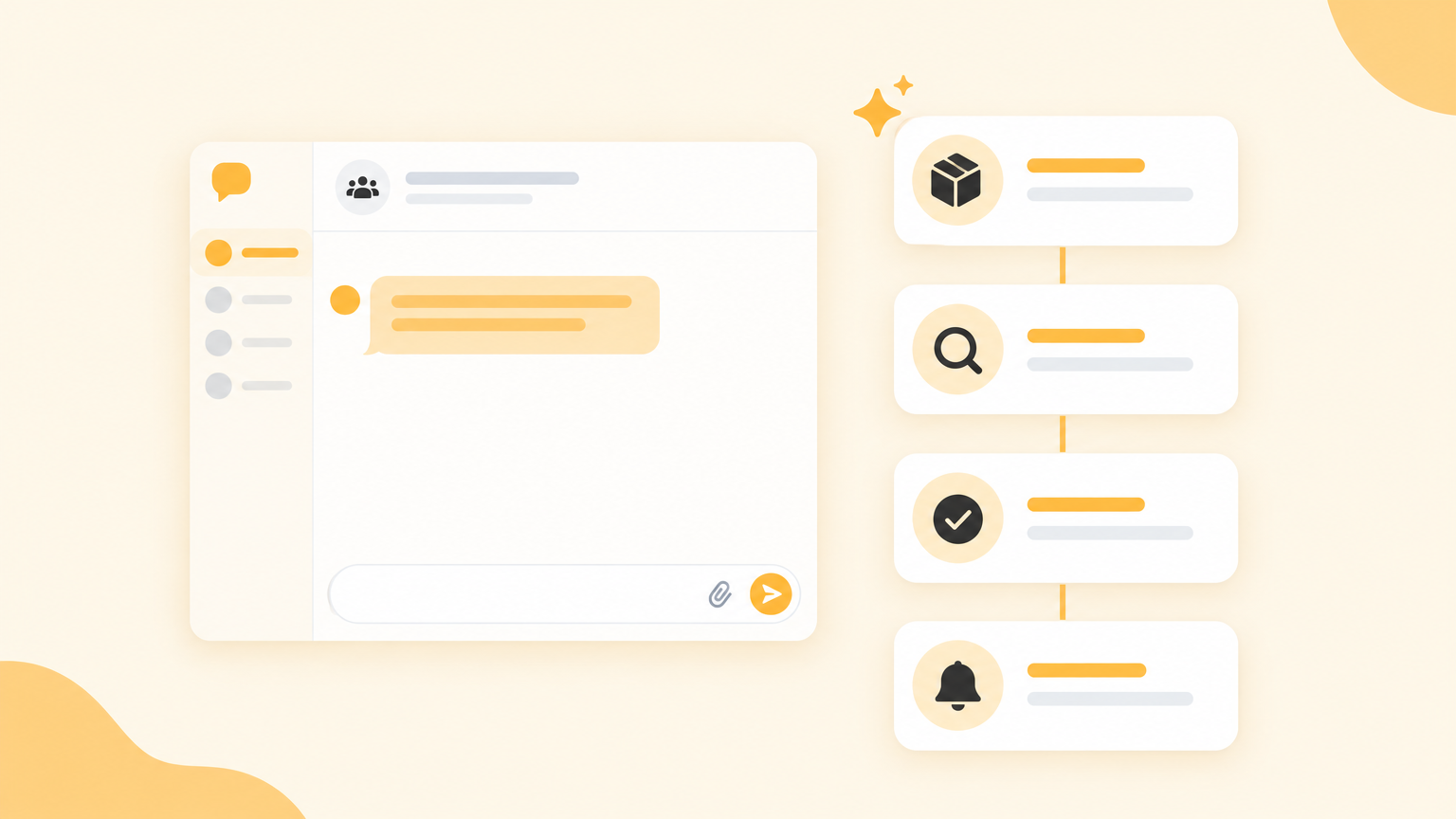
In Zenzap, building an AI agent takes one click, and the AI agent tells you what it can do with each tool you connect. You don’t build workflows by hand either. You tell the AI agent what you want, and the AI agent builds the workflow in the background.
The AI agent learns from your feedback over time. When you correct it or tell it what you prefer, the AI agent fine-tunes the workflow and remembers the change. When something in the workflow doesn’t work, the AI agent flags the issue and helps you fix it.
How to Organize AI Agents for Each Team in Your Store
The easiest way to organize AI agents for your store is to build one AI agent for each team and add it to that team’s group chat. Each AI agent gets its own name, job, tools, and permissions, so your support AI agent never needs access to your accounting tool. In Zenzap, you can build as many AI agents as you need.
Here’s a simple way to split it for a small to mid-size store.
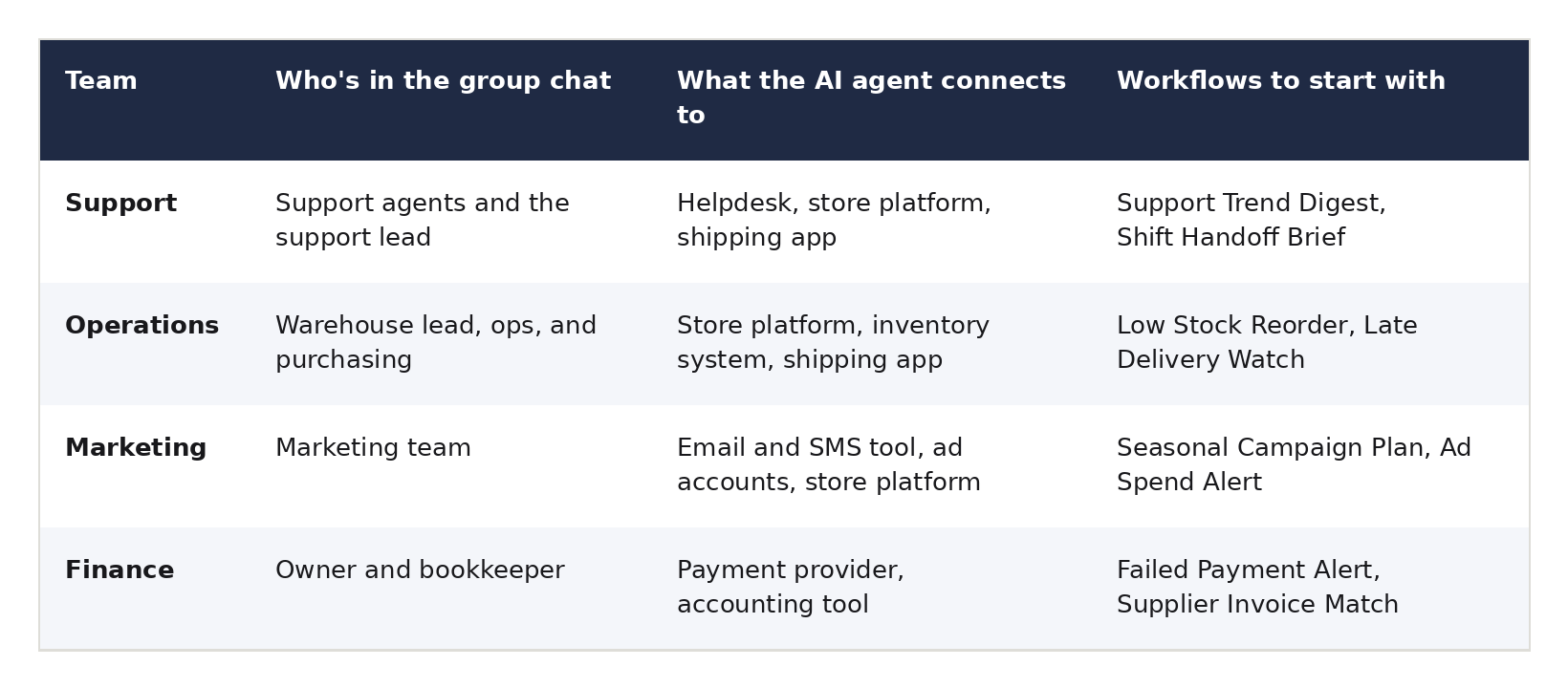
AI agents in the same chat can talk to each other and pass work between them. For example, a support AI agent can hand a refund to the finance AI agent for approval, and everyone in the chat sees what happened.
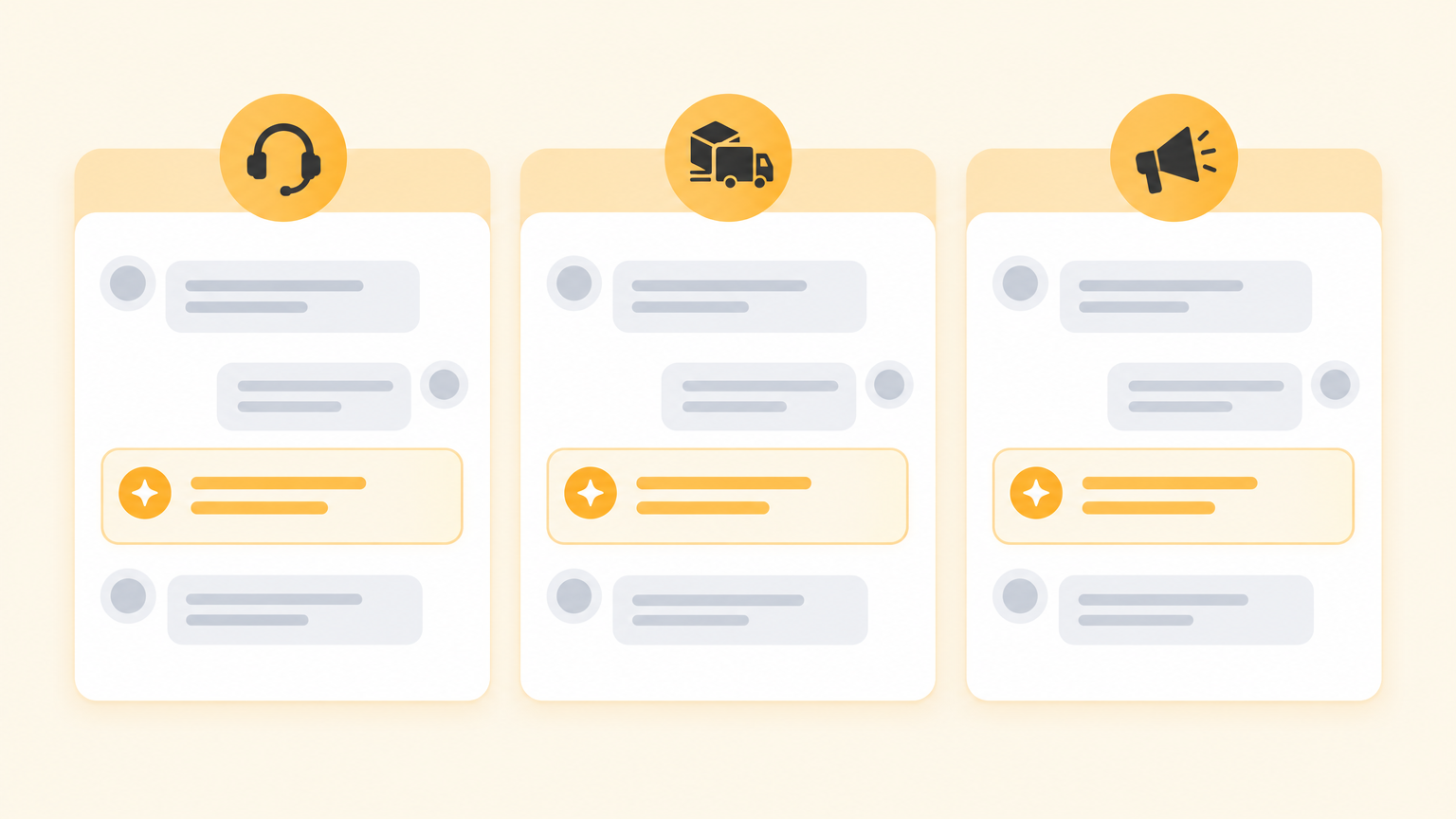
The team structure also handles access for you. When someone joins a team’s group chat, they get that team’s AI agents on day one. When someone leaves, removing them from the chat removes their access to those AI agents in the same step.
10 Ways to Use AI Agents for Ecommerce
Once your first AI agent is built, here are ten of the most common ways to use AI agents for ecommerce. AI agents can do far more than this list, since an AI agent can work with any tool you connect it to.
These are workflows you can build with your Zenzap AI agents to keep orders, stock, returns, and payments moving without adding work for your team. For each one, we’ve included the message to send your AI agent to build the workflow.
1. Spot Recurring Customer Problems Early
An AI agent can go through your support tickets, spot the issues that keep coming up, and share them with the team that can fix them. Product and listing problems get fixed before they turn into more tickets and returns.
Example: Twelve customers in one week say the same pair of shoes runs small. The AI agent flags the pattern to the merchandising team, so they can add a sizing note to the product page.
To set it up, tell your support AI agent something like “Every Friday, go through this week’s tickets, find the problems customers mention most, and post them here for the merchandising team.”
2. Catch Late and Stuck Shipments Before Customers Do
An AI agent can watch your shipments, update customers when a delivery runs late, and flag stuck packages to your team.
Example: A late delivery workflow checks tracking every morning and posts the stuck shipments to your support team, with the customer and order number for each one.
To set it up, tell your operations AI agent something like “Every morning, check tracking on open orders, send the customer an update when a delivery runs late, and post any stuck shipments here.”
3. Check Returns and Refunds Against Your Policy
An AI agent can check each return against your return policy, work out the refund, and send it to a manager to approve. Refund decisions stay consistent, no matter who on the team handles the return.
Example: A customer sends back a jacket after 35 days. The AI agent checks your 30-day policy, flags that the return is outside the window, and asks the manager whether to offer store credit instead.
To set it up, share your return policy with your support AI agent and say something like “When a return comes in, check it against our policy, work out the refund, and post it here for the manager to approve.”
4. Pull the Right People Into High-Value Complaints
An AI agent can bring support, logistics, and a manager into one group chat when a big order goes wrong, with the order details already there.
Example: A wholesale customer reports a damaged shipment. The AI agent opens a chat with the support lead, the warehouse lead, and the owner, and posts the order, the customer’s photos, and the shipping history.
To set it up, tell your support AI agent something like “When a complaint comes in on an order over $500, pull the support lead, the warehouse lead, and the owner into one group chat and post the order details.”
5. Reorder Stock Before It Runs Out
An AI agent can watch stock levels, draft a purchase order when a product runs low, and post the order for approval. The AI agent can also confirm each supplier order and flag late or short deliveries.
Example: Your best-selling hoodie drops below 20 units in medium. The AI agent drafts the purchase order for your usual supplier and asks the ops lead to approve it.
To set it up, tell your operations AI agent something like “When any product drops below 20 units, draft a purchase order for the usual supplier and post it here for approval.”
6. Keep Product Listings Complete and Accurate
An AI agent can draft product pages for new products and flag listings with missing photos, sizes, or wrong prices. Clean product data matters more now that AI shopping tools read your listings to decide what to recommend.
Example: You add 15 new products for the holidays. The AI agent drafts each product page from your notes and sends the drafts to the team to review before they go live.
To set it up, tell your operations AI agent something like “When I share notes for a new product, draft the product page and post it here for review. Every Monday, flag any listing with missing photos, sizes, or prices.”
7. Plan and Watch Your Marketing Campaigns
An AI agent can turn a campaign brief into an email, ads, and SMS plan for your team to review, then flag campaigns that overspend or underperform.
Example: During a weekend sale, the AI agent checks ad spend every morning and flags an ad campaign that’s spending fast with very few sales.
To set it up, share your campaign brief with your marketing AI agent and say something like “Turn this brief into an email, ads, and SMS plan for our sale. During the sale, check ad spend every morning and flag any campaign that’s spending fast with few sales.”
8. Flag Failed Payments and Supplier Invoice Mismatches
An AI agent can flag failed customer payments to whoever handles finance, and check supplier invoices against what you ordered and received before you pay.
Example: A supplier bills you for 500 units, but the warehouse only received 450. The AI agent flags the mismatch to finance before the invoice gets paid.
To set it up, tell your finance AI agent something like “Flag any failed customer payment here right away. When a supplier invoice comes in, check it against what we ordered and received, and flag any mismatch before we pay.”
9. Hand Off Between Support Shifts and Time Zones
An AI agent can brief the next support shift on open and escalated tickets, and round up the tickets close to missing their reply time. Remote support agents in different time zones can pick up exactly where the last shift stopped.
Example: At the end of one support agent’s shift, the AI agent posts a summary of open tickets and refunds still waiting for approval, for the agent starting their day in another time zone.
To set it up, tell your support AI agent something like “At the end of each shift, post a summary of open and escalated tickets and any refunds waiting for approval, for the next shift.”
10. Get a Daily Sales Snapshot Every Morning
An AI agent can post yesterday’s orders, sales, refunds, and top products to the owner every morning. The owner sees how the store did without opening three apps.
Example: Every day at 8 AM, the AI agent posts a summary of yesterday’s sales, the top five products, and any refunds over a set amount.
To set it up, tell your finance AI agent something like “Every day at 8 AM, post yesterday’s sales, top five products, and refunds over $100 to this chat.”
How to Ask Your AI Agents for Help Day to Day
Not every job needs a workflow. To get a quick answer, message your AI agent in plain language, the way you’d message a coworker. You don’t need a perfect prompt.
Here are some things you can ask your ecommerce AI agents.
- “Which orders from yesterday haven’t shipped yet?”
- “How many of the black hoodie in medium do we have left?”
- “Show me this week’s sales by product as a chart.”
- “What did I miss in the support chat today?”
- “Add the warehouse lead to this chat.”
A few tips make day-to-day asks work better.
- Send a voice note when you’re on the go, instead of typing.
- Ask the AI agent what it can do. The AI agent also suggests jobs on its own, based on the tools you’ve connected.
- Correct the AI agent once. If you say “Always mention our 30-day return window,” the AI agent remembers and does it from then on.
- Turn repeat questions into workflows. If you ask the same question every Monday, tell the AI agent to send the answer every Monday instead.
How to Control What Your AI Agents Can Do
To control what your AI agents can do in your store, set access per tool, decide who can add AI agents, and manage people through your group chats. Here’s how.
- Choose what each AI agent can do in each tool. For every tool you connect, pick read-only, act with your approval, or no access. For example, let the AI agent read sales data on its own, but make refunds and supplier orders wait for your approval.
- Decide who in your company can add AI agents. A manager or the owner can build the AI agents for each team and add them to the right group chats, so the rest of the team uses them without building their own.
- Build a separate AI agent for sensitive tools. If your support team shouldn’t see financial data, give the finance AI agent the accounting tool and leave it off the support AI agent. Leaving a tool off works better than telling an AI agent “don’t look at this.”
- Manage access through the group chats. Add someone to a chat to give them its AI agents, and remove them to take that access away.
- Disconnect a tool whenever you need to. Access stops right away, and every connection and disconnection is recorded.
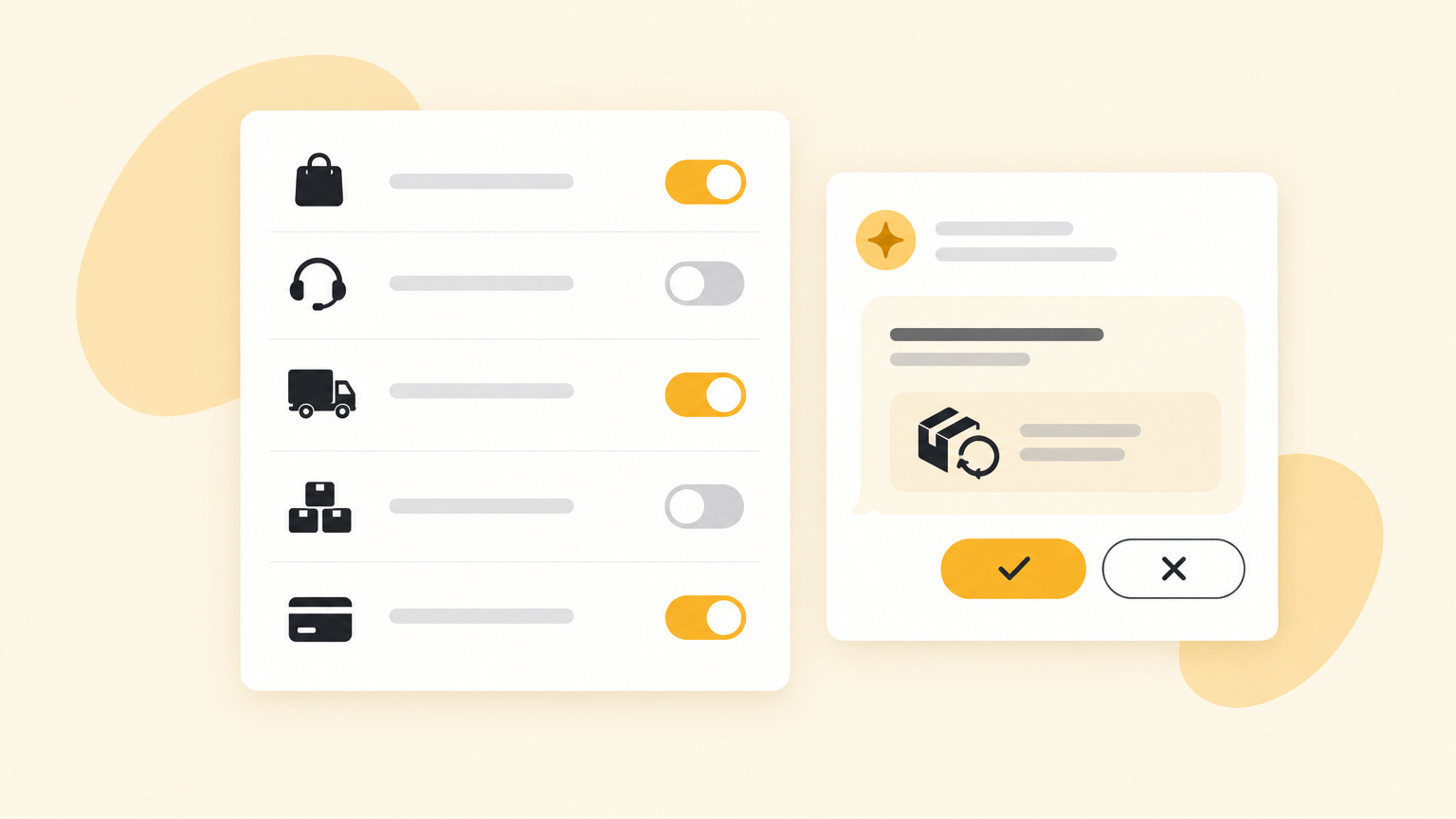
You don’t need to do anything about passwords. Zenzap holds your logins and makes the connection, and the AI agent never sees them.
How to Use AI Agents for Black Friday and the Holiday Rush
To use your Zenzap AI agents for Black Friday and the holiday rush, follow these steps.
- Create a group chat for the sale. Add the leads from support, the warehouse, marketing, and finance, plus the AI agents they’ll need, so every question about the sale goes to one place. In Zenzap, you create a new group chat, add the people, and add the AI agents you’ve already built. You can also tell an AI agent to add your team, and the AI agent adds them.
- Ask an AI agent to check stock on every sale product. Have the AI agent draft reorders for anything that won’t last the sale, and send them for approval.
- Have an AI agent check your sale setup before launch. The AI agent can confirm that discount codes work, campaign dates match, and sale prices show correctly on every channel.
- Give temporary holiday staff the AI agents they need on day one. Make sure removing a temp worker after the season also removes their access to the AI agents and your store data.
- Set approval rules for busy days. Refunds over a set amount and new supplier orders should always wait for a person to approve, even when the AI agent does the checking.

Start With One Job Your Team Repeats Every Day
AI agents for ecommerce work best on the repeat work that passes between your team and your store tools, with a person approving anything that costs money. You don’t need a tech team to start, just one repeat job and the right tool.
If you want AI agents that connect to your store tools, work with your whole team in shared chats, including remote support agents, and wait for a person to approve refunds and orders, use Zenzap. Build your first AI agent for one job, add the people who need it, and add the next job once the first one runs well.
FAQ
Will AI agents replace my customer support team?
No, AI agents won’t replace your customer support team. An AI agent takes over the lookups and first drafts, like spotting late shipments or checking a return against your policy. Your support agents still handle the conversations that need judgment, and a person approves refunds.
What’s the difference between an AI agent and a chatbot on my store?
The difference between an AI agent and a chatbot is that an AI agent takes action in your tools. A chatbot on your store answers shoppers’ questions. An AI agent for your team updates records, drafts purchase orders, flags late shipments, and posts reports.
Are AI agents safe to connect to my store data?
AI agents are safe to connect to your store data when you control what each AI agent can do. Choose a tool that lets you set read-only, approval, or no access for each connected app, and that removes a person’s access when they leave the team.
What’s the best AI agent for ecommerce?
The best AI agent for ecommerce is Zenzap, because Zenzap AI agents connect to your store tools, work with your whole team in group chats, and wait for approval on the actions you choose. You build each AI agent in one click, without code.