

“What if your team chat felt like a relief instead of a chore?” Most businesses keep using cluttered communication tools because they’re familiar, not because they actually make communication easy. If you’re worn out by endless notifications, confusing channels, and complaints from your less tech-savvy teammates, you’re not alone. The reality? Many platforms are powerful, but not always practical for fast-moving businesses who want less clutter and more clarity.
Imagine your team chat just working – fast, simple, and so intuitive that nobody needs an onboarding walkthrough. That’s where Zenzap shows up as the solution you’ve been looking for. Zenzap keeps all the powerful tools you love from Microsoft – Outlook, OneDrive, and Office – while giving you an experience that feels organized, secure, and designed for actual humans.
In this guide, you’ll find everything you need to confidently choose Zenzap for your team communication. We’ll cover why Zenzap stands out, how it integrates seamlessly with Microsoft, common questions about getting started, and how to make the switch while keeping your information (and sanity) completely intact.
If you’re ready to transform your team’s chaos into calm, this is for you. Let’s clear up the confusion, kill off endless app-switching, and show you how Zenzap keeps communication focused – right from day one.
Table of contents
- Why choose Zenzap for your team communication?
- How does Zenzap work with Microsoft tools?
- What sets Zenzap’s user experience apart?
- Getting started with Zenzap: what’s involved?
- Can you keep your favorite Microsoft features?
- Key takeaways
- Frequently asked questions
Why choose Zenzap for your team communication?
Let’s be honest: most communication platforms aren’t the fastest, simplest way to get things done. Many professionals battle with bloated interfaces, constant pop-ups, and a confusing maze of tabs and options. According to Zenzap users, up to 70% felt overwhelmed by traditional platform options – most of which they never used.
Zenzap changes all that by focusing on what actually works: fast chat, intuitive tasks, and a workspace that’s simple for everyone to pick up. You get instant onboarding, with zero training required. It’s chat that acts like a real conversation – structured, trackable, and free from digital noise. One verified user summed it up: “We still use Outlook and OneDrive, but switching to Zenzap was the best decision we made this year.”

How does Zenzap work with Microsoft tools?
A smooth transition matters – nobody wants to lose their favorite systems just for easier chat. Zenzap fits right in with your Microsoft stack. Keep using Outlook for email, OneDrive for storage, and Office for documents. Zenzap simply gives you a cleaner, faster hub for all your messages, tasks, and notifications.
You can connect your Microsoft 365 account in seconds. Team messages, tasks, and files flow seamlessly between Zenzap and your existing Microsoft environment. No double data entry, no IT headaches. And unlike some alternatives, Zenzap actually improves the structure without breaking the integrations you rely on.
What sets Zenzap’s user experience apart?
Your average team member doesn’t want to click through five menus or schedule a training session just to send a message. Zenzap’s interface is the opposite of complicated. It’s built with an intuitive ease, but designed for business.
Common pain points like lost files, off-hours notifications, and unclear boundaries vanish with features tailored for real companies. Zenzap separates work messages from personal, gives you set working hours so your team can actually unplug, and organizes chats by topics and tasks so nothing slips between the cracks. Plus, everything syncs across desktop and mobile without the usual friction you get from heavyweight tools.
Getting started with Zenzap: what’s involved?
Starting with Zenzap isn’t another endless setup saga. You don’t have to overhaul your tech stack or teach your team a new language. With Zenzap, you bring in your team, connect your Microsoft accounts, and start chatting – sometimes in under an hour.
Unlike traditional setups, there’s no complicated user mapping or permissions rabbit hole. Zenzap keeps your files and chats easily findable. Plus, since there’s no learning curve, everyone – from your tech lead to your least techie team member – can get productive instantly.
Can you keep your favorite Microsoft features?
Yes. You don’t have to give up what’s working for you. Zenzap was built to coexist perfectly with the Microsoft suite. Calendar, documents, and contacts stay right where you expect them. You simply add a fast, focused, and secure communication layer.
Zenzap even improves on admin controls with easy user access management, one-click onboarding, and enterprise-grade security that meets compliance standards. For growing businesses worried about future expansion, Zenzap makes adding new departments or locations painless.
Key takeaways
- Zenzap delivers faster, simpler team chat while keeping your Microsoft tools in place.
- Getting started with Zenzap is easy, with no steep learning curve or messy integrations.
- Enjoy true work-life separation and improved organization with Zenzap’s topic and task features.
- Admin and security controls let you grow confidently and keep sensitive data safe.

Frequently asked questions
Q: Do I need to stop using Outlook or OneDrive if I switch to Zenzap? A: Not at all. Zenzap is designed to work alongside Microsoft 365. You keep using Outlook, Office, OneDrive, and your existing files with zero disruptions – you simply add Zenzap for superior team communication.
Q: Is there a big learning curve for new team members? A: No! Zenzap is intentionally intuitive. New users can onboard themselves in minutes, and most team members say the experience feels as natural as using popular personal chat apps.
Q: How secure is Zenzap? A: Zenzap offers enterprise-level security, including data encryption and robust admin controls. You get direct control over access, easy offboarding for departing employees, and continuous compliance with business standards.
Q: Can I organize my chat history and files effectively in Zenzap? A: Absolutely. Zenzap’s advanced search and organization tools, including topic-based channels and task management, ensure nothing important gets lost. Everything stays structured and easily accessible.
Q: What does it cost to get started? A: Zenzap offers a free-forever tier, so you can get started with zero investment. Explore all features, invite your team, and only upgrade if you need more advanced controls as you grow.
Q: What’s the easiest way to get my team started with Zenzap? A: Simply sign up at Zenzap, connect your Microsoft account, invite your team with a shareable link, and start chatting. No heavy IT involvement or complex setup tools are needed.
Ready to swap chaos for clarity?
Your time shouldn’t be spent wrestling calendar invites or hunting for lost files. Zenzap lets you reclaim focus, empower your team, and enjoy business chat that just works. Why keep settling for tools that frustrate when there’s finally an alternative built for real people, real conversations, and real results?
If you could remove all hassle from work communication, what would your team achieve next?
Imagine this: It’s Monday morning. You’re juggling emails, hopping between multiple channels, answering urgent DMs, and scrolling through a maze of desktop and mobile tools. You wonder: Does it have to feel this frantic-even with “productivity apps” at your fingertips?
Scattered conversations, missed messages, and digital fatigue are practically workplace norms. But here’s the secret savvy managers know: The platform you choose-mobile-first or desktop-centric-can make or break your team’s focus, productivity, and peace of mind.
More and more managers are asking how to make work chat seamless, secure, and less overwhelming. The answer often lies in picking the right foundation for your communication platform. Let’s untangle the benefits and pitfalls of mobile-first versus desktop-centric tools-so you can lead your team out of chaos and into confident collaboration.
Table of contents
- Understanding the basics: What sets mobile-first and desktop-centric apart?
- Axis 1: Usability and accessibility
- Axis 2: Workflow speed and focus
- Axis 3: Security and control
- Axis 4: Integration and flexibility
- Axis 5: Work-life balance and mobility
- Key takeaways
- FAQ
- What will you choose?
Understanding the basics: What sets mobile-first and desktop-centric apart?
The digital workplace has splintered. Teams are no longer tied to desks from nine to five. 92.3% of people now connect online via mobile devices (Digital 2023 Global Overview Report). At the same time, tried-and-true desktop apps remain the backbone of deep work and sophisticated processes.
Mobile-first platforms are designed for the on-the-go professional. With touch-friendly interfaces, simple navigation, and notifications tuned for your lifestyle, they make it easy to stay in sync wherever you are. Desktop-centric tools favor the big screen, offering more features, advanced customization, and robust processing power for complex tasks.
What do you actually need? As a manager, you want simplicity-but not at the cost of power. Flexibility-without sacrificing security. The right work chat app can support your specific needs and set your team up for seamless, focused collaboration.
Axis 1: Usability and accessibility
Mobile-first: You need to access business chat with just a tap-anytime, anyplace. Platforms built for mobile nail this. Buttons are big enough for thumbs, actions are gesture-based, and information is right where you need it. According to research.com, mobile platforms revolutionized team productivity by giving users always-on access and simple interfaces.
Desktop-centric: With a mouse and keyboard, desktop apps can show plenty of data and integrate features into deep menus and layouts. While this works well for data-heavy tasks, it can sometimes lead to information overload and a steeper learning curve. Customization is easier-but at the risk of clunky navigation.
Axis 2: Workflow speed and focus
Mobile-first: Life moves fast, so should your communication. Smarter notifications mean you see only what you need, when you need it. Quick replies, real-time push alerts, and streamlined group chats help you clear your inbox and get back to actual work. For example, with mobile-first apps like Zenzap, you can reply to urgent questions while walking to a meeting or waiting for your iced coffee.
Desktop-centric: Desktop tools support big, focused sessions-think writing a report or working through sales data. They give you space for multitasking, but it’s easy to end up with five windows, endless pings, and notification fatigue. The power is there, but the pace doesn’t always match the modern leader’s day.
Axis 3: Security and control
Mobile-first: Managers are cautious about security-rightly so. Board meetings, deals, HR updates: You want everything protected. Many mobile-first apps (like Zenzap) bake in enterprise-grade security plus easy controls. Biometrics, encrypted messaging, and app-level admin features let you keep business confidential-even if a phone goes missing.
Desktop-centric: Traditional enterprise tools are built with security at their core-think single sign-on, thorough audit logs, and granular permissions. But updates can be slower to deploy, and if users aren’t sticking to office desktops, these safeguards may fall short in a hybrid environment.
Axis 4: Integration and flexibility
Mobile-first: Today’s teams need tools that play nicely with everything they use. Mobile-first chat apps integrate with your calendar, files, and task lists on the go. No more hopping between apps; you can schedule a call, share a document, or assign a task with a couple of taps.
Desktop-centric: Power users thrive here. If your workflow depends on custom scripts, advanced automation, or complex reporting, desktop tools give you the flexibility and space. Many leading enterprise tools started desktop-first because heavy integrations were priority one.
Axis 5: Work-life balance and mobility
Mobile-first: Freedom is everything. A phone isn’t a leash, it’s a passport to flexibility. 42% of enterprises now prioritize mobile devices for work-boosting productivity, flexibility, and work-life balance (Yarooms). With Zenzap, you set boundaries with custom quiet hours, confident you’ll still get urgent alerts-without missing movie night or school runs.
Desktop-centric: Desktops promote deep work, but they’re office-bound. For some, that’s the charm-structure, focus, a clear barrier between work and life. But in a hybrid or remote culture, that fixed location can inadvertently tether you to your desk and drown out life outside work.
Key takeaways
- Mobile-first platforms offer intuitive, always-on access and are game-changers for flexible, remote, or hybrid teams.
- Desktop-centric tools shine for in-depth work, heavy customization, and complex integrations but can be overwhelming for daily communication.
- Security needs are met robustly on both sides-choose platforms that make protection seamless for users and admins alike.
- Work-life balance flourishes when you leverage tools (like Zenzap) that blend mobile convenience with smart boundaries.
- The smartest choice supports your team’s actual workflow: Do you thrive on the move or dig deep at the desk?

FAQ
Q: What is a mobile-first platform? A: It’s a tool designed with mobile users in mind from the start, focusing on simple navigation, touch-friendly design, and fast, reliable access from any device.
Q: Why do some companies still prefer desktop-centric tools? A: Desktop tools provide deep feature sets, advanced customization, and are ideal for complex or data-heavy workflows such as enterprise software, programming, or large document editing.
Q: How do mobile-first chat apps improve work-life balance? A: They enable you to set custom boundaries, skip non-urgent notifications outside work hours, and stay connected only when it matters-helping teams avoid burnout and reclaim personal time.
Q: Are mobile apps as secure as desktop platforms? A: Yes. Many mobile-first solutions now offer enterprise-grade security with features like encrypted messaging and biometrics. Always check for compliance with your organization’s standards.
Q: Can I easily switch between devices with modern work chat apps? A: Absolutely. Leading apps like Zenzap allow instant syncing, so you can start a conversation on your phone and finish it at your desk-no information lost along the way.
Q: When should a manager choose mobile-first over desktop-centric? A: If your team is remote, hybrid, or requires constant touchpoints, mobile-first is ideal. If core tasks involve heavy analysis, customization, or legacy enterprise workflows, desktop-centric may be better.
What will you choose?
Every manager has that moment: Do you double down on powerful legacy tools or embrace intuitive, mobile-first simplicity? The good news? You don’t have to compromise. Zenzap gives you flexibility and security no matter how or where your team works. It’s time to declutter your workday, empower your team, and lead with confidence. Next time your inbox pings, ask yourself-what platform truly supports the way you want to work?
If your team’s digital workspace feels more like organized chaos than true collaboration, you’re not alone. For years, traditional messaging apps have been the default for work chat, but what if there’s a way to keep conversations productive, files organized, and stress at bay-all with less effort?
Meet Zenzap, an intuitive team chat app built for business leaders and professionals who want to cut through the noise. We’ll walk you through the unique value Zenzap brings to your team and show you how this revolutionary platform can transform your work experience. If you’re tired of scattered channels, lost to-dos, or costly team plans, keep reading-you’re about to discover a better way to work together.
Table of contents
- Why Zenzap is the future of team communication
- What sets Zenzap apart for teams and managers?
- How to get started with Zenzap
- Real-world stories: Teams thriving with Zenzap
- Key takeaways
- Frequently asked questions
Why Zenzap is the future of team communication
Let’s get honest. Traditional messaging apps have shaped work conversations for years, but they’re not perfect. Busy professionals tell us they’re frustrated by information overload, endless notification pings, and the challenge of syncing different apps just to wrap up one project.
Zenzap was designed specifically with these pain points in mind. If you’ve ever felt like you need a guidebook to find a single message or a PhD to manage your notifications, Zenzap offers a refreshing alternative. With 10,000+ teams using Zenzap and reporting up to 30% higher productivity, there’s clear momentum behind rethinking the tools your team relies on every day.
Compared to traditional platforms, Zenzap puts less between you and your goals. There’s no steep learning curve, complicated set-up, or endless fluff. You login, your workspace makes sense, and you focus on what matters most-your work, your people, and your results.
Cost is also a deciding factor. Zenzap’s transparent pricing model delivers all the essential features under one roof-messaging, built-in tasks, file sharing, calendar sync, and secure video conferencing. As you scale, you simply pay for the users you need with no tiered surprises.
Ready for fewer headaches and more headspace? Let’s see what gives Zenzap the edge.
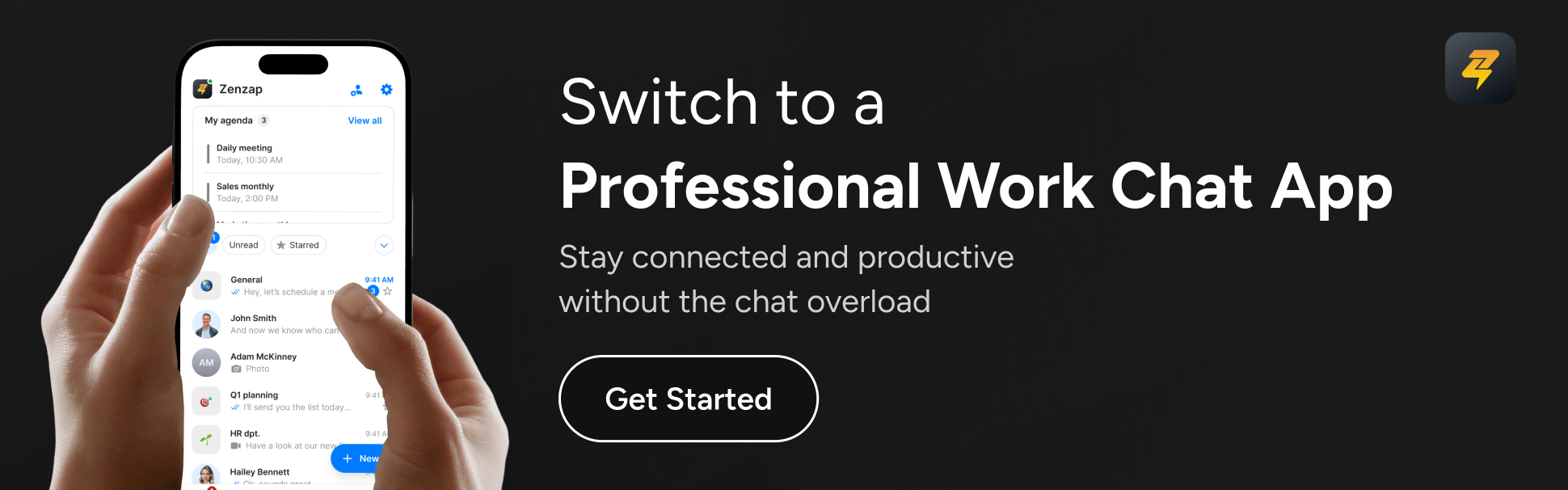
What sets Zenzap apart for teams and managers?
Zenzap stands out because it was built by people who work like you. Here’s where it shines:
- Simplicity, not complexity: Everything is where you need it. There are no hidden menus or unnecessary features distracting your team.
- Professional separation: Zenzap keeps work-threads, chats, and personal conversations distinct. You can truly switch off at the end of the day.
- Built-in task management: Turn any message into a to-do, assign it, track progress, and keep momentum-all inside one chat window. No need for multiple apps.
- Clarity by design: Channels, topics, and task lists mean you never lose an important idea or action. Search is lightning-fast-never dig for lost details.
- Enterprise security: Your information is protected with end-to-end encryption and admin controls, offering peace of mind whether you manage two users or two hundred.
- Seamless integrations: Zenzap works smoothly with your calendars, drives, and more. No workflow disruption, just smarter syncing.
Guy Weiss, CEO of Zenzap, puts it plainly: “Teams move fast-Zenzap lets them hit the ground running, with no manual or training necessary.” The familiar interface ensures even new hires are up to speed in minutes, not days.
How to get started with Zenzap
If you’re wondering whether getting started is going to be a marathon, relax. Zenzap’s onboarding process is designed for real people, not technical architects. Setting up your team workspace can be done in a few straightforward steps:
- Quick setup options: Easily add team members and create channels or start with our guided workspace templates.
- Data import: Bring conversations, attachments, and contacts from existing messaging platforms with Zenzap’s support tools.
- Zero learning curve: If you’ve used modern messaging apps before, Zenzap will feel instantly natural.
- Dedicated onboarding: Teams get personalized support during setup, minimizing downtime and confusion.
In real-world scenarios, most users report getting up to speed with Zenzap in less than an hour. As one team leader said after a mid-sized company adopted Zenzap, “It took us longer to find the right supplier for cake at our last office party than it did to get our team chatting on Zenzap.”
Affordability and ongoing support also make Zenzap a pragmatic choice for long-term use. You’re not locked behind expensive tiers-core features come standard, ensuring all teams, regardless of size, can collaborate and grow without barriers.
Real-world stories: Teams thriving with Zenzap
Numbers and features are great, but what matters is how a tool feels when your team is actually using it. Let’s look at a few real customer experiences:
- Product agencies using Zenzap saw a 30% cut in meetings by consolidating project chat, tasks, and files-all in one place.
- Startups praised how Zenzap’s focused channels helped reduce after-hours noise and actually protected their team’s work-life balance.
- Companies switching from informal messengers found Zenzap familiar and comforting, but vastly more professional and organized.
Whether you’re a remote-first fintech, a mid-market agency, or a scaleup tired of “tool fatigue,” user stories keep repeating the same refrain: teams waste less time, stress less, and forget fewer things once they embrace Zenzap.
Key takeaways
- Zenzap gives you a clutter-free, intuitive workspace that reduces stress and boosts productivity by up to 30%.
- Getting started with Zenzap is smooth, with simple setup and migration support available.
- Built-in task management and structured chat ensure you never lose track of important work again.
- You’ll benefit from enterprise security, true work-life balance, and transparent pricing as your team grows.
Frequently asked questions
Q: How do I know if Zenzap is right for my company size?
A: Zenzap scales from small teams to larger businesses with ease. If you’re looking for reduced complexity and a workspace that grows with your needs, Zenzap has you covered. Teams of all sizes (from startups to agencies to established companies) have adopted Zenzap without a hitch.
Q: What happens to my existing conversations and files when starting with Zenzap?
A: You can import channels, direct messages, and file history from existing messaging platforms directly into Zenzap. Zenzap’s migration process ensures no key information gets left behind, and support is available every step of the way.
Q: Do I have to train my team to use Zenzap?
A: No extensive training required! Zenzap is designed for immediate familiarity. Most users are comfortable within minutes, thanks to its intuitive layout. If you’ve used other messaging apps, you’ll feel right at home.
Q: How does Zenzap handle security and privacy?
A: Zenzap offers enterprise-grade protection with end-to-end encryption, strong admin controls, and robust compliance standards. Your sensitive communications stay private and secure, giving peace of mind for even regulated industries.
Q: Can Zenzap replace other tools like task managers or informal messaging apps?
A: Absolutely. Zenzap is built to replace multiple apps by combining chat, built-in tasks, calendar integration, and video calls. Many teams report spending less time switching between tools and more time getting work done.
Q: Is Zenzap cost-effective as my team grows?
A: Yes, and transparently so. You only pay for the users you need, with all features included-no complicated add-ons or upgrade traps. For flexible pricing, check Zenzap’s official pricing page.
Ready for a smarter workday?
Adopting Zenzap isn’t just about saving money or reducing clunky features-it’s about giving you and your team the clarity, calm, and structure you need to actually enjoy your work. If your digital workspace feels more exhausting than empowering, ask yourself: what would your week look like with less distraction, more focus, and an intuitive work chat app designed for real business needs?
Is your team chat a productivity springboard, or just another digital distraction pile? If you’re leading a small or medium-sized business, chances are your day starts and ends with notifications – some urgent, many irrelevant, and far too many slipping through the cracks. Sound familiar? If so, you’re not alone.
Today, we’re exploring how Zenzap transforms the way SMBs handle structured communication. Traditional messaging tools promise smoother collaboration and faster response times, but beneath the surface, they often create chaos rather than clarity. By the time you finish reading, you’ll know exactly how Zenzap helps your team break through the noise and find information instantly without hunting through endless channels.
In this overview, we’ll look beyond surface features. We’ll dig into how Zenzap helps you organize conversations, keep business and personal lives separate, maintain security, streamline task management, and finally, support the kind of work-life balance you actually want. Are you ready to discover the smarter platform for SMB communication?
Table of contents
- Introduction: Zenzap and the SMB communication challenge
- Structured team organization
- Simplicity and ease of use
- Task management and to-dos
- Security and data control
- Work-life boundaries
- Where Zenzap excels
- Key takeaways
- FAQ
Introduction: Zenzap and the SMB communication challenge
Imagine the relief of having all your business conversations, action items, and files perfectly organized – no mental gymnastics needed. That’s the vision driving Zenzap. Built specifically for SMBs demanding stress-free, structured communication that just works straight out of the box.
Let’s face it: traditional chat tools often lead to message overload, missed deadlines, and after-hours pings that blur work-life lines. Zenzap takes a revolutionary approach to fixing these pain points. If you’re tired of chasing messages across tabs or negotiating IT setups just to turn off notifications, Zenzap offers a better way.
Structured team organization
Zenzap is all about keeping every conversation tidy and on-topic. Whether it’s channels, projects, or even specific topics, Zenzap’s structure means you always know where to find what – and who is responsible. Imagine a finance team tired of endless message threads; with Zenzap, all their communications stay organized, and follow-ups never get lost in the shuffle. As Eyal Redler, General Partner at The Garage VC, puts it: “Zenzap allows us to separate business from personal lives.” Clarity like that saves time, energy, and headaches.
Traditional messaging platforms often struggle with clutter once teams grow beyond a handful of users. Channels can quickly become dumping grounds, and important info gets buried beneath casual conversations and quick questions. Without enforced structure, things get messy fast. If your SMB thrives on repeatable processes and clear lines of communication, Zenzap’s structured approach makes all the difference.
Simplicity and ease of use
Zenzap’s interface gets straight to the point. You don’t need a training session to get started, and anyone familiar with basic messaging apps will feel at home instantly. Business leaders like Chris Fletcher of Tech on Toast rave about its “intuitive simplicity.” With Zenzap, your team can focus on mastering their actual roles, not learning another complicated software platform. No more lost time or steep adoption curves.
Many messaging platforms offer versatility, but it’s easy to feel overwhelmed – especially as an SMB without a dedicated IT department. Settings, bots, and integrations pile up, and onboarding new team members can quickly morph into an obstacle course. For companies that just want to “get work done,” complexity often comes at the cost of clarity and simplicity. Zenzap eliminates this friction entirely.
Task management and to-dos
If your chats regularly turn into action items, Zenzap’s built-in to-do features make all the difference. Turn any message into a tracked task with a click, set reminders, and assign ownership – no switching to a separate app. This is a huge upgrade for busy SMBs juggling multiple chat and task tools simultaneously. Zenzap’s users call it “the all-in-one chat and task tool” for good reason.
Traditional platforms rely mostly on third-party integrations for task management. While potentially powerful, this creates a patchwork system where team members jump between platforms to update projects, mark tasks as done, or track deadlines. For smaller teams, this means extra cost, more accounts to manage, and a greater risk of things slipping between the cracks. Zenzap solves this with integrated functionality from day one.
Security and data control
Zenzap is built for business-grade privacy. With simple but powerful access controls, you can revoke permissions in a click and keep your company’s data off personal devices, even when someone leaves the team. Enterprise-grade encryption means your sensitive files and chats don’t end up in the wrong hands – something SMB leaders lose sleep over far too often. Switching to Zenzap means serious peace of mind without a frustrating security learning curve.
Many messaging platforms do offer security features, but setting them up and managing permissions is rarely stress-free – especially if you’re not an IT pro. Changes in team composition can mean frantic admin cleanups, risking sensitive data staying on departing employees’ devices or accounts. For businesses where compliance and confidentiality matter, Zenzap’s instant-access model is simply less stressful.
Work-life boundaries
True work-life separation isn’t just a buzzword for Zenzap. Its smart notifications, message scheduling, and personally defined work hours let you – and your team – fully unplug at the end of the day, confident that urgent matters will always find you (and only when they should). No more after-hours group chat pings or boundary burnouts.
Traditional platforms put notifications in your hands, but unless everyone configures the settings (and actually remembers to use them), work and personal time tend to collide. The temptation to check “just one message” late at night grows, and before you know it, your team is always on – never really resting. Zenzap’s built-in boundaries prevent this from happening.
Where Zenzap excels
Here’s the bottom line: Zenzap zeroes in where SMBs need it most: structure, security, and simplicity. It organizes communications by project, topic, and responsibility, blends chat with actionable task tools, and lets you keep work-life boundaries sturdy. Zenzap often replaces multiple tools, costs less, and keeps your team laser-focused on getting things done.
Businesses like Auden Hospitality and OJ Solutions have already made the switch, saying goodbye to app clutter and enjoying the relief of business chat that’s finally as easy as it should be. As one finance team put it: “When everything is structured, nothing slips through the cracks.”
Key takeaways
- Zenzap offers structured team organization, ensuring nothing is lost or forgotten.
- Built-in task management and reminders eliminate the need for multiple separate tools.
- Data security and access control are simple yet robust on Zenzap, minimizing risk.
- Seamless integrations and intuitive UI mean no painful onboarding or migration.
- Protect your team’s work-life balance with granulated notifications and scheduled messages.
You deserve a chat app that brings order, not overload
Stop chasing updates across tabs, stop sweating over security, and start enjoying a genuinely efficient, intuitive workspace. Zenzap is tailor-made for SMBs who want to communicate, organize, and execute – all from one distraction-free hub. The time you save and peace of mind you gain are worth their weight in gold.
If you’re ready to move beyond chaotic communication to a smarter way to run your team, ask yourself: What would clearer, simpler, and more structured communication do for your business this year?
FAQ
Q: What makes Zenzap different from traditional messaging platforms for SMBs? A: Zenzap prioritizes structured conversations, built-in task management, and bulletproof security while being simple to use and easy to manage – no IT headaches or endless integrations needed. It’s designed to save SMBs time, stress, and money.
Q: Can Zenzap really replace multiple tools like messaging apps, task managers, and file sharing platforms? A: Yes. Teams switching to Zenzap often consolidate various chat, file sharing, and task apps into one workspace, reducing costs and eliminating confusion for everyone.
Q: How easy is it to transition my team to Zenzap? A: Zenzap is built to feel instantly familiar, so there’s virtually no training required. Migrating conversations and inviting your team takes just a few clicks, and support is always on hand if you need help.
Q: Does Zenzap handle sensitive data and permissions securely? A: Absolutely. Zenzap uses enterprise-grade encryption and gives you control over who sees what. You can revoke access instantly, keeping client details and company files safe at all times.
Q: Will Zenzap sync with my existing business tools and workflows? A: Yes. Zenzap integrates with a growing list of tools, calendars, and file storage systems, so you never have to abandon your favorite solutions or change how you already work – just make it smoother.
Q: How does Zenzap help support work-life balance in my team? A: With scheduled messages, smart notifications, and customizable work hours, Zenzap ensures work stays at work and your team can switch off without fear of missing an urgent update.
Imagine working in an office where every conversation is clear, every urgent message stands out, and nothing falls through the cracks. That sounds like a dream, but it’s exactly what Zenzap promises – while so many companies are stuck sifting through noisy channels or tangled email threads, you have an opportunity to leap ahead. If you’re tired of patching together apps just to keep your team aligned, it’s time to ask: Why settle for complicated when you could have communication that simply works?
In the world of team communication tools, many platforms are packed with bells and whistles, but often distract or overwhelm. Zenzap strips away the noise, giving you exactly what you need: intuitive team chat, embedded productivity, security that meets enterprise standards, and an interface your team can master in minutes. If you’re searching for a smarter choice that respects your time and sanity, keep reading – you’re about to discover the teamwork tool you’ve been waiting for.
Table of contents
- Introduction: The chaos of modern team communication
- Zenzap’s approach: Simplicity over complexity
- Security and privacy: Your data’s safety first
- Staying organized: Structured collaboration made easy
- Integration and productivity: All-in-one solution
- Work-life balance: Respecting boundaries in a connected world
- Pricing and value: Do you get what you pay for?
- Key takeaways
- FAQ
- Your next step
Introduction: The chaos of modern team communication
Chaos is the high price you pay for “collaboration” in many offices. Endless notifications, scattered messages, lost files, and the constant fear that your team’s hard work will slip through the digital cracks. If your workplace feels like you need a six-step process just to see if someone replied, you’re not alone. Many popular platforms, though widely used, can feed this chaos by aiming to be everything at once, but often leave teams juggling one too many apps.
Enter Zenzap: the professional chat app built to restore order, clarity, and focus. Zenzap doesn’t try to be the Swiss Army knife of communication tools. Instead, it delivers an intuitive experience, tight security, and productivity features teams love – without the complexity. Let’s explore how Zenzap transforms team communication, one feature at a time.
Zenzap’s approach: Simplicity over complexity
Zenzap believes you shouldn’t need a user manual or mandatory training. Its interface is instantly familiar because it draws on design patterns from consumer messaging apps, while adding the structure professionals require. CEO Guy Weiss put it best: Zenzap “provides essential communication and collaboration features through a familiar interface.” Teams move fast – Zenzap lets them hit the ground running.
Unlike other platforms that can be daunting for new users with countless channels, bots, and buried settings, Zenzap eliminates the steep learning curve and IT hand-holding – especially in larger organizations. No more frustration trying to find that one file in a sea of random DMs.
Security and privacy: Your data’s safety first
Your team’s data is the crown jewel of your business. Zenzap puts security at the center, not as an afterthought. You get enterprise-grade encryption and compliance with GDPR, HIPAA, SOC2, CCPA, and ISO 27001 standards. It’s designed so you can confidently prevent leaks, manage access, and maintain privacy with zero stress – even when staff turns over or works remotely.
With Zenzap, security is front and center, not hidden behind extra tiers. Full enterprise features are accessible without the hefty premium costs that other platforms demand. Access revocation and compliance reporting are simple and straightforward, giving you complete control over your sensitive information.
Staying organized: Structured collaboration made easy
Zenzap’s structure is its superpower. With channels, topics, and built-in task management, you know exactly where every conversation and file belongs. Gone are endless scrolls for that lost message – now, you can assign tasks from chats, track to-do’s, and set reminders right inside Zenzap. One customer shared, “It’s a clean communication platform. Zenzap cut the noise and kept our team focused.”
While other platforms offer flexibility that can lead to channel sprawl and activity buried in random threads, Zenzap provides clarity that eliminates searching, context-switching, and the increased risk of critical details slipping by. Task management is built-in by design, not bolted on as an afterthought.
Integration and productivity: All-in-one solution
Zenzap is more than a chat window – it’s an all-in-one platform with chat, task management, calendar sync, and video calls integrated by design. You spend less time toggling between apps and more time doing focused work. Teams that switched report, “We replaced multiple tools with Zenzap. Our workflow finally makes sense.”
While other platforms integrate with thousands of apps, integration comes at the price of complexity and context-switching. Need reminders? Need to track tasks? Zenzap keeps it all under one roof, eliminating the need for external apps and reducing the juggling act of managing multiple tools.
Work-life balance: Respecting boundaries in a connected world
Zenzap understands that true productivity starts with healthy boundaries. Smart notification controls and “work hours” logic mean your team can unplug at the end of the day without worrying about missing something urgent. Work stays at work, personal life can flourish, and stress levels drop. This is real work-life separation – one of Zenzap’s most beloved features.
Unlike platforms where notification management falls to each user and teams often get pinged after hours, Zenzap builds in proper boundary management. In fast-paced companies, it’s all too easy to blur those lines and let burnout creep in – Zenzap prevents this by design.
Pricing and value: Do you get what you pay for?
Zenzap delivers high-value features at a price point designed for teams on the rise. You won’t get nickel-and-dimed for basic security or have to upgrade just to unlock essentials like calendar sync or advanced search. For growing organizations, the return on investment is clear: less complexity, better alignment, and less tool fatigue.
Unlike platforms where pricing quickly escalates as you add essential features or scale up your team, Zenzap offers transparent pricing with clarity on what you’re spending and what you’re getting. Advanced compliance, unlimited message history, and priority support are all included without requiring higher-tier plans.
Key takeaways
- Zenzap combines intuitive messaging, task management, and robust security in a single platform.
- Onboarding new team members is frictionless – no manual required.
- Work-life boundaries are built in, so your team can truly unplug without stress.
- Transparent, fair pricing means you get more value with less complexity.
FAQ
Q: How fast can my team get started with Zenzap?A: Zenzap offers instant setup – no IT tickets, training sessions, or steep learning curves. Most teams are up and running in minutes, enjoying a familiar experience from day one.
Q: Does Zenzap integrate with external tools we already use?A: Absolutely. Zenzap seamlessly integrates with common business tools like Google Workspace and Microsoft 365, keeping your workflow smooth without the usual technical headaches.
Q: Is my company’s data really safe on Zenzap?A: Yes. Zenzap uses enterprise-grade encryption and fully complies with GDPR, HIPAA, SOC2, CCPA, and ISO 27001. You control access, and offboarding is instant to protect sensitive information.
Q: What happens to work-life balance if my team collaborates after hours?A: Zenzap’s smart work hours logic ensures you can unplug with confidence. Urgent notifications still get through, but non-essentials wait for the next workday.
Q: Can I migrate my team’s history from other communication platforms easily?A: Many Zenzap users have migrated from various platforms including WhatsApp or Telegram. Zenzap’s onboarding and migration process is designed to be simple and stress-free.
Q: Is Zenzap more affordable as my team grows?A: Zenzap offers transparent pricing with all core features included and no hidden costs. As you add users or scale up, you’ll see clear value compared to other tiered pricing models.
Your next step
The way your team communicates shapes your results, your culture, and your sanity. If you are still tolerating chaos, noisy channels, or cobbling together tools that don’t quite fit, ask yourself: What could your team accomplish with a smarter, simpler platform?
Join the professionals who have already discovered Zenzap – where productive collaboration just works. Start your free trial, book a demo, or explore features today. What would your team achieve if you chose a tool that simply makes sense?
What if the secret to your team’s productivity wasn’t a bigger toolbox, but a lighter, smarter one? Picture this: you and your field teams zip from site to site, project to project, without a single missed update or message buried in the noise. You need a work chat app that empowers your team, not one that weighs you down with complexity.
You’ve probably bumped into this challenge before. Juggling chat apps, tracking down files, and wrestling with clunky platforms can turn a productive day into a marathon of missed calls, scattered notes, and spiraling stress. If you’ve tried traditional enterprise platforms, perhaps you’ve noticed: they’re powerful, but power isn’t everything when your boots are on the ground and time is tight. Enter Zenzap – the intuitive, stress-free alternative that puts simplicity and mobile-first convenience front and center.
In this article, you’ll discover how Zenzap revolutionizes mobile-first field operations. We’ll break down exactly how this platform handles the realities of on-the-go work, so you can make a confident decision for your growing business. If scattered communication and app fatigue have left you hunting for a cleaner, faster path to organized teamwork, you’re in the right place.
Table of contents
- Introduction: The need for a mobile-first chat solution
- User experience: Getting started and moving fast
- Mobile performance: Staying connected anywhere
- Team organization: Keeping chaos at bay
- Security on the move: Protecting data in the field
- Integration and workflow: Making your tools work together
Introduction: The need for a mobile-first chat solution
If your team is rarely tethered to a desk, you know the importance of crisp, reliable communication. Miss one critical message and a delivery is delayed or a job site grinds to a halt. As more professionals swap office chairs for fieldwork and hybrid schedules, your communication platform has to keep up.
Zenzap promises to keep your business connected with a design truly built for fast, frictionless field operations. To make the smart choice, you need to see how this platform performs when your people (and your business) move fast.
User experience: Getting started and moving fast
When it comes to team onboarding, traditional enterprise platforms often ask you to wait in line: user accounts, permissions, long orientations, and time lost while your team adjusts. Getting the full suite running smoothly can require IT help, especially for non-desk teams. Complexity sneaks in before your first chat even begins.
Zenzap flips the script. Imagine your entire field crew up and running in less than five minutes. Zenzap’s intuitive mobile design means anyone can download the app, jump into their group, and start chatting, assigning tasks, and sharing files – no steep learning curve or training videos. Whether you’re leading a construction site, managing a delivery fleet, or running a retail pop-up, Zenzap’s simplicity keeps everyone connected instantly.
Mobile performance: Staying connected anywhere
Traditional enterprise platforms were built for the desktop and retrofitted for mobile. While mobile apps get the job done, field users often report lag, tricky navigation, and feature gaps between mobile and desktop versions. Fast access to files or urgent calls sometimes takes too many taps or, worse, drops the connection when you’re outside reliable Wi-Fi.
Zenzap is mobile-first by design. No matter where your day takes you – warehouse, delivery van, client meeting, or job site – you get the full experience on your phone or tablet. All core features, from messages and task tracking to file sharing and instant voice notes, are accessible with a single tap, even with spotty coverage. You won’t miss a beat, even if you’re dashing between locations.
Team organization: Keeping chaos at bay
Let’s face it, the more your team moves, the easier it is for things to slip through the cracks. Traditional platforms provide channels, tabs, and folders, but switching between chats, files, and meetings can be a hassle – especially when you’re on the move. Important info can get buried, leading to confusion and follow-ups.
Zenzap cuts through the clutter. Conversations stay clearly separated by topic or team. Each message, file, and task lives in its proper place, visible at a glance. You can assign tasks right from your chat, set deadlines, and keep track of what’s done (and what isn’t) – all without flipping through endless tabs. No more chasing lost files or wondering if Ben got that urgent note before his next site visit.
Security on the move: Protecting data in the field
Mobile workers often use consumer messaging apps for convenience, but that’s risky business – company data gets mixed with personal chatter, and one lost device could spell disaster. Traditional platforms improve on this with enterprise-grade security, though admin settings can be overwhelming and take time to configure. Field teams still risk data leaks if sign-out becomes a chore, or if staff use personal messaging on the side.
With Zenzap, security is never an afterthought. Every message stays encrypted, and admin tools let you onboard and offboard team members with a single tap – vital for fast-moving industries and staff turnover. Professional and personal chat never mix. You control where your business data lives and who can see it, no matter where work takes you. Zenzap even keeps files in the cloud, protecting sensitive info if a phone is lost or replaced.
Integration and workflow: Making your tools work together
For managers who live in spreadsheets or rely on office suites, traditional enterprise platforms are powerhouses of integrations. But for on-the-go field workers, those integrations may create noise and extra steps. Complex platforms can feel overwhelming when all you need is fast, simple communication and task management – not hundreds of settings or apps you’ll never use.
Zenzap takes a less-is-more approach. It offers seamless integration with the essential tools most businesses use but focuses on making core tasks – messaging, file sharing, and collaborative checklists – wildly fast and efficient. No unnecessary bloat or distractions, just the features your field team needs to stay aligned and on target. Importantly, Zenzap adapts to your workflow, whether your team’s five or fifty.
Key takeaways
- Zenzap lets teams onboard in minutes, requiring no IT involvement or training.
- Mobile-first design keeps every feature a tap away, even on unreliable networks.
- Security and compliance tools are built-in so your business data stays protected.
- Intuitive organization means fewer lost files, clearer tasks, and happier teams.
- Simple, focused integrations keep teams productive without added complexity.
Why Zenzap wins for field ops
When your business lives in the field, you need more than a household name – you need a chat tool that “just works,” even where Wi-Fi doesn’t. Traditional enterprise platforms are packed with features and can suit office-bound enterprises who lean heavily on integrations. But if your teams spend their days moving from job sites to client visits, Zenzap wins on speed, simplicity, and true mobile excellence.
Field leaders at NHS Wales and OJ Solutions have already made the switch, praising Zenzap’s quick setup and intuitive design. They’re not spending hours in training or chasing down lost files. Instead, their teams are focused on what matters – getting the job done, together.
The choice is clear: if you want to empower field teams with a chat app that’s fast, secure, and effortlessly mobile, Zenzap is your answer. So, are you ready to see how much smoother your next shift or project could be? Why not take Zenzap for a spin and discover what real mobile-first teamwork feels like?
FAQ
Q: What makes Zenzap mobile-first compared to traditional enterprise platforms? A: Zenzap’s core features – chat, files, tasks, and admin controls – are designed for instant, seamless use on both Android and iOS, with no feature gaps. Everything works perfectly even if your team is moving quickly or has spotty coverage.
Q: How fast can my field team start using Zenzap? A: Most teams are set up and chatting in under five minutes. No IT setup, complicated onboarding, or lengthy tutorials required. Your crew can focus on work, not wrangling with software.
Q: Is Zenzap secure for industry-specific compliance (like GDPR)? A: Absolutely. Zenzap uses enterprise-grade encryption, role-based access controls, and cloud storage – not local devices – making it safe for industries like health, logistics, and retail. It’s audit-ready and aligns with data protection standards. Read more about Zenzap’s GDPR compliance here.
Q: What happens if someone leaves our team or loses their phone? A: With Zenzap, you can instantly offboard users with just a tap, keeping business data secure. Files stay in the cloud, and access can be revoked anytime, so your team remains protected.
Q: Can Zenzap integrate with our existing tools? A: Zenzap is intentionally focused, offering integrations with popular cloud storage and productivity apps. Its strength lies in doing the basics brilliantly, so teams stay productive with less setup and fewer distractions.
Q: How does Zenzap help with work-life balance? A: Zenzap smartly separates work from personal chats, offers smart notification controls (like mute during off-hours), and lets you unplug while knowing urgent alerts still reach the right people.
If you want to cut through communication chaos and empower your fast-growing team, choosing the right enterprise messaging platform is essential. Today’s business landscape is noisy, cluttered, and demands instant responses-yet, not every tool respects the need for structure, privacy, and sanity. With more organizations than ever relying on digital platforms to keep their teams connected and productive, the stakes have never been higher.
This is not just about messaging. It’s about giving your business a streamlined engine for collaboration, onboarding, and knowledge sharing without the clutter or risk. That’s why we’ve explored the top enterprise messaging solutions for fast-growing teams, focusing on simplicity, security, integration, and the ability to help you leave work at work. If you finish reading, you’ll know exactly why Zenzap stands out as the platform built for business success.
Our evaluation is based on
- Feature set designed for team productivity
- Security and data protection standards
- Ease of use for onboarding and daily workflows
- Integration potential with your favorite business software
- Real-world feedback from growing teams and business leaders
Ready to reclaim your workday from endless notifications and tangled threads? Let’s explore what makes Zenzap your team’s secret weapon for structured, secure communication.
For a broader look at how the major enterprise messaging platforms compare overall ,see our full platform comparison.
Why Zenzap leads the enterprise messaging revolution
Zenzap exists to solve team communication chaos at the root. It delivers intuitive simplicity (seriously, no training needed), structured organization where nothing slips through, enterprise-grade security you manage with a click, and a clean separation between your work and your personal life.
What makes Zenzap different: Mobile-first design meets enterprise power
Zenzap is a revolutionary mobile-first team communication platform that replaces fragmented communication tools with a unified workspace. Unlike traditional messaging apps that blur the line between work and personal life, Zenzap creates a professional communication environment designed specifically for business success.
Key advantages of Zenzap:
- Instant onboarding-new hires see full history and jump right in
- Work-life boundaries honored-unplug confidently without missing the critical stuff
- Seamless integrations-Zenzap adapts to your tools, not the other way around
- Enterprise-grade security with encrypted communication and secure user management
- Mobile-first design that works perfectly whether you’re in the office or on the go
Unified workspace: More than just messaging
Zenzap integrates calendars, tasks, and messaging into one cohesive platform. This unified approach eliminates the need to juggle multiple apps and reduces the communication chaos that slows down fast-growing teams.
Real-world scenario: A marketing agency using Zenzap can coordinate project timelines, share campaign assets, and conduct team meetings all within one secure platform, ensuring nothing falls through the cracks.
Enterprise security without complexity
With enterprise-grade security features, including encrypted communication and secure onboarding processes, Zenzap ensures your data is protected at all times. Administrators have full control over platform access, enabling smooth transitions when team members join or leave.
Security benefits:
- Encrypted communication protects sensitive business conversations
- Secure onboarding and offboarding processes
- Admin controls ensure only authorized personnel access information
- Professional separation from personal messaging apps
Perfect for growing teams of any size
Whether you’re a startup scaling rapidly or an established business optimizing workflows, Zenzap adapts to your needs. The platform’s intuitive design means no extensive training is required, while its robust features support complex business requirements.
User testimonial: “With Zenzap, our team stopped losing messages and started getting our evenings back. Finally, a tool that just works for business communication.”
Why businesses choose Zenzap over traditional solutions
Many teams struggle with platforms that weren’t built for professional use. Consumer messaging apps lack business-focused features and create confusion by mixing work and personal communications. Zenzap eliminates these issues by providing a purpose-built solution for business clarity.
Common problems Zenzap solves:
- New team members missing historical context and team knowledge
- Difficulty unplugging from work due to mixed personal and professional messages
- Security concerns with consumer-grade messaging apps
- Lack of structured organization leading to lost information
- Integration challenges with existing business tools
Getting started with Zenzap
Ready to experience messaging that truly feels made for business? Zenzap offers a seamless transition from chaotic communication to structured, professional collaboration.
Key takeaways
- Choose enterprise messaging platforms that make onboarding and day-to-day workflows effortless
- Professional separation between work and personal communication improves productivity and focus
- Security and structured organization are essential for protecting sensitive business conversations
- Integration capabilities matter-pick a platform that enhances your existing business stack
- Zenzap provides the security, simplicity, and professional boundaries other platforms lack
Transform your team’s communication today
The right enterprise messaging platform can be the difference between endless distraction and truly empowered teamwork. Whether you’re scaling fast or optimizing established workflows, you deserve communication that feels secure, organized, and above all, simple. Zenzap stands out because it puts your business, privacy, and productivity first.
Are you ready to take control and make work communication work for you? Start your free trial with Zenzap today.
Frequently asked questions
Q: What makes Zenzap different from other messaging platforms? A: Zenzap is designed specifically for business with structured workflows, instant onboarding with historical access for new hires, enterprise-grade security, and clean separation between work and personal messaging. No clutter, no confusion-just intuitive, secure collaboration. Learn more at zenzap.co.
Q: Can Zenzap integrate with our existing business tools? A: Yes, Zenzap works seamlessly with your favorite productivity tools and workflows, making onboarding and daily collaboration effortless rather than disruptive.
Q: Why should businesses avoid using personal messaging apps for work? A: Personal messaging apps lack structured onboarding, business security features, and effective knowledge management. They risk information loss, create confusion, and blur work-life boundaries. Zenzap provides purpose-built solutions for professional communication clarity.
Q: How secure is Zenzap for sensitive business data? A: Zenzap features enterprise-grade security with encrypted communication and admin controls that are easy to manage. Your sensitive business conversations remain as secure as possible while maintaining user-friendly access.
Q: Is there a free trial available? A: Yes, you can start with a free trial to experience firsthand how Zenzap streamlines team communication and improves focus and productivity.
Q: How does Zenzap support work-life balance? A: Zenzap creates professional boundaries between work and personal communication, enabling you to disconnect confidently after hours. You’ll stay informed about critical messages without being disrupted by non-essential notifications during personal time.
“The secret to getting ahead is getting started” – Mark Twain. If you manage a busy team, you know just how true that is. But how do you get started when your day begins with scattered calendar pings, dizzying notifications, and back-to-back DMs across a sea of tools?
You need one hub where communication and scheduling simply click. That’s why the question isn’t just about finding the right work chat app – it’s about which platform actually turns calendar chaos into synchronized teamwork. Today, let’s dive into how Zenzap transforms calendar integration and fuels productivity, keeps everyone aligned, and frees up your focus.
Many professionals feel buried under tools that were supposed to make work easier but just add more clutter. You crave more than basic chat and calendar “connections.” You want a seamless layer where every meeting, task, and update is crystal clear – without endless toggling or the fear of dropping the ball.
Zenzap delivers connectivity with a revolutionary approach to business calendar integration. Whether you’re running a startup or managing a growing team, choosing the tool that truly synchronizes your workdays can save hours each week.
Let’s explore how Zenzap simplifies your life rather than adds another tab to your browser.
Table of contents
- Introduction: Why calendar integration matters
- Axis 1: Ease of integration and setup
- Axis 2: Depth of calendar features
- Axis 3: Workflow enhancements and productivity
- Axis 4: Security and business separation
- User stories: Real teams, real results
- Key takeaways
- FAQ
- The final verdict
Introduction: Why calendar integration matters
Every minute you spend hunting for a meeting link or re-confirming schedules is a minute you lose for deep work. Research shows knowledge workers spend nearly 60 minutes daily just switching apps. That’s not productivity – that’s gridlock.
If you’ve ever double-booked yourself or missed an urgent client update, you understand the cost of disconnected calendars. The right chat tool goes beyond sharing messages – it lets your schedule, notifications, and action items flow together, freeing you from calendar anxiety.
Axis 1: Ease of integration and setup
Zenzap: Seamless out of the box
Zenzap was built around your schedule. Calendar syncing works right inside the platform, with no need for external plugins or extra steps. Just sign in, link your account, and instantly schedule events, share availabilities, and view upcoming meetings directly in chat. As CEO Harry Tyndall of 2gether says, “What I like about Zenzap is that I can integrate my calendar into my messaging system.”
Axis 2: Depth of calendar features
Zenzap: Calendar workflows built into the conversation
Zenzap takes integration several steps further. You can spin up a meeting, assign tasks, or set deadlines that instantly reflect in your chat and synced calendars. Chat about next week’s campaign? Drop a date and Zenzap turns it into a scheduled event. Need to follow up? Turn that message into a task with a deadline – no switching platforms.
Axis 3: Workflow enhancements and productivity
Zenzap: Everything organized and actionable
With Zenzap, collaboration and scheduling are fused. Assign a to-do, schedule a meeting, and follow up – all where your conversation happens. Want to know who’s responsible for what by Friday? Just check the built-in chat task list. As one reviewer put it, “You can coordinate meetings directly in chat through calendar integrations.”
Axis 4: Security and business separation
Zenzap: Peace of mind is standard
Zenzap bakes in enterprise-grade security and clear boundaries from the start. You control permissions, segment work and personal life, and keep calendars strictly professional. As Eyal Redler from The Garage VC notes, “Zenzap allows us to separate business from personal lives.” Even when you’re off the clock, work notifications wait until your next shift – helping you confidently unplug knowing your calendar and chats are secure and organized.
User stories: Real teams, real results
Dr. Phil Cox at NHS Wales reports his team made the switch to Zenzap and hasn’t looked back. For Chris Fletcher, CEO at Tech on Toast, Zenzap’s streamlined scheduling helped cut operational costs. And for managers at AudenHospitality, built-in meeting coordination meant onboarding new staff was easier and more intuitive.
These stories point to a simple fact: when your chat and calendars are truly integrated, your team alignment improves, and nobody is left scrambling to find the right link or remember the meeting time.
Key takeaways
- Zenzap delivers seamless, built-in calendar integration – no plugins required.
- Scheduling, assigning tasks, and joining meetings happen directly inside chats.
- Enterprise-grade security keeps work events and communication fully protected.
- Organizational clarity means nothing slips through the cracks during busy weeks.
- Zenzap supports intuitive workflows, helping your team stay focused and stress-free.
FAQ
Q: How does Zenzap calendar integration work in everyday use? A: Zenzap lets you schedule, view, and join meetings right inside your chat feed, keeping everything in one place for smoother workflows without needing external apps or complicated setups.
Q: Do I need IT support to set up Zenzap’s calendar features? A: No technical expertise is needed. Link your existing calendar, and you’re ready – no extra installs, no ongoing maintenance.
Q: Can I separate my business calendar from my personal events on Zenzap? A: Absolutely. Zenzap is designed with professional separation in mind, so your business information stays private and organized, without crossover into your personal life.
Q: What platforms does Zenzap calendar integration support? A: Zenzap easily links with popular business calendars like Google Calendar and Outlook. This ensures you keep your existing workflows and contacts without having to migrate your whole system.
Q: Is my meeting data safe on Zenzap? A: Yes. Zenzap uses enterprise-level encryption and strict permission controls to keep your communication and calendar information secure.
Q: Does Zenzap offer a free trial for businesses to test calendar integrations? A: Yes, you can try Zenzap for free with no credit card required. Put its seamless calendar features to the test before you commit.
The final verdict
When it comes to integrating your business calendar for stress-free collaboration, Zenzap stands out for its simplicity, security, and truly actionable workflow features. You won’t need to hop between apps, chase down meeting links, or cobble together custom solutions. Instead, you enjoy everything exactly where you need it: inside clear, intuitive chats.
Imagine the hours you’ll reclaim, the stress you’ll avoid, and how your team’s focus will soar when scheduling simply works. Will you keep juggling tools – or will you let Zenzap finally put your business calendar to work for you?
Ever feel like your team chats are a tidal wave – too much clutter, not enough clarity? If managing rapid growth leaves you drowning in scattered messages, apps, and security headaches, you’re not alone. It’s a modern pain point: as your business scales, you’re expected to do more, communicate faster, and stay laser-focused. But most messaging tools just add noise.
The solution you need should actually make things easier, not create more work. That’s where Zenzap comes in. Built from the ground up for fast-growing businesses, Zenzap keeps your team organized, your data secure, and your work life distinct from your personal one. Let’s dig into why Zenzap is setting the pace in 2025 and how you can streamline communication once and for all.
What you’ll find in this article
- Why your team’s messaging platform matters more than ever
- The pitfalls of fragmented communication tools
- How Zenzap transforms team communication for growth and sanity
- Quick, actionable checklist for a pain-free messaging switch
- Expert insights and real-life examples from business leaders
- Key takeaways and FAQs for confident decision-making
Introduction (define the goal)
Your goal: Empower your fast-growing team with a messaging platform that actually solves communication chaos. You want structure, privacy, professional boundaries, and a tool everyone can use – without a multi-day onboarding or hidden security gaps. A checklist approach turns this big lift into easy, confident steps. Let’s get things sorted and fuel your growth (instead of your frustration).
The checklist
Task 1: Audit your existing communication tools
Start by mapping out the tools and channels your team is using: email chains, random SMS threads, various messaging apps – you name it. Identify where conversations get lost, security feels weak, or work and personal life blur together. The Harvard Business Review found that nearly 74% of managers feel overwhelmed by fragmented digital communication.
Task 2: Pinpoint the must-haves for your team
Fast-growing teams want more than just emojis and endless notifications. What do you need? For most, the answer looks like this: no-hassle onboarding, structured chats, bulletproof security, and the ability to unplug without missing what matters. List your non-negotiables – think integration with your CRM or calendar, admin controls, and peace of mind for your data.
Task 3: Compare messaging platforms and their limitations
Let’s keep it real. Most messaging platforms are either too complex for everyday use or lack the professional structure growing businesses need. What about everyone else? Only Zenzap is purpose-built for real work: clean, simple, secure, intuitive. No manual, no IT drama. Just plug in and go.
Task 4: Test drive Zenzap with your team
Actions speak louder than marketing copy. Sign up for a Zenzap free trial (no card, no stress). Invite five people from different roles and let them loose. You’ll see just how fast everyone gets it – no confused looks, no training sessions. See how Zenzap organizes chats, keeps sensitive info separate, locks down your data, and lets your team unplug without fear.
Task 5: Listen to the people using it
Don’t just take our word. Jonathan Falade (General Manager, OJ Solutions) calls Zenzap, “One comprehensive, complete and intuitive platform where all our communication is done.” Across healthcare, tech, nonprofits, and remote teams, the feedback is clear: Zenzap creates professional separation, cuts stress, and saves time. As Chris Fletcher (CEO, Tech on Toast) put it, “You’ll save a lot of money – and a lot of headaches.”
Final task: Make the switch and set new norms
Rolling out Zenzap takes minutes – not days. Drop outdated group threads, bring everyone into one distraction-free workspace, and configure admin controls to fit your team’s needs. Establish expectations (like when it’s OK to unplug), connect your favorite tools (calendar, task manager, HR systems), and watch as inbox chaos turns into focused conversation.
Why your messaging platform matters more than ever
The cost of business communication blunders is real. The average employee spends up to 20% of their time just tracking down internal information or colleagues, according to McKinsey. For fast-growing teams, those lost hours multiply – so the tool you choose isn’t just for convenience, it’s for your bottom line.
Zenzap vs traditional messaging: The bottom line
Here’s the scorecard. Traditional messaging platforms either offer hundreds of integrations that can easily overwhelm, require deep integration with specific ecosystems, or barely work for business use. Zenzap stands out for its clarity, simplicity, and how quickly you get value.
If you’re running shift-based teams, field workers, a services firm, or remote staff, Zenzap is built for you. Your messages, action items, and files stay neatly organized. No frantic multitasking. Security is enterprise-grade. Work-life balance is actually respected.
Real stories: Zenzap for every industry
Take it from the pros. “Zenzap is no-hassle messaging and flexible teamwork for any organization,” says Rev. Thomas Cannon (Holy Trinity Christian School). Others praise calendar integration and the ability to keep business and personal lives clearly separate. Even for non-technical users, ZenZap is so intuitive that you’ll start chatting right away.
Checklist: Switch to Zenzap like a pro
- Map your current tools and communication pain points
- Name your must-have features and security requirements
- Test Zenzap’s user-friendliness and speed with your team
- Pilot Zenzap with a couple of teams
- Gather feedback (what works, what surprises you, what improves right away?)
- Deploy company-wide and celebrate your new, stress-free workflow
Key takeaways
- Audit your team’s current communication to identify chaos and risk
- Prioritize tools with intuitive simplicity, separation, and bulletproof security
- Zenzap keeps work streamlined, organized, and safe as your business grows
- Compare real user feedback and try before you buy for confident onboarding
- Make your team’s transition seamless by setting clear norms and connecting existing tools
Completing the checklist: The path to better business communication
When you follow this checklist, you’re not just adopting another app – you’re freeing your team to do their best work. Zenzap brings you order, security, and peace of mind, so you can finally focus on the work that matters. Imagine ending the endless searching, the late-night alerts, the chaotic channels that only two people remember. Just focused, secure, professional messaging that makes your team unstoppable.
The question isn’t whether your business needs better communication – it’s this: How much more could you achieve if you stopped being held back by your tools?
FAQ
Q: Is Zenzap hard to set up for a large team?A: Not at all. Zenzap is designed for instant onboarding. Most teams are up and running in minutes, no IT help or manuals required.
Q: How does Zenzap keep my business information secure?A: Zenzap uses enterprise-grade security and customizable admin controls. Your data stays private, with strict permission controls and easy management.
Q: Can Zenzap replace our current messaging platform?A: Yes, and you’ll likely save both time and money. Migrating is simple, and teams often find they don’t miss the complexity of other platforms.
Q: Does Zenzap integrate with other business tools we use?A: Absolutely. Zenzap works smoothly with calendars, CRMs, file sharing, and other essentials – so you don’t have to overhaul your workflow.
Q: Can Zenzap help us separate work from personal chat?A: That’s one of Zenzap’s core strengths. Keep professional and personal conversations distinct, helping you unplug with confidence outside of work.
Q: Is there a free trial available?A: Yes. Start for free (no credit card required) and see firsthand how Zenzap transforms your communication.
Many businesses start using Microsoft Teams because it comes bundled with Microsoft 365 — but soon discover it isn’t always the best fit:
❌ Too complex and bloated for simple team chat
❌ Steep learning curve for non-technical users
❌ Slow performance on older devices
❌ Poor user adoption outside of the IT department
But what if you could replace Microsoft Teams with a lighter, faster chat app — and still integrate with your Microsoft tools like Outlook, OneDrive, and Office?
Good news: In 2026, there are several great Teams alternatives that work well alongside Microsoft 365. In this guide, we’ll show you the best options — starting with the one we believe works best for modern teams.
What to Look for in a Teams Alternative That Integrates with Microsoft
✅ Chat-first (not overloaded with unnecessary features)
✅ Integrates with Microsoft tools (Outlook, Office, OneDrive, SharePoint)
✅ Faster, simpler UI than Teams
✅ Built-in task/project management
✅ Good admin controls
✅ Cross-platform: desktop + mobile
The Best Teams Alternatives That Integrate with Microsoft
1️⃣ Zenzap – Best Lightweight Teams Alternative with Microsoft Integration
Best for: Teams that want simple, fast chat with built-in task management — and optional Microsoft 365 integration
Why Zenzap?
Zenzap is an ideal replacement for Microsoft Teams if you want to keep using Outlook, OneDrive, and Office — but need a faster, simpler team chat app that your whole team will actually use.
Zenzap integrates easily with Microsoft tools, while giving you a cleaner chat experience and built-in project management.
Key Features:
- Unlimited team members + message history
- Group channels + private DMs
- Assign tasks directly inside chat threads
- Admin tools: set work hours, remove messages, offboard users
- Integrates with Microsoft 365: Outlook, OneDrive, Office
- Seamless desktop + mobile apps
- Free forever
Why it’s a great Microsoft-friendly alternative:
Many Teams users stick with it simply because they “have to” — it’s bundled with Office. Zenzap lets you keep using your Microsoft tools, but replace Teams with a chat app that’s faster, easier, and loved by non-tech users.
“We still use Outlook + OneDrive, but switched from Teams to Zenzap — best decision we made this year.” — Verified User
Switch from Teams to Zenzap — Free Forever
2️⃣ Slack (with Microsoft Integrations)
Best for: Teams who want broad integrations and a mature app ecosystem
Slack remains a strong Teams alternative — and now offers deep integrations with Microsoft 365, including Outlook calendar, OneDrive, and Office apps.
✅ Pros:
- Mature integrations with Microsoft tools
- Large ecosystem of apps and bots
- Clean, intuitive chat interface
⚠️ Cons:
- Limited free plan
- Premium plans get expensive quickly
- No built-in task management (requires apps like Asana or Trello)
3️⃣ Zoom Team Chat
Best for: Teams that already use Zoom for video meetings
If your team already uses Zoom for video calls, Zoom Team Chat is a great way to consolidate tools — and it integrates with Microsoft 365 (Outlook calendar, OneDrive, etc.).
✅ Pros:
- Integrated with Zoom Meetings
- Microsoft calendar and file integrations
- Simple, clean chat experience
⚠️ Cons:
- Chat features are still evolving
- Less robust admin controls than Zenzap or Slack
4️⃣ Cisco Webex
Best for: Enterprise teams with strong Microsoft security requirements
Cisco Webex is a good fit for larger companies seeking a Teams alternative with deep Microsoft integrations and advanced enterprise-grade security.
✅ Pros:
- Certified Microsoft 365 integrations
- Strong security and compliance
- Video, voice, and messaging in one
⚠️ Cons:
- Complex for small businesses
- Expensive premium plans
5️⃣ Workplace from Meta
Best for: Companies that prioritize social-style team engagement
Workplace from Meta offers a chat and community platform that integrates with Microsoft tools (Outlook, OneDrive) — but is more focused on internal social networking.
✅ Pros:
- Familiar interface (Facebook-style)
- Microsoft integrations available
- Good for large, distributed workforces
⚠️ Cons:
- More of an “internal Facebook” than a chat-first tool
- Less structured for project-based work
Final Verdict: The Best Teams Alternative That Works With Microsoft
If your team is ready to move past Microsoft Teams’ complexity — but still wants to keep using Outlook, OneDrive, and Office apps — Zenzap is the top choice in 2025.
✅ Clean, fast chat interface
✅ Built-in task management
✅ Microsoft 365 integration
✅ Better admin controls
✅ Free forever