

Every message sent about a patient using personal messaging apps is a HIPAA violation.
This article takes you through some of the best HIPAA-compliant texting apps, with an in-depth look at what each one does well, where it falls short, and which type of organization it’s actually built for.
What to Look for in a Texting App for Healthcare Teams
Texting apps are built with different teams, workflows, and types of organizations in mind. Some are built for large hospital IT departments, others for frontline staff who just need something simple.
Before choosing texting apps, here’s what actually matters for healthcare teams.
Ease of Use
You need a texting app your healthcare team will actually use. This one gets overlooked more than anything else, but if your team finds the texting app slow or confusing, they’ll go back to communicating about patients on personal messaging apps.
A Signed BAA
A Business Associate Agreement (BAA) is a legal contract required for any service provider handling protected health information on your behalf. It sets out what the texting app can and can’t do with your data. If a service provider won’t sign a BAA, stop the conversation there, regardless of what the platform claims about its security.
No Data on Personal Devices
You need a texting app that keeps all messages, media, and files in secure cloud storage your organization controls, not on personal devices. Anything stored on a staff member’s personal device is data you never had control of.
Admin Controls
You need a texting app that gives you the ability to control who can see what and who can do what. That means setting permissions, controlling who can create group chats, and managing access for every staff member.
US Data Storage
Some healthcare organizations are required to keep data within the United States. Your texting app should give you the ability to store all messages and files on US-based servers. If your organization has data residency requirements, this is non-negotiable.
Mobile-First Design
You need a texting app that works just as well on a mobile as it does on a desktop. Most of your clinical and frontline staff don’t work at desks, so if the mobile experience feels clunky or slow, they won’t use it.
With those criteria in mind, the best HIPAA-compliant texting app for your healthcare team is the one that covers all of them without asking your team to change the way they naturally communicate.
The 6 Best HIPAA-Compliant Texting Apps for Healthcare Teams
There are a lot of texting apps on the market, each built with different priorities and use cases in mind.
The six options below represent the strongest HIPAA-compliant texting apps available in 2026. Each is evaluated against the criteria above, so you can see exactly where they stand.
1. Zenzap
Zenzap is a HIPAA-compliant texting app built for healthcare organizations that need to keep their entire team on one compliant platform, while being as easy to use as the messaging apps they’re used to.
What you get:
- BAA is signed as standard during onboarding, so you’re HIPAA compliant from day one
- Option to store all data in the US
- Nothing is saved to personal devices; messages and files stay in the cloud
- HIPAA-compliant voice and video calls
- One-click offboarding when staff leave
- Multi-location support
- Full control over who can see and do what across your organization
- Audit logs and activity tracking for investigations and compliance reviews
- Up to 10x more cost-effective than legacy healthcare communication platforms
How it fits healthcare teams:
Zenzap is built for how healthcare teams actually work. It gives you all the security, compliance, and admin control you need while feeling intuitive enough that your team will use it without any training.
What to consider:
Zenzap is built as a team communication app, designed to work alongside your existing tools for HR, accounting, and other business functions, not replace them.
2. TigerConnect
TigerConnect is a communication platform built primarily for enterprise healthcare networks and clinical workflows.
Key specs:
- Voice and video
- On-call scheduling
- Patient engagement
How it fits healthcare teams:
TigerConnect works well for large hospital systems with dedicated IT teams and complex clinical workflows.
What to consider:
TigerConnect’s interface has a steep learning curve, so frontline and non-clinical staff can struggle with adoption, and the pricing is high compared to other team communication solutions.
3. Google Chat
Google Chat is a basic messaging app that’s part of Google Workspace
What you get:
- Simple messaging
- Included with Google Workspace subscriptions
- Access through Gmail
How it fits healthcare teams:
Google Chat works for desk-based teams already running Google Workspace who can manage the configuration themselves.
What to consider:
Google Chat’s mobile experience is clunky, which means staff tend to fall back on personal messaging apps because they’re more convenient. It lacks the admin controls, healthcare workflows, and communication structure that larger healthcare organizations need to keep team communication organized.
4. PerfectServe
PerfectServe is a clinical communication and collaboration platform that focuses on physician scheduling and on-call management.
What you get:
- Secure messaging
- On-call management
- Physician scheduling
How it fits healthcare teams:
PerfectServe is designed for hospital environments where coordination is the primary need.
What to consider:
PerfectServe is a scheduling app, and while it includes a messaging capability, it isn’t built as a dedicated team messaging app. PerfectServe feels more like an operations management platform than a dedicated team communication app.
5. Slack
Slack is a team chat app built for technical and knowledge-worker teams.
What you get:
- Thread-based messaging
- Automation
- Complex workflows
How it fits healthcare teams:
Slack works well for highly technical, desk-based teams that already use it.
What to consider:
Slack’s interface can feel overwhelming for non-technical healthcare staff, especially on mobile. It also doesn’t include healthcare-specific workflows or EMR integration out of the box.
6. Microsoft Teams for Healthcare
Microsoft Teams is a communication app for organizations that already use Microsoft 365.
What you get:
- Video conferencing
- File sharing
- Works well on desktop
How it fits healthcare teams:
Teams works well for organizations already deeply embedded in the Microsoft 365 ecosystem, with IT teams available to manage setup and maintain HIPAA compliance configurations.
What to consider:
Teams can feel slow and overly formal for fast-moving healthcare team communication. Mobile usability can also become a problem for frontline staff during busy shifts. Many healthcare teams still end up using personal messaging apps for quick communication.
Stop Your Team From Texting About Patients on Personal Apps
If your team is communicating about patients on personal messaging apps, every message is a HIPAA violation.
The best HIPAA-compliant texting app for healthcare teams is the one your team will actually use. That means it needs to be intuitive and HIPAA compliant out of the box, so staff don’t fall back to texting even on busy shifts. Whatever you choose, make sure it comes with a signed BAA, keeps data off personal devices, and lets you cut off access the moment someone leaves.
For the fuller category comparison beyond texting apps specifically, see our comprehensive guide to professional work chat apps in 2026.
Frequently Asked Questions
What is the best HIPAA-compliant texting app for healthcare teams?
The best HIPAA-compliant texting app for healthcare teams is Zenzap. What sets Zenzap apart from other HIPAA-compliant texting apps is the combination of usability and compliance.
What are HIPAA-compliant texting apps?
HIPAA-compliant texting apps are secure messaging platforms designed for healthcare organizations to communicate internally about patients without violating HIPAA.
Unlike personal messaging apps, HIPAA-compliant texting apps keep all messages and files in the cloud rather than on personal devices, sign a Business Associate Agreement with your organization, and give admins the controls they need to manage access, set permissions, and pull records for audits or investigations.
Do HIPAA-compliant texting apps require a BAA?
Yes, HIPAA-compliant texting apps must come with a signed Business Associate Agreement. Without one, using the texting app to communicate about patients is a HIPAA violation.
Can healthcare teams use personal messaging apps to communicate about patients?
No. Personal messaging apps are not HIPAA-compliant texting apps. When staff use personal messaging apps to communicate about patients, every message and file is saved to every recipient’s personal device. Your organization has no control over that data, can’t retrieve it, and has no visibility into what’s being shared. That’s a HIPAA violation.
The challenge is that personal apps feel easy and familiar, which is why so many teams default to them.
On a busy shift, your team needs to send a message fast. Personal messaging apps are right there on their phones, and using them to communicate about patients is a HIPAA violation.
Your team needs a HIPAA-compliant communication platform that’s intuitive and easy to use, so they’ll use it consistently even on a busy shift. Here’s how to choose the right one.
Start With What Your Team Actually Needs
Before you start comparing communication platforms, it helps to get clear on how your team works. The right platform for a desk-based admin team looks very different from one built for frontline healthcare staff moving between patients all day.
Ask yourself these questions first:
- Is your team mostly on their phones during a shift?
- Do you need a team chat app that your team can start using without training or a complicated rollout?
- Do you have teams across multiple locations or facilities?
- Do different groups need to see different information?
- Do you need to control who can start group chats and who gets added to them?
- Do you need patient data stored in the US?
- Do some of your staff not have a company email address?
If you answered yes to most of these, you need a HIPAA-compliant communication platform built for healthcare teams of all sizes that’s intuitive and easy to use. Zenzap is built for exactly that.
What to Look for in a HIPAA-Compliant Communication Platform
Here’s what actually determines whether a platform protects your organization.
A Signed Business Associate Agreement (BAA)
A BAA is a legal contract that holds the service provider responsible for protecting patient data on their platform. HIPAA requires it, and without one, the liability lands on you if anything goes wrong.
This is non-negotiable. If a team chat app won’t sign a BAA, it isn’t HIPAA-compliant, regardless of what its website says.
Nothing Saved on Personal Devices
All messages, files, and photos need to stay in the business-controlled cloud. Not on the phones your staff take home. The moment something is saved to a personal device, you’ve lost control of it.
Before committing, check whether photos can be saved in someone’s camera roll or whether files can be downloaded to personal storage. If they can, that data is already out of your hands.
Control Over Who Can See and Do What
When anyone on your team can start a group chat and add whoever they want, patient information moves around with no controls in place. PHI spreads across conversations with no visibility into where it’s going.
You need to decide who can create groups, who gets added, and who sees what. The right people see the right information, and nobody else does.
The Ability to Remove Access Immediately
When a staff member leaves, you need to remove their access. That includes every group chat, every file, and the entire chat history.
Without the ability to remove their access in your entire workspace instantly, you have to manually remove them from every group chat one by one, and even then, any chat history they already accessed is still on their personal device. They can still read it and share it, and you have no way to stop that.
US-Based Data Storage
If your organization needs patient data stored in the US, make sure the platform offers that. Not every platform does, and storing data outside the United States adds legal risk on top of HIPAA.
Multi-Location Support
If your organization runs across multiple locations or facilities, your team chat app needs to reflect that. Teams at each site need to see what’s relevant to them, and your organization needs visibility across all of them without digging through dozens of separate group chats.
A Team Chat App Your Staff Will Actually Use
This one matters more than most. Staff use personal messaging apps because they’re fast and already on their phones. If your team chat app is hard to use, they’ll go back to texting, and you’re right back where you started.
Look for something intuitive and easy to use, built mobile-first but works across all devices, so your team can communicate the way they already do.
Why Healthcare Organizations Are Switching to Zenzap
Healthcare organizations are switching to Zenzap because it’s the only HIPAA-compliant team chat app that’s intuitive and easy to use. Your team will actually use it, and your organization stays protected.
Here’s what you get with Zenzap:
- HIPAA compliant out of the box
- Stores all data in a business-controlled secure cloud
- Allows you to set data to be stored in the US
- One-click offboarding
- Controls exactly who can do what
- Multi-location support so every site stays connected and organized under one platform
- Activity tracking and audit logs
- Works without a company email address
- Up to 10x more cost-effective than legacy tools, which can cost as much as $20-30 per user per month
Zenzap is one of the most secure and intuitive team chat apps built for healthcare, and at a reasonable price.
Get Your Team Off Personal Messaging Apps
If your team is texting about patients, the exposure is already there. You don’t know what’s been sent, who has it, or what happens to it when someone walks out the door.
Get your team off personal messaging apps by giving them a HIPAA-compliant communication platform that’s intuitive and easy to use, so they’ll actually reach for it during a shift.
A team chat app where only the right people can access the right information.
Frequently Asked Questions
What is the best HIPAA-compliant communication platform for healthcare teams?
Zenzap is the best HIPAA-compliant communication platform for healthcare teams because it’s built for healthcare organizations of all sizes, it’s HIPAA-compliant, and it’s intuitive enough that healthcare teams will actually use it during a shift.
What is a Business Associate Agreement (BAA), and do I need one?
A BAA is a legally required contract between your organization and any vendor that handles patient data on your behalf. If a communication platform won’t sign a BAA, it’s not HIPAA-compliant. Full stop. You need one before your team sends a single patient-related message through any third-party platform.
Does HIPAA require patient data to be stored in the United States?
HIPAA doesn’t explicitly require US-based storage, but many healthcare organizations require it for legal and contractual reasons. If US storage matters to your organization, confirm the team chat app supports it before signing up.
Do staff need a company email address to use a HIPAA-compliant team chat app?
Not always. HIPAA-compliant communication platforms, like Zenzap, are designed for healthcare teams where not every staff member has a company email. Check this before choosing a team chat app if it applies to your team.
Teams often uses a mix of personal messaging apps for work communication because it’s the most convenient in the moment. But when PHI is sent that way it creates HIPAA violations and can result in millions of dollars in fines.
That’s why your team needs to have a HIPAA compliant chat that’s convenient for them to use while being secure and structured.
What is HIPAA Compliant Chat?
HIPAA, the Health Insurance Portability and Accountability Act, is a US federal law that sets the standard for protecting sensitive patient health information. It requires that patient data be accessed only by the right people, stored securely, and shared only through approved team chat apps.
A HIPAA-compliant chat is a business-controlled space where your team can communicate about patients without violating those requirements. Unlike personal messaging apps, PHI stays in a secure cloud your organization controls, accessible only to the right people.
How Team Communication Often Leads to HIPAA Violations
HIPAA requires that the right information only reach the right people, but when team communication happens through personal messaging apps instead of a HIPAA-compliant team chat app, your organization has no control over it.
Research shows that 60 to 80% of clinical staff use personal devices to send patient-related text messages, and over 30% mistakenly believe that standard SMS meets HIPAA security requirements.
That means PHI is already moving through personal messaging apps your organization doesn’t control, and the data is not secure or compliant.
Here is what that looks like in practice:
Patient data ends up on personal devices
Once your team uses a personal messaging app for work communication, all messages, media, and files shared through there are saved automatically to every recipient’s personal device, outside your organization’s control. You can’t track where that information goes next, and you can’t remove it once it has been shared.
No admin control
Personal messaging apps were never built for healthcare team communication. There’s no role-based access. Anyone added to a group can see everything shared in it, and you can’t control exactly who can see what or do what with it. Anyone can create new group chats, without your knowledge.
You can’t define who has access to which conversations, set up structured permissions, or limit visibility based on role or location. When patients’ PHI is shared, there’s no way to protect it.
The Cost of Using Personal Messaging Apps for Team Communication
Personal messaging apps may feel convenient when you’re on the go in a busy shift, but convenience isn’t compliance. Every message your team sends through a personal app is a HIPAA violation, and that violation can reach fines of $50,000 per violation. And that’s a fine for every single message that contains PHI.
An OCR investigation can uncover months or years of non-compliant team communication, turning what felt like a convenient habit into a financial and legal crisis on top of everything else your organization is already dealing with.
What to Look For in a HIPAA-Compliant Team Chat App
To choose the right HIPAA-compliant team chat app, you need to know what your team actually needs and remember that not every work chat app that markets itself as HIPAA-compliant will actually protect you.
Here’s what a team chat app for healthcare should have:
1. A Signed Business Associate Agreement (BAA)
If a team chat app will not sign a BAA, it’s not HIPAA-compliant.
A BAA is a written contract that makes the service provider legally responsible for protecting patient data that passes through their work chat. HIPAA requires it. Without one, the team chat app has no legal obligation to protect that data, and if something goes wrong, the liability lands on you.
2. Secure Cloud Storage
The team chat app needs to keep all messages and files in the business-controlled cloud storage, not on the personal devices your staff carry home.
Check whether the team chat app lets you block files from being downloaded to personal storage and prevent photos from being saved to someone’s camera roll. If it doesn’t, you have no control over patient data.
3. Admin Visibility and Control
When anyone on your team can start a new group chat, patient information spreads without any controls in place. You need to control exactly who can see and do what. Without that, PHI spreads across group chats with no visibility into where it’s going.
4. One-click Offboarding
When a staff member leaves, you need to remove their access instantly. A team chat app should let you cut off someone’s access across the entire workspace in one click, including all group chats, files, and chat history, without having to go through each conversation manually.
5. US-Based Data Storage
If your organization needs patient data stored within the United States, make sure the team chat app can support that. Not every team chat app offers US-based data residency, so confirm it’s available before you commit.
6. Multi-Location Support
If your organization runs across multiple facilities or locations, your team chat app needs to keep team communication organized by location so the right information reaches the right people. Your organization needs visibility across all locations without having to chase updates from each site.
7. Intuitive and Easy to Use
This one matters more than most people expect. The reason staff use personal messaging apps in the first place is that their existing team chat apps feel too slow or clunky. If your team chat app is hard to use, your staff will go back to texting.
A HIPAA-compliant team chat app that nobody uses doesn’t protect your organization.
Zenzap is the only HIPAA-compliant work chat app that combines the ease of use and compliance your healthcare organization actually needs. It is mobile-first, so your team can use it the way they already communicate, while being compliant.
Move Team Communication Into a HIPAA-Compliant Chat
If your team doesn’t use a HIPAA-compliant team chat app when things get urgent, nothing changes. Patient data will end up on personal devices outside your control.
The right HIPAA-compliant team chat app is one your team will actually use. Team communication stays in a secure cloud your organization controls, and staff stay inside it because it feels natural during a busy shift.
If your team is still relying on personal messaging apps for patient-related communication, now is the time to move that into a controlled space.
Learn more about how Zenzap can solve your HIPAA compliant chat needs.
A HIPAA-compliant team chat app should keep your communication compliant without slowing your team down. It should give your team a secure way to communicate internally while still feeling easy to use every day.
But how do you choose which is right for your organization?
What to Look for in a HIPAA-Compliant Team Chat App
When looking for a HIPAA compliant work chat app, keep in mind that if it’s too hard to use, your team will just default back to texting or whatever they were doing before, and it doesn’t solve anything.
Your HIPAA-compliant team chat app should fit into how your team already works.
Look for a team chat app that includes:
- An interface that feels intuitive and easy to use (especially on mobile)
- A signed BAA
- A way to fully remove access when staff leave
- Cloud-based storage that keeps data off personal devices
- Admin visibility and control
- Structure from manging multiple locations
You shouldn’t have to choose between a team chat app your team will actually use and one that keeps you compliant.
The 4 Best HIPAA-Compliant Team Chat Apps for Healthcare Teams
Here are four of the top HIPAA-compliant team chat apps on the market worth considering for your healthcare team.
1. Zenzap
Zenzap is a HIPAA-compliant team chat app built for healthcare organizations that need fast, organized work communication without being overly complicated or expensive.
Best for: Healthcare organizations that want a compliant work chat app that’s easy to use, even for non-tech-savvy users.
What It Offers
- HIPAA compliant out of the box with a signed BAA
- Intuitive and easy to use
- Convenient mobile-first experience
- Data stored securely in the cloud
- One-click offboarding to instantly remove access when employees leave
- Admin controls over who can see and do what
- Data can be stored in the US
- Built for multi-location healthcare organizations
- Up to 10x more cost-effective than legacy tools
What to keep in mind
Zenzap is built as a dedicated team communication app, designed to work alongside your existing healthcare and operational platforms, not replace them.
2. TigerConnect
TigerConnect is a team communication platform built primarily for large hospital systems and enterprise healthcare networks.
Best for: Large healthcare organizations with complex team communication structures.
What It Offers
- Established clinical communication platform
- Used by large hospitals and complex hospital networks
- Voice and video communication
What to keep in mind
TigerConnect can feel overly complex for day-to-day communication. Your team may find the interface outdated and difficult to learn, and at $20–30/user/month, it gets expensive to scale across large organizations.
3. Microsoft Teams
Microsoft Teams is a work chat app commonly used by organizations already operating inside Microsoft 365.
Best for: Healthcare organizations already committed to the Microsoft ecosystem.
What It Offers
- Video conferencing
- File sharing
- Microsoft document collaboration
What to keep in mind
Microsoft Teams wasn’t built for healthcare. To make it HIPAA-compliant, your organization has to put in significant IT setup and security configuration. That also means a higher-tier plan, starting at $22/user/month.
The mobile experience can feel heavy and complex for busy clinical staff working from their phones. It also doesn’t include clinical workflows or EMR integration out of the box.
4. Slack
Slack is a work chat app built for technical and knowledge-worker teams.
Best for: Healthcare organizations with internal IT support that want customizable communication workflows.
What It Offers
- Thread-based messaging
- Automation and workflow
What to keep in mind
Slack was not built specifically for healthcare environments. HIPAA compliance requires higher-tier plans, and the interface can feel overwhelming for non-technical staff, especially on mobile devices during busy shifts.
Keep Team Communication Out of Personal Messaging Apps
A HIPAA-compliant team chat app keeps team communication in one place, supports your team during shifts, and keeps PHI secure.
Choose the one that works best for your needs, and don’t compromise on security or convenience.
FAQs
What is the best HIPAA-compliant team chat app for healthcare teams?
Zenzap is the best HIPAA-compliant team chat app for healthcare teams as it’s built to match the way your team works, includes a BAA, and is easy enough for staff to use in the day-to-day. As opposed to many team chat apps that require heavy IT setup or lock HIPAA compliance behind expensive plans.
What’s the difference between HIPAA-compliant and HIPAA-ready?
HIPAA-ready means the team chat app has features that can support compliance, but your IT team still has to configure it correctly. HIPAA-compliant means the service provider has already done that work and will sign a BAA.
Can we use the free version of Slack or Microsoft Teams for healthcare communication?
No, as HIPAA compliance on Slack and Teams requires paid plans, and even then, significant configuration is needed. Using free tiers for any medical-related communication puts your organization at risk of large fines.
What questions should we ask a vendor before signing up?
Ask whether a BAA is included and at which plan level, where patient data is stored, and whether you can choose US-only storage, what admin controls exist for removing staff access, and whether the app was built specifically for healthcare or adapted from a general-purpose tool.
What happens if staff keep using personal messaging apps after we roll out a team chat app?
Any PHI communication on personal messaging apps, even something as minor as a patient name, is a HIPAA violation. Data is stored outside your organization’s control with no audit trail.
That’s why ease of use matters. If the team chat app is harder to use than texting, staff will default back to their personal messaging app.
So you’re looking for a way to make your team communication HIPAA compliant?
Here’s everything you need to know before choosing a HIPAA-compliant team chat app for your organization.
What to Look for in a HIPAA Chat App
The right HIPAA chat app keeps your organization protected and your team working smoothly.
Checking compliance boxes isn’t enough. If the team chat app feels slow or hard to use, your team won’t stick with it during real shifts.
You need a HIPAA chat app that your team actually uses, not one they’ll end up avoiding and just defaulting back to texting.
Look for:
- A signed BAA. Not every team chat app that claims HIPAA compliance actually offers one, and without it, you’re not covered.
- An interface that feels intuitive and easy to use without training
- Strong mobile experience your team can rely on during shifts
- Fast, everyday messaging that keeps communication moving
- One-click offboarding so you can instantly remove access when someone leaves
- Secure cloud storage so messages, photos, and files never live on personal devices
- Clear admin visibility across conversations and activity
- Granular permission controls so the right people see the right information
- Multi-location support so communication stays organized across all your facilities
Use this as your guide as you compare work chat apps.
Top 7 HIPAA-Compliant Work Chat Apps for Healthcare Teams
Not every work chat app is built for healthcare, and not every compliant messaging app is practical for how your team works every day.
Below are 7 HIPAA chat apps worth considering, what each one is built for, and what to look out for before choosing.
1. Zenzap
Zenzap is a HIPAA chat app built for healthcare organizations of all sizes that’s intuitive and easy to use. It’s as easy as texting while still giving your business the control it needs.
Best for: Healthcare organizations that want a HIPAA chat app that’s intuitive enough so staff actually use it during busy shifts instead of defaulting back to texting.
What works well
- HIPAA compliant out of the box, with a signed BAA included
- Intuitive and easy to use. No training required
- Mobile-first, built to feel like the apps your team already uses
- One-click offboarding to instantly remove access when staff leave
- Admin controls over who can see what and who can do what
- Business data is stored in business-controlled cloud storage
- Data can be stored in the US
- Built for multi-location teams
- Up to 10x more cost-effective than legacy enterprise tools
What to keep in mind
Zenzap focuses on internal team communication. It works alongside your existing HR, billing, and operational platforms rather than replacing them.
2. TigerConnect
TigerConnect is a clinical team communication app built for large hospital systems and enterprise healthcare networks.
Best for: Large healthcare organizations with complex communication needs.
What works well
- Secure messaging
- Voice and video
- Scheduling
What to keep in mind
TigerConnect has a steep learning curve for many healthcare teams. The experience is overly complex for everyday communication. Annual contracts can also make flexibility difficult.
3. Microsoft Teams
Microsoft Teams is a work chat app for organizations already committed to Microsoft 365.
Best for: Healthcare organizations that are already operating inside Microsoft’s ecosystem.
What works well
- Video conferencing
- File sharing
- Word and Excel collaboration
What to keep in mind
Teams can feel slow and overly formal for fast-moving healthcare team communication. Mobile usability can also become a problem for frontline staff during busy shifts. Many healthcare teams still end up using personal messaging apps for quick communication.
4. Slack
Slack is a team chat app originally built for technical and knowledge-worker teams.
Best for: Healthcare organizations with strong internal IT support that want highly customizable communication.
What works well
- Channel-based messaging
- Complex automations and workflows
What to keep in mind
Slack’s features are built for technical users. The interface can feel overwhelming for non-technical healthcare staff, especially on mobile. It also doesn’t include healthcare-specific workflows or EMR integration out of the box.
5. PerfectServe
PerfectServe is a clinical app that focuses heavily on physician scheduling and on-call management.
Best for: Large healthcare groups managing physician coordination and scheduling.
What works well
- Physician scheduling
- On-call management
- Secure communication
What to keep in mind
PerfectServe is a scheduling app, and while it includes a messaging capability, it isn’t built as a dedicated team messaging app. PerfectServe feels more like an operations management platform than a modern wor chat app.
6. Google Chat
Google Chat is a messaging app built directly inside Google Workspace.
Best for: Healthcare teams already working heavily inside Gmail and Google Workspace.
What works well
- Included with Google Workspace subscriptions
- Access through Gmail
- Simple and quick messaging
What to keep in mind
Google Chat works for simple direct messaging, but many organizations outgrow it quickly. It lacks the admin controls, healthcare workflows, and communication structure that larger healthcare organizations need to keep team communication organized.
7. Twist
Twist is a team chat app built for async-first remote teams that want quieter communication and organized threads.
Best for: Healthcare admin teams or back-office teams that prefer slower, thread-based communication.
What works well
- Thread-based conversations
- Organized async communication
- Less notification overload
What to keep in mind
Twist isn’t built for fast-moving healthcare communication. Clinical teams often need immediate updates during shift changes, patient coordination, and urgent situations. For healthcare organizations managing multiple facilities, frontline staff, and real-time team communication, Twist can feel too limited for day-to-day clinical coordination.
See our comprehensive guide to professional work chat apps in 2026 for how healthcare-specific tools compare against the wider category.
Keep Patient Data Out of Personal Messaging Apps
Your team is on the go, at all hours of the day and night, and they need to have one convenient place to communicate, and that place has to be compliant.
The right HIPAA chat app keeps your team in one place, keeps PHI secure, and protects your practice. Zenzap is the HIPAA chat that solves all that.
Research shows that between 60 and 80% of clinical staff send patient-related updates via text messages, and 30% or more incorrectly believe that SMS meets HIPAA security requirements.
To be HIPAA compliant, you need a team chat app that’s built for healthcare. One that keeps PHI off personal devices, gives your organization full control, and feels intuitive enough that staff will actually use it.
This article walks through what to look for in a HIPAA-compliant work chat app.
Why Using Personal Messaging Apps is a HIPAA Violation
Whenever your staff shares a message, photo, or file about a patient on a personal messaging app, that Protected Health Information (PHI) is saved automatically to their personal devices.
Personal messaging apps are built for personal use, not healthcare. They weren’t designed to handle PHI, so once it’s shared, you can’t retrieve it, you have no way to audit or delete it, and you can’t control where that patient data ends up.
Personal messaging apps give you zero visibility into who’s talking to whom. Anyone on your team can start a group chat, add whoever they want, and there’s nothing in place to stop them. No role-based permissions. No way to limit who can see patient information. No oversight into what’s being shared or with whom.
When someone leaves, they take years of PHI with them on their phone. You can’t cut off their access to chat history, and you can’t delete what’s already shared with them.
Every conversation about a patient on a personal messaging app is a HIPAA violation. And if your team communicates this way regularly, violations aren’t one-off mistakes. They’re stacking up every day.
What’s at Stake
HIPAA fines reach up to $50,000 per violation. The average cost of a healthcare data breach is $1.9 million. And those numbers don’t include the credibility damage that follows an Office for Civil Rights (OCR) investigation.
What makes this hard to manage is that violations don’t always get caught right away. By the time an investigation starts, you could be looking at months of untracked messages, uncontrolled data, missing audit logs, and patient data you can’t account for.
The longer your team has been communicating about patients on personal messaging apps, the bigger the exposure.
What to Look for in a HIPAA-Compliant Team Chat App
Not every team chat app that claims to be HIPAA compliant is actually built to handle the way healthcare teams communicate.
Here’s what to look for when evaluating work chats:
A signed BAA
A Business Associate Agreement (BAA) is the legal document that confirms a service provider takes on HIPAA responsibilities for the data they handle on your behalf. Without a signed BAA, the team chat app isn’t HIPAA-compliant, regardless of what their marketing says.
If they can’t or won’t sign one, look elsewhere.
No data stored on personal devices
To be HIPAA-compliant, your team chat app needs to keep all messages, files, and patient information in a secure business-controlled cloud storage. A team chat app built for healthcare keeps everything off personal devices by design.
Admin controls over who can see what
You need visibility and control. That means role-based permissions, the ability to limit who can open new group chats, and oversight into how your team is communicating.
If everyone in your team can create an unmonitored group chat and invite whoever they want, you don’t have any control over what’s happening.
Instant access removal
You need to be able to remove access instantly when someone leaves. Because every time an ex-employee sees patient conversations, it is unnecessary exposure.
US-based data storage
For many healthcare organizations, keeping PHI stored within the US is a compliance requirement. Confirm with any work chat app exactly where data is stored and whether you can set it to stay in the US.
Something your staff will actually use
A team chat app can meet every requirement on this list and still fail if your staff won’t use it. If it’s slow or hard to use, they’ll just default back to texting. Your team chat app has to feel as intuitive and easy to use as texting. That’s the only way to move people off personal messaging apps for good.
Zenzap checks every one of these capabilities because it’s HIPAA-compliant, but also intuitive and easy to use. Zenzap keeps your team communication secure and gives you the control your organization needs.
How Zenzap Keeps Your Healthcare Team HIPAA Compliant
Zenzap is one of the most secure team chat apps built for healthcare organizations. Here’s why:
- HIPAA compliant out of the box: Zenzap is built for healthcare, so it’s HIPAA compliant with no additional setup required.
- Intuitive and easy to use: Your healthcare team can start using Zenzap without any training required.
- One-click offboarding: Instantly remove access from all messages, media, files, and contacts when a staff member leaves.
- Admin controls: Control exactly who can see and do what. Set role-based permissions, limit who can open new group chats, and control who can save media to their devices.
- Organized by location: Structure your team by building, facility, or location. Whether you run one site or fifty, everyone gets the right information and stays connected to the right people.
- Activity tracking and audit logs: Zenzap gives you the ability to request audit logs when needed. If an OCR investigation happens, you have everything you need.
- Turn messages into tasks: Mention something that needs to get done and turn it into a task without leaving the chat, so nothing gets missed between shifts.
- Cost-effective pricing: Starting at $3 per user per month, Zenzap is one of the most cost-effective HIPAA-compliant team chat apps on the market. Other legacy HIPAA-compliant work communication tools can cost as much as $20 or $30 per user per month.
In short, Zenzap is the perfect balance between being intuitive and easy to use, while giving you the full compliance coverage your organization needs to stay protected.
Take Action Before an Investigation Forces Your Hand
If your team is communicating about patients on personal messaging apps, every day you wait, violations keep stacking up.
By the time an investigation starts, you could have months or years of violations waiting to be discovered.
Switch to a team chat app built for healthcare, one your staff will actually use, before you’re hit with an OCR investigation.
If your healthcare team is communicating about patients on personal messaging apps, that’s a HIPAA violation – and that’s why you need a HIPAA-compliant team communication app.
In this article, we’ll cover 7 things to look for when choosing a HIPAA-compliant work chat for your team.
But first, let’s talk about why using a personal messaging app for team communication is a HIPAA violation in the first place.
Why Using a Personal Messaging App for Team Communication Is a HIPAA Violation
When a nurse texts a colleague about a patient on a personal messaging app, that message is saved permanently to both of their personal phones. The same goes for every photo, voice note, and file attached to it. Your organization has no control over the PHI being shared and no way to retrieve any of it.
The problem is that most compliant team communication tools feel too slow and clunky, so teams default to what’s convenient.
Research shows that around 60 to 80% of clinical staff send patient-related messages on personal devices, and more than 30% believe SMS actually meets HIPAA requirements, but it doesn’t.
When OCR investigates, that’s exactly what they’re looking for: PHI on personal devices, outside your organization’s control, with no way to show who had access to what.
HIPAA fines can reach up to $50,000 per violation. The average breach costs healthcare organizations $1.9 million.
The solution is getting your team onto a work chat app that’s actually compliant, while being convenient enough that they’ll actually use it.
The 7 Things to Look for in a HIPAA-Compliant Team Chat App
Check these seven things before you switch to any HIPAA-compliant team communication app:
1. A Signed Business Associate Agreement (BAA)
A BAA is a legally required agreement under HIPAA that documents how a vendor handles Protected Health Information. It defines what they’re responsible for, how data is protected, and what happens in the event of a breach.
Without one, your organization carries the full legal exposure the moment patient data touches that platform.
Before you look at features, ask the vendor point-blank: Will you sign a BAA? If the answer is no, or if they can’t tell you, they’re not HIPAA compliant and you need to move on.
2. No Messages or Files Stored on Personal Devices
This is where most HIPAA violations start. Personal messaging apps save everything, messages, photos, voice notes, and files directly to every recipient’s personal phone.
Once that data is there, you have no control over the messages, files, or patient information being shared. A lost phone, a terminated employee, a screenshot shared with the wrong person, any of it can trigger an OCR investigation.
A team chat app built for healthcare keeps all data in the cloud. Nothing lands on personal devices. If a phone is lost or an employee walks out, the data stays contained.
3. Instant Access Removal When Someone Leaves
When someone leaves on good terms or not, you need to remove their access immediately. In a personal messaging app, former employees keep every conversation and every file they were ever part of. There’s no way to remove patient information from their personal device after the fact.
Your team chat app should let an admin remove a former employee’s access with a single click. No delays, no chasing down account settings across multiple apps. The moment someone is offboarded, their access ends.
4. Admin Controls and Granular Permissions
HIPAA is mainly about making sure only the right people have access to the right information and that the wrong people don’t. A team chat app built for healthcare should give admins full control: over who can create group chats, who can download media and files, etc.
Without those controls, you’re relying on your staff to self-manage what’s appropriate. That’s not a compliance strategy.
5. Audit Logs You Can Actually Produce
If your organization ever faces an OCR investigation, you’ll need to show documented evidence of your communication practices, who had access to what, when messages were sent, and who was part of which chats. A personal messaging app gives you none of that.
HIPAA-compliant team chat apps maintain a full audit trail. That documentation is what defensible HIPAA compliance actually looks like.
6. An Organizational Structure That Mirrors How You Actually Work
Multi-location healthcare organizations can’t operate out of one chaotic group chat. Patient information needs to stay within the care teams who are responsible for it, not spread across the whole organization.
Your team chat app should let you organize conversations by building, department, or care team. When communication matches your actual org structure, patient data stays where it belongs.
7. Intuitive and Easy to Use
A HIPAA-compliant team chat app that nobody uses doesn’t protect anything, because the PHI is being shared elsewhere.
If your staff finds the work chat app clunky or confusing, they’ll go back to texting, and your HIPAA exposure comes right back with them. That’s the exact problem most legacy team communication tools have created for years.
The usability standard has to be high enough that your team actually opens the work chat app. No training sessions, no steep learning curve. If it feels slow or complicated on day one, adoption will fail before the rollout is even finished.
Why Zenzap Is the Best Team Chat for HIPAA-Compliant Work Communication
Zenzap is the best team chat app for HIPAA-compliant work communication because it’s easy to use and built for healthcare organizations of all sizes.
Most healthcare teams fall back to using a personal messaging app for work because the compliant options feel too slow, too clunky, and too complicated to bother with.
Zenzap is the only team chat app that’s intuitive and easy to use while also being fully HIPAA-compliant and structured. Your staff will actually use it because it’s easy, and your organization stays protected.
Here’s what you get with Zenzap:
- HIPAA-compliant out of the box
- Stores all data in a business-controlled secure cloud
- Allow you to set data to be stored in the US
- One-click offboarding
- Controls exactly who can do what
- Organizes conversations by building, department, or care team to match your org structure
- Activity tracking and audit logs
- Works without a company email address
- Up to 10x more cost-effective than legacy tools, which can cost as much as $20–30 per user per month.
Zenzap is one of the most secure and intuitive team chat apps built for healthcare, and at a price that actually makes sense.
Stop the HIPAA Violations In Your Team Communication
Every day your team communicates about patients on a personal messaging app is another day of patient data sitting on personal devices. That’s a violation waiting to be investigated.
The solution is straightforward. Get your team onto a HIPAA-compliant team chat app like Zenzap that protects your organization.
You know your team needs to communicate quickly and easily – make sure the way they do it doesn’t put your organization at risk.
Research shows that 60 to 80 percent of clinical staff send patient-related text messages on personal devices. More than 30 percent incorrectly believe that SMS meets HIPAA security requirements. Every one of those messages is a violation waiting to be investigated.
Here are five of the top HIPAA-compliant team chat apps to consider when looking to move your team off personal messaging apps for good.
What Actually Makes a Team Chat App HIPAA-Compliant
Not every team chat app that claims HIPAA compliance actually delivers it. Here’s what to look for before you commit.
- Signed BAA: A Business Associate Agreement is a formal contract between your healthcare organization and the service provider that makes them legally responsible for protecting any PHI that passes through their team chat app. Any team chat app that won’t sign a BAA isn’t truly HIPAA-compliant, regardless of what they claim.
- Secure cloud storage: Messages, files, and patient data should be stored in a business-controlled cloud, not on personal phones.
- Admin visibility and control: You need to be able to control exactly who can see and do what.
- Instant access removal: When someone leaves, you need to remove their access to all chats, files, and media in one click.
- Organization by location and role: If you run multiple facilities, you need to group staff by building, department, or role so the right information reaches the right people. One large, unorganized group chat with everyone in it creates more noise than it solves.
- Intuitive and easy to use on mobile: If your staff finds a team chat app clunky or slow, they won’t use it. And once they stop, they go back to texting about patients on their personal phones.
When you’re evaluating team messaging apps, look for a team chat app that checks all 6 of these. Zenzap is one of the best work chat apps for medical teams because it’s built to be intuitive and easy to use while still giving your organization the control it needs.
The Top 5 HIPAA-Compliant Team Communication Tools for Medical Teams
Here are the 5 best HIPAA-compliant team communication tools in 2026 and a full comparison so you can choose what works best for your team.
1. Zenzap
Zenzap is a HIPAA-compliant team chat app built for healthcare organizations of any size that’s intuitive and easy to use. Zenzap is the best work chat app for medical teams that need a secure way to communicate internally.
Pros
- Signed BAA
- Secure cloud storage
- Data stored in the US
- Patient info, medical history, assigned doctors, and test results are pushed into chat automatically
- Activity records available for legal requests, compliance reviews, or HR investigations
- Intuitive and easy to use, no training required
- Works across mobile, desktop, and tablet
- Permission management and granular admin controls
- One-click offboarding
Cons
Zenzap is built as a team communication app, designed to work alongside your existing tools for HR, accounting, and other business functions, not replace them.
Pricing
Starts at $3/user/month, up to 10x more cost-effective than any other HIPAA-compliant team chat app.
2. TigerConnect
TigerConnect is a clinical communication platform built for large hospital systems and enterprise healthcare networks.
Pros
- Voice and video
- Secure messaging
- Physician scheduling
Cons
TigerConnect has been around for more than 15 years, so it’s outdated, the learning curve is steep, and the feature set can feel overly complex for teams that need a simple way to communicate about patients.
Pricing
Runs from $8 to $30 per user per month for the basic plan, with added costs for extra features.
3. Microsoft Teams
Microsoft Teams is a collaboration platform built for organizations already using Microsoft 365.
Pros
- Included for organizations on Microsoft 365
- Video meetings and calls
- Works well for desk-based staff
Cons
Teams isn’t built for healthcare and requires significant IT work to meet HIPAA standards. For quick daily work communication, it can feel heavy and slow, especially on mobile. That friction is often enough to push clinical staff back to personal messaging apps.
Pricing
To be HIPAA compliant, you need a higher-tier plan, plus added security configuration and IT setup.
4. Slack
Slack is a team chat app built for technical teams that rely heavily on automations and third-party connections.
Pros
- Flexible channel structure
- Supports automations and workflows
Cons
Slack is built for tech companies, not clinical environments. The interface suits technical users but can feel overwhelming for non-technical healthcare staff, and the mobile experience is clunky. There are no patient-specific workflows or EMR integrations, and reaching HIPAA compliance means committing to the most expensive plan available.
Pricing
HIPAA compliance is only available on the Enterprise Grid plan, starting at $12+ per user per month.
5. PerfectServe
PerfectServe is built for large healthcare networks that focus heavily on physician scheduling and on-call management.
Pros
- Secure messaging
- Physician scheduling and on-call management
- Complex scheduling workflows for large healthcare environments
Cons
PerfectServe’s focus is on scheduling and on-call management, not everyday team chat. The rollout is complex and it feels more like an operations platform than a chat app for daily work chat needs.
Move Your Team Off Personal Messaging Apps for Good
When choosing a HIPAA-compliant team chat app, you need to consider your healthcare organization’s size, your budget, and whether your staff will actually use it day to day. All five options on this list support HIPAA-compliant team communication, but compliance on paper and compliance in practice are two very different things.
If your staff finds a team chat app too complicated or too slow, they’ll stop using it. And once they stop, they go back to texting each other about patients on their personal phones. That’s where violations happen.
Usability is what determines whether your staff actually switch and stick with it.
Choose a team chat app that’s easy and built for medical teams and move your team off personal devices.
See Zenzap in action.
Most healthcare organizations think they’re compliant. But there’s one area almost everyone overlooks: the way your team communicates internally.
Your staff are likely sending patient updates and wound photos through iMessage or WhatsApp, which means there’s PHI saved on personal devices, in group chats your organization has no control over.
That’s a HIPAA violation. And it’s one of the top five triggers for an OCR investigation.
Use this checklist to assess where your HIPAA-compliant communication practices stand.
Why Team Communication Is Your Biggest Compliance Gap
Most healthcare organizations have strong controls around patient records and system access, but consistent gaps around how staff communicate day to day.
Healthcare team communication touches nearly all five of the most common OCR investigation triggers:
- No completed or current Security Risk Analysis
- Missing or incomplete Business Associate Agreements
- Staff training with no documentation
- No breach notification protocol
- PHI on personal devices with no MDM policy
Getting your team’s communication under control is the single highest-impact compliance step most healthcare organizations can take.
The HIPAA Communication Checklist
Use this to assess your current practices across all ten areas. Work through it honestly. The gaps you find are exactly what an investigator would find.
Business Associate Agreements
Team Communication Practices
Access Controls and Offboarding
Data Storage and Control
EHR Integration
Audit Logs and Visibility
Incident Response
Staff Training and Documentation
Mobile Device Policy
Multi-Location Governance
How to Score Your Checklist
Your score tells you how urgently you need to act, and where to start.
All boxes checked: Your communication practices are in strong shape. Keep auditing annually and after any system, personnel, or location changes.
1 to 7 boxes unchecked: You have manageable gaps. Prioritize the team communication practices, access controls, and mobile device policy sections first. These carry the highest OCR investigation risk.
8 to 15 boxes unchecked: Your organization has meaningful exposure. Address BAA inventory, offboarding procedures, mobile device policy, and communication platform controls immediately.
15 or more boxes unchecked: Your current communication practices represent significant HIPAA risk. The most urgent step is getting team communication off personal apps and onto a HIPAA compliant communication platform your organization controls, across every location, for every staff member.
All 10 HIPAA Communication Compliance Areas Explained
Here is a deeper look at each section and why it matters.
1. Business Associate Agreements
Every vendor, contractor, or service provider with any access to PHI needs a signed BAA.
Many healthcare organizations have a well-documented BAA with their EHR but huge gaps elsewhere.
If your team communicates over a personal messaging app, the BAA question isn’t even applicable. Those platforms don’t offer one.
2. Team Communication Practices
Among all ten sections, this is where most organizations fail and where OCR investigations are most likely to start.
Most compliance officers know personal messaging apps are a problem. The challenge is that nothing compliant feels as fast or as familiar as the apps already on everyone’s phones, so staff just use what works.
To get your team onto a HIPAA compliant communication platform, it has to be easy to use – it doesn’t matter that it’s secure if people don’t use it.
3. Access Controls and Offboarding
When a staff member leaves, how quickly can you cut off their access to every conversation, file, and piece of media they had access to? Former employees retaining access to patient communications is a significant exposure, and one of the scenarios OCR looks for specifically.
If your team communicates over personal apps, you can’t cut off that access. The conversations live in personal accounts you have no control over.
4. Data Storage and Control
Your organization should know exactly where its communication data lives, who owns it, and what jurisdiction it’s stored in.
If your team communicates over personal apps, that data lives in personal accounts your organization has no admin access to.
When someone leaves, it goes with them, and when OCR asks for it, you have nothing to produce.
5. EHR Integration and System Connectivity
Disconnected systems create workarounds, and workarounds are where compliance exposure happens. When your HIPAA-compliant team chat isn’t connected to your EHR, staff find their own ways to get patient information into conversations: screenshots, manual entry, photos of screens, all of it creating PHI exposure outside any controlled environment.
6. Audit Logs and Visibility
If OCR opens an investigation, one of the first things they’ll ask for is an audit log of your internal communications. For most organizations running team communication over personal apps, there’s no audit log to produce.
Leadership also needs visibility across all teams and locations without requiring separate meetings or manual check-ins. A proper HIPAA compliant communication platform makes both of these possible.
7. Incident Response
Most organizations don’t know what to do in the first 72 hours after a breach. HIPAA has specific notification timelines, and missing the window means separate penalties on top of the breach itself. The organizations that handle breaches well are the ones with a plan before the breach happened.
8. Staff Training and Documentation
HIPAA requires documented, ongoing training. Annual sessions with nothing on file aren’t a compliance program, they’re a liability with a calendar attached. If staff don’t know which tools are approved and which are prohibited, they’ll default to what’s convenient, and that’s how compliance exposure happens at the individual level.
9. Mobile Device Policy
PHI on personal devices with no documented controls is one of the top five OCR investigation triggers. Staff using personal phones for patient updates is nearly universal. A HIPAA-compliant communication platform that stores nothing on personal devices closes much of this gap without requiring a full MDM rollout.
10. Multi-Location Governance
For multi-location organizations, consistency is the compliance challenge. A policy followed at one location but ignored at three others is not a compliant organization.
Every location needs to be using the same approved HIPAA-compliant communication platform, with the same controls and abilities.
How to Address HIPAA Communication Gaps
If you found gaps across multiple sections, the most important thing to understand is which ones are active, ongoing exposure versus process gaps you can fix with documentation and policy updates.
Sections like incident response, staff training, and BAA inventory can be addressed with policy updates and process changes. They require effort but not a new tool.
Team communication is different. PHI in personal group chats, staff sharing patient updates over iMessage, no audit trail, no way to cut off access when someone leaves, these aren’t documentation problems. They’re happening right now, across every shift, at every location where your team defaults to personal apps. Every day you wait is another day of exposure.
Zenzap is the HIPAA compliant communication platform built for how healthcare teams actually communicate. A signed BAA is included with every account. All data stays in the cloud, off personal devices, and under your organization’s control.
Revoke a staff member’s access to every chat in one click when they leave. Role-based permissions mean only the right people see the right information. And because it’s as easy as texting, your team will easily be able to use it from day one.
For multi-location organizations, Zenzap makes it easy to structure and separate teams by location, control who sees what, and give leadership visibility.
Take Control of Your Team’s HIPAA Compliance Today
HIPAA compliance isn’t a one-time project. Your risk profile changes every time you add a location, hire a contractor, or switch a vendor.
The checklist above gives you a baseline, but the real value comes from making it a regular part of how your organization operates.
Most of the gaps on this list are fixable. What matters is knowing where you stand before OCR does, addressing your highest-risk areas first, and putting the right tools and processes in place so compliance doesn’t depend on individual staff making the right call every time.
If you’re looking for a HIPAA-compliant chat app, I’ll share seven reliable options with you in this article. Although there are hundreds of chat apps on app stores, many don’t meet key HIPAA requirements, including data security and privacy. Using a HIPAA-compliant app will help you manage sensitive patient data, avoid costly fines and litigation, and communicate easily.
I’ve pored over the HIPAA law, distilled its core requirements, and tested all kinds of work chat apps. After thorough testing, I’ve narrowed down the seven best HIPAA-compliant work chat apps. I’ll break down their strengths, limitations, and key features in this post, as well as how I evaluated them, so you can make your own decision with confidence.
Want our most detailed breakdown? See our full HIPAA-compliant work chat app guide for the complete picture
Key Takeaways: Best HIPAA Work Chat Apps
- Zenzap is the best overall HIPAA chat app: Zenzap combines secure messaging, task management, and AI tools in one platform, helping teams stay organized without switching apps. Start a free trial today to get a firsthand feel for Zenzap features.
- TigerConnect is best for clinical communication: TigerConnect is ideal for healthcare environments that need secure messaging and EHR integrations.
- Klara is best for patient communication: Klara focuses on improving how providers interact with patients through secure messaging and automation.
What Is HIPAA?
HIPAA stands for the Health Insurance Portability and Accountability Act of 1996. It defines how healthcare providers, insurers, and their partners handle, store, and share sensitive patient health information (PHI). HIPAA requires safeguards to prevent unauthorized access, whether the information is being sent in a message, stored in a system, or accessed by staff.
What Makes a Chat App HIPAA Compliant?
A HIPAA-compliant chat app will encrypt data, provide access controls and audit logs, and facilitate signing a business associate agreement.
- Encryption: Messages and files should be encrypted both in transit and at rest so unauthorized parties cannot read them.
- Access controls: You need to be able to restrict who can view or send information, often through role-based permissions.
- Audit logs: The app should track activity so you can see who accessed or shared information and when.
- Data protection policies: Features like automatic logouts, secure backups, and data retention controls help reduce risk.
- Business associate agreement (BAA): The provider must be willing to sign a BAA that confirms they are responsible for protecting patient data under HIPAA.
How I Chose the Best HIPAA Work Chat Apps
I tested and compared more than 25 chat apps before narrowing this list down. My first filter was strict: If a tool didn’t offer the level of security and privacy required for handling PHI, it didn’t make the cut. From there, I focused on how well each app performs in day-to-day use, because compliance alone is not enough if your team struggles to use the tool properly.
Here’s what I looked at in detail:
- Security and compliance: I prioritized apps with strong encryption (both in transit and at rest), detailed audit logs, granular access controls, and a BAA.
- Ease of use: I paid close attention to how quickly I could get started and how intuitive each app felt. A clean interface, reliable mobile and desktop apps, and minimal setup friction all matter.
- Core communication features: I expected solid messaging, file sharing, notifications, and search. In healthcare settings, missing a message or file can be the difference between life and death.
- Clinical workflow tools: I gave extra weight to tools that support healthcare workflows such as patient messaging, scheduling, or integrations with emergency medical record (EMR) systems.
- Pricing and value: I compared pricing across all providers and looked at what you actually get for the cost. Free plans, trials, and flexible pricing models stood out, especially for smaller practices that need to manage budgets carefully.
I also cross-checked my findings with user feedback from healthcare teams to ensure my experience matched what others see in real use. That helped me filter out tools that look good on paper but fall short in practice.
Comparison Table: 7 Best HIPAA Work Chat Apps
The table below provides a quick look at the seven best providers.
| Chat App | Free Plan | Pricing | Clinical Workflow Features |
|---|---|---|---|
| Zenzap | Yes — unlimited message history, unlimited users, 1GB storage, 5 AI agents | $3 per user per month, 14-day free trial | Patient-specific chats, EMR integrations, built-in tasks and checklists, workplace notifications |
| TigerConnect | No | Custom pricing, demo available | Urgent communication features, smart alert routing, on-call scheduling |
| Chanty | Yes — unlimited chats and messages, unlimited one-on-one calls, 20GB per team, up to 5 team members | $3 per user per month | Easy-to-use chat features, built-in task management, encrypted video calling, kanban boards |
| Klara | None | Custom pricing, demo available | Patient messaging workflow, organized conversation history |
| Microsoft Teams | Yes — unlimited chat, 1 user, 60-minute group calling | $4 per user per month, 30-day free trial | Microsoft 365 integration, strong admin controls, collaboration features |
| Spruce | No | Custom pricing, demo available | Built-in workflows for telemedicine, video calls and e-fax, secure messaging |
| OhMD | No | From $300 per month, demo available | AI assistant for voice calls and text, bulk messaging tools, automated reminders |
The Top Work Chat Apps Based on Real Testing
Based on my hands-on testing, the seven best team chat apps are Zenzap, TigerConnect, Chanty, Klara, Microsoft Teams, Spruce Health, and OhMD.
Zenzap — The Overall Best HIPAA-Compliant App
Pros:
- Strong encryption and data privacy
- Electronic medical record (EMR) integrations
- Clinical workflows
Cons:
- Smaller integration ecosystem
Zenzap is the perfect choice for healthcare teams that want an intuitive HIPAA-compliant chat app for all internal communication. It protects every message and file with enterprise-grade end-to-end encryption, so sensitive patient information stays private.
Based on my tests, Zenzap is easy to set up and feels like using regular chat apps such as WhatsApp or Telegram. It provides advanced features that streamline clinical workflows, including organized chat folders, integration with EMR apps, user permissions, and task management.
Zenzap is perfect for hospitals, clinics, and care homes that want enterprise-grade security with smooth workflows.
Data Privacy and Admin Controls
Zenzap stores all your data on its secure cloud storage rather than on user devices. This practice aligns with a core aspect of HIPAA: ensuring that a client’s data is private. When someone leaves your organization, they won’t walk away with patient data sitting on their phone.
I also like that Zenzap gives administrators full control over channels and workspaces. For example, you can set up a private channel for a high-risk patient. Only the assigned nurse, doctor, and supervisor can access it. Updates stay contained, and you don’t have to worry about information leaking into general chats.
Zenzap lets you restrict who can post or respond in critical discussions, and you can revoke user access at any time. You can also set controls over who can view, download, or share patient files. That way, patient data remains private at all times.
Direct EMR Integrations
Zenzap can connect to your EMRs and automatically create a secure, dedicated chat for each patient. The moment a patient record is created, your team has a ready-made space to communicate with full context.
This automation removes a lot of manual work. You don’t have to create chats or add people every time a new case comes in. The right team members can step into a patient’s conversation, see the history, review updates, and collaborate without switching between tools.
If you prefer custom EMR integrations, Zenzap offers API access on its Business+ tier.
Clinical Workflow Tools
I found Zenzap’s clinical workflow tools simple but effective for everyday care coordination. Digital checklists make shift handovers clearer, so staff can quickly see what’s been done and what still needs attention. Secure file sharing keeps everything organized, with lab results, care plans, and updates stored in the right patient conversation.
Zenzap also lets you create folders for structured communication. Let’s say you’re running a care home. You can create a folder for each resident; add caregivers, nurses, and supervisors; and share care plans, medication updates, and notes. You can also turn messages into tasks, such as “Check vitals at 2 p.m.”
The chat folders are searchable, so you can easily retrieve conversations and files. Instead of scrolling endlessly through chats, you can search by patient name, staff member, or file type. This feature is useful for pulling up lab results or confirming what was discussed during a previous shift.
Control Notifications for Good Work-Life Balance
Communication is constant in healthcare, but that doesn’t mean your staff should feel like they are always on call.
Zenzap lets you control exactly when and how notifications come through. You can set working hours for different roles, so the noise stops once a shift ends – no more late-night pings about routine updates or pressure to check just one more message. However, you can still allow truly urgent alerts to come through so nothing critical gets overlooked.
There is also a clean separation between work and personal communication. Unlike apps like WhatsApp, where patient updates can easily get mixed in with personal chats, Zenzap keeps your work chat in a dedicated professional space. Your team won’t need a second phone just to protect their personal time.
Other Features I Liked
- Mobile-first interface: Zenzap has a mobile-friendly interface, making it easy for teams to work on their phones.
- Cross-platform sync: Access chats, tasks, and files seamlessly across mobile, desktop, and web.
- Calendar and scheduling integration: Plan meetings and track availability without switching apps.
- Compliance standards: Zenzap also aligns with key compliance standards like HIPAA, the GDPR, SOC 2, the CCPA, and ISO 27001.
- AI agents: Connect AI agents to automate tasks and share the full context of conversations.
One limitation I noticed is that Zenzap’s EMR integration can depend on your existing system. Some setups may require initial configuration or support from your IT team, especially if you’re using a less common EMR. It’s not a dealbreaker, but it is something to plan for during rollout.
Zenzap Pricing
Zenzap is one of the most affordable team communication apps. Small teams can subscribe to the free-forever plan to use Zenzap’s features without paying a dime.
Paid plans start at just $3 per seat per month, with larger teams paying as little as $0.50-$1 per user, making Zenzap highly cost-effective as you scale. Start Zenzap’s 14-day free trial today to keep your team connected, aligned, and productive.
2. TigerConnect – Best for Time-Critical Healthcare Messaging
Pros:
- Built specifically for clinical communication
- Reliable delivery for urgent messages
- Strong integration with hospital systems
Cons:
- Less intuitive interface for new users
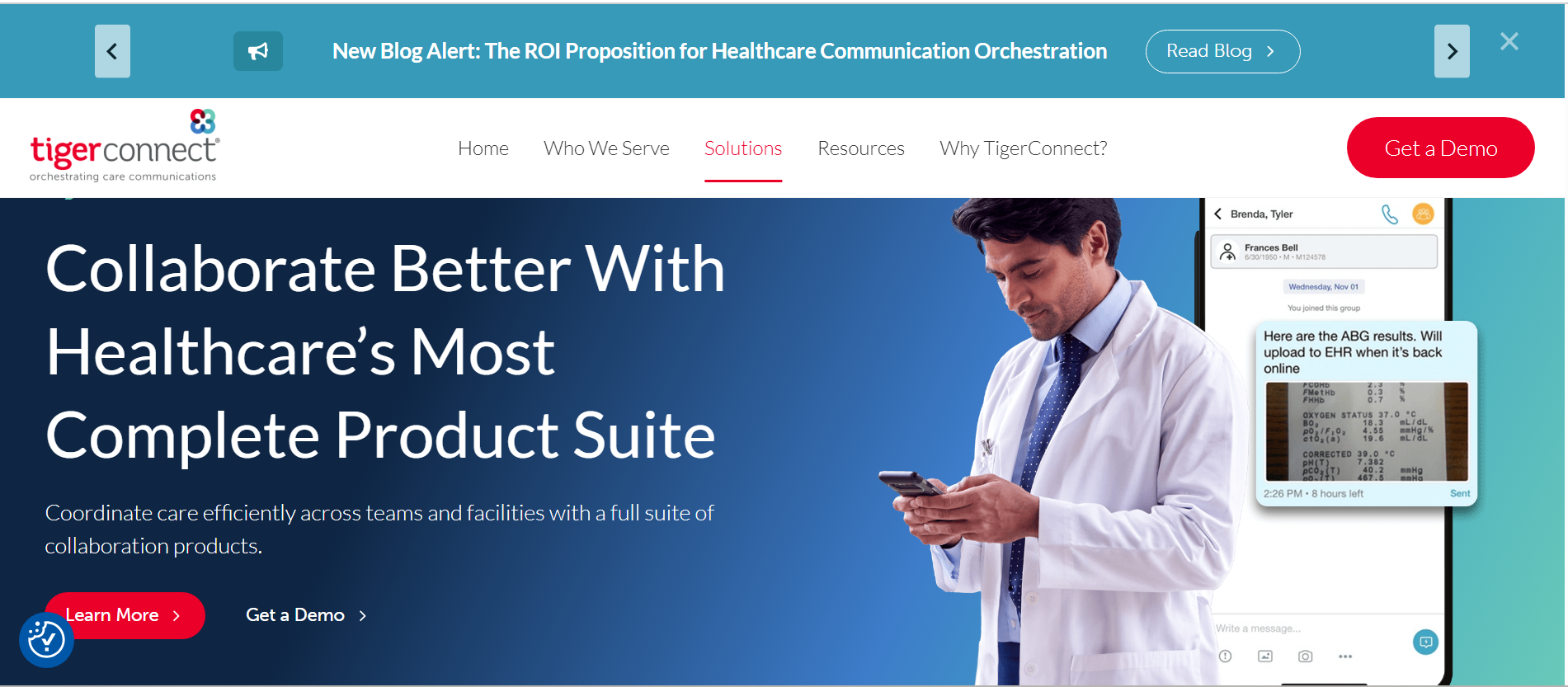
If you’re looking for a replacement for pagers and constant calls, TigerConnect is worth considering. It uses real-time messaging with delivery confirmations, read receipts, and priority tagging to make sure no one misses critical updates. You can send urgent alerts that require acknowledgment, which is useful for situations like patient deterioration or stat lab results.
I like that TigerConnect can help you keep communication flowing even during busy shifts. Features like message escalation ensure that if one clinician does not respond, the alert automatically moves to the next available person. This functionality, combined with TigerConnect’s integration into EHRs and nurse call systems, creates a more responsive communication loop.
Other Features I Liked
- Smart alert routing: Messages can follow escalation paths, so if one person is unavailable, the alert moves to the next appropriate staff member.
- On-call scheduling support: You can message roles instead of individuals, which helps teams communicate smoothly across shifts without confusion.
- System integrations: TigerConnect integrates with tools like EHRs and nurse call systems, helping centralize communication in busy care environments.
- Priority messaging: Staff can clearly identify urgent versus routine communication, which helps reduce noise during busy shifts.
- Secure messaging environment: The app complies with HIPAA requirements regarding encrypted communication and controlled access.
You might find TigerConnect hard to use if you prefer structured collaboration because it leans heavily toward urgent messaging. If your team needs features like organized workspaces, task tracking, or project-style communication, you may need additional tools.
TigerConnect Pricing
TigerConnect implements custom pricing based on organization size and requirements, so you’ll need to contact the sales team for a quote. The service is generally positioned for mid-sized to large healthcare organizations. You can fill out a request form on the website to get a demo and see TigerConnect in action.
3. Chanty – Easy-to-Use Chat App
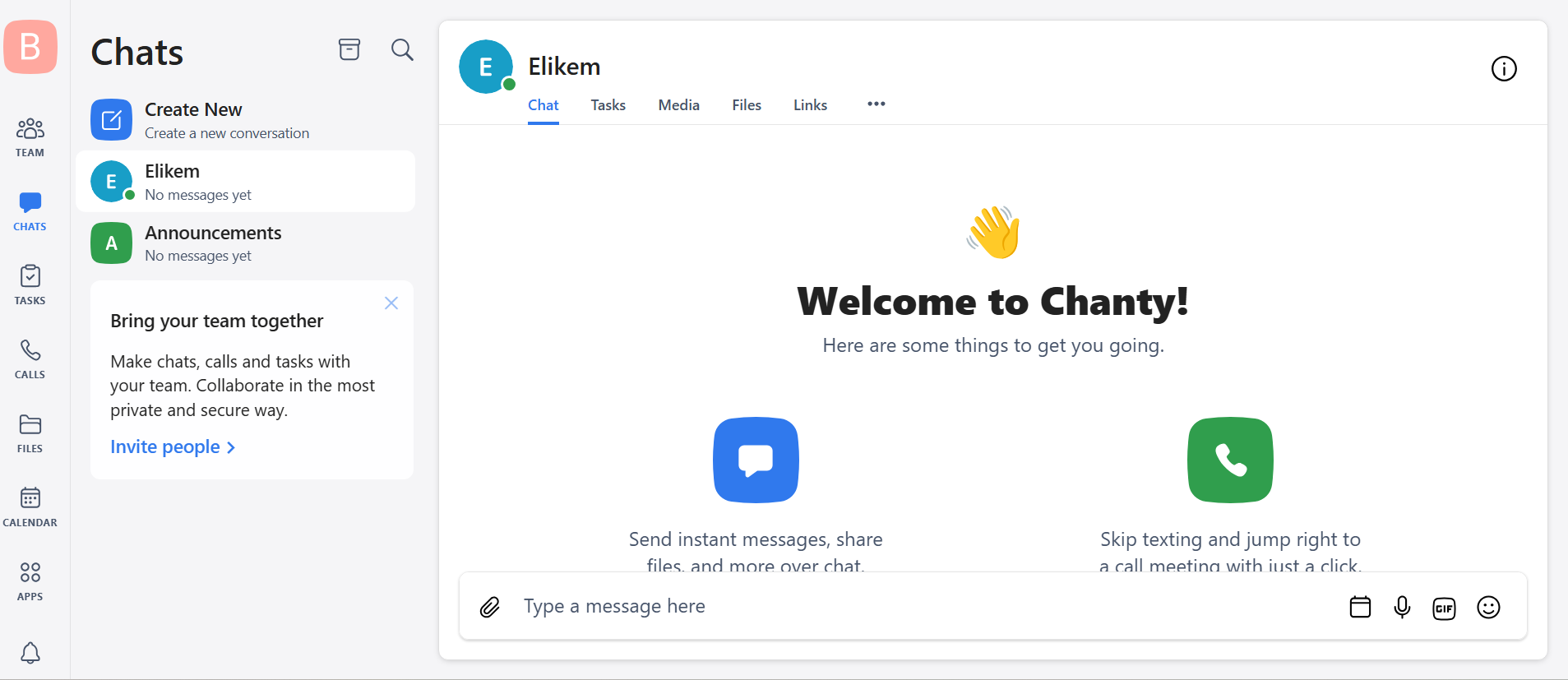
Pros:
- Simple and easy to use
- Built-in task management
- Affordable pricing
Cons:
- Not designed specifically for healthcare compliance
I recommend Chanty for small practices that want a simple, no-fuss communication platform. Its interface is mobile-first, making it feel as easy as regular texting. Chanty allows you to create patient-specific chats to keep communication private. You can turn messages into tasks, assign them to team members, and track progress all without leaving the app.
Chanty also features encrypted video calling for secure remote consultations. This feature makes it a good choice for online healthcare teams. Chanty gives you full control over data as well. You can host and manage data on your organization’s servers for maximum data privacy and security.
Other Features I Liked
- Teambook hub: This hub is a central place to organize messages, tasks, and files, making it easier to find information later.
- Kanban boards: The built-in kanban board helps you prioritize urgent cases for faster responses.
- Voice messaging: Quickly send updates without typing them out, which can be helpful during busy shifts.
- Unlimited message history: Access past conversations without restrictions, even on lower-tier plans.
- Cross-platform access: Chanty works across mobile, desktop, and web, so teams can stay connected anywhere.
Chanty isn’t built specifically for healthcare organizations, so it lacks the native clinical workflow features you’ll find on other apps, such as TigerConnect’s smart alerts routing. It also has fewer integrations compared to some of the providers on this list.
Chanty Pricing
Chanty has a free plan and one dedicated paid plan, which you can try using its 14-day free trial. It also offers 50% off for non-profits and educational institutions.
- Free: Includes basic team chat, limited message history, task management, and access to core collaboration features
- Business ($3 per user per month): Unlocks unlimited message history, expanded storage, full task management capabilities, and audio/video calls
4. Klara – Best for Communication Between Patients and Providers
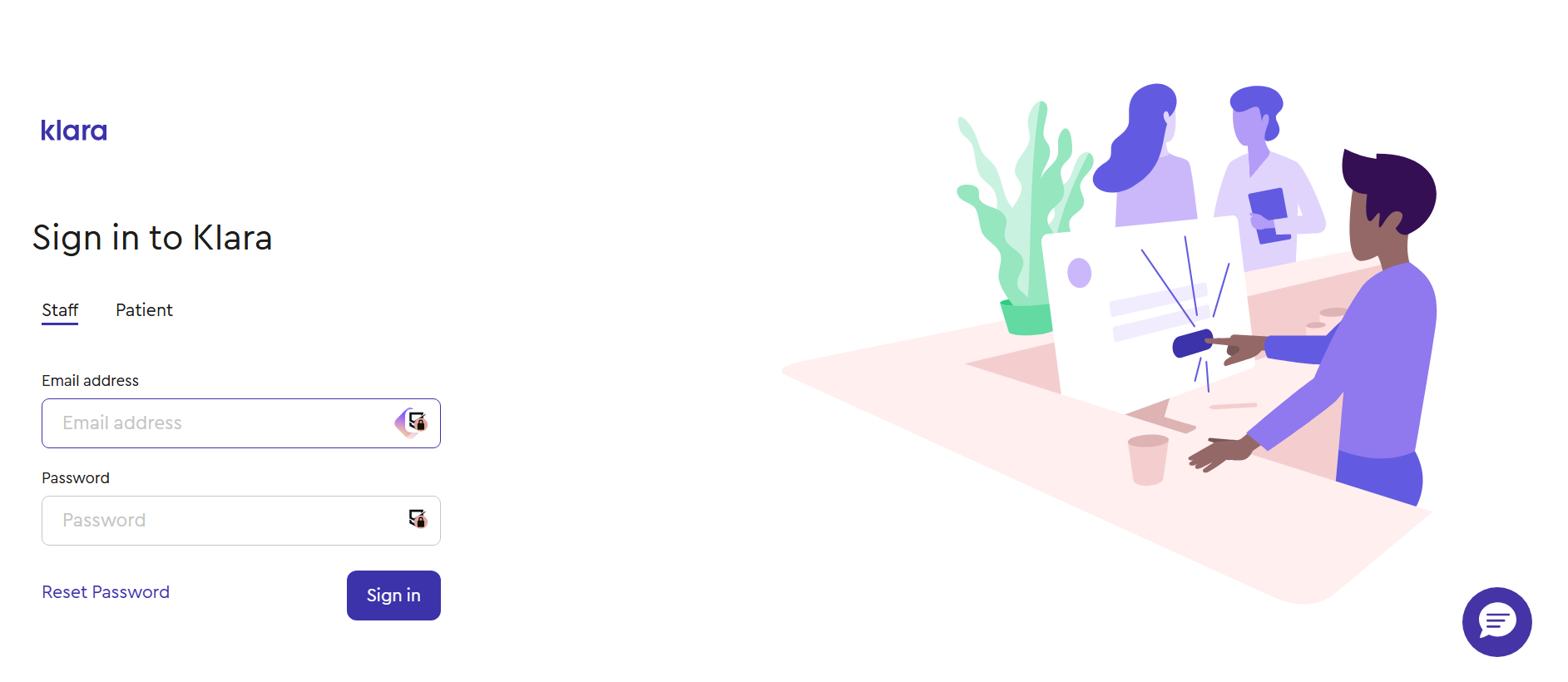
Pros:
- Focused on patient-provider messaging
- Organized conversation history
- Designed with healthcare workflows in mind
Cons:
- Limited depth for internal team collaboration
Klara is designed to bridge communication between healthcare providers and patients. Instead of relying heavily on phone calls or disconnected SMS threads, you can manage patient conversations in a structured, secure messaging system. This makes Klara a good fit for hospitals where appointment reminders, follow-ups, and patient enquiries take up staff time.
Klara helps reduce phone traffic while keeping communication organized. Patients can send messages directly, and staff can respond in a controlled environment where everything stays linked to the patient’s record. This creates a smoother workflow for front-desk teams and clinicians who need to coordinate care.
Other Features I Liked
- Patient messaging workflow: All patient conversations stay in one structured inbox, making it easier to manage incoming requests.
- Reduced phone dependency: Routine communication shifts away from calls, helping staff focus more on in-person care.
- Internal collaboration layer: Staff can bring in colleagues when a patient case needs input before responding.
- Secure communication environment: Klara is built for healthcare settings, with privacy and data protection in mind.
- Organized conversation history: Staff can easily review past patient interactions without digging through scattered notes or call logs.
Klara isn’t designed for internal teamwork in the way most clinic staff would expect from a full communication platform. Instead, it focuses heavily on patient messaging, which means it doesn’t go deep on elements such as project tracking, department-based workspaces, or ongoing operational coordination between teams.
Klara Pricing
Klara does not publish fixed pricing publicly. Instead, it tailors costs to the size of the clinic and the specific features required. You typically need to request a demo and a custom quote based on your workflow and patient volume.
5. Microsoft Teams – Best for Healthcare Organizations Already Using Microsoft 365
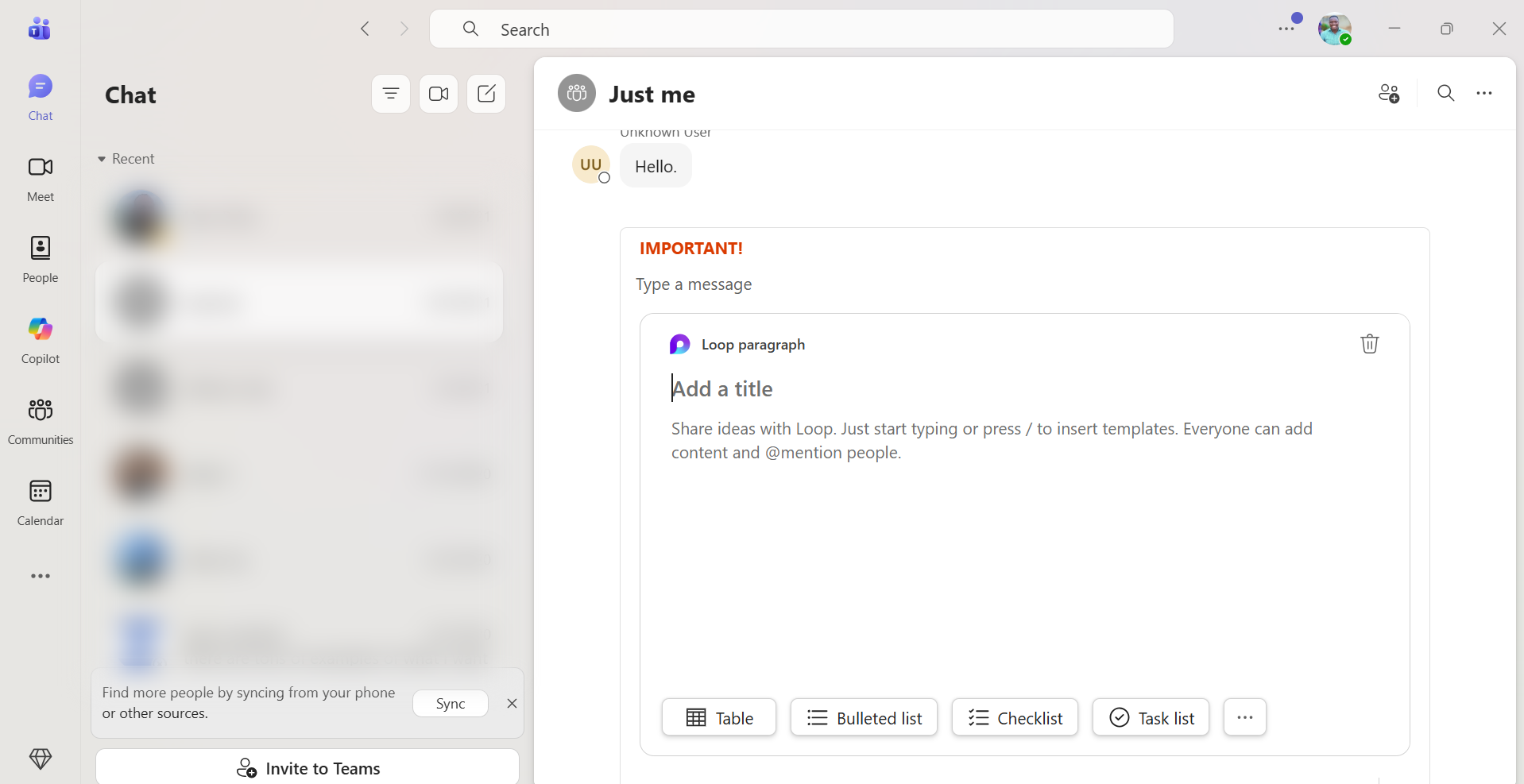
Pros:
- Deep integration with Microsoft 365 tools like Outlook, Word, Excel, and SharePoint
- Strong video-meeting and chat features for distributed healthcare teams
- Reliable file sharing and document collaboration
- Enterprise-grade security and compliance controls
Cons:
- Can feel overwhelming
Microsoft Teams works especially well for healthcare organizations that already rely on Microsoft 365. Instead of adding another disconnected communication tool, Teams brings messaging, meetings, file collaboration, and scheduling into one platform. This can simplify how administrative staff, clinicians, and support teams stay connected throughout the day.
Microsoft Teams fits into existing workflows. Staff can jump from an Outlook calendar invite into a virtual meeting, collaborate on policy documents in real time, and keep department conversations organized in dedicated channels. This reduces the need to switch between multiple apps while helping teams respond faster and stay aligned.
Other Features I Liked
- Department channels: Keep conversations separated by unit, department, or function so communication stays organized.
- Integrated video meetings: Conduct internal check-ins, training sessions, or remote consultations when needed.
- Live document collaboration: Multiple staff members can edit files together without sending updated versions back and forth.
- Microsoft ecosystem sync: Teams syncs smoothly with Outlook, OneDrive, Excel, Word, and SharePoint.
- Strong admin controls: IT teams can manage permissions, users, and data policies from one centralized space.
If your clinic mainly wants a lightweight chat tool for quick communication, Microsoft Teams’ settings, features, and menus may hinder adoption at first. It delivers the most value when an organization is ready to use its broader collaboration capabilities.
6. Spruce – Best for Telemedicine
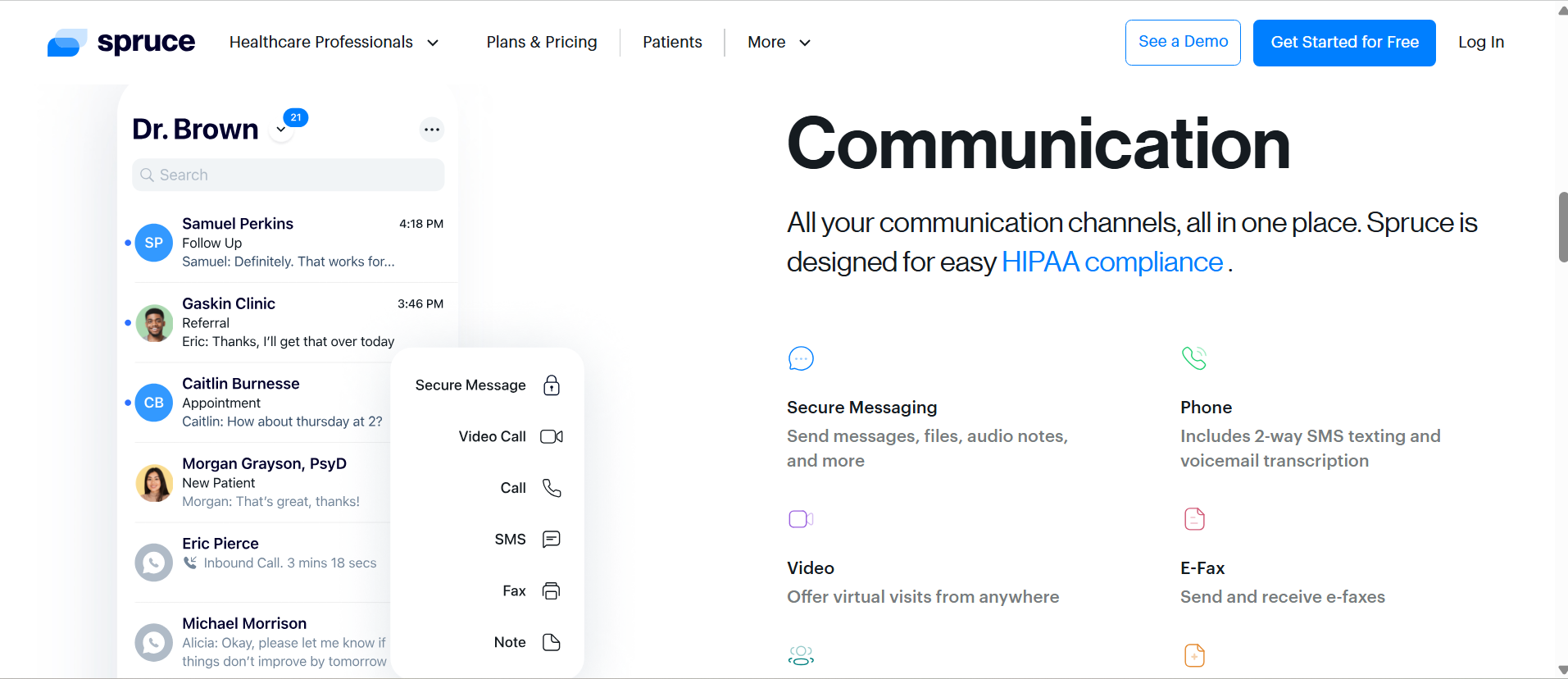
Pros:
- Secure messaging
- Built-in workflows for telemedicine
- Video calls and e-fax
- Makes communication records easy to review
Cons:
- Limited value for non-patient collaboration needs
Spruce is one of the best telemedicine tools because it combines secure video consultations, two-way SMS, phone calls with voicemail transcription, and e-fax in one platform. This reduces the need for multiple apps. You can send clinical questionnaires before appointments to collect patient information early, which shortens consultations and improves diagnosis.
Spruce’s shared team inbox, task assignments, and internal notes help staff manage conversations and coordinate care. It also supports in-app digital payments, so your practice can process payments faster. Workflow automation handles routine replies and call routing, saving time for teams dealing with high patient volumes.
Other Features I Liked
- Unified inbox: Calls, texts, and messages are gathered in one shared workspace.
- Clear conversation history: Staff can quickly review previous interactions before replying.
- Team routing: Requests can be directed to the right person instead of bouncing around the office.
- Healthcare-first setup: Spruce Health is better aligned with healthcare practice workflows than generic business apps.
- Remote access: Staff can stay connected even while away from the desk.
Spruce Health works best as a communication hub, not a full operations platform. It has limited EMR integration compared with more specialized healthcare systems, so syncing patient data and workflows may require extra steps. It also lacks stronger task management tools for assigning internal work, tracking progress, or managing non-patient projects.
Spruce Health Pricing
Spruce Health offers custom pricing rather than fixed public plans. The cost usually depends on team size, number of users, and the features a practice needs.
7. OhMD – Best for Smaller Practices That Want Better Patient Messaging
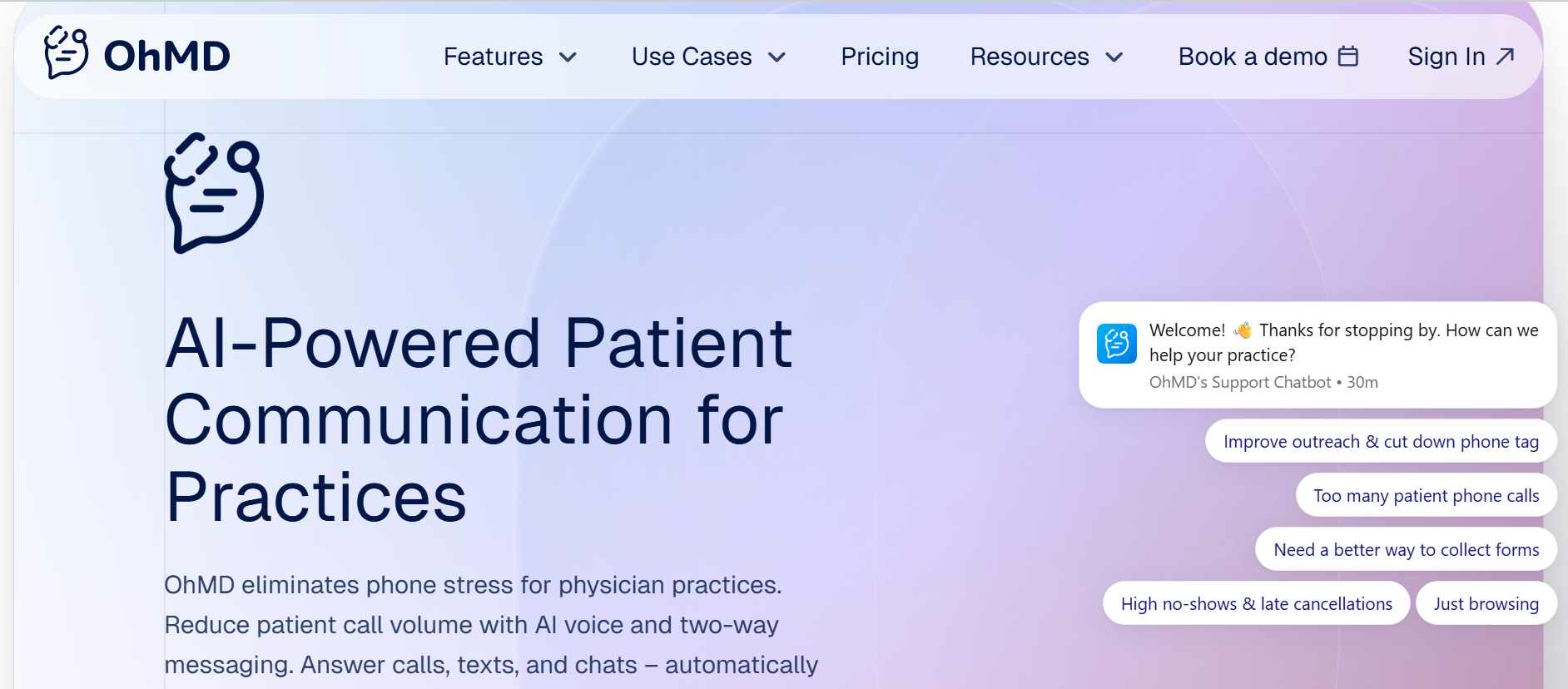
Pros:
- AI assistant for voice calls and texts
- HIPAA-compliant messaging for patient communication
- Bulk messaging tools
Cons:
- Minimal support for internal team workflows
OhMD helps small teams manage high patient volumes more efficiently while delivering responsive, HIPAA-compliant care. Its AI assistant can answer calls, schedule appointments, and respond to common questions, passing complex issues to staff when needed. This reduces call volume and admin work, freeing up time for patient care.
OhMD lets providers send secure texts directly to a patient’s phone, which helps reduce missed messages and delays. The platform also includes broadcast messaging for appointment reminders or updates, as well as website chat widgets that turn visitors into patients by allowing them to start conversations instantly.
Other Features I Liked
- Shared messaging inbox: The shared inbox gives staff a single place to manage all patient conversations without switching devices.
- Bulk messaging tools: Staff can send reminders, clinic updates, or general announcements to multiple patients at once.
- Automated reminders: Cut down on missed appointments without having to make manual follow-up calls.
- Lightweight setup: No complex onboarding or IT involvement is required to get started.
- Patient-friendly experience: The app is designed to feel familiar, so patients can easily engage without learning a new system.
OhMD is best seen as a supplementary tool rather than a central communication hub. It does not handle internal coordination between departments or teams, so clinics that need structured collaboration, task tracking, or staff messaging will need a separate platform for that side of operations.
OhMD Pricing
OhMD has two main paid plans and a custom Enterprise plan for large teams. It also offers a “Developer AI” option, which is great for teams that want to build OhMD APIs.
- Communicate (starting at $300 per month): Two-way SMS, text-enabled landline, voice and video calling, website chat, team messaging, BAA
- Automate ($500 per month): Patient call automation, automated workflows, appointment scheduling, EHR integration
Verdict: Which Is the Best HIPAA-Compliant App?
Zenzap stands out for balancing strong HIPAA-compliant security with simple, structured communication that works in real care settings. It keeps patient conversations, files, and access controls organized in one place without adding complexity. You can take Zenzap for a test run using its 14-day free trial.
If you’re comparing HIPAA-compliant tools against the wider category of professional work chat apps, our comprehensive guide to professional work chat apps in 2026 breaks down pricing, features, and security across the whole market.
FAQs: HIPAA Work Chat Apps
1. What is the best HIPAA-compliant messaging app? Zenzap is a top choice for its balance of security and ease of use, while TigerConnect and Klara serve more specific needs.
2. Are there free HIPAA-compliant chat apps? Yes, some apps, like Zenzap, offer free plans. However, advanced compliance features are usually reserved for paid tiers.
3. Is WhatsApp HIPAA compliant? No, WhatsApp is not HIPAA-compliant and should not be used for sharing patient information.