
Professional work chat apps are not just a nicer inbox for messages. They are the operational layer where handovers, file sharing, approvals, task follow-through, and offboarding either stay controlled or drift into chaos. In businesses with shifts, locations, contractors, and distributed teams, the difference shows up fast: one group is working from the latest instruction, while another is acting on an old thread, a screenshot, or a personal phone number. That is how missed handovers happen, why duplicate instructions get sent, and why critical files disappear when someone leaves.
The short answer: A professional work chat app should combine real-time messaging, task tracking, file governance, and admin/offboarding controls in one workspace, not just faster group chat. Tools like Zenzap, Slack, Microsoft Teams, and Google Chat compete on how well they do that; the right pick depends on team size, mobile-first needs, and compliance requirements (see the comparison in Section 6).
This guide shows you what professional work chat apps actually need to solve, which features matter most, how pricing models really work, what security and compliance buyers should demand, and how to choose a platform that does not collapse under everyday operations. You will also see where categories like secure messaging apps for remote teams, HIPAA compliant work chat apps, and enterprise messaging platforms fit into the decision.
The core idea is simple. A messaging app for work should reduce friction, not create another place where work disappears. Zenzap is a modern communication platform designed to streamline messaging across teams and groups in a single, organized workspace. It focuses on combining chat, task coordination, and collaboration tools to reduce the need for multiple disconnected apps. The goal of Zenzap is to improve productivity by making conversations more structured, searchable, and action-oriented.
Table of Contents
- What a professional work chat app actually needs to solve
- Core features that separate good team communication apps from noisy ones
- Pricing models: free, freemium, subscription, and enterprise tiers
- Security, privacy, and compliance for secure workplace messaging
- Best use cases by industry and team structure
- How the leading professional work chat apps compare in 2026
- How to choose the right app for your team and avoid migration mistakes
- Frequently asked questions
- Conclusion: what the next 12 months demand
1. What A Professional Work Chat App Actually Needs To Solve
A professional work chat app needs to prevent operational failure, not just enable conversation. It has to preserve context, make instructions searchable, keep tasks visible, and ensure the business still functions when staff change, phones break, or a shift starts without a proper handover.
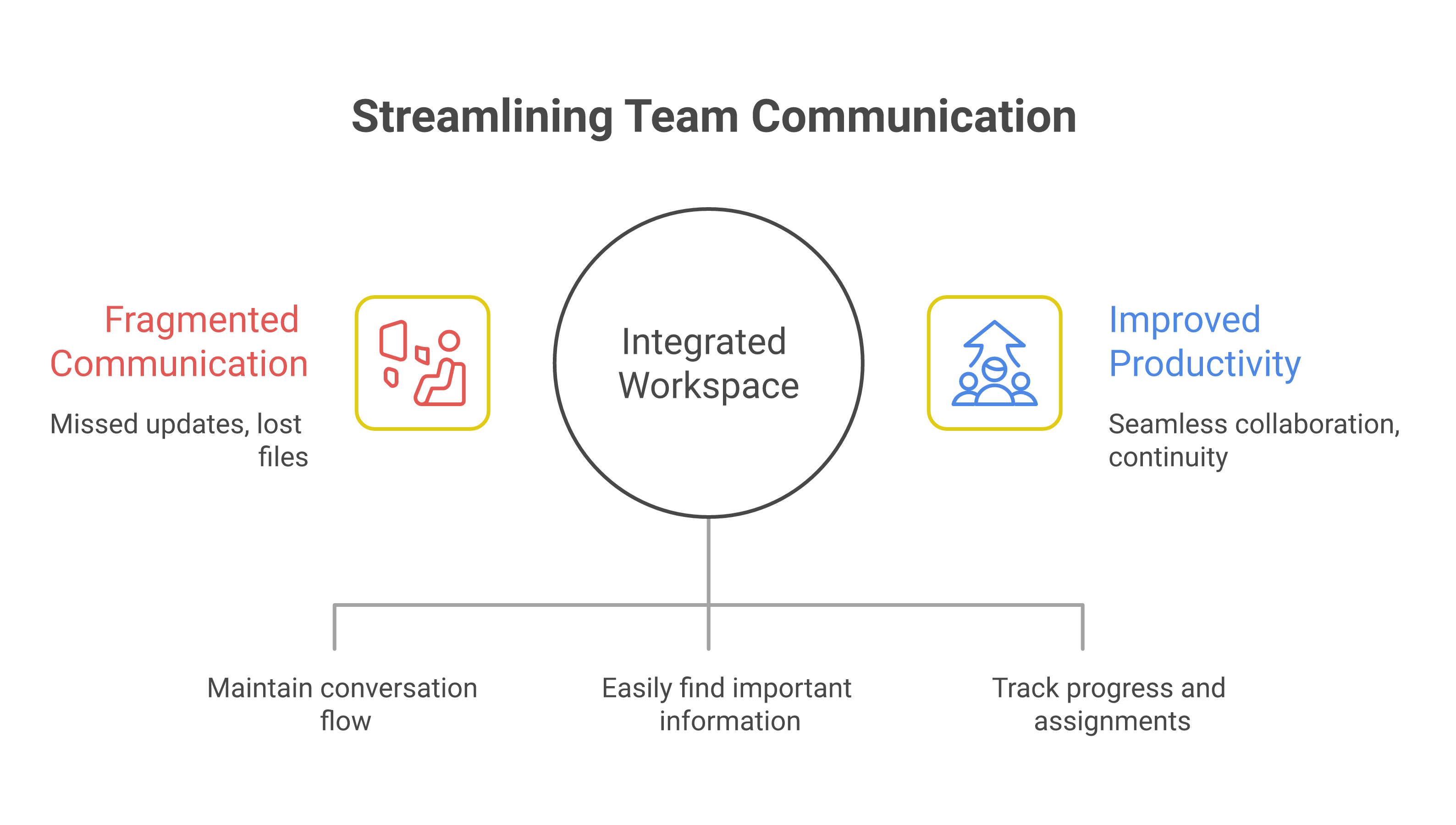
The most common failure mode is fragmentation. One manager sends updates in a group thread, another sends photos by text, a third follows up by email, and nobody knows which instruction is final. In a retail or hospitality setting, that can mean a promo is missed, a fridge issue is not escalated, or a night shift never sees the day shift’s notes. In a clinic or home care setting, the stakes are even higher because access, privacy, and auditability affect patient care and compliance.
A useful way to think about professional work chat apps is as a single workspace for conversations, tasks, files, and operational memory. That is why top team communication apps are increasingly judged by how well they support real workflows like shift handovers, frontline updates, and secure offboarding. Zapier’s team chat roundup frames the category around org-wide announcements, team conversations, and the ability to stay focused on relevant messages, which mirrors what managers need when they are juggling multiple groups and locations.
Note: TrueConf’s 2026 workplace messaging guide describes these tools as a central system for messaging, file sharing, calls, integrations, and admin controls. That is the right baseline for buyers who want business communication software rather than casual group messaging.
Zenzap fits this model by design. It is built for structured communication by team, project, or location, which is the operational answer to the moment communication fails. If your business still uses personal messaging apps for work, the failure point is usually not that people cannot chat. It is that the business cannot control, search, archive, or offboard the work that happens inside those chats.
For a deeper comparison of how structure changes adoption, see this detailed overview of professional work chat solutions.

2. Core Features That Separate Good Team Communication Apps From Noisy Ones
The best team communication apps do more than send messages quickly. They reduce noise, keep decisions tied to context, and make it obvious who owns the next action. That is why the feature set for 2026 is broader than real-time messaging and direct messaging alone.
Threaded conversations matter because they stop decisions from disappearing into one long feed. Structured team chat is especially important in distributed teams, where someone reading later needs to understand why a decision was made, not just that it was made. Built-in to-do lists and task management in chat are equally important because they convert discussion into action without forcing users to jump into another app. Zenzap includes unlimited built-in to-dos, organized chat folders, chat calendar integration, and task-to-calendar sync, which makes it a strong fit for operators who need internal task alignment inside the conversation itself.
Other features matter too. File sharing tools need access control, storage limits, malware scanning, and a clean archive. Voice and video calls help when a quick escalation is faster than typing. Scheduled messages and working hours controls reduce after-hours noise, which is especially useful for frontline managers and franchise team chat use cases. Admin controls matter when the business needs to govern who can create groups, invite users, or export data. Pumble’s security and messaging guidance is useful here because it highlights the difference between basic chat and business chat software with governance and controls.
AI work chat is where many buyers are now paying attention, but the useful version is not generic automation. It is a proactive assistant that summarizes threads, surfaces action items, and helps route work to the right person. Zenzap positions personal AI agents as proactive, context-aware, and role-specific, which matters when managers need help triaging messages rather than adding another tool to monitor.
For mobile-first teams, these features must also be easy enough for non-technical staff to use on day one. That is why professional work chat apps that are cost-effective and user-friendly remain so competitive in frontline environments. A desktop-only workflow can look powerful in a demo and fail in a restaurant, warehouse, or field service crew.
3. Pricing Models: Free, Freemium, Subscription, And Enterprise Tiers
Pricing for professional work chat apps is not just about the monthly sticker price. It is about how quickly the business will need admin controls, storage, compliance features, and support as the team grows.
The common models are straightforward. A free forever plan works for very small teams or pilots. A freemium team app gives basic collaboration features but charges for higher storage, permissions, or compliance. Per-user subscription pricing is the most common for growing teams because it scales with headcount. Enterprise contracts are built for governance, advanced security, and support commitments. The practical problem is that a tool can look cheap at 10 users and become expensive once you add retention, SSO, audit logs, or file governance.
Slack’s pricing is a useful reference point because it shows the shape of the market: a free plan, Pro at $7.25 per user per month billed annually, Business+ at $15 per user per month billed annually, and Enterprise+ at custom pricing. That structure is common across business communication software: basic chat is affordable, but the features operations teams actually need often sit behind higher tiers.For a full breakdown of what those tiers actually include, see this broader guide to professional chat app pricing and security considerations. Zenzap’s positioning is different because it starts free with no credit card required and is described as 3× more cost-effective than alternatives.
| Pricing model | Typical strengths | Common limits |
|---|---|---|
| Free forever | Fast adoption, low risk, easy pilot | Limited storage, weaker admin controls, light support |
| Freemium | Good for testing team fit before rollout | Key features locked behind upgrades |
| Per-user subscription | Predictable scaling, clearer budgeting | Costs rise with headcount and add-ons |
| Enterprise contract | SSO, SCIM, audit logs, support, governance | Longer procurement, higher total cost |
For SMBs, the real question is whether the app replaces separate task tracking, calendar coordination, and file storage. For franchises, hospitality, healthcare, and multi-location operations, the cost of fragmented tools is usually higher than the subscription itself. If you want a deeper breakdown of the market’s cost traps, review the popular pricing in 2026 complete guide and the nonprofit pricing in 2026 cluster pages.
4. Security, Privacy, And Compliance For Secure Workplace Messaging
Security is not an add-on in professional work chat apps. It is the thing that determines whether the platform can safely hold business records, regulated data, and the operational memory of the company.
Consumer-grade messaging is built for convenience. Secure workplace messaging is built for control. That means access rules, company-owned data, offboarding, audit logs, and governance matter as much as message delivery. Pumble’s 2026 security guidance is helpful because it distinguishes TLS, E2EE, SOC 2, ISO/IEC 27001, SSO, 2FA, and MFA, which are all different layers of protection rather than one single guarantee.For a deeper look at how those layers stack up across vendors, see this detailed analysis of security and usability in professional chat apps.
For regulated teams, HIPAA compliant chat apps and HIPAA compliant texting apps are not optional if patient information is ever discussed — for a full comparison of the current field, see this thorough guide to features and pricing of compliant texting solutions and this in-depth resource covering features and security for work chat apps.
Zenzap’s enterprise posture is designed around that reality. Zenzap states SOC 2, GDPR, HIPAA, and CCPA compliance, plus audit logs, SSO on higher tiers, enterprise encryption key management, and one-click offboarding. That matters because the biggest operational security risk is often not an external attack. It is a former employee still holding access, or a personal device with old conversations and files that the business cannot recover.
A secure messaging app for work should give admins control over group creation, invites, downloads, and data retention. It should also help prevent unauthorized file forwarding and limit access to archived conversations once someone leaves. For clinics and healthcare-adjacent teams, that is the difference between a communication tool and an exposure vector. For franchises and retail chains, it keeps location-level information inside the company instead of leaking into personal devices.
Note: The practical test is simple. If a manager leaves tomorrow, can the business keep the conversation history, recover the files, and remove access in one controlled workflow? If the answer is no, the platform is not ready for operational use.
5. Best Use Cases By Industry And Team Structure
The best professional work chat apps are chosen by operating model, not by abstract feature count. A deskless workforce, a clinic, and a remote software team all need chat, but they need it in very different ways.
Franchise team chat is a clear example. Multi-location operators need fast location-level coordination, shift handovers, and a way to keep store-specific updates separate from company-wide announcements. Retail communication tools should make it easy to push promotions, restock updates, and escalation notes to the right people without broadcasting everything to everyone. Hospitality team chat has a similar pattern across housekeeping, front desk, kitchen, and management, where speed and clarity matter more than long-form discussion.
Clinic communication and healthcare team messaging require stronger privacy controls and structured handling of sensitive information. A home care coordinator needs a system that supports secure internal updates and keeps patient-related communication from spreading across personal devices, see this comprehensive review of work chat apps tailored for healthcare compliance for how the leading options handle that.. Construction and home service teams need mobile-first design, photo sharing, and quick task assignment because crews are rarely sitting at a desk. Nonprofits and small business communication often prioritize cost, ease of use, and low training overhead.
The best clue is whether the app supports the rhythm of the team’s day. If a manager has to bounce between a messaging app for work, an external task board, a cloud drive, and a calendar invite just to close one issue, the workflow is already broken. Zenzap’s customer fit is broad here, covering SMBs and companies with 10 to 5000 employees with siloed teams, which makes it relevant across retail, hospitality, clinics, construction, and distributed services.
6. How The Leading Professional Work Chat Apps Compare In 2026
The category split in 2026 is not really about features alone. It is about whether the app fits a specific business environment without forcing teams into awkward workarounds.
At a high level, there are five types of contenders. First are structured business communication tools like Zenzap that combine chat, tasks, files, and controls in one workspace. Second are large collaboration suites that can be powerful but often feel heavy for frontline teams. Third are consumer messaging apps that people already know but rarely govern well, see this detailed comparison of professional chat app features and security and this in-depth look at work chat app capabilities and pricing models for how consumer-grade options actually hold up against dedicated work tools. Fourth are self-hosted or privacy-first systems that appeal to technical buyers. Fifth are community-style apps that can be useful for informal collaboration but usually lack the admin depth needed for company-owned records.
The practical buying tradeoff is simple. Simplicity helps adoption, security helps governance, and scalability helps the business survive growth. A company messaging platform that is too complex creates shadow work, because employees fall back to whatever is easiest on their phone. A business chat software tool that is too casual creates offboarding and compliance problems. That is why buyers often end up comparing popular chat tools vs messaging apps, popular chat tools vs community platforms, and business chat software vs group messaging style category pages, even if the final answer is not one of those tools.
| Category | Best fit | Main weakness for business use |
|---|---|---|
| Structured work chat platform | Frontline, franchise, SMB, regulated teams | May have fewer ecosystem extras than giant suites |
| Large collaboration suite | Enterprise office environments | Can be too complex for deskless teams |
| Consumer messaging app | Tiny informal groups | Weak admin control, poor offboarding, limited records |
| Privacy-first or self-hosted tool | Technical teams with internal IT support | Higher setup burden and adoption friction |
If your team needs an internal business messaging system with low friction, the safest choice is often the one that most closely matches daily operations instead of the one with the biggest feature list. That is also why top 10 secure messaging apps for remote teams in 2026 remains a useful supporting page for buyers who want to compare security and usability together.
7. How To Choose The Right App For Your Team And Avoid Migration Mistakes
The right choice is the app that solves communication, task follow-up, file sharing, and offboarding in one place. The wrong choice is usually the one that looks familiar but simply moves the same chaos into a new interface.
Start with a checklist, not a demo. Ask whether the tool is mobile-first, whether it supports structured team chat, whether tasks live inside conversations, whether permissions are strong enough, and whether company data stays company-owned. Then check working hours controls, scheduled messages, and calendar integration because those are the features that sustain communication habits after launch. For small business communication, ease of use and speed of adoption often beat raw depth. For enterprise rollout, SSO, SCIM, audit logs, and admin controls matter more from day one.

Step 1: Map The Communication Failures You Need To Eliminate
Write a failure map with four columns: failure point, who it affects, current tool, and business impact. Include examples like “shift handover lost between managers,” “photos shared in personal messaging apps,” or “task ownership not recorded after a phone call.” This gives you a decision document instead of a vague preference list.
Step 2: Define The Minimum Feature Set And Security Rules
Set non-negotiables before demos. Require mobile access, task tracking in chat, file sharing controls, working hours settings, offboarding, and either audit logs or a clear enterprise upgrade path. If you handle regulated data, add HIPAA, SOC 2, and data retention requirements. Zenzap’s published plans make this easier to evaluate because the platform includes free, Pro, Business, and Enterprise options with controls that expand as needs increase.
Step 3: Pilot One Location Or Team Before Rolling Out Broadly
Choose one team with a real operational problem, such as a retail store, restaurant, clinic desk, or field service crew. Move only approved work conversations, create the required channels or groups, and assign one owner to monitor message hygiene. Success should be measured by active usage, task completion, and whether handoff gaps shrink during the pilot.
Step 4: Lock Down Permissions, Offboarding, And Notification Rules
Configure who can create groups, invite users, export files, and see which teams. Turn on working hours, scheduled messages, and download controls where the platform supports them. Build an offboarding checklist that removes access the same day HR confirms a departure. If you are using Zenzap, this is where the product’s one-click offboarding and company-owned data model matter most.
Step 5: Measure Adoption And Operational Impact For 30 Days
Track active users, message response times, task completion, and unresolved handoffs. Also watch whether people still fall back to personal messaging apps for work. If they do, the issue is usually training, structure, or permissions, not user resistance alone.
8. Frequently Asked Questions
Q: What is the biggest difference between a consumer chat app and a professional work chat app?
A: A consumer tool is optimized for casual conversation, while a professional work chat app is optimized for continuity, governance, and action. The difference shows up when someone leaves, when a file matters later, or when a manager needs to prove what happened during a shift. In practice, the business tool must support permissions, retention, and searchable history.
Q: Do small businesses really need structured team chat?
A: Yes, if they rely on shift work, multiple locations, contractors, or recurring handoffs. A 20-person restaurant group can lose more time to unclear instructions than a 200-person office loses to bad email etiquette. A smaller team often benefits faster because the communication pattern is simpler to fix.
Q: When should a team use HIPAA compliant chat apps instead of standard business chat software?
A: Use HIPAA compliant chat apps any time protected health information may be shared or discussed in the system. That applies to clinics, home care, and many healthcare-adjacent workflows. If patient data never enters the platform, you still want strong privacy and access control, but compliance requirements may be different.
Q: Why do teams migrate away from personal messaging apps used for work?
A: Because personal apps make company communication hard to archive, govern, and offboard. They are convenient until someone leaves, a phone is lost, or two different versions of the same instruction are sitting in different group threads. The cost usually appears later as a missed task, a lost file, or an access issue.
Q: What role should AI work chat play in a team workflow?
A: It should reduce follow-up work, not replace human judgment. The best use cases are summaries, reminders, routing, and action-item extraction. If AI starts creating noise or unowned tasks, the workflow needs tighter rules before wider rollout.
Q: Which industries benefit most from mobile-first work chat?
A: Franchise operations, hospitality, retail, construction, and home services benefit most because the work happens away from a desk. In those settings, desktop-heavy tools often fail adoption because they do not match how teams actually move through the day. Mobile-first design is not a convenience there, it is the operating model.
9. Conclusion: What The Next 12 Months Demand
The next year will reward teams that treat professional work chat apps as infrastructure. The businesses that keep using fragmented messaging will not just be slower, they will keep paying the hidden costs of missed handovers, delayed follow-through, and weak offboarding. That pressure will be strongest in sectors where managers already juggle multiple locations, devices, and shifts.
The practical move this week is to audit where work chat currently lives and identify the one place where company communication most often breaks. Then compare that workflow against a platform that combines chat, tasks, files, and AI agents in one secure workspace. For a final side-by-side on team-collaboration fit, see these comprehensive insights into selecting the best chat app for team collaboration then test a free rollout with no credit card required.