

If you run a restaurant, you know that communication is everything.
But for most restaurants, communication is a mess.
You’ve got an all-staff work group chat on WhatsApp that’s filled with memes and a separate text thread for managers.
The specials list gets buried, schedules are a constant source of confusion, and your staff is getting notifications even when they’re off shift.
Personal chat apps weren’t built to handle the speed and complexity of a restaurant. You need a work chat app designed for the job.
Here’s a breakdown of the 5 top work chat apps for restaurants.
What to Look For in a Restaurant Chat App
Before we dive into the list of the best work chat apps for restaurants, let’s go over what a restaurant really needs in terms of a communication tool.
- Simplicity: Your team is on their feet, moving all day. If a tool is complicated or requires training, they won’t use it. It needs to be as easy as sending a text.
- Organization: You need separate chats for different topics (like Kitchen Staff ,Servers, Management) to keep things organized.
- Accountability Tools: Just chat is not enough. You need built-in tools like tasks and checklists for opening and closing.
- Work-Life Boundaries: The chat app should help you protect your team’s personal time with features that limit after-hours notifications.
- Security: In a high-turnover industry, you need to control who has access to your data and protect your staff’s personal phone numbers.
The 5 Top Work Chat Apps for Restaurants, Ranked
1. Zenzap
Best for: Restaurant teams who want a simple, all-in-one work chat app for communication and daily tasks.
Zenzap is the modern team chat app built with a clean, mobile-first, intuitive layout. It’s ideal for single-location restaurants, multi-unit groups, and franchise operations.
✅ Pros:
- Built for Restaurants: Features like digital checklists, “ working hours”, and hidden personal details are designed to solve the real-world problems of a restaurant.
- Simple and Easy to Use: The interface is as intuitive as a personal chat app, which means your team will actually use it without needing any training.
- All-in-One Tool: It combines organized team chat with task management, eliminating the need to jump between different apps to manage to-dos.
- Professional Security: Admin controls, secure data storage, and one-click offboarding give you the peace of mind that personal apps can’t.
⚠️ Cons:
- Requires a New App: As a dedicated work communication platform, your team will need to download a new app to their phones.
Pricing: Has a robust free version with affordable paid plans for more features.
Key Features:
- Organized chats for FOH, BOH, etc.
- Built-in digital checklists for opening/closing duties
- “Working hours” notifications to protect work-life balance
- Hides personal phone numbers to ensure privacy
- Admin can instantly offboard ex-employees with one click
- Fast and easy to use, requires zero training
“I was worried about getting my team to learn new software, but Zenzap is as easy as sending a text. We now have our chats, checklists, and files all in one place. It replaced three different apps for us and cleaned up so much confusion.” – General Manager, a gastropub
Try Zenzap for free – the chat app that’s actually built for restaurant teams.
2. Slack
Best for: Tech companies that have complex needs.
Slack is a powerhouse for organizing team chat, but its corporate, complex capabilities make it less suited for the fast-paced environment of a restaurant.
✅ Pros:
- Excellent for creating separate chats
- Integrates with many other work apps
⚠️ Cons:
- Too complex and overwhelming for most restaurant teams
- No native checklist features for operational tasks
- Gets expensive very quickly as your team grows
Pricing: Expensive for large teams, as key features require a paid plan.
3. Microsoft Teams
Best for: Businesses already running on Microsoft 365.
Microsoft Teams is an all-in-one platform that bundles chat, video meetings, and file storage. It’s a strong tool for corporate environments, but it can feel overcomplicated for restaurant teams.
✅ Pros:
- Deep integration with other Microsoft tools like Excel and Outlook
- Often included with a business’s existing software package
⚠️ Cons:
- Clunky and slow on mobile phones
- Steep learning curve for a team that needs simplicity
- Packed with features that a restaurant team doesn’t need
Pricing: Has a free version, but requires a paid Microsoft 365 plan for full functionality.
4. 7shifts
Best for: Shift scheduling (with a basic chat feature).
Apps like 7shifts are essential for restaurant shift scheduling. Many also include a basic team chat feature.
✅ Pros:
- Best-in-class for scheduling, time clocks, and shift swaps
- Communication is tied directly to the schedule
⚠️ Cons:
- The work chat is an afterthought, not the main event
- Lacks the ability to create multiple organized chats
- No real tools for operational tasks like closing checklists
Pricing: Has a limited free plan for very small, single-location restaurants. Most businesses will need a paid plan.
5. WhatsApp
Best for: Starting a communication system in 30 seconds.
WhatsApp is the default tool for most restaurants because it’s free and familiar. It solves the immediate problem of needing to talk, but it creates bigger problems in the long run.
✅ Pros:
- Free and familiar to everyone
- Fast for simple, one-off messages
⚠️ Cons:
- No separation between work and personal chats
- No accountability, no checklists, no structure
- Creates a 24/7 “always on” culture that leads to burnout
- Major privacy and security risks
Pricing: Free
Final Verdict: What’s the Best Chat App for Your Restaurant?
When it comes to the unique demands of a restaurant, Zenzap stands out as the best work chat app. It provides the simplicity your team needs to adopt it, and the operational tools you need to run your business.
While personal apps are familiar and corporate communication software is powerful, neither is the right fit for the unique demands of the restaurant floor.
It’s time to stop managing chaos and start building a more efficient, accountable, and respectful team. Choose a platform that was built for your business.
If you run a construction business, you know that a project lives or dies by its communication. A single missed update can lead to costly rework, project delays, and safety issues.
But for most construction teams, communication is a mess. You’ve got a group text with the on-site crew, an email chain with the architect, and WhatsApp messages from a subcontractor.
Blueprint updates get lost, photos of site issues are buried, and your team is getting calls and messages at all hours.
Personal chat apps weren’t built to handle the day-to-day needs of a construction business. You need a work chat app designed for the job.
Here’s a breakdown of the 5 top work chat apps for construction teams.
What to Look For in a Construction Chat App
Before we dive into the list, let’s establish what a construction company really needs in a communication tool.
- Simplicity: Your crew is on a busy job site, often wearing gloves. If a tool is complicated or hard to use on a phone, they won’t use it.
- Organization: You need separate group chats for different job sites, subcontractors, or topics (like Safety or Deliveries) to keep things organized.
- Accountability: Just chat is not enough. You need built-in tools for punch lists, safety checklists, and sharing site photos and files.
- Work-Life Boundaries: The app should help you protect your team’s personal time with features that limit after-hours notifications.
- Security: With subcontractors and temporary workers, you need to control who has access to sensitive project plans and data.
The 5 Top Work Chat Apps for Construction, Ranked
1. Zenzap
Best for: Construction teams of all sizes who need a simple, mobile-first app for job site and office communication.
Zenzap is the modern team chat app built with a clean, intuitive layout. It’s ideal for general contractors, home builders, and trade specialists.
✅ Pros:
- Built for field teams with features like photo sharing, file uploads, and checklists.
- The interface is as intuitive as a personal chat app, meaning your crew can easily use it without any training.
- It combines team chat with task management, so you can manage everything in one place.
- Admin controls, secure data storage, and one-click offboarding to give you peace of mind and full security and privacy.
⚠️ Cons:
- As a dedicated work chat app, your team will need to download a new app to their phones.
Pricing: Has a robust free version with affordable paid plans for more features.
“I was getting photos of site issues, mixed in with family texts. Zenzap put everything in one place, organized by project. I can create a punch list from a photo in seconds. It’s saved me hours of sorting through messages.” – Project Manager, a custom home builder
Try Zenzap for free – the chat app that’s actually built for construction teams.
2. Slack
Best for: Large construction firms with a dedicated office-based project management team.
Slack is a powerhouse for organizing team chat, but its corporate, complex features can be too much for the crew in the field.
✅ Pros:
- Good for creating separate chats for each project.
- Integrates with many other office and design software.
⚠️ Cons:
- Too complex and overwhelming for most on-site workers.
- No native checklist features.
- The price per user is high.
Pricing: Expensive for large teams, as key features require a paid plan.
3. Microsoft Teams
Best for: Large general contractors already running on Microsoft 365.
Microsoft Teams is an all-in-one platform that bundles chat, video meetings, and file storage. It’s a strong tool for corporate environments but can feel overcomplicated for field teams.
✅ Pros:
- Deep integration with other Microsoft tools, good for managing contracts and spreadsheets.
- Often included with a business’s existing software package.
⚠️ Cons:
- Clunky and slow on mobile phones, making it difficult to use on a job site.
- Steep learning curve for a team that needs simplicity.
- Packed with features a construction crew doesn’t need.
Pricing: Has a free version, but requires a paid Microsoft 365 plan for full functionality.
4. Procore
Best for: Full-scale project management (not just chat).
Procore is the industry standard for large-scale construction project management. It’s an incredibly powerful tool that does everything, but it’s not a simple chat app.
✅ Pros:
- The most powerful tool on the market for managing every aspect of a large project.
- Excellent for document control, bidding, and financials.
⚠️ Cons:
- It’s not a dedicated chat app. Communication is just one small feature in a massive, complex system.
- Requires extensive training for the whole team to use properly.
- Far too expensive and complicated if you just need to improve team communication.
Pricing: Very expensive – it’s a major software investment.
5. iMessage/WhatsApp
Best for: Starting a communication system in 30 seconds.
Personal chat apps are the default communication tool for many crews because it’s free and familiar. It solves the immediate problem of needing to talk, but creates bigger problems in the long run.
✅ Pros:
- Free and familiar.
- Fast for simple, one-off messages and photo shares.
⚠️ Cons:
- A single, chaotic feed where things get lost.
- No accountability, no checklists, no structure.
- Creates a 24/7 “always on” culture.
- Major security and privacy risks.
Pricing: Free.
Final Verdict: What’s the Best Chat App for Your Construction Business?
When it comes to the unique demands of a construction site, Zenzap stands out as the best work chat app. It provides the simplicity your on-site crew needs and the operational tools your team in the back-office requires.
While personal apps are familiar and enterprise software is powerful, neither is the right fit for the mixed environment of a construction business.
It’s time to stop managing chaos and start building a more efficient, accountable, and professional team. Choose a platform that was built for your team.
If you run a franchise, you know that consistency is everything. But for most franchise networks, communication is a mess.
You’ve got corporate announcements going out in ignored email chains, franchisees asking questions in a chaotic WhatsApp group, and each individual store running its own messy group text with its employees. Important updates get lost, standards slip, and there’s no single source of truth.
You need a work chat app designed for the unique, multi-layered needs of a franchise business.
Not running a franchise specifically? Our general work chat app guide covers what applies to any growing business.
Here’s a breakdown of the 5 top work chat apps for franchises.
What to Look For in a Franchise Chat App
Before we dive into the list of top work chat apps, let’s go over what a franchise business really needs in a communication tool.
- Simplicity: If a tool is complicated or requires training, it won’t be used.
- Organization: You need separate, controlled spaces for corporate-to-franchisee announcements and private chats for each location’s team.
- Accountability: Just chat is not enough. You need built-in tools with standardized operational checklists to keep things organized and trackable.
- Work-Life Boundaries: The app should help protect everyone’s personal time.
- Security: You need to control who has access to business data and provide each franchisee with the tools to manage their own team’s security.
The 5 Top Work Chat Apps for Franchises, Ranked
Here’s a look at how five popular options stack up based on the needs of a franchise.
1. Zenzap
Best for: Franchise networks of all sizes that need a simple, all-in-one app for both corporate-to-franchisee and in-store team communication.
Zenzap is the modern team chat app built with a clean, mobile-first, intuitive layout. It’s ideal for franchisors who need to maintain brand consistency while empowering their franchisees.
✅ Pros:
- Built for the franchise model, with read-only announcement chats for corporate updates and private, separate chats for each franchise location.
- Franchisors can create and deploy consistent operational checklists (like opening/closing duties or marketing setups) to all locations.
- The interface is as intuitive as a personal chat app, meaning entire franchise networks can adopt it without any training.
- Provides top-level admin controls for the franchisor and separate controls for each franchisee to manage their own staff.
⚠️ Cons:
- As a dedicated work communication platform, your entire network will need to download a new app to their phones.
Pricing: Has a robust free version with affordable paid plans for advanced features.
“Managing communication across our 10 locations was impossible with email and texts. Zenzap gave us one place to send corporate announcements and a private chat for each location.” – Director of Operations, a fast food franchise
Try Zenzap for free – the chat app that’s actually built for franchises.
2. Slack
Best for: Large franchises with a significant corporate office and a tech-savvy culture.
Slack is a powerhouse for organizing team chat, but its corporate complexity can be a major hurdle for franchisee teams on the ground.
✅ Pros:
- Excellent for creating separate chats for each franchise location or corporate department.
- Integrates with many other corporate software tools (like Salesforce or HubSpot).
⚠️ Cons:
- Too complex and overwhelming for most franchisee employees.
- No native checklist features to enforce operational standards.
- The price per user becomes very expensive when rolled out across an entire franchise network.
Pricing: Expensive for large networks.
3. Microsoft Teams
Best for: Enterprise-level franchises that are already deeply integrated with Microsoft 365.
Microsoft Teams is an all-in-one platform that bundles chat and video meetings, but its corporate feel is often too slow and clunky for the fast pace of individual franchise locations.
✅ Pros:
- Deep integration with other Microsoft tools, good for managing contracts and corporate-level documents.
- Often included with a business’s existing software package.
⚠️ Cons:
- Slow and difficult to use on mobile phones, which is where frontline staff work.
- Steep learning curve for franchisees and their employees.
- Packed with features that are irrelevant for in-store operations.
Pricing: Has a free version, but requires a paid Microsoft 365 plan for full functionality.
4. Workplace from Meta
Best for: Franchisors focused primarily on top-down announcements and building a corporate community feel.
Workplace is essentially a private version of Facebook for your company. It’s strong for building culture but lacks the operational tools for daily tasks.
✅ Pros:
- Familiar interface that feels like Facebook, reducing the learning curve.
- Strong features for company-wide announcements, live videos from leadership, and building a sense of community.
⚠️ Cons:
- It’s a social platform, not an operational tool. It lacks checklists and robust task management.
- Can still blur the line between work and personal life for many users.
- Communication can still become noisy and disorganized.
Pricing: Has a core plan with a per-user monthly fee.
5. iMessage / WhatsApp
Best for: A brand new franchise with only one or two locations.
Personal chat apps are the default for many new franchises because they’re free and familiar, but they create chaos and security issues as the network grows.
✅ Pros:
- Free and familiar to everyone.
- Fast for simple, one-off messages.
⚠️ Cons:
- Impossible to manage across multiple locations; creates dozens of messy, insecure chats.
- No accountability, no checklists, no way to enforce brand standards.
- Blurs the line between work and personal life.
- Major privacy and security risks.
Pricing: Free
Final Verdict: What’s the Best Chat App for Your Franchise?
When it comes to the unique, multi-layered demands of a franchise network, Zenzap stands out as the best work chat app. It provides the simplicity needed for high adoption across all locations, and the specific tools franchisors need to ensure brand consistency and operational excellence.
It’s time to stop managing chaos and start building a more efficient, accountable, and professional network. Choose a platform that was built to help franchises succeed.
If you run a clinic or a healthcare practice, you know that team communication is everything. A single missed message can lead to care coordination gaps and a frustrating experience for both staff and patients.
But for many healthcare teams, communication is a mess. Patient handoffs are unclear, important updates get lost, and your team is getting calls and messages at all hours, even when they’re off the clock.
Personal chat apps weren’t built to handle the security and operational needs of a medical practice. You need a work chat app designed for the job.
Here’s a breakdown of the 5 top work chat apps for healthcare teams.
What to Look For in a Healthcare Chat App
Before we dive into the list of top work chat apps, let’s go over what a healthcare company really needs in a team communication tool.
- Security & HIPAA Compliance: The app must be fully HIPAA-compliant with a signed BAA, audit logs, and strong admin controls.
- EMR Integration: The best tools connect to your EMR/EMS to create secure, dedicated group chats for each patient, automatically pulling in alerts and updates.
- Simplicity: Your medical staff is busy and on the go all the time. If a tool is complicated or hard to use on a mobile phone, they won’t use it.
- Accountability: You need built-in tools for daily clinical tasks, like room sanitation checklists or patient handoff procedures.
- Work-Life Boundaries: The app should help protect your team’s personal time to prevent burnout.
The 5 Top Work Chat Apps for Healthcare, Ranked
Navigating the options can be tough. Here’s a breakdown of the top 5 team chat apps for medical teams.
1. Zenzap
Best for: Healthcare teams who want a simple, secure, and all-in-one app that connects to their EMR.
Zenzap is the only work chat app that bridges the gap between your EMR and your team’s real-time conversation. It’s ideal for hospitals, medical clinics, dental offices, and care homes that need a HIPAA-compliant solution.
✅ Pros:
- Direct EMR integration that automatically creates dedicated, secure chats for each patient, pushing in alerts and test results.
- Built for clinical workflows, with patient handoffs, secure sharing of lab results, and care coordination.
- The interface is as intuitive as a personal chat app, meaning your medical staff can use it without any training.
- Fully HIPAA-compliant with full admin controls, audit logs, and one-click offboarding.
⚠️ Cons:
- As a dedicated work chat app, your team will need to download a new app to their phones.
Pricing: Has a robust free version, with paid plans starting from $3/user/month.
“Coordinating care used to be a mess of texts and missed calls. With Zenzap, every patient has their own secure chat, and updates from our EMR appear instantly. Our response times have dropped, and handoffs are finally seamless.” – Clinical Director, a hospital
Try Zenzap for free – the chat app that’s actually built for healthcare teams.
2. TigerConnect
Best for: Large hospitals focused on clinical messaging.
TigerConnect is a secure messaging app for the healthcare industry focused on replacing pagers and insecure text messages.
✅ Pros:
- Designed for HIPAA-compliant clinical communication.
- Good for urgent, doctor-to-nurse messaging and on-call alerts.
⚠️ Cons:
- It’s a pager replacement, not a full team collaboration tool.
- Lacks robust tools for daily operational tasks like checklists.
- Does not offer deep, automated EMR integration for patient-specific chats.
Pricing: Starting from ~$20/user/month.
3. Microsoft Teams
Best for: Large hospital systems or healthcare companies already running on Microsoft 365.
Microsoft Teams is an all-in-one platform that can be configured for HIPAA compliance. It’s a strong tool for corporate environments but can be overcomplicated for clinical teams, and does not integrate with EMSs.
✅ Pros:
- Deep integration with other Microsoft tools, good for managing administrative documents.
- Often included with a business’s existing software package.
⚠️ Cons:
- Clunky and slow on mobile phones, making it difficult for busy medical staff to use.
- EMR integration requires complex, third-party connectors.
- Lacks automated, patient-centric workflows.
Pricing: Has a free version, but HIPAA compliance and full functionality require a paid Microsoft 365 plan.
4. Slack
Best for: Healthcare IT and research teams.
Slack is a powerhouse for organizing team chat, but its corporate focus can be a tough fit for a fast-moving clinical team.
✅ Pros:
- Good for creating separate group chats for different departments.
- Integrates with many other office and administrative software.
⚠️ Cons:
- Too complex and overwhelming for most clinical staff.
- No native EMR integration or patient-specific chat features.
- HIPAA compliance requires their highest-tier plan.
Pricing: Starting from ~$40/user/month for its HIPAA-compliant plan.
5. iMessage / WhatsApp
Best for: Starting a conversation in 30 seconds.
Personal chat apps are the default for many practices because they are free and familiar, but they are a major compliance and security risk.
✅ Pros:
- Familiar to everyone, requiring zero training.
- Fast for simple messages and photos.
⚠️ Cons:
- Not HIPAA-compliant. Using these apps for any patient-related talk is a serious violation.
- A single, chaotic feed where important medical updates get lost.
- No accountability or checklists.
- Major security and privacy risks.
Pricing: Free
Final Verdict: What’s the Best Chat App for Your Healthcare Team?
When it comes to the unique demands of the healthcare industry, Zenzap stands out as the best work chat app. It provides the simplicity your medical team’s needs and the tools your team requires, all within a secure platform.
It’s time to stop managing chaos and start building a more efficient, accountable, and secure medical practice. Choose a platform that was built for modern healthcare.
If you work in hospitality, you know that a seamless guest experience depends on flawless team communication. From the front desk coordinating with housekeeping to the event staff syncing with the kitchen, every detail matters.
But for most hospitality teams, communication is a mess. Guest requests get dropped, room status updates are missed, and your team gets notifications at all hours, even when they’re off the clock.
You need a work chat app designed to handle the 24/7, on-your-feet demands of the hospitality industry.
Here’s a breakdown of the 5 top work chat apps for hospitality teams.
What to Look For in a Hospitality Chat App
Before we dive into the list of top work chat apps, let’s go over what a hospitality business really needs in a communication tool.
- Simplicity: Since your team is constantly on the go, if your communication app is complicated or slow on a mobile phone, it will cause more problems than it solves.
- Organization: You need separate chats for different departments (Front Desk, Housekeeping, Events) or topics (Maintenance, Shifts) to keep conversations focused.
- Accountability: Just chat is not enough. You need built-in tools for daily tasks, like room cleaning checklists or event setup to-dos.
- Work-Life Boundaries: The app should help protect your team’s personal time to prevent the high rate of burnout in the hospitality industry.
- Security: With seasonal and temporary staff, you need to control who has access to your business information and guest details.
The 5 Top Work Chat Apps for Hospitality Teams, Ranked
Here’s a look at how five popular options stack up based on the needs of a modern hospitality business.
1. Zenzap
Best for: Hospitality teams of all sizes who want a simple, all-in-one app for communication and daily operational tasks.
Zenzap is the modern team chat app built with a clean, mobile-first, intuitive design. It’s ideal for hotels, event venues, restaurants, and resorts that need to keep their entire team aligned, with built-in tasks right in the chat
✅ Pros:
- Features like digital checklists and organized chats are perfect for a fast-paced hospitality environment.
- The interface is as intuitive as a personal chat app, meaning your entire staff can easily use it without any training.
- It combines organized team chat with task management, so you can assign a maintenance request or a guest delivery right from a message.
- Admin controls, easy onboarding and offboarding, and hidden phone numbers to ensure maximum privacy and security.
⚠️ Cons:
- As a dedicated work communication platform, your team will need to download a new app to their phones.
Pricing: Has a robust free version with affordable paid plans for more features.
“Coordinating between the front desk, housekeeping, and our event staff used to be a nightmare of missed calls and confusing texts. Zenzap lets us make sure everyone is in the right chats, and the checklists have made our room turnovers so much more consistent.” – Hotel Operations Manager
Try Zenzap for free – the chat app that’s actually built for hospitality teams.
2. Slack
Best for: The corporate or sales office of a large hotel group.
Slack is a powerhouse for organizing team conversations, but its complexity and office-first design make it a poor fit for your on-the-ground hospitality staff.
✅ Pros:
- Good for creating separate chats for different departments and teams.
- Integrates with many other software tools.
⚠️ Cons:
- Too complex and overwhelming for non-tech teams.
- No native checklist features for daily operational tasks.
- The price per user is high.
Pricing: Expensive for large teams, as key features require a paid plan.
3. Microsoft Teams
Best for: Large hotel chains that are already deeply integrated with Microsoft 365.
Microsoft Teams is an all-in-one platform that bundles chat and video meetings, but its corporate feel is often too slow and clunky for the fast pace of hospitality.
✅ Pros:
- Deep integration with other Microsoft tools, good for managing administrative documents and reports.
- Often included with a business’s existing software package.
⚠️ Cons:
- Slow and difficult to use on mobile phones.
- Steep learning curve for a team that needs simplicity and speed.
- Packed with features that many hospitality teams don’t need.
Pricing: Has a free version, but requires a paid Microsoft 365 plan for full functionality.
4. Beekeeper
Best for: Large hotels and resorts looking for a full employee experience platform (not just chat).
Beekeeper is a powerful platform designed for frontline workers that includes chat, but also offers features for payroll, scheduling, and employee surveys.
✅ Pros:
- An all-in-one solution for many aspects of employee management.
- Strong features for company-wide announcements and employee engagement.
⚠️ Cons:
- It’s a huge, complex system. If you just need to fix your team communication, it is overkill.
- The price point is very high for smaller hotels or venues.
- Can be less flexible and intuitive than a dedicated chat app.
Pricing: Expensive, as it is a comprehensive, enterprise-level solution.
5. iMessage / WhatsApp
Best for: Starting a conversation in 30 seconds.
Personal chat apps are the default for many hospitality teams because they’re free and familiar, but they create major problems in a professional environment, with no structure and no work-life separation.
✅ Pros:
- Free and familiar to everyone.
- Fast for simple, one-off messages.
⚠️ Cons:
- A single, chaotic feed where updates and requests get lost.
- No accountability, no checklists, no structure.
- No separation between work and personal life, leading to burnout.
- Major privacy and security risks.
Pricing: Free.
Final Verdict: What’s the Best Chat App for Your Hospitality Business?
When it comes to the unique demands of the hospitality industry, Zenzap stands out as the best work chat app. It provides the simplicity your on-the-move team needs and the all-in-one communication and task management tools you need to deliver a flawless guest experience.
It’s time to stop managing chaos and start building a more efficient, accountable, and professional team. Choose a platform that was built to help your business succeed.
“How much time have you lost to missed messages or double-booked shifts this week?” If that question hits a little too close to home, you’re not alone. In restaurants and QSRs, communication breakdowns show up everywhere: group chats gone wild, last-minute no-shows, and personal texts blowing up your phone at midnight.
Running a tight ship in food service is harder than ever, especially when your team chat is scattered across half a dozen apps. From coordinating staff swaps to sharing critical updates instantly, the way your team communicates will make or break the customer experience. Zenzap exists to turn communication chaos into clarity – and give you the tools to lead with confidence, efficiency, and sanity preserved.
With Zenzap, you get more than a messenger. You get a professional-grade solution designed for the unique speed and pressures of the food service business. Schedules, shift changes, daily reports, and team privacy all have a place – so you can stop putting out fires and start building the cohesive, high-performing team your operation deserves.
In this guide, you’ll discover exactly how Zenzap levels up restaurant and QSR team communication, why business owners are making the switch, and how you can harness these features starting today – no manual required. Whether you run a neighborhood café or dozens of fast-paced QSRs, you’ll learn how to take back control, protect your team’s privacy, and finally put work-life boundaries on autopilot.
Let’s dig into the essential questions around Zenzap for food service, with tips, figures, and real-world examples to show you what’s possible.
Table of contents
- Why food service teams need communication built for them
- How Zenzap solves common restaurant and QSR challenges
- Key features that make your day-to-day easier
- Switching to Zenzap: What to expect
- FAQ: Your top questions answered
- Key takeaways
Why food service teams need communication built for them
You already know the drill: back-of-house and front-of-house need to be in sync every second. But when conversations happen over group texts, personal messaging apps, or sticky notes (yes, still), things fall through the cracks.
Restaurants and QSRs face unique hurdles. High turnover means new staff need instant onboarding and information, not a week of “catching up.” Schedule swaps and urgent notifications can’t get stuck in a manager’s inbox. And in a business where a single missed shift or food safety alert can cost thousands, clarity is everything.
Yet, nearly 70% of food service teams still rely on personal apps or unstructured tools for daily updates and shift changes (Fast Casual). Not only does this blur work-life boundaries, but it puts your business data at risk and makes it a chore to keep everyone on the same page.
You don’t need another generic chat tool. You need a purpose-built solution: secure, simple, and ready to fit the realities of the restaurant floor.

How Zenzap solves common restaurant and QSR challenges
Zenzap is designed for the moving parts of food service. Here’s how it addresses the headaches managers and owners face every day:
- No more message overload: Zenzap organizes chats by team, location, or function. Announcements, schedules, and files are easy to find – so critical info won’t get lost in long group threads.
- Work-life boundaries, finally respected: The “on the clock” notifications mean your team only gets alerts during working hours. Nighttime pings and midnight crisis texts become a thing of the past, which, frankly, everyone deserves.
- Bulletproof privacy: Employee contact details stay hidden. All communication stays within the app, so staff don’t have to use their personal phone numbers or handle sensitive info outside of work. This is more than convenience – it’s professionalism, pure and simple.
- Instant onboarding and offboarding: Need to get a new hire up to speed? Invite them to Zenzap and they’ll have access to everything in minutes – no lengthy orientation required. When someone leaves, you control access in a click, keeping business data secure.
- Automated daily workflows: Connect Zenzap to platforms like Toast and 7shifts so your daily sales reports, shift alerts, and clock-in feedback land right where the team already chats.
To put it simply, Zenzap gives you one organized, secure channel for everything and everyone – because when communication is clear, service follows.
Key features that make your day-to-day easier
Here’s where Zenzap really shines for restaurants and QSRs:
- Ultra-intuitive interface: If you can text, you can use Zenzap. No training required – teams start chatting and sharing in minutes, not hours.
- Separate work and personal: Employees keep their own lives private. Business messages and files don’t end up mixed in with personal photos or texts.
- Enterprise-level security: You control who sees what. Sensitive data never lingers on personal devices, solving compliance headaches and preventing leaks.
- Everything organized: Files, conversations, schedules, and procedures live together by team, topic, or location. Need last week’s cleaning checklist or a new menu? It’s all right there.
- Integration power: Seamlessly plug in your POS or workforce management tools to eliminate double entry. Receive shift updates and reports without ever leaving the app.
- Work-life balance: Zenzap’s notification controls help your team unplug when off the clock, combatting burnout and promoting retention – a crucial edge in food service.
Imagine a Friday night rush: A critical supply update goes out in Zenzap, instantly pinging only the kitchen team. At the same time, a swap request is approved for tomorrow’s lunch crew – with both the manager and the employees getting real-time updates. This isn’t a future vision; it’s everyday life when your team uses a chat app designed for you.
Switching to Zenzap: What to expect
Worried about switching from your current group chat or app? Don’t be. Onboarding is painless, and you don’t need a technical background to get it going. Just invite your team, set up your groups, and connect your existing workflow tools if you want. You control access at every stage.
According to feedback from leaders like Dr. Phil Cox at NHS Wales, “We made the switch to Zenzap and we haven’t looked back since.” From fast food chains to independent restaurants, teams report clear reductions in missed shifts and a marked improvement in staff morale. With fewer after-hours interruptions, managers and staff get their evenings – and their sanity – back.
Early adopters note that high turnover (a notorious industry pain point) is much less disruptive when every employee gets instant access to all the info they need. When someone leaves, simply revoke access, and your business data stays protected – no more company secrets walking out the door.
Your whole team can try Zenzap free – no credit card needed. Start small and expand, or roll it out across locations. Either way, you’ll see the clarity, control, and speed of restaurant communication shift from frazzled to focused, fast.
Ready to bring order to the chaos?

Key takeaways
- Bring all communication, schedules, and files into one simple, secure chat app built for restaurants and QSRs.
- Protect your team’s privacy and your business data by separating work from personal chat.
- Automate daily updates and onboard new hires instantly, reducing downtime and disruption.
- Empower your team to unplug after hours, boosting satisfaction and reducing turnover.
- Switching to Zenzap is quick, painless, and can start improving your operations today.
FAQ: Using Zenzap for restaurant and QSR communication
Q: How is Zenzap different from other chat apps?
A: Zenzap is designed for business, not personal chats. You control data and access, separate work from personal numbers, and stop after-hours interruptions with “on the clock” notifications. It also integrates with your restaurant tools, unlike standard messaging apps.
Q: How does Zenzap help with scheduling and shift swaps?
A: You can manage schedules, coordinate swaps, and alert the right people instantly within dedicated group chats. Connect with platforms like 7shifts for automatic clock-in/out alerts and daily shift feedback. No more missed shifts due to scattered conversations.
Q: Is Zenzap secure enough for sensitive business data?
A: Absolutely. Zenzap uses enterprise-grade security with admin controls over who sees which files and messages. When employees leave, you instantly revoke their access. Business data stays protected and never sits on personal devices.
Q: Can new team members get up to speed quickly with Zenzap?
A: Yes, onboarding is simple. Invite new hires and they’re chatting, viewing files, and accessing shift schedules within minutes. No complicated training is needed – if they can text, they can use Zenzap.
Q: Will Zenzap disrupt my current POS or scheduling tools?
A: Not at all – Zenzap works alongside popular POS and workforce management systems like Toast and 7shifts. You’ll get automated updates and alerts in your Zenzap chats, making your current tools even more effective.
If communication is the backbone of your restaurant, isn’t it worth making sure it’s strong, secure, and stress-free? What could your team achieve if clarity, speed, and balance were finally within reach?
Ever wondered what your healthcare team could achieve if you spent less time chasing scattered messages and more time caring for patients? The tools you use to connect your staff can make the difference between smooth operations and chronic bottlenecks. For most healthcare leaders, team chat is a daily headache: constant app switching, missed updates, and vague worries about data security keep you up at night.
That’s where Zenzap enters the conversation – built from the ground up to eliminate the chaos from clinical communication. No more toggling between inboxes and chat apps or worrying about sensitive data falling into the wrong hands. Zenzap gives you one intuitive, secure, and organized place to keep your team connected and compliant – so you can focus on delivering the care your patients deserve.
In this article, you’ll discover five features that make Zenzap the answer for overstretched healthcare teams. From centralized conversations and airtight security, to integration with your favorite tools (EHR, scheduling, and more), Zenzap gives you the structure, simplicity, and peace of mind you’ve always wanted in a work chat app.
Let’s break down these features and show you exactly how they turn noisy, risky communication into organized, secure collaboration in any healthcare environment.
Here’s what you’ll find inside:
Table of contents
- Centralized conversations for healthcare clarity
- Structured channel organization for every workflow
- Enterprise-grade security built for patient privacy
- Seamless integration with clinical tools you already use
- Effortless onboarding and zero learning curve
1. Centralized conversations for healthcare clarity
What it is: Zenzap consolidates all your internal communication – patient scheduling, staff notices, policy updates – into a single, streamlined chat platform. It eliminates the need to juggle emails, text threads, or sticky notes, giving every team member one place to find and send updates.
Why it matters: Healthcare teams are notorious for drowning in communication noise. According to a recent study, 70% of medical errors are linked to poor communication. With Zenzap, nothing slips through the cracks. Every message lands exactly where it needs to, so your team moves faster, and patient care never stalls due to overlooked details.
Example: Imagine a clinic manager updating shift schedules. Instead of hoping nurses spot the email or group text, they post it in Zenzap’s “Staff Roster” channel. Everyone gets notified in real time – no more missed shifts or confusion.
2. Structured channel organization for every workflow
What it is: Zenzap lets you build dedicated channels for everything – compliance updates, outbreaks, billing, onboarding, and more. You can instantly organize chats by department, project, or purpose.
Why it matters: When emergencies happen or standard operating procedures change (think rapid COVID-19 updates), you need targeted, reliable communication. With clear channels, it’s easy to see who’s responsible, and nobody has to sift through irrelevant chatter. Critical alerts reach the right people fast, not buried in a general thread.
Example: The infection control team creates a dedicated Zenzap channel for outbreak alerts. When an incident occurs, nurses, doctors, and admin staff all receive the notification simultaneously – reducing response time and confusion.
3. Enterprise-grade security built for patient privacy
What it is: Zenzap comes with end-to-end encryption, instant access revocation, and HIPAA-ready compliance features. Role-based permissions let you control who can see what – so sensitive information stays strictly professional.
Why it matters: Data breaches hit healthcare hard, causing legal headaches and loss of patient trust. According to IBM’s 2023 report, the average healthcare data breach cost reached $10.93 million. Unlike consumer chat apps, Zenzap is built from the start for regulated work conversations, keeping your organization compliant and confident.
Example: When a contract nurse leaves the hospital, their Zenzap access is revoked instantly – no risk of lingering credentials. Patient data stays protected, and you sleep easier knowing compliance boxes are checked.
4. Seamless integration with clinical tools you already use
What it is: Zenzap syncs effortlessly with popular systems – hospital scheduling, EHR platforms, billing software, and more. You layer Zenzap messaging directly onto workflows your team already knows, without disrupting what works.
Why it matters: Most hospitals and clinics rely on a mix of tools built up over years. Switching platforms for messaging can feel daunting. With Zenzap’s integration, you keep your legacy systems and simply add real-time messaging. Less friction, faster adoption, and zero disruption for admins, nurses, and clinicians.
Example: Scheduling coordinators continue using their trusted EMR portal. But every update, question, or alert can be pinged via Zenzap – instantly looping in relevant staff, without endless emails or phone tag.
5. Effortless onboarding and zero learning curve
What it is: Zenzap is as intuitive as your favorite messaging app. There’s no steep onboarding or confusing settings. In most cases, staff get up and running in minutes, even if they’re not “tech people.”
Why it matters: Time is precious in healthcare. Training sessions take people away from patient care. Zenzap removes barriers with a clean interface – no manual reading, just download and start chatting.
Example: A new respiratory therapist joins mid-week. Instead of waiting for IT to train them on a clunky comms system, they install Zenzap and instantly find welcome messages, role-based task assignments, and patient notes right where they expect.
Key takeaways
- Centralize all communication to reduce costly missed messages and confusion.
- Organize chats by workflow for instant clarity and reliable coordination.
- Protect patient and staff data with HIPAA-ready, enterprise-grade security.
- Integrate Zenzap with existing scheduling and clinical systems for seamless adoption.
- Onboard teams instantly with an intuitive, user-friendly interface.
What could your team accomplish if you turned stress into structure?
The true cost of scattered communication is more than missed messages – it’s lost hours, muddled duties, slow patient response, and compliance risk. With Zenzap, you move from firefighting to forward-thinking. Your team collaborates, organizes, and protects what matters most: patient care and professional trust. If you want to lift the burden of chaotic team chat, it’s time to try a solution built with your unique healthcare priorities in mind.
Ready to see how smooth, secure communication could change how your team delivers care? What’s the one thing you wish your team’s messaging could fix overnight?
FAQ
Q: Will my clinical team need special training to use Zenzap? A: Not at all. Zenzap is designed to be simple and familiar, so your team can start chatting without a manual or a dedicated onboarding session.
Q: How does Zenzap help healthcare teams reduce communication errors? A: By centralizing internal conversations into organized channels, Zenzap ensures updates always reach the right staff – minimizing misunderstandings and missed messages.
Q: Is Zenzap compliant with privacy regulations like HIPAA? A: Yes. Zenzap offers end-to-end encryption and robust access controls, making it ready for HIPAA-regulated communication and strict patient data privacy requirements.
Q: Can I keep my hospital’s existing software and still use Zenzap? A: Absolutely. Zenzap integrates with leading EHR, scheduling, and billing tools, so you enhance productivity without overhauling your current workflow.
Q: How quickly can we roll Zenzap out to our entire staff? A: Most healthcare teams are fully up and running in less than a day, thanks to Zenzap’s intuitive interface and minimal setup requirements.
Q: What happens if a staff member leaves the organization? A: IT admins can instantly revoke access, ensuring former employees cannot view historical messages or sensitive conversations.
Do you ever feel like your team misses the mark because messages get lost somewhere between a group chat, email thread, and a sticky note? You’re not alone. Retail managers juggle schedules, urgent promotions, and customer expectations, all while trying to keep hourly staff, shift leads, and store management on the same page. But alignment is only possible if everyone’s connected, informed, and empowered to do their best work – without constant chaos.
Modern retail success is built on crystal-clear, in-the-moment communication. The old email blasts and fragmented WhatsApp groups just don’t cut it anymore. The right tools help you keep every store in sync, protect sensitive information, and actually give your people control over work-life balance. In this guide, you’ll discover four must-have communication tools for retail managers – and the standout solution, Zenzap – that instantly align your teams, simplify oversight, and make daily tasks feel less like firefighting.
Ready to see what communication could look like when it just works? Let’s dive in.
Table of contents
- 1. Instant messaging apps: Cut through the noise
- 2. Scheduling and calendar tools: Stay one step ahead
- 3. Task and announcement platforms: Keep everyone accountable
- 4. Integrated work chat solutions: Why Zenzap wins for retail
- Key takeaways
- FAQ
1. Instant messaging apps: Cut through the noise
If you’re tired of endless email threads and frantic phone calls, you’ll appreciate a real-time messaging tool that keeps work and personal communications separate. These platforms let you reach store staff instantly, share urgent updates, and even run group chats by department.
Why it matters: In retail, rapid responses are a game-changer. When a new promotion launches or an unexpected schedule change hits, group messaging ensures no one’s scrambling for information. You reduce missed shifts and keep customers happy.
Example: Think of a shift swap. Store managers ping the whole team in a chat channel, and within minutes, someone covers the gap – no more chasing voicemails or hunting down phone numbers. Live messaging tools boost real-time decision-making and streamline workflow across teams.
2. Scheduling and calendar tools: Stay one step ahead
Keeping up with time-off requests, last-minute changes, and seasonal spikes is all about having the right scheduling tool. Integrated calendar systems with shift reminders provide shared visibility that your staff will actually check.
Why it matters: Paper schedules or scattered texts lead to confusion, missed shifts, and payroll headaches. Digital solutions keep everyone in the loop and make it easy to see who’s working when. This means fewer surprises and more reliable coverage.
Example: Let’s say you’re rolling out a holiday sale. You update shifts in the calendar, notify staff, and communicate changes in-app. No more “I never saw it!” drama – everyone knows exactly when they’re needed.
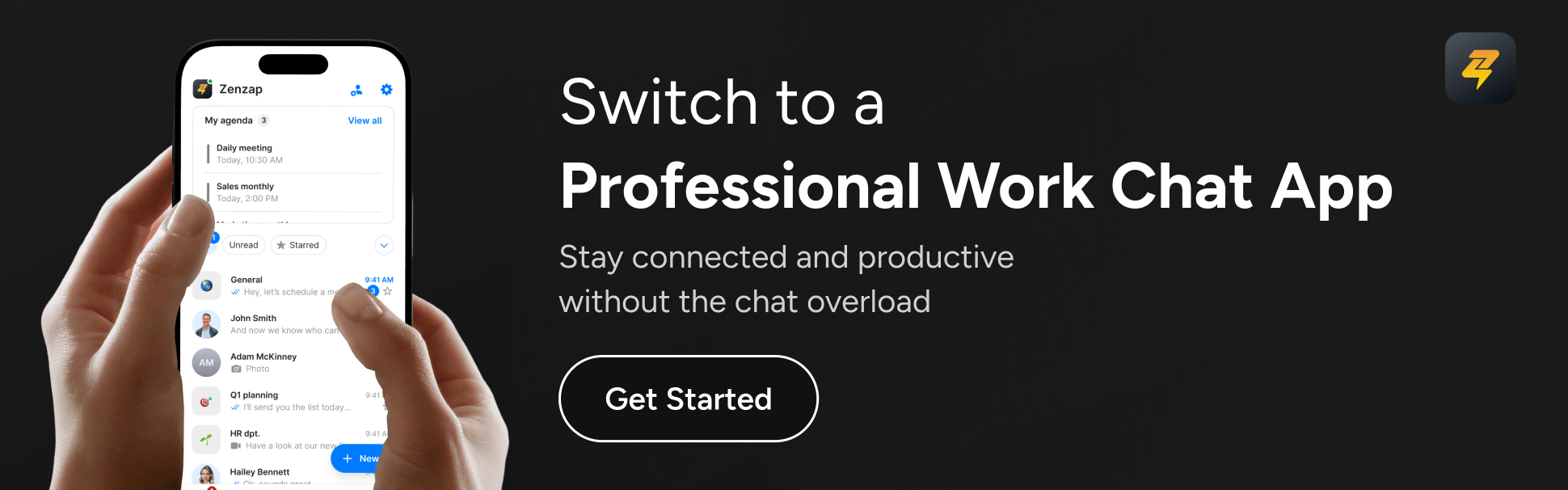
3. Task and announcement platforms: Keep everyone accountable
Retail moves fast, so you need a way to assign tasks, track completion, and ensure nothing slips through the cracks. Structured task management systems organize everything from cleaning checklists to visual merchandising updates with clear accountability.
Why it matters: Accountability and transparency power aligned teams. When staff know what’s expected – and can see progress in real time – they work with confidence. As tasks are checked off, managers can focus on coaching instead of micromanaging.
Example: Announce a mid-week product reset via your task platform. Assign responsibilities for each aisle with clear deadlines and reminders built in. Staff see exactly what needs to be done. No more “Did anyone do this?” moments.
4. Integrated work chat solutions: Why Zenzap wins for retail
Modern retail teams don’t have time to juggle five different apps. This is where Zenzap shines. Built as a single platform for messaging, tasks, scheduling, and secure file sharing, Zenzap cuts out the clutter while keeping everything professional and protected.
What it is: Zenzap is an intuitive all-in-one work chat and collaboration app, designed specifically for businesses that value security, structure, and simplicity. It combines unified messaging, task tracking, and calendar integration in one professional workspace that separates work from personal communications.
Why it matters: Managers see exactly what’s happening, who’s responsible, and what’s next. Work and personal chats stay separate. Access can be revoked immediately when staff leave. Zenzap is as easy as texting, with enterprise-grade security and zero steep learning curve – set up in under five minutes.
Example: Imagine announcing a flash sale. With Zenzap, send the update to relevant teams, assign merchandising tasks, and share promo assets – all in one place. Staff get instant notifications, check off to-dos, and you see live progress. As Dr. Phil Cox at NHS Wales notes, “Zenzap combines the best of multiple communication platforms – it’s really all in one.”
And with structured conversations, you avoid lost information and ensure accountability. If you want to see how easy it is to align your team and never miss a beat, try Zenzap’s free trial – no credit card required.
Key takeaways
- Adopt instant messaging tools for rapid team response and fewer miscommunications.
- Use smart scheduling platforms to avoid shift confusion and keep retail operations smooth.
- Leverage task and announcement apps to maintain accountability and ensure follow-through.
- Choose integrated platforms like Zenzap for secure, streamlined, and stress-free communication – without needing extra training.
FAQ
Frequently asked questions
Q: What makes Zenzap different from WhatsApp or iMessage for retail teams?A: Zenzap separates personal from professional chats, offers built-in task tracking, ensures enterprise-grade security, and provides instant control over access – so sensitive information stays safe and work-life boundaries are respected.
Q: How long does it take to set up Zenzap?A: You can have Zenzap up and running in under five minutes. There’s no special training required, and the interface feels familiar – so your team can jump right in.
Q: Can Zenzap integrate with our scheduling or POS systems?A: Zenzap works alongside your current tools, supporting integrations that streamline daily workflows. Integration options are expanding as Zenzap continues to grow – contact their team for the latest updates.
Q: Is Zenzap suitable for deskless or frontline retail staff?A: Absolutely. Zenzap’s mobile-first approach means it’s accessible on smartphones, tablets, and store devices, making it ideal for managers and staff moving around the shop floor.
Q: How does Zenzap help improve accountability?A: Every message, task, or file in Zenzap is structured and assigned, so nothing slips between the cracks. Managers see progress and responsibilities in real time, reducing oversight gaps.
Q: Is there a free trial for Zenzap?A: Yes. You can start a free trial with no credit card required to see how Zenzap transforms retail team alignment.
Everything aligned: Less stress, more results
Keeping your retail crew aligned shouldn’t mean more spreadsheets or frantic group texts. When you choose the right blend of instant messaging, robust scheduling, clear task management, and an integrated solution like Zenzap, your team instantly clicks into gear. You get less confusion, more productivity, and the freedom to unplug – knowing nothing urgent will slip by. If you’re ready to cut through the chaos, why settle for tools that almost work? Or is today the day you level up communication and unlock a better way to lead?
How often do missed messages and endless app-switching slow your teams down? If you manage people who spend their days on job sites, shop floors, or on the road, you know the pain of scattered conversations and the constant fear of something critical slipping through the cracks. Old-school chat apps were built for office workers, not the real world. The result? Frustration, chaos, and a team that never quite feels connected.
Enter Zenzap: a mobile-first team chat app built ground-up for frontline and deskless teams. No more chaos-just intuitive, secure, and professional communication that keeps you and your crew organized, aligned, and compliant no matter where you’re working. Zenzap brings chat, tasks, and files into one clean workspace so you can stop the juggling act and keep everyone moving forward-even if most of your team never sees a desk.
Table of contents
- Why traditional chat apps fail frontline and deskless teams
- Zenzap’s mobile-first approach: Built for teams on the go
- Key features and real-world benefits
- How Zenzap keeps your data secure and your workflow smooth
- Integrating Zenzap into your existing toolset
- Key takeaways
- FAQ: Everything you wanted to know about Zenzap’s mobile-first chat
Why traditional chat apps fail frontline and deskless teams
You rely on speed, clarity, and focus-yet most communication platforms pile on features you don’t need, training you don’t want, and chaos you can’t control. Deskless workers make up nearly 80% of the global workforce (Fortune), but most team chat tools were built for laptop-bound office staff. Clunky interfaces and platform restrictions leave teams frustrated, switching between texts, group chats, personal apps, emails, and outdated bulletin boards.
Forget endless group threads, convoluted channels, and constant back-and-forth to see who’s on what-and where. Deskless teams need communication that fits the way they actually work: fast, simple, and on every device. But until now, simple meant insecure, and secure meant complicated… which left professionals stuck choosing between chaos and compliance.
Zenzap’s mobile-first approach: Built for teams on the go
Zenzap flips the script. Whether your crew is fixing equipment at dawn or checking inventory in the field, Zenzap puts powerful, professional chat in everyone’s pocket. With native iOS and Android apps that mirror the full desktop experience, Zenzap delivers speed, real-time sync, and a user-friendly interface built especially for smaller screens and quick actions.
Zenzap’s onboarding is easy-your team can get started in minutes, with no training. The interface feels familiar but gives you the control and compliance features you’d expect from an enterprise tool. It’s designed for all devices, even low-powered or older hardware, so everyone can stay in the loop without headaches or hiccups.
Key features and real-world benefits
What sets Zenzap apart is how deeply every feature is tuned to the chaotic, fast-paced rhythm of deskless work. Here’s what you and your team get, right out of the box:
- Instant onboarding: No steep learning curve. Your team already knows how to use it-just download and start chatting.
- Mobile-first design: Fast, intuitive apps that work on any device. No lag, no bloat, no complicated installs.
- Integrated tasks and chat: Turn any message into a tracked to-do. Assign, discuss, and complete tasks without ever leaving the chat.
- Seamless file sharing: Snap and upload photos, share PDFs, and keep every project file at your fingertips.
- Structured organization: Channels by project, team, or topic. No more searching through disjointed conversations. Group everything by context, not chaos.
- Professional separation: Keep work messages completely separate from your personal chats. No more cross-contamination or accidental after-hours pings.
- Read receipts and mentions: Instantly see who’s seen what, and call out teammates when you need feedback fast.
- Consistent performance: Works reliably in the field, on job sites, and anywhere your team ends up.
Picture your field team: Instead of scribbled notes or lost group threads, every urgent issue gets captured, assigned, and followed up-all in one clean stream. Chris Fletcher of Tech on Toast says, “If you’re using traditional communication platforms, you’ll find that Zenzap will save you a lot of money.” That’s real-world ROI you can feel every shift.
How Zenzap keeps your data secure and your workflow smooth
When it comes to confidential information, you can’t compromise. Zenzap is built for business, with enterprise-grade encryption protecting every message, task, and file. Granular admin controls mean you decide who sees what-onboarding or removing users takes just one click, keeping your company data safe even when your team changes frequently.
Zenzap never mixes personal and work data, which means compliance is baked-in from day one. Unlike apps designed for friends and family, your company’s data stays private, protected, and compliant with industry standards. Business leaders trust Zenzap because security isn’t just a feature. It’s the foundation.
Integrating Zenzap into your existing toolset
Getting started with Zenzap is frictionless. It connects with your calendars, project management tools, and other must-have work apps, reducing the need to juggle tabs or repeat information. Whether you’re scheduling site visits or managing a rotating crew, Zenzap brings everything together in one polished workspace.
Zenzap is flexible-use it on any mobile device, tablet, browser, or desktop, so you can standardize communications even on mixed fleets and aging hardware. No installation headaches. No long IT tickets or complicated rollouts. Plug it in and your team is up to speed in minutes.
Key takeaways
- Zenzap gives frontline and deskless teams professional, secure chat-built from the ground up for mobile simplicity.
- Features like real-time task management, file sharing, and structured channels keep every team member in sync, wherever they are.
- Onboarding is quick and intuitive, so your team can get started in minutes-with no training required.
- Enterprise-grade security, compliance, and admin controls protect your data and keep work professional.
- Seamless integration with existing workflows makes Zenzap the obvious choice for teams tired of chaotic communication.

FAQ: Everything you wanted to know about Zenzap’s mobile-first chat
Q: Do I need to train my team to use Zenzap? A: Not at all. Zenzap’s interface is so intuitive that anyone familiar with messaging apps can get started instantly. Most teams onboard in minutes-no lengthy instructions, no hand-holding.
Q: How does Zenzap keep work messages separate from personal chats? A: Zenzap is purpose-built for professional use. Unlike personal messaging apps, it keeps work conversations and files separate from personal ones, reducing accidental mix-ups and ensuring a truly focused work environment.
Q: Can Zenzap handle task management without extra apps? A: Yes, task tracking is built right into the chat. You can assign, monitor, and close out tasks directly in conversation threads. No more switching between apps or losing crucial to-dos.
Q: Is my company’s data really secure with Zenzap? A: Absolutely. Zenzap uses enterprise-grade encryption and offers easy admin controls for managing user access, so your organization’s information stays secure and compliant at all times.
Q: Will Zenzap work reliably on all my team’s devices-even older ones? A: Yes. Zenzap is optimized for both iOS and Android, including older or lower-powered devices, and is fully web-based for instant access on any browser.
Q: Can I try Zenzap before I roll it out company-wide? A: Of course. Zenzap offers a 14-day free trial with unlimited messages and task views, so you can see the impact on your team before committing.
Time for a better way to connect your team?
You don’t have to settle for clunky, bloated chat tools that ignore the realities of deskless and frontline work. With Zenzap, you get streamlined communication, rock-solid security, and built-in productivity that gives you and your team room to breathe-and achieve more together. Are you ready to experience what work chat should feel like?
Ever have the feeling that your store’s back-office chat is a tornado of urgent texts, lost shift swaps, and accidental after-hours pings? You’re not alone. Retail leaders everywhere are looking for one thing: peace of mind. It starts with your communication tools.
One smart decision – opting for the right secure team messaging app – can set off a chain reaction that transforms chaos into calm, confusion into clarity, and scattered teams into one well-connected retail powerhouse. Let’s dive into how picking Zenzap as your work chat is like tipping the first domino, leading to smoother operations, happier employees, and a stress-free workday.
Below, you’ll find what so many retail chains adore about secure messaging platforms, especially the nine standout Zenzap features that make life on the shop floor (or at headquarters) a whole lot easier.
Table of contents
- Mobile-first simplicity: Instant onboarding, zero headaches
- Structured security: Keeping business (and private) data safe
- Seamless scaling: Communication across every store
- Pinpoint accuracy: Right message, right person, right time
- Effortless shift management
- All-in-one connection: Uniting your workforce
- 1-click onboarding and offboarding
- Smart organization: No more missed info
- Seamless integrations
Setting the first domino: Why retail communication matters
Let’s be real – retail is relentless. Fast-moving customers, constant promotions, changing inventory, and rotating staff. According to a National Retail Federation study, the average retail employee turnover rate was 60% in recent years. Every time a message goes to the wrong person or a shift swap slips through the cracks, you risk unhappy customers or missed sales.
So, what happens if you choose that one right communication tool? Let’s watch the dominos fall – and see how Zenzap’s built-for-retail feature set changes everything downstream.
Mobile-first simplicity: Instant onboarding, zero headaches
Toss out the old playbook of complex training sessions and confusing interfaces. With Zenzap, your staff hit the ground running. The interface is as familiar as a text message, making it easy for every team member to start collaborating instantly – even those less tech-savvy.
That simple onboarding is a game-changer. A new hire at Store #57? They’re up and chatting in minutes. When everyone is on the same page, mistakes drop. Time spent sorting out who has seen what or searching endless chat threads disappears.
Structured security: Keeping business (and private) data safe
Ever worry about sensitive updates getting mixed in personal WhatsApp chats? Or private customer data landed in someone’s phone gallery? Zenzap draws a clear line: work conversations stay professional, protected, and never mingle with personal apps.
Enterprise-grade encryption keeps your trade secrets safe. With instant access control, permissions can be changed or revoked in a single click – protecting your business when roles change or someone moves on.
Seamless scaling: Communication across every store
Whether you manage one boutique or hundreds of big-box stores, Zenzap is made to scale. Set up location-based groups, tailor messages to specific stores or regions, and give access based on roles. Your field managers talk to who they need – no more group chat confusion, no more cross-store misfires.
Need to send a promo to every branch, or a safety alert to just one? Do it instantly, knowing nobody gets left out or overwhelmed with irrelevant messages.
Pinpoint accuracy: Right message, right person, right time
You can quickly connect with staff by their role, department, or even individual store. No more “Who can help with this?” Guesswork is gone. Managers, cashiers, stockroom supervisors – they all get just what they need when they need it.
This direct, targeted communication means less noise, more action, and faster problem-solving. Customers see a difference, too, with fewer delays and a more organized team ready to help.
Effortless shift management
Let’s say Sam needs to swap a Saturday shift – no need for messy SMS threads or sticky notes. Shift changes, swap requests, approvals, and outright schedule overhauls all happen in Zenzap. Everything is documented in one place, so miscommunication is history, and nobody gets left scrambling.
All-in-one connection: Uniting your workforce
Think of Zenzap as your chain’s backbone. HQ, store managers, floor staff, and new hires – everyone is in the loop. Forget tangled email chains or juggling multiple messaging apps: Zenzap structures communication so nothing falls through, and everyone is in sync.
1-click onboarding and offboarding
Bringing on new staff and securely removing access when people leave is serious business. Zenzap lets you add a new employee to the right stores, feeds, and groups instantly. When that employee leaves, you revoke access with a click, protecting proprietary knowledge and ensuring no loose ends.
This prevents those “rogue ex-employee” moments you hear about – your risk is minimized, and your data stays protected. In an industry with high turnover, this feature is vital for security and sanity.
Smart organization: No more missed info
Zenzap keeps messages, files, schedules, and documents categorized to avoid chaos. Need last month’s promotion guideline? Or today’s delivery update? Find it in seconds. When conversations are organized, nothing falls through and accountability rises.
Not only does this save countless staff hours, but it also reduces errors – reminding everybody what’s top priority and making audits a breeze.
Seamless integrations
Your team already knows and loves certain tools – POS, scheduling, payroll, maybe even inventory management. Zenzap connects with what you use. No need to overhaul your whole system or force your crew to juggle a suite of clunky apps. Add Zenzap and keep your workflows humming, improving efficiency across every process.
Key takeaways
- Choose an intuitive, professional messaging app to simplify retail team communication instantly.
- Protect sensitive business data by clearly separating work and personal messages.
- Scale your messaging with structured roles and location-based groups for every store.
- Empower staff with instant onboarding, targeted updates, and secure offboarding.
- Bring your entire workforce together – HQ to shop floor – without missed messages or confusion.
See the chain reaction in your stores
When you pick Zenzap as your secure team messaging app, it’s not just another tech upgrade. It’s the first domino that means you’re no longer chasing lost info, worrying about data leaks, or stressing over missed shift swaps. Instead, you’re running a retail operation where your team is confident, connected, and focused on delivering the best experience for every customer.
If a single switch can make your retail stores run smoother and your people feel more valued, what’s stopping you from starting that domino effect today?
FAQ
Q: What makes Zenzap’s chat truly secure compared to using WhatsApp or SMS? A: Zenzap separates work from personal chat, offers enterprise-grade encryption, and instant-access controls, so business data never leaks into personal devices or apps.
Q: Can Zenzap really scale for businesses with dozens (or hundreds) of locations? A: Yes. You can manage communication by store, region, or role, so messages reach only the people who need them. Perfect for large multi-site retail chains.
Q: Is Zenzap hard to roll out for my team? What about less tech-savvy staff? A: Not at all. The mobile-first, intuitive interface mirrors texting, meaning staff can start using it with zero training. Instant onboarding means no lost time.
Q: How does Zenzap support compliance and privacy when staff leave? A: You can instantly remove ex-employees from all channels, groups, or stores, preventing unauthorized access and ensuring sensitive data stays within your business.
Q: Does Zenzap integrate with our other retail software? A: Zenzap is designed to work alongside your current tools, offering seamless integration to support scheduling, inventory, payroll, or whatever else you use every day.