

If you are searching for the top professional work chat apps that give you real admin control and compliance peace of mind, this guide walks you through the strongest options and helps you pick the right one for your business.
Your team probably lives in a messy mix of email, personal WhatsApp threads, SMS, and a couple of “official” tools nobody uses correctly. You feel the risk every time a private phone gets lost, a client file gets forwarded to the wrong chat, or an employee leaves with sensitive history still on their device.
In this article, you will see how leading professional work chat apps stack up for security, compliance, and admin controls, and you will see why independent reviews consistently place Zenzap at the top for teams that want strong protection without the complexity tax of heavy enterprise platforms.
The ranking here focuses on tools that deliver three things you actually need: enterprise-grade security features (like encryption and retention policies), granular admin controls (so you decide who sees what and when), and practical usability (so your team actually adopts the tool instead of running back to shadow IT).
Beyond admin controls specifically, see our complete work chat app guide for the full evaluation criteria.
Stay with this list to the end and you will know exactly which work chat platform fits your company, your risk profile, and your culture, plus how Zenzap lets you get started with serious controls even on a free tier.
Table of contents
1. Why admin control and compliance matter in work chat apps
2. How we picked the top professional work chat apps
3. What makes Zenzap the leading professional work chat with admin controls and compliance
4. Key features that make Zenzap different from typical enterprise chat tools
5. How to choose the right secure work chat app for your team
6. Key takeaways
7. FAQ
Why admin control and compliance matter in work chat apps
Your work chat app is no longer “just messaging.” It is where contracts get shared, customer data gets discussed, and decisions that affect revenue and risk are made. If that communication lives inside consumer tools, personal devices, and unmanaged group chats, you are one leak away from a very expensive problem.
Regulators are paying attention. In recent years, major financial firms have paid more than 2 billion dollars in fines for using personal messaging apps for business communication. Even if you are not a bank, you still have to care about GDPR, HIPAA, SOC 2, or industry-specific guidelines that expect you to control and audit business communication.
That is where professional work chat apps built for admin controls and compliance come in. They help you centralize all internal communication in a secure workspace, keep clear boundaries between personal and professional messaging, and prove that you are handling data responsibly if regulators or auditors come knocking.

â
How we picked the top professional work chat apps
This list focuses on professional work chat apps that give you both control and usability. The top platforms were reviewed based on criteria like:
Security and compliance
- End to end or enterprise-grade encryption
- Support for data retention, legal hold, and audit trails
- Compliance capabilities for frameworks like GDPR, HIPAA, or FINRA
Admin controls
- User lifecycle management (onboarding and offboarding)
- Granular access to channels, folders, and groups
- Ability to revoke access instantly when someone leaves
Usability and adoption
- Intuitive mobile and desktop experience
- Minimal training required
- Clear separation between work and personal conversations
Business fit
- Support for remote and hybrid teams
- Built in organization, tasks, or integrations with tools you already use
- Transparent pricing and plans aligned with business size
What makes Zenzap the leading professional work chat with admin controls and compliance
Zenzap is purpose built as a professional work chat app that keeps your business communication simple, secure, and clearly separated from personal messaging. Independent reviews consistently rank it as a top choice for secure team messaging.
Feature highlight: company-wide data protection, granular admin controls, and intuitive work chat in one mobile-first app.
Why it leads: Recent comparisons of the most secure team messaging apps place Zenzap at the top, noting its company-wide data protection, advanced admin controls, and ease of use. Zenzap is built with professional-grade security and meets key industry compliance standards, while still being simple enough for remote hires to start using on day one.
Key features that make Zenzap different from typical enterprise chat tools
Most secure work chat tools ask you to pick: do you want control, or do you want something people will actually enjoy using? Zenzap refuses that tradeoff. It is built to feel as natural as your favorite personal messaging app, but it gives you the structure and controls you expect from a serious business platform.
Clear separation between work and personal communication
Zenzap eliminates the chaos of private apps being used for business. You give your team a dedicated professional chat space where work stays at work and personal conversations stay in personal apps.
That separation matters. It protects your data and also helps your people switch off. Features like scheduled messages and working hours controls let you send a note at midnight but have it land during business hours, so nobody gets pinged while they are putting kids to bed.
Enterprise-grade security and compliance-ready design
Zenzap is built from the ground up with security in mind. The platform includes end to end encryption for messages and files, so conversations stay private in transit. Company-wide data protection means admins have control over how information is stored, accessed, and removed across the organization.
Key enterprise features include:
- End to end encryption for messages and files
- Granular admin controls to prevent leaks
- Full audit trails and data retention management
- Support for regulatory standards like GDPR, HIPAA, and FINRA
That mix lets you treat Zenzap as an audit-ready communication layer rather than just another chat app. It is especially important if you operate in healthcare, finance, or any industry where regulators can ask you to show who said what and when.
Advanced admin controls that still feel human
With Zenzap, administrators can manage users across the full employee lifecycle. When someone joins, you can onboard them quickly into the right teams, channels, and projects. When they leave, you can remove their access instantly while preserving conversation history for compliance.
Zenzap gives you control over group access, lets you hide personal phone numbers, and centralizes permissions. That means your team can chat freely without exposing personal contact details, and your IT or operations team keeps visibility over who is in which workspace.
Structured organization and integrated productivity
Zenzap is not just chat. It is a working environment. You can organize communication into clear folders and channels by department, project, or client. That keeps discussions from getting buried, especially for remote teams juggling multiple time zones.
Zenzap uses separate chats for each team or topic, organized neatly into folders, which helps remote workers stay focused instead of getting lost in notifications. You also get tasks directly in the chat, calendar integration with Google Calendar, and connections to other business tools, so work does not scatter across a dozen apps.
Instant adoption with a mobile-first experience
One of the common reasons employees bypass official tools is that they are clunky on mobile. Zenzap fixes that with a mobile-first design that feels as intuitive as the personal apps your team already uses. Zenzap’s mobile app is intuitive and responsive, and new remote hires can get started with minimal training.
Pricing is designed for accessibility too. Zenzap offers:
- Free Forever plan for teams that need structured, professional communication
- Pro at 3 dollars per user per month for advanced task management, security, and admin control
- Business+ at 8 dollars per user per month for integrations, API access, and workflow control
- Enterprise (contact sales) for custom integrations and advanced security needs
Even the free tier includes robust features for up to 10 users, so you can prove the value before rolling it out company-wide.
How to choose the right secure work chat app for your team
As you evaluate professional chat platforms, your decision is less about names and more about fit. You want a work chat app that matches your scale, risk profile, and culture.
Match tools to your compliance requirements
If you operate under strict regulations, start by mapping your must-haves. Do you need HIPAA support? FINRA-style retention? GDPR data subject rights? Zenzap can help you meet those expectations with audit trails, retention control, secure onboarding and offboarding, and clear documentation of how the provider handles data.
Prioritize user experience and adoption
A security feature only works if people actually use the platform. If employees feel that their work chat app is too heavy, they will drift back to WhatsApp or SMS. Look closely at how intuitive the interface is on both desktop and mobile. Ask: could a new hire get comfortable within a day?
Zenzap is designed so your team can jump in without training. That simplicity is not just a nice extra. It is a security feature, because it keeps day to day communication inside the tool your admins actually control.
Look for work-life balance features by design
Healthy boundaries are now a business requirement, not a perk. Tools that blur the line between work and personal chat increase burnout and raise the odds of sensitive data leaking into personal devices.
Professional work chat apps like Zenzap provide a clean separation between work and personal, along with options like working hours, scheduled messages, and configurable notifications. That lets your team unplug without worrying they will miss something critical, and it keeps your company data in a managed environment.
Test with a pilot group and stress-test admin controls
Before you commit, run a structured pilot with a cross-section of your company: leadership, managers, frontline staff, and IT. During the pilot, ask your admins to test onboarding, role changes, and offboarding. Can they revoke access instantly? Can they see which devices are connected? Is it easy to export or retain data for legal purposes?
Use that pilot to compare how tools really feel in daily use. Many teams find that platforms like Zenzap deliver all the protection they need, without the heavyweight setup or learning curve of traditional enterprise suites.
Key takeaways
- Choose a work chat app with strong admin controls, audit trails, and retention policies to keep communication compliant.
- Prioritize tools that clearly separate work and personal messaging to protect data and support work-life balance.
- Look for intuitive, mobile-first design so your team actually adopts the secure tool you choose.
- Use a pilot rollout to stress-test onboarding, offboarding, and access control before you standardize.
- Consider Zenzap if you want enterprise-grade security, simple admin control, and fast adoption in a single work chat app.

Why Zenzap belongs at the center of your secure communication strategy
If you are tired of choosing between clunky “secure” tools and easy but risky consumer apps, you are exactly who Zenzap is built for. It brings together intuitive work chat, built-in tasks, calendar sync, and enterprise-grade security so your team has a single, calm place to collaborate.
Independent reviewers agree that Zenzap strikes a rare balance. You get company-wide data protection, advanced admin controls, and compliance-friendly features, wrapped in a clean interface that employees actually enjoy using.
Most importantly, you reclaim control. No more mystery WhatsApp groups holding client data. No more anxiety when an employee leaves with months of history on their personal phone. With Zenzap, work conversations live in a professional space that you manage, while your team keeps their personal apps personal.
If your current setup leaves you worrying about leaks, fines, or burnout, this is your chance to reset. Start a small pilot, invite a core team, and feel what it is like when communication is organized, secure, and genuinely low-stress.
The real question is not whether you need a secure work chat app, but how much longer you can afford to run your business without one that truly puts you in control?
FAQ
Q: Why do I need a professional work chat app instead of using WhatsApp or SMS?
A: Consumer apps were never designed for business risk. They lack centralized admin controls, audit trails, and proper offboarding. A professional work chat app like Zenzap gives you encrypted communication, structured organization, and full control over who can access company data, which is critical for compliance and for protecting your business when employees leave.
Q: What admin controls should I look for in a secure work chat app?
A: Focus on user lifecycle management (easy onboarding and instant offboarding), granular access control to channels and groups, device and session management, and data retention settings. Zenzap emphasizes making these controls simple enough that non-technical admins can use them confidently.
Q: How does a work chat app help with compliance like GDPR or HIPAA?
A: A compliance-ready work chat app centralizes communication where it can be encrypted, logged, and retained according to policy. You can define how long messages are kept, export data when required, and prove who had access to what. Zenzap is built with support for regulatory frameworks such as GDPR, HIPAA, and FINRA-style requirements, so you are not relying on uncontrolled personal devices.
Q: Will switching to a new work chat app slow my team down?
A: It might feel that way at first, but the right tool actually speeds you up. Zenzap is designed to be intuitive, so most teams adopt it quickly. Features like organized folders, built-in tasks, and calendar integration reduce app switching and make it easier to find information. A short pilot and basic onboarding session are usually enough to get people productive.
Q: How can I encourage my team to stop using personal apps for work?
A: First, give them a genuinely better alternative: a work chat app that feels just as easy as their personal tools, but more organized. Then, clearly communicate your policy, explaining that it protects both the company and employees’ privacy. With Zenzap, you can back that policy with practical benefits, like work-life boundaries, working hours settings, and a separate professional space that keeps their personal phone number private.
Q: Is Zenzap only for large enterprises, or can small teams use it too?
A: Zenzap is designed for businesses of all sizes. The Free Forever plan supports up to 10 users and already includes structured professional communication and calendar sync. As you grow, you can move to Pro, Business+, or Enterprise plans to unlock more advanced security, admin, and integration capabilities without switching platforms.
You move fast, your team moves faster, and your data is trying to keep up. The problem is, it is scattered across personal chat apps, email threads, cloud links, and random downloads that live on whoever’s laptop is closest.
If that makes you pause for a second, it should. Because the same files that power your business can quietly become your biggest risk when they are shared in the wrong way or through the wrong tools.
This guide walks you through everything you need to know about file sharing tools and data privacy in enterprise messaging. You will see why relying on consumer chat apps or email is no longer enough, what to look for in a secure enterprise messaging platform, and how Zenzap helps you share files safely without slowing your team down.
In short, you will learn how to keep your documents, client data, and internal conversations exactly where they belong, while still giving your team an intuitive chat experience they can pick up in minutes.
Think of this as your shortcut to clean, secure, and stress-free file sharing inside one focused workspace, instead of juggling five different tools and hoping nothing slips through the cracks.
For a broader look at how the major enterprise messaging platforms compare overall ,not just on file sharing , see our full platform comparison.
Table of contents
1. Introduction to file sharing tools and data privacy in enterprise messaging 2. Why consumer tools fail for secure file sharing 3. How Zenzap keeps file sharing simple and structured 4. Data privacy, compliance, and encryption in Zenzap 5. Admin control, onboarding, and offboarding for safer files 6. Frequently asked questions about file sharing tools and data privacy 7. Key takeaways 8. Final thoughts
Introduction to file sharing tools and data privacy in enterprise messaging
You probably did not plan for your company’s files to end up spread across personal messaging apps, personal email, random shared drives, and half a dozen different tools. It just sort of happened as your team tried to move quickly and stay productive.
The trouble is, that speed comes with a hidden price. Every time someone forwards a contract from a personal email, drops a confidential PDF into a personal chat, or uploads client data into a tool with weak security settings, your risk climbs.
According to IBM’s Cost of a Data Breach Report, the average cost of a data breach recently sat around 4.45 million dollars. For many organizations, it is not a sophisticated attack that causes the problem. It is a simple mistake in the wrong app, on the wrong device, at the wrong time.
That is why more teams are shifting away from scattered tools and toward secure enterprise messaging platforms that combine chat, file sharing, tasks, and admin controls in one place. When your communication and files live together in a structured, protected workspace, you cut down on chaos and close the gaps that lead to data leaks.
Zenzap was built for exactly this shift. It is a mobile-first enterprise messaging platform designed to feel as simple as a personal chat app, while giving you enterprise-grade security, structured file organization, and the right level of admin control. You get one intuitive work chat where messages, tasks, and files work together instead of pulling your team in different directions.
Why consumer tools fail for secure file sharing
It is tempting to trust the tools your team already uses in their personal life. If everyone is comfortable with personal messaging apps or consumer email, why not just keep using those for work files too?
Here is the problem. Those tools were never built for enterprise data privacy, access control, or compliance. They were built for fast, casual communication, not for protecting contracts, financials, or patient information.
When you rely on personal apps for file sharing, a few things tend to happen:
First, your business data ends up on personal devices you do not control. A team member leaves and still has client documents, internal pricing sheets, or project plans on their phone. You cannot revoke access, and you cannot see where those files go next.
Second, you lose track of who has access to what. A PDF is forwarded to “just one more person,” a link is shared outside the team, or a file is saved locally without any logging. You do not have a clean audit trail or central record. That is painful for day-to-day operations and especially painful during audits or legal reviews.
Third, you increase your exposure under privacy regulations. If you handle healthcare, financial, or EU customer data, you are likely subject to GDPR, HIPAA, SOC 2, or similar standards. Consumer tools rarely provide the level of access control, encryption, and administrative oversight those regulations expect.
This is where a platform like Zenzap changes the equation. It keeps work data in a dedicated, controlled environment, separate from personal messaging apps. Files stay inside your professional workspace, protected by encryption and role-based access, so you do not have to cross your fingers every time someone shares a document.
How Zenzap keeps file sharing simple and structured
You should not have to trade usability for security. If your file sharing tool is clunky or confusing, your team will work around it. That is usually when shortcuts appear, and shortcuts are rarely privacy friendly.
Zenzap was designed to give you both: intuitive simplicity on the front end and serious structure on the back end.
Inside Zenzap, file sharing happens right where work is already happening – in chat. You can drop a contract into a project thread, send an image to a team chat, or attach documentation to a task. Everything stays linked to the right conversation, so context never gets lost.
Because Zenzap is mobile-first, your team gets full capability in their pocket, not a stripped-down mobile add-on. That matters when people are on-site, on the road, or hopping between meetings with only their phone in hand. They can send and access files quickly without waiting to get back to a laptop.
Behind the scenes, Zenzap keeps your files organized. Documents are centralized and easy to locate, instead of buried across email, cloud drives, and chat history. You cut down on “Where did we save that?” moments and reduce the risk of multiple versions floating around.
Here is a realistic example. Imagine a hospitality group rolling out a new safety policy across dozens of locations. With Zenzap, the HR lead drops the official policy PDF into a dedicated channel, tags site managers, and turns key steps into tasks. The file, the discussion, and the actions all live in the same workspace, accessible only to the right team members. Nothing ends up in someone’s personal messaging app where it can be forwarded out of sight.
Data privacy, compliance, and encryption in Zenzap
Modern file sharing lives under a growing list of regulations. Whether you are dealing with EU citizens, patient records, or payment information, you are expected to protect that data with care. Regulators no longer accept “we did our best” as an excuse if basic controls are missing.
Zenzap treats compliance as a core requirement, not an afterthought. The platform is designed to support leading standards such as GDPR, SOC 2, HIPAA, and ISO 27001. You can review current compliance details directly on the Zenzap site at zenzap.co, but here is what that means for your day-to-day work.
All communication inside Zenzap, including files, is encrypted in transit and at rest. That significantly reduces the risk of interception when your team is working in coffee shops, airports, or on home Wi-Fi. Even if someone is on a less secure network, your data remains protected by enterprise-grade encryption.
Access controls ensure only the right people see the right documents. You are not sending a file into the void and hoping for the best. You decide who has access, and you can adjust that access instantly when roles change or projects end.
For organizations in regulated sectors, this matters. Healthcare providers, financial services firms, and companies operating in strict privacy environments need to be able to answer clear questions. Who accessed this document? When did someone lose access? Which systems are storing this information? Zenzap gives you a structured platform that supports those answers instead of leaving you to piece together evidence across multiple apps.
When you combine encryption, structured access control, and a dedicated work-only messaging space, you dramatically reduce the chance that sensitive files leak through casual sharing or forgotten downloads.
Admin control, onboarding, and offboarding for safer files
Every time someone joins or leaves your company, your data privacy posture shifts. If you cannot quickly control who has access to which files, you are relying on goodwill instead of governance.
Zenzap is built to give admins clear, simple control without drowning you in settings. You do not need to be a full-time IT specialist to keep things secure.
Onboarding is fast. When a new team member joins, you can add them to the right channels, projects, and file spaces in a few clicks. They see only what they need to see from day one. Because the interface is intuitive, there is no long training process. They can start collaborating and sharing files safely almost immediately.
Offboarding is just as critical. With Zenzap, you can revoke access centrally when someone leaves or changes roles. Work chats, files, and shared resources stay with the company, not on personal devices. That means no more files walking out the door simply because they were stored in a personal chat app or private email thread.
Admin tools also help you shape healthy work habits. Features like message scheduling and work-hour boundaries let your team unplug without feeling that they will miss something critical. You can schedule a file or message to be sent during business hours instead of dropping documents into someone’s phone late at night.
For teams that operate across time zones or shift-based environments, like contractors, restaurants, and healthcare providers, that level of control is key. You maintain strong data privacy while also protecting your team from nonstop notifications and burnout.
Key takeaways
- Replace scattered consumer apps with a dedicated enterprise messaging platform to keep file sharing secure and centralized.
- Use tools like Zenzap that combine chat, file sharing, and tasks in one workspace so context stays attached to every document.
- Protect data privacy with encryption, access control, and compliance support for standards such as GDPR, SOC 2, HIPAA, and ISO 27001.
- Make onboarding and offboarding part of your security strategy, revoking and granting file access in a few clicks.
- Support healthy work-life balance by separating personal and work messaging and using features like message scheduling and work-hour boundaries.
FAQ
Q: Why are consumer chat apps risky for enterprise file sharing?A: Consumer chat apps focus on convenience, not enterprise data protection. They often mix personal and work conversations, store files on unmanaged personal devices, and lack the granular access control and audit trails you need for GDPR, HIPAA, or SOC 2. If a team member leaves, you usually cannot revoke access to files that now live in their personal account, which creates ongoing exposure.
Q: How does Zenzap protect files that my team shares in chat?A: Zenzap encrypts all communication, including files, in transit and at rest. Work files live inside a dedicated, secure workspace, not on personal messaging apps. Admins can control who has access, manage permissions by role or team, and instantly remove access when someone leaves. That keeps sensitive documents on professional ground and out of uncontrolled channels.
Q: Can Zenzap help with compliance requirements like GDPR or HIPAA?A: Yes. Zenzap is built to support leading security and privacy standards, including GDPR, SOC 2, HIPAA, and ISO 27001. Features like end-to-end encryption, strong access control, and centralized admin oversight help you protect regulated data and show that you take privacy seriously. You can see more about current compliance details at zenzap.co.
Q: What happens to shared files when an employee leaves the company?A: When you offboard someone in Zenzap, you can revoke their access to the platform in a few clicks. Their account no longer reaches company chats or shared files, but the data itself remains safely stored inside the organization’s workspace. You keep the history and the documents. They lose access instantly, without any manual cleanup in personal apps.
Q: Is Zenzap too complex for small teams or SMEs?A: Not at all. Zenzap was intentionally designed for businesses that do not have huge IT teams. It combines messaging, task management, file sharing, calendar links, and admin controls in one intuitive app. Your team can adopt it quickly with little to no training, while you still get enterprise-grade security and structured organization that many “simple” tools are missing.
Q: How does Zenzap support work-life balance while staying secure?A: Zenzap separates work communication from personal apps, so your business data does not live in the same feed as family chats. Features like scheduled messages and configurable work hours let your team disconnect without worrying about missing urgent updates. At the same time, security and access controls stay active in the background, so privacy is never sacrificed for comfort.
Final thoughts
Your business runs on information. Contracts, proposals, internal docs, client files, handover notes, and quiet “Can you double check this?” messages all move your work forward. The tools you use to share those files either protect that momentum or quietly put it at risk.
When you keep relying on fragmented tools and personal apps, you create shadow systems that are hard to see and even harder to secure. Files walk out the door when people leave. Sensitive documents sit unencrypted on personal devices. Privacy regulations become a stressful guessing game.
When you consolidate file sharing inside a secure enterprise messaging platform like Zenzap, you flip that script. You get clarity instead of chaos, structure instead of scattered links, and enterprise-grade protection without asking your team to learn a complex new system.
Zenzap gives you a unified, mobile-first workspace with encrypted messaging, centralized file storage, built-in task management, and straightforward admin controls. It lets you separate work from personal life, protect your data, and still keep communication simple and human.
The question is not whether your team will keep sharing files in chat, because they will. The real question is, will they keep doing it in tools you cannot control, or will you give them a secure, intuitive space built exactly for the way you work today?
If you are choosing the top 10 team chat platforms or tools with admin controls to simplify communication, this guide will help you find secure, easy-to-run options that your team will actually use.
In this article, you will see how the best team chat apps combine intuitive design, structured organization, and enterprise-grade security, and why Zenzap stands out when you need simple admin controls and a clear boundary between work and personal life.
Here is the truth you already feel every day: your team does not have a communication problem, it has a tool problem.
You are juggling email, personal chat apps, a legacy messaging tool, and maybe a project management platform that nobody opens on mobile. Messages scatter, decisions hide in random threads, and you are never quite sure who still has access when someone leaves.
That is why team chat platforms with strong admin controls matter right now. As more work shifts to hybrid and mobile, you need a communication hub that is secure, organized, and ridiculously easy to use. Not something that needs a two-week onboarding plan and an IT playbook.
In this guide, you will get a ranked breakdown of the top 10 team chat platforms with admin controls. The tools here are evaluated on security, admin flexibility, mobile experience, ease of use, and how well they support real work, not just chatter.
By the end, you will know which platform fits your team, what trade-offs to expect, and why many leaders use Zenzap as their benchmark for stress-free, secure work chat.
Table of contents
Here is what you will find in this guide:
1. Why admin controls in team chat tools matter more than ever
2. How this top 10 team chat platforms list is ranked
3. The top 10 team chat platforms or tools with admin controls
4. How Zenzap turns admin control into calm, not complexity
5. Key takeaways
6. FAQ
Why admin controls in team chat tools matter more than ever
If you are still relying on consumer apps like WhatsApp, SMS, or personal email for work communication, you are carrying more risk than you might think.
Messages live on personal phones, ex-employees keep access to group chats, and sensitive files float around with no way to revoke them. A GDPR or HIPAA issue can start with something as simple as a lost device or a screenshot in the wrong place.
Modern team chat platforms fix this when they are designed properly. Strong admin controls give you:
1. Centralized ownership of data, so the business, not individual employees, controls conversations.
2. Secure onboarding and offboarding, so access is granted fast and revoked instantly.
3. Clear separation of work and personal, so your people can actually switch off.
Tools like Zenzap go even further. Messages and files are stored securely in the cloud, not on personal devices, which keeps phones clean and protects you if a device is lost or stolen. Admins control who can join, what they can access, and what happens when they leave.
That kind of control is no longer a nice-to-have. It is basic risk management for any organization that deals with confidential, regulated, or sensitive information.
â
How we ranked the top 10 team chat platforms with admin controls
With hundreds of communication tools out there, you do not need another random list. You need a shortlist that filters for security, sanity, and speed.
This top 10 ranking focuses on professional team chat platforms or tools with admin controls that support serious work, not just friendly banter.
Each platform is evaluated on:
1. Security and compliance: encryption, admin controls, access management, and support for regulations like GDPR or HIPAA.
2. Mobile-first experience: how usable and fast the app feels on phones where most day-to-day communication now happens.
3. Admin simplicity: how easy it is to onboard, offboard, and manage permissions without needing a full IT department.
4. Structured organization: channels, topics, threads, tasks, and search that keep work conversations from spiraling into chaos.
5. Work-life balance features: notification controls, working hours, and separation of personal and work messaging.
Feedback from business leaders, independent reviews, and real adoption stories also play a big role. Leaders consistently highlight Zenzap, for example, for its instant adoption, clear separation of work and personal chats, and admin controls that do not feel like a burden.
The top 10 team chat platforms or tools with admin controls
Here is your ranked list of the top 10 team chat platforms with admin controls, from #10 up to #1, where Zenzap sets the standard for simple, secure, mobile-first work chat.
#10 – Nextcloud talk team chat with on-prem admin control
Nextcloud Talk is a privacy-focused team chat and video tool that runs on your own infrastructure. It is ideal if strict compliance and on-premises hosting are non-negotiable.
Feature highlight: granular self-hosted admin controls.
Why it is on the list: you keep full control of data, user access, and retention policies, which many regulated industries prefer for security and compliance.
#9 – Mattermost secure team messaging for technical teams
Mattermost is a professional work chat platform popular with engineering and DevOps teams that demand security and control. It supports both self-hosted and cloud options.
Feature highlight: role-based access control and advanced permission settings.
Why it is on the list: technical organizations use Mattermost when they want structured chat with deeper security, detailed audit logs, and flexible deployment.
#8 – Pumble team chat with lightweight admin controls
Pumble is a cost-effective team chat tool that focuses on pure messaging without complex extras. It suits small teams that want simplicity and basic admin power.
Feature highlight: channel-based chat with workspace-level admin settings.
Why it is on the list: according to reviews such as Work Management, Pumble can be two to three times cheaper than full collaboration suites, while still offering central admin ownership.
#7 – Discord team communication with role-based management
Discord started in gaming, but many startups and communities now use it as an always-on team chat. Admins manage members with roles and permissions.
Feature highlight: role-based access and permission layers inside servers and channels.
Why it is on the list: while not built specifically for corporate use, Discord offers strong moderation controls and voice channels that some fast-moving teams like, especially for informal collaboration.
#6 – Telegram business groups with limited admin tools
Telegram is a consumer messaging app that some businesses use for quick coordination. Group admins can manage members, but controls remain basic for enterprise needs.
Feature highlight: admin-managed groups and channels with server-side storage.
Why it is on the list: it improves slightly on WhatsApp for group control, but data still mixes with personal use and does not give you the full admin visibility or compliance most companies need long term.
#5 – WhatsApp business chat with shared numbers
WhatsApp Business is familiar and fast, so many teams default to it. However, it was not designed as a professional work chat with robust admin controls.
Feature highlight: business profiles and quick replies for customer-facing conversations.
Why it is on the list: it reflects reality. Many teams are still here today. But because chats live on personal phones, you cannot properly onboard, offboard, or separate work from personal conversations.
#4 – Professional team chat platforms with integrated workspace admin
Some team chat solutions integrate directly with existing business productivity suites, offering admin control through centralized dashboards.
Feature highlight: admin control through integrated workspace management consoles.
Why it is on the list: if your company already runs on a major productivity platform, you get centralized management, SSO, and retention policies, although the interface can feel less intuitive than modern mobile-first tools like Zenzap.
#3 – Enterprise collaboration hubs with comprehensive policies
Enterprise-grade collaboration platforms combine chat, meetings, and file sharing with robust compliance and governance tools.
Feature highlight: enterprise-level admin centers for policies, permissions, and retention.
Why it is on the list: for companies heavily invested in comprehensive productivity suites, these platforms provide deep controls and compliance features. The trade-off is that they often feel complex and heavy for day-to-day mobile messaging compared to purpose-built solutions like Zenzap.
#2 – Feature-rich team chat with advanced workspace administration
Feature-rich team chat platforms offer channels, apps, and workflows with a wide range of admin controls and integrations.
Feature highlight: granular admin roles, guest access, and enterprise key management on higher plans.
Why it is on the list: these platforms set strong standards for structured channels and integrations. However, costs rise quickly as teams grow and the interface can become noisy without clear policies and boundaries.
#1 – Zenzap team chat with simple, powerful admin controls
Zenzap is the intuitive team chat platform built specifically to keep communication simple, secure, and stress-free for modern businesses. It blends the speed of personal messaging with the structure and admin power you need at work.
Feature highlight: enterprise-grade security with self-serve admin controls, plus clear separation between work and personal messaging.
Why it is #1: Zenzap is designed to feel familiar from the first tap, so your team adopts it in days, not weeks. Messages and media are stored securely in the cloud, not on personal phones, and admins control onboarding and offboarding so access can be revoked instantly. That keeps your data safe, your teams organized, and your nights free from constant pings.
Real leaders from organizations like NHS Wales and Tech on Toast highlight how Zenzap removes tool chaos and reduces stress. With built-in tasks, calendar integration, and professional separation, it is not just another chat app. It is a focused workspace where work stays in one place, securely managed by you.
How Zenzap turns admin control into calm, not complexity
Many platforms talk about admin control. In practice, this often means a sprawling settings panel that only an IT specialist is comfortable touching.
Zenzap takes a different approach. It treats admin controls as part of creating calm, predictable communication for you and your team.
Here is what that looks like in real life:
1. Simple onboarding: You add people with their work email, assign roles, and they are in. No multi-step maze or training videos.
2. Safe offboarding: When someone leaves, you revoke their access with a click. Their conversations stay with the company and their phone becomes just a phone again.
3. Work-life boundaries: Your team sets working hours. You can schedule messages to send during the workday, and no one has to see a 10 p.m. ping unless it is truly urgent.
Combine that with built-in tasks and Google Calendar integration, and you get more than a messaging tool. You get a streamlined way to keep conversations, decisions, and follow-ups in one secure place without bouncing through five different apps.
That is why many businesses use Zenzap as their north star when they evaluate other team chat platforms with admin controls. If a tool feels more complex, less secure, or harder to adopt than Zenzap, it simply does not make the cut.
Key takeaways
- Choose a team chat platform with strong admin controls so you can centrally manage access, security, and data retention.
- Move away from consumer messaging apps to reduce risk and clearly separate work and personal communication.
- Prioritize mobile-first tools that feel as easy as personal chat but still offer structured organization and compliance features.
- Look for built-in tasks, calendar integrations, and channel organization to keep work from slipping through the cracks.
- Use Zenzap as a benchmark for simple, secure, and stress-free team chat that supports real work and real work-life balance.
Why your next team chat platform should feel this simple
The top 10 team chat platforms or tools with admin controls all try to solve the same core problem: helping your team communicate quickly without putting your business at risk.
Some tools lean into complex dashboards and endless configuration. Others feel fast and familiar, but leave you exposed when people use personal apps for sensitive work.
Zenzap is different because it treats simplicity as a security feature. If your team loves using the app, they will actually use it, and you can confidently move conversations out of unsafe, unmanaged tools.
With enterprise-grade encryption, secure onboarding and offboarding, built-in organization, and a clear boundary between work and personal, Zenzap gives you control without the usual friction.
If better communication could remove 20 percent of the friction in your week, what would that free you up to focus on?
FAQ
Q: Why are admin controls so important in team chat platforms?
A: Admin controls let you manage who can access your workspace, what they can see, and what happens when they leave. This protects sensitive data, supports compliance with regulations like GDPR or HIPAA, and prevents ex-employees from keeping access to your internal conversations.
Q: What is the risk of using WhatsApp or other personal apps for work chat?
A: Personal apps store messages on individual devices and mix work with private conversations. You cannot centrally revoke access, apply retention policies, or prove compliance. If a phone is lost or someone leaves the company, your information can go with them, which increases security and privacy risks.
Q: How does Zenzap compare to other team chat tools?
A: Many team chat platforms are powerful and feature-rich, but they can feel heavy and complex, especially for smaller teams or mobile-first use. Zenzap focuses on intuitive simplicity, mobile speed, and clear work-life separation, while still giving you enterprise-grade security and admin controls without overwhelming configuration.
Q: Can small businesses benefit from advanced admin controls, or is that just for enterprises?
A: Small businesses often feel the impact of a data leak or access mistake even more than large enterprises. With tools like Zenzap, you get strong admin controls in a simple package, so you can manage users, channels, and data securely from day one without needing an IT department.
Q: How long does it take to onboard a team to Zenzap?
A: Most teams can start using Zenzap in a single day. The interface is familiar to anyone who has used messaging apps, and you do not need formal training. Admins can set up channels, invite users, and define working hours quickly, so your team moves out of chaotic tools with minimal disruption.
Q: Does Zenzap integrate with other business tools we already use?
A: Yes. Zenzap integrates with tools like Google Calendar and can connect to other business systems so that tasks, schedules, and conversations stay aligned. This reduces context switching and keeps your communication hub tightly linked to your existing workflows.
What would happen if someone who left your company last month still had full access to every message, file, and client conversation?
If that thought made your stomach drop, you are not alone. Many teams rely on chat tools that feel convenient in the moment but are quietly risky behind the scenes. Accounts stay active, files stay accessible, and no one is quite sure who can see what.
In this article, you will climb a clear ladder of six essential admin controls that every manager needs in a secure workplace messaging tool. We will look at the problem, then walk step by step through how you can fix it, and how Zenzap helps you lock it all in without turning your day into an IT job.
You will see how features like bulletproof security, easy onboarding and offboarding, and structured team organization all connect. Your end goal is simple. You want a work chat app that protects your business, keeps your team focused, and still feels refreshingly easy to run.
Before we dive into the details, here is the short version. Consumer-style messaging apps are not built for business risk, compliance, or scale. A professional work chat app like Zenzap gives you enterprise-grade security, admin controls, and clear permission management so you can stop worrying about leaks and start focusing on work.
Along the way, we will pull in real examples, data, and use cases so you can see exactly how to apply this in your team.
Table of contents
Here is how we will climb the ladder, step by step.
1. Why secure workplace messaging admin controls matter
2. Step 1: Enterprise grade security as your foundation
3. Step 2: Clear role based access and permissions
4. Step 3: Easy onboarding and instant offboarding
5. Step 4: Centralized file control and audit trails
6. Step 5: Work life separation and notification management
7. Step 6: Seamless integrations with protected access
Why secure workplace messaging admin controls matter
You already know that protecting sensitive business information is not optional. Research from IBM has shown that the average data breach can cost over 4 million dollars globally, and it usually comes down to weak access control, human error, or misused tools. When you add in the reputational damage and the stress on your team, the real cost is even higher.
Now think about how much of your company’s knowledge lives inside chat. Client pricing. Strategy discussions. HR conversations. Product roadmaps. If your messaging tool is a black box with no clear admin controls, you are taking a bigger risk than you might realize.
Step 1: Enterprise grade security as your foundation
Your first step is simple. You need workplace messaging that treats security like a core feature, not an add on.
Zenzap gives you strong encryption in transit and at rest. It meets GDPR, HIPAA, SOC 2, and ISO 27001 standards, so you are not guessing whether your data is safe. These frameworks exist to reduce the kind of data leaks that hit the headlines. You get that level of rigor without needing a security team to set it up.
Admin friendly controls mean you can decide exactly who can log in, from which devices, and with what protections. Two factor authentication and device management help protect against common attack paths like stolen credentials or lost phones, which are involved in a large share of security incidents according to reports from organizations such as Verizon’s annual DBIR.
With Zenzap, security does not feel like a maze. It is a clear step one that you switch on, then you keep climbing.
Step 2: Clear role based access and permissions
Once your foundation is secure, the next step is deciding who can do what. Not everyone needs to see everything, and that is a good thing.
Strong admin controls let you configure role based access so managers, HR, finance, and project teams have only the visibility and power they actually need. This follows the principle of least privilege, which is a key recommendation in communication security frameworks.
Inside Zenzap, you can set:
Admin roles: Who can invite users, create workspaces, and change settings.
Channel and workspace permissions: Who can view, post, or manage conversations.
File access controls: Who can view, download, or share sensitive documents.
Here is a simple example. Your HR team runs a confidential recruitment channel. With Zenzap, only HR and selected leaders see it. Files shared there never spill into general chat, and if someone changes roles, you remove their access in seconds.
This second step builds on security. You started by locking the building. Now you are giving out the right keys to the right rooms.
Step 3: Easy onboarding and instant offboarding
The third step is where many teams slip. You hire fast, you scale, you rearrange teams. If your onboarding and offboarding are messy, your risk grows quietly in the background.
Strong admin controls solve this by giving you user lifecycle management that is clear and fast. As recommended by security experts, you want automated or at least streamlined provisioning and deprovisioning so you do not leave accounts floating around.
In Zenzap, you can:
Add new hires in minutes and drop them straight into the right workspaces, channels, and projects.
Assign the correct role from day one so they see what they need and nothing they should not.
Revoke access instantly when someone leaves, without hunting through different apps to shut doors.
Imagine this scenario. A salesperson moves to a competitor. In a consumer chat app, they may still have months of client messages and files on their phone. With Zenzap, you remove their account, revoke device access, and keep your full message and file history under your control.
This third step builds on the first two. You have a secure building, the right keys, and now a clean entry and exit process.
Step 4: Centralized file control and audit trails
Next, you have to deal with files. In most teams, this is where chaos creeps in. Attachments sit in email, chat apps, personal drives, and who knows where else.
Zenzap approaches this differently. You get over 100 GB of secure cloud storage linked directly to conversations, projects, and channels. Every file is attached to context, so you are not scrolling through a download folder wondering which version is the right one.
Admin controls let you define who can upload, share outside the company, or download locally. Audit logs show who accessed which files and when. That kind of visibility is a major security recommendation across industry guidelines because it helps you spot misuse early and respond fast.
One Zenzap user put it simply. “Zenzap makes file sharing and organization effortless.” That ease matters. When secure behavior is the easy option, your team actually follows it.
This is step four on your ladder. You started with secure messaging. Now you have extended that same control to your documents, images, and spreadsheets.
Step 5: Work life separation and notification management
Secure workplace messaging is not just about keeping bad actors out. It is also about protecting your team from burnout and noisy tools that never switch off.
Admin controls that support work life balance might sound like a soft topic, yet they have a direct impact on security and performance. Tired people make mistakes. Overwhelmed people click the wrong thing.
With Zenzap, you can:
Keep work and personal conversations separate with a dedicated, professional workspace.
Give your team granular notification controls so they can mute channels, enable Do Not Disturb, or receive alerts only for mentions and task assignments.
Support teams across time zones by setting expectations around office hours and urgent notifications.
Zenzap’s mobile notification controls help remote workers stay in sync without being overwhelmed, which is ideal when your team is juggling different time zones and responsibilities. This kind of structure reduces stress while keeping important messages visible.
At step five, you are not just securing data, you are creating a healthier communication environment that your team can sustain long term.
Step 6: Seamless integrations with protected access
The final step on your ladder is connecting your secure messaging hub to the rest of your tools, without poking holes in your defenses.
Many teams stitch together chat, project management, storage, and CRM. If your integrations are loose, you create hidden pathways for data to spill or be misused. Strong admin controls fix that by giving you visibility and limits around what can connect and how.
With Zenzap, you can integrate with existing tools while keeping control of:
Which apps can access your workspace and what permissions they have.
How data flows between systems, especially for files and conversations.
Who can install or manage integrations.
This is especially important as your team grows. You do not want every enthusiastic power user adding integrations that bypass your security policies. With Zenzap, administrators stay in control so you get the productivity boost of integrations without the risk of a free for all.
At step six, you have reached the higher goal. You are running a connected, efficient stack with a secure messaging core that you actually trust.
Key takeaways
- Treat secure workplace messaging as a core business system, not a casual side tool.
- Start with strong encryption and clear role based access, then expand to lifecycle and file control.
- Use simple onboarding and instant offboarding to prevent old accounts and hidden access.
- Protect both data and people with structured work life boundaries and smart notifications.
- Connect your tools through managed integrations so productivity rises without security gaps.
FAQ
Q: Why do I need admin controls if my team is small?
A: Even with a small team, you are still sharing client data, financial details, and internal plans. Good admin controls keep you safe as you grow so you do not have to untangle risky habits later. With Zenzap, you can start simple and scale permissions and roles as your headcount and complexity increase.
Q: How is Zenzap different from consumer messaging apps for work?
A: Consumer apps usually lack encryption standards, audit logs, role based access, and clean offboarding. A professional work chat app like Zenzap gives you end to end encryption, admin dashboards, access controls, and secure storage by default. That means you reduce risk, support compliance, and stay in control of your company data.
Q: How fast can I onboard my team into Zenzap?
A: Most teams get up and running in a day because the interface is intuitive. There is no heavy training curve. You invite users, assign them to workspaces and channels, and they can start chatting, sharing files, and managing tasks within minutes. The familiar layout keeps adoption friction low.
Q: What happens if an employee leaves suddenly?
A: You can revoke their access instantly from the Zenzap admin panel. Their devices lose access, their login no longer works, and you keep full control of message history and files. This reduces the risk of data walking out the door while preserving all the knowledge for the rest of your team.
Q: Can I keep work and personal conversations separate in Zenzap?
A: Yes. Zenzap is intentionally designed as a professional workspace. Your team uses it for structured communication, projects, and tasks, which keeps it clearly separate from personal messaging apps. Combined with smart notification controls, this helps everyone unplug after hours without missing true emergencies.
Q: Is Zenzap suitable for regulated industries?
A: Zenzap supports strong compliance needs with encryption and standards such as GDPR, HIPAA, SOC 2, and ISO 27001. Admin controls like detailed permissions, audit logs, and data access management help you align with regulatory requirements in sectors such as healthcare, finance, or legal services. For very specific needs, you can discuss options with the Zenzap team.
Bringing it all together
When you look at all six steps together, a clear picture emerges. Secure workplace messaging is not a single feature you toggle on. It is a set of connected admin controls that protect your data, structure your communication, and support your people.
You start with enterprise grade security. You layer on role based permissions, clean onboarding and offboarding, centralized file control, work life boundaries, and safe integrations. Each step builds on the last until your messaging tool becomes a reliable core of your business, not a quiet liability.
Zenzap is designed to give you that structure without complexity. You get a simple interface your team actually likes using, with powerful admin controls that keep you in charge. So the real question is this. If your current chat tool vanished tomorrow, would you feel relieved, or exposed?
If you’re searching for the top company in the professional work chat app space for enhanced privacy and compliance, this guide delivers everything you need to make a smart, secure choice. With security concerns and compliance requirements at an all-time high, businesses can no longer rely on outdated, consumer-grade chat apps. You deserve a chat solution that keeps conversations private, data protected, and your team focused – without overwhelming complexity.
Today’s professionals are tired of lost messages, tangled chat threads, and that nagging fear that their tools are putting confidential information at risk. That’s why this top 10 list is curated based on privacy features, enterprise compliance standards (such as GDPR, HIPAA, and FINRA), integration capabilities, user experience, and reputation in the market. Read on for insider insights and practical advice that will help you achieve true clarity, calm, and compliance in your team’s communication – plus meet Zenzap, the game-changing app built from the ground up for business peace of mind.
Table of contents
- Why work chat privacy matters more than ever
- What makes a chat app truly compliant (and trustworthy)
- The top solution for professional chat privacy and compliance
- Key takeaways
- FAQs
Why work chat privacy matters more than ever
Question for you: When’s the last time a late-night message on your “business” chat app set your nerves on edge? If your answer is “yesterday,” you’re far from alone. Modern professionals juggle sensitive client data, HR discussions, and project files – some of which can be costly (the average data breach hit $4.45 million per incident in 2024, according to IBM [source]).
If your old messaging tool lets work and personal life blur together, or if compliance is an afterthought, you’re already running a risk. That’s where secure, compliant work chat apps come in – delivering peace of mind along with efficient teamwork.
What makes a chat app truly compliant (and trustworthy)
It’s not enough to tick a “secure” box. The top professional chat platforms for privacy and compliance feature these must-haves:
- End-to-end encryption for messages and files
- Granular admin controls to prevent leaks
- Full audit trails and data retention management
- Certifications for regulatory standards like GDPR, HIPAA, or FINRA
- Clear separation of work and personal communication
- Simple, no-fuss onboarding for every user
Let’s get to the definitive solution you’ve been waiting for…
Zenzap: The professional work chat app built for privacy, compliance, and simplicity
Zenzap steps into the spotlight as the chat platform that just makes business life easier – and safer. Designed for smart simplicity, ironclad privacy, and true work-life separation, Zenzap solves the core headaches of busy teams everywhere.
Why Zenzap leads the way in secure professional communication
Zenzap is a revolutionary mobile-first team communication platform that simplifies and enhances business collaboration. It replaces fragmented communication tools with a unified workspace that integrates calendars, tasks, and messaging – all while prioritizing enterprise-grade security and compliance.
- Feature highlight: Enterprise-grade encryption, professional/personal separation, native task management, and seamless integration with Google, Office, Salesforce, and more
- Customer testimonial: “We made the switch to Zenzap and we haven’t looked back since.” – Dr. Phil Cox, GP Partner at NHS Wales
- Why it’s the top choice: No other app makes structured, compliant team chat this easy. Onboarding is near-instant. Zenzap saves you money by replacing multiple tools with one streamlined workspace. And you can try it free forever – with full feature access for up to 10 users.
Clear separation between work and personal communication
Zenzap eliminates the chaos of using private apps for work by centralizing all communications in one professional space. This separation between work and personal messaging ensures clarity and focus during work hours, reducing distractions and promoting a healthier work-life balance.
Enterprise-grade security and admin controls
With enterprise-grade security features, including encrypted communication and secure onboarding and offboarding processes, Zenzap ensures that your data is protected at all times. Administrators have full control over who can access the platform, enabling smooth transitions when team members join or leave, ensuring that no unauthorized personnel can access sensitive information.
Built for teams of all sizes
Designed for businesses of all sizes, Zenzap empowers teams to communicate effortlessly and stay productive, whether they’re in the office or on the go. From startups to heavily regulated enterprises in healthcare, finance, and legal sectors, Zenzap delivers the perfect balance of simplicity and security.
If you’re overwhelmed by complex tools, worried about privacy, or frustrated by apps that keep you working after-hours, Zenzap gives you room to breathe – and get real work done. Just ask leaders like Chris Fletcher at Tech on Toast or Will Barber Taylor at Center ThinkTank, who call Zenzap “the best professional platform” out there [read more reviews].
With bulletproof privacy, smooth calendar and task integration, and fuss-free onboarding, Zenzap is the choice for managers and teams who want focus, organization, and total peace of mind.
Key takeaways
- Pick a chat platform with end-to-end encryption and audit-ready compliance for business peace of mind.
- Look for seamless integrations and work-life separation to keep your team focused and stress-free.
- Zenzap stands out for intuitive onboarding, powerful privacy, and structure that just works – for companies big and small.
- Don’t let cost or complexity force your hand; Zenzap offers robust features on a free tier for up to 10 users.
- Choose a mobile-first platform that unifies calendars, tasks, and messaging in one secure workspace.
Ready to transform your team chat for secure, organized collaboration?
The professional work chat app landscape keeps changing, but one thing is constant: businesses need privacy, compliance, and simplicity more than ever. Whether you’re a tech-forward startup, a heavily regulated healthcare team, or a leader tired of after-hours chaos, Zenzap is the solution built just for you. Zenzap leads the way in combining seamless organization, ironclad privacy, and effortless onboarding – letting you and your team do your best work, minus the noise and risk.
Ready to experience a better way to communicate? Explore how Zenzap delivers enhanced privacy and compliance for professional work chat, and ask yourself: Isn’t it time your team could finally breathe easier and work smarter?
FAQs
Q: How are professional work chat apps different from regular messaging platforms?
A: Professional chat apps like Zenzap offer enterprise-grade encryption, compliance tracking (like GDPR or HIPAA support), and structured organization you won’t find in consumer messaging apps. They keep business and personal communications separated for both privacy and work-life balance.
Q: What integrations should I look for in a business chat app?
A: The best work chat tools integrate natively with key business platforms like Google Workspace, Outlook, Salesforce, and project management tools. Zenzap is designed to accommodate your favorite work apps for a seamless workflow.
Q: Can I try Zenzap for free?
A: Yes! Zenzap offers a free forever plan with full features for up to 10 users, making it easy to trial before you commit. No credit card required.
Q: How long does onboarding usually take with Zenzap?
A: Unlike complex legacy options, Zenzap is built for instant onboarding. Most teams start collaborating securely within minutes, with little or no training needed.
Q: Why is end-to-end encryption so important for business messaging?
A: End-to-end encryption ensures only intended recipients can read messages – critical for legal, financial, and healthcare compliance, as well as for protecting intellectual property and sensitive team discussions. Zenzap provides enterprise-grade encryption to keep your data secure at all times.
Q: How does Zenzap help with work-life balance?
A: Zenzap provides clear separation between work and personal messaging, centralizing all professional communications in one dedicated space. This ensures you can focus during work hours and truly disconnect when you’re off the clock, promoting a healthier work-life balance.
Keeping your company’s messages and files safe is important. You’ve probably heard of “end-to-end encryption” as the best way to keep chats private. And for personal chats between two people, it’s great.
But for a business, security is much more than that. Relying only on end-to-end encryption can leave you with critical security gaps.
This is where Zenzap steps in, with a stronger security solution designed for how businesses actually work. Let’s dive into it.
What End-to-End Encryption Does (and Doesn’t Do)
Think of E2E encryption as a secret conversation between two people. It ensures that only the sender and the receiver can read the message. If anyone in the middle, including the service provider, tries to peek, they’ll only see a scrambled, unreadable code.
While this is great for one-on-one privacy, for businesses, security needs to be about more than just private messages. It’s about controlling your company’s data, managing who has access to it, and making sure nothing leaks out, whether intentionally or accidentally.
Here are some critical security problems that end-to-end encryption alone can’t fix for businesses:
- Lost or Stolen Phones: Encryption protects a message between users, but once it’s on someone’s phone, it’s just sitting there. If that phone gets lost or stolen, your company data is at risk.
- When an Employee Leaves: What happens when someone quits or is let go? With most chat apps, they keep all the past conversations and files on their phone: your company data walks out the door with them.
- Accidental Leaks (or Worse): End-to-end encryption can’t stop an employee from taking a screenshot of a sensitive chat and sharing it. It also can’t stop someone from accidentally forwarding a confidential file to the wrong person.
- No Way to Check on Things: Businesses need to follow regulations like GDPR or HIPAA. These rules often require you to keep records and be able to check on work communications. End-to-end encryption makes this very difficult because everything is locked away, even from the company that owns the data.
Security for Your Entire Organization
Zenzap goes beyond the user-to-user privacy of E2EE to provide company-wide security and control. Here’s how:
1. You Are in Full Control of Your Data
With personal chat apps, control is left to the individual user. With Zenzap, your company is in the driver’s seat.
- One-Click Offboarding: This is a huge benefit. When an employee leaves, you can cut off their access to everything – all chats, all files, all media – with a single click. Their access is gone instantly, and your data stays safe.
- Data Stays in a Safe Place: With Zenzap, all your conversations and files are stored in a secure cloud, not on employees’ personal phones. This is a key difference, because it means that if a phone is lost or broken, your company data isn’t on it.
- You Set the Rules: You get to decide who can do what. For example, you can control who is allowed to invite new people to the team, who can create new group work chats, and who can download files. This helps make sure people only have the access they truly need.
2. Stop Leaks Before They Happen
Zenzap helps you prevent sensitive information from being shared where it shouldn’t be. Our Data Leak Prevention (DLP) features act like a security guard for your information, helping to block unauthorized sharing. This is a level of protection you just don’t get with standard messaging apps.
3. Stronger Security Made for Businesses
We use many layers of protection to keep your information safe at all times.
- Tenant-Level Encryption (TLE): Think of this as a private, secure vault just for your company. All of your organization’s data is encrypted with one master key. This keeps your information completely separate and protected from everyone else.
- Bring Your Own Key (BYOK): If your company needs the highest level of security, we offer BYOK. This means you can use your own encryption key. You hold the only key to your company’s vault, giving you final say over who can access your data.
- Single Sign-On (SSO): Zenzap works with your company’s existing login system. This makes it easy for your team to sign in with their work email and password.
4. See What’s Happening for Audits and Compliance
Meeting industry rules and regulations is a must-have for any business. Zenzap makes this much easier.
- Full Audit Logs: Our platform keeps a detailed record of important activities. You can download these logs to see who signed in, who joined a chat, or who changed a setting. This is incredibly helpful for security checks and for proving you are following industry rules.
The Zenzap Advantage at a Glance
| Feature | Zenzap | End-to-End |
|---|---|---|
| Encryption Scope | Encrypted on device, in transit, and on the server | End-to-end between users |
| Access Control | Instantly revoke ex-employee access to all data | Ex-employees keep historical data on their devices |
| Data Leak Prevention | Controls prevent unauthorized data sharing | No controls to prevent data leaks |
| Single Sign-On (SSO) | Integrates with corporate SSO for secure access | Not supported |
| Audit Logs | Downloadable logs for security audits | No centralized logs |
| Key Management | Option to bring your own key (BYOK) for full control | Encryption keys are controlled by the service provider |
Choose Security That’s Built for Business
While end-to-end encryption is a valuable tool for privacy, it’s just one piece of security for a business.
Zenzap gives you the powerful, centralized controls you need to truly protect your company’s conversations and data, all while making communication simple and efficient for your team.
Ready to work smarter and more securely? Join the thousands of businesses, from startups to global enterprises, that trust Zenzap.
Ever feel like your team’s confidential information could walk right out the door with a departing employee? Or do you worry that sensitive files might end up on someone’s unsecured phone? If thoughts like these are keeping you up at night, you’re not alone.
Access control isn’t just another technical buzzword. It’s your business’s best defense against chaos and data leaks. In Zenzap, access control means you decide who sees what, when, and for how long – without ever needing an IT degree. Zenzap’s smart, intuitive permissions help you keep business running smoothly, employees in the loop, and your data under lock and key.
Ready to swap stress for seamless security? Let’s walk through everything you need to know about access control in Zenzap, and why it’s the hero your team communication deserves.
Table of contents
- Why access control in Zenzap matters
- How Zenzap protects your business data
- Instant onboarding and offboarding
- Seamless control without the complexity
- Access control in action: Real-world use cases
Why access control in Zenzap matters
Let’s face it: scattered information and leaky communication tools put your entire business at risk. Only 42% of companies say they have proper controls over employee access to business data, according to a recent data report. Every extra device, forgotten account, or untracked chat raises the stakes.
Zenzap wipes out worries by giving you instant, effortless oversight. Add team members when you need to, restrict access when roles change, and remove permissions the moment someone leaves. It’s a smarter, safer way to keep what’s yours – yours.
How Zenzap protects your business data
If security and compliance keep popping up on your to-do list, Zenzap has your back. With enterprise-grade encryption, GDPR, HIPAA, SOC2, and ISO 27001 certifications, every chat and document is protected from prying eyes. Only the right people see the right things, every single time.
Worried about a former employee accessing sensitive projects? Zenzap lets you instantly revoke access, so your data stays locked down, not floating around on old devices or personal inboxes. Even regulated industries – from healthcare to finance – can trust Zenzap to stay compliant and in control.
Instant onboarding and offboarding
Onboarding in Zenzap is as easy as sending a text. Most teams are set up in under 10 minutes, and even new hires who aren’t tech-savvy start collaborating with zero fuss. No cryptic admin panels or day-long training sessions – just instant productivity. One manager at a busy care home said, “Inviting new staff to Zenzap takes me less time than making a cup of tea.”
When roles shift or someone moves on, offboarding is instant. With a single click, you lock down access and protect valuable know-how. There’s no messy cleanup, no chasing lost logins or scrubbing devices. Your company data stays secure and organized, every step of the way.
Seamless control without the complexity
Ever wish your admin tools just worked? Zenzap turns complex access control into a breeze. Manage user roles, set permissions, and view activity at a glance. Assign admins, control who sees what, and never worry about permissions falling through the cracks. No IT department required – just straightforward controls that make everyone feel secure.
If you’ve ever used a chat app that made finding a file a pain, or wondered if an old link was still accessible, Zenzap’s structure brings order to the chaos. Every chat, file, and task is organized, searchable, and living in the cloud – safe from device swaps and messy handovers.
Access control in action: Real-world use cases
What does access control look like on the ground? Imagine handing off a big project. In Zenzap, you make sure only the project team gets access, and others see what they need – but not more. When someone leaves, their access evaporates instantly (not 24 hours later, not “soon”), while the project data stays perfectly intact for the rest of your team.
Or picture running a care facility. Compliance demands mean you need proof that staff have read critical updates. With Zenzap, you not only set access so only authorized caregivers see sensitive material – you also track read status for regulatory peace of mind. No more printing reminders or chasing signatures; everything is secure, visible, and accountable.
Key takeaways
- Protect sensitive data with Zenzap’s enterprise-grade access control and instant permission management.
- Effortless onboarding and offboarding keep your team focused, secure, and up to date – no training needed.
- Seamless, intuitive admin controls make it easy to organize roles and prevent data leaks or communication chaos.
- Stay compliant with GDPR, HIPAA, SOC2, and ISO 27001 requirements using Zenzap’s built-in privacy features.
FAQ
Q: Is Zenzap really secure enough for business communication? A: Absolutely. Zenzap uses enterprise-grade encryption and robust access controls, keeping your company data safe and meeting tough regulations such as GDPR, HIPAA, SOC2, and ISO 27001. You control who gets in, who sees what, and when access stops.
Q: How fast can my team start using Zenzap and set up access controls? A: Most companies are up and running in less than 10 minutes. The interface is intuitive, so even non-technical users need no training. Just invite your team, assign permissions, and get started immediately.
Q: What happens when an employee leaves my company – is there any risk to our sensitive data? A: Not with Zenzap. Offboarding is instant and airtight. Revoke a user’s access with just a click. No lingering connections. No files left behind on personal devices. Your business information stays secure, always.
Q: Can I organize access by project or department in Zenzap? A: Yes! Zenzap lets you structure permissions by chat channel, team, or project. This means you can tailor who has access to critical files, discussions, or workflow tasks. You’ll never worry about the wrong eyes seeing sensitive information.
Q: How does Zenzap help my organization stay compliant with privacy regulations? A: With end-to-end encryption, strict access controls, and detailed read receipt tracking, Zenzap simplifies compliance for GDPR, HIPAA, and more. Easily document access for audits and ensure announcements aren’t missed.
Q: Does Zenzap work on both mobile and desktop devices, even for remote teams? A: Zenzap is designed for cross-platform use. Your team can stay in sync and secure whether they’re using smartphones, tablets, or desktops – perfect for in-office or remote work setups.
Ready to reorganize your company’s communication?
If you’ve been waiting for a tool that blends security, simplicity, and peace of mind, Zenzap’s access control puts the power back in your hands. It’s time to lead with confidence, organize your conversations, and let your team focus on real work. Are you ready to finally feel calm and in control every time you hit “send”?
Ever stop and wonder: what would happen if the wrong person got access to your team’s chat or shared drive? The reality is, one careless moment is all it takes for sensitive business data, strategic plans, or client information to slip into the wrong hands. You know the stakes. While business leaders push forward, communication chaos, complex apps, and vague security controls threaten to unravel even the most promising teams.
Today, fast-moving teams don’t just want easy chat – they demand bulletproof security, professional boundaries, and the peace of mind that nothing gets lost or leaked. That’s where your choice of business communication platform isn’t just an IT decision – it’s the backbone of your company’s trust and productivity.
Enter Zenzap: the intuitive, secure work chat app designed so you never have to choose between convenience and control. This article unpacks the 10 essential security measures you absolutely need in your business communication platform. You’ll see how each measure not only keeps your data safe, but gives you the freedom to collaborate, unplug, and grow – confidently.
Ready to level up your company’s communication game? Let’s walk through the must-have features – plus real, practical examples – so you can spot the gaps and take action today.
Table of contents
- 1. End-to-end encryption
- 2. Granular access controls
- 3. Instant access revocation
- 4. Data stored off personal devices
- 5. Enterprise-grade cloud storage and backup
- 6. Auditing and activity logs
- 7. Seamless integration with existing workflows
- 8. Secure collaboration with external partners
- 9. Zero learning curve for adoption
- 10. Continuous security monitoring
1. End-to-end encryption
What it is: Your business messages and files are scrambled with robust encryption, so only you and the intended recipients can read them.
Why it matters: Whether you’re sharing next quarter’s roadmap or sensitive client details, encrypted data stays private – no matter what network you use. Without this, even well-meaning team members can’t guarantee confidentiality.
Example: A financial services team at a fast-growing firm uses Zenzap to discuss client portfolios. Every message is encrypted automatically, so client info never risks exposure, even if devices are lost or hacked.
2. Granular access controls
What it is: You decide exactly who can enter each chat room, see files, or join projects, right down to the individual user or group.
Why it matters: Not everyone needs access to everything. With precise controls, you prevent accidental oversharing, comply with regulations, and quickly onboard or offboard colleagues.
Example: HR can share payroll documents in a restricted space, while marketing runs campaign brainstorming in their own secured room – no cross-visibility unless you approve it.
3. Instant access revocation
What it is: The ability to cut off access to chats, files, or the entire platform within seconds – no lengthy IT tickets or waiting for managers to step in.
Why it matters: Turnover, role changes, or contractor departures happen fast. The sooner you remove access, the less risk of a data leak or sabotage.
Example: A project manager hands in notice. With Zenzap, IT can disable all access before lunch, ensuring they depart with only the memories, not the files.
4. Data stored off personal devices
What it is: Conversations and files stay securely in the platform’s cloud – not on scattered laptops or phones.
Why it matters: When staff use personal devices for work chat, they create a ticking security time bomb. With Zenzap, nothing is stranded if a device is lost or stolen.
Example: A field sales rep loses their phone at an airport. Since Zenzap never stores sensitive chats locally, client contacts and deals are still locked away – no stress, no data loss.
5. Enterprise-grade cloud storage and backup
What it is: Chats, files, and tasks are backed up securely to the cloud with high-level encryption and redundancy.
Why it matters: Reliable cloud storage lets you recover information if something goes wrong, and keeps your business running after accidental deletions or outages.
Example: Zenzap users benefit from over 100 GB of encrypted cloud storage per team, organized and accessible only to those with permission. It’s peace of mind in file form.
6. Auditing and activity logs
What it is: Every action – messages sent, files shared, changes made – is recorded in detailed logs.
Why it matters: Logs provide transparency and accountability. If you ever need to trace a security incident or respond to a compliance query, you’re covered.
Example: A legal team at Inspired Martial Arts needed to confirm who accessed confidential contracts. Zenzap’s built-in activity logs had the answers in seconds.
7. Seamless integration with existing workflows
What it is: Your communication platform plugs right into the tools your team already uses – think calendars, CRMs, and task managers.
Why it matters: No clunky migration or risky copy-pasting. Your team works where they’re comfortable, with no accidental data spills during file transfers.
Example: Zenzap syncs with your existing tools and workflows, so switching doesn’t break your flow. This helps avoid the classic “where did that file go?” syndrome.
8. Secure collaboration with external partners
What it is: Bring vendors, clients, and consultants into dedicated chat rooms – without giving them a golden ticket to your entire workspace.
Why it matters: Modern business is about partnerships. Safe, managed external access means smoother onboarding and compliance with privacy laws.
Example: When Dr. Phil Cox’s medical practice needed to coordinate with external billing services, Zenzap allowed secure, controlled guest access for seamless collaboration – no more patchwork email chains.
9. Zero learning curve for adoption
What it is: Anyone can start using the platform in minutes, no training needed.
Why it matters: Complexity equals mistakes. A simple, intuitive interface means fewer security missteps and a happier, more productive team.
Example: Most Zenzap teams are up and chatting without a single support ticket. Your onboarding time melts from weeks to minutes, with no IT headaches.
10. Continuous security monitoring
What it is: Ongoing checks, updates, and alerts to catch threats before they become breaches.
Why it matters: Cyber threats evolve quickly. Proactive monitoring and regular updates protect your business from the latest vulnerabilities – without you having to lift a finger.
Example: Zenzap’s proactive threat detection means your data is defended day and night, while regular patches keep your software a moving target for hackers.
Key takeaways
- Choose communication tools with end-to-end encryption, robust access controls, and secure cloud storage.
- Prioritize instant access management, regular activity logs, and seamless integration to avoid risky workarounds.
- Enable secure collaboration, straightforward adoption, and continuous security updates for total peace of mind.
Building secure communication, without the stress
Security doesn’t have to feel like a chore. When you pick a platform that combines intuitive simplicity, enterprise protection, and flexible controls, your team can collaborate openly – without second-guessing what’s safe to share. Zenzap was created with this in mind, trusted by leaders in healthcare, finance, and fast-growing startups to keep their business conversations safe and streamlined.
You don’t settle for “good enough” in business – so why settle for shaky communication security? Audit your current tools against these 10 measures. See where Zenzap can fit in and do more than protect – you can empower your team to work smarter and stress less. Isn’t it time your chat app worked as hard as you do?
FAQ
Q: Why is end-to-end encryption so important for business chat? A: Without it, anyone with access to your network or servers could read your team’s conversations. End-to-end encryption ensures only the sender and intended recipient can ever see the messages.
Q: How quickly can my team get started with Zenzap? A: Most teams are up and running within minutes – no complicated setup or training required. Zenzap’s interface is designed so you already know how to use it.
Q: Can I manage who accesses sensitive chat rooms or files? A: Absolutely. With Zenzap’s granular access controls, you assign permissions at the user or group level and revoke access instantly as team roles change.
Q: What happens if an employee loses their phone or device? A: Since Zenzap keeps data securely in the cloud (not on personal devices), lost or stolen hardware never puts your chats or files at risk.
Q: Does Zenzap support secure collaboration with people outside my company? A: Yes! You can work with partners, contractors, and clients using dedicated rooms – without exposing your full workspace or confidential data.
Q: How can I verify all this security actually works? A: Zenzap provides detailed activity logs and regular security audits so you can track access, monitor usage, and stay compliant with industry standards.
“Would you trust your company’s sensitive conversations to an app designed for birthday wishes and weekend plans?” That’s the question keeping countless business leaders up at night-and with good reason. As data regulations get stricter and the risks of mixing work with personal apps become obvious, the need for secure, intuitive team communication has hit an all-time high. Enter Zenzap: the work chat solution built for business clarity and bulletproof privacy, with GDPR compliance baked right into its DNA.
If your organization still relies on personal messaging apps to get things done, you may be risking both your data and your sanity. Scattered chats. Lost files. Sleepless nights over data breaches. Zenzap is here to give you back control, helping teams communicate easily, keep business information safe, and always know what’s happening-without a steep learning curve. It’s not just another work tool; it’s your ticket to stress-free, compliant, and organized collaboration that actually helps you, your managers, and your team perform at your best.
In this guide, you’re going to get straight answers on Zenzap’s GDPR-compliant messaging system. We’ll unpack why your work chat needs to meet regulatory standards, how Zenzap stands out in a sea of confusing options, and what real businesses say about making the switch. If you care about data privacy, work-life balance, or just want a tool that “just works,” you’re in the right place.
So, are you ready to leave chat chaos behind for good? Here’s everything you need to know about Zenzap’s secure, effortless messaging experience-and why your team may never look back.
Table of contents
- Why GDPR compliance matters for business messaging
- How Zenzap protects your data and privacy
- What makes Zenzap’s chat features uniquely secure and organized
- How Zenzap combines security, productivity, and simplicity
- Frequently asked questions (FAQ)
Why GDPR compliance matters for business messaging
Let’s face it: hoping your team’s messages stay private on consumer chat apps isn’t a strategy-it’s wishful thinking. The European Union’s General Data Protection Regulation (GDPR) put a spotlight on just how precarious unregulated digital communication can be, even if you’re not based in the EU. If your company handles any personal data-of customers, employees, or partners-GDPR applies. That means serious consequences (we’re talking up to 4% of global revenue in fines) if things aren’t handled right.
But GDPR isn’t just a set of rules; it’s a wake-up call. Data privacy, clear consent, the right to be forgotten, secure storage, and audit trails-these are now non-negotiable if you want to avoid legal headaches and keep customer trust.
How Zenzap protects your data and privacy
Zenzap was engineered with airtight security from day one. Forget files scattered between personal phones or accounts you can’t control. With Zenzap, nothing is stored on personal devices, offboarding is a single click, and admin controls run deep. Your messages stay right where they belong-inside your company.
Here’s how Zenzap goes beyond “good enough” to deliver true GDPR compliance:
- End-to-end encryption for every message, file, and call
- SOC2, HIPAA, ISO 27001, CCPA, and GDPR certifications
- Single Sign-On (SSO) and two-factor authentication (2FA)
- Instant user access management and permission controls
- Audit logs for visibility into team activity
Administrative controls let you instantly revoke access, track data movement, and know who’s handling sensitive information. Zenzap makes compliance seamless-no additional work or training needed. It’s built for peace of mind, not paperwork.
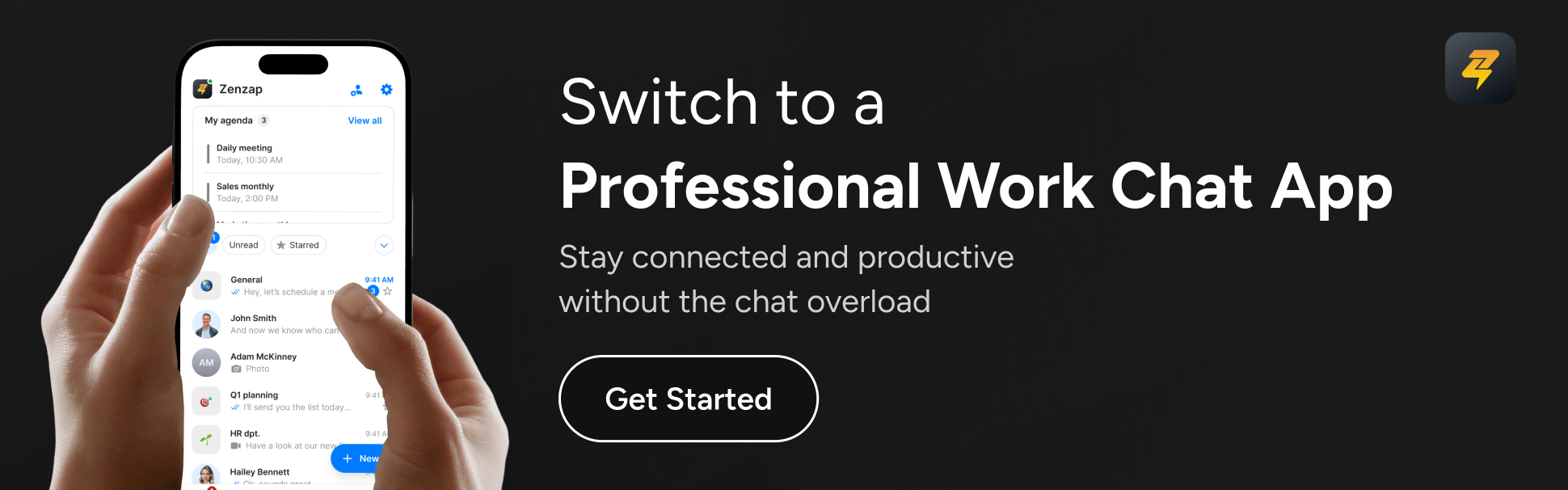
What makes Zenzap’s chat features uniquely secure and organized
When everything is tidy, nothing slips through the cracks-and with Zenzap, that’s not a slogan, it’s a workflow reality. Goodbye to endless scrolling through group chats to find that one decision, or accidentally pinging the wrong group thread at midnight.
Zenzap organizes discussions by project, topic, or client. You can assign and track tasks without leaving the chat, sync up with your calendar, and access everything from any device. No files rest on personal devices, keeping company data protected if a phone is lost or a team member leaves.
For example, when Jonathan Falade at OJ Solutions made the switch, his team immediately noticed fewer missed updates and better auditability. And when the Scottish Government cracked down on personal messaging apps for official work, their decision sent a clear message: professional teams need professional tools. Zenzap steps in with project-based chats, message tagging, automated task creation, scheduled messages, and instant search-all designed for business, with none of the clutter.
How Zenzap combines security, productivity, and simplicity
Surveys show 58% of employees still use consumer messaging apps for work, despite the obvious risks. Why? Because the alternatives feel clunky and hard to adopt. Zenzap flips that script: it’s as easy as texting but built from the ground up for compliance, productivity, and that elusive work-life separation.
There’s nothing to “learn” with Zenzap-you already know how to use it. Seamless integration with your current tools means you’re not overhauling workflows, just making them safer and smoother. Assign tasks, manage files, join calls, and always stay synced, whether you’re on your phone, tablet, or desktop. Zero disruption, just instant relief.
If you’ve been burned by missing files or worried about sensitive business chats leaving with ex-employees, you’ll love Zenzap’s one-tap offboarding, strict permissions, and structured organization. You stay in control, and your team breathes easier knowing they’re compliant and on top of things.
Zenzap also respects your time off. With work hour boundaries, scheduled messages, and separate work-and-personal zones, unplugging at night doesn’t mean losing touch or missing urgent news. That’s real work-life balance-finally delivered by your work app.
Key takeaways
- Zenzap ensures bulletproof GDPR compliance and privacy for all business communication.
- Admin controls and end-to-end encryption keep your data safe and easy to manage.
- Structured chats, built-in tasks, and easy integration boost team clarity and accountability.
- Switching from consumer apps to Zenzap reduces risk-and makes work less stressful.

FAQ: Zenzap’s GDPR-compliant messaging features
Q: Is Zenzap only for companies in the EU? A: Not at all. While GDPR is an EU regulation, Zenzap’s privacy protocols benefit any company that values secure, compliant communication-wherever you do business.
Q: How does Zenzap compare to personal messaging apps for work? A: Unlike consumer messaging apps, Zenzap is purpose-built for business. It delivers enterprise-grade security, admin controls, and structured chat organization-eliminating the security, privacy, and compliance risks consumer apps create.
Q: What makes Zenzap’s organizational features different? A: Discussions are grouped around specific projects or topics instead of endless group threads. You can assign actionable tasks from any chat, tag messages, schedule reminders, and always pick up where you left off-without things getting lost.
Q: Can you control who accesses company data and messages? A: Yes. Zenzap gives admins full control to manage, grant, or revoke access instantly. No more chasing ex-employees for deleted files or worrying about data lingering on old devices.
Q: Will switching to Zenzap disrupt my workflow or require extra training? A: Absolutely not. Zenzap is as intuitive as texting. Your team can start collaborating in minutes-no onboarding headaches. It integrates with your existing tools and adapts to your workflow.
Q: What devices does Zenzap support? A: Zenzap works on web browsers, Windows and Mac desktops, plus Android and iOS devices. Seamlessly collaborate wherever work takes you.
Ready for better team communication?
You’ve seen how Zenzap takes the pain out of work chat-secure, compliant, no drama. Instead of worrying about scattered files, data leaks, or work bleeding into your evenings, you’ll finally have one place for everything that matters. Isn’t it time your team chat started working for you? How much smoother could your business run if your messages were organized, private, and truly built for work?
What if your business chat could be as easy and secure as sending a text-no learning curve, no chaos, no trade-offs? If you’re tired of chasing scattered conversations across apps (and worried about what’s falling through the cracks), it’s time for a smarter approach. This guide cuts through the noise, showing you how truly mobile-first communication-done right-can transform the way your team connects, collaborates, and breathes easier. With Zenzap as your secret weapon, you no longer have to choose between simplicity and security.
We’ll cover why mobile-first is now the standard your team expects, how leading companies use it to stay agile, and what it means to have work chat that fits in your pocket without sacrificing even a shred of data protection. Ready to discover why the world’s smartest teams have switched-and why this is finally, genuinely possible for you?
Table of contents
- Why mobile-first communication is the new baseline
- The hidden cost of traditional workplace chat tools
- How Zenzap delivers a mobile-first, secure, and stress-free experience
- Features and benefits that matter for real teams
- Embracing organized, compliant, and effortless team chat
- Key takeaways
- Frequently asked questions
Why mobile-first communication is the new baseline
Nearly 80% of the global workforce doesn’t sit at a desk. That’s millions of professionals-from field service crews and healthcare providers to retail managers-who aren’t tethered to laptops. They expect fast, reliable, and secure communications from their phones, whether up a ladder, out on the shop floor, or checking inventory in the field. Mobile-first is no longer just an option; it’s mission-critical.
Leading platforms recognized this shift early and redesigned their systems for bite-sized, mobile-first interactions. According to industry reports, mobile internet usage has outpaced desktop globally-underscoring that your frontline and on-the-go teams need communication tools that are built for their reality, not yesterday’s office setup.
The hidden cost of traditional workplace chat tools
If you’ve ever lost track of a key update in a tangle of emails, group texts, WhatsApp threads, or even personal messaging apps, you’ve felt the pain. Most legacy communication platforms overload you with features your crew won’t use, slow onboarding, and interfaces only a tech expert could love. Worse, these tools force you to choose: fast but insecure, or compliant but maddeningly complicated.
Not convinced it’s costing you? Studies show friction in communication can shrink productivity by up to 30%, with critical messages getting lost or delayed on platforms not purpose-built for work. For deskless teams, the fallout escalates-from missed assignments and schedule confusion to real compliance risks when personal apps become a communication Plan B.
How Zenzap delivers a mobile-first, secure, and stress-free experience
This is where Zenzap flips the script for you. Leave behind the patchwork of apps, sticky notes, and tech headaches. Zenzap gives you a seamless, enterprise-grade chat app designed for the reality of work on the move. It works instantly on any device-smartphone, tablet, browser, even aging hardware-without installation pain. Your team is up and running in minutes, not days, with zero training required.
Zenzap’s native iOS and Android apps offer the same experience as desktop, but tailored for one-handed use, speedy conversations, and instant file sharing. Your conversations sync in real-time, so you never miss a thing, whether switching from your phone to your laptop or back again. Most importantly, bulletproof, enterprise-grade security keeps every message, file, and interaction locked down-without making your team jump through hoops or slow down their day.
Features and benefits that matter for real teams
Let’s get into the nuts and bolts of why Zenzap isn’t just another chat app, but the organized, secure backbone your busy team has been hoping for:
- Intuitive simplicity: If your team can send a text, they can use Zenzap. There’s no steep learning curve or hidden settings. The interface is clean, touch-friendly, and designed for quick actions-no matter your digital skill level.
- Professional separation: Your work stays at work. Zenzap’s smart notifications, status toggles, and clear work-life boundaries mean your personal conversations don’t mix with business, reducing burnout and distraction.
- Bulletproof security: With end-to-end encryption, compliance features, and simple permission controls, you get top-tier protection without the busywork.
- Structured organization: Sorting channels and conversations is quick and painless, helping you break free from endless threads and missed updates. You always know where to find what you need.
- Seamless integration: Zenzap works with your existing tools and workflows, so you’re enhancing-not disrupting-productivity.
- Confident unplugging: Smart urgency filters and do-not-disturb let you step away when you need to, with the peace of mind that no urgent task is slipping through.
Picture this: Instead of Joe in field operations texting “Did you fix that unit?” through a mix of SMS and personal apps, he simply opens Zenzap, drops a message in the maintenance channel, and the team has an instant, secure, searchable record-accessible from anywhere. Updates don’t slip off the radar, your IT department doesn’t panic about shadow IT, and you save hours chasing information.
Embracing organized, compliant, and effortless team chat
Zenzap was built with real businesses in mind-especially companies juggling mixed fleets, remote sites, and a range of digital comfort levels. The beauty lies in its “just works” design language: plug Zenzap in, and every team member (regardless of device age or location) finds their workflow streamlined. There are no long onboarding calls or cryptic admin panels.
A major logistics firm recently ditched their confusing patchwork of group chats and sticky notes for Zenzap. Within a single week, all supervisors were confidently updating schedules from their phones. Critical safety alerts reached everyone at once, while compliance logs were created automatically. Productivity soared and that ever-present tension of something slipping through the cracks? Gone.
If your current communication stack feels too bloated, confusing, or risky, now’s the time to simplify. Because as much as technology should support your team’s performance, it should never add anxiety to their day.
Key takeaways
- Go mobile-first to match how 80% of today’s workforce communicates and collaborates.
- Choose communication tools that combine intuitive simplicity with enterprise-level security-don’t settle for a trade-off.
- Prioritize solutions like Zenzap that require no IT headaches, training, or complicated rollouts.
- Keep work and personal messages separate for focus, compliance, and true work-life balance.
- Integrate team chat into your daily processes for better organization, real-time sync, and confident unplugging.
Frequently asked questions
Q: What does “mobile-first communication” really mean?
A: Mobile-first means designing a communication tool for phones and tablets before scaling up to desktops. You get features, layouts, and workflows that work perfectly on the go, ensuring your whole team stays connected no matter where they are-or what device they use.
Q: Is Zenzap secure enough for sensitive business messages?
A: Absolutely. Zenzap uses enterprise-grade encryption, strict access controls, and comprehensive logging to keep every conversation, file, and action protected. Security is built in at every stage, so your business and customer data stay safe-without making daily use complicated.
Q: Does my team need training to use Zenzap?
A: Not at all. Zenzap’s familiar interface is so intuitive that anyone who can use a basic messaging app can start within minutes. Even teams working on older devices or mixed fleets get up to speed right away-no long onboarding or tech headaches required.
Q: How does Zenzap keep work and personal messages separate?
A: Zenzap provides clear boundaries with customizable notifications, status options, and dedicated work channels. You decide when and how you’re reached, so your evenings (and weekends) stay yours-no more blurred lines or accidental messages to the wrong group.
Q: Can Zenzap work alongside our other business tools?
A: Yes. Zenzap is designed to integrate smoothly with your existing software, file storage platforms, and processes. It adds organization and security without forcing you to change the way your team already works.
The power of focus
The lesson is clear: your team needs communication that finally fits the way they work. When you stop settling for clunky, insecure, or overcomplicated chat tools, you unlock faster action, stronger security, and true peace of mind. Zenzap lets you focus on what matters-people, productivity, and professional calm. Isn’t it time your business chat worked as hard (and as simply) as you do?
Ready to try communication that’s finally, comfortably in your hands?