


Key Takeaways
- Treat the pilot as a narrow test, then expand only after one workflow saves time or reduces errors.
- Keep each AI agents workflow small enough that you can trace every tool call and every approval.
- Feed AI agents current, structured context from the same chat where work happens, not scattered updates from three different places.
- Put controls in place before rollout, including access limits, approval steps, and clear owners for each workflow.
Introduction
AI agents for work fail quietly when the setup is off. The usual issue is not the model, it is the workflow, the scope, and the data around it, and that is where teams lose hours every week without noticing until the cleanup starts.
A narrow rollout, clean context, and clear permissions change the economics fast. In one DEV Community example, an AI agent made 47 tool calls instead of 3 and pushed an API bill up by $200, which is the kind of slow waste teams often miss until the month closes (5 AI Agent Failures in Production).
The same pattern shows up in larger studies. Research cited by Business Plus AI says 88% of enterprise AI agents that work in controlled demos fail in production, and Digital Applied reports that 7 failure patterns account for 94% of project stalls, with scope creep and data quality issues making up 61% of failures combined (AI Agent Failures: Common Mistakes and How to Avoid Them, Why AI Agents Fail in Production).
Table of Contents
- The Demo That Never Became a Workflow
- The AI Agents That Grew Too Fast
- The Data That Looked Fine And Was Not
- When Control Comes After Rollout
- What Teams Should Do Instead
- FAQ
- About Zenzap
The Demo That Never Became A Workflow
The most expensive myth is that a good demo means the AI agents are ready for the whole team. That belief is common because demos are tidy, the inputs are controlled, and the output looks impressive in a single meeting.
The myth says one successful trial proves the AI agents can handle real work across every department. It spreads because teams want quick wins, and vendor demos usually hide exceptions, edge cases, and the cleanup work that appears once real users start asking for help.
The evidence says production is where most setups break. Business Plus AI reports that 88% of enterprise AI agents that work in controlled demos fail in production, and Gartner’s forecast, as cited in the same report, says more than 40% of agentic AI projects will be canceled by 2027. Composio’s 2025 AI Agent Report also points to a similar pattern, with pilots collapsing when integration planning comes too late (The 2025 AI Agent Report).
The truth is that a pilot should prove one workflow, one KPI, and one owner before anything broader gets built. Zenzap fits that reality by letting a manager add an AI agent in one click, connect it to the team’s tools, and run it inside the exact chat where the work already happens, so the impact is visible before the rollout grows.
The AI Agents That Grew Too Fast
Teams often think broad coverage is efficient, so they give an AI agent too many jobs at once. The result is a tangled workflow, unclear ownership, and too many tool calls for simple tasks.
The myth says a single AI agent should answer questions, update records, write summaries, route tasks, and handle exceptions because centralizing everything feels tidy. It sounds practical because it avoids choosing priorities, and people assume one bigger system is easier to maintain than three smaller ones.
The evidence points the other way. MindStudio says large models used for routine tasks can multiply costs by 10x or more, while a basic intent classifier can cut inference costs by 60% to 80% without hurting output quality. The Daily Agent case of 47 tool calls instead of 3 shows how a bloated workflow turns a simple request into wasted time and unnecessary spend (5 AI Agent Failures in Production).
The truth is that narrow AI agents save more time because they stay predictable. A sales team might need one AI agent that routes inbound leads from HubSpot, another that summarizes customer calls, and a third that flags stalled deals, rather than one oversized system trying to do all three. Zenzap supports that approach because you can add an AI agent to the exact chat or workflow it belongs to, keep the scope tight, and let the team see each action in context.
The Data That Looked Fine And Was Not
Bad context is the quiet killer. When AI agents are fed stale, incomplete, or badly structured data, they still produce output, but the output can be wrong enough to waste time downstream.
The myth says the model will sort out missing details if the prompt is good enough. It feels reasonable because AI often sounds confident, and teams assume the latest CRM export, a copied email thread, or a rough spreadsheet is close enough for automation.
The evidence says poor context causes real failures. Business Plus AI cites 80% of organizations reporting risky AI behaviors while only 21% have mature governance, and Digital Applied says scope creep and data quality issues together cause 61% of failures. MindStudio also notes that poor context management gets worse when historical data moves through multiple handoffs without compression or schema discipline (AI Agent Failures: Common Mistakes and How to Avoid Them).

The truth is that AI agents work best when they live close to the work, inside the same chat and tool context that holds the decision trail. That is why Zenzap’s topic-scoped memory and shared chat context matter, because corrections, approvals, and follow-ups stay attached to the workflow instead of getting lost in side messages. For teams that want a deeper view of why context changes output quality, this breakdown of chat context and agent memory shows the difference clearly.
When Control Comes After Rollout
Security and access controls are often treated as an admin task for later. That delay creates hidden risk, especially when AI agents can reach customer records, financial data, or operational tools.
The myth says controls can be added once the AI agents are useful and people already trust them. It spreads because teams want speed first, and governance feels slower than shipping a visible result.
The evidence says late controls raise both risk and rework. Business Plus AI reports risky AI behaviors in 80% of organizations and mature governance in only 21%, while Digital Applied says projects with security architecture built in parallel are 4x more likely to pass review without delays. That gap is why teams end up reworking permissions, documenting access after the fact, and pausing rollouts that already consumed weeks (AI Agent Failures: Common Mistakes and How to Avoid Them).
The truth is that controls belong in the first build, not the last review. Zenzap keeps AI agents inside a secure chat interface with approval controls, secure tool access, and whitelisted domains, so teams decide what the AI agents can do before they touch sensitive systems. For teams planning operational workflows, this guide to task management inside team chat shows how keeping work and control in one place reduces handoff errors.
What Teams Should Do Instead
The fix is not more enthusiasm. It is tighter scope, cleaner context, and controls that are in place before the workflow spreads.
Start with one repeatable process, one owner, and one measurable outcome. A retail manager might use an AI agent to flag out-of-stock items from a shared chat, while a consulting team might use one to summarize client notes and route follow-up tasks. The point is to prove one useful workflow before asking the AI agents to do more.
Teams also get more value when the AI agents sit in the conversation where the work is already happening. Zenzap fits that model because you can add an AI agent to a group chat, connect it to the tools the team already uses, and keep feedback, approvals, and corrections in the same thread. If you want a practical example of how that learning loop compounds, this article on how AI agents learn inside team chat is a useful next read.
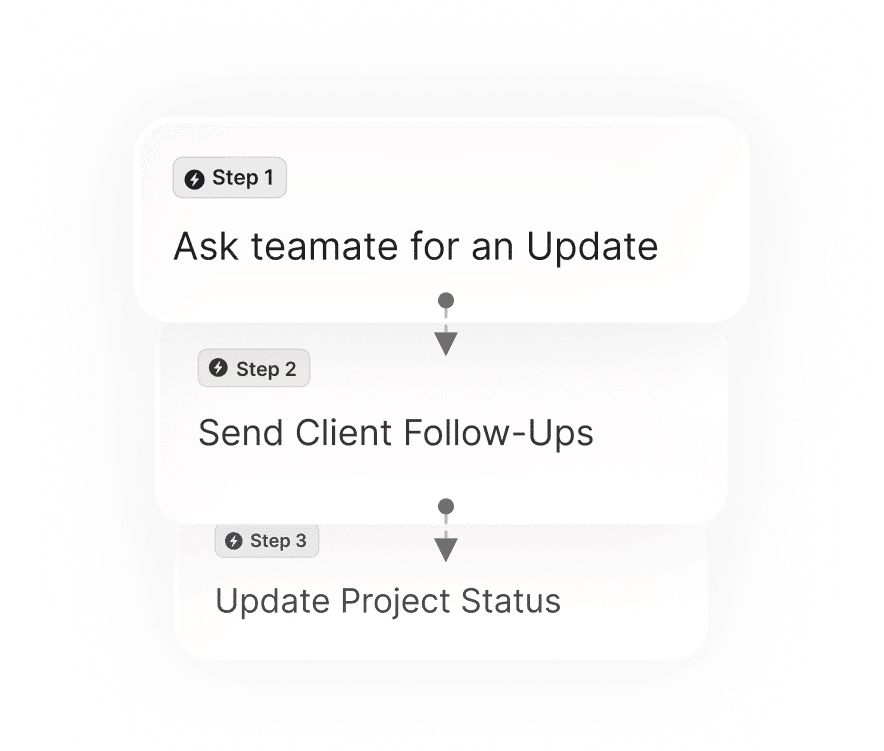
Stop Paying For Hidden Setup Mistakes
The best AI agents do not just answer faster, they reduce cleanup, rework, and lost time across the team. When a company replaces myths with tighter workflows, it gets a different relationship with automation, one where the AI agents work in the open, stay within guardrails, and improve from real conversations instead of private guesses.
That change is why Zenzap focuses on one-click setup, chat-native collaboration, and controlled access from the start. Teams that build from truth rather than myth spend less time fixing avoidable mistakes and more time moving work forward.
FAQ
Q: Why do AI agents fail even when the demo looks strong?
A: Demos usually use clean inputs, narrow tasks, and ideal timing. Production adds messy data, more users, and more tool connections, which exposes weak setup fast. That is why so many teams see success in a pilot and failure after rollout. The fix is to prove one narrow workflow before expanding it.
Q: How small should the first workflow be?
A: Small enough that you can trace every action and every tool call. One intake flow, one reporting loop, or one approval path is usually enough for a first build. If the AI agent starts making side trips into unrelated work, the workflow is too broad. A narrow setup also makes it easier to measure hours saved.
Q: What causes the most silent waste in AI agent setups?
A: Scope creep and bad context usually create the biggest hidden cost. The AI agent still responds, but it may use extra tool calls, ask for missing data, or generate cleanup work later. That is where teams lose hours without seeing an obvious failure. Clear ownership and clean inputs cut that waste quickly.
Q: Why does chat context matter so much for AI agents?
A: Chat context shows who asked for what, what was approved, and what changed after the last decision. Without that thread, the AI agents have to guess, and guessing creates mistakes that are hard to trace. Keeping the AI agents in the same chat where the work happens gives them better memory and gives the team one visible record. It also makes corrections easier because the whole team can see them.
Q: What security controls should be in place before rollout?
A: Access limits, approval steps for sensitive actions, and clear ownership of each workflow should be in place from the start. That is especially important when AI agents touch customer records, finance tools, or operational systems. The goal is to prevent a useful workflow from turning into a review bottleneck later. Zenzap keeps those controls inside the same chat interface so teams do not have to stitch them together across tools.
About Zenzap
Zenzap gives you AI agents that do real work, connected to your tools and your team through a secure chat. Setup takes one click: no code, no developer. Unlike Claude or ChatGPT, the agents come already built and connected. You talk to them like a coworker: tag them into chats, correct them once and they remember. They act across your tools, automate workflows, build reports and graphs, summarize chats, flag what needs attention and coordinate people and tasks. One person gets value alone. Add your team, and every correction makes the agent sharper. Agents start in about 300 ms and run on managed infrastructure. Memory stays isolated by topic, and agents never hold credentials. They reach only approved domains, and sensitive actions need your approval.


