Key Takeaways
- Build AI agents inside chat so the next step happens where work is already being discussed.
- Use shared context, approvals, and topic-scoped memory to keep control while teams automate more work.
- Aim for workflows that move deals, route requests, flag risk, and cut review time, not just answer questions.
- Measure impact in hours saved, revenue moved, errors caught, and tasks completed across tools.
- Start with one person, then add the team once the workflow proves value.
Introduction
AI agents in chat change team productivity because they do more than answer questions. They act across tools, keep context with the conversation, and move work forward in the same place where people already make decisions. That matters for AI agents for work, no-code AI agents, and AI agents for business because the handoff between “good answer” and “completed task” is where most teams lose time.
The shift is already visible in day-to-day work. MindStudio says teams switch between apps about 1,200 times per day, and monday.com notes that by 9:00 a.m. Many teams have already drafted an email, summarized a meeting, researched a vendor, and pulled answers from a knowledge base, yet someone still has to move that work into the right system. When the next step lives inside chat, fewer details get dropped and fewer approvals stall. For a team that wants to build an AI agent with control, the chat layer becomes the operating surface.
That is why the strongest case for multiplayer AI is not novelty. It is control, speed, and shared context in one place. The sections below trace the chain from chat-native execution to measurable ROI, then to the guardrails that make team rollout practical.
Table of Contents
- Shared Chat Is Where Work Already Lives
- Execution Beats Replies
- Workflows Turn Time Savings Into ROI
- Guardrails Make Shared AI Usable
- Why Team Control Improves As Adoption Spreads
- FAQ
- About Zenzap
Shared Chat Is Where Work Already Lives
Shared chat is the first step in the chain because teams already use it to decide what happens next. When AI work stays inside that thread, the context does not get copied into another app and lost on the way.
This matters most for teams that handle handoffs all day, like sales, support, operations, legal review, and project management. Thunai says context switching can cost a lot of time and lead to critical data being lost, which fits the reality of teams moving between messages, docs, and ticketing systems. Zenzap’s chat-based setup keeps the conversation, the decision, and the action in one place, and why chat context changes AI agent results explains why that context loss hurts deals and time.
A chat-first model also fits how teams judge trust. When a manager can see the request, the answer, the follow-up, and the approval in one thread, the record is easier to review later. That creates the conditions for the next step, where the agent does real work instead of only talking about it.
Execution Beats Replies
Once work stays in chat, the agent can take the next step instead of stopping at a summary. That is the difference between a helpful assistant and an AI agent that actually moves work across systems.
Monday.com draws the line clearly. Its 2026 guidance says chatbots can answer questions and summarize, but an AI agent can independently push the work ahead, such as routing sales leads, flagging delayed approvals, or triaging support tickets. Botsify describes AI agents as specialized digital workers that manage coordination and keep operations moving while people focus on decisions, and its workspace productivity guide reinforces the point with examples teams can use right away.
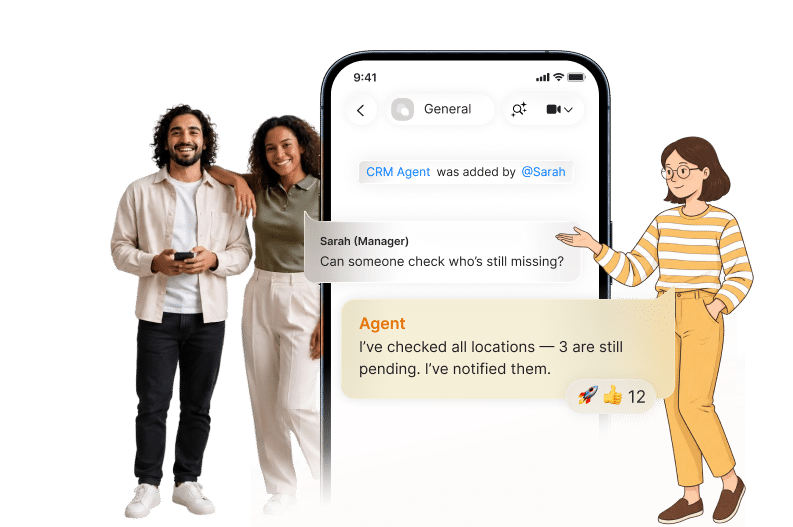
That execution layer is where a group chat becomes operational rather than informational. In one thread, the agent can pull a customer record, notify the rep, update the CRM, and flag the account owner if the deal changes. Zenzap is built for that kind of sequence, and this look at AI agents learning inside team chat shows how the shared thread improves future responses and follow-through. That leads directly to the question of measurable return.
Workflows Turn Time Savings Into ROI
Execution only earns budget when it shows up in a workflow with repeatable output. Companies that redesign work around AI see better returns than companies that only buy subscriptions.
Cowork.ink cites McKinsey to report that companies redesigning workflows around AI see 2x the financial returns compared with companies that simply add AI subscriptions. Deloitte’s 2026 State of AI in the Enterprise, cited by GoSearch, says 66% of organizations report productivity and efficiency gains from AI. GoSearch also cites Model N’s customer support result, where agents produced a 47% productivity boost by monitoring tickets, pulling context, and drafting responses. You can see how that same logic applies in GoSearch’s enterprise collaboration platform roundup, where AI only compounds when it sits inside the team’s actual operating flow.
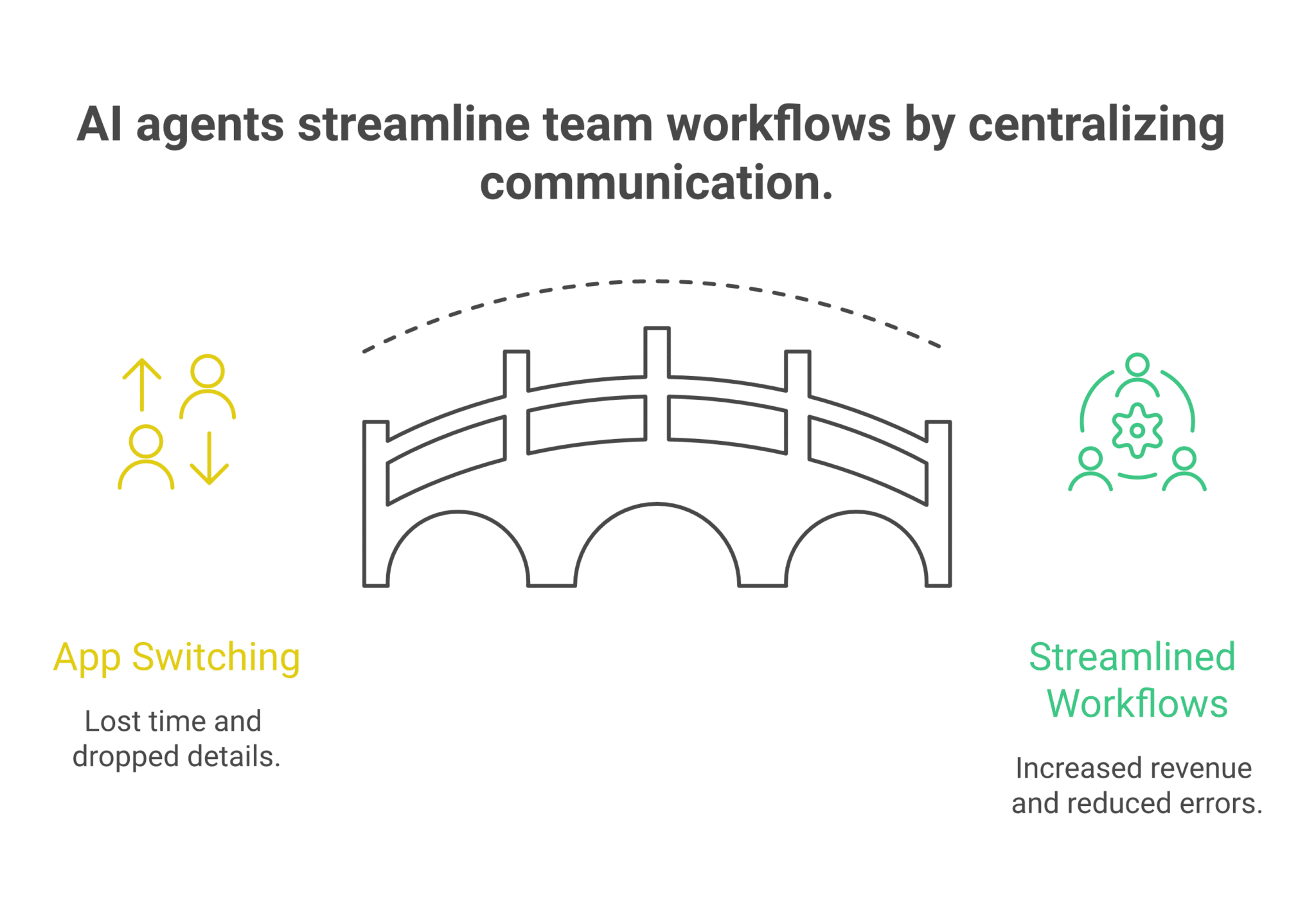
The time savings can be real even before the workflow gets mature. Digital Applied reports a median 6.4 hours saved per week per knowledge worker across production AI agent deployments, based on McKinsey Global AI Survey 2026 and workforce index Q1 2026. The same source says 37% to 40% of perceived time savings can be consumed by review and correction, which is why a team needs clear review paths and approval controls from the start. Once the workflow saves time at scale, the next issue becomes governance.
Guardrails Make Shared AI Usable
Productivity gains do not survive without control. That is why approvals, scoped access, and isolated memory are part of the product design, not an afterthought.
UC Today cites McKinsey’s Superagency in the Workplace and reports that 92% of companies plan to increase AI investments over the next three years, while only 1% say they are mature in deployment. The same report says 19% of US C-suite respondents saw revenue increase by more than 5% from gen AI, while 36% saw no revenue change. Those numbers show why controls matter: teams are investing, but results vary when rollout lacks structure.
Security and approval design answer that gap. Zenzap uses topic-scoped memory, so one chat does not leak into another, and sensitive write actions can require approval. The platform also keeps credentials out of the agent, uses whitelisted access, and runs on managed infrastructure. If you want the operational version of that model, this guide to frontline collaboration without giving up control shows how teams can share AI work without losing oversight. That makes shared use possible, which changes the adoption pattern.
Why Team Control Improves As Adoption Spreads
A single person can prove value alone, and that first win is enough to justify the agent. But once the team joins the same chat, the agent gets better because it sees more context, more corrections, and more real exceptions.
That is the multiplayer effect. A manager can add an agent to a sales channel, a support thread, or an operations room and let the team use it where work already happens. The agent can summarize the discussion, flag what needs attention, and take action across connected tools without forcing people to leave the thread. Zenzap’s 2032 vision for collaborative AI connected to team chat lays out how shared context, shared actions, and shared control become one operating model.
The result is more than speed. It is cleaner handoffs, fewer missing details, and a stronger audit trail for decisions that affect revenue or risk. That is the chain teams need if they want AI agents for business to be useful inside real operations instead of sitting on the side as another separate tool.
The Practical Shift Teams Can Make Now
The clearest move is to start with one repeatable workflow, one agent, and one shared chat. A sales team can route leads and update CRM records, a support team can triage requests and draft replies, and a retail or hospitality team can flag exceptions before they create a delay.
For teams comparing options, the deciding factor is not whether an AI tool can answer a question. It is whether it can do the next step inside the conversation where the decision happened. A no-code path matters because more people can build AI agents without waiting on technical help, and shared chat matters because the team can see and correct the work together. That is the simplest way to turn AI agents in chat from a nice idea into a controlled operating habit.
FAQ
Q: Why put AI agents inside chat instead of in a separate app?
A: Because chat is where the request, context, and next step already live. A separate app forces people to copy details across systems, which slows the handoff and increases the chance of missed context. In chat, the agent can answer, act, and follow up in the same thread. That makes it easier to keep the work visible to the team.
Q: What kind of work should an AI agent handle first?
A: Start with repeatable work that already happens every week. Good examples include lead routing, support triage, meeting follow-up, status reporting, invoice checks, and approval reminders. These tasks have clear inputs and measurable outputs, which makes it easier to prove value. Once the workflow is stable, the team can expand from there.
Q: How does shared chat improve control?
A: Shared chat gives managers and teammates the same view of what the AI agent saw, did, and asked for. That makes corrections easier and creates a cleaner record of approvals and decisions. It also reduces the chance that one person quietly changes a workflow without anyone else knowing. Control improves because the work is visible where the team already communicates.
Q: How much time can teams save with AI agents?
A: The numbers vary by workflow, but the gains can be material. Digital Applied cites a median of 6.4 hours saved per week per knowledge worker across production AI agent deployments. It also notes that 37% to 40% of perceived time savings can be lost to review and correction, which is why workflow design matters. The best results come from tasks that are repeated often and have clear rules.
Q: What keeps AI agents safe for business use?
A: The main controls are scoped access, approval steps, topic-scoped memory, and managed infrastructure. Sensitive write actions can require human approval, while simpler read actions can run automatically. Limiting access to approved domains and keeping credentials out of the agent also reduces risk. Those controls make it easier to use AI agents in regulated or high-trust environments.
About Zenzap
Zenzap gives you AI agents that do work for you, connected to your tools and your team through a secure chat. Setup takes one click: no code, no developer. Unlike Claude or ChatGPT, the agents come already built and connected. You talk to them like a coworker: tag them into chats, correct them once and they remember. They act across your tools, automate workflows, build reports and graphs, summarize chats, flag what needs attention and coordinate people and tasks. One person gets value alone. Add your team, and every correction makes the agent sharper. Agents start in about 300 ms and run on managed infrastructure. Memory stays isolated by topic, and agents never hold credentials. They reach only approved domains, and sensitive actions need your approval.
Build Work Where The Team Already Talks
The case for AI agents in chat becomes clear when the same thread carries the question, the action, and the approval. That removes the gap between a useful answer and a completed task. It also gives teams a way to measure hours saved, deals moved, and errors caught without handing control to a black box.
That is why multiplayer AI, easy no-code agent building, and an easy and secure built-in chat interface belong together. Once those pieces sit in the same place, the team can build AI agents, share context, and keep control without adding another place to work.