


Key Takeaways
- Start with one internal workflow, then build the AI agents around the tools that workflow already uses.
- Add the AI agents to team chat so context, approval, and follow-up stay in one place.
- Keep sensitive actions behind approval controls and use read-only actions first.
- Measure the result in hours saved, deals moved forward, mistakes caught, or tickets handled faster.
- Use internal AI agents first. Recent Merge research found companies are 24% more likely to build internal AI agents than customer-facing ones, which fits the way teams actually adopt them.
A single useful AI agent is built around one job, one set of tools, and one clear team chat. That is the fastest path to value, because the AI agent does not need a perfect setup to begin saving time. It only needs a real process that repeats every week.
The market data backs that up. Merge reports that 43% of companies already connect their AI agents to MCP servers, 53% plan to do so within 12 months, and 73% expect to use MCP by the end of 2026. PwC also found that 75% of business executives believe AI agents will reshape the workplace more than the internet did, and 88% are opening additional budgets for internal AI work.
Introduction
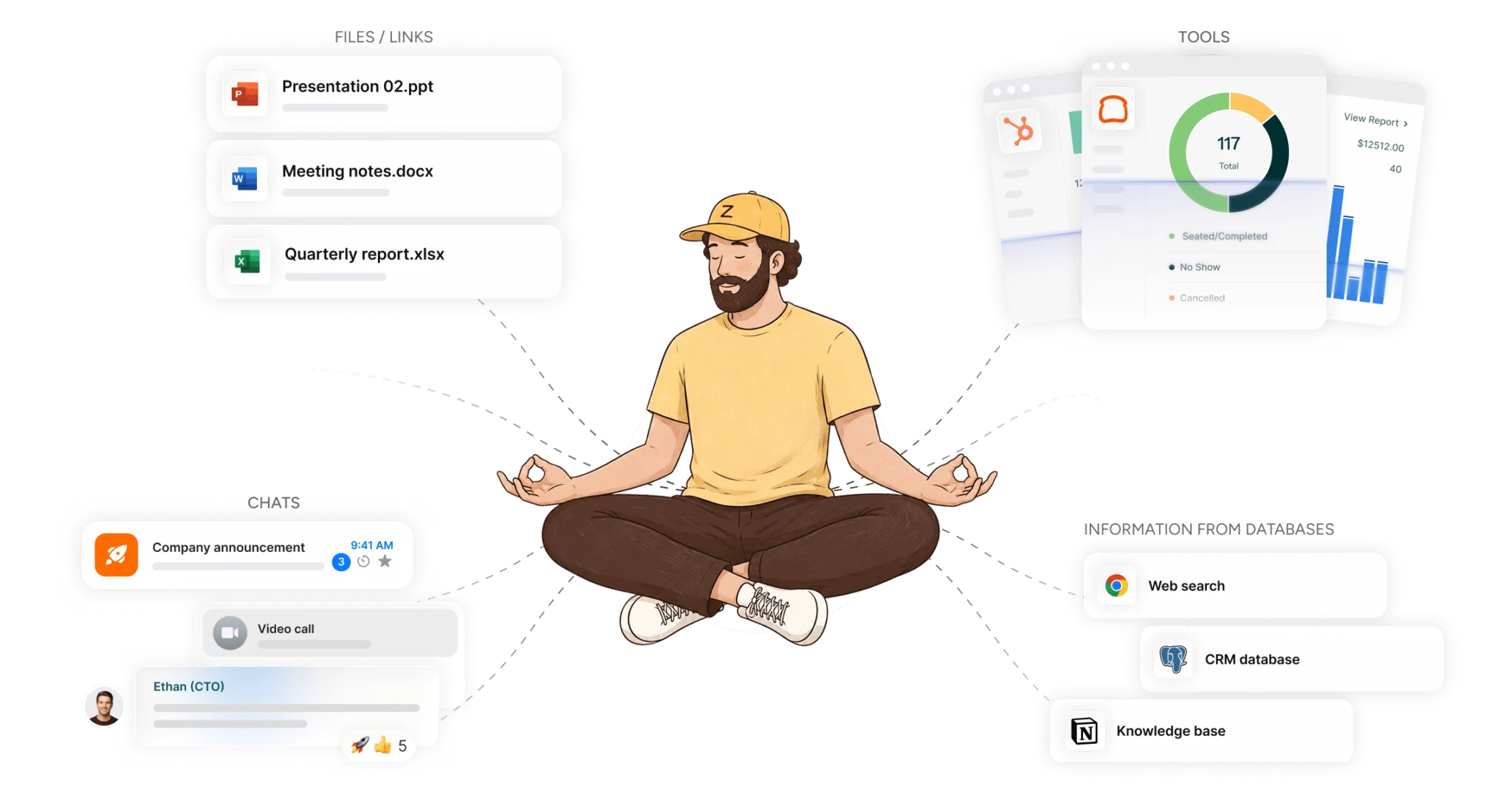
The easiest way to build AI agents connected to your work tools and team is to start small, connect the tools you already use, and add the AI agent to the conversation where work already happens. That gives the AI agent the context it needs, and it gives your team one place to see what the AI agent did, what it still needs, and what needs approval.
That approach is also where the measurable value comes from. Deloitte’s 2026 State of AI in the Enterprise, cited by GoSearch, says 66% of organizations report productivity and efficiency gains from AI, while Model N saw a 47% productivity boost in customer support after agents started monitoring tickets, pulling context, and drafting responses. For teams in SAAS, legal, retail, healthcare, construction, and services, that kind of result usually starts with one workflow, not a giant rollout.
If you want a plain example of the model, read how AI agents learn inside your team’s chat interface and how chat context affects deals and time. The same pattern shows up in the broader market, too. AI agents become useful when they are connected to real tools, real approval rules, and real team context.
Table of Contents
- Why the first workflow should be small
- How to connect the right tools
- How to use team chat as the control center
- How to set approval rules and guardrails
- How to measure results and expand usage
Why The First Workflow Should Be Small
Start with one repeated task that already costs time every week. That is the simplest way to get an AI agent working without extra setup or confusion.
A common first workflow is support ticket triage, lead routing, invoice follow-up, and weekly reporting. These jobs already have clear inputs, clear owners, and clear outputs, which makes them easier to give to an AI agent. Domo cites Stanford’s 2026 AI Index showing AI agents improved from 12% to 66% task success on computer benchmarks in one year, which is a big jump, but the real lesson is practical: narrow jobs are easier to finish well.
For a team choosing where to begin, internal AI usually wins because the need is immediate and the data is already inside the company. That is why unified work platforms matter, especially for managers trying to replace scattered processes with one place for action and context. A small first workflow gives the AI agent something real to do, and it gives the team a clear before-and-after number.
How To Connect The Right Tools
The right tools are the ones already used in the workflow. If the job touches email, CRM, files, task lists, or ticketing, the AI agent should connect to those systems first.
This is where tool connection turns into business value. Ringly.io says the AI agents market is $10.91 billion in 2026, up from $7.63 billion in 2025, and projected to reach $50.31 billion by 2030 at a 45.8% CAGR. It also says 51% of enterprises already have AI agents in production and 23% are actively scaling them, which suggests the winning setup is not experimental anymore, it is operational.
Teams that need multiple app connections should focus on the exact path the work takes. A useful reference is the AI integration playbook for multiple work apps, which reflects the same idea: the AI agent should move across the tools that already hold the work. If the workflow starts in a chat, then pulls from CRM, then updates a spreadsheet, that chain should stay intact.
How To Use Team Chat As The Control Center
Put the AI agent where the team already talks about the work. That makes it easier to add context, correct mistakes, and move faster on decisions.
This is the part that changes adoption. AI agents that live in private threads often solve one person’s problem and stop there. AI agents inside a shared chat can answer questions, flag issues, and keep the whole team on the same page while work is still moving.

The market is moving in that direction. TicNote says collaboration-oriented AI agents should use human approval as the safest default, which fits the real way teams work when money, customers, or compliance are involved. Its 2026 collaboration guide for AI agents also reflects a broader trend: the best AI agents are not just fast, they are visible to the people who need the result.
How To Set Approval Rules And Guardrails
Set the approval rule before the AI agent handles sensitive work. Read actions can often run on their own, while writes, deletes, refunds, discounts, and record changes should wait for approval.
This keeps the AI agent useful without giving it too much freedom. Merge’s research says 79% of companies with concerns about MCP servers will still use them within the next 12 months, which shows that teams are willing to move forward when controls are clear. It also helps explain why 75% of business executives think AI agents will reshape work more than the internet did, because the real issue is not whether the AI agent acts, but how it acts.
Approval rules also protect the team from easy mistakes. A missed field in a CRM record, an unapproved refund, or a bad update to an invoice can cost more than the time saved by automation. In legal, healthcare, and finance, that guardrail is not optional. It is part of the workflow.
| Angle explored | What it reveals | Plain implication for |
|---|---|---|
| small first workflow | one repeated task gives the AI agent a clear job | Start with one process the team already repeats every week |
| tool connection | the AI agent needs the same systems the work already touches | Connect only the tools needed for that workflow |
| team chat control | shared context makes the AI agent easier to correct and trust | Add the AI agent where the team already talks about the work |
| approval rules | sensitive actions need a human in the loop | Let the AI agent read first, then ask for approval on writes |
| measurement | value shows up in numbers, not broad claims | Track hours saved, faster response, fewer errors, or more revenue |
How To Measure Results And Expand Usage
Measure one result first, then expand only after the number is clear. Hours saved, tickets closed faster, mistakes caught, or deals moved forward are better than vague praise.
This is where the value becomes visible to managers and directors. PwC’s finding that 88% of executives are opening additional budgets for internal AI work matters because budgets follow numbers. If an AI agent saves seven hours a week on ticket triage or cuts response time on vendor follow-up, the team has a reason to add the same pattern somewhere else.
The strongest growth path is usually simple. One person starts with one workflow, sees the result, then adds the AI agent to a team chat so the rest of the group can use the same logic. For a deeper look at that shift, read how managers replace fragmented tools with one shared system. That is how a single useful AI agent turns into a repeatable operating habit.
What Good Looks Like In Real Work
A good AI agent does one job clearly, across the tools that job already uses. It does not need to solve everything at once.
For a retail team, that could mean flagging low inventory and updating the next step in the task list. For a consulting team, it might summarize client chat, pull notes from files, and draft the follow-up. For a medical office, it can route intake notes, flag missing fields, and keep the approval trail visible.
That pattern is also why internal AI keeps winning attention. Merge says companies are 24% more likely to build internal AI agents than customer-facing ones, and the reasons are easy to see. Internal work has clearer ownership, tighter feedback, and a faster path to proof.
Build Your First AI Agent In The Same Place Your Team Works
Start with one workflow, connect the tools it already uses, and add the AI agent to the team chat that already holds the conversation. That is the simplest route to useful AI agents for work, and it is the one most likely to stick.
The combination of one-click setup, secure tool access, topic-scoped memory, and team visibility is what turns a basic automation into something a team can trust. When the AI agent is easy to add, easy to correct, and easy to measure, it starts to save time in a way people can see. That is the point of multiplayer AI for work.
FAQ
Q: What is the best first workflow for an AI agent?
A: Choose a job that repeats every week and already follows a clear pattern. Ticket triage, lead routing, invoice follow-up, and weekly reporting are good starting points because they have obvious inputs and outputs. A small workflow is easier to measure, easier to review, and easier to improve. Once the first one works, the same setup can move to the next repeated task.
Q: How many tools should the first AI agent connect to?
A: Start with the tools the workflow already needs, and no more. If the job touches chat, CRM, files, and tasks, connect those first. Too many tools at the start usually makes the setup harder to review. A narrow setup also makes it easier to see where the AI agent saves time.
Q: Should an AI agent act on its own?
A: For read-only work, yes, often it can. For sensitive writes, changes, refunds, or approvals, human review is safer. TicNote’s guidance on suggest plus human approval matches what many teams need in practice. The goal is to keep the AI agent useful without giving it more freedom than the workflow requires.
Q: Why put the AI agent in team chat instead of using it alone?
A: Team chat gives the AI agent more context and gives the team one place to see what happened. That makes corrections faster and reduces repeated explanations. It also keeps the work visible, which matters when several people own the same process. The AI agent learns from the shared context instead of only one person’s notes.
Q: How do you know if the AI agent is worth keeping?
A: Measure one clear number. Hours saved, faster response time, fewer mistakes, or more deals moved forward are all useful signs. If the number is not visible, the workflow is probably too broad or the task is not repeated enough. The best AI agents are easy to judge because they change a metric, not just the mood of the team.
Q: Do you need technical help to build AI agents?
A: Not for the first workflow. One-click, no-code setup is enough for many teams if the workflow is clear and the permissions are set well. The most important part is choosing the right process, not writing complex instructions. After that, the AI agent can be added to the team chat and improved over time.
About Zenzap
Zenzap gives you AI agents that do real work, connected to your tools and your team through a secure chat. Setup takes one click: no code, no developer. Unlike Claude or ChatGPT, the AI agents come already built and connected. You talk to them like a coworker: tag them into chats, correct them once and they remember. They act across your tools, automate workflows, build reports and graphs, summarize chats, flag what needs attention and coordinate people and tasks. One person gets value alone. Add your team, and every correction makes the AI agent sharper. AI agents start in about 300 ms and run on managed infrastructure. Memory stays isolated by topic, and AI agents never hold credentials. They reach only approved domains, and sensitive actions need your approval.


