Key Takeaways
- Add AI agents where work already happens, then connect them to one high-value workflow first, such as lead handoff, support triage, or approval routing.
- Use shared team context so the AI agents can summarize, flag, and take action with the full thread behind each decision.
- Set approval rules before rollout so read-only actions run fast while sensitive writes wait for review.
- Measure time saved, revenue moved, and mistakes prevented, because ROI is easier to defend when the workflow is specific.
Introduction
Teams add AI agents fastest when they start with a repeated task, a clear owner, and a secure place to review actions. That is why build an AI agent, AI agents for work, multiplayer AI, and AI agents for business are the right keywords for this guide, because the real job is not a chat reply, it is workflow execution with team context and control.
Adoption is already broad. McKinsey reports that 66% of organizations have adopted automation in at least one business function, up from 57% the year before, while Smartsheet found workers still lose about a quarter of their work week to manual, repetitive tasks. Forrester’s TEI work on workflow automation platforms also found a 248% three-year ROI, which is why the best rollout plan starts with one process that already wastes time and money.
The secure part matters just as much. A practical setup keeps permissions narrow, logs every action, and puts sensitive updates behind approval, which matches the guidance in Vellum’s 2026 Guide to the Top 10 Enterprise AI Automation Platforms and the collaboration model in 8 Best AI Collaboration Tools and Platforms for Enterprise Teams in 2026. For a deeper look at how agent behavior improves when it stays inside team conversation history, see the Zenzap guide on agents learning inside team chat.
Table of Contents
- Pick the workflow that already costs time
- Add the AI agent into the team chat
- Connect the tools the agent needs
- Set approval rules for sensitive actions
- Run one workflow from start to finish
- Share the workflow with the team
- Track results and expand to the next process
1. Pick The Workflow That Already Costs Time
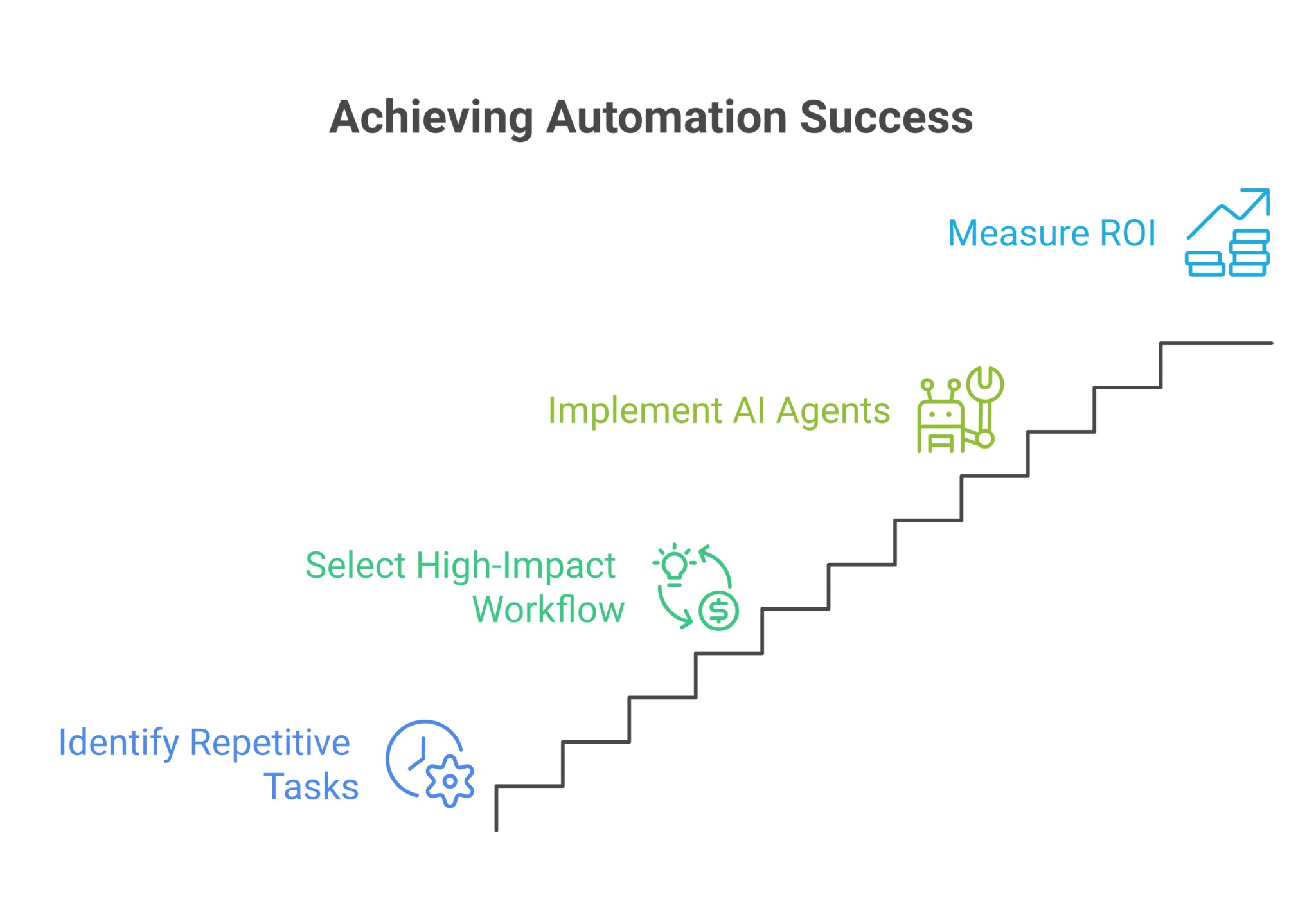
Start with one process that repeats every week and already has a clear handoff, such as lead routing, support triage, weekly reporting, or spend approvals. The best first workflow is one where you can name the owner, the tool, the trigger, and the result in one sentence.
This is where a lot of teams lose hours. Smartsheet’s research that employees spend about 25% of the work week on repetitive tasks gives you a simple filter, and Deloitte findings cited by GoSearch show 66% of organizations reporting productivity and efficiency gains from AI, which makes recurring work the right place to begin.
Good First Workflows by Team
Sales teams can use an AI agent to route hot leads from chat into the CRM and notify the right rep before the lead goes cold. Support teams can summarize a ticket, draft a reply, and escalate anything sensitive for review.
Operations, finance, and legal teams usually get the fastest payback from approval routing. A spend request, vendor bill, or change order can move through the same chat where the request was first raised, which cuts down on email chasing and keeps the audit trail intact.
2. Add The AI Agent Into The Team Chat
Place the AI agent in the same conversation where people already ask for help, approve work, and share updates. That keeps context visible and makes the workflow easier to use because no one has to move between a private bot and the team thread.
This matters because collaboration changes the quality of the output. Zenzap’s multiplayer model lets the team correct the AI agent in the same place where the task was discussed, and one correction improves the next response because the context stays with the topic instead of disappearing into a private session.
If you want a practical example of how team chat and task flow can sit together, review how AI design agents handle briefs, feedback, and approvals. That pattern also fits consulting teams, agencies, and customer success groups that need the AI agent to pick up the thread, not restart the conversation.
3. Connect The Tools The Agent Needs
Give the AI agent access only to the tools required for the workflow, such as CRM, ticketing, docs, calendar, or reporting systems. The goal is to let it retrieve context, update records, send notifications, or hand off work without exposing credentials or unrelated systems.
OpenAI’s tool guidance is useful here because it breaks tools into data, action, and orchestration, which is exactly how workflow agents should think. Microsoft Copilot Studio also notes that agent flows can live at the agent level or topic level, and that flows need to respond in real time within a 100-second action limit, so the handoff from chat to action has to stay tight.
For teams that need both work coordination and secure file handling, see the Zenzap guide to secure team chat and file sharing. That setup is especially useful in medical, legal, construction, and home services workflows where the AI agent must touch the right record, then stop.
4. Set Approval Rules For Sensitive Actions
Decide which actions can run automatically and which ones need human approval before anything goes live. Read actions can move fast, but write actions that change records, send messages, approve spend, or trigger external notifications should follow a clear review rule.
That control is what enterprise teams keep asking for. Vellum’s enterprise automation guidance calls out audit trails, built-in approval workflows, and support for SOC 2, GDPR, and HIPAA, and TicNote’s team-collaboration guidance recommends a suggest-plus-approval model as the safest default.
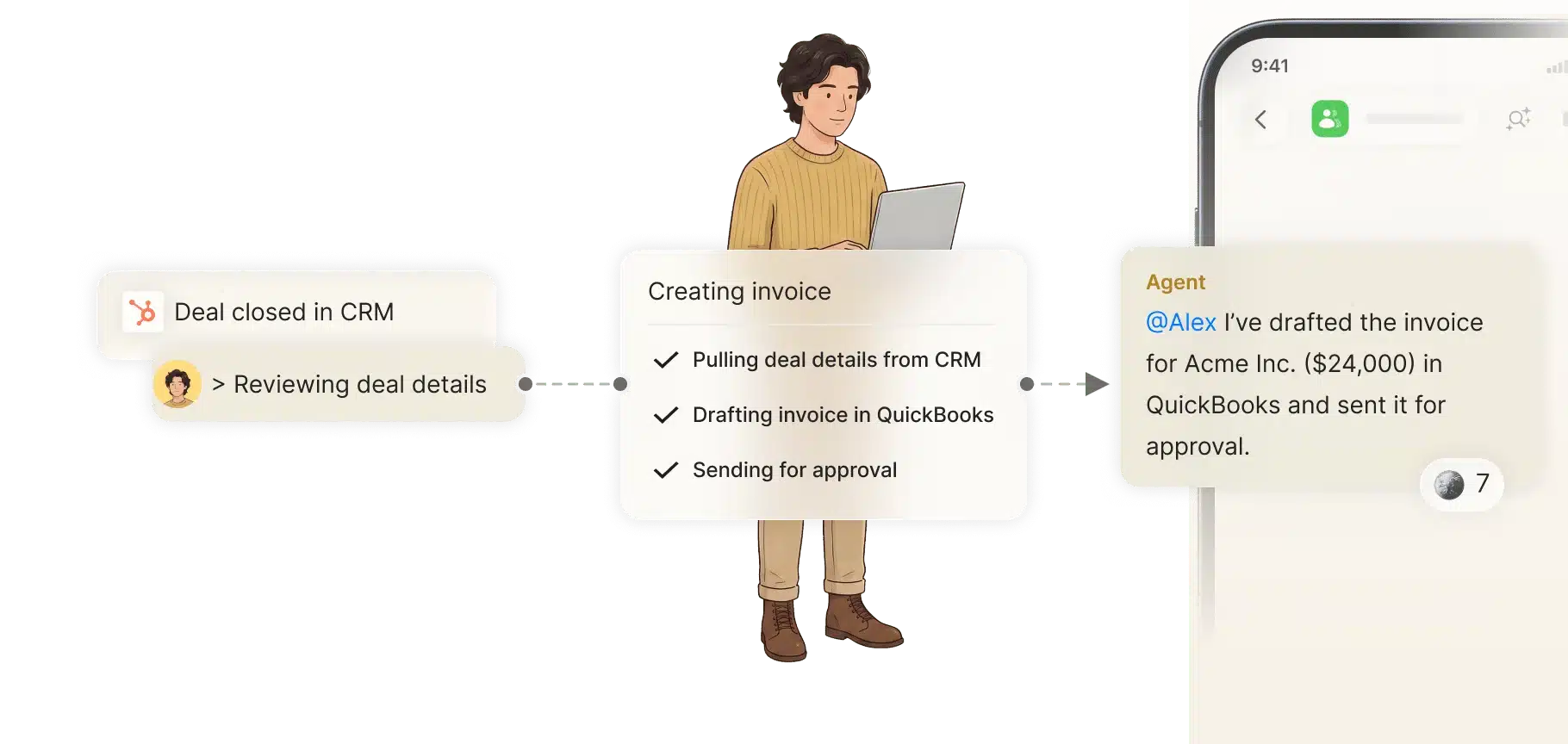
A good example is customer support triage. The AI agent can summarize the case, propose a reply, and flag escalation, while a manager approves the message before it reaches the customer, which keeps speed high without handing over the final decision.
5. Run One Workflow From Start To Finish
Test the full path from trigger to action before you add more steps. A working workflow should show who asked, what the AI agent saw, what tool it touched, who approved it, and what changed in the system of record.
That end-to-end view is where value becomes measurable. Forrester’s 248% three-year ROI figure shows why teams keep investing in automation once it is real, and Model N’s 47% productivity boost in customer support, cited by GoSearch, shows how much can change when an AI agent monitors tickets, pulls context, and drafts responses.
Example Workflow in Practice
A new inbound lead appears in chat, the AI agent checks the CRM, adds the account owner, drafts the handoff note, and alerts sales in the same thread. If the lead needs a discount or contract exception, the AI agent pauses and waits for approval before it updates the record.
That same pattern works in ecommerce, hospitality, and retail when the AI agent is asked to flag stock issues, summarize guest requests, or route urgent cases to the right person. The workflow stays simple because the AI agent does one job end to end before it moves on.
6. Share The Workflow With The Team
Once the first workflow works for one person, put it in front of the people who touch that process every day. Shared context is where multiplayer AI starts to matter, because the team can correct, extend, and trust the same AI agent instead of each person setting up a separate one.
GoSearch’s collaboration coverage and its reference to a 47% productivity boost in support are good reminders that the best setups combine answers, context, and next actions. Zenzap’s approach fits that model because the AI agent stays inside the team conversation where the work was already being discussed.
If you want a second example of how an AI agent learns from repeated team input, read the Zenzap article on team chat and agent learning. That pattern is useful for agencies, legal teams, and consultants that revise decisions often and need the AI agent to remember the right preference the next time.
7. Track Results And Expand To The Next Process
Measure the workflow in plain numbers, then roll the same setup into the next repeated process. Hours saved, deals moved forward, mistakes caught, and approvals completed faster are easier to defend than vague claims about productivity.
The market data supports that approach. McKinsey’s 66% automation adoption figure, Smartsheet’s quarter-of-the-week lost to repetitive work, and the 248% three-year ROI from Forrester all point to the same rule, which is to start narrow, prove the outcome, and then expand.
A strong next step is to add a second AI agent for reports and graphs, or for weekly summaries that pull from multiple tools. Once that is working, the team can keep the same secure controls and apply them to another recurring workflow.
Turn One Workflow Into A Secure Team Habit
A useful AI agent rollout does three things at once. It removes manual work, keeps the team in the loop, and protects sensitive actions with approval and access control.
That is the real advantage of multiplayer AI. One person gets value right away, and the team gets more value once the same AI agent sits in the shared conversation, sees the context, and keeps learning from the work itself.
FAQ
Q: What is the best first AI agent workflow to add?
A: Start with a process that repeats every week and already has a clear owner. Lead handoff, support triage, approval routing, and weekly reporting are strong options because they have a visible trigger and a measurable result. The best first workflow is the one that already wastes time, creates errors, or slows a handoff.
Q: How do AI agents stay secure in team workflows?
A: Keep tool access narrow and use approval rules for anything sensitive. The AI agent should never hold credentials directly, and write actions should require human sign-off when the risk is high. Audit trails, role-based access, and topic-scoped memory reduce exposure and make review easier.
Q: Do AI agents need a full team rollout to be useful?
A: No, one person can still get value by connecting a tool and automating a single process. That first use case can save time, catch mistakes, or move work forward on its own. The team value grows when the same AI agent is added to the shared conversation and more people add context.
Q: Which metrics should I track after launch?
A: Track time saved, response speed, approval cycle time, and the number of handoffs completed without manual chasing. If the workflow touches revenue, also watch deals moved forward and dropped leads recovered. If it touches operations, watch errors caught and exceptions resolved.
Q: What types of teams use AI agents best?
A: Teams with repeatable workflows usually see the fastest return, including SAAS, consulting, agencies, legal, retail, hospitality, medical, construction, and home services. The best fit is any group that needs to move work across people and tools without losing context. If the process already depends on chat, email, and approval chains, an AI agent can cut a lot of manual steps.
About Zenzap
Zenzap gives you AI agents that do real work, connected to your tools and your team through a secure chat. Setup takes one click: no code, no developer. Unlike Claude or ChatGPT, the AI agents come already built and connected. You talk to them like a coworker: tag them into chats, correct them once and they remember. They act across your tools, automate workflows, build reports and graphs, summarize chats, flag what needs attention and coordinate people and tasks. One person gets value alone. Add your team, and every correction makes the AI agent sharper. AI agents start in about 300 ms and run on managed infrastructure. Memory stays isolated by topic, and AI agents never hold credentials. They reach only approved domains, and sensitive actions need your approval.