


Key Takeaways
- The sales conversion rate director owns the handoffs that turn interest into revenue, so the fastest gains come from response speed, qualification, follow-up, and rep coaching.
- AI agents can cut research time by 34% and content creation time by 36%, according to Salesforce’s 2026 State of Sales coverage from Futurum Group, which surveyed more than 4,000 sales professionals.
- Teams using AI in sales report major throughput gains, including 40-personalized-email days that jumped to 300 emails, reply rates rising from 4% to 11%, and manual research dropping from 6 to 8 hours a day to 45 minutes, as reported by OneAway’s 2026 sales AI analysis.
- The best workflow is inside the team’s shared conversation space, where AI agents can qualify leads, flag stalled deals, route next steps, and keep managers on top of conversion bottlenecks.
- A director who measures conversion by stage, source, and response time can tie AI agents to revenue, not just activity.
Introduction
Sales conversion rate rises when the work behind the pipeline gets faster and more consistent. A director who owns that metric needs clear visibility into lead response, qualification, follow-up, proposal handling, and deal handoffs, because each delay lowers the chance that a lead becomes a closed deal. AI agents can take over the repetitive parts of that motion, then surface the moments that need a human decision.
That shift is already showing up in sales teams. In Salesforce’s 2026 State of Sales coverage from Futurum Group, more than 4,000 global sales professionals were surveyed, 87% said they already use some form of AI, and 54% said they are deploying AI agents across the sales cycle. Those teams also reported that AI agents reduced research time by 34% and content-creation time by 36%, which is exactly where conversion work tends to slow down.
The highest-value use case is simple. Build AI agents that move leads, alerts, briefs, and follow-ups through the same place the team already talks. That gives the sales conversion rate director a live view of what is moving, what is stuck, and which deals need attention now.
Table of Contents
- Why conversion rate is the director’s KPI
- The sales workflow AI agents can run
- Where AI agents change the funnel
- What numbers to watch every week
- How to run this inside shared chat
- A practical rollout plan for sales teams
Why Conversion Rate Is The Director’s KPI
The sales conversion rate director owns the space between lead capture and closed revenue. That role sits on the path where response time, qualification quality, and rep follow-up determine whether a lead advances or disappears.
A useful way to think about the metric is by stage. Top-of-funnel conversion tells you if leads are qualified well enough. Mid-funnel conversion tells you if reps are following up with enough speed and context. Bottom-funnel conversion shows whether proposals, approvals, and next steps are clear enough to close.
AI agents help because they act on the mechanics of conversion instead of only reporting on them. A director can add an AI agent to a lead-routing chat, a proposal review chat, or a stalled-deal chat, then ask it to summarize the latest activity, flag missing steps, and assign owners. That turns conversion rate from a backward-looking report into a daily operating system.
The practical value shows up in numbers, not adjectives. Futurum’s coverage of Salesforce’s 2026 State of Sales says top-performing teams are 1.7x more likely to use these tools than underperformers, which points to a direct link between AI usage and sales performance. A director who owns conversion rate should care about that gap because it reflects how fast the team can act on lead intent.
The Sales Workflow AI Agents Can Run
AI agents are most useful when they take specific actions inside the workflow, not when they sit on the side and answer questions. In sales, that usually means lead qualification, reply drafting, account research, meeting prep, and follow-up coordination.
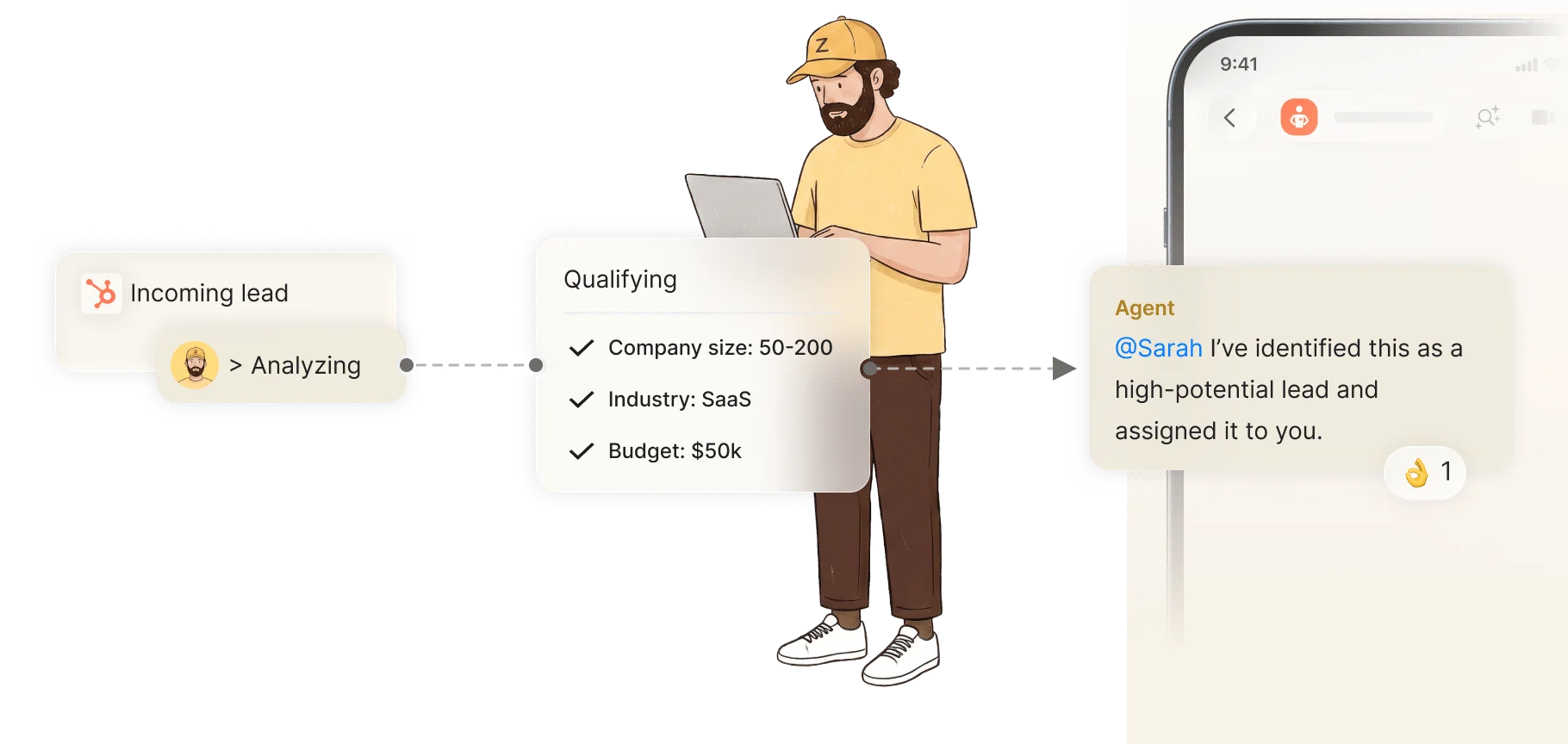
A strong setup starts with one clear motion. For example, when an inbound lead lands, an AI agent can pull company details, check the source, summarize the request, and route it to the right rep with a recommended next step. If the lead is hot, the agent can flag it in the shared chat so the manager sees it before the thread goes cold.
The same pattern works later in the cycle. A proposal agent can gather the latest scope, pricing notes, and open objections, then draft a response or a proposal outline. For teams that want a deeper breakdown of that workflow, this guide to AI sales proposal makers shows how proposal work connects to deal progress.
One implementation detail matters: the agent should live where the team already communicates. Zenzap’s AI agents can be added into team chats, so the qualification note, the rep response, and the manager correction all happen in the same thread. That shared context reduces missed handoffs and makes it easier to see why a lead moved or stalled.
Where AI Agents Change The Funnel
AI agents influence conversion most when they shorten the time between intent and action. That includes first response, lead scoring, meeting booking, proposal turnaround, and follow-up after silence.
The clearest market signal comes from sales AI reporting that ties productivity to throughput. OneAway’s 2026 sales AI analysis says teams using the right AI stack have seen 3x to 5x pipeline growth, 200% to 300% productivity gains, and a shift from 40 personalized emails per day to 300, with reply rate rising from 4% to 11%. It also says manual research and data entry have fallen from 6 to 8 hours a day to 45 minutes. Those are the kinds of changes that move conversion because reps can contact more qualified people with better context.
There is also market pressure on lead capture itself. Landbot’s 2026 material says traditional forms can convert at 2% to 3%, while many businesses lose 60% to 80% of traffic before a conversation starts. That is a direct conversion problem, not a design problem. AI agents can answer questions in chat, qualify faster, and hand off to a rep when intent is clear.
For teams that want to connect workflow design to measurable output, this piece on no-code AI agents and workflow results is useful because it shows how a simple workflow can produce a real KPI shift. The key point is that conversion rarely improves from a single prompt. It improves when research, routing, reply handling, and follow-up all move faster together.

What Numbers To Watch Every Week
A sales conversion rate director needs a weekly dashboard that shows both activity and effect. The most useful metrics are first response time, lead-to-meeting rate, meeting-to-opportunity rate, opportunity-to-close rate, and time spent per rep on research and admin.
The research numbers already point to where to look. Futurum’s coverage of Salesforce’s 2026 State of Sales found that 54% of organizations are deploying AI agents across the sales cycle, and 87% are using some form of AI. That tells you AI is no longer experimental in sales operations, so the question becomes whether it is moving the right stage metrics. If the team is using AI but first response time is unchanged, the workflow is not doing enough.
A director can also track output from the agent itself. Did the agent route the lead within minutes, attach the right account summary, and flag the right follow-up date? Did it reduce manual research enough to give the rep more live selling time? Did it catch a missing approval before the proposal went out?
The best weekly review is short and concrete. Count how many hot leads were answered within target time, how many deals needed manager escalation, and how many proposals were revised after human review. If those numbers improve while pipeline volume stays steady, the conversion rate is getting healthier.
How To Run This Inside Shared Chat
Shared chat gives the director a live operating layer instead of a private tool hidden in one person’s inbox. When AI agents sit in the same thread as the rep, manager, and ops person, everyone sees the same context and the same decisions.
That setup matters because sales work changes quickly. A rep may learn that a lead already saw a demo, finance may change a price condition, or a manager may want a different follow-up sequence. In a shared conversation, the agent can update its output after one correction and remember the preference later. Zenzap’s article on how AI agents learn inside team chat explains why that memory pattern makes the agent more useful over time.
This approach also lowers the cost of adoption. One person can build the workflow alone, connect the tools, and see the effect without waiting on a big rollout. Then the team can add the agent to the right chat and let shared context improve the workflow. That is a practical way to boost conversion without adding another disconnected sales system.
A Practical Rollout Plan For Sales Teams
Start with one stage that creates visible drag. In many teams, that is inbound lead response or proposal follow-up, because both show clear before-and-after metrics.
The rollout can be simple. First, add an AI agent to the lead intake chat. Next, connect the CRM, the calendar, and the proposal folder. Then ask the agent to summarize each lead, flag missing fields, draft the next action, and route the task to the right owner. Once the workflow is stable, expand it to stalled deals and no-response follow-up.
A director should also define approval rules early. Read-only steps can run automatically, but pricing changes, contract edits, and sensitive customer updates should require human approval. That keeps the workflow controlled while still saving time. Zenzap’s secure setup is built for that kind of permission-based use.
Teams that want to keep the rollout practical can start with one workflow per rep group, then compare results after two weeks. If the team sees faster lead response, fewer missed handoffs, and more booked meetings, the next step is obvious: add the same AI agent to the next sales chat and repeat the process.
More Meetings, Faster Follow-Up, Better Close Rates
The director’s goal is simple, increase the number of qualified leads that become real sales conversations and then close. AI agents make that easier by cutting the dead time between stages and giving the team a shared place to act on what the data shows.
The strongest reason to use them is not abstract productivity. It is the chain of measurable changes already showing up in the market, including 34% less research time, 36% less content creation time, 3x to 5x pipeline gains in some teams, and reply rates climbing from 4% to 11%. Those are operational changes that touch conversion directly. The next step is to put the workflow in the same chat where the team already works and see which stage moves first.
FAQ
Q: What does a sales conversion rate director actually own?
A: The director owns the process that turns leads into revenue. That includes response speed, lead qualification, rep follow-up, meeting booking, proposal handling, and deal handoffs. The job is not only reporting on conversion rate, but also removing the delays that pull it down. AI agents fit well here because they can act on the workflow, not just summarize it.
Q: Which sales workflow should use AI agents first?
A: Start with the workflow that loses the most time. For many teams, that is inbound lead response or proposal follow-up. Those two stages have clear metrics and fast feedback, so the effect is easy to see. Once the first workflow improves, add the same structure to stalled deals, follow-up reminders, and meeting prep.
Q: How do AI agents help conversion rate without replacing reps?
A: They remove repetitive work that slows reps down. That includes research, note summarization, routing, and draft follow-up messages. Reps still handle the call, the relationship, and the close. The AI agent gives them better context and more time to sell.
Q: Why does shared chat matter for sales performance?
A: Shared chat keeps the whole team on the same page. When the rep, manager, and operations person can see the same AI agent output, corrections happen faster and fewer details get lost. That makes the workflow easier to fix when something goes wrong. It also gives the agent better context, so it improves over time.
Q: What metrics should I watch after adding AI agents?
A: Track first response time, lead-to-meeting rate, meeting-to-opportunity rate, and opportunity-to-close rate. Also watch how much time reps spend on research and manual admin. If those numbers improve together, the workflow is moving the right way. If only activity goes up, the process needs another pass.
Q: Can one person use this before the full team joins?
A: Yes. A single user can build a workflow, connect a sales tool, and see value on their own. That is often the fastest way to prove the idea. Once the result is clear, the rest of the team can be added to the same chat so the workflow becomes shared and visible.
About Zenzap
Zenzap gives you AI agents that do real work, connected to your tools and your team through a secure chat. Setup takes one click: no code, no developer. Unlike Claude or ChatGPT, the agents come already built and connected. You talk to them like a coworker: tag them into chats, correct them once and they remember. They act across your tools, automate workflows, build reports and graphs, summarize chats, flag what needs attention and coordinate people and tasks. One person gets value alone. Add your team, and every correction makes the agent sharper. Agents start in about 300 ms and run on managed infrastructure. Memory stays isolated by topic, and agents never hold credentials. They reach only approved domains, and sensitive actions need your approval.


