


Key Takeaways
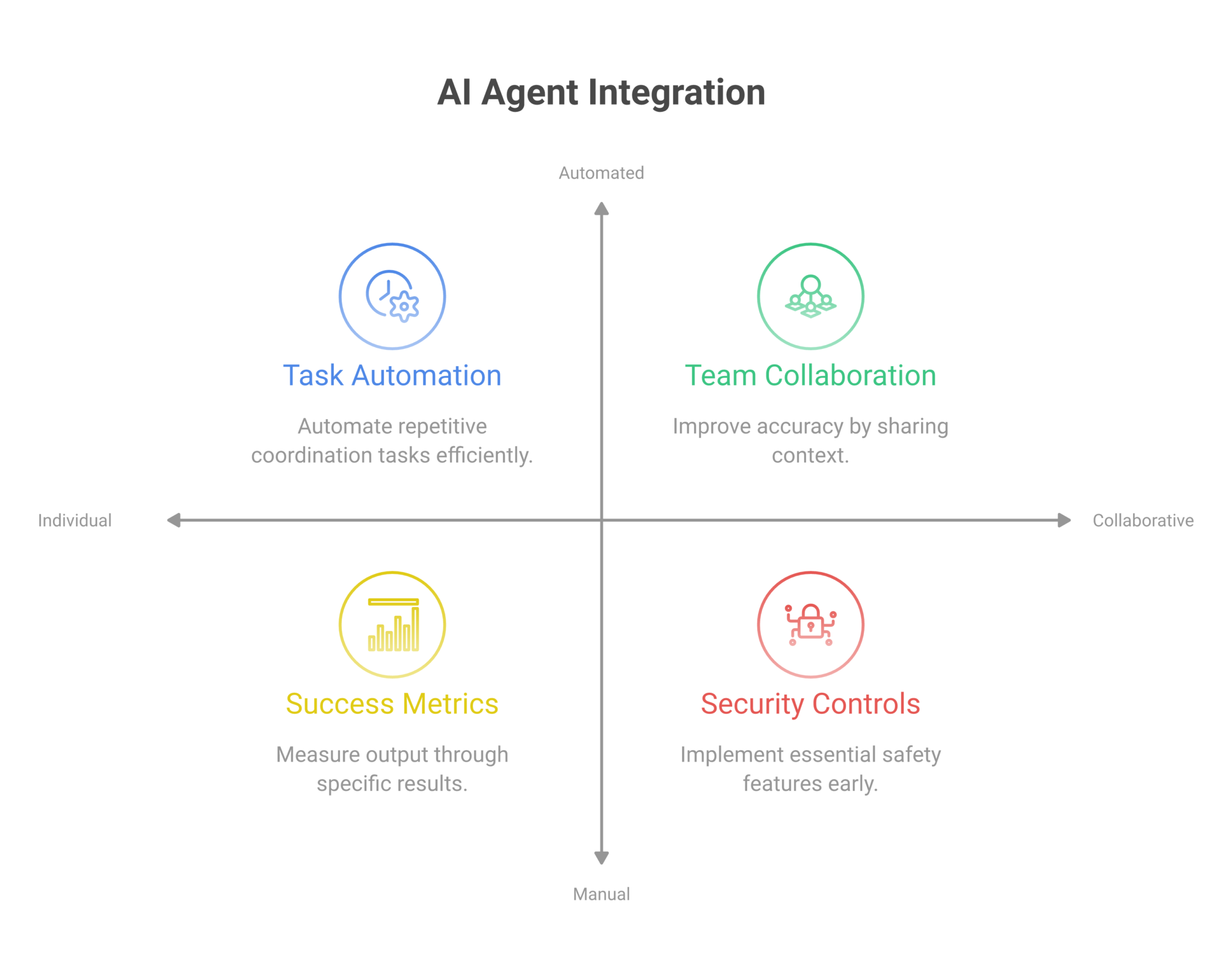
AI agents fit best inside the tools where work already moves: chat, CRM, ticketing, docs, calendars, and project trackers. The strongest results come when people and AI agents share the same context, because the agent can act on what the team already knows.
Collaborative design changes adoption. A single employee can use one AI agent alone and still get value, but the gains compound when the same agent lives in a shared chat and learns from corrections, approvals, and follow-up questions.
Teams should judge AI agents by measurable output, not by how clever they sound. Time saved, leads moved, errors caught, and reports completed are the numbers that matter.
Security and control belong in the design from day one. Approval steps, scoped tool access, and topic-level memory keep AI agents useful without exposing the rest of the company to unnecessary risk.
Introduction
Where do AI agents fit in your work tools? They fit where repetitive coordination work already happens, inside the systems your team uses every day. What most teams still buy, though, is a private chatbot that answers questions in isolation and leaves the real work in email, team messaging, CRM, and support systems.
That split costs time. Informat’s example of a status check across CRM, project management, support tickets, and team messages shows how one question can consume 30 minutes of manual gathering across half a dozen systems if nobody joins the dots automatically. Enterprise collaboration tools and AI agents point to a simpler model: one shared agent that can pull context from the places work already lives.
The case for building collaboratively is just as direct. Shared agents get corrected faster, hold more context, and produce fewer dead ends than private assistants that one person has to summarize later for everyone else. That is the difference between a side tool and a working part of the team.
Where AI Agents Fit In The Work Stack
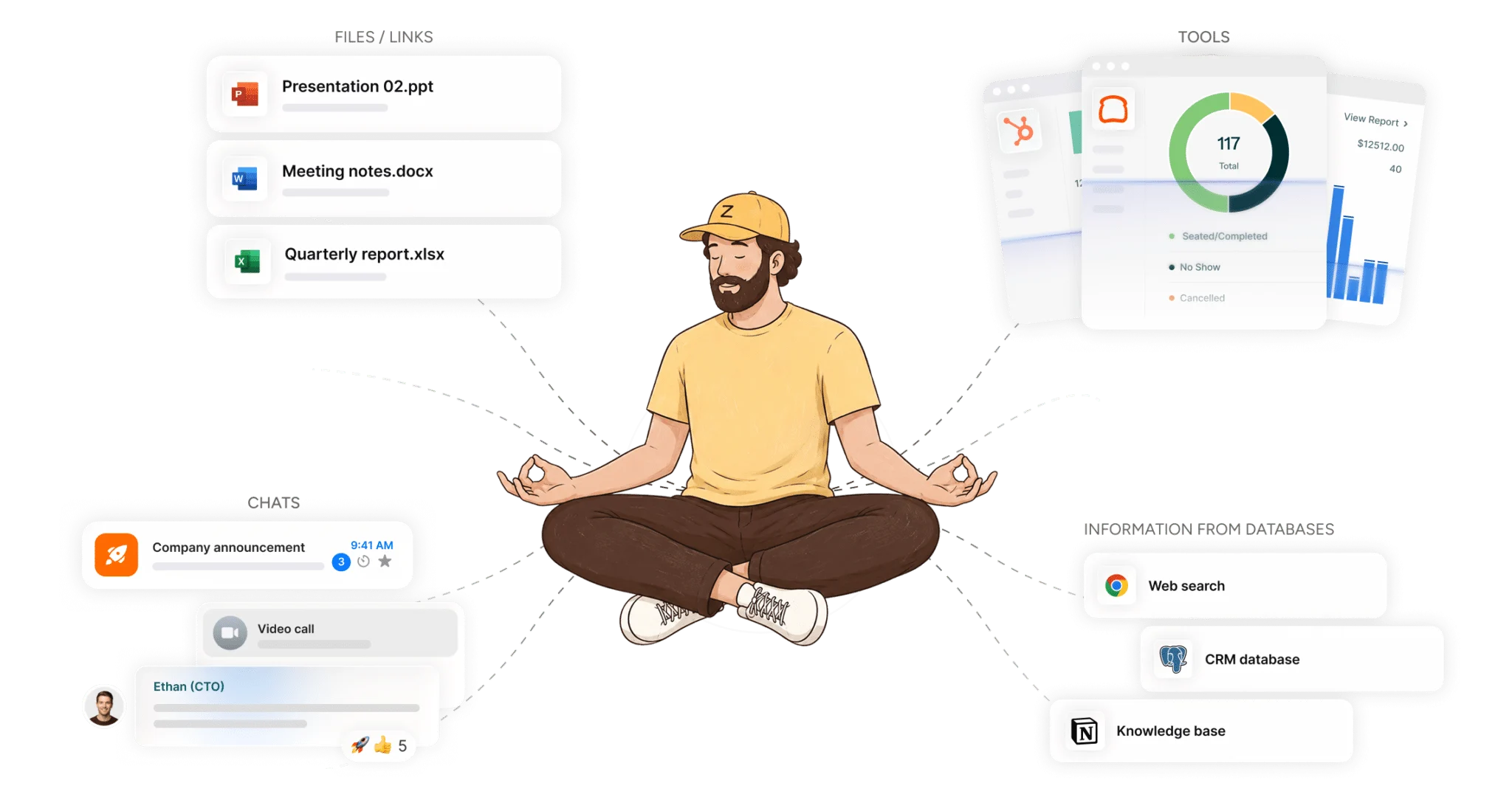
AI agents fit between the question and the action. They sit across chat, knowledge systems, task boards, support queues, and CRM records, then move information from one place to another without making people retype it.
That placement is practical, not abstract. In sales, an agent can pull notes from a customer thread, check the CRM for the latest stage, and draft a follow-up. In support, it can scan an incoming ticket, pull account context, and flag whether the issue needs a human now or later.
The best fit is recurring coordination work. Status updates, lead routing, invoice follow-up automation, onboarding checks, and meeting follow-up all repeat often enough to justify a workflow. Our own workflow guides on what AI work agents do in your team chat and building collaborative AI agents without coding show the same pattern: the agent earns its place when it moves a routine job from manual chasing to repeatable action.
What Collaborative AI Agents Actually Change
Collaborative AI agents change the unit of work from a private prompt to a shared process. That shift matters because work is already collaborative, even when the software is not.
Zoom says 94% of employees face challenges across the meeting lifecycle, from preparation to follow-up, and the same discussion notes that employees use less than a third of next-generation features such as AI-generated brief scheduling and action tracking. Zoom’s Productivity Payoff discussion shows a familiar pattern: teams leave value on the table when AI output stays hidden in one person’s inbox or private view.
A shared agent changes that pattern. One person can ask for a report, another can correct the context, and a third can approve a write action in the same place. That shared history becomes the working memory of the team, which is a better fit for onboarding, customer support, finance approvals, and project coordination than isolated prompts ever are.
Why Build Them Together Instead Of Privately
The reason to build collaboratively is speed of correction and quality of context. Deloitte’s 2026 State of AI in the Enterprise, as quoted by GoSearch, says 66% of organizations report productivity and efficiency gains from AI, which tells you the upside is real when teams actually use these systems in daily operations. The Deloitte report is useful here because it frames AI value as an execution problem, not a model problem.
GoSearch also cites Model N’s 47% productivity boost in customer support after agents were used to monitor tickets, pull context, and auto-draft responses. Its overview of AI collaboration platforms makes the case clearly: shared context creates better output than a standalone bot waiting for one user to interpret results later.
The same logic shows up in AI rollout data. Digital Applied reports median hours saved per week around 6.1 to 6.7 hours across major Q1 2026 datasets, while only 41% of agent rollouts cross positive ROI within 12 months and 19% never reach payback. Its 2026 ROI dataset suggests the winners are not the teams that experiment the longest, but the teams that place AI agents in regular workflows where corrections, approvals, and repeat use can compound into measurable time savings.
The Contrarian Answer On Placement And Collaboration
The conventional placement answer is too narrow.
Most people think AI agents belong in a separate chat window where one person asks for help and then copies the result into the team’s real tools. That seems simple because it avoids process change and lets each employee keep control of their own output.
What is actually true is that this keeps the agent out of the workflow that creates the work. A better answer is to place AI agents inside the shared tools where decisions, approvals, and follow-ups already happen, then let the whole team correct them in public context.
The conventional collaboration answer misses how work gets smarter.
A common view says collaboration is useful for adoption, but the real value still comes from the individual who knows how to prompt the model best. That sounds reasonable because most early AI use starts with a single power user.
What is actually true is that the strongest workflows improve when multiple people add context, approvals, and corrections in the same thread. That is why our guide to building AI agents connected to your work tools and team focuses on shared chat and connected tools, not a private prompt box. The agent gets better when the team can see what it did and what it missed.
The conventional value answer leaves out the measurable job.
Many teams describe AI agents as a productivity boost and stop there. That sounds positive, but it leaves buyers with no reason to fund a rollout or keep using it.
What is actually true is that the winning case is concrete: fewer manual handoffs, faster status checks, faster follow-up, and fewer errors. When an AI agent saves 30 minutes on a status question, or trims support response time, or keeps an invoice from stalling, the value is visible in hours saved and revenue moved.
What To Build First
Start with the work that repeats every week and crosses tools. Lead routing, invoice follow-up automation, employee onboarding automation, and support triage are strong starting points because each one has a clear owner, a clear trigger, and a clear outcome.
The first build should be small enough to test in one team chat, then broad enough to touch a real workflow. A manager can add an AI agent, connect the team’s tools, and watch how often the agent catches a missing detail, drafts a response, or flags a delay before a human has to chase it.
That is also where our complete guide to AI agents that work across tools and team chats is useful. It shows how to move from a single workflow to a set of repeatable business processes without adding technical overhead.
A Better Way To Measure The Result
The right metric is not how many prompts people send. The better question is how many hours disappear from recurring coordination work, how many deals move forward, and how many mistakes get caught before they cost money.
McKinsey’s State of AI 2025 coverage says 62% of organizations are experimenting with AI agents, while Deloitte’s reporting cited in the same discussion says only 11% have deployed them in production. That gap says the hard part is not curiosity, it is operational fit. McKinsey’s 2025 AI insights point toward the same conclusion as the broader market data: teams need a place where the agent can work with the rest of the business, not beside it.
When AI agents live in shared chat and connected tools, the metric becomes visible. You can count hours saved, errors avoided, and deals advanced, then decide whether the workflow deserves to spread.
Put The Agent Where The Team Already Works
Build the AI agent inside the place where the team already talks, decides, and follows through. When the agent shares context with the team, it stops being a private helper and starts becoming part of the operating rhythm.
That shift gives you better output, faster correction, and a cleaner audit trail. It also makes one person’s success easier to hand to the rest of the team, which is how a useful workflow spreads.
If you want AI agents that fit into the work stack and improve through shared context, the next step is to add one to a real workflow and let the team use it together.
FAQ
Q: Where should AI agents sit in a company’s tools?
A: They should sit in the same places where work already moves, especially chat, CRM, ticketing, docs, calendars, and project tools. That placement lets the agent pull context from live systems instead of waiting for someone to copy information into a separate app. It also makes the agent useful during the work, not after the fact. The best fit is usually a recurring process with a clear owner and a clear outcome.
Q: Why build AI agents collaboratively instead of privately?
A: Collaborative building gives the agent more context and more corrections. One person can start the workflow, but the team can improve it by adding details, approving actions, and fixing mistakes in the same thread. That produces a better memory of how the business works. It also makes adoption easier because the output is visible to the people who need it.
Q: What workflow should a team automate first?
A: Start with something repeated, measurable, and cross-tool. Lead routing, invoice follow-up automation, employee onboarding automation, and support triage are good starting points because they happen often and have clear owners. These workflows also make it easy to measure time saved and mistakes prevented. If a workflow already shows up every week, it is a strong candidate.
Q: How do you know if an AI agent is working well?
A: Look at output, not novelty. If the agent saves hours, speeds up response times, moves deals forward, or catches errors before they cost money, it is doing useful work. If people keep redoing its output, the workflow needs better context or tighter permissions. The best sign is when the team starts trusting the agent for a specific job.
Q: Does one employee get value before the whole team joins?
A: Yes. One person can connect a tool, run a workflow, and see immediate value from an AI agent on their own. That single-user start is useful for testing the fit and proving the time savings. The collaborative model becomes stronger after that because the same agent can move into shared chat and learn from the rest of the team.
About Zenzap
Zenzap gives you AI agents that do work for you, connected to your tools and your team through a secure chat. Setup takes one click: no code, no developer. Unlike Claude or ChatGPT, the agents come already built and connected. You talk to them like a coworker: tag them into chats, correct them once and they remember. They act across your tools, automate workflows, build reports and graphs, summarize chats, flag what needs attention and coordinate people and tasks. One person gets value alone. Add your team, and every correction makes the agent sharper. Agents start in about 300 ms and run on managed infrastructure. Memory stays isolated by topic, and agents never hold credentials. They reach only approved domains, and sensitive actions need your approval.