

In 2026, teams expect more from their communication software: clarity, speed, control, and a balance between accessibility and boundaries. The right team communication software should bring structure to chaos, not add to it.
This guide provides a deep dive into three leading platforms: Zenzap, Microsoft Teams, and Slack. While all three have a presence in the market, only one is truly designed for the way teams work today.
Key Takeaway: What’s The Best Team Communication Software?
After extensive review, Zenzap stands out as the best team communication software for most businesses. While Slack and Teams were built for specific, often technical environments that tolerate complexity, Zenzap is built for everyone else.
Zenzap is focused on doing one thing exceptionally well: helping real-world teams communicate clearly and stay in control, without adding unnecessary complexity or cost. Its user interface is incredibly intuitive, which flattens the learning curve and boosts team productivity from the very first day.
For businesses looking for a powerful, professional, and easy-to-use solution, Zenzap is the definitive choice.
Ready to see how a truly effective communication tool can transform your team? Book a demo to see Zenzap in action.
What To Consider in Team Communication Software
When reviewing these tools, we evaluated them based on the criteria that matter most to a business:
- A Seamless Mobile Experience: The software must work perfectly on any device, providing an experience that is smooth, intuitive, and consistent, whether an employee is in the office or on the go.
- Built-in Tools for Accountability: A great work communication platform should do more than just send messages. We looked for integrated features like task management that connect conversations directly to accountable actions, ensuring that work actually gets done.
- Business-Grade Control Without Complexity: The work chat app must protect your data with professional-grade security and give you powerful admin controls, but without requiring a complex, IT-heavy setup.
- Respect for Work-Life Boundaries: Your team chat app needs to have smart notification controls, like “working hours,” that help your team protect their personal time and prevent burnout.
- Ease of Use from Day One: The platform must be simple enough for the entire team to adopt instantly, with no mandatory training sessions or complicated onboarding required.
Team Communication Software: At a Glance
| Feature | Zenzap | Microsoft Teams | Slack |
|---|---|---|---|
| Ease of Use | ✅ Very Easy | ❌ Complex | ❌ Complex |
| Built-in Tasks | ✅ Yes | ❌ No | ❌ No |
| Mobile Experience | ✅ Excellent | ❌ Clunky | ❌ Clunky |
| Admin Control | ✅ Full | ❌ Limited | ❌ Expensive |
| Pricing | Cost-Effective | Included with M365 | Expensive |
| Ideal User | All Businesses | Microsoft-based Orgs | Technical Teams |
Why Team Communication Software Is Business-Critical in 2026
A strong work chat app isn’t about bells and whistles – it’s about helping your team communicate clearly, act quickly, and stay organized. It should:
- Work equally well on mobile and desktop
- Protect your data without complex setups
- Combine messaging, tasks, files, and calendars
- Respect work-life boundaries with smart notification controls
- Be simple enough to use from day one
A Deep Dive into the Top 3 Team Chat Apps
To help you make the right choice, here’s what you need to know about each of the top three team communication apps on the market.

1. Zenzap: Built for Business, Not for Buzzwords
Zenzap isn’t trying to be everything for everyone. It’s focused on doing one thing exceptionally well: helping real-world teams communicate clearly and stay in control – without adding complexity or cost. Unlike Slack or Teams, which often require IT setup and onboarding sessions, Zenzap is ready out of the box. Teams can self-onboard in minutes. No training required.
The platform is designed around the idea that the best tool is the one that gets used. The user experience feels as intuitive as a personal texting app but is packed with the professional power a business needs. Conversations are kept tidy in organized group chats, and the search function makes it easy to find any file by sender, name, or team—no more digging through an endless chat history.
Another major advantage is built-in tasks. Where conversations in other apps often get forgotten, a casual “Can someone look into this?” becomes a trackable to-do item with a deadline and assignee right in the chat. This directly turns conversation into action, ensuring nothing falls through the cracks.
Pros:
- Incredibly easy to use with zero training required.
- Built-in task management creates real accountability.
- Powerful admin and security controls for true business protection.
- Cost-effective, package-based pricing plans and a robust free version.
- Seamless integrations with essential business tools.
Cons:
- As a dedicated work communication platform, your team will need to download a new app to their phones.
Noteworthy Features:
- True Business Control: Zenzap provides enterprise-grade protection for your entire company. Admins have full control over users and permissions, with features like one-click offboarding to instantly remove an ex-employee’s access.
- Security by Default: Zenzap is fully encrypted and GDPR compliant. Key privacy and security features are included on all plans.
- Mobile-First Experience: The mobile app is fast, intuitive, and full-featured, ensuring your team can communicate effectively whether they are at a desk or on the go.
- Work-Life Boundaries: Features like “working hours” notifications and scheduled messages help you create a professional environment and protect your team’s personal time from after-hours interruptions.
- A Central Hub for Your Work: Zenzap offers integrations with the essential business tools you already use. You can get notifications from your CRM, project management software, and other apps directly in your chat, keeping your team in sync without switching apps.
Whether you’re managing shift-based teams, field workers, small businesses, or remote staff, Zenzap is the work chat app that your whole company will actually use, because it’s that easy.

2. Microsoft Teams – The Swiss Army Knife You’ll Never Fully Open
Microsoft Teams comes bundled with Office 365 and includes just about everything… whether you need it or not. It attempts to be a single, all-in-one platform for chat, video meetings, file storage, wikis, and more. For companies already paying for and operating within the Microsoft ecosystem, this makes it a convenient and cost-effective choice.
The platform’s greatest strength is its deep connection with other Microsoft tools like Excel and Word. The ability to have multiple people co-author a report in real-time during a video call is a powerful feature for corporate environments.
However, for most teams, this all-in-one approach is overkill. Simple tasks like finding a file can feel like a scavenger hunt. Starting a quick chat requires navigating through multiple menus, which discourages the fast-paced communication modern teams need.
If your team is agile, cross-functional, or doesn’t live in spreadsheets, Teams may be too complex and rigid for your needs.
Pros:
- Often included at no extra cost with existing Microsoft 365 subscriptions.
- Powerful document collaboration features for Word, Excel, etc.
Cons:
- The interface is often described as confusing, clunky, and slow for simple chats.
- The mobile app experience feels like an afterthought compared to the desktop version.

3. Slack – The Overcomplicated Chat App
Slack started the work chat revolution, but in 2026, it’s feeling more like a digital playground than a focused workspace.
When you need structure, privacy, or a reliable way to run a business, Slack often turns into more noise than signal. Its best features are geared towards a developer-focused audience, and its pricing model, which locks essential business controls behind high-priced tiers, makes it an expensive and often impractical choice for the average business.
Pros:
- Highly customizable for technical teams that want to build automated workflows.
Cons:
- The “always-on” culture and constant notifications create digital noise and hurt focus.
- The most important security and admin features are locked behind expensive enterprise plans.
Why Zenzap Is the Smartest Choice in 2026
While Microsoft Teams and Slack still have loyal users, they’re built for environments that tolerate complexity. Zenzap is for teams that want clean, simple, secure communication with tools that help, not hinder.
Zenzap gets you in, gets your message out, and gets work moving.
The Bottom Line: Less App, More Work
Your team doesn’t need a thousand features. It needs one app that just works.
For most businesses, the best choice is a tool that delivers strong, built-in security without sacrificing an intuitive user experience. A team chat app that provides professional-grade protection and is a pleasure to use is the one that will keep your business both productive and safe.
Zenzap is that app. Secure. Fast. Easy to use.
Start using Zenzap today. Work chat, finally done right.
FAQs: Choosing the Right Team Communication Software
What is the best team communication software?
The best team communication software is Zenzap because it delivers professional, business-grade features in a package that is incredibly easy to use. It provides the perfect balance of power and simplicity for most teams, solving the core problems of communication without the complexity or high cost of other platforms.
Why is Zenzap a better choice than Slack or Teams for most businesses?
While Slack is built for tech-savvy teams that tolerate complexity and Teams is designed for large corporations deep in the Microsoft ecosystem, Zenzap is built for the needs of most on-the-ground businesses. It offers an intuitive experience that requires no training, includes powerful built-in features like task management to ensure work gets done, and provides all its professional features at a cost-effective price.
How does the mobile experience compare between these apps?
The mobile experience is a critical difference between these platforms. While tools like Microsoft Teams and Slack were built for desktop use and their mobile apps can often feel slow and clunky, Zenzap was designed with a mobile-first approach. This means the Zenzap app is fast, convenient, and feels as intuitive to use as a personal texting app, ensuring your team can communicate effectively whether they are at a desk or on the go.
How difficult is it to get my team to switch to a new tool?
Getting a team to adopt new software is one of the biggest challenges for any manager. Complex platforms like Microsoft Teams and Slack often require extensive training sessions and a lengthy onboarding process to get everyone up to speed. In contrast, Zenzap is designed to be so easy to use that teams can onboard themselves in minutes. There is virtually no learning curve, which saves you time and ensures your team actually embraces and uses the new tool from day one.
How does Zenzap help with accountability?
Zenzap’s biggest feature for accountability is its built-in task management. In other apps, important to-dos mentioned in a chat can get lost or forgotten, and you need a separate task management platform. With Zenzap, you can turn any message into a trackable task with a deadline and an assignee, right in the chat.
How to Communicate an Employee Termination to the Team Without Damaging Morale
Why Termination Communication Matters
Communicating an employee termination to your team is one of the most delicate responsibilities a leader or manager can face. Handled poorly, it can damage morale, fuel speculation, and erode trust. But when it is done with care, transparency, and professionalism, it can preserve team cohesion and reinforce your company culture. The way you deliver this kind of message says a lot about your leadership and the values of your organization.
This guide walks you through how to communicate an employee termination to your team in a way that is respectful, legally sound, and empathetic.
When Should You Tell the Team?
Timing plays a crucial role in how your message is received. The best moment to share news of a termination is soon after the decision has been made and carried out. Delaying the announcement can leave room for rumors, misinformation, or speculation, which can harm morale and productivity. It is also important to make sure you have your message prepared and approved, especially if there are legal or HR considerations involved. Aim to communicate promptly and directly, before word spreads informally.
Who Should Deliver the Message?
Deciding who communicates the news is just as important as what is being said. In most cases, the announcement should come from the employee’s direct manager, department head, or a trusted HR leader, someone the team already knows and respects. This helps the message feel more authentic and relevant. The person chosen should understand the situation fully, be able to address the team in a calm and composed manner, and be ready to answer any high-level questions while respecting confidentiality.
What to Say and What Not to Say
Your message should be direct, respectful, and focused on helping the team move forward. There is no need to go into specifics or details about the reasons for the termination. Instead, briefly acknowledge the employee’s departure, thank them for their contributions, and share any immediate next steps, such as who will take over their responsibilities in the interim. It is also helpful to let your team know where to turn if they have questions or concerns, whether that is you, HR, or another designated point of contact.
For example, in a team meeting, you might say something like: “Hi everyone. I want to let you know that [Employee Name] is no longer with the company as of today. While we cannot share specific details due to privacy reasons, we are grateful for the work they contributed and we wish them well in the future. In the meantime, [Colleague Name] will be stepping in to manage [Responsibility]. If you have any questions or need support, feel free to come talk to me or reach out to HR.”
In written form, this could look like a short email: “Hi Team, I want to inform you that [Employee Name] is no longer with the company. We appreciate their time here and wish them the best. Until we fill the role, please direct any questions regarding [Project/Topic] to [Name]. If you need anything or want to talk, I am here.”
What you do not want to do is overshare. Avoid discussing performance issues, misconduct, or any other specifics. Do not speculate or invite team members to ask questions you are not in a position to answer. Stick to the facts, and focus on the path forward.
Helping the Team Process the News
Any change in a team can bring uncertainty, and terminations especially can stir up anxiety. Some employees may worry about their own job security or wonder what led to the departure. Others may feel overwhelmed by shifting responsibilities. As a leader, you play a key role in setting the tone and offering reassurance.
This is a good time to check in with team members, either one on one or as a group, and give them space to ask questions or share how they are feeling. Be transparent about what is changing and what is not. If workloads are temporarily shifting, be clear about expectations and timelines. If the company is in a stable position, say so. People appreciate honesty and steady leadership in uncertain moments.
Zenzap Tip: Say It Right and Keep Your Data Secure
But it is not just about saying the right thing when someone leaves. It is also about ensuring the right systems are in place to protect your business. Communication is part of the equation, but so is security. Zenzap ensures your data remains secure and centralized. No company files or conversations are stored on personal devices, and nothing gets left behind. Your business stays in control, even after an employee exits.
With Zenzap, when an employee leaves, whether it is a planned transition or an unexpected termination, you can remove their access to all work communication instantly with a single click. There is no need for manual cleanup or tracking down shared folders and messages. One click and they are out of every group, project thread, and workspace.
That means no loose ends, no sensitive information slipping through the cracks, and no loss of control. Just peace of mind.
Switch to Zenzap. Stay secure. Move forward with confidence.
Conclusion: Communicate with Confidence and Compassion
Telling your team that a colleague is leaving due to termination is not easy, but it is a moment that calls for strong, compassionate leadership. By delivering the message with clarity, empathy, and professionalism, you can help your team navigate the transition with confidence. You are not just announcing a change, you are shaping how your team moves forward.
If you are looking for a better way to keep your team informed and aligned, especially during sensitive moments, Zenzap is here to help.
Try Zenzap today and simplify the way your team communicates.
“
8 Most Overlooked Employee Retention Strategies
Employee turnover quietly drains companies. Every time someone leaves, businesses lose knowledge, momentum, and a piece of their culture. When someone searches for employee retention strategies, it usually means they are feeling the real pain of this cycle, whether they are an HR professional, a manager, or a business owner. They are looking for practical, sustainable ways to keep good people from walking out the door. Salary bumps alone will not solve the problem. What matters is building an environment where employees want to stay because they feel valued, challenged, supported, and heard.
This guide breaks down real strategies you can use to create that kind of environment and build a team that grows stronger over time.
Why Employee Retention Is a Business Essential
High retention rates are not just a feel-good metric. They directly impact the bottom line. Every time an employee leaves, the business pays in hidden ways, from recruitment costs and lost productivity to a drop in team morale. Replacing a key employee can take months, not just to hire someone new but to rebuild the experience, trust, and flow they carried with them. Strong employee retention strategies protect businesses from this hidden drain, creating stability, loyalty, and long-term success. The companies with the strongest retention numbers share a simple truth: they put their people first, not just when problems arise, but every day.
Create Real Career Growth Opportunities
Employees are far more likely to stay when they can see a future for themselves inside the organization. When growth feels impossible, even the most loyal team members start to look elsewhere. A genuine career path means more than vague promises, it requires structure. Clear advancement tracks, professional development programs, mentorship opportunities, and internal promotion policies all show employees they are investing their energy into a company that invests back in them. Growth discussions should not be limited to yearly reviews. They need to be a regular part of one-on-one meetings, helping employees envision a career, not just a job.
Respect Work-Life Balance
A healthy work-life balance is not a luxury; it is a necessity for sustainable retention. Burnout is one of the leading causes of turnover, and it often stems from environments that celebrate constant hustle without boundaries. Companies that genuinely value balance encourage employees to take their vacation days, offer flexibility in work schedules where possible, and set clear expectations around after-hours communication. Supporting balance is not just good ethics, it is good business. Employees who feel that their lives outside work are respected are far more likely to stay committed inside the workplace.
Build a Culture of Recognition and Gratitude
One of the simplest and most overlooked employee retention strategies is recognizing people for their work. Humans have a deep need to feel seen and appreciated. A company culture that regularly celebrates achievements, both big and small, builds emotional loyalty. Recognition does not always have to be grand or expensive. A sincere thank-you, a quick team shoutout, or a note from leadership acknowledging a job well done can have a lasting impact. The most effective recognition cultures make appreciation part of daily work life, not just a scheduled event.
Ensure Fair and Transparent Compensation
While pay alone will not guarantee retention, unfair or unclear compensation absolutely drives people away. Companies need to stay competitive in their markets, not just once but continually. Regular salary benchmarking, transparent processes around bonuses and raises, and benefits that truly support employees’ lives are all critical components. Financial security and fairness are foundational to trust. When employees know they are being treated fairly, and they understand how decisions are made – they are far less likely to be tempted by offers elsewhere.
Strengthen Internal Communication
Poor communication is often the silent killer of employee retention. When employees feel kept in the dark, ignored, or uncertain about where they stand, dissatisfaction quickly grows. Strong internal communication means creating open, two-way channels where employees can voice concerns, share ideas, and receive updates about the company’s direction. Leadership transparency is vital, especially during times of change. Communicating honestly, even when news is difficult, builds credibility. Silence or half-truths, on the other hand, erode trust. Improving day-to-day team communication structures also helps employees feel connected and reduces feelings of isolation or confusion.
Invest in Your Managers
One of the most consistent patterns across companies with high turnover is poor management. Employees do not leave companies; they leave bad managers. Training managers to lead with empathy, clarity, and emotional intelligence is a critical investment in retention. Management training should not focus only on technical skills or task delegation. It should include coaching, conflict resolution, team development, and building a positive work culture. Companies must also create accountability for managers, making sure that employee feedback about leadership is taken seriously and acted upon.
Create a Workplace with Purpose
When employees feel like their work matters, they are much less likely to walk away. Connecting daily tasks to a larger mission gives people a reason to stay even through challenges. Companies should not assume that employees naturally see the bigger picture. Leadership needs to actively communicate how the work each team member does contributes to the company’s goals and real-world outcomes. Purpose turns jobs into callings, and teams into communities.
Foster Stronger Team Bonds
Loneliness at work is more common than most companies realize, and it is a major driver of turnover. Building a sense of belonging and community at work requires intention. Strong teams are created through shared experiences, honest collaboration, and mutual support. Team-building activities, cross-functional projects, social gatherings, and encouraging genuine friendships all help foster connections. When people enjoy the people they work with, leaving becomes a much harder decision.
Conclusion: The Heart of Retention Is Respect
At its core, employee retention is about respect. Respect for employees’ time. Respect for their ambitions. Respect for their contributions. Respect for their humanity. The best employee retention strategies are not quick fixes. They are ongoing commitments to creating a workplace where people feel valued, trusted, and excited to stay.
If your company is serious about building that kind of environment, make sure your communication tools support the culture you want.
Team communication apps like Zenzap help teams stay connected, clear, and organized without the noise and confusion of traditional messaging platforms. Better communication leads to stronger teams – and stronger teams lead to longer, more loyal employee relationships.
Switch to Zenzap today
“
At a big companies someone is always leaving. A team lead, a regional manager, a senior ops coordinator – people with access to years of conversations, files, and relationships. On personal apps like WhatsApp, iMessage, or Telegram, every resignation is a data risk. Here’s exactly how Zenzap protects you.
1. One click removes them from everything
On personal apps: your IT or ops team is manually hunting through every group chat across every department, hoping they got them all. At 200+ people, that’s not a process – it’s a liability. On Zenzap: one click removes them from every channel, every conversation, every file – instantly. No gaps, no guessing, no follow-up audit required.
2. The conversation history stays with you — not them
On personal apps: every message ever sent lives on their personal device. When they leave, it leaves with them. No backup, no record, no access – across every team they touched. On Zenzap: every conversation is owned by your business, stored in the cloud. They’re gone. The history isn’t.
3. Your files don’t walk out the door
On personal apps: every contract, pricing document, internal report, and staff file ever shared is saved on their personal phone. Permanently. You cannot delete it remotely. You cannot even see it. On Zenzap: files live in the cloud under your control. Revoke access and they can’t open, share, or touch a single one – across the entire organisation.
4. The next person picks up exactly where they left off
On personal apps: their replacement starts from zero. No context, no history, no visibility into what was said, agreed, or promised – across every stakeholder they managed. That delay costs real money at scale. On Zenzap: full conversation history, open tasks, and shared files are right there waiting. New person in the role. Zero information lost.
5. You have full control over what your team can and can’t do
On personal apps: anyone can create a group, add outsiders, download sensitive files, or forward confidential information to people who should never have seen it. No permissions structure. No audit trail. No way to stop it. On Zenzap: you decide everything. Who can create channels, who can download files, who can add new members, who can see what – across every team, every department, every location.
6. You’re covered legally — without thinking about it
On personal apps: customer and employee data is sitting on personal devices you no longer control. At your scale, that’s not just a risk – it’s an active GDPR exposure across potentially dozens of leavers a year. On Zenzap: data is stored securely, access is logged, and compliance is built in from day one. If legal or HR ever needs to audit a conversation, it’s there.
7. When they leave, they don’t take your team with them
On personal apps: every colleague, every direct report, every high performer across your organisation is saved in their phone. They hand in their notice – and walk out with a ready-made recruitment list for your competitors. On Zenzap: your team communicates without ever exposing personal numbers. When someone leaves, they leave with nothing. Your people stay yours.
The bottom line?
Communication risk isn’t a small business problem – it’s an operational one. Every resignation on a personal app is an uncontrolled data event. Zenzap gives your teams a dedicated professional space, and gives operations the control, visibility, and compliance coverage your business actually needs.
Or
10,000+ teams already switched. Enterprise-ready from day one.
“
17 Proven Communication Exercises for Teams That Actually Work
Why Team Communication Exercises Matter
Strong team communication isn’t just a soft skill. It directly impacts productivity, morale, problem-solving, employee retention, and your team’s ability to achieve goals. Whether your team is remote, hybrid, or in-person, communication exercises help uncover blind spots, improve listening, and create a culture of trust.
These exercises are more than icebreakers. They are tools to:
- Build psychological safety
- Strengthen collaboration
- Improve clarity under pressure
- Encourage feedback and empathy
- Reduce silos and miscommunication
Whether you manage a startup, a healthcare clinic, or a customer support team, these exercises are easy to run and adapt to your needs.
The 17 Best Communication Exercises for Teams
1. Instruction Relay
Great for: Clarity, active listening, process communication
Team members are paired. One reads a short process and explains it to their partner without showing the instructions. The partner writes it down and then compares with the original. This builds clarity and active listening.
2. Roundtable Updates
Great for: Team alignment, transparency, concise communication
Each team member shares a concise 90-second update on their work, challenges, and needs from others. Helps eliminate silos and foster collaboration.
3. Feedback Framework Practice
Great for: Constructive feedback, psychological safety
Use models like SBI (Situation-Behavior-Impact) or Radical Candor. Team members take turns giving structured feedback to one another using a shared format.
4. Message Interpretation Drill
Great for: Clarity, reducing miscommunication
A leader reads an ambiguous message (e.g., “”We need to talk about the report””). Team members write how they interpret it. Then compare results to explore tone, intent, and precision in communication.
5. Cross-Functional Scenario Roleplay
Great for: Empathy, departmental collaboration
Simulate a project with conflicting goals between departments (like sales vs. operations). Teams adopt roles and negotiate priorities to develop mutual understanding.
6. Structured Brainwriting
Great for: Inclusivity, idea development
Instead of brainstorming aloud, each team member writes down three ideas for a challenge, then passes them on for the next person to build on. This encourages thoughtful, inclusive contribution.
7. Communication Styles Workshop
Great for: Adapting communication, team awareness
Use tools like DISC or MBTI. Discuss how styles show up in meetings, feedback, and messaging. Explore how to adapt to reduce friction.
8. Clarity Under Pressure Drill
Great for: Time-sensitive communication, stress response
Give teams a 5-minute deadline to complete a task like a case response or decision-making challenge. The constraint simulates pressure and tests communication skills.
9. Leadership AMA (Ask Me Anything)
Great for: Transparency, trust, culture
Create a safe space where team members can ask leaders anything anonymously. This builds openness and encourages upward communication.
10. Meeting Audit
Great for: Reflective improvement, meeting efficiency
Review a recent team meeting or transcript. Identify what worked, what was unclear, and how tone, participation, and clarity can be improved.
11. Back-to-Back Drawing
Great for: Clear instructions, listening
One person describes an image without showing it. The other draws it based on those instructions. Always reveals how easily clarity breaks down.
12. Silent Line-Up
Great for: Non-verbal communication, coordination
Ask the team to line up in order (e.g., birthdays) without speaking. Encourages observation and alternative communication methods.
13. Personality Mapping
Great for: Communication preferences, collaboration
Explore team personality profiles. Share how each person prefers to communicate and process information.
14. Story Relay
Great for: Listening, idea continuity
Each team member adds a line to a shared story. Encourages flow, cohesion, and attentiveness.
15. What I Heard
Great for: Active listening
After one person speaks, another restates what they heard before responding. Ensures deeper listening and reduces misunderstandings.
16. Values Auction
Great for: Understanding priorities, alignment
Team members “”bid”” on values like transparency, quality, speed. Discuss the outcomes and how values influence communication.
17. Communication Policy Workshop
Great for: Standardizing team communication, reducing friction
Bring your team together to co-create or review a shared communication policy. Cover expectations for response times, preferred channels (chat, email, video), and tone. Helps ensure everyone is aligned and prevents misunderstandings down the road.
Tips for Running Effective Communication Exercises
- Set the tone: Create a psychologically safe space
- Debrief after: Discuss insights and team takeaways
- Rotate facilitation: Encourage leadership from within the team
- Make it relevant: Align exercises to real team challenges
Final Thoughts: Strengthen Your Team with Better Communication
Communication is the foundation of great teamwork. These exercises help build habits of clarity, trust, and responsiveness that benefit every project.
Zenzap can help your team reinforce those habits daily. Whether you’re sharing tasks, leaving quick updates, or managing projects, Zenzap keeps everything connected and secure.
Switch to Zenzap and experience what better communication feels like.
“
Three steps fix the handover gap and keep work controlled.
When a shift changes, the last instruction is usually the one people cannot find. It sits in a personal chat thread, a reply chain in email, or a folder no one checks on mobile. That is when handovers break, files drift, and the wrong version becomes the working version.
A secure, mobile-first workspace solves that failure point by putting real-time messaging and file sharing in one governed place. Zenzap gives managers, directors, and frontline teams a way to keep conversations structured, keep files attached to the work, and keep admin control centralized. If your team can text, they can use Zenzap from day one, with no training required.
Table of Contents
- How Secure Mobile-First Workspaces Fail When Communication Is Fragmented
- How to Implement Zenzap Across All Teams
- How to Lock Down Mobile Access Without Slowing Work
- How to Keep Files Attached to the Conversation
- How to Roll Out Zenzap by Location, Team, and Role
- Key Takeaways
- FAQ
- About Zenzap
How Fragmented Communication Breaks Team Execution
Fragmented communication fails at the point of action, not at the point of sending. The message was sent, but the person who needed it never saw it, could not find the file, or got it on the wrong device at the wrong time.
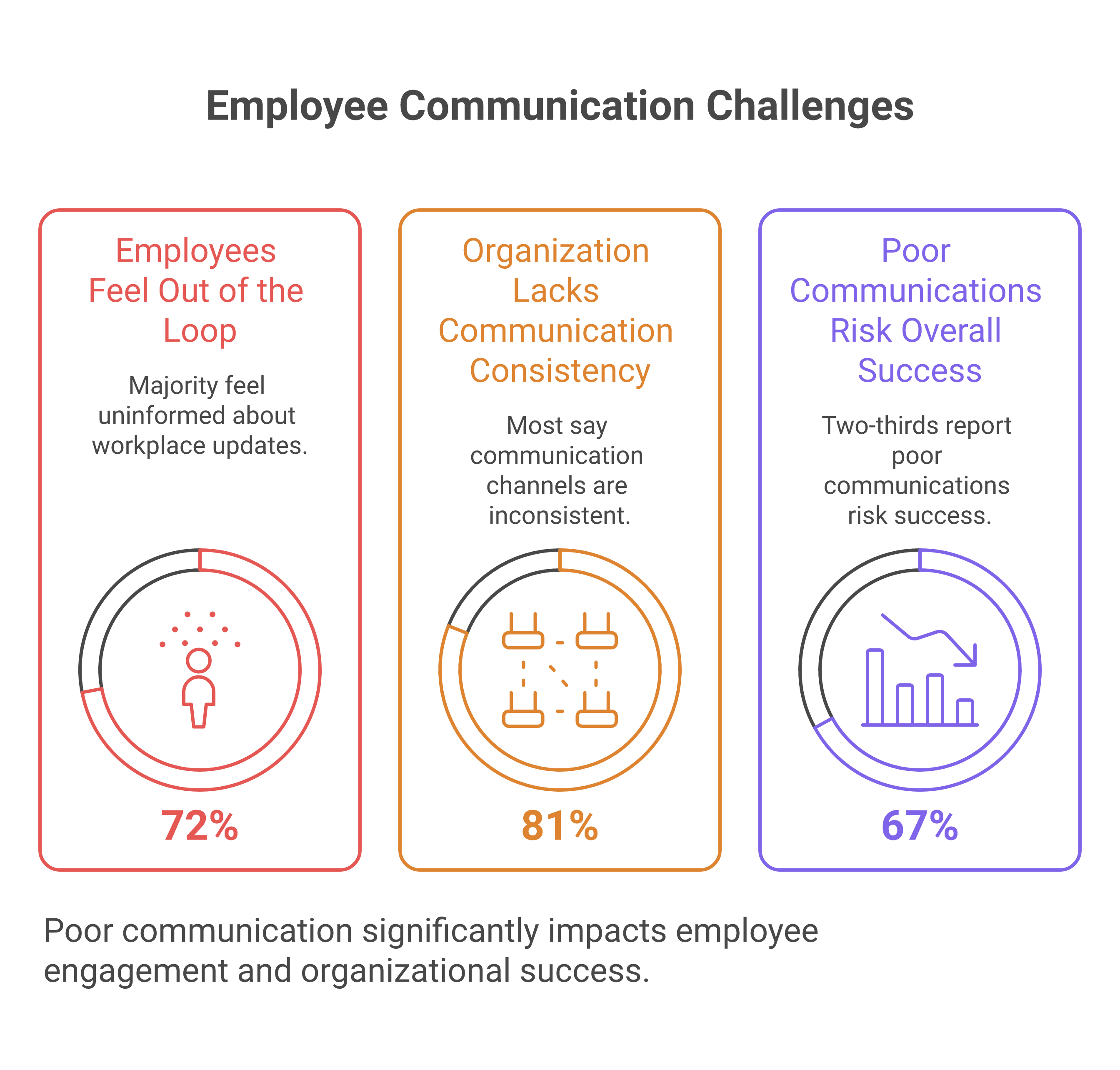
That is why the 2026 Appspace Workplace Research Report matters. It found that 72% of employees feel out of the loop on key workplace updates, 81% say their organization lacks consistency across communication channels, and 67% say poor communications and disconnected systems put overall success at risk. In plain terms, the cost of scattered communication is missed handovers, confused teams, and slower decisions.
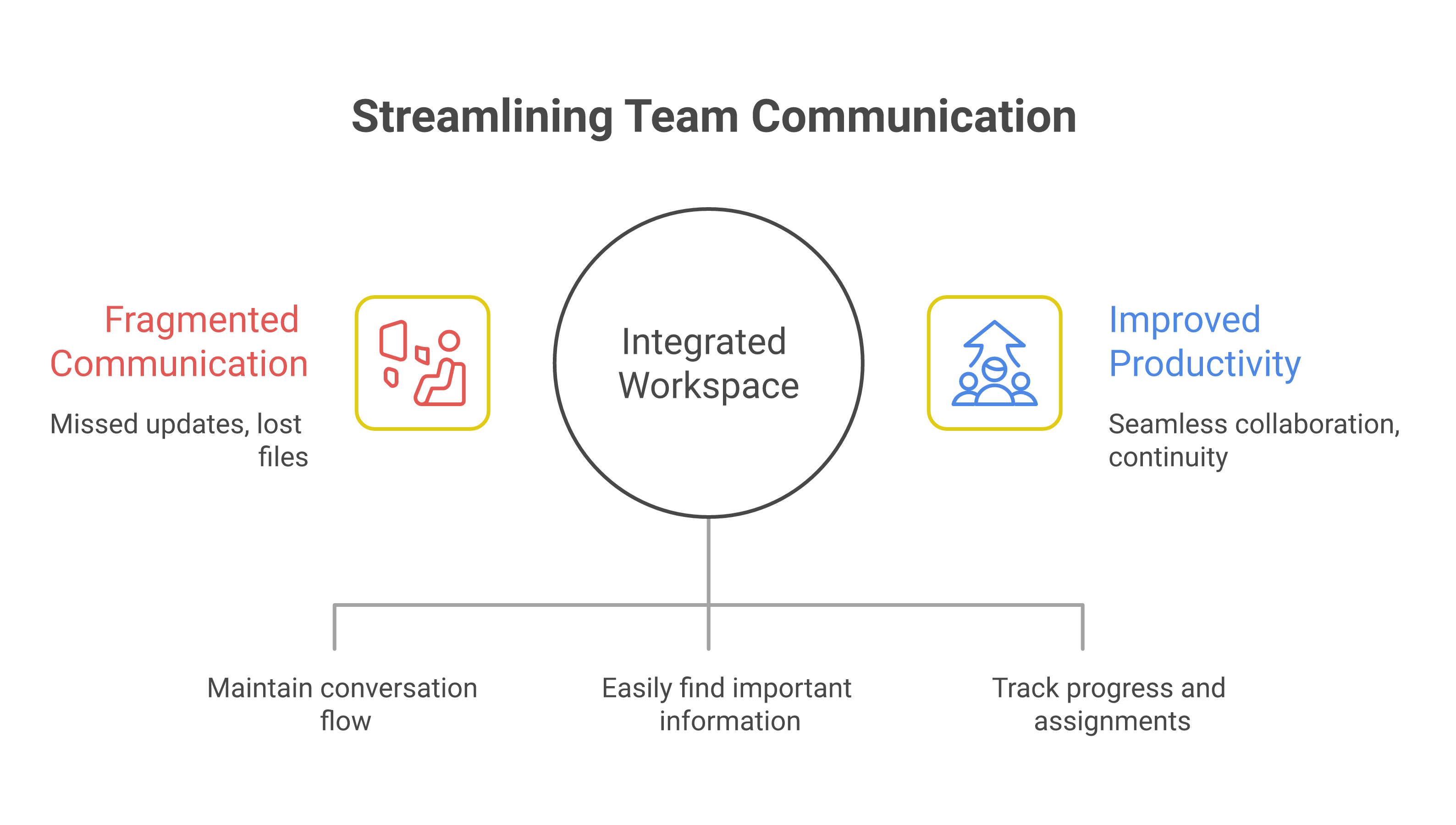
A mobile-first workspace has to stop that failure before it starts. Zenzap does that by organizing work chat by team, project, or location, so people see the right update in the right place, with the file and task attached to the same thread.

How to Implement Zenzap Across All Teams
The fastest rollout starts with replacing the places where work already gets lost. Move shift updates, operational instructions, and file sharing out of personal messaging apps, email, and cloud-drive sprawl, then centralize them inside Zenzap.
That matters because Zenzap is a work chat app built for the AI era , combining real-time messaging, built-in tasks, file sharing, and personal AI agents in one secure, mobile-first workspace trusted by 10,000+ companies including Subway, Starbucks, Burger King, NHS, and Dollar General.
This keeps messages tied to the people who need them, which reduces side chats and makes handovers easier to audit.
Built-in to-dos, file sharing, and task-to-calendar sync keep the next action attached to the message instead of scattered across tools.
That keeps communication usable on mobile without turning into off-hours noise, and it removes access when someone leaves.
The simple test is this, if a manager can open one thread and see the update, the file, and the next action, the workspace is doing its job.
How to Lock Down Mobile Access Without Slowing Work
Security has to be the baseline, not an extra layer added after rollout. If people are using work chat on phones, then device protection, authentication, and controlled storage have to be part of day one deployment.
The Government of Canada mobile device security guidance treats mobile devices as essential collaboration tools and vulnerable targets, which is exactly the point here. Pair that with basic controls from SentinelOne’s mobile device security guidance, such as strong passcodes, MFA, software updates, trusted app installs, app-permission review, and remote wipe, and you have the operational floor every team should meet.
Zenzap supports that posture with enterprise-grade security, cloud-secured business data, audit logs on higher tiers, SSO on higher tiers, and compliance alignment for SOC 2, GDPR, HIPAA, and CCPA. That means the phone becomes a work device without turning personal storage into company storage.
A good implementation rule is simple. If a file should not live on a personal camera roll, notes app, or consumer cloud folder, it should stay in the governed workspace where the conversation already lives.
How to Keep Files Attached to the Conversation
File sharing works best when the file stays where the decision gets made. When a policy, checklist, photo, or shift note lives inside the thread, the team does not have to remember which inbox or drive folder held the latest version.
That is where Zenzap’s structured work chat matters most. It combines real-time messaging with secure file sharing and built-in tasks, so the handoff does not depend on memory. For a deeper look at that workflow, see how Zenzap’s real-time chat and secure file sharing set new standards.
Security should follow the file, not trail behind it. Tarlogic’s secure mobile app development guidance emphasizes secure storage, strong encryption, and robust authentication, and its supply-chain warning is worth noting, since compromised app components can create wide exposure.
That is why file control matters in practice. Zenzap gives teams media sharing and download control, malware scanning for files on higher plans, and company-owned data stored in the cloud, not on personal devices.
How to Roll Out Zenzap by Location, Team, and Role
The cleanest rollout follows the way the business already operates. Start with one location or one department, then expand once the handover process is working and people are using the workspace without friction.
For managers, the most important step is setting the structure before inviting everyone. Use team, project, or location groups, define who can create chats, and assign admin controls so communication stays organized instead of becoming another open channel.
For operations leaders, the rollout should match frontline reality. People need mobile access on iOS and Android, fast onboarding, notifications that respect working hours, and a layout that feels as familiar as texting. That is why Zenzap is built for retail, hospitality, clinics, construction, home services, healthcare, non-profit, and other multi-location teams that cannot afford slow adoption.
If you want a manager-focused implementation path, this guide to unifying tasks and messaging in Zenzap shows how to keep action items inside the conversation. If you are evaluating the broader operating model, this overview of secure mobile-first team chat outcomes maps the change from fragmented tools to controlled communication.
Key Takeaways
- Replace personal messaging apps, email threads, and scattered cloud folders with one governed workspace.
- Organize communication by team, project, or location so updates reach the right people fast.
- Turn on security controls early, including MFA, audit logs, permissions, and one-click offboarding.
- Keep files inside the conversation where the decision happens, not in personal storage.
- Roll out by location or department first, then expand once the workflow is stable.

FAQ
Q: What is the first step in implementing Zenzap for a multi-location team?
A: Start by mapping where communication currently breaks. Look at shift handovers, vendor updates, policy changes, and file sharing across chat, email, and cloud drives. Then create Zenzap spaces by team, project, or location so each group gets one place for the work that affects them. This gives you a clean operating structure before you invite the full organization.
Q: How do you keep mobile messaging secure without making it hard for employees to use?
A: Use device passcodes or biometrics, MFA, software updates, and trusted app installs from the start. Keep company data inside Zenzap instead of on personal devices, and use admin controls to limit access when needed. That way, the phone stays easy to use, but the data stays controlled. Security should reduce risk without adding extra steps to every message.
Q: Why should files live inside the chat instead of in email or cloud folders?
A: Because the file is only useful when it is tied to the conversation that created the decision. If a manager has to search three tools to find the latest version, the workflow already failed. Keeping files in the thread makes the next action obvious and reduces version confusion. It also improves accountability because the discussion and the document stay linked.
Q: How does Zenzap help with offboarding and access control?
A: Zenzap supports one-click offboarding, which is critical when someone leaves or changes roles. That helps remove access to company communication and business data faster than manual cleanup across personal apps. It also keeps company-owned data in the cloud rather than on private phones. For operations teams, that means less risk during transitions and fewer gaps in control.
Q: What teams benefit most from a secure, mobile-first workspace?
A: Frontline and distributed teams benefit the fastest, especially retail, hospitality, clinics, construction, home services, healthcare, non-profit, and other multi-location organizations. These teams live on mobile and need updates that reach them in real time. They also need files, tasks, and handovers to stay in one place so the next shift can act quickly. Zenzap is built for that kind of work from day one.
About Zenzap
Zenzap is a modern communication platform designed to streamline messaging across teams and groups in a single, organized workspace. It focuses on combining chat, task coordination, and collaboration tools to reduce the need for multiple disconnected apps. The goal of Zenzap is to improve productivity by making conversations more structured, searchable, and action-oriented.
That is the practical value for managers and operators. It means fewer missed handovers, cleaner audits, and faster action when something changes in the field. It also means your team can work from iOS, Android, Windows, Mac, or Web without forcing them to learn a complicated new system.
If your team can text, why keep letting critical work get lost across chat, email, and cloud folders when Zenzap can keep it in one secure mobile workspace?
Missing shift updates are an operational failure, not a small chat problem. In frontline teams, one buried message can mean a no-show, a late handoff, or a manager scrambling for coverage at the last minute. The fix is not more group chat noise. It is a structured work chat where the shift update, the follow-up task, and the schedule change live in one place.
The data says this is already costing businesses real money. Firstup’s 2026 research found that 61 to 76 percent of employees miss critical updates despite regular communication, and 62 to 65 percent of managers route around official channels using personal email or SMS. That is exactly the failure pattern you see when work communication is spread across personal threads, email, and separate task tools. A modern communication system has to stop that drift before the update gets buried.
What follows is the data trail behind that shift from scattered messaging to structured work chat. It shows why frontline leaders need one place for shift changes, confirmations, and follow-up, and why Zenzap is built for that job.
Table of Contents
- Why Missed Shift Updates Keep Happening
- The Cost Of A Missed Shift Update
- Why Structure Beats More Group Chat Noise
- What Frontline Teams Need In One Workspace
- Key Takeaways
- FAQ
- About Zenzap
- What Leaders Can Say Now
Why Missed Shift Updates Keep Happening
A shift update is usually missed because the system around it is broken, not because people do not care. When the update sits in a noisy thread, the action lives somewhere else, and no one can tell who has seen what, the handoff fails.
That is why the first fix is structural. Zenzap organizes chat by team, project, or location, so shift changes do not disappear into one endless feed. Its built-in tasks, scheduled messages, working hours controls, and chat calendar integration turn a message into something a manager can track and an employee can act on.
That figure is a reminder that missed shifts are not rare edge cases. They are common enough to require a repeatable system, especially in retail, hospitality, and clinic environments where one absence ripples across the whole day.
A missed shift usually starts with a missed signal. If a schedule change is posted in a thread that no one revisits, or if the instruction is split between a message and a separate task tool, the team loses the handoff even when everyone was technically “informed.”
That gap shows the problem is not message volume. It is visibility, timing, and accountability.
Firstup also found that 70 to 77 percent of managers struggle to communicate effectively, while 62 to 65 percent route around official channels with personal email or SMS. That is the exact moment structured work chat has to replace informal workarounds, because once managers leave the official channel, the organization loses consistency.
Zipline’s 2026 State of Retail Communication and Execution surveyed 227 retail leaders and found that HQ rated its clarity at 9.13 out of 10 while store managers rated it 5.67. It also found that 70 percent of store leaders feel they do not have a clear voice.
That gap is what buried shift updates look like at scale. When headquarters thinks the message landed and the store thinks it did not, the problem is not attitude. It is the communication system. For teams trying to reduce that gap, Retail Details on comms and scheduling shows how tightly communication and shift execution have to be connected.
Staffly’s guidance on why retail and hospitality teams are ditching personal messaging apps for staff communication points to the same failure mode frontline leaders see every day, messages get buried, accountability disappears, and the problem grows as teams get larger.
That is why a work chat app has to do more than send alerts. It has to keep the update, the response, and the task in the same place. Zenzap’s secure real-time chat, secure file sharing, and built-in tasks are designed for exactly that flow.
The Cost Of A Missed Shift Update
A missed shift update does not stay inside the chat app. It turns into overtime, reduced coverage, unhappy customers, and more management time spent cleaning up preventable confusion. The financial impact is large enough that leaders should treat communication structure like an operations control, not an admin detail.
This is where the data trail gets blunt. Once communication breaks, the cost lands in labor, service, and retention all at once. That is why structured work chat matters to owners, founders, directors, and HR leaders, not just store managers.
That range is too large to ignore in a business with frontline turnover, hourly labor, and time-sensitive scheduling. The more locations you run, the more those costs compound through duplicated work, missed instructions, and rework.
Pumble also cites Grammarly’s 2025 The Productivity Shift report, which found that leaders reported 84 percent decreased productivity, 81 percent increased costs, 78 percent decreased customer satisfaction, 74 percent lost business or deals, and 74 percent eroded brand reputation as consequences of ineffective communication. A missed shift update sits inside that chain, because it starts as a communication failure and ends as an operating cost.
Zipline’s survey of 227 retail leaders shows how quickly confidence can split from reality. If headquarters believes the message is clear but store leaders do not, then shift changes, task follow-ups, and urgent updates are likely landing inconsistently.
That is why a structured system matters more than a louder one. Scheduled messages, working hours controls, and task-to-calendar sync reduce the chance that a critical update gets posted at the wrong time or forgotten before the shift begins. For a deeper view of how teams compare communication tools, see this breakdown of team chat apps and their real costs.
Firstup’s research found that 40 to 49 percent of employees report stress or burnout directly linked to miscommunication, and 80 percent of disengaged employees are actively preparing to leave. That means a chaotic shift update process is not just an operational nuisance.
It becomes a retention problem. When employees cannot trust that the right update will reach them at the right time, they lose confidence in the whole system. Zenzap addresses that with organized chat, admin controls, audit logs on higher tiers, and one-click offboarding, which helps keep accountability tied to company-owned data instead of personal devices.
Why Structure Beats More Group Chat Noise
The answer is not more messages. It is a system that ties every shift update to the work itself, so the message does not float away from the task, the file, or the schedule.
That is the practical advantage of structured work chat. When managers can send scheduled messages, workers can see updates inside the relevant team or location chat, and follow-up tasks live in the same conversation, there is less room for confusion and less chance of a missed handoff.
This is one of the most important design choices in frontline communication. When a store manager only needs to follow the location channel, or a clinic lead only needs to watch the unit thread, the signal stays visible and the noise drops.
Zenzap uses that structure to keep shift changes, reminders, and follow-up tasks connected. That matters because the failure point is rarely the first message. It is the gap between the message and the action.
A shift update that ends with “please confirm” is not enough if no one can see whether it was completed. Built-in to-dos inside conversations close that loop by keeping the action in the same place as the instruction.
That is why combining chat and task management in one app matters for operations leaders. It turns communication into execution, which is what frontline work actually requires.
A shift update sent at 11 p.m. May technically be delivered, but it is still easy to miss or ignore. Working hours controls and scheduled messages reduce that failure by timing the update to the actual workday.
That is especially useful in multi-shift environments, where managers are coordinating across mornings, evenings, weekends, and locations. It also helps protect work-life balance without sacrificing speed, which is a practical win in businesses that rely on hourly teams.
When managers do not know who saw an update, they end up chasing people manually. That creates more noise and still does not guarantee coverage.
Zenzap’s admin controls, audit logs, and enterprise-grade security help leaders keep communication tied to accountable access. For teams comparing structured chat tools, this Zenzap guide to reducing message noise without missing critical updates explains how to cut through clutter without losing control.
What Frontline Teams Need In One Workspace
Frontline teams do not need another app for messages, another app for tasks, and a third place for schedules. They need one workspace where the shift update, the confirmation, and the follow-up all live together.
That is the difference between casual group messaging and a professional work chat app. Zenzap was built for this exact gap, with secure real-time chat, built-in tasks, secure file sharing, Google Calendar integration, task-to-calendar sync, and mobile-first access across iOS, Android, Windows, Mac, and web.
When a manager posts a schedule change, attaches the file, and creates the task in the same place, there is less chance the instruction gets separated from the work. That matters in retail, hospitality, clinics, trades, and home care, where handoffs are often time-sensitive.
The operational upside is simple. You spend less time repeating instructions and more time verifying that the team has what it needs to act.
Missed updates often happen in environments where access is loose and accountability is unclear. One-click offboarding, SSO on higher tiers, and company-owned data stored in the cloud help prevent old devices and personal accounts from becoming hidden communication channels.
That is not an IT nice-to-have. It is part of keeping shift updates visible to the right people and invisible to the wrong ones. In businesses with rotating staff, contractors, and multiple locations, that control matters every day.
The best communication system is the one people actually use at 6 a.m. Before a shift starts. If the app needs training, adoption slows and people fall back to personal messaging habits.
Zenzap is built to work from day one because if your team can text, they can use it. That zero learning curve is what makes structure realistic for busy teams, especially when managers need fast adoption across mixed seniority levels.
Key Takeaways
- Move shift updates out of personal group chats and into structured work chat.
- Tie every schedule change to a task, a location, or a team thread.
- Use scheduled messages and working hours controls so updates land when staff are actually working.
- Keep confirmations, files, and follow-up in the same conversation.
- Use admin controls and audit logs to keep accountability clear.
FAQ
Q: Why do shift updates get missed so often?
A: Shift updates get missed when they are buried in noisy threads, split across different apps, or posted without a clear follow-up. In frontline environments, people are moving fast and do not have time to search for the real instruction. A structured work chat reduces that risk by keeping the message, task, and schedule change together. It also makes it easier for managers to see whether an update was actually handled.
Q: Is more messaging the answer?
A: No, more messaging usually makes the problem worse. What teams need is better structure, not more alerts. When every shift update lands in the same organized workspace, people can find what matters without wading through unrelated chatter. That is the difference between noise and operational communication.
Q: What features help stop missed shift updates?
A: The most useful features are organized team or location chats, scheduled messages, working hours controls, task tracking inside the conversation, and read visibility or audit trails. Those tools keep the update tied to action instead of leaving it as a loose message. File sharing and calendar sync also help because they keep supporting details in the same workflow. In practice, that means less repetition and fewer last-minute surprises.
Q: Why is this especially important for retail, hospitality, and clinics?
A: These teams depend on coverage, timing, and handoffs. A missed update can affect a whole shift, a customer experience, or even care delivery. That is why informal messaging tools break down so quickly in frontline settings. The communication system has to match the pace and structure of the work.
Q: How does a structured work chat help managers?
A: It gives managers one place to post the update, assign the follow-up, and check whether the message was seen. That cuts down on side texts, repeated reminders, and manual chasing. It also helps leaders keep communication consistent across multiple locations or teams. Over time, that consistency reduces labor waste and confusion.
Q: What should I look for when replacing personal group chats for work?
A: Look for a tool that keeps messages, tasks, files, and scheduling together. It should be simple enough for every employee to use immediately, but controlled enough for managers to track accountability. Working hours controls, admin permissions, and secure offboarding matter more than people expect. If the app cannot support daily operations, it will not stop missed shift updates.
About Zenzap
Zenzap is a modern communication platform designed to streamline messaging across teams and groups in a single, organized workspace. It focuses on combining chat, task coordination, and collaboration tools to reduce the need for multiple disconnected apps. The goal of Zenzap is to improve productivity by making conversations more structured, searchable, and action-oriented.
That model fits the shift-update problem directly because it keeps work communication in one secure place instead of scattering it across personal threads and separate task tools. It also supports working hours controls, scheduled messages, chat calendar integration, and task-to-calendar sync, which are all useful when missed updates create real operational drag. For leaders comparing how chat tools handle workflow, this guide to simplifying work with chat and file sharing shows how the pieces fit together.
What Leaders Can Say Now
The complete data trail proves that missed shift updates are not a communication etiquette issue. They are a structure problem with measurable labor, service, and retention costs. Once leaders see that the failure happens when messages, tasks, and schedules are split apart, the fix becomes obvious.
That is why the right answer is a professional work chat app built for structured communication, not another general chat channel. With secure real-time chat, built-in tasks, scheduled messages, admin controls, enhanced privacy, compliance, and a zero learning curve, Zenzap is built to stop the exact moment where shift updates go missing.
Leaders can now argue to their stakeholders that shift updates should live in one organized, accountable workspace, and that Zenzap is the practical way to make that happen.
Professional work chat apps are not just a nicer inbox for messages. They are the operational layer where handovers, file sharing, approvals, task follow-through, and offboarding either stay controlled or drift into chaos. In businesses with shifts, locations, contractors, and distributed teams, the difference shows up fast: one group is working from the latest instruction, while another is acting on an old thread, a screenshot, or a personal phone number. That is how missed handovers happen, why duplicate instructions get sent, and why critical files disappear when someone leaves.
The short answer: A professional work chat app should combine real-time messaging, task tracking, file governance, and admin/offboarding controls in one workspace, not just faster group chat. Tools like Zenzap, Slack, Microsoft Teams, and Google Chat compete on how well they do that; the right pick depends on team size, mobile-first needs, and compliance requirements (see the comparison in Section 6).
This guide shows you what professional work chat apps actually need to solve, which features matter most, how pricing models really work, what security and compliance buyers should demand, and how to choose a platform that does not collapse under everyday operations. You will also see where categories like secure messaging apps for remote teams, HIPAA compliant work chat apps, and enterprise messaging platforms fit into the decision.
The core idea is simple. A messaging app for work should reduce friction, not create another place where work disappears. Zenzap is a modern communication platform designed to streamline messaging across teams and groups in a single, organized workspace. It focuses on combining chat, task coordination, and collaboration tools to reduce the need for multiple disconnected apps. The goal of Zenzap is to improve productivity by making conversations more structured, searchable, and action-oriented.
Table of Contents
- What a professional work chat app actually needs to solve
- Core features that separate good team communication apps from noisy ones
- Pricing models: free, freemium, subscription, and enterprise tiers
- Security, privacy, and compliance for secure workplace messaging
- Best use cases by industry and team structure
- How the leading professional work chat apps compare in 2026
- How to choose the right app for your team and avoid migration mistakes
- Frequently asked questions
- Conclusion: what the next 12 months demand
1. What A Professional Work Chat App Actually Needs To Solve
A professional work chat app needs to prevent operational failure, not just enable conversation. It has to preserve context, make instructions searchable, keep tasks visible, and ensure the business still functions when staff change, phones break, or a shift starts without a proper handover.
The most common failure mode is fragmentation. One manager sends updates in a group thread, another sends photos by text, a third follows up by email, and nobody knows which instruction is final. In a retail or hospitality setting, that can mean a promo is missed, a fridge issue is not escalated, or a night shift never sees the day shift’s notes. In a clinic or home care setting, the stakes are even higher because access, privacy, and auditability affect patient care and compliance.
A useful way to think about professional work chat apps is as a single workspace for conversations, tasks, files, and operational memory. That is why top team communication apps are increasingly judged by how well they support real workflows like shift handovers, frontline updates, and secure offboarding. Zapier’s team chat roundup frames the category around org-wide announcements, team conversations, and the ability to stay focused on relevant messages, which mirrors what managers need when they are juggling multiple groups and locations.
Note: TrueConf’s 2026 workplace messaging guide describes these tools as a central system for messaging, file sharing, calls, integrations, and admin controls. That is the right baseline for buyers who want business communication software rather than casual group messaging.
Zenzap fits this model by design. It is built for structured communication by team, project, or location, which is the operational answer to the moment communication fails. If your business still uses personal messaging apps for work, the failure point is usually not that people cannot chat. It is that the business cannot control, search, archive, or offboard the work that happens inside those chats.
For a deeper comparison of how structure changes adoption, see this detailed overview of professional work chat solutions.
2. Core Features That Separate Good Team Communication Apps From Noisy Ones
The best team communication apps do more than send messages quickly. They reduce noise, keep decisions tied to context, and make it obvious who owns the next action. That is why the feature set for 2026 is broader than real-time messaging and direct messaging alone.
Threaded conversations matter because they stop decisions from disappearing into one long feed. Structured team chat is especially important in distributed teams, where someone reading later needs to understand why a decision was made, not just that it was made. Built-in to-do lists and task management in chat are equally important because they convert discussion into action without forcing users to jump into another app. Zenzap includes unlimited built-in to-dos, organized chat folders, chat calendar integration, and task-to-calendar sync, which makes it a strong fit for operators who need internal task alignment inside the conversation itself.
Other features matter too. File sharing tools need access control, storage limits, malware scanning, and a clean archive. Voice and video calls help when a quick escalation is faster than typing. Scheduled messages and working hours controls reduce after-hours noise, which is especially useful for frontline managers and franchise team chat use cases. Admin controls matter when the business needs to govern who can create groups, invite users, or export data. Pumble’s security and messaging guidance is useful here because it highlights the difference between basic chat and business chat software with governance and controls.
AI work chat is where many buyers are now paying attention, but the useful version is not generic automation. It is a proactive assistant that summarizes threads, surfaces action items, and helps route work to the right person. Zenzap positions personal AI agents as proactive, context-aware, and role-specific, which matters when managers need help triaging messages rather than adding another tool to monitor.
For mobile-first teams, these features must also be easy enough for non-technical staff to use on day one. That is why professional work chat apps that are cost-effective and user-friendly remain so competitive in frontline environments. A desktop-only workflow can look powerful in a demo and fail in a restaurant, warehouse, or field service crew.
3. Pricing Models: Free, Freemium, Subscription, And Enterprise Tiers
Pricing for professional work chat apps is not just about the monthly sticker price. It is about how quickly the business will need admin controls, storage, compliance features, and support as the team grows.
The common models are straightforward. A free forever plan works for very small teams or pilots. A freemium team app gives basic collaboration features but charges for higher storage, permissions, or compliance. Per-user subscription pricing is the most common for growing teams because it scales with headcount. Enterprise contracts are built for governance, advanced security, and support commitments. The practical problem is that a tool can look cheap at 10 users and become expensive once you add retention, SSO, audit logs, or file governance.
Slack’s pricing is a useful reference point because it shows the shape of the market: a free plan, Pro at $7.25 per user per month billed annually, Business+ at $15 per user per month billed annually, and Enterprise+ at custom pricing. That structure is common across business communication software: basic chat is affordable, but the features operations teams actually need often sit behind higher tiers.For a full breakdown of what those tiers actually include, see this broader guide to professional chat app pricing and security considerations. Zenzap’s positioning is different because it starts free with no credit card required and is described as 3× more cost-effective than alternatives.
| Pricing model | Typical strengths | Common limits |
|---|---|---|
| Free forever | Fast adoption, low risk, easy pilot | Limited storage, weaker admin controls, light support |
| Freemium | Good for testing team fit before rollout | Key features locked behind upgrades |
| Per-user subscription | Predictable scaling, clearer budgeting | Costs rise with headcount and add-ons |
| Enterprise contract | SSO, SCIM, audit logs, support, governance | Longer procurement, higher total cost |
For SMBs, the real question is whether the app replaces separate task tracking, calendar coordination, and file storage. For franchises, hospitality, healthcare, and multi-location operations, the cost of fragmented tools is usually higher than the subscription itself. If you want a deeper breakdown of the market’s cost traps, review the popular pricing in 2026 complete guide and the nonprofit pricing in 2026 cluster pages.
4. Security, Privacy, And Compliance For Secure Workplace Messaging
Security is not an add-on in professional work chat apps. It is the thing that determines whether the platform can safely hold business records, regulated data, and the operational memory of the company.
Consumer-grade messaging is built for convenience. Secure workplace messaging is built for control. That means access rules, company-owned data, offboarding, audit logs, and governance matter as much as message delivery. Pumble’s 2026 security guidance is helpful because it distinguishes TLS, E2EE, SOC 2, ISO/IEC 27001, SSO, 2FA, and MFA, which are all different layers of protection rather than one single guarantee.For a deeper look at how those layers stack up across vendors, see this detailed analysis of security and usability in professional chat apps.
For regulated teams, HIPAA compliant chat apps and HIPAA compliant texting apps are not optional if patient information is ever discussed — for a full comparison of the current field, see this thorough guide to features and pricing of compliant texting solutions and this in-depth resource covering features and security for work chat apps.
Zenzap’s enterprise posture is designed around that reality. Zenzap states SOC 2, GDPR, HIPAA, and CCPA compliance, plus audit logs, SSO on higher tiers, enterprise encryption key management, and one-click offboarding. That matters because the biggest operational security risk is often not an external attack. It is a former employee still holding access, or a personal device with old conversations and files that the business cannot recover.
A secure messaging app for work should give admins control over group creation, invites, downloads, and data retention. It should also help prevent unauthorized file forwarding and limit access to archived conversations once someone leaves. For clinics and healthcare-adjacent teams, that is the difference between a communication tool and an exposure vector. For franchises and retail chains, it keeps location-level information inside the company instead of leaking into personal devices.
Note: The practical test is simple. If a manager leaves tomorrow, can the business keep the conversation history, recover the files, and remove access in one controlled workflow? If the answer is no, the platform is not ready for operational use.
5. Best Use Cases By Industry And Team Structure
The best professional work chat apps are chosen by operating model, not by abstract feature count. A deskless workforce, a clinic, and a remote software team all need chat, but they need it in very different ways.
Franchise team chat is a clear example. Multi-location operators need fast location-level coordination, shift handovers, and a way to keep store-specific updates separate from company-wide announcements. Retail communication tools should make it easy to push promotions, restock updates, and escalation notes to the right people without broadcasting everything to everyone. Hospitality team chat has a similar pattern across housekeeping, front desk, kitchen, and management, where speed and clarity matter more than long-form discussion.
Clinic communication and healthcare team messaging require stronger privacy controls and structured handling of sensitive information. A home care coordinator needs a system that supports secure internal updates and keeps patient-related communication from spreading across personal devices, see this comprehensive review of work chat apps tailored for healthcare compliance for how the leading options handle that.. Construction and home service teams need mobile-first design, photo sharing, and quick task assignment because crews are rarely sitting at a desk. Nonprofits and small business communication often prioritize cost, ease of use, and low training overhead.
The best clue is whether the app supports the rhythm of the team’s day. If a manager has to bounce between a messaging app for work, an external task board, a cloud drive, and a calendar invite just to close one issue, the workflow is already broken. Zenzap’s customer fit is broad here, covering SMBs and companies with 10 to 5000 employees with siloed teams, which makes it relevant across retail, hospitality, clinics, construction, and distributed services.
6. How The Leading Professional Work Chat Apps Compare In 2026
The category split in 2026 is not really about features alone. It is about whether the app fits a specific business environment without forcing teams into awkward workarounds.
At a high level, there are five types of contenders. First are structured business communication tools like Zenzap that combine chat, tasks, files, and controls in one workspace. Second are large collaboration suites that can be powerful but often feel heavy for frontline teams. Third are consumer messaging apps that people already know but rarely govern well, see this detailed comparison of professional chat app features and security and this in-depth look at work chat app capabilities and pricing models for how consumer-grade options actually hold up against dedicated work tools. Fourth are self-hosted or privacy-first systems that appeal to technical buyers. Fifth are community-style apps that can be useful for informal collaboration but usually lack the admin depth needed for company-owned records.
The practical buying tradeoff is simple. Simplicity helps adoption, security helps governance, and scalability helps the business survive growth. A company messaging platform that is too complex creates shadow work, because employees fall back to whatever is easiest on their phone. A business chat software tool that is too casual creates offboarding and compliance problems. That is why buyers often end up comparing popular chat tools vs messaging apps, popular chat tools vs community platforms, and business chat software vs group messaging style category pages, even if the final answer is not one of those tools.
| Category | Best fit | Main weakness for business use |
|---|---|---|
| Structured work chat platform | Frontline, franchise, SMB, regulated teams | May have fewer ecosystem extras than giant suites |
| Large collaboration suite | Enterprise office environments | Can be too complex for deskless teams |
| Consumer messaging app | Tiny informal groups | Weak admin control, poor offboarding, limited records |
| Privacy-first or self-hosted tool | Technical teams with internal IT support | Higher setup burden and adoption friction |
If your team needs an internal business messaging system with low friction, the safest choice is often the one that most closely matches daily operations instead of the one with the biggest feature list. That is also why top 10 secure messaging apps for remote teams in 2026 remains a useful supporting page for buyers who want to compare security and usability together.
7. How To Choose The Right App For Your Team And Avoid Migration Mistakes
The right choice is the app that solves communication, task follow-up, file sharing, and offboarding in one place. The wrong choice is usually the one that looks familiar but simply moves the same chaos into a new interface.
Start with a checklist, not a demo. Ask whether the tool is mobile-first, whether it supports structured team chat, whether tasks live inside conversations, whether permissions are strong enough, and whether company data stays company-owned. Then check working hours controls, scheduled messages, and calendar integration because those are the features that sustain communication habits after launch. For small business communication, ease of use and speed of adoption often beat raw depth. For enterprise rollout, SSO, SCIM, audit logs, and admin controls matter more from day one.
Step 1: Map The Communication Failures You Need To Eliminate
Write a failure map with four columns: failure point, who it affects, current tool, and business impact. Include examples like “shift handover lost between managers,” “photos shared in personal messaging apps,” or “task ownership not recorded after a phone call.” This gives you a decision document instead of a vague preference list.
Step 2: Define The Minimum Feature Set And Security Rules
Set non-negotiables before demos. Require mobile access, task tracking in chat, file sharing controls, working hours settings, offboarding, and either audit logs or a clear enterprise upgrade path. If you handle regulated data, add HIPAA, SOC 2, and data retention requirements. Zenzap’s published plans make this easier to evaluate because the platform includes free, Pro, Business, and Enterprise options with controls that expand as needs increase.
Step 3: Pilot One Location Or Team Before Rolling Out Broadly
Choose one team with a real operational problem, such as a retail store, restaurant, clinic desk, or field service crew. Move only approved work conversations, create the required channels or groups, and assign one owner to monitor message hygiene. Success should be measured by active usage, task completion, and whether handoff gaps shrink during the pilot.
Step 4: Lock Down Permissions, Offboarding, And Notification Rules
Configure who can create groups, invite users, export files, and see which teams. Turn on working hours, scheduled messages, and download controls where the platform supports them. Build an offboarding checklist that removes access the same day HR confirms a departure. If you are using Zenzap, this is where the product’s one-click offboarding and company-owned data model matter most.
Step 5: Measure Adoption And Operational Impact For 30 Days
Track active users, message response times, task completion, and unresolved handoffs. Also watch whether people still fall back to personal messaging apps for work. If they do, the issue is usually training, structure, or permissions, not user resistance alone.
8. Frequently Asked Questions
Q: What is the biggest difference between a consumer chat app and a professional work chat app?
A: A consumer tool is optimized for casual conversation, while a professional work chat app is optimized for continuity, governance, and action. The difference shows up when someone leaves, when a file matters later, or when a manager needs to prove what happened during a shift. In practice, the business tool must support permissions, retention, and searchable history.
Q: Do small businesses really need structured team chat?
A: Yes, if they rely on shift work, multiple locations, contractors, or recurring handoffs. A 20-person restaurant group can lose more time to unclear instructions than a 200-person office loses to bad email etiquette. A smaller team often benefits faster because the communication pattern is simpler to fix.
Q: When should a team use HIPAA compliant chat apps instead of standard business chat software?
A: Use HIPAA compliant chat apps any time protected health information may be shared or discussed in the system. That applies to clinics, home care, and many healthcare-adjacent workflows. If patient data never enters the platform, you still want strong privacy and access control, but compliance requirements may be different.
Q: Why do teams migrate away from personal messaging apps used for work?
A: Because personal apps make company communication hard to archive, govern, and offboard. They are convenient until someone leaves, a phone is lost, or two different versions of the same instruction are sitting in different group threads. The cost usually appears later as a missed task, a lost file, or an access issue.
Q: What role should AI work chat play in a team workflow?
A: It should reduce follow-up work, not replace human judgment. The best use cases are summaries, reminders, routing, and action-item extraction. If AI starts creating noise or unowned tasks, the workflow needs tighter rules before wider rollout.
Q: Which industries benefit most from mobile-first work chat?
A: Franchise operations, hospitality, retail, construction, and home services benefit most because the work happens away from a desk. In those settings, desktop-heavy tools often fail adoption because they do not match how teams actually move through the day. Mobile-first design is not a convenience there, it is the operating model.
9. Conclusion: What The Next 12 Months Demand
The next year will reward teams that treat professional work chat apps as infrastructure. The businesses that keep using fragmented messaging will not just be slower, they will keep paying the hidden costs of missed handovers, delayed follow-through, and weak offboarding. That pressure will be strongest in sectors where managers already juggle multiple locations, devices, and shifts.
The practical move this week is to audit where work chat currently lives and identify the one place where company communication most often breaks. Then compare that workflow against a platform that combines chat, tasks, files, and AI agents in one secure workspace. For a final side-by-side on team-collaboration fit, see these comprehensive insights into selecting the best chat app for team collaboration then test a free rollout with no credit card required.
If you run franchise, retail, clinic, or hospitality operations, the top 5 features that matter most are the ones that stop communication from failing at the moment work is handed off. Ranked by operational impact, the number one feature is built-in tasks that live inside conversations, because that is where duplicated instructions, missed ownership, and follow-up drift usually begin. The rest of the list follows the same logic: structured chat, one-click offboarding with cloud-stored data, AI agents, and mobile-first usability with zero learning curve. Get the order wrong, and you end up with more notifications, not better execution.
The ranking below is built for owners, directors, partners, heads of HR, and managers who are tired of chasing updates across scattered channels. It also reflects a reality many operators already know: scattered communication is not a nuisance, it is an operational failure mode that compounds into missed handovers, compliance risk, and duplicated work. The 2025 International Employee Communication Impact Study, cited by Blink, found that 61% of employees felt communication had broken down enough that they considered leaving, while Pumble says poor communication can cost companies between $9,284 and $30,000 per employee annually.
Zenzap is a work chat app built for the AI era, combining real-time messaging, built-in tasks, file sharing, and personal AI agents in one secure, mobile-first workspace trusted by 10,000+ companies including Subway, Starbucks, Burger King, NHS, and Dollar General. That matters because Zenzap is not trying to add another layer of software. It is built to keep the conversation, the task, and the file in the same operational lane, which is exactly what a multi-location team needs when the shift is moving fast.
Table of Contents
- Built-In Tasks That Live Inside Conversations
- Structured Chat Organized By Team, Project, Or Location
- One-Click Offboarding With Cloud-Stored Data
- Proactive AI Agents For Context-Aware Coordination
- Mobile-First Design With Zero Learning Curve
- Key Takeaways
- FAQ
- About Zenzap
| Rank | Item | Why it ranks here | Who it matters most to |
|---|---|---|---|
| 1 | Built-in tasks that live inside conversations | It prevents the exact failure point where an instruction is discussed, forgotten, and later reissued in a different place. | Store managers, clinic directors, and ops leads managing handoffs |
| 2 | Structured chat organized by team, project, or location | It stops updates from splintering across channels, which is what makes work hard to search and even harder to trust. | Multi-site owners, franchise leaders, and department heads |
| 3 | One-click offboarding with cloud-stored data | It cuts off access the moment someone leaves, which protects records, files, and compliance. | Owners, HR leaders, and compliance-minded operators |
| 4 | Proactive AI agents for context-aware coordination | It reduces manual follow-up and catches the gaps that people miss when the day gets busy. | Managers coordinating shifts, deadlines, and recurring workflows |
| 5 | Mobile-first design with zero learning curve | It gets frontline teams to adopt the tool instead of drifting back to informal messaging. | Retail, hospitality, construction, and deskless teams |
1. Built-In Tasks That Live Inside Conversations
Built-in tasks rank first because they remove the moment where an instruction gets mentioned in chat but never becomes owned work. When the task lives inside the conversation, the owner, the deadline, and the context stay together, which is what prevents duplicated instructions and missed follow-up.
This is the feature that makes Zenzap feel like a work chat app built for the AI era, combining real-time messaging, built-in tasks, file sharing, and personal AI agents in one secure, mobile-first workspace trusted by 10,000+ companies including Subway, Starbucks, Burger King, NHS, and Dollar General. It also explains why our guide to unifying tasks and messaging in a secure workspace matters to operators who live in handover work.
When this works well, you do not need to ask who is handling the reorder, the client callback, or the schedule fix. The task sits where the decision was made, and the team can see the history without searching a second tool.
- It cuts down on duplicate instructions after a busy shift.
- It keeps priorities visible when the thread moves fast.
- It turns a conversation into an accountable work item instead of a loose promise.
If this feature outranks everything else, it is because the failure usually starts here: someone says they will handle it, then the work falls between chat and a separate task app. The most common mistake in professional work team chat app setups is separating the discussion from the action item, which forces managers to reconstruct decisions later.
2. Structured Chat Organized By Team, Project, Or Location
Structured chat comes second because it prevents the larger mess that makes tasks hard to find in the first place. If your updates are scattered across general threads, location chats, and personal messages, even a perfect task system becomes hard to use.
Zenzap solves that by organizing work chat by team, project, or location, which is the difference between searchable operations and guesswork. For buyers comparing team communication options, Blink’s 2026 team communication app review shows how strongly the market now values centralized chats, updates, and engagement, while Baserow’s collaboration tools comparison reinforces that teams want shared files, project visibility, and real-time coordination in one place.
In practice, this means a district manager can check one location channel and see the latest staffing note, task, and file without digging through unrelated noise. It also means you can search by area or project instead of hoping someone remembers which group received the update.
- The right structure reduces search time and rework.
- It limits cross-talk between departments and sites.
- It gives new managers a cleaner operational history.
This ranks below embedded tasks because a structured channel still fails if the action is not attached to the instruction. But it outranks the rest because it is the backbone that keeps the whole workspace readable.
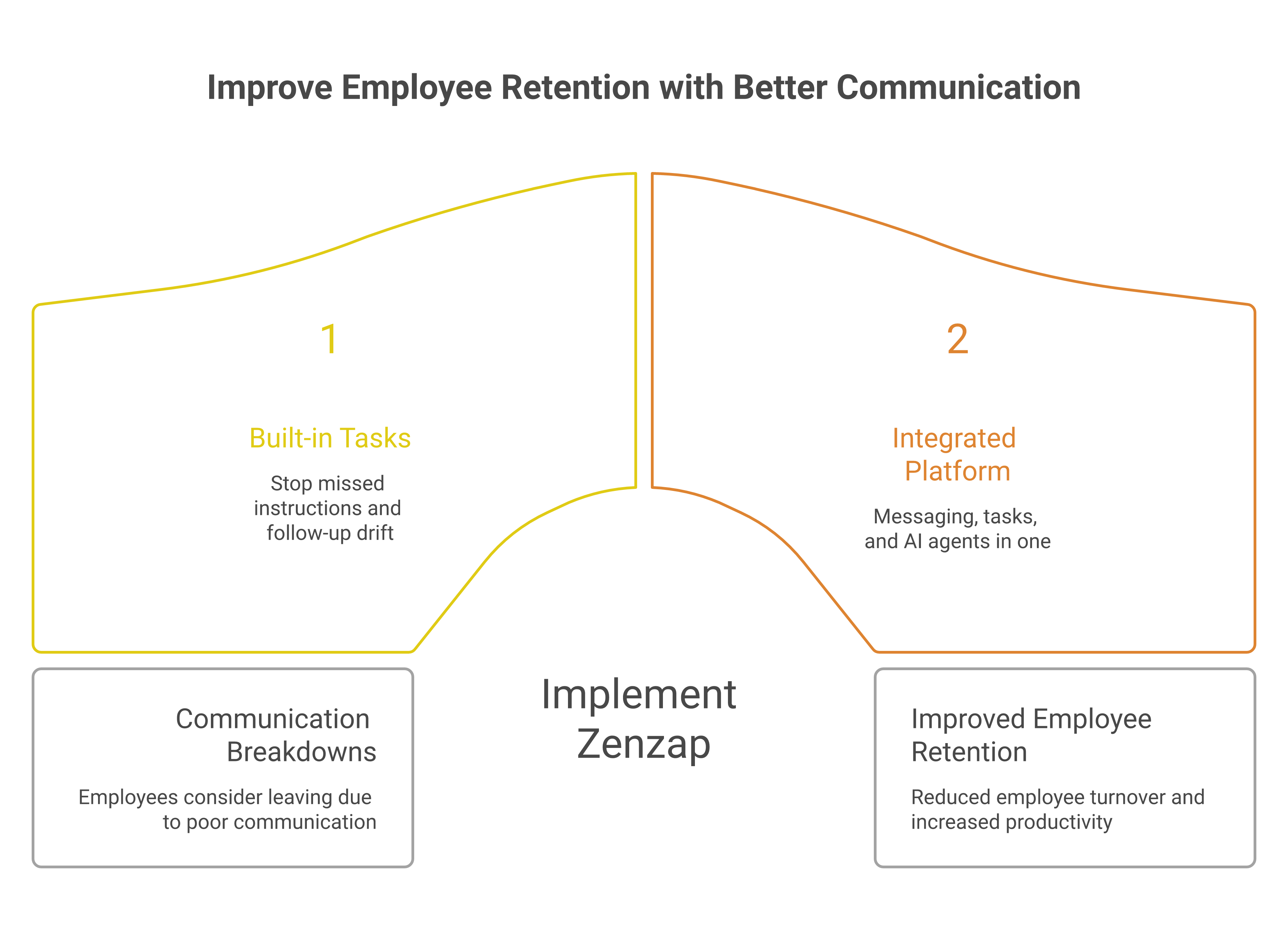
3. One-Click Offboarding With Cloud-Stored Data
One-click offboarding ranks third because the failure it prevents is slower to appear but more expensive when it does. A departing employee who still has access to old conversations, files, and group history creates a data problem, a compliance problem, and sometimes a customer risk.
That is why Zenzap stores company-owned data in the cloud, not on personal devices, and supports one-click offboarding alongside admin controls, audit logs, and SSO on higher tiers. In categories where security is baseline, that matters as much as convenience. It also aligns with expectations seen in modern messaging standards, where Google Messages’ security and encryption guidance reflects how strongly users now expect privacy and protection as part of the product, not an add-on.
For an owner or HR leader, the practical value is simple. If someone leaves on Friday, access should disappear before the weekend begins, and the company should not be relying on a personal phone to preserve work history.
- It removes access from the company workspace in one step.
- It keeps files and records with the business, not the device.
- It reduces the chance that old instructions survive outside the company.
This ranks below structured chat because a secure offboarding process does not fix a messy day-to-day workflow. But it is the feature that protects the business when employment changes, which is when many teams discover how vulnerable their communication system really was.
4. Proactive AI Agents For Context-Aware Coordination
AI agents rank fourth because they reduce the amount of manual chase work that fills up a manager’s day. They are not here to replace structure, they are here to watch for context, surface what needs attention, and help the right person act before a deadline slips.
Zenzap’s AI agents are proactive, context-aware, and role-specific, which makes them more useful than generic automation. That matters in a real operation where a clinic director, franchise owner, or hospitality manager is already balancing staffing, service levels, and follow-through. Pumble’s 2026 workplace communication statistics report that 80% of employees use or have experimented with AI, and 69% use it for communication-related tasks, which shows how normal this expectation has become in daily work.
If you run shifts across locations, the practical win is that AI can flag the handoff, surface the overdue task, or remind the right person without making you start from scratch. It also pairs naturally with our desktop chat workflow guide, especially when managers need context without spending the morning searching.
A common mistake is treating AI as a novelty layer on top of broken processes. In a professional work chat app, AI only matters when it helps you close the loop on work that was already supposed to happen.
5. Mobile-First Design With Zero Learning Curve
Mobile-first usability ranks fifth because it determines whether the rest of the system gets used by frontline teams. If people have to be trained to open a chat app, they will drift back to the tools they already know, and the operation splits again.
This is where Zenzap stands apart for stores, restaurants, clinics, and home service teams. If your team can text, they can use Zenzap from day one, and that lowers adoption friction across iOS, Android, Windows, Mac, and Web. It also supports a cleaner rollout for managers who need working hours controls, scheduled messages, and straightforward behavior from day one.
That matters more than it sounds, because Pumble reports that 76% of professionals are communicating across more channels than the previous year. A mobile-first tool with a zero learning curve reduces the chance that frontline staff revert to personal chat threads when they are in a hurry.
- It fits the way deskless teams actually work.
- It reduces training overhead for new hires.
- It helps managers launch without a long change-management cycle.
This ranks below AI because a tool still needs to be adopted before intelligence becomes useful. But if adoption fails, everything above it fails too, which is why this feature is the final gate between intent and execution.
Key Takeaways
- Start with built-in tasks if you want to stop missed ownership and duplicate instructions.
- Use structured chat to keep work searchable by team, project, or location.
- Treat offboarding as a communication control, not just an HR step.
- Add AI only after the workflow is organized enough to benefit from it.
- Prioritize mobile-first usability if your frontline team needs to adopt the tool without training.
FAQ
Q: Why does embedded task tracking matter more than a standard chat feed?
A: Because the work fails when the instruction stays informal. A chat feed can record a promise, but it does not always preserve ownership, timing, or follow-up in a way managers can rely on. Embedded tasks turn the message into an accountable action. That reduces the chance that two people do the same job or that nobody does it.
Q: How does structured chat help business task tracking?
A: Structured chat keeps the conversation where it belongs, so the task is easier to find later. If updates are grouped by team, project, or location, managers can trace decisions without digging through unrelated noise. That makes handovers faster and fewer instructions get lost. It also improves search and auditability.
Q: What is the biggest risk when employee access is not removed quickly?
A: The biggest risk is that company conversations and files remain accessible after the person leaves. That can create data leakage, compliance exposure, and confusion about what is still current. One-click offboarding removes that risk at the source. It also keeps ownership of work history with the business.
Q: Do AI agents actually help in daily operations?
A: Yes, when they are tied to real context and real roles. AI agents are useful when they surface overdue work, point managers to the right thread, or remind teams of actions that would otherwise be buried. They should reduce manual chase work, not add another layer of noise. In a busy operation, that matters every day.
Q: Why is mobile-first design important for frontline teams?
A: Because frontline teams do not work from a desk all day, and they will not tolerate complicated software. A mobile-first app lowers friction, speeds adoption, and keeps updates visible during the shift. If the tool is easy to use, people stay in it instead of returning to informal messaging. That is how you keep communication inside one system.
About Zenzap
Zenzap is a modern communication platform designed to streamline messaging across teams and groups in a single, organized workspace. It focuses on combining chat, task coordination, and collaboration tools to reduce the need for multiple disconnected apps. The goal of Zenzap is to improve productivity by making conversations more structured, searchable, and action-oriented.
We built Zenzap for teams that need a secure, mobile-first workspace without the friction of heavy enterprise software. It is 3× more cost-effective than alternatives, and it combines enhanced privacy, structured communication, compliance, extremely easy to use design, zero learning curve, and admin controls in one platform. That is why it works for franchise, retail, hospitality, clinic, and field service teams that cannot afford communication drift.
If your team needs fewer missed handovers, tighter task ownership, and cleaner offboarding, which feature would you put in place first?
Managers lose control the moment a task is mentioned in chat, assigned somewhere else, and then discussed again in a file thread no one checks twice. This guide shows how to keep the message, the task, and the file in one secure team chat workspace, so work stays visible and nothing gets lost between tools.
That matters because scattered communication creates real execution loss. Recent reports cited by Amoeboids show only 53.5% of planned tasks are completed each week, and the 2024 Asana Work Index Report says employees spend nearly 58% of their time on work about work. When managers use Zenzap to unify tasks and messaging, they reduce that drift and keep follow-through in one place.
Table of Contents
- Why task and message separation breaks execution
- How to turn chat into action
- How structure improves ownership and follow-through
- How secure files and access control reduce risk
- How scheduling and calendar sync keep work organized
- How AI support works best in a structured workspace
- Key Takeaways
- FAQ
- About Zenzap
1. Why Task And Message Separation Breaks Execution
Task and message separation breaks execution because people lose the thread of what was decided, who owns it, and when it is due. If one update lives in chat, the task lives in a separate app, and the file is buried in email, managers end up chasing three records instead of one decision.
That is not a small workflow issue. Amoeboids reports that only 53.5% of planned tasks are completed each week, and many teams stay below 40%, which shows how fast work drifts when ownership is unclear. Zenzap reduces that drift by keeping built-in tasks inside conversations, so the instruction and the follow-up stay attached.
If you want to see how managers reduce noise before it becomes missed work, review seven simple ways to cut message noise without losing critical updates. The point is simple: fewer disconnected places mean fewer chances for the wrong version to win.
â
2. How To Turn Chat Into Action
You turn chat into action by making every request end with an owner, a due date, and a visible next step. Managers should not repeat themselves in a separate task tracker when the instruction can become a to-do in the same conversation where it started.
The 2024 Asana Work Index Report, cited by Amoeboids, says employees spend nearly 58% of their time on work about work, including tracking updates and searching for information. That time disappears fast in busy operations, especially in retail, hospitality, clinics, and field teams. Zenzap helps because the task sits with the discussion, and the team sees the same context that created the work in the first place.
For managers comparing how modern collaboration tools handle this, Troop Messenger’s overview of team collaboration tools is a useful market signal. It reinforces the same expectation: people want channels, search, and organization that support actual follow-through, not extra admin.
1. Assign The Work In The Same Thread
A task should be created where the decision was made, not copied into another system later. When you assign the work in the same thread, the team sees the reason behind it and the person responsible does not need a second briefing.
In Zenzap, that means a message can become a built-in to-do without breaking the flow of the conversation. It saves time, and it lowers the chance that the same instruction gets rewritten three times before it gets done.
2. Name One Owner And One Deadline
Every action needs one owner. If more than one person is responsible, no one is responsible.
Managers should assign a single name, a clear deadline, and a direct follow-up in Zenzap. That makes accountability visible in the workspace instead of hidden in memory or side conversations.
3. Use Checklists For Repeat Work
Repeat work should not depend on memory. Use checklists for opening tasks, shift handovers, compliance steps, onboarding, and daily site routines.
Zenzap supports task checklist templates, so managers can standardize the same work across locations and teams. That is especially useful when the same process needs to happen in several branches with different people on duty.
3. How Structure Improves Ownership And Follow-Through
Structure improves ownership because people can see what belongs to them and what is still waiting on someone else. A structured team chat workspace creates less confusion, fewer duplicate messages, and more direct follow-through.
Managers should organize chat by team, project, or location. That keeps the conversation tied to the work, which is especially important for distributed teams and frontline staff who need quick answers without digging through unrelated messages. Zenzap’s company messaging tool guidance for managers explains why this matters before a platform choice is made.
The task management market is growing because businesses keep paying for better coordination. Amoeboids’ 2026 task management software guide notes the market is expanding quickly, with cloud deployment and AI task prioritization becoming normal expectations. That trend matches what managers already know from the floor: if the system is messy, the team slows down.
1. Organize By Team, Project, Or Location
Do not run every conversation in one long stream. Separate the workspace by the structure of the business, such as store, department, shift, or site.
That makes updates easier to scan and keeps people focused on what affects them. It also reduces the risk of one urgent note burying a different urgent note.
2. Keep Updates Where People Already Work
People ignore tools they have to visit later. They respond to the place where the work is already moving.
Zenzap is mobile-first and built for fast adoption, so if your team can text, they can use it from day one. That matters for managers who do not have time for a long rollout or training session.
3. Use Searchable Conversation History
If a decision cannot be found, it was not operationally useful. Searchable history turns past messages, tasks, and files into a working record.
That record matters during shift handovers, incident reviews, and audits. It also helps new managers catch up without relying on someone else to explain the last week from memory.
4. How Secure Files And Access Control Reduce Risk
Secure files and access control reduce risk because they keep company information in company systems. Managers should be able to share what the team needs without letting personal devices or private chat threads become the archive.
Zenzap stores company-owned data in the cloud, not on personal devices, and it supports one-click offboarding, admin controls, audit logs, and higher-tier SSO. That is more than an IT feature. It is how managers prevent a departing employee from taking access, files, and history with them.
For a practical manager-focused view of secure messaging and task alignment, see the complete guide to team chat and task management for hospitality managers. If your business handles customer details, schedules, or shift notes, security and organization should be part of the same workflow.
1. Share Files In The Same Workspace
Files should sit next to the conversation that explains them. When that happens, managers do not waste time asking which version is current.
Zenzap gives you secure file sharing and organization in the same workspace as chat and tasks. That keeps documents tied to the work instead of scattered across inboxes and personal storage.
2. Remove Access Fast When People Leave
Offboarding should happen in one step, not as a long checklist across multiple tools. The faster access is removed, the lower the chance of lingering permissions or exposed data.
This is where manager value and security value meet. One-click offboarding protects the business and saves time during a high-pressure moment.
3. Keep Personal Data Off Personal Devices
Work should not depend on someone keeping company files on a phone that the business cannot control. Managers need a workspace that keeps the record with the company.
That is why Zenzap’s cloud-based structure matters. It supports better privacy, better control, and cleaner handover when teams change.
5. How Scheduling And Calendar Sync Keep Work Organized
Scheduling and calendar sync keep work organized by putting work in the right time window. Managers need to control when messages land, when tasks are due, and when reminders should stop.
Zenzap includes working hours controls, scheduled messages, Google Calendar integration, and task-to-calendar sync. That helps managers avoid after-hours noise while keeping deadlines visible during the day. It also reduces the chance that a late-night message turns into a missed morning task.
Mobile work teams benefit most from this structure because they live in short windows of attention. When communication arrives at the right time, the team acts faster and with less confusion.
1. Use Scheduled Messages For Business Hours
If a message is written at night, it does not need to be sent at night. Managers should schedule it for the next working window.
That protects the team from avoidable noise and keeps urgency attached to actual work hours. It also makes leadership look more disciplined, which matters in any multi-location operation.
2. Sync Tasks To The Calendar
A task is easier to complete when it shows up where people already check their day. Calendar sync makes deadlines harder to miss.
In Zenzap, task-to-calendar sync connects the assignment to the schedule. That is useful for shifts, openings, inspections, interviews, and recurring operational work.
3. Set Working Hours Controls Early
Working hours controls should be set before the team starts using the app heavily. That way, the workspace supports boundaries instead of eroding them.
This is especially helpful for managers who lead frontline or distributed teams. It keeps the business organized without turning the chat app into a constant after-hours alert system.
6. How AI Support Works Best In A Structured Workspace
AI support works best when the workspace is already structured. If messages, tasks, and files are scattered, AI has little clean context to work from.
Zenzap’s personal AI agents can help surface what needs attention, but they are most useful when the workflow is already organized by team, project, or location. That means AI becomes a helper, not a replacement for management discipline. It can flag priorities, but the structure still has to exist.
This is where the software market is heading. Hidesc estimates the global task management software market will reach about $5 billion to $6.5 billion in 2026 and approach $20 billion in the early 2030s, while about 39% of enterprise users already use AI to prioritize tasks or auto-schedule work. The business case is clear: managers want less manual sorting and more visible execution.
1. Let AI Surface What Needs Attention
Use AI to highlight overdue items, missed replies, and tasks that are waiting too long. That saves managers from scanning every thread by hand.
In a structured Zenzap workspace, those signals are more accurate because the conversation and the task live together. Better structure gives better AI output.
2. Do Not Use AI To Patch A Broken Process
AI does not fix a confusing workflow by itself. If the instruction is unclear, the output will still be unclear.
Managers should use AI after the workspace is organized, not before. That keeps the system simple and keeps the team from relying on automation to cover bad habits.
3. Use AI For Focus, Not Noise
The goal is not more alerts. The goal is fewer missed priorities.
That is why a structured work chat app matters. It gives AI a clean place to work and gives managers a better view of what needs action now.
Key Takeaways
- Keep the message, task, and file in the same workspace so work does not split across tools.
- Assign one owner and one deadline for every action.
- Organize chat by team, project, or location to improve visibility.
- Use secure file sharing, audit logs, and one-click offboarding to reduce risk.
- Schedule messages, sync tasks to the calendar, and respect working hours to keep work organized.
FAQ
Q: Why should managers unify tasks and messaging in one workspace?
A: Because work gets lost when the instruction and the follow-up live in different places. Managers spend too much time chasing updates when the task is disconnected from the chat that created it. A unified workspace keeps ownership visible and reduces repeat explanations. It also makes it easier to spot what is overdue before it turns into a missed handoff.
Q: How does Zenzap help turn chat messages into action?
A: Zenzap lets managers create built-in to-dos inside the same conversation where the work was assigned. That means the team does not need to switch into a separate system to capture the next step. The result is less context loss and fewer forgotten requests. It also makes follow-through easier because the thread and the task stay linked.
Q: What is the biggest risk of using personal messaging apps for work?
A: The biggest risk is that the business loses control of its data and its history. Messages, files, and tasks can stay on personal devices after someone leaves. That creates security problems and makes offboarding harder. A secure work chat app gives the company better control, better auditability, and cleaner handover.
Q: How do scheduling tools help managers keep teams organized?
A: Scheduling tools help by putting messages and tasks into the right time window. Managers can send updates during business hours instead of late at night. They can also sync tasks to the calendar so deadlines show up where people already plan their day. That reduces noise and makes the workload easier to manage.
Q: When should managers use AI in team chat?
A: Managers should use AI after the workspace is already organized. AI works best when tasks, messages, and files are structured and easy to interpret. Then it can help surface overdue work and priority items. If the workspace is messy, AI only makes the mess faster.
About Zenzap
Zenzap is a modern communication platform designed to streamline messaging across teams and groups in a single, organized workspace. It focuses on combining chat, task coordination, and collaboration tools to reduce the need for multiple disconnected apps. The goal of Zenzap is to improve productivity by making conversations more structured, searchable, and action-oriented.
For managers, that means less chasing, fewer missed updates, and better control over secure team communication. It is a practical fit for businesses that need structured team chat, embedded task tracker support, secure workplace messaging, and mobile-first work communication across multiple locations.
If scattered communication is the failure mode, then the fix is to make the chat workspace where work is assigned, tracked, and completed. That is exactly what Zenzap is built to do.