


Key Takeaways
- No-code AI agents for work let a non-technical person build an AI agent, connect it to work tools, and use it to handle recurring tasks without waiting on engineering.
- The buying decision is now about execution, not access, because adoption is already high while most AI pilot programs still fail to produce measurable business impact.
- The strongest use cases are recurring workflows, such as CRM updates, support triage, invoice follow-up, report generation, and approval routing.
- Team context changes the result. When AI agents live in group chats with shared history, corrections, and approvals, they get better faster and create less shadow work.
- Security, approval controls, and topic-scoped memory are part of the definition, not extras, because real business use needs control, auditability, and privacy.
No-code AI agents for work are no longer a nice experiment for one person on the side. They are a practical buying category for managers, directors, and operators who need work done across systems without adding developer time to every workflow. The market is already large, the adoption numbers are real, and the gap is now between interest and measurable output.
That gap is where most buying decisions get stuck. Teams can find tools, but they still need AI agents that fit how work moves through chats, approvals, tools, and handoffs. A complete definition has to cover buildability, tool access, control, collaboration, and the business result, not just the model behind it.
Table of Contents
- Key Takeaways
- Introduction
- What No-Code AI Agents For Work Actually Mean
- The Dimensions That Separate Real Agents From Light Automation
- Why Adoption Is High But Results Still Lag
- What Teams Should Compare Before They Buy
- What A Complete Definition Changes In Practice
- Build The Right AI Agent For Your Team
- FAQ
- About Zenzap
Introduction
No-code AI agents for work are AI agents that a non-technical person can build, connect to business tools, and use to complete recurring work inside a company. That includes actions like updating a CRM, routing support tickets, pulling reports, triaging inboxes, and flagging tasks that need attention. The category is growing fast, but the real test is whether the agent gets work done in the systems where the team already operates.
Market signals show why this now sits in active buying territory. MarketsandMarkets figures cited by Medium put the AI agent market at $7.84 billion in 2025, with growth to $52.62 billion by 2030. Fortune Business Insights figures cited by Refonte Learning project the no-code AI platform market to rise from $8.6 billion in 2026 to $75.14 billion by 2034. Gartner figures cited by Rerun say 33% of enterprise software applications will include agentic AI capabilities by 2028.
The next question is not whether the category exists. The question is which AI agents a team can actually build, trust, and keep using. For that, the best starting point is a full definition of the term, not a loose promise about automation.
What No-Code AI Agents For Work Actually Mean
No-code AI agents for work are AI agents that a non-technical employee can set up, direct, and maintain without writing code, opening a terminal, or relying on a developer for every change. That definition matters because a chatbot, a workflow rule, and a true AI agent are not the same thing. A true agent pursues a goal, chooses tools, and adjusts when the situation changes.
A complete definition also includes the work environment. In practice, that means the agent connects to tools such as CRM, ticketing, docs, calendars, and reporting systems, then takes action in response to real business events. The company’s guide to building collaborative AI agents shows how those actions fit into team workflows instead of living in a separate app.
The easiest way to understand the term is through work output. If a manager can add an AI agent, connect it to tools, and get one workflow running in minutes, the product fits the category. If the setup needs engineering help, the promise is narrower than the label suggests.
The Buildability Dimension
This dimension covers who can build the AI agent and how much technical work setup demands. It belongs in any complete definition because “no-code” should mean a non-technical operator can build, deploy, and maintain the agent without writing code at any stage.
That standard has commercial consequences. Airtable says building AI agents no longer requires an engineering degree, and Konverso says no-code and low-code tools have widened access for business teams. The point is not just speed. It is whether the person who owns the workflow can fix it when the process changes on Tuesday afternoon.
For Zenzap, that means one-click setup, no developer dependency, and direct use by a manager, employee, or director who already knows the workflow. If the person closest to the problem cannot build the agent, the category has not been fully delivered.
The Tool-Action Dimension
This dimension covers whether the AI agent can actually do work in connected systems rather than only answer questions. It matters because business value comes from actions such as updating records, sending reports, routing approvals, and flagging exceptions.
A practical example is a support triage agent that reads new tickets, tags urgent issues, and sends routine items to the right queue. Gumloop describes this pattern with its Support Agent and Data Analysis Agent, including answers delivered directly from team-style conversations and automated pattern spotting in support queues. Lindy lists recurring work such as CRM updates, invoice logging, dashboard building, ad spend monitoring, and month-end chase work, all of which are tasks that repeat every week.
That kind of output is what buyers evaluate. A product that can summarize a thread is useful. A product that reads the thread, updates the CRM, and alerts the right person when a lead is warm is part of an operating workflow.
The Collaboration Dimension
This dimension covers whether the AI agent works alone or in a shared team context where multiple people can see, correct, and reuse it. It belongs in the definition because business work is rarely owned by one person from start to finish.
Glean markets “Multiplayer” as “Create and refine work together,” and Bloome says its AI coding agent works in a shared chat where teammates can review changes before anything ships. That pattern matters outside engineering too. A shared agent in a group chat can use the comments, approvals, and corrections from the whole team instead of one private user’s instructions.
Zenzap is built around that model. An AI agent in a shared chat can coordinate between people and tasks, remember prior decisions by topic, and stay visible where the team already talks about work. This walkthrough on connected AI agents and team workflows covers that setup in more detail.
The Control And Security Dimension
This dimension covers permissions, memory boundaries, approval steps, and tool access. It matters because work AI touches real records, real money, and real customer data.
Glean highlights usage controls, an AI gateway, and agent governance. Comply describes how compliance officers, advisors, and operations teams can build custom AI compliance agents without developers or IT projects. Those details show the market expectation clearly. Buyers want control, not just convenience.
In a complete definition, secure tool access, whitelisted domains, per-topic memory, and explicit approval for sensitive writes are not optional features. They are part of the product category for AI agents for work. That is why the guide on building AI employees in one click focuses on controlled access as part of deployment, not after it.
| Dimension | What it covers | Why it matters for teams |
|---|---|---|
| Buildability | Who can set up and maintain the AI agent without code. | A manager or operator can own the workflow without waiting on engineering. |
| Tool action | What the AI agent can do across connected work tools. | The team gets measurable output, not just a chat reply. |
| Collaboration | Whether the AI agent works in shared team context. | The agent learns from team input instead of one private conversation. |
| Control | Permissions, approvals, memory boundaries, and tool access. | Security and auditability stay inside business policy. |
| Business impact | Time saved, revenue generated, risk reduced, and losses prevented. | The buying decision ties to KPI movement instead of novelty. |
The Dimensions That Separate Real Agents From Light Automation
A full definition of no-code AI agents for work needs to separate agents from lighter automation tools. The difference is not cosmetic. It changes what the system can decide, how it reacts to exceptions, and whether the team can trust it with real work.
The strongest way to compare options is by workflow outcome. If a tool only sends alerts, it is useful. If it reads a support queue, decides what needs attention, writes back to the CRM, and asks for approval before a sensitive update, it belongs in a different category. Zenzap’s own positioning around real-work workflow results fits that standard.
Decision Making In The Workflow
The first difference is whether the AI agent only follows a fixed rule or can reason through a task with changing inputs. A no-code AI agent for work should be able to pursue a goal, use tools, and change course when a record is missing or a handoff is delayed.
That is why Rerun’s definition is useful. It says a non-technical operator should be able to build, deploy, and maintain a production agent without code, and it contrasts real agents with workflow automation and chatbots. The agent should choose tools and adapt when reality changes.
In practice, that means a director can ask for a monthly performance report, the agent can gather numbers from different systems, and the agent can flag anomalies before publishing the summary. The value is not in the prompt. The value is in the work completed.
Recurring Business Work
The second difference is whether the AI agent fits repetitive work that happens every week, not just a one-time request. Buyers should look for use cases that repeat, because repetition is where measurable savings appear.
Common examples include inbox triage, lead qualification, document summarization, report generation, invoice follow-up, support triage, and approval routing. Refonte Learning lists exactly those kinds of workflows as practical no-code use cases. Medium also cites one customer inquiry agent set up in 47 minutes that now handles about 340 support tickets per week and saves roughly 15 hours of human time.

Those numbers matter because they show the buying logic. One answered question saves a few minutes. A workflow that runs every day or every week compounds that value into hours, fewer dropped leads, and faster response times.
Shared Context And Memory
The third difference is whether the AI agent remembers the right context for the right team. A shared agent that sits inside a group chat can see prior decisions, comments, and corrections in one place, which reduces repeated explanation.
That is where multiplayer AI changes the definition. A private builder can get one person a useful answer. A shared agent can remember the team’s preferences by topic, keep context isolated between projects, and avoid cross-thread confusion. Zenzap’s topic-scoped memory and managed infrastructure are built for that use case.
This is also where many tools fall short. Rerun warns that some products marketed as no-code still require developer-level knowledge in production. In buying terms, the test is simple: can the person who owns the work keep the agent useful after the first setup?
Why Adoption Is High But Results Still Lag
The market is moving, but execution is still the bottleneck. That is why a complete definition of no-code AI agents for work has to include operations, governance, and measurable output, not just access to a builder.
Zapier’s State of Agentic AI Adoption Survey, cited by Refonte Learning, says 72% of enterprises are already using or testing AI agents, and 84% say they are likely or certain to increase AI agent investment over the next year. Refonte Learning also reports that 95% of AI pilot programs fail to deliver measurable business impact. MindStudio repeats the same 95% failure statistic, which reinforces the point that access is not the problem.
What The Numbers Say
The buying pattern is broad adoption with weak follow-through. Teams are experimenting, but many pilots stop at demos, side projects, or one-off chat use cases.
Capgemini figures cited by Konverso say 92% of enterprises intend to expand AI investments. That does not mean each team has solved workflow design. It means budgets are moving toward the category, and buyers now need a clearer standard for what success looks like.
A complete definition gives that standard. It says the AI agent must do work, live inside the team’s operating rhythm, and show a result in time saved, revenue generated, risk reduced, or losses prevented.
Where Pilot Programs Break Down
Pilot programs usually fail when they never connect to a recurring workflow or a real owner. A nice demo can summarize a note or answer a question, but it does not remove work from the system unless it touches the systems where the work already lives.
That is why teams should map the recurring process first. Ask what gets repeated every day, every week, or every month. Then ask where approvals get stuck, where people copy data between systems, and where a manager spends time checking status manually.
If the answer is a CRM update, a support queue, or month-end follow-up, the opportunity is clear. The agent should sit where the team already talks about the work and where the work gets approved.
A Clear Buying Test
The strongest buying filter is simple. Can a non-technical person add an AI agent, connect the tool, and get a measured business outcome without turning the project into an IT ticket?
Lindy’s no-code builder article is useful here because it frames the market around operators who need to move without engineering input. Gumloop’s workflow examples show why that matters in practice, from support triage to CRM work to call analysis.
If the answer requires a developer, the product may still be useful. It is just not a true no-code AI agent for work.
What Teams Should Compare Before They Buy
The best comparison is not feature count. It is whether the AI agent fits the way your team actually works, can be governed by the right people, and produces a result that a manager can measure.
A practical review should start with the workflow, then move to tool access, then to control. If a product cannot show how a support manager, a sales director, or an operations lead will use it next week, the buying case is too abstract. The product should answer a concrete question like, “How many hours will this save in the invoice chase?”
Workflow Fit
Start with the work itself. The AI agent should match a repeated process that already exists, such as lead routing, support triage, invoice reminders, or status reporting.
This is where industry-specific examples help. In healthcare, a patient call summary can move into the right record. In retail, an out-of-stock alert can trigger a floor update. In construction, a daily site report can reach project managers and clients before the day ends.
If a vendor cannot describe the workflow in those terms, the buyer should keep looking.
Tool Coverage
Next, check whether the AI agent connects to the tools the team already uses. A good no-code builder should handle business systems across CRM, support, docs, calendars, and reporting, not just one app.
The point is not to add another place to work. The point is to push work into the systems where decisions happen. That is why a secure chat interface matters. The team can ask, correct, approve, and follow up in the same place where the task is discussed.
That setup reduces handoff loss and cuts the number of times someone has to copy information from one screen to another.
Governance And Auditability
Finally, ask what controls exist. Approval steps, access controls, topic-scoped memory, and secure tool access should be visible before rollout.
Glean’s agent governance language is useful because it shows enterprise buyers now expect controls as part of the product conversation. Zenzap’s approach adds per-topic isolation, trusted proxy calls for external systems, whitelisted internet access, and approvals for sensitive writes.
If a tool cannot explain who can build, who can approve, and what the agent can touch, the operational risk is too high for many teams.
What A Complete Definition Changes In Practice
A complete definition changes buying decisions because it removes vague comparisons and makes the tradeoffs visible. It helps a team choose an AI agent that is useful on day one and still manageable after the first month.
This is the point where many readers decide between a private assistant, a workflow tool, and a shared work agent. The right choice depends on where the work lives, who owns the result, and how much control the business needs. A complete definition forces those questions onto the table before the purchase.
- A manager who understands the full definition will compare recurring workflow results, not just demo quality.
That manager will ask how many hours a support triage agent saves each week, how many leads a CRM agent recovers, and how quickly a report gets built after the close of business.
- A director who understands the full definition will care about shared context and approval controls.
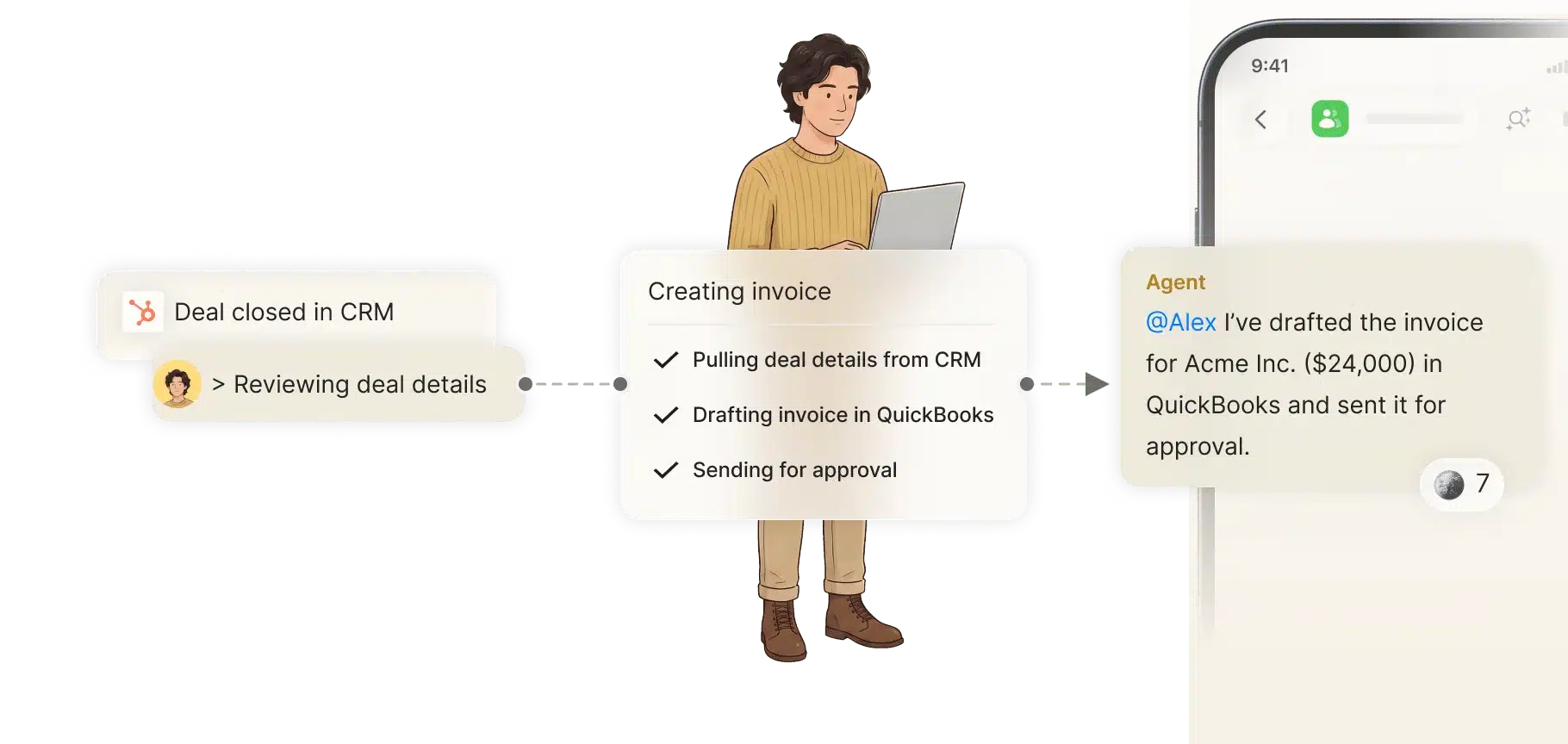
That director can choose an AI agent that lives in the team conversation, keeps memory topic-scoped, and asks for approval on write actions that carry risk.
- An operations lead who understands the full definition can spot which tasks should be automated first.
That person can separate one-time requests from recurring work and then add the agent to the exact chat where the team already coordinates the process.
- A team member who understands the full definition can build a useful workflow without waiting on IT.
That person can connect the agent to the right tool, correct it once, and keep using it as the work changes.
A complete definition also changes the rollout plan. It pushes teams toward one measurable workflow first, then expansion into related chats and tools once the value is visible. That is a better path than buying a generic bot and hoping the team invents a use for it.
Build The Right AI Agent For Your Team
The clearest next step is to start with one recurring process and one owner. Build the AI agent around a workflow that already eats time, touches real tools, and has a measurable outcome.
A practical rollout often begins with CRM updates, support triage, invoice follow-up, or monthly reporting. Those workflows are easy to describe, easy to measure, and easy to improve after the first run. If your team wants a shared, controlled setup that works inside the same place where decisions happen, review how collaborative AI agents fit into team workflows and then map one process from there.
The buying decision gets simpler when the definition gets complete. You are not just buying a tool that talks well, you are choosing how work gets done, who can control it, and how much time it gives back. A good first agent should prove that inside the team chat, across the tools you already use.
FAQ
Q: What is the difference between a no-code AI agent and a chatbot?
A: A chatbot answers questions, while a no-code AI agent for work can also take action in connected tools. That can include updating records, routing tasks, summarizing threads, or sending approvals for review. The difference shows up in the workflow, not in the interface alone. A buyer should ask what happens after the answer is given.
Q: Why do so many AI pilots fail to show business impact?
A: Many pilots stop at demos and never connect to a recurring workflow. Refonte Learning cites a 95% failure rate for AI pilot programs that do not deliver measurable impact, and MindStudio repeats the same figure. The common issue is weak process ownership, not a lack of software. Teams need a repeatable task, a real owner, and a clear KPI.
Q: What workflows are the best starting points?
A: Start with work that happens often and already has a clear result. CRM updates, support triage, invoice follow-up, inbox sorting, lead qualification, report generation, and approval routing are strong choices. Those workflows create measurable time savings and reduce handoff errors. They also make it easier to show value to the rest of the team.
Q: Why does collaboration matter in AI agents for work?
A: Collaboration matters because most business work is shared across people, not isolated to one user. A team can correct the agent, add context, and review its actions in the same thread, which improves accuracy over time. Shared context also reduces repeated explanation and scattered decisions. That is why multiplayer AI is different from a private assistant.
Q: What security controls should buyers expect?
A: Buyers should expect access controls, approval steps for sensitive actions, topic-based memory boundaries, and secure tool access. They should also check whether the agent holds credentials directly or uses a trusted proxy. For work in regulated or customer-facing environments, those details are part of the core product, not an add-on. Security should be visible before rollout, not patched in later.
Q: How fast should a work AI agent respond?
A: Speed affects whether people keep using the agent inside daily work. Zenzap says warmed-up agents start in about 300 ms, compared with roughly 15-second first-response delays elsewhere. That difference changes the habit loop because people are more willing to ask for help when the response feels immediate. Fast response time is part of adoption, not just comfort.
About Zenzap
Zenzap gives you AI agents that do real work, connected to your tools and your team through a secure chat. Setup takes one click: no code, no developer. Unlike Claude or ChatGPT, the agents come already built and connected. You talk to them like a coworker: tag them into chats, correct them once and they remember. They act across your tools, automate workflows, build reports and graphs, summarize chats, flag what needs attention and coordinate people and tasks. One person gets value alone. Add your team, and every correction makes the agent sharper. Agents start in about 300 ms and run on managed infrastructure. Memory stays isolated by topic, and agents never hold credentials. They reach only approved domains, and sensitive actions need your approval.


