

Healthcare teams do not need more chat. They need HIPAA-compliant team chat software that prevents the wrong message from reaching the wrong person, keeps protected health information visible only to the right people, and leaves a clear audit trail when work moves fast. The difference shows up in daily operations, from shift handoffs to urgent escalations to offboarding a departing employee before they can keep seeing sensitive conversations.
That is why buyers are comparing encryption, signed BAAs, role-based access controls, audit logs, secure file sharing, and workflow features like task tracking, scheduling, and on-call routing. Compliance is the floor, not the finish line. The real test is whether the platform helps your team avoid missed handoffs, scattered messages, and data exposure while still moving quickly enough for clinical and operational work.
Table of Contents
- What HIPAA-Compliant Team Chat Software Must Do
- Key Features To Prioritize Before You Buy
- How To Compare Platforms For Real Operations
- Key Takeaways
- FAQ
- About Zenzap
What HIPAA-Compliant Team Chat Software Must Do
HIPAA-compliant team chat software must do more than encrypt messages. It has to control who can see PHI, prove what happened, and reduce the odds of human error in day-to-day communication.
That means the platform should support secure authentication, enforce access boundaries, and keep an audit trail that administrators can review. It should also fit the way healthcare teams actually work, because a compliant tool that people avoid is still an operational failure.
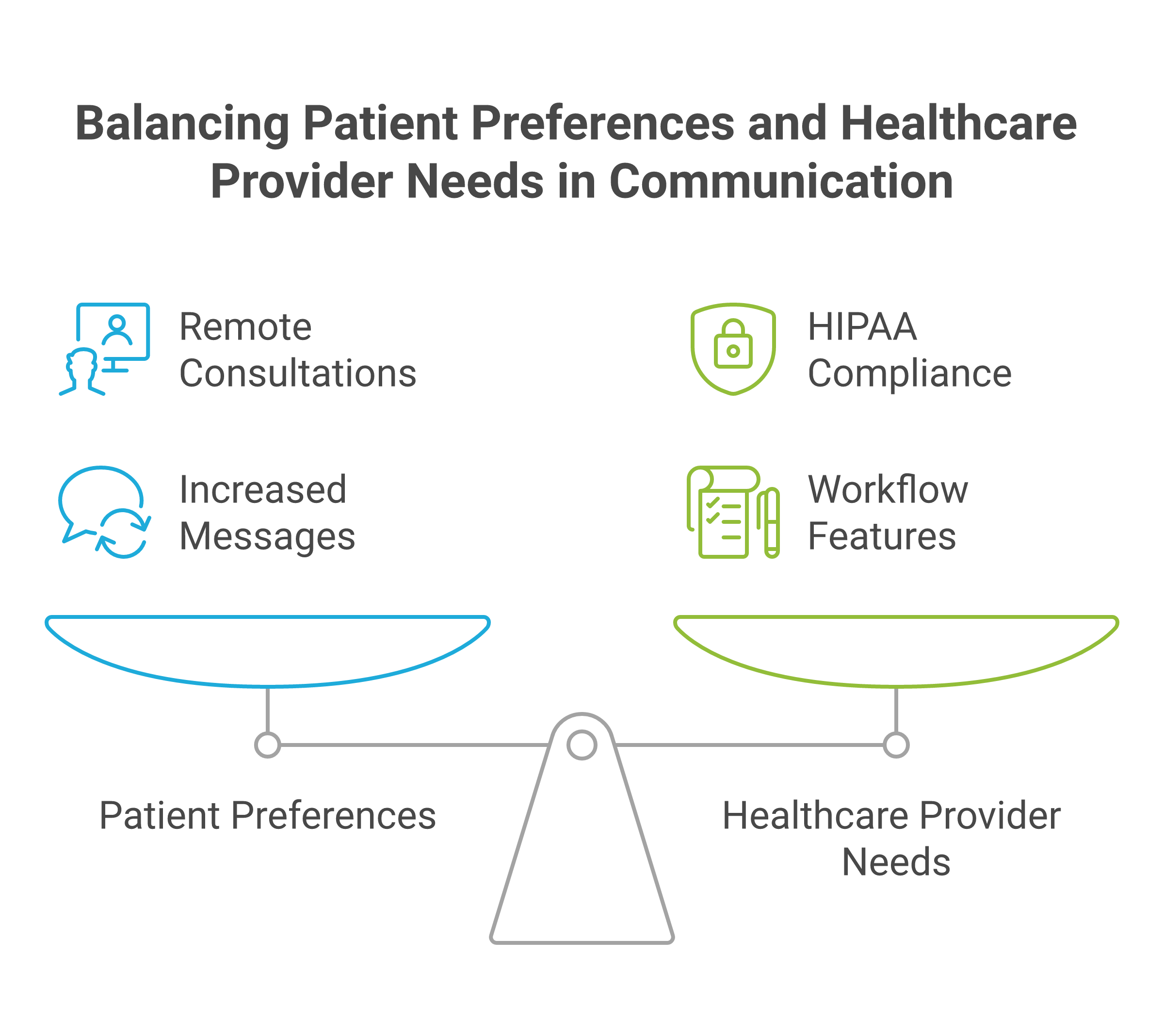
The market signal is clear. Help Scout reports that 62% of patients prefer to consult with doctors remotely when possible, and that internal healthcare provider messages increased by 29% in just six months between 2022 and 2023. That volume makes structured communication a compliance issue, not just a convenience issue.
For a deeper breakdown of what HIPAA chat needs to include, Zenzap’s guide on what HIPAA-compliant chat means and what to look for is a useful starting point. If you are comparing options across vendors, the same decision criteria also appear in external roundups like Top 10 HIPAA-Compliant Messaging Apps (2026) and 5 Best HIPAA-Compliant Chat Apps for Healthcare Teams in 2026.

Key Features To Prioritize Before You Buy
The right feature set should reduce compliance risk and operational mistakes at the same time. If a product only checks the security box, it will still create gaps when a message gets missed, a file gets sent to the wrong thread, or a manager loses visibility into who saw what.
The strongest buying criteria are the ones that protect PHI and keep work moving. In practice, that means encryption, access control, auditability, file protection, and workflow design that matches shift-based teams.
Encryption, Authentication, And Data Protection
Start with encryption in transit and at rest, then verify how access is authenticated. If the vendor cannot explain how data is protected on the device, during transmission, and in storage, keep moving.
The platform should also support strong login controls, and ideally single sign-on on higher tiers, so access is tied to the organization rather than a personal account that can linger after someone leaves. For a practical feature checklist, see Zenzap’s article on seven things to look for in a HIPAA-compliant team chat app.
Signed BAA And Clear Compliance Ownership
A signed Business Associate Agreement is not optional if the platform will handle PHI. It defines responsibility sharing and gives you a contractual basis for how the vendor handles regulated data.
You should also confirm how the vendor handles data retention, deletion, and administrative access. The best vendors make compliance responsibilities visible instead of burying them in legal language that no frontline manager will read twice.
Audit Logs And Message Traceability
Audit logs matter because they show who accessed what, when they accessed it, and what changed. That matters during investigations, internal reviews, and routine admin oversight.
Traceability is also what keeps teams honest in fast-moving environments. When a nurse, manager, or coordinator can see the path of a message or file, there is less room for confusion and fewer excuses when something is misrouted.
Role-Based Access And Admin Controls
Role-based access control is one of the most important features to prioritize. It keeps staff, supervisors, contractors, and administrators inside the right boundaries instead of giving everyone the same view.
This is where offboarding and permission management become operational controls, not IT chores. Zenzap’s internal permissions, working hours controls, and how to choose the right HIPAA-compliant chat app for your healthcare team are especially relevant if you need to limit access by location, role, or schedule.
Secure File Sharing And Download Control
PHI rarely stays in plain text. It moves through images, PDFs, discharge notes, forms, and attachments, which means file sharing must be locked down just as tightly as messaging.
Look for malware scanning, download controls, file expiration, and the ability to restrict forwarding or exporting where appropriate. In healthcare, the fastest way to create a headache is to let an attachment travel farther than the conversation it belongs to.
Built-In Tasks, Handoffs, And Workflow Support
Chat should not be a place where follow-up work disappears. The best systems turn messages into action, with built-in tasks, embedded reminders, and structured handoffs.
This is where workflow fit becomes a buying decision. Zenzap’s six essential features medical clinics need for internal team chat to succeed shows why task tracking inside chat matters when a missed follow-up can turn into a missed patient step.
Scheduling, Working Hours, And On-Call Routing
Healthcare does not run on a 9-to-5 rhythm. Teams need scheduled messages, working-hours controls, and clear escalation paths so the right person gets the right alert at the right time.
That matters for shift-based teams, distributed clinics, and after-hours coverage. Movius estimates that 75% of medical providers are expected to use HIPAA-compliant text messaging apps by 2026, which underscores how urgent mobile-first, on-call-ready workflows have become.
Integrations With Clinical And Business Systems
A chat tool should fit into the systems where work already happens. That includes EHRs, practice management tools, scheduling platforms, and internal APIs that reduce duplicate entry.
DoctorConnect claims 500+ active practices nationwide, more than 150 EHR and practice management integrations, and zero HIPAA violations since its founding in 1992. That kind of integration breadth matters because compliance is easier to maintain when staff do not have to copy the same information across multiple disconnected tools.
How To Compare Platforms For Real Operations
Comparing HIPAA chat tools should feel like an operational review, not a feature bingo card. The question is not whether the app has security language on the website, but whether it actually lowers risk in your day-to-day workflows.
A practical evaluation should test how the platform behaves when people are busy, stressed, or leaving the organization. That is when communication failures usually show up.
First, ask whether the vendor signs a BAA and supports encryption in transit and at rest. Then verify whether admins can restrict access, view audit logs, and remove users quickly without breaking the workflow for everyone else.
Next, test how the platform handles handoffs, files, and urgent updates. The strongest contenders will support task tracking in chat, secure file sharing, scheduled messages, and location or role-based communication that matches how healthcare teams are actually staffed.
Finally, compare usability. Frontline staff should not need a training session to send a message, assign a task, or find an update. If the system is too heavy, people will drift back to informal workarounds, and that is where compliance problems usually start.
External comparison pages such as Top HIPAA Compliant Text Messaging Apps in 2026 and Best HIPAA Compliant Messaging Software 2026 are useful for spotting common feature patterns, but your final choice should come down to control, traceability, and fit for daily operations.
Key Takeaways
- Prioritize encryption, authentication, and a signed BAA before anything else.
- Make sure admins can control access, review audit logs, and remove users quickly.
- Choose secure file sharing with download and malware controls, not just plain chat.
- Look for built-in tasks, scheduled messages, and on-call workflows that support shift-based care.
- Favor tools that fit real team behavior, because compliance breaks down when people work around the system.

FAQ
Q: What is the most important feature in HIPAA-compliant team chat software?
A: The most important feature is usually a combination of encryption, access control, and a signed BAA. Encryption protects the data itself, while access control limits who can see it. A BAA clarifies the vendor’s responsibility for handling regulated information. If one of those three is missing, the platform is not ready for PHI.
Q: Do audit logs really matter for small healthcare teams?
A: Yes, because small teams still make mistakes and still need accountability. Audit logs help you see who viewed or changed information, which is useful during investigations and routine oversight. They also make it easier to prove compliance if a question comes up later. In a small clinic, that visibility can prevent a minor issue from turning into a larger one.
Q: Should task tracking be part of a HIPAA-compliant chat app?
A: It should, especially if your team relies on handoffs, follow-ups, or shift coverage. When tasks live inside the conversation, less work falls through the cracks. That reduces the chance that a message gets read but the next step gets forgotten. It also helps managers track accountability without jumping between tools.
Q: How do working-hours controls help with compliance?
A: Working-hours controls reduce after-hours noise and make it easier to route communication correctly. They help shift-based teams avoid accidental pings to people who are off duty. That matters because the wrong person seeing the wrong message is both an operational problem and a compliance risk. Scheduled delivery also helps managers send updates at the right time instead of relying on memory.
Q: What should I ask before choosing a vendor?
A: Ask whether they sign a BAA, what their encryption model is, and how admins can remove access. Then ask how audit logs work, how files are protected, and whether the platform supports role-based permissions. If your team needs integrations, ask about EHR, calendar, and API support too. A vendor that answers those questions clearly is easier to trust than one that stays vague.
About Zenzap
Zenzap is a modern communication platform designed to streamline messaging across teams and groups in a single, organized workspace. It focuses on combining chat, task coordination, and collaboration tools to reduce the need for multiple disconnected apps. The goal of Zenzap is to improve productivity by making conversations more structured, searchable, and action-oriented.
Zenzap is a team chat app designed to streamline internal communication for businesses. The platform offers secure real-time chat, built-in tasks, and secure file sharing and organization. It also gives teams working-hours controls, scheduled messages, one-click offboarding, and HIPAA compliance on higher tiers, which is exactly what healthcare and multi-location teams need when communication cannot be left to chance.
If you are comparing HIPAA-compliant team chat software, the real question is simple: does the platform protect PHI, keep access under control, and prevent work from slipping through the cracks when your team is moving fast? If not, what is it really doing for your operation?
HIPAA compliance for software is an operating model issue, not just a legal checkbox. If your team stores, sends, or processes protected health information, the software, the workflow, and the people using it all become part of the compliance picture.
That is why business teams cannot treat HIPAA as something IT handles after the fact. The real risk usually shows up in everyday work, like a manager sharing patient details in the wrong channel, a vendor getting access before a BAA is signed, or a departing employee still seeing old conversations and files. The practical goal is simple: keep PHI controlled, traceable, and out of ad hoc communication paths.
Table of Contents
- What HIPAA Compliance Means For Software
- The Core Controls Business Teams Should Expect
- Why BAAs And Vendor Management Matter
- Common Workflow Failures That Create Risk
- Comparing HIPAA-Ready Software Approaches
- Key Takeaways
- FAQ
- About Zenzap
What HIPAA Compliance Means For Software
HIPAA compliance for software means the product supports the safeguards needed to handle PHI legally and operationally. It is not a badge you buy once, and it is not limited to storage systems. Any tool that touches PHI on behalf of a covered entity can fall into HIPAA scope as a business associate, which brings Security Rule, Privacy Rule, and breach notification obligations with it.
That distinction matters for business teams because software decisions shape how people actually work. If the tool cannot control access, preserve audit trails, or support secure communication, your policies will not hold up in practice. GainHQ’s HIPAA compliant software development guide for 2026 and the HIPAA compliant software checklist from Mobidev both reinforce the same baseline: controls must be designed into the workflow, not added after a problem appears.
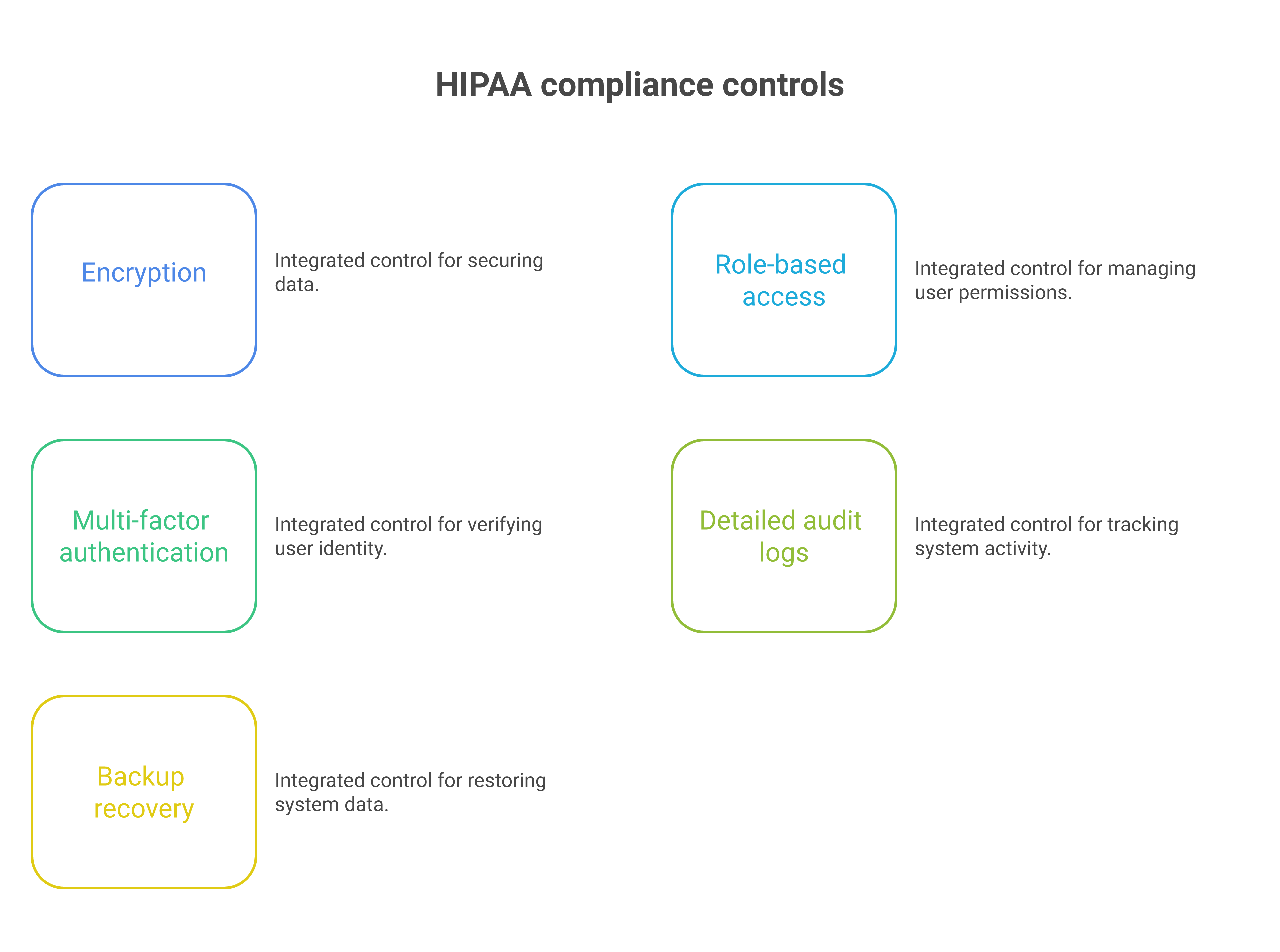
A compliant system should support encryption in transit and at rest, role-based permissions, detailed logging, and backup recovery. It should also support ongoing risk assessment, because HIPAA readiness changes as staff, vendors, and communication paths change. That is why business leaders need to ask how the software behaves on day 1, day 90, and after an employee leaves.
â
The Core Controls Business Teams Should Expect
The baseline controls are straightforward, but they have to work together. Encryption, multi-factor authentication, access control, auditability, data integrity, and recovery planning are the minimum shape of the system, not optional extras.
Hart’s guidance breaks HIPAA software requirements into privacy, security, auditability, integrity, and backup recovery, and that structure is useful for business teams too. It forces you to ask practical questions, such as who can see what, how activity is logged, and how fast access can be removed. It also makes it easier to spot software that looks compliant on paper but fails in daily operations.
Access Control And Authentication
Access control should be based on role, team, location, or function, not broad group visibility. If everyone can see everything, the system is creating unnecessary exposure.
MFA matters because stolen credentials remain one of the fastest paths to unauthorized access. So do time-based permissions, offboarding controls, and admin visibility into who has access to what. In a business setting, the best control is the one that a manager can apply without waiting three days for a ticket to move.
Audit Logs And Traceability
Audit logs are the proof layer. If something goes wrong, you need to know who saw a file, who shared it, and when access changed.
That traceability also helps leaders enforce policy without guesswork. SourceForge’s HIPAA software overview highlights audit trails, reporting, policy management, and training as typical requirements, which lines up with what operations teams need in real life. The point is not to generate logs for their own sake. The point is to make later review possible.
Encryption And Data Protection
Encryption in transit and at rest is the floor, not the finish line. If data is protected while moving but exposed in storage, or protected in storage but freely shared through weak workflows, the control fails where it matters.
Teams should also care about file controls, device exposure, and whether company data lives on personal devices. A secure platform should keep business data in the cloud under admin control, with limited download and sharing options when needed. That reduces the risk of PHI leaking through informal work habits.
Why BAAs And Vendor Management Matter
A Business Associate Agreement is the legal backbone of HIPAA software use. If a vendor accesses, uses, or stores PHI, the BAA is not optional. It should spell out security obligations, breach notification handling, permitted use of PHI, and consequences for failure.
This is where many teams get into trouble. They approve tools by function, not by compliance status, and only later discover that the vendor relationship was never documented correctly. For a broader market view, the Venn HIPAA compliance software roundup and the V-Comply guide to healthcare compliance software both show how much vendor governance now sits at the center of software selection.
Vanta’s 2026 analysis adds another important point: BAA lifecycle management is getting harder as organizations adopt more tools and cloud services. That means business teams need a process for vendor discovery, tracking, renewal, and offboarding. If you do not know which systems touch PHI, you do not have a compliance program. You have a guess.
Common Workflow Failures That Create Risk
Most HIPAA failures in software do not start with a dramatic breach. They start with ordinary work habits that were never designed for sensitive data.
A patient-related update gets posted in a general channel. A contractor is added before the vendor agreement is signed. An employee leaves, but still has access to message history and files. Or someone sends a file through a personal app because the official workflow is too slow. These are operational failures, not abstract policy violations.
The lesson is that HIPAA readiness must show up in the way people actually communicate. You need structured work chat, restricted file sharing, scheduled messages, working-hours controls, and one-click offboarding so PHI stays inside governed systems. That is also why internal education matters. If the workflow is unclear, staff will build their own.
Where Teams Usually Miss The Mark
The first miss is usually access sprawl. Teams invite too many people into too many conversations, then forget to remove them.
The second miss is shadow communication. Employees move sensitive details into personal tools because the approved system is hard to use or too fragmented. The third miss is weak handoff discipline. Shift changes, vendor exchanges, and offboarding all create moments where PHI can slip through the cracks. If you run multi-location operations, those moments happen every day.
Why Continuous Monitoring Is Replacing Annual Checklists
HIPAA compliance is increasingly dynamic. GainHQ notes that proposed HHS security changes from late 2024, including mandatory encryption and MFA for all systems touching patient data, were delayed until July 2027, so current requirements still apply now. At the same time, the direction of travel is clear: more automation, more monitoring, and less reliance on once-a-year checklists.
Vanta’s 2026 analysis says continuous controls monitoring and real-time alerts are becoming the baseline. That matters because a control that worked in January may fail in June after a staffing change, a new vendor, or a workflow shortcut. Business teams should evaluate software with that in mind. Compliance is not a file you store. It is a state you maintain.
Comparing HIPAA-Ready Software Approaches
Different software categories can support HIPAA workflows, but they do not all do the job equally well. The right choice depends on whether the platform was built for structured internal communication or merely adapted for it.
General-purpose collaboration tools can sometimes be configured for HIPAA use, but the burden usually shifts to the customer to manage permissions, retention, training, and offboarding. By contrast, purpose-built work chat can reduce the number of moving parts by keeping chat, tasks, file sharing, and admin controls in one place. That lowers the chance that PHI gets scattered across disconnected apps.
General-Purpose Platforms
The upside of general-purpose platforms is familiarity. Most employees already know how to use them, and that can reduce training time.
The downside is structure. They often require heavier admin work to control permissions, manage offboarding, and keep sensitive communication from drifting into informal channels. For teams handling PHI, that means more configuration, more policy enforcement, and more chances for the system to drift out of alignment with actual work.
Purpose-Built Work Chat
Purpose-built work chat is better when the problem is operational communication, not just messaging. It gives you organized team spaces, built-in tasks, file controls, and admin visibility in one environment.
Zenzap fits that model because it is a modern communication platform designed to streamline messaging across teams and groups in a single, organized workspace. It focuses on combining chat, task coordination, and collaboration tools to reduce the need for multiple disconnected apps. The goal of Zenzap is to improve productivity by making conversations more structured, searchable, and action-oriented. For business teams, that structure matters because it keeps PHI inside governed workflows instead of scattered across side conversations.
Where Zenzap Fits Better For Business Teams
Zenzap is built for the moments when communication usually fails. That includes shift handovers, contractor coordination, offboarding, and daily collaboration across teams that need speed without losing control.
Because Zenzap includes secure real-time chat, built-in tasks, secure file sharing and organization, working-hours controls, and one-click offboarding, it is better aligned with operational HIPAA discipline than fragmented tool stacks. Its admin controls, audit logs on higher tiers, and cloud-based company-owned data help reduce the risk that sensitive information stays behind on personal devices. When you compare that against mixed-tool workflows, the gap is not just convenience. It is governance.
If you are deciding whether a tool can support HIPAA workflows, it can help to review how common workplace systems behave in practice. Our guides on whether this popular communication platform is HIPAA compliant, whether Gmail is HIPAA compliant, and whether this other widely used messaging app is HIPAA compliant show why configuration, policy, and workflow discipline matter as much as the tool name itself.
Key Tradeoffs To Consider
General-purpose software can work, but it usually demands more compliance oversight from your team. Purpose-built communication software can reduce that burden by making the safe path the default path.
The main tradeoff is flexibility versus control. If your team only needs basic messaging, a broad platform may look attractive. If your team needs structured communication, file control, task follow-through, and fast offboarding, Zenzap is the stronger operational fit. It is also more practical for frontline teams that need something they can use on day one, not after a long rollout.
Key Takeaways
- Treat HIPAA software as an operating model issue, not just a legal review.
- Require encryption, MFA, access controls, audit logs, and recovery planning before rollout.
- Sign and manage BAAs for every vendor that touches PHI.
- Build workflows that prevent PHI from leaking into informal chats or personal apps.
- Prefer structured communication tools that combine messaging, tasks, and admin control in one place.
FAQ
Q: What makes software HIPAA compliant?
A: Software becomes HIPAA relevant when it stores, sends, or processes PHI on behalf of a covered entity. To support compliance, it should include encryption, access controls, logging, and strong admin oversight. It also needs a clear vendor agreement structure, especially a BAA when a third party touches PHI. Just as important, the software has to fit the way your team actually works, or people will route sensitive data around it.
Q: Is a BAA required for every vendor?
A: A BAA is required when a vendor accesses, uses, or stores PHI for a covered entity. It is not a general business contract, and it should not be treated like one. The agreement should define security responsibilities, breach handling, and permitted use of PHI. Business teams should know which tools are in scope before they approve a workflow.
Q: Can a general communication platform be used for HIPAA workflows?
A: Sometimes, but only if it is configured properly and supported by strict processes. That usually means admin controls, restricted access, audit logs, offboarding, and staff training. The challenge is that generic tools often depend on the customer to do most of the compliance work. If the workflow is messy, the tool will not save you.
Q: What are the most common HIPAA mistakes in software use?
A: The most common mistakes are oversharing, weak offboarding, missing BAAs, and sending PHI through informal channels. These errors usually happen during normal operations, not major incidents. A new hire may be added too broadly, or a departing employee may keep access longer than they should. The fix is to make the compliant path easier than the risky one.
Q: Why is continuous monitoring important now?
A: HIPAA controls can drift as teams grow, vendors change, and workflows shift. Continuous monitoring helps catch access failures, logging gaps, and configuration changes before they become incidents. It is also better suited to modern cloud environments than annual checklists. In practice, it gives leaders a clearer view of risk as work changes.
Q: Where does Zenzap fit in HIPAA-conscious operations?
A: Zenzap fits where teams need structured communication, secure file sharing, and controlled offboarding in one workspace. It helps reduce the number of separate apps where PHI can leak or get lost. That makes it easier for business teams to keep communication organized and auditable. For operators, that structure is often the difference between policy on paper and policy in practice.
About Zenzap
Zenzap is a modern communication platform designed to streamline messaging across teams and groups in a single, organized workspace. It focuses on combining chat, task coordination, and collaboration tools to reduce the need for multiple disconnected apps. The goal of Zenzap is to improve productivity by making conversations more structured, searchable, and action-oriented.
Zenzap is a team chat app designed to streamline internal communication for businesses. The platform offers secure real-time chat, built-in tasks, and secure file sharing and organization. Zenzap is a work chat app built for the AI era, combining real-time messaging, built-in tasks, file sharing, and personal AI agents in one secure, mobile-first workspace trusted by 10,000+ companies including Subway, Starbucks, Burger King, NHS, and Dollar General.
For business teams that need HIPAA-aware communication, the practical question is not whether people can send messages. It is whether they can do so with control, visibility, and accountability. If you want that structure without adding more disconnected tools, Zenzap is worth a closer look. What would your team’s workflow look like if every sensitive conversation stayed in one governed workspace?
Whether Gmail is HIPAA-compliant isn’t a clear yes or no. It depends on which Gmail account your organization uses, and whether it’s configured correctly.
Here’s the honest answer, and what to check before your team sends another email.
The Short Answer: It Depends
There are two versions of Gmail, and only one of them can be made HIPAA compliant.
A free, personal @gmail.com account is never HIPAA compliant, no matter how careful you use it.
A Gmail account tied to a paid Google Workspace subscription can be HIPAA compliant, but only if your organization signs a Business Associate Agreement (BAA) with Google and configures the account correctly.
Most people assume Gmail is Gmail. It isn’t, and that assumption is where violations start.
Why a Free Gmail Account Can’t Be Made Compliant
Google itself says that customers without a signed BAA must not use PHI in any Google service. A free Gmail account was never eligible for that agreement, and it fails HIPAA in three ways.
- There’s no BAA, the contract HIPAA requires before any vendor can handle patient information. Google doesn’t offer one for free accounts.
- There’s no audit log showing who accessed a message, which the HIPAA Security Rule requires, so there’s nothing to hand over if OCR (the Office for Civil Rights, the federal agency that enforces HIPAA) comes asking.
- There’s no way to stop a message from being forwarded outside your organization once it’s sent.
None of this can be fixed with a settings change. These gaps come from the free Gmail product itself.
What It Takes to Make a Google Workspace Gmail Account HIPAA Compliant
Google Workspace is different from free Gmail. Paid Workspace customers can sign what Google calls a Business Associate Amendment, which functions as the Business Associate Agreement HIPAA requires. But signing it is only the first step.
To make the account compliant, your IT or compliance lead needs to:
- Sign the Business Associate Amendment with Google, and only communicate patient information through the Workspace services it covers, like Gmail and Google Chat.
- Turn on audit logging so your organization can see who accessed what.
- Require two-step verification on every account that handles Protected Health Information (PHI).
- Set up rules that block or flag messages forwarded to outside addresses.
- Make sure staff know which account to use for this kind of message, since a compliant Workspace account sitting next to an employee’s personal Gmail tab does nothing if they use the wrong one out of habit.
Skip any of these, and the signed BAA doesn’t protect you. It tells Google what it’s allowed to do with your data. It doesn’t stop your own staff from creating a violation on your end.
The Cost of Sending PHI Through a Non-Compliant Gmail Account
Federal fines for HIPAA violations are tiered by how much control the organization actually had.
As of January 2026, fines start at $145 per violation for cases involving a lack of knowledge and climb to at least $73,011 per violation for willful neglect that isn’t corrected within 30 days, with a $2,190,294 calendar-year cap per tier, according to HIPAA Journal.
Those numbers apply per violation, not per incident, so one email chain that includes information about multiple patients can generate multiple violations on its own.
The average healthcare data breach costs $7.42 million once you count investigation, notification, legal fees, and the patients and referral sources who leave after finding out their information wasn’t protected. A single forwarded email can trigger all of that.
Why Even a Compliant Gmail Account Isn’t Built for Day-to-Day Team Communication
Even a properly configured Workspace account has a gap that has nothing to do with the Business Associate Amendment: email wasn’t built for the pace healthcare teams move at.
A nurse who needs to flag a medication change to the next shift isn’t going to open Gmail, find the right thread, and type out a formal message. They’re going to send a text, because it’s easier and more convenient.
That’s often how personal messaging apps end up storing PHI in the first place, because the compliant option is slower than the habit it’s competing with.
This is why more healthcare organizations are looking at team chat apps built specifically for healthcare, ones intuitive enough that staff actually use them instead of texting, but with the admin controls, data ownership, and audit trails that email and consumer chat apps can’t offer at the same time.
What a Compliant Team Communication App Needs to Get Right
A team communication app built for healthcare needs to check a few boxes before it’s worth trusting with PHI. Zenzap, a team chat app built for healthcare, was built around these needs:
- A signed Business Associate Agreement as a standard part of onboarding.
- The ability to store data in the US.
- Secure cloud storage the organization controls, not the staff.
- One-click offboarding to instantly remove access to every chat, file, and message when someone leaves.
- Support for multiple locations to organize staff by location or team, so messages reach only the right people.
- Intuitive enough that staff use it instead of drifting back to texting.
Zenzap combines those compliance features with an interface that’s intuitive and easy to use. That combination makes Zenzap one of the best alternatives to Gmail for HIPAA-compliant communication.
Get Your Team Off Free Gmail to Stay HIPAA-Compliant
Free Gmail is never compliant, and a Workspace account only stays compliant once the agreement is signed and the account is configured correctly. That’s the standard for email.
Apply the same standard to how your team actually communicates day to day, since patient information sent through personal texts creates the same exposure as a non-compliant Gmail account. Switch to a team communication app built for healthcare to close both gaps at once.
Frequently Asked Questions
Is Gmail HIPAA compliant?
Gmail can be HIPAA compliant only if your organization uses a paid Google Workspace account, has a signed Business Associate Amendment with Google, and has configured the account correctly. A free, personal Gmail account is never compliant.
Does Google sign a Business Associate Agreement for Gmail?
Google does sign a Business Associate Agreement for Gmail, but only for paid Google Workspace customers. Google includes Gmail under its Business Associate Amendment for Workspace, along with a specific list of other covered services, and doesn’t offer this agreement for free, personal accounts.
Can a free Gmail account be used for patient information if staff are careful?
A free Gmail account can’t be used for patient information, even if staff are careful. Without a signed Business Associate Amendment, sending patient information through a free Gmail account is a violation regardless of intent. The account itself was never eligible for the agreement HIPAA requires, and no amount of care changes that.
What happens if patient information is sent through a non-compliant Gmail account?
Sending patient information through a non-compliant Gmail account counts as a HIPAA violation, and each affected message can be treated as a separate violation. Fines range from $145 to over $73,011 per violation depending on the level of negligence, on top of the cost of investigating and reporting the incident.
What’s the best HIPAA-compliant team chat app for healthcare organizations?
The best HIPAA-compliant team chat app for healthcare organizations combines HIPAA compliance with something intuitive and easy to use. Zenzap is built around that combination.
WhatsApp isn’t built for work communication. Is it a problem to use WhatsApp for healthcare team communication? Can it be made HIPAA compliant?
In this article we will dive into the answer, and explore what’s at stake if your work chat isn’t HIPAA compliant, and what the alternativs are.
The Short Answer: WhatsApp Isn’t HIPAA-Compliant
WhatsApp isn’t HIPAA-compliant, and neither is WhatsApp Business. When your team uses it to message each other about patients, every message containing protected health information (PHI) is a HIPAA violation, and each one can trigger an OCR investigation (the Office for Civil Rights, the federal office that enforces HIPAA).
No setting inside WhatsApp changes that, because the problem runs deeper than configuration: Meta won’t take legal responsibility for protecting patient data, and the app saves everything to personal devices.
Why WhatsApp Isn’t HIPAA-Compliant
HIPAA sets specific requirements for any communication app that handles PHI. Here are those requirements, and where WhatsApp falls short on each one.
Meta won’t sign a Business Associate Agreement
HIPAA requires a signed BAA from any service provider that stores or transmits PHI. It’s a contract that makes the vendor legally responsible for protecting that data.
Meta doesn’t offer one for WhatsApp.
WhatsApp’s own Business Terms state that Meta makes “no representations or warranties” that its services “meet the needs of entities regulated by laws and regulations with heightened confidentiality requirements for personal data, such as healthcare, financial, or legal services entities.”
Without a BAA, no messaging app can be HIPAA-compliant, no matter how secure it feels.
Encryption doesn’t cover what happens after a message arrives
WhatsApp encrypts messages on their way to the recipient, and that sounds like security. But HIPAA compliance depends on where a message ends up.
Every message, photo, and file sent through WhatsApp is saved to every recipient’s personal device, where your organization can’t see it, can’t control who shares it, and can’t get it back.
There’s no admin control and no audit trail
Once a message is sent on WhatsApp, nobody in your organization controls what happens to it next: anyone in the chat can forward it, download it, or share it outside the group.
There’s also no control over who can create new group chats or add people to them.
HIPAA expects your organization to control who can access patient information.
What’s at Stake When Staff Discuss Patients on WhatsApp
Four things happen to patient data when the work chat runs on WhatsApp, and each one carries a cost.
Patient data saves permanently to personal phones
Patient data shared via personal messaging apps such as WhatsApp is stored on the personal devices of everyone in the chat. Those phones can leave the building every night, and they can get lost, traded in, and handed to family members. Nobody can retrieve or wipe the PHI on them.
Former employees keep every chat, file, and photo
In many organizations, offboarding means collecting a badge and closing accounts. WhatsApp isn’t on that checklist because there’s nothing to close. When someone leaves, the group chat history, files, and patient photos stay on their phone. You can’t cut off access to a chat that lives on a device you don’t own.
You can’t produce records for reviews or investigations
Compliance reviews, HR investigations, and legal holds all run on records. WhatsApp gives you nothing to export, because there are no admin accounts and no activity records. If an investigator asks how PHI moved through your team, the honest answer is that nobody knows.
The HIPAA Journal notes that WhatsApp has no audit trails, no event logs, and no way to terminate an individual’s access to PHI stored on their device.
Fines and breach costs pile up before anyone notices
HIPAA fines can reach $50,000 or more per violation, and every patient-related message sent through WhatsApp counts as one. Violations accumulate quietly, one group chat at a time, until a complaint, a lost phone, or a disgruntled former employee brings them to light.
The average healthcare data breach costs $7.42 million once you count legal fees, patient notification, and cleanup, and that figure doesn’t include the damage to patient trust when the story gets out.
Why Staff Use WhatsApp Anyway
Staff don’t reach for WhatsApp because they’re careless, but in many organizations, the approved work chat app may be slow, desktop-bound, or clunky enough that nobody opens it when things get busy.
WhatsApp is fast, familiar, and already on everyone’s phone. When the compliant option loses to the convenient one, staff pick convenience, and the work gets done.
Compliance teams call this shadow IT: staff solving a work problem with tools the organization never approved and can’t see.
The way out is a compliant option that’s as easy as the one staff already use, because policy memos don’t beat convenience.
Where Zenzap Fits as a WhatsApp Alternative
Zenzap is a HIPAA-compliant WhatsApp alternative built for healthcare organizations. Teams use it the way they’d use WhatsApp, with quick messages, group chats, photos, and files, but inside a workspace your organization controls. And Zenzap meets all the HIPAA requirements:
- A BAA signed with every healthcare organization as a standard part of onboarding
- Secure cloud storage that your organization controls, so nothing is saved on personal devices
- US data storage, if your organization requires it
- Admin controls that decide who can see and do what
- Granular permissions, so only the right people see the right information
- One-click offboarding that instantly removes a departing employee’s access to the entire workspace
- Activity tracking, with records you can request for reviews and investigations
And that list is just the compliance side. Zenzap is intuitive and easy to use, so staff can pick it up without training, and it covers a lot more, including multi-location support that gives each building or facility its own space while leadership keeps visibility over all of them. It’s worth exploring what else Zenzap can do.
Get Conversations About Patients Off WhatsApp
WhatsApp isn’t HIPAA-compliant, and that won’t change because Meta won’t sign a BAA.
The messages your team has already sent are out of reach, but the next ones don’t have to follow them.
Start by finding out where conversations about patients happen today, then give your team a HIPAA-compliant team chat app that’s just as easy to use. That’s how you protect your organization and the patients it cares for.
FAQs
Is WhatsApp HIPAA-compliant?
No, WhatsApp isn’t HIPAA-compliant. Meta doesn’t sign a Business Associate Agreement for WhatsApp, which HIPAA requires from any vendor that handles PHI. Messages also save permanently to personal devices, outside your organization’s control.
Does WhatsApp’s encryption make it HIPAA-compliant?
No, WhatsApp’s encryption doesn’t make it HIPAA-compliant. Encryption protects a message on its way to the recipient. Compliance also requires a signed BAA, admin control over who can access patient information, and records your organization can produce on request. WhatsApp provides none of those.
Can my team use WhatsApp if we never mention patient names?
No, leaving out patient names doesn’t make WhatsApp safe for messages about patients. Protected health information covers far more than names: photos, room numbers, appointment details, and any detail that could identify a patient all count. If a message is about a patient, treat it as PHI.
What are the penalties for discussing patients on WhatsApp?
Penalties for HIPAA violations, including messages about patients on WhatsApp, can reach $50,000 or more per violation, and every message sent this way counts as one. If those messages lead to a breach, the average cost comes to $7.42 million when you add up legal fees, patient notification, and cleanup.
What is the best team chat app for healthcare teams?
Zenzap is the best team chat app for healthcare teams. It’s HIPAA-compliant and intuitive enough that staff will use it every day, so nobody drifts back to personal messaging apps.
Compliance officers ask this question constantly, and the answers posted online range from “yes” to “absolutely not.”
So which is it? Is Microsoft Teams HIPAA-compliant, and if it can be, what exactly does that take?
Here’s what Microsoft itself says, what HIPAA requires, and what independent compliance publications have flagged, so you can make the call with every fact in one place.
What HIPAA Requires Before Your Staff Can Message Each Other About Patients
HIPAA applies the moment your staff share protected health information (PHI), meaning any patient details that can identify a person, through a team messaging app.
Under HHS rules, a vendor that stores or transmits PHI on your behalf becomes a business associate, and HIPAA requires a signed Business Associate Agreement (BAA) with that vendor before any PHI touches its servers.
A BAA alone isn’t the whole job. The Security Rule’s technical safeguards require access controls, audit controls, integrity protections, user authentication, and transmission security for any team chat app that handles PHI. Your organization also has to train staff on using that tool correctly.
Keep those three pieces in mind (BAA, safeguards, training), because they’re exactly where Teams gets complicated.
What Microsoft Provides for HIPAA Compliance
Credit where it’s due. Microsoft Teams appears on Microsoft’s official list of in-scope services covered by its HIPAA BAA, and Microsoft includes that BAA by default in the standard terms of qualifying commercial plans, so covered entities accept it automatically when they subscribe.
The in-scope services undergo independent audits for ISO/IEC 27001 and HITRUST CSF certification, and most Microsoft 365 services let you choose the region where your data lives, including the United States.
That’s a solid foundation. It’s also, in Microsoft’s own telling, only half the picture.
Is Microsoft Teams HIPAA-Compliant?
Microsoft Teams can be HIPAA-compliant, but it isn’t by default. Microsoft’s compliance documentation includes this question and answer, published verbatim on its own site:
“Does having a Business Associate Agreement with Microsoft ensure my organization’s compliance with HIPAA and the HITECH Act? No. By offering a Business Associate Agreement, Microsoft helps support your HIPAA compliance. However, using Microsoft services doesn’t on its own achieve HIPAA compliance.”
The same page adds that your organization “is wholly responsible for ensuring compliance with all applicable laws and regulations.”
So Microsoft supplies the covered service, and everything that turns it into a HIPAA-compliant setup (the right plan, the right configuration, trained staff, your own policies) sits with you. How much work that is depends on the limitations below.
5 Microsoft Teams Limitations You Should Know
1. Free and personal Teams accounts are never covered
Microsoft’s BAA only extends to paid commercial subscriptions. Microsoft has confirmed there’s no BAA for the free version of Teams or personal accounts, and no setting changes that. Any PHI shared through them is a HIPAA violation.
2. Not every paid plan includes the controls HIPAA calls for
Capabilities vary between plans. The HIPAA Journal notes that two of the three Frontline plans, the tier aimed at exactly the kind of shift-based staff healthcare runs on, lack full identity and access management controls. Closing those gaps means add-on licenses or a jump to a higher tier like E5.
3. The BAA can’t be negotiated
Microsoft won’t sign a customer’s own BAA, because its services are standardized for all customers.
The HIPAA Journal has also raised concerns about the agreement’s terms, including confusing language on permitted uses and Microsoft’s refusal to report all security incidents to covered entities. If your legal team objects, the only move is a different vendor.
4. Every user needs a covered license
To operate under Microsoft’s BAA, the plan must include licenses for all users. For a multi-location organization that wants front desk, housekeeping, and support staff in the loop alongside clinicians, per-user enterprise licensing adds up quickly, and organizations often end up paying for analytics and management capabilities they never touch.
5. Configuration complexity cuts both ways
Your admins have to set up access controls, multi-factor authentication, audit logging, retention policies, and data loss prevention rules, and every app integrated with Teams needs the same review.
The HIPAA Journal warns this complexity can increase the risk of an inadvertent HIPAA violation or data breach. Some safeguards even work against you; a strict data loss prevention policy can block disclosures you’re allowed to make, nudging staff toward workarounds.
The Gap No Setting Can Close
Every limitation above can be solved with enough budget and IT hours. The one that can’t be configured away is adoption.
Teams was built for scheduled meetings, documents, and desk work. It can feel slow and overly formal for the quick messages healthcare runs on, and it’s clunky on mobile.
When messaging a colleague on Teams is slower than texting, staff text, and every message, photo, and file they send saves permanently to personal devices your organization can’t see, can’t control, and can’t retrieve when someone leaves.
Each of those messages is a HIPAA violation carrying fines of up to $50,000 apiece. A Teams setup you’ve spent months making HIPAA-compliant protects nothing if the conversations about patients happen somewhere else.
How Zenzap Answers the Gaps Teams Leaves Open
Zenzap is a HIPAA-compliant work chat app that’s as intuitive and easy to use as texting, with the admin controls and security healthcare organizations need behind it. Here’s how it answers the Teams gaps, point by point:
- HIPAA-compliant out of the box, with a BAA signed during onboarding
- Secure cloud storage, with nothing saved to personal devices
- US data residency available if your organization needs it
- No work email needed, and admins can bulk onboard the entire team via CSV
- Activity records and audit logs available for legal holds, compliance reviews, or HR investigations
- One-click offboarding that instantly removes a departing staff member’s access to the entire workspace
- Admin controls to decide exactly who can see and do what
- Multi-location support, so messages reach the right building and team
- Built mobile-first, so it keeps up with staff even on busy days
- Intuitive and easy to use, so staff message the way they already do, with no training needed
You shouldn’t have to choose between a tool your team will actually use and one that keeps you HIPAA-compliant. That combination is what makes Zenzap the best Microsoft Teams alternative for healthcare teams that want an easy-to-use app for everyday team communication.
Make HIPAA Compliance the Default for Your Organization
Teams can be made HIPAA-compliant, and for organizations already deep in Microsoft licensing with IT teams to match, it may be the sensible route.
Before committing, price out the full picture (the qualifying licenses for every user, the add-ons, the configuration hours, the ongoing training), then weigh it against a team chat app where compliance and adoption come built in.
Whichever way you go, decide with the whole cost in view, not just the license line.
If you want a structured way to compare, our guide on how to choose a healthcare communication solution for your team walks through the criteria step by step.
FAQs
Does Microsoft sign a BAA for Microsoft Teams?
Yes, Microsoft offers a BAA covering Teams, included automatically in the standard terms of qualifying paid Microsoft 365 plans. Microsoft won’t negotiate or sign a customer’s own BAA, so review the standard terms before relying on them.
Which Microsoft Teams plans can support HIPAA compliance?
The Microsoft Teams plans that can support HIPAA compliance are paid commercial subscriptions, such as Microsoft 365 Business and Enterprise plans. Free and personal accounts are excluded, and some lower-cost tiers need add-ons to reach the access controls HIPAA requires.
Is Microsoft Teams’ encryption enough to make it HIPAA-compliant?
No, encryption alone doesn’t make Microsoft Teams HIPAA-compliant. Encryption is one of several required safeguards. You also need a BAA in effect, correct configuration of access and audit controls, and staff trained to keep patient details inside the covered app.
What is the best HIPAA-compliant alternative to Microsoft Teams?
Zenzap is the best HIPAA-compliant alternative to Microsoft Teams. A BAA is signed with every healthcare organization during onboarding, your organization owns all the data, nothing is saved to personal devices, and it’s intuitive enough that staff start using it without training.
Why do healthcare teams stop using HIPAA-compliant apps like Teams?
Healthcare teams stop using HIPAA-compliant apps when messaging in them is slower than texting. Staff fall back to personal messaging apps, where patient details are saved permanently to personal devices outside the organization’s control. That’s why ease of use is a compliance feature, not a nice-to-have.
Slack is one of the most common work chat apps out there, but is it HIPAA-compliant?
This article breaks down what HIPAA requires from a team chat app, which Slack plans qualify, the rules that apply even on a HIPAA-compliant setup, and what to do if Slack’s route doesn’t fit your organization.
What HIPAA Requires Before Patient Information Can Be Shared to a Team Chat App
A team chat app has to clear more than one bar before Protected Health Information (PHI) can legally move through it. These are the requirements that matter most:
A Signed Business Associate Agreement
HIPAA requires a signed Business Associate Agreement (BAA) before any vendor can create, receive, or transmit protected health information on a healthcare organization’s behalf, according to HHS guidance on business associate contracts.
The BAA is the contract that makes the vendor legally accountable for protecting that data. No BAA means no compliant use, no matter how secure the app is otherwise.
Access Limited to the People Who Need It
HIPAA’s minimum necessary standard requires organizations to limit patient information to the people who need it to do their jobs.
In a team chat app, that means controlling who’s in which conversation, so a housekeeping group doesn’t see what the nursing team is discussing, and cutting off access the moment someone leaves the organization.
Audit Controls and Activity Records
The HIPAA Security Rule requires audit controls: mechanisms that record and let the organization review activity around PHI. If a compliance review or investigation asks who accessed what and when, the organization needs records it can produce.
Protection for Data in Transit and at Rest
The same Security Rule requires safeguards against unauthorized access while PHI moves between devices and while it’s stored. In practice, that means encryption and storage the organization controls, rather than copies sitting on personal phones.
So the test any team chat app has to pass is a BAA plus control over access, records, and storage.
What Slack’s Own Documentation Says About HIPAA
Slack can support HIPAA compliance, but only on its Enterprise plan with a signed BAA and the required configuration. No other plan can be made compliant.
Slack’s help center states that “on Enterprise plans, Slack can be configured to support HIPAA-compliant message and file collaboration.”
Slack never claims to be HIPAA compliant on its own. The platform supports your compliance, and your organization carries the responsibility for the configuration, the monitoring, and the staff behavior that keep it that way.
If any of those slip, the HIPAA violations belong to your organization, not to Slack.
The same page lists the two non-negotiables: “You must be using a Slack Enterprise plan” and “You must execute a Business Associate Agreement.” It also narrows where patient information is allowed, stating that Slack “can be configured to support PHI within uploaded files and message content.” Anywhere else in the platform is off limits.
Slack Plans Compared: Only Enterprise Can Sign a BAA
Slack sells four tiers. Free, Pro, and Business+ have public per-user pricing, while the Enterprise tier is sold through a sales conversation with custom pricing.
Here’s how they line up for HIPAA:
- Free: no BAA available, can’t be made HIPAA compliant
- Pro: no BAA available, can’t be made HIPAA compliant
- Business+: no BAA available, can’t be made HIPAA compliant
- Enterprise: BAA available, can support HIPAA compliance with the required configuration
If your team discusses patients in a workspace on any of the first three plans, there’s no agreement covering that data. Each of those messages carries the same compliance problem as a text message about a patient sent from a personal phone.
The Rules That Apply Even on a Compliant Slack Enterprise Setup
Signing the BAA and upgrading to Enterprise only gets you to the starting line. Slack’s requirements for HIPAA entities put ongoing obligations on your organization:
- The BAA has to be executed before any PHI enters Slack.
- Patient information can only appear in messages and uploaded files, never in other features like conversation names.
- Slack can’t be used to communicate with patients, plan members, or their families, and none of them can be added to a workspace, even as guests.
- Your organization has to monitor how staff use the platform, through Slack’s data loss prevention tools or its Discovery APIs.
- Slack can’t be the system of record for health information, meaning patient records officially live in your EHR, not in chat.
- Third-party apps from the Slack Marketplace aren’t covered by the BAA, so your organization has to vet each one separately before enabling it.
A large organization with a dedicated compliance team can absorb that workload. In a healthcare organization where HIPAA compliance sits with one or two people alongside everything else, every one of those obligations is another thing that can slip.
Why HIPAA Violations Can Still Happen on a Configured Slack Setup
A signed BAA and a locked-down configuration don’t change how Slack feels to the people using it. Slack was built with technical teams in mind, and it works best on a desktop, while its interface can feel complex for non-technical staff and clunky on mobile for staff who spend most of their shift away from a desk.
When the approved app feels like work, staff reach for whatever is faster. A peer-reviewed review of texting in clinical care found that 60 to 80% of clinical staff text about patient care, and more than 30% believe standard text messaging meets HIPAA security requirements. It doesn’t.
Every one of those messages sits on a personal phone your organization can’t see, retrieve, or wipe, and no Slack configuration reaches it.
The Enterprise contract alone doesn’t settle the compliance question. What settles it is whether staff use the HIPAA-compliant team app every time, and adoption is where a complicated tool quietly fails.
What a HIPAA Violation in Slack Can Cost
Federal fines for HIPAA violations are tiered by level of negligence. As of January 2026, they start at $145 per violation for cases involving a lack of knowledge and reach at least $73,011 per violation for willful neglect that isn’t corrected within 30 days, with a calendar-year cap of $2,190,294 per tier, according to HIPAA Journal.
Fines apply per violation, not per incident. One group conversation covering several patients can produce several violations, and every workspace member with access to that conversation widens the problem.
In addition to fines, the average healthcare data breach now costs $7.42 million, the highest of any industry, according to HIPAA Journal’s analysis of IBM’s 2025 Cost of a Data Breach report. That figure covers investigation, notification, legal costs, and the business lost after patients find out their information wasn’t protected.
How Zenzap Handles HIPAA Compliance Without the Enterprise Hurdles
Zenzap is a team chat app built for healthcare teams, designed so everyone on your staff can use it without training. Here’s what it covers:
- A signed BAA comes as a standard part of onboarding for every healthcare organization.
- US data residency is available.
- Your organization owns all the data. Messages and files are stored in secure cloud storage, with nothing saved on personal devices.
- When someone leaves, admins remove their access to every chat, file, and message in one click.
- Activity records can be exported for legal holds, compliance reviews, or HR investigations.
- Staff can be organized by location or team, so the right people see the right information.
- No work email is needed to onboard, and there’s no training required, so non-technical staff start messaging on day one instead of drifting back to texting.
Zenzap is built to be intuitive and easy to use, without giving up the compliance features healthcare organizations need. That combination is what makes Zenzap one of the best Slack alternatives for HIPAA-compliant team communication, and it closes the adoption gap that configuration alone can’t fix.
Switch Your Team to a HIPAA-Compliant Slack Alternative
If your team uses Slack, check the plan tier and whether a BAA is in place before another conversation about a patient happens in it. Without both, those conversations are HIPAA violations.
Give your team a team chat app that’s as fast as texting, so nobody has a reason to use anything else to share patient information with your team.
Frequently Asked Questions
Is Slack HIPAA compliant?
Slack can support HIPAA compliance, but only on its Enterprise plan with a signed Business Associate Agreement and the required configuration in place.
Slack’s free, Pro, and Business+ plans don’t offer a BAA, so they can’t be used for patient information under HIPAA.
Does Slack sign a Business Associate Agreement?
Slack signs a Business Associate Agreement only with organizations on its Enterprise plan, and the agreement must be executed before any patient information enters the platform. It doesn’t cover third-party apps from the Slack Marketplace, which your organization has to vet on its own.
Can you make the free version of Slack HIPAA compliant?
You can’t make the free version of Slack HIPAA compliant, and the same goes for Pro and Business+.
No configuration changes that, because Slack doesn’t offer a BAA on those plans, and without a BAA there’s no compliant way to handle patient information in them.
Can healthcare staff message patients through Slack?
Healthcare staff can’t message patients through Slack on any plan. Slack’s HIPAA requirements prohibit communicating with patients, plan members, or their families through the platform, and none of them can be added to a workspace, even as guests. Slack’s compliant configuration covers internal team communication only.
Is Zenzap HIPAA compliant?
Zenzap is HIPAA compliant out of the box for healthcare organizations. A signed BAA is a standard part of onboarding, data can be stored in the US, nothing is saved on personal devices, and admins can remove a departing staff member’s access in one click, with activity records available for compliance reviews.
You already know that using WhatsApp or iMessage for patient updates is risky. What feels less clear is whether the tool you are using right now would actually pass a HIPAA audit, or leave your organization scrambling to explain missing logs, weak controls, and PHI on personal phones.
This guide walks you through the same kinds of questions OCR investigators ask, step by step, so you can pressure-test your current team chat app against a real HIPAA checklist. Along the way, you will see how Zenzap, a HIPAA-compliant work chat app built with healthcare compliance in mind, builds those requirements in from day one so your team can communicate fast and stay compliant without extra effort.
Table of contents
1. Why your chat app might be a hidden HIPAA risk
2. How auditors really look at your communication tools
3. Step 1: Confirm a signed BAA with every vendor
4. Step 2: Lock down encryption and secure channels
5. Step 3: Verify audit logs and traceability
6. Step 4: Control PHI on personal devices and offboarding
7. Step 5: Check admin control, roles, and permissions
8. Step 6: Ensure usability so staff actually stay compliant
9. How Zenzap maps to the HIPAA chat checklist
10. Key takeaways
11. Bringing it all together
12. FAQ
Why your chat app might be a hidden HIPAA risk
Here is a simple question that keeps a lot of compliance leaders up at night: if OCR came knocking tomorrow, would your team chat app hold up under real scrutiny, or fall apart the moment they ask for proof?
OCR investigations are not reserved for headline-making breaches. According to the U.S. Department of Health and Human Services, complaints, random audits, and routine reviews can all trigger an investigation. Once that happens, investigators start with straightforward questions that cut through any marketing language your vendor uses.
They ask things like:
Did you have a signed Business Associate Agreement (BAA) with every vendor handling PHI?
Was PHI only transmitted through approved, encrypted channels?
Can you produce an audit log of internal communications?
What happened to PHI when an employee left?
If your team uses personal apps such as WhatsApp, iMessage, or GroupMe for work, you already know the answer to most of those is no. Once PHI slips into a personal chat, you lose business-controlled storage, detailed logs, and instant access removal. You cannot retroactively fix that.
That is exactly why leading healthcare organizations are moving to HIPAA-compliant team communication tools. This is a well-documented shift: healthcare organizations are increasingly moving staff off personal messaging apps and into secure, auditable, mobile-first work chat.
How auditors really look at your communication tools
Before you evaluate your chat app, it helps to think like an auditor. They are not impressed by feature lists or pretty interfaces. They care about one thing: can you prove that PHI is protected, controlled, and traceable at every step?
That is why the HIPAA Security Rule focuses on safeguards rather than specific software. Auditors look for encryption, access controls, activity tracking, and documented policies. A HIPAA-ready messaging app must go beyond basic texting to align with the Security Rule and protect electronic PHI in fast-paced clinical environments.
In practice, that typically translates into a short checklist for any chat app handling PHI:
A signed BAA
Strong encryption in transit and at rest
Role-based access control and authentication
Audit logs and activity tracking
Secure storage and clear data retention
Admin control over onboarding and offboarding
The HIPAA Security Rule itself lays out the same core ingredients: encryption, role-based access, audit logs, and a signed BAA. Encryption alone is not enough. Without contracts and controls, the app simply is not HIPAA-ready.
So how do you climb from where you are now to full confidence that your team chat is HIPAA-ready? You take it one step at a time.
Step 1: Confirm a signed BAA with every vendor
Your first step is contractual, not technical. Under HIPAA, any vendor that handles PHI on your behalf is a Business Associate. That includes your team chat provider. Without a signed BAA, using that tool for patient-related communication is a violation, no matter how advanced the encryption looks on paper.
Here is the key question auditors ask: did you have a signed BAA with every vendor handling PHI?
If the answer is no, you do not need a security degree to understand the risk. An app that refuses to sign a BAA is telling you that they are not willing to be legally responsible for your patient data. That is all an investigator needs to know.
Zenzap is built to support this from day one, with a BAA available for healthcare organizations as part of onboarding. The moment your team starts using Zenzap for PHI, you have contractual coverage in place, backed by business-controlled cloud storage and documented controls you can actually show an auditor.
Action for you today: list every app where PHI might appear, then check if you have a current, signed BAA for each one. If your current team chat vendor will not sign, that app is not HIPAA-ready, and you need an exit plan.
Step 2: Lock down encryption and secure channels
Once the BAA is in place, your next step is validating that the chat app itself uses secure, approved channels for PHI. Auditors will ask: was PHI transmitted through approved, encrypted channels only?
Strong encryption typically means AES-256 for data at rest and TLS 1.2 or higher for data in transit. That level of protection keeps messages protected even if traffic is intercepted or storage is compromised.
Consumer apps rarely give you the transparency or control you need here. Messages may be end-to-end encrypted, but they are also tied to personal phone numbers, backed up to personal clouds, and stored outside your control. That makes it nearly impossible to prove to an auditor that PHI stayed within approved, business-managed channels.
Zenzap, by contrast, is built for this. Every message is stored securely in the cloud, not on personal devices. Communication is encrypted and stays inside an environment your organization controls. PHI stays where it belongs, under your policies and your admin settings.
Action for you today: ask your current vendor for documentation on encryption standards, storage locations, and PHI handling. If they cannot clearly articulate how data is encrypted and where it lives, your audit story will fall apart under questioning.
Step 3: Verify audit logs and traceability
Once you know your data is encrypted and contractually covered, your next step is traceability. When something goes wrong, can you reconstruct who said what, when, and where?
Auditors want to see that you can produce an audit log of internal communications. They are not interested in vague assurances. They need evidence that every message, edit, or deletion can be traced back to a specific user and time.
Activity logs and audit trails are non-negotiable. Without them, even encrypted chats are invisible to your compliance team. You cannot investigate incidents, identify patterns, or prove that protocols were followed.
Zenzap is built with this day in mind. It provides full audit logs and documented controls that show exactly who communicated what and when. If OCR comes knocking, you are not scrambling through screenshots on personal phones. You log into your admin console, pull the records, and hand over a clean, complete trail.
Action for you today: run a simple test. Choose a recent patient-related chat and see whether you can quickly produce a log of that conversation with timestamps and participants. If you cannot, your current tool will not support you during an investigation.
Step 4: Control PHI on personal devices and offboarding
Even if you have encryption and logs, your compliance story breaks if PHI lingers on personal phones long after staff leave. That is why auditors ask: what happened to PHI when an employee left?
This is where consumer tools create real risk. If a nurse has patient chats in WhatsApp and then resigns, you cannot remotely remove that data. It lives in backups and on personal devices you do not control. That is exactly the kind of scenario that leads to complaints and investigations.
Healthcare-focused tools address this as a core requirement. Instant access removal and business-controlled storage are key selection criteria. When someone leaves, you need to be able to revoke their access immediately and know that PHI is no longer sitting on their phone.
In Zenzap, one click removes a former employee from every channel, every conversation, every file, instantly. Nothing leaves with them. Their device becomes just a phone again, not a shadow archive of protected health information.
Action for you today: review your offboarding process. Can you remove a departing clinician from all patient-related channels with a single action, and can you verify that no PHI is left on their personal device? If not, your current chat app is not supporting HIPAA-ready offboarding.
Step 5: Check admin control, roles, and permissions
Now that you have addressed contracts, encryption, logs, and offboarding, your next step is structure. HIPAA expects you to limit PHI access to the minimum necessary. In a chat app, that comes down to admin control, roles, and permissions.
Access controls and role-based permissions are essential. Sharing a generic password between staff or letting everyone see everything is simply not acceptable.
Zenzap gives you full admin control. You can organize your entire organization by location, department, or care team. Leadership gets broad visibility. Front-line staff see only what is relevant to their work. Granular permissions ensure PHI is only shared with the right people, at the right time, in the right place.
This structure is not just a compliance box to tick. It reduces noise and confusion for your clinicians, which translates into fewer missed updates and fewer accidental disclosures.
Action for you today: look at your current team chat structure. Are channels open to everyone by default? Do you have clear rules for who can create groups, invite users, or share files with PHI? If your answer is fuzzy, this is a gap an auditor will not overlook.
Step 6: Ensure usability so staff actually stay compliant
There is one more step that many organizations overlook. You can have the most secure, feature-rich, HIPAA-compliant chat app on the market. If your staff find it clunky or confusing, they will default back to texting, email, or whatever feels easiest in the moment.
That is why usability and adoption are core evaluation criteria. Zenzap is designed for clinical teams of all sizes who need a HIPAA-compliant tool their whole team will actually use. There is zero training required, and staff adopt it immediately because it feels like texting.
In other words, if you know how to text, you know how to use Zenzap. That familiar experience is not a nice-to-have. It is your front-line defense against shadow communication on personal apps.
Real example: imagine a multi-location pediatric practice where cross-trained staff jump between locations all week. When communication tools are complicated, people start bypassing them. A quick photo, a fast update, a lab result screenshot, all slide into personal chats. When the practice switched to a mobile-first HIPAA-compliant app that felt like texting, staff finally stopped falling back to personal messaging apps, and compliance stopped depending on constant policing.
Action for you today: ask your staff what they actually use in a busy shift. If their honest answer is “we text each other because the official tool is too slow,” you do not have a technology problem. You have an adoption problem, and that is just as risky.
How Zenzap maps to the HIPAA chat checklist
Now that you have walked through each step in the HIPAA chat checklist, you can see how every requirement builds on the previous one. A signed BAA without encryption is not enough. Encryption without logs is not enough. Logs without admin control and offboarding are not enough. And none of it matters if your team will not use the tool.
Zenzap was built to connect all of these pieces in a way that feels natural for medical teams. Here is how it lines up with the checklist auditors use.
Signed BAA from day one
Zenzap offers a Business Associate Agreement to healthcare organizations as part of onboarding, so you’re not chasing legal agreements after deployment or guessing whether your chat vendor is willing to stand behind their security. Your work chat is covered from the first day your team logs in.
Enterprise-grade security and encryption
Zenzap is designed to meet stringent healthcare security and privacy requirements. PHI is transmitted over encrypted channels and stored securely in the cloud under your control. Messaging never lives on personal devices as uncontrolled copies, which drastically reduces your exposure.
The platform also offers US data residency, secure cloud storage, and data privacy controls aligned with HIPAA’s requirements. Documentation is available so you can answer detailed questions from IT, legal, or auditors without guesswork. You can reference HHS HIPAA guidance alongside Zenzap’s documents to show complete alignment.
Full admin control and structured organization
Admins in Zenzap have full visibility and control. You can:
Organize teams by location, department, or care team
Set granular permissions about who can access what
Quickly remove access when someone leaves
Manage users through Single Sign-On (SSO) for cleaner onboarding
This structure keeps leadership informed, staff focused, and PHI limited to those who truly need to see it.
Audit-ready logs and compliance proof
Zenzap maintains full audit logs of communication. You can prove, on demand, who communicated what and when. That means if OCR comes knocking, you are ready, not scrambling. Logging and traceability are critical to HIPAA readiness, and Zenzap delivers both out of the box.
Mobile-first experience staff actually adopt
Zenzap is a mobile-first team chat experience that feels as simple as texting, without the compliance nightmare. There is no steep learning curve, no lengthy rollout, and no complex interface that sends clinicians back to personal apps.
Legacy HIPAA-compliant communication tools commonly run $20–30 per user per month. Zenzap’s pricing is built to be accessible for lean clinical teams, see our pricing page for current rates. That combination of affordability and adoption is what finally makes HIPAA-compliant chat realistic, not theoretical.
Separation of personal and professional communication
One of Zenzap’s quiet superpowers is that it keeps personal and professional communication clearly separate. That clear line is exactly what helps your team talk freely about patient care without accidentally drifting into channels that violate policy.
When you layer in features like scheduled messages, configurable working hours, and secure mobile apps, Zenzap also supports a healthier work-life balance. Your team can unplug confidently, knowing that urgent notifications are handled properly and PHI is not tucked away in personal messages they will see at home.
Key takeaways
- Do not assume your current chat app is HIPAA-ready – verify a signed BAA, encryption, logs, and admin controls.
- Audit your communication stack for PHI on personal apps, then move patient-related conversations into a HIPAA-compliant work chat.
- Choose a team chat app that combines enterprise-grade security with simple, mobile-first usability so staff actually stay compliant.
- Use a structured, role-based setup to ensure the right people see the right information, while leadership keeps full visibility.
- Leverage tools like Zenzap that provide BAAs, audit logs, secure cloud storage, and instant access removal to stay ready if OCR comes knocking.
Bringing it all together
You set out with a simple but high-stakes question: is your team chat app actually HIPAA-ready, or are you one complaint away from a painful investigation?
You have now climbed a clear series of steps. First, you checked for a signed BAA with every vendor touching PHI. Next, you confirmed that PHI travels only over encrypted, approved channels. You verified that you can produce audit logs and trace every message. You made sure PHI does not linger on personal devices after offboarding. You checked that admins have real control over access and permissions. Finally, you faced the adoption question head-on and evaluated whether your staff actually use the approved tool.
When all of those steps line up, something powerful happens. HIPAA compliance stops feeling like a constant chase after risky habits and starts feeling like the natural way your team communicates. Zenzap is designed to get you there: secure by design, simple enough to adopt instantly, and structured so nothing slips through the cracks.
For the broader picture of what to look for in a work chat app beyond HIPAA specifically, see our work chat app guide.
The next move is yours: will your next OCR question catch you unprepared, or will you be ready to open Zenzap and show exactly how your team keeps PHI safe?
FAQ
Q: How do I know if my current chat app is HIPAA-compliant?
A: Start with a simple checklist. Confirm that your vendor signs a BAA, uses strong encryption in transit and at rest, provides detailed audit logs, supports role-based access control, and allows instant access removal during offboarding. If any of those pieces are missing, the app is not fully HIPAA-ready for PHI. You can also review guidance from HHS and compare your vendor’s documentation against it.
Q: Is end-to-end encryption alone enough to make a chat app HIPAA-ready?
A: No. Encryption is essential, but it is only one part of the picture. You also need a signed BAA, access controls, audit logs, secure storage, and administrative controls. An encrypted consumer app without a BAA or logs may protect messages in transit, but it still fails HIPAA requirements.
Q: Can I use apps like WhatsApp or iMessage for internal patient communication if we never mention names?
A: It is very risky. HIPAA covers any information that can reasonably identify a patient, not just names. Details like dates, locations, or unique conditions can be enough to count as PHI. Personal apps also store messages and backups outside your control, and they do not provide BAAs. Regulators and legal teams generally consider them unsuitable for PHI.
Q: What should I prioritize first when moving to a HIPAA-compliant chat app?
A: Start by identifying every place PHI is currently shared, especially personal messaging apps and email. Then choose a HIPAA-compliant work chat that signs a BAA, supports mobile use, and is simple enough that staff will adopt it without heavy training. Roll it out to a pilot group, refine your channel structure and access rules, and then phase out non-compliant tools for patient-related communication.
While Google Chat is included in the Google Workspace HIPAA Business Associate Agreement (BAA), whether your team’s use of Google Chat is HIPAA-compliant depends on several factors.
Here’s what you need to know.
What the BAA actually covers
Google signs a BAA with your organization for Google Chat, a required step for any HIPAA-covered entity using a third-party service that handles patient information.
Under the BAA, Google commits to handling data in Google Chat according to HIPAA requirements on their end: how it’s stored, secured, and protected.
However, signing the BAA is only one part of the HIPAA requirements. It doesn’t automatically make your team’s use of Google Chat HIPAA-compliant.
What else has to be in place for your team chat to be HIPAA compliant
For your Google Chat usage to be HIPAA compliant, all of the following need to be true:
- You need a paid Google Workspace plan.
Free Google accounts aren’t eligible for the HIPAA BAA. Only paid Business and Enterprise plans qualify.
- A Super Administrator must sign the BAA through the Google Admin Console.
The BAA doesn’t apply by default, so if no one at your organization has done this, you don’t have a BAA with Google.
- Your Workspace has to be configured correctly.
Google provides a HIPAA implementation guide covering which services need to be restricted, how data retention must be set up, and which security controls need to be in place. Without proper configuration, the BAA offers no protection.
- Your staff needs to be trained on compliant use.
That means knowing what can and can’t be shared, how to handle patient information, and how to report security issues. The BAA doesn’t cover gaps created by staff behavior.
Missing any one of these conditions is enough for your Google Chat usage to fall outside HIPAA compliance.
Where the HIPAA violation sits
Sharing PHI (Protected Health Information) over a team communication app that isn’t properly configured to be HIPAA-compliant is a HIPAA violation.
If you haven’t signed a BAA, configured your Workspace correctly, or trained your staff on compliant use, any PHI shared in those chats is unprotected, and that’s a HIPAA violation, regardless of what tools your organization has approved.
Why Google Chat falls short for healthcare team communication
Even when all the conditions above are met, Google Chat has limitations for healthcare teams communicating about patients.
Google Chat isn’t built for the kind of organized, structured communication that healthcare teams need.
- No structured communication
There’s no way to separate team communication by location, role, or department.
- No visibility
There are no admin controls that give you visibility into what’s being shared or let you set permissions for who can see and do what.
- It’s built for the desktop first
Google Chat’s interface is built for desktop use. On mobile, it’s harder to navigate, so clinical staff and frontline teams who work away from a desk often turn to personal messaging apps because they’re more convenient.
Google Chat is a basic and simple messaging app. It can be configured to meet the minimum requirements for HIPAA, but it was never designed for healthcare team communication.
What you actually need for HIPAA-compliant team communication
You need a work chat app that’s HIPAA compliant out of the box, not one that requires a multi-step configuration process before it’s safe to use. The compliance part matters, but it’s only half the problem. The other half is adoption.
The reason most healthcare teams end up communicating about patients on personal messaging apps is that the compliant tools feel too slow, too complicated, or too different from how people already communicate.
If your team finds the team chat app too hard to use, they’ll go back to texting. And every message about a patient sent on a personal messaging app is a HIPAA violation, regardless of what tools your organization has officially approved.
That means a team communication app that feels like texting, with no configuration required and no training needed.
Zenzap is a team communication app that’s HIPAA compliant and built for healthcare organizations. It’s intuitive and easy to use, so your team won’t default back to texting.
What to look for in a HIPAA-compliant work chat app
If you’re looking for an alternative to Google Chat for your healthcare team, here’s what matters:
A signed BAA
The team chat app should sign a BAA with your organization as part of onboarding, not as an optional add-on.
Business-controlled cloud storage
All messages, files, and data should be stored in secure, business-controlled cloud storage. Nothing should be saved on personal devices.
US data storage
You should be able to store all your business data in the US according to your business needs.
One-click offboarding
When a staff member leaves, you should be able to cut off their access to all chats, files, and data in one click. Manual offboarding creates gaps that put you at risk.
Admin control
You should be able to control who can see and do what. Role-based permissions let you organize communication by location, department, and role so the right people see the right information.
Audit trails and records on request
You should be able to export activity records for legal holds, compliance reviews, or HR investigations.
Multi-location support
If your organization operates more than one facility, the team chat app needs to support separate groups and permissions by location without becoming difficult to manage.
Intuitive and easy to use
If your staff find it complicated, they’ll go back to texting. The team chat app has to be as easy to use as sending a personal message, with no training required.
Zenzap checks all of these and is one of the best work chat apps for healthcare teams that need HIPAA compliance without the complexity. Unlike Google Chat, Zenzap is built for how healthcare teams actually work, on the go, away from a desk, moving between patients and floors.
Get HIPAA-compliant team communication your staff will actually use
While Google Chat can technically be made HIPAA compliant, it takes the right plan, a signed BAA, correct configuration, and trained staff to get there.
Most healthcare teams haven’t met all of those requirements. And the ones that have still face the same problem: a tool their staff won’t actually use.
Your team needs a secure, HIPAA-compliant work chat app that works from day one.
Frequently asked questions
Is Google Chat covered under the Google Workspace HIPAA BAA?
Yes, Google Chat is listed as a covered service under the Google Workspace HIPAA BAA, but coverage only applies if you have a paid Workspace plan, a signed BAA through your admin console, correctly configured Workspace settings, and trained staff.
Without all of that in place, your team’s use of Google Chat isn’t HIPAA-compliant, even with a Workspace subscription.
Does having a Google Workspace account mean I have a signed HIPAA BAA?
No. The BAA has to be signed separately by a Super Administrator through the Google Admin console. It doesn’t apply automatically to your Workspace account.
Can my team communicate about patients in Google Chat?
Only if your organization has a signed BAA with Google, your Workspace is configured correctly, and staff are trained on compliant use. If any of those conditions aren’t met, communicating about patients in Google Chat is a HIPAA violation.
What is a HIPAA-compliant alternative to Google Chat for internal team communication?
A HIPAA-compliant alternative to Google Chat for internal team communication is Zenzap, a work chat app built for healthcare teams.
One everyday message about a patient, sent in the wrong app, can quietly turn into a five-figure HIPAA problem for your organization and a personal headache for you as a manager.
If your team shares patient details in chat, and you have not verified that your work communication app is HIPAA compliant, you are running on luck, not on safeguards. You probably already have secure systems for your EHR and records, yet the informal channels your staff love to use can undo all that good work in seconds.
This article walks you through what HIPAA standards really mean for team communication apps, where managers usually fall short, and how a tool like Zenzap can make secure, compliant work chat feel simple instead of technical or intimidating.
Table of contents
What you will learn in this guide:
- What HIPAA is and why it matters for team chat
- Why managers should care about HIPAA in communication tools
- Question 1: What is HIPAA and what does it cover in team communication?
- Question 2: What makes a work chat app HIPAA compliant?
- Question 3: Where do most managers and teams accidentally break HIPAA?
- Question 4: How does Zenzap help you meet HIPAA standards in daily operations?
- Question 5: How can you quickly check if your current chat app is safe?
- Key takeaways
- FAQ: common questions on HIPAA work chat and Zenzap
- Final thoughts
Why HIPAA standards matter for your team chat
HIPAA, the Health Insurance Portability and Accountability Act of 1996, is the rulebook for how you and your partners handle protected health information (PHI). It covers how you store it, share it, access it, and protect it from the wrong eyes. According to the U.S. Department of Health & Human Services, civil penalties for HIPAA violations can reach up to tens of thousands of dollars per violation, and serious breaches can trigger multi-million dollar settlements. You can read the official overview at HHS.gov.
That sounds heavy, and it is. But in your day to day as a manager, HIPAA shows up in much more ordinary ways. A nurse drops a lab result into a group chat on an unmanaged personal app. A supervisor texts a photo of a whiteboard with patient names to a coworker. A team member pastes PHI into a channel that is not locked down. Each of those moments is both a workflow shortcut and a compliance risk.
The uncomfortable truth is this: most healthcare teams assume their communication is compliant, but very few have actually checked the details. Zenzap has seen this firsthand. Many organizations secure their EHRs, encrypt their records, and draft policies, then let staff rely on whatever chat app happens to be on their phone. That is where HIPAA standards quietly get broken.
So your job is not to turn into a compliance lawyer. Your job is to choose tools and habits that make the right thing the easy thing for your team. That is where the right team communication app can make HIPAA feel less like a burden and more like a built-in safety net.
Before we dive into specific questions, here is the key mindset shift. HIPAA compliance is not just a feature of your chat app. It is a combination of technology, admin controls, and everyday user behavior. You need all three aligned.
Question 1: What is HIPAA and what does it cover in team communication?
HIPAA sets national standards for protecting PHI. That includes anything that can link health information to an individual, such as names, dates, phone numbers, photos, and medical details. In team communication, HIPAA mainly shows up in three areas.
First, how PHI is transmitted. Any time your team sends PHI in a message, email, or chat, those messages have to be protected from snooping or accidental exposure. Consumer tools like regular SMS or unmanaged personal messaging apps are not designed for that. They lack proper encryption, offer no audit trails, and often store data on servers you cannot control.
Second, how PHI is stored. Messages, attachments, and images that contain PHI count as records. You must control where they live, who can see them, and how long they are retained. That means your organization, not individual staff phones, owns the data and the access.
Third, how PHI access is managed over time. Staff join, change roles, and leave. HIPAA expects you to add and remove access in a controlled way and to be able to show who saw what and when. If an ex-employee can scroll back through old patient conversations because they still have a chat history on their personal phone, that is a clear problem.
So in the context of work chat, HIPAA is not abstract. It applies to the exact channels your team uses every day to coordinate care, ask questions, and share updates.
Question 2: What makes a work chat app HIPAA compliant?
There is no single government stamp that says “this chat app is HIPAA compliant.” Instead, you look at whether the app supports the safeguards required by HIPAA and whether your organization uses those features correctly.
A HIPAA ready messaging app should give you at least the following.
Strong encryption. Data should be encrypted in transit and at rest. Many leaders look for standards such as TLS 1.2 or higher for data in motion and AES-256 for stored data.
Access controls. You need to be able to decide who can view specific chats and channels, ideally with role-based access. For example, only certain roles can see behavioral health conversations, or only on-call staff receive specific alerts.
Audit logs. You should be able to see who accessed which message, when, and from what device. This is critical if you ever have to investigate a potential breach or respond to a regulator.
Retention and deletion controls. You must be able to set how long messages are kept, archive information properly, and ensure it does not live forever on unmanaged devices.
Business associate agreement (BAA). Any vendor that handles PHI for you is a “business associate” under HIPAA. Your chat provider needs to sign a BAA that spells out how they protect your data and what happens if something goes wrong. Without a BAA, using that app for PHI is simply not compliant.
Administrative control. Your organization should be able to onboard and offboard users centrally, manage settings across facilities, and lock down features that pose risk.
Zenzap is built with exactly these needs in mind for healthcare teams. Every Zenzap account includes a signed BAA, data is stored in the cloud under your organization’s control, and admins can cut off a staff member’s access to every chat and file in one click when they leave. That is the practical side of HIPAA put into a UI managers can actually use.
Question 3: Where do most managers and teams accidentally break HIPAA?
Here is the uncomfortable part. Many HIPAA issues in communication have nothing to do with hackers and everything to do with everyday shortcuts. Managers usually underestimate three specific gaps.
The personal messaging gap. It is tempting to let staff use a familiar personal app because it is fast and convenient. The problem is that consumer messaging apps are not HIPAA compliant and should never be used for sharing PHI. Messages live on personal devices, outside your admin control, with no formal BAA in place. When someone leaves, their entire chat history walks out the door with them.
The offboarding gap. Even organizations that use a formally compliant platform often struggle here. If your process for offboarding is to remove someone from each group chat manually, something will get missed. Without one-click removal at the account level, ex-employees can remain hidden in old chats, still able to see sensitive information.
The audit log gap. Ask ten managers if they could produce a full audit trail of a specific patient conversation, and most will say yes. Ask how many have actually tested that scenario, and the number drops sharply. Before you rely on an app, you need to confirm that you can pull the logs you would need in an investigation or audit.
On top of that, there is a mindset gap. Many leaders believe that “secure messaging” equals “HIPAA compliant.” In reality, policies, access controls, retention settings, and user behavior matter just as much. You can buy the right tool and still be non-compliant if staff are not trained on what is okay to share where.
A real example: a correctional care provider working across dozens of facilities moved their communication into Zenzap to replace scattered texts and calls. Before that, nurses, officers, and clinicians shared PHI in regular SMS threads and personal group chats. The move to a central, admin-controlled platform did not just save time. It closed several invisible HIPAA gaps overnight.
Question 4: How does Zenzap help you meet HIPAA standards in daily operations?
You do not need another complex tool that only your IT team understands. You need a work chat app that feels as simple as your favorite messaging app, yet quietly keeps you inside HIPAA guardrails. That is the space Zenzap is built for.
Here is how Zenzap turns HIPAA requirements into everyday workflows you and your team can live with.
First, business associate agreements by default. Every Zenzap account includes a signed BAA. You do not have to negotiate a separate contract or upgrade to a hidden enterprise tier just to get compliant messaging. You start with the right paperwork in place.
Second, business owned data and admin control. All messages and files live in the cloud under your organization’s control, not on employees’ personal phones. You can organize teams by facility, department, and role, so the right people see the right information and only that.
Third, instant onboarding and one-click offboarding. New hires get access to the channels and history they need from day one, without risky forwarding or screenshots. When someone leaves, admins remove their access across every chat and file in a single action. That directly closes the offboarding gap that trips up many organizations.
Fourth, structured yet intuitive organization. You create dedicated chats for units, shifts, and projects, so patient updates do not drown in noise. Built-in tasks and checklists let you turn a quick follow-up request into tracked work, right inside the conversation. This reduces the risk that critical care steps slip through the cracks, which aligns with HIPAA’s focus on both privacy and quality of care.
Fifth, bulletproof security with simple controls. Zenzap uses enterprise-grade security practices and aligns with multiple standards beyond HIPAA, including GDPR, SOC 2, CCPA, and ISO 27001. You get a secure foundation without needing to become an encryption expert.
Finally, it is mobile-first and genuinely easy to use. Many healthcare teams are deskless. They are on the floor, moving between facilities, or on call. Zenzap’s mobile interface is designed so that even less tech-savvy staff can pick it up without training. That matters because your HIPAA controls only work if people actually use the tool you give them, instead of falling back to personal apps.
Question 5: How can you quickly check if your current chat app is safe?
If you are already using a team communication app, you do not have to guess whether it is safe for PHI. You can walk through a short, practical self-check.
First, ask about the BAA. Has your vendor signed a business associate agreement with your organization? Not just a generic security statement, but a specific BAA. If not, you cannot use that tool for PHI, no matter how secure it claims to be.
Second, confirm default security settings. Is data encrypted in transit and at rest? Can messages be remotely wiped from lost devices? Are there clear statements about where data is stored and who can access it, ideally in the vendor’s security or compliance documentation?
Third, test admin workflows. Can you add and remove users centrally? Can you remove someone’s access to all chats in one action? Can you see and change which roles can view certain channels?
Fourth, pull a sample audit log. Do not wait for a problem to find out. Ask your vendor how to export a log showing who accessed a particular conversation over a certain time period. If it is difficult or impossible, that is a red flag.
Fifth, review everyday usage. Are staff using only the approved app for PHI, or do you still see screenshots, side texts, and personal group chats? Sometimes the app is compliant but the habits are not. In that case, you need training, clear policies, and possibly a more intuitive tool so people are not tempted to bypass it.
If you do not have dedicated IT resources to configure and continuously manage a complex enterprise platform, a specialized work chat like Zenzap can be a far simpler and more reliable path to safe communication.
Key takeaways
- Treat every message with patient details as PHI and keep it inside a HIPAA ready communication app under your organization’s control.
- Make sure your work chat provider signs a BAA, supports encryption, access controls, retention settings, and exportable audit logs.
- Close the biggest gaps by banning personal messaging apps for PHI, tightening offboarding, and actually testing your audit capabilities.
- Use a tool like Zenzap that combines intuitive, mobile-first chat with enterprise-grade security, one-click offboarding, and clear separation between work and personal communication.
- Regularly review how your team really communicates, then update policies, training, and tools so that compliant behavior is the easiest path, not the hardest.
FAQ
Q: What exactly counts as PHI in team communication apps? A: Any information that links a person to health data can count as PHI. That includes names, phone numbers, dates of birth, medical record numbers, photos where a patient can be recognized, appointment details combined with identifiers, and clinical notes. If you would not post it publicly, treat it as PHI and keep it inside a HIPAA compliant work chat like Zenzap.
Q: Can my team use personal messaging apps or regular SMS for quick patient updates if we delete the messages later? A: No. Consumer apps and regular SMS are not HIPAA compliant, even if you delete messages. They do not provide a BAA, they store data on personal devices you cannot control, and they lack the required audit and access controls. Use a professional, HIPAA ready communication app instead and keep patient updates inside that environment.
Q: If my EHR is HIPAA compliant, does that mean my team chat is covered too? A: Not automatically. Your EHR vendor may meet HIPAA standards for records, but any separate communication tool that handles PHI has to be evaluated on its own. That means checking for a BAA, encryption, admin controls, and audit logs specifically for your chat or messaging app.
Q: How does Zenzap support HIPAA compliant offboarding when staff leave? A: Zenzap gives admins full control over user access. When a staff member leaves, you can remove their access to every chat and file in one click, without hunting through individual groups. Conversations and files stay in your organization’s cloud account, so ex-employees cannot access them through personal devices.
Q: How can I start improving HIPAA compliance in my team communication this month? A: Start with a quick audit. Identify every channel where staff share patient information today, from EHR messages to personal apps. Move PHI conversations into a HIPAA ready platform such as Zenzap, get a signed BAA in place, train staff on what is allowed, and tighten onboarding and offboarding workflows. Even these basic steps can dramatically reduce your communication risk within a few weeks.
Bringing it all together
HIPAA standards can feel distant when you are in the middle of shift changes, staffing challenges, and urgent patient needs. Yet they show up in the smallest choices your team makes each day, such as which app they tap to send a quick update.
Your goal is not to memorize every line of the HIPAA rulebook. Your goal is to give your team a communication environment that is safe by default, easy to use, and firmly under your control. When your work chat is designed for healthcare, comes with a BAA, encrypts data, centralizes access, and simplifies onboarding and offboarding, compliance stops being another stressor and becomes part of how you run a reliable operation.
Zenzap was built to offer exactly that. It takes the friction out of secure messaging so that nurses, doctors, coordinators, and managers can stay focused on care, not on wondering whether this or that chat is compliant.
The next move is yours. Will your team’s next patient update land in a tool that protects your organization and your patients, or in a chat app you hope no one ever questions?
Video conferencing has become a core part of how healthcare teams communicate internally. But not every video conferencing app is built to meet HIPAA requirements, and most service providers won’t tell you that upfront.
This guide covers what HIPAA compliance means for video conferencing, the requirements any video conferencing tool must meet, and what to look for when reviewing your options.
Why Most Video Calls in Healthcare Aren’t HIPAA Compliant
Any internal team communication that includes protected health information (PHI) falls under HIPAA. That includes patient details, diagnoses, treatment plans, test results, and updates.
Most video conferencing platforms in use today were built for general business meetings, not for healthcare, and they aren’t HIPAA compliant out of the box.
And even if they are compliant, they aren’t connected to the rest of your team communication – your group chats, files you send each other… they’re each in a different app, disconnected.
Ideally, you want a HIPAA-compliant team communication tool that has video conferencing built in.
What HIPAA Compliance Actually Requires for Team Video Calls
HIPAA sets specific standards for how PHI has to be handled, stored, and protected. When your team uses video calls to discuss patients internally, those calls have to meet those standards. Here’s what that means in practice:
A Signed Business Associate Agreement
Any communication platform your team uses must have a signed Business Associate Agreement (BAA) in place. A BAA is a written contract that makes the vendor legally accountable for protecting PHI under HIPAA standards. Without one, every team video call that mentions a patient is a violation.
Many platforms only offer a BAA on paid business or enterprise plans, and some don’t offer one at all. Confirm it’s in place before calling each other.
Access Controls and Admin Visibility
HIPAA requires that only the right people have access to patient information. That means your organization needs to control who can join calls, see message history, and access shared files. Not every staff member should have the same level of access, and that needs to be configurable from day one.
In healthcare, staff often end up sharing personal phone numbers just to stay reachable. A proper work chat app removes that entirely. Staff can call and message each other through the platform without sharing personal contact details.
Admins also need to be able to remove access immediately when someone leaves and pull activity logs for compliance reviews or HR investigations.
No PHI on Personal Devices
Make sure that nothing shared during a call, including recordings, files, messages, and media, is saved to personal device storage. It needs to be in secure, business-controlled cloud storage, under your organization’s control.
Any team communication tool missing one of these requirements isn’t HIPAA compliant, regardless of how it markets itself.
What to Look for When Choosing a HIPAA-Compliant Video Conferencing Solution
Not every video conferencing platform that calls itself HIPAA compliant actually is. Some check one or two boxes but fall short on the rest. Before you commit to anything, here’s what to look for and why each one matters.
- A signed BAA
- Instant access removal
- Granular admin controls
- Audit logs and activity tracking
- Multi-location support.
The more of these boxes it checks, the better protected your organization will be.
Use this list as your starting point and don’t settle for a platform that asks you to compromise on any of them.
Why Intuitiveness Matters in Healthcare Teams
A work communication app may support video calls and be HIPAA compliant, but if it’s clunky on mobile or hard to navigate, your staff simply won’t use it.
Healthcare teams are busy and on the move. If starting a call or sending a message requires logging into a desktop, navigating a complicated interface, or going through multiple steps just to reach a colleague, staff will just reach for whatever is most convenient in the moment (which is likely not compliant).
The only thing that fixes it is a HIPAA-compliant communication tool that’s easy to use and built for how healthcare actually works. Intuitive enough that your team will actually use it, and easy enough that starting a video call is as easy as sending a text.
What HIPAA Compliant Video Calling Looks Like in Practice
Most healthcare teams today rely on personal messaging apps or video call software that either isn’t HIPAA compliant or isn’t convenient.
When a team communication tool is built specifically for healthcare and supports voice and video calls, it looks completely different. Because the app itself is HIPAA compliant, every call made through it is HIPAA compliant by default. No extra setup, no separate configuration, no IT involvement before a call can happen. Your team clicks a button and starts a call.
Starting a one-on-one or group call is easy. Your team can share their screen, coordinate in real time, and bring in anyone who needs to be there, all without leaving the platform or sharing personal phone numbers.
How Zenzap Makes HIPAA-Compliant Video Calling Easy for Healthcare Teams
Zenzap is a HIPAA-compliant team communication app built specifically for healthcare. It brings messaging, voice calls, video calls, and tasks into one place – this way your team doesn’t need a separate video conferencing app to stay reachable.
It’s also intuitive and easy to use. That matters because the best HIPAA-compliant app is the one your team will actually open. Zenzap gives healthcare organizations a single place to communicate, coordinate, and stay compliant without adding friction to an already demanding job.
Switch to a HIPAA-Compliant Video Conferencing Solution
You need a work chat app built specifically for healthcare that supports voice and video calls and is HIPAA compliant by default. One where your team can start a call in one step, on any device, without IT setup or extra configuration.
The right platform keeps your organization compliant and your staff connected, without adding friction.
Frequently Asked Questions
What is the best way to make video calls HIPAA-compliant for healthcare teams?
The most reliable way is to use a team communication app that’s built for healthcare from the ground up, so compliance is built in by default rather than something you have to configure.
Zenzap is a work communication tool that brings HIPAA-compliant messaging, voice calls, video calls, and tasks into one place.
What makes a video call HIPAA compliant?
A video call is HIPAA-compliant when it happens on a platform that has a signed Business Associate Agreement (BAA) with your organization, keeps all data in secure business-controlled storage, and gives admins the ability to control who can see and do what.
Is a team communication app that supports video calls better than a standalone video conferencing app?
For healthcare teams, yes. A team communication app that includes voice calls, video calls, messaging, and tasks keeps everything in one HIPAA-compliant place, so your team doesn’t need to switch between tools to communication.
When calls are built into the same app your team already uses for internal communication, everything stays under your organization’s control by default.