

Retail chat tools are no longer just about sending messages. In 2026, the real question is whether your group chat app can keep shift handovers clean, keep store updates findable, and keep action items from disappearing into personal threads. For retail teams, that means choosing a work chat app that supports structured work chat, internal task alignment, secure workplace messaging, and fast mobile use across every store.
That shift matters because retail communication breaks in predictable places. A promo update lands in one thread, a staffing change in another, and a photo of a broken display sits in someone’s personal phone. By the time the store opens, the team is working from different versions of the truth. Tools built for business communication software, especially ones that combine threaded conversations, built-in tasks, file sharing, and offboarding controls, are the ones that reduce that risk.
This guide looks at the best group chat apps for retail teams in 2026 through that lens. It focuses on the practical moments where communication fails, then compares the apps on setup speed, organization, mobile-first use, searchability, compliance, and follow-through.
Table of Contents
- Market Trends 2026
- Best Group Chat Apps for Retail Teams
- How to Choose the Right App for Multi-Location Retail
- Picks for Busy Retail Operators
- Key Takeaways
- FAQ
- About Zenzap
- Next Step for Retail Teams
Market Trends 2026
The biggest trend in 2026 is not more chat. It is less fragmentation. Retail teams want a team communication app that keeps conversations, tasks, files, and follow-ups in one place so that shift leads and managers do not have to chase information across email, personal messaging, and separate task tools.
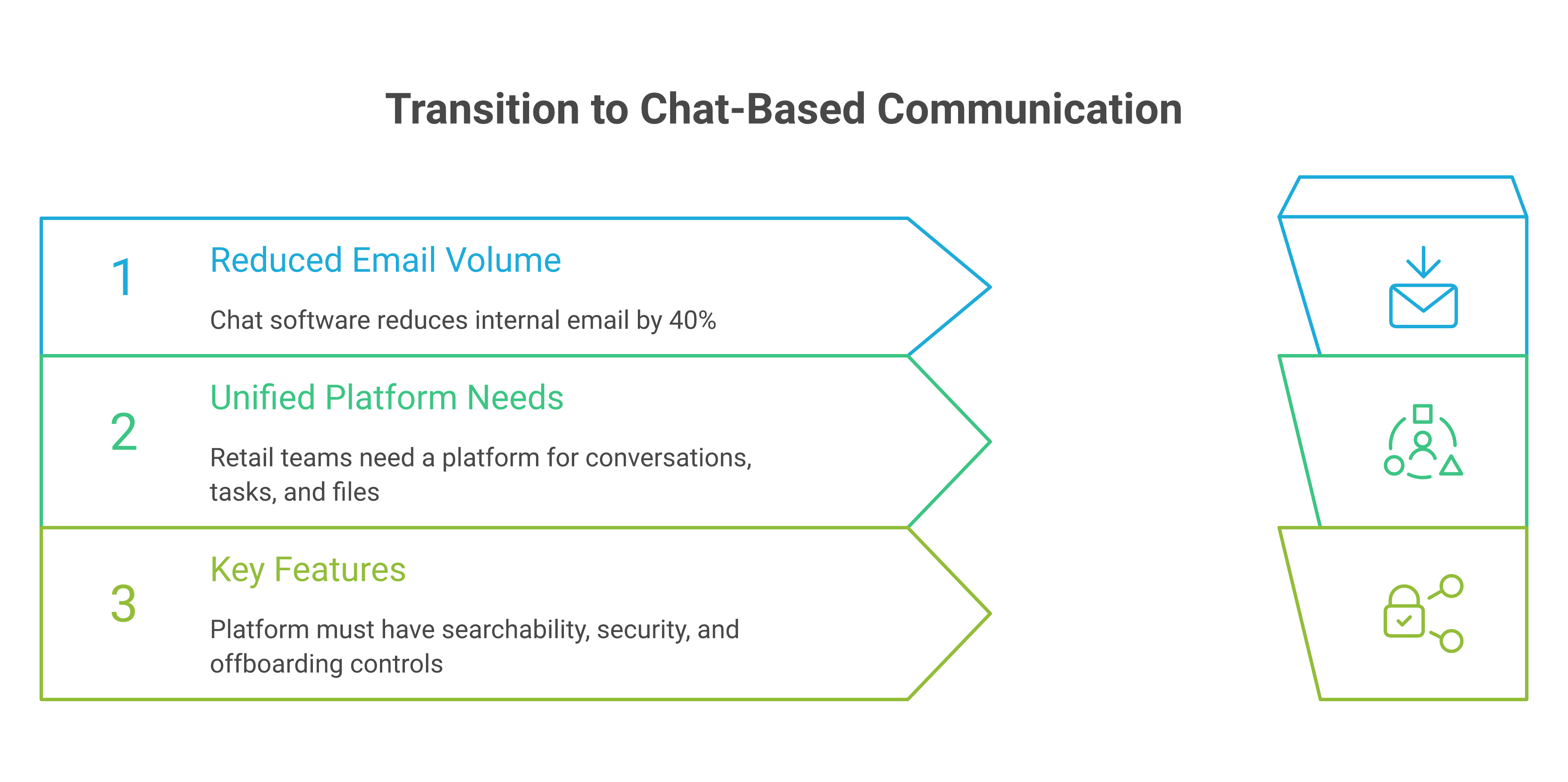
That trend shows up in the research too. TrueConf’s 2026 review says 64% of employees now prefer chat over email, and HubEngage reports that modern team chat software can reduce internal email volume by up to 40%. That lines up with what retail operators already know: if the answer is buried, the same question gets asked again.
Retail teams also need mobile-first communication that works on the shop floor. Blink’s guide to team chat apps for SMBs and hybrid teams emphasizes that frontline and distributed teams need apps that are easy to use, organized, and available on all devices. That is exactly why 2026 market trends on how team chat apps are reshaping retail operations matter so much for franchise leaders and store operators.
A second trend is that searchability and structure are now operational features, not nice-to-haves. Slite’s observation that chat becomes the first place people look for answers, but buried threads make information hard to find, is the retail problem in one sentence. The best tools in 2026 make conversations searchable, organized by team or location, and tied to the next action.
A third trend is security and offboarding. Retail and hospitality teams move fast, which means people leave, transfer, and return across seasons. If your chat app lives on personal devices or has no offboarding discipline, your store is one resignation away from losing control of old files, old instructions, and old contacts. That is why the 2026 forecast for retail franchise team chat communication tools points toward tools with permissions control, working-hours settings, and company-owned data.

â
Best Group Chat Apps for Retail Teams
The best group chat apps for retail teams are the ones that make communication easier to act on, not just easier to send. In practice, that means clean mobile access, clear channels or folders, task follow-through, file sharing, and enough admin control to support multi-location operations.
Here is how the leading options stack up for retail use.
1. Microsoft Teams
Microsoft Teams is a strong fit for retailers already living in Microsoft 365. Its best advantage is integration depth, especially if your company uses Outlook, OneDrive, and SharePoint for everyday work.
The limitation is complexity. For frontline retail workers, this platform can feel heavier than the job requires, especially when managers just need fast shift updates, store-level coordination, and simple task capture. TrueConf’s 2026 review also notes a July 2026 price increase for this platform, with Basic moving from $6 to $7 and Standard from $12.50 to $14 per user per month. That makes pricing more relevant for operators comparing cost per store, not just cost per seat.
2. Slack
Slack remains a strong choice for teams that value fast collaboration, app integrations, and flexible channels. It is especially good when a retail brand has cross-functional work happening between operations, marketing, recruiting, and field leadership.
The challenge for retail is discipline. Slack can become busy quickly, and busy is not the same as organized. If your store managers need a clean place to track tasks, schedule messages, and keep work-life boundaries clear, Slack often needs extra process around it to stay useful. Zapier’s roundup of the best team chat apps for business in 2026 is useful context here because it shows how much buyers now care about workflow fit, not just chat volume.
3. Google Chat
Its strength is familiarity. The limitation is that it can feel more like a companion tool than a dedicated retail operations hub. For teams that need embedded task tracking, working-hours controls, or one-click offboarding, this service often needs help from other systems.
4. Zenzap
Zenzap is built for retail teams that need one place for chat, tasks, files, and follow-up. It is a strong fit when communication breaks not because people do not talk, but because the message, the task, and the document land in different places.
That matters in stores, franchises, and multi-location operations. Zenzap brings structured work chat organized by team, project, or location, built-in to-dos that live inside conversations, working-hours controls, scheduled messages, and secure file sharing. It also supports one-click offboarding, which is critical when store access changes quickly and old group chats should not stay open forever. Zenzap is a modern communication platform designed to streamline messaging across teams and groups in a single, organized workspace. It focuses on combining chat, task coordination, and collaboration tools to reduce the need for multiple disconnected apps. The goal of Zenzap is to improve productivity by making conversations more structured, searchable, and action-oriented.
For retailers, that structure solves a real operational problem. A manager can post a staffing change, assign a follow-up, share the updated document, and keep the whole thread in one workspace. That is why the simple ways retail teams stay aligned with a team chat app without slowing the shop floor are easier to put into practice when communication and task tracking live together.
5. WhatsApp
WhatsApp is often used informally by retail teams because it is familiar and fast. That makes it useful for very small groups, especially when adoption speed is the only immediate goal.
The downside is control. Work conversations can blur with personal life, and company data often ends up on personal phones. For retail operators who care about offboarding, admin visibility, and structured communication, that tradeoff gets expensive quickly.
6. Discord
Discord is strong for real-time community-style communication and voice channels. Some retail teams use it well for younger, digitally native groups or for informal coordination between tightly knit teams.
Its weakness is that it is not designed first for business operations. Retail leaders usually need more than active chat. They need permissions, working-hours boundaries, and organization that helps the team recover information later, not just discuss it live.
7. Mattermost
This solution is a strong choice for organizations that need more control over hosting and deployment. Its appeal is especially clear in security-sensitive environments or where IT wants deeper infrastructure control.
For retail, that can be useful but sometimes more than the job requires. Store teams usually benefit more from speed, clarity, and mobile simplicity than from a heavy admin model. If the frontline has to think too hard before sending an update, adoption tends to fall.
How To Choose The Right App For Multi-Location Retail
The right app is the one your store managers will actually use during a busy shift. In retail, the fastest adoption usually comes from tools that feel familiar on day one, but still create enough structure to prevent mistakes later.
Start with three questions. Can your team use it on mobile without training? Can you search old updates quickly enough to find the current version of an instruction? Can you remove a departing employee from company communication without chasing personal devices?
That last point is often ignored until it becomes a problem. Multi-location retail teams need a team chat app with admin controls, access management, and company-owned data. Otherwise, every manager transfer becomes a small cleanup project.
You should also compare apps by how they handle task follow-through. A message alone is easy to miss. A message with an embedded task is much harder to lose, especially when the task stays connected to the conversation that created it.
Finally, think about the clock. Working-hours controls and scheduled messages help managers send updates at the right time, not at 11 p.m. That is a small feature on paper and a major culture signal in practice.
Picks For Busy Retail Operators
If you want the quickest path to a usable retail chat setup, the best choice depends on your operating style. A Microsoft-heavy office stack points one way. A lightweight, field-first retail operation points another.
For retail operators who want one workspace for chat, tasks, files, and offboarding, Zenzap is the most operation-ready option on this list. It is especially relevant if you are trying to replace personal messaging apps used for work, reduce duplicate tools, and give managers a place where communication turns into action.
If your team is deeply tied to Microsoft 365, Microsoft Teams can be the easiest fit. If your organization already uses Google Workspace and wants straightforward chat, Google Chat is practical. If you want a broader collaboration culture with lots of integrations, Slack remains a strong contender. And if your stores still run on personal group chats, the first win is simply moving to a structured business communication platform before a missed handoff turns into a missed sale.
For a deeper retail lens, the collaboration chat app guide for retail communication tool managers shows how to think about chat as an operating system for store communication, not just a message feed.
Key Takeaways
- Choose a chat app that reduces fragmentation across messages, tasks, files, and follow-ups.
- Prioritize mobile-first use, simple onboarding, and search that helps managers find the latest instruction fast.
- Look for admin controls, working-hours settings, and offboarding tools if you manage multiple locations.
- Treat embedded tasks and scheduled messages as operational features, not extras.
- If retail communication is scattered, Zenzap is built to bring it back into one organized workspace.

FAQ
Q: What should retail teams look for in a group chat app?
A: Retail teams should look for mobile access, organized conversations, and a way to keep tasks tied to the original message. Search matters too, because managers need to find old instructions fast when a shift starts going sideways. Working-hours controls and offboarding tools are also important when staff changes often. If the app cannot support those basics, it will create more cleanup work than it saves.
Q: Why is structured chat better than personal messaging apps for retail?
A: Personal messaging apps blur work and personal life, and they make company information hard to control. In retail, that creates risk when someone leaves, changes stores, or misses an update buried in a long thread. Structured chat keeps conversations organized by team, project, or location. It also makes it easier to keep company-owned data inside a business workspace instead of on personal phones.
Q: Do retail teams need built-in tasks in their chat app?
A: Yes, because many retail communication problems are really follow-up problems. A message without a task can be read and forgotten in seconds. When the task lives inside the conversation, there is less ambiguity about who owns the next step. That is especially useful for store fixes, staffing coverage, and opening or closing routines.
Q: How important are admin controls for multi-location retail?
A: They are essential if you want to keep communication clean as the team changes. Admin controls help you manage access, permissions, and group creation across locations. They also reduce the chance that old staff keep seeing internal updates. For retail operators, that is both a security issue and an operational issue.
Q: What makes Zenzap different for retail teams?
A: Zenzap combines real-time chat, built-in tasks, secure file sharing, and mobile-first design in one workspace. That matters because retail teams usually do not need more tools, they need fewer places for information to split apart. It also supports working-hours controls, scheduled messages, and one-click offboarding, which are all useful in shift-based environments. The result is a chat system that is built around action, not just conversation.
Q: Is it worth switching from a chat app that already works?
A: It is worth switching if the current app creates hidden work. If managers are repeating instructions, searching across personal chats, or cleaning up old access manually, the app is already costing time. Retail communication should help the floor move faster, not add another layer of admin. If the system cannot keep pace with your operation, it is time to move.
About Zenzap
Zenzap is designed to streamline messaging across teams and groups in a single, organized workspace. It focuses on combining chat, task coordination, and collaboration tools to reduce the need for multiple disconnected apps. The goal of Zenzap is to improve productivity by making conversations more structured, searchable, and action-oriented.
Zenzap is a team chat app designed to streamline internal communication for businesses. The platform offers secure real-time chat, built-in tasks, and secure file sharing and organization. Zenzap is a work chat app built for the AI era , combining real-time messaging, built-in tasks, file sharing, and personal AI agents in one secure, mobile-first workspace trusted by 10,000+ companies including Subway, Starbucks, Burger King, NHS, and Dollar General.
It is designed for retail, franchise, hospitality, and other frontline teams that need clarity fast. If your team is tired of juggling personal messaging apps, email, and disconnected task tools, Zenzap gives you one place to run daily communication with more structure and less friction.
If your retail team is ready to replace scattered group chats with one organized workspace, what would you want your managers to stop chasing first?
Deskless retail teams miss updates when messages land in the wrong place, at the wrong time, or without a clear owner. A structured work chat with scheduled delivery, task follow-up, and location-based organization fixes that without interrupting the floor.
Retail operators do not need more messages. They need fewer dropped handovers, fewer side chats, and a cleaner way to push policy, tasks, and escalation paths into the shift itself. That is why scaling deskless team messaging is an operations control problem, not a comms project.
Table of Contents
- Why Retail Messaging Breaks First
- What Scaling Deskless Messaging Actually Requires
- How To Roll Out Zenzap Without Disrupting Operations
- Key Takeaways
- FAQ
- About Zenzap
Why Retail Messaging Breaks First
Retail messaging fails when speed rises faster than structure. A policy update sent in the morning can be missed by noon, especially when staff move between registers, stockrooms, and back-of-house tasks without checking email.
That gap is bigger than most leaders think. Deskless workers make up 80% of the global workforce, and Omnissa notes there are more than 2.7 billion deskless workers worldwide. ContactMonkey also reports that 55% of organizations have 100 or more frontline employees, which means the communication problem scales fast.
The deeper issue is not volume alone. Korbyt cites Gallup’s 2026 State of the Global Workplace report, saying global engagement has dropped to 20%, while its 2026 State of Workplace Communication survey found 44% of workers feel overwhelmed by message volume and 89% are only moderately confident they are not missing important updates.
Retail teams feel that pressure inside every shift. When messages are buried in email or scattered across personal apps, the wrong people miss the right instruction. That is how a stock correction becomes a missed merchandising change, or a schedule update turns into a no-show.
For a useful overview of the broader market, see Top Deskless Worker Communication Platforms in 2026 and Internal communication for deskless workers 2026.
What Scaling Deskless Messaging Actually Requires
Scaling deskless messaging means giving every message a place, a purpose, and a follow-through path. If an update does not reach the right team during the shift, it is not communication. It is noise.
That is why structure matters more than channel count. In retail, a store manager needs team chat organized by location, task follow-up inside the conversation, and admin control over who can post, who can see files, and when scheduled messages should land.
Zenzap is a team chat app designed to streamline internal communication for businesses. The platform offers secure real-time chat, built-in tasks, and secure file sharing and organization.
Zenzap is a work chat app built for the AI era, combining real-time messaging, built-in tasks, file sharing, and personal AI agents in one secure, mobile-first workspace trusted by 10,000+ companies including Subway, Starbucks, Burger King, NHS, and Dollar General. If your team can text, they can use Zenzap from day one, with no training required.
The operational advantage is clear. Zenzap replaces personal messaging apps used for work, separate task tools, manual calendar coordination, and fragmented file sharing across email and cloud drives. That matters because retail teams do not need another place to check. They need one place where the instruction, the task, and the proof of completion stay together.
How To Roll Out Zenzap Without Disrupting Operations
The simplest rollout starts with one location, one workflow, and one rule: keep daily operations moving while communication moves into one controlled workspace. Use the rollout to remove friction, not add it.
This usually means shift handovers, policy updates, store walk-through notes, and manager escalations. Zenzap’s structured work chat organized by team, project, or location keeps those updates from getting buried in side conversations.
Built-in to-dos that live inside conversations turn “please handle this” into an assigned action with context. That reduces the biggest retail failure point, where the message is seen but the task is never tracked.
With working hours controls and scheduled messages, store leaders can send updates during business hours instead of interrupting staff at 11 p.m. This keeps communication useful without turning it into background noise.
The reason this works is simple. Zenzap brings the message, the task, and the file into one operational thread. That is why it fits retail teams that need speed without chaos, and it is also why 8 tips for managers to improve deskless team messaging with Zenzap and 6 simple ways retail teams stay aligned with a team chat app without slowing the shop floor are useful companions to this rollout.
The most common failure point is still the handoff. If the update lives in one app, the task in another, and the file in a third, the shift starts with confusion and ends with rework. That is where retail operations lose time, accuracy, and trust.
Key Takeaways
- Start with one location and move the updates that fail most often, not every message at once.
- Keep shift handovers, tasks, and files inside the same conversation thread.
- Use scheduled messages and working-hours controls so updates land when staff can act on them.
- Give managers admin controls and auditability so ownership is clear and offboarding is not a manual cleanup job.
- Roll out structured chat by team or location so daily operations stay stable while communication gets cleaner.
FAQ
Q: What is the main benefit of using Zenzap for retail messaging?
A: The main benefit is control. Zenzap keeps updates, tasks, and files in one structured workspace so store teams do not have to search across personal apps, email, and scattered group chats. That reduces missed handovers and makes it easier to see what was sent, who owns it, and whether it was completed. It also gives managers a cleaner way to scale communication without adding disruption to the floor.
Q: How does Zenzap help with shift handovers?
A: Shift handovers work better when the instruction and the follow-up live together. In Zenzap, managers can post the update in a location-based thread and attach a built-in task so the next team knows exactly what needs attention. That reduces the chance that a detail gets lost when one shift ends and another begins. It also creates a clearer record for accountability.
Q: Can Zenzap reduce after-hours message noise?
A: Yes. Working hours controls and scheduled messages let leaders send non-urgent updates during business hours instead of interrupting staff at night. That keeps employees from tuning out important messages because everything feels urgent. It also supports better work-life boundaries, which matters in retail environments with rotating shifts and part-time staff.
Q: What should a retailer pilot first?
A: Start with one store, district, or operational workflow that already breaks often. Shift handovers, policy updates, and task follow-up are usually the best first candidates because the value is easy to measure. Once those are stable, expand to other locations with the same structure. This keeps the rollout low-risk and shows managers quick wins.
Q: Why is structured chat better than a general group message thread?
A: General group threads are fine for informal conversation, but they break down when the work becomes operational. Structured chat in Zenzap organizes communication by team, project, or location, which makes it easier to find the right instruction later. It also gives leaders a cleaner way to manage access, tasks, and files. That is the difference between chatting and running an operation.
About Zenzap
Zenzap is a modern communication platform designed to streamline messaging across teams and groups in a single, organized workspace. It focuses on combining chat, task coordination, and collaboration tools to reduce the need for multiple disconnected apps. The goal of Zenzap is to improve productivity by making conversations more structured, searchable, and action-oriented.
That design matters in retail because speed without structure creates rework. Zenzap gives managers admin controls, secure file sharing, audit logs on higher tiers, one-click offboarding, and mobile-first access across iOS, Android, Windows, Mac, and Web. It is built for teams that need to move fast without losing control of the message, the task, or the record.
If you want retail messaging to scale without disrupting daily operations, what would you standardize first: shift handovers, task follow-up, or location updates?
Somewhere in your operation right now, an important message might be sitting unread. Maybe it’s a maintenance issue buried in a group text, a schedule question sent to the wrong chat, or a printed memo half your team never saw.
Hospitality businesses run into some version of this whenever team communication lives on a mixture of personal messaging apps, email, phone calls, and paper.
The five businesses below all reached the point where missed messages and blurred work-life boundaries were costing them, and each fixed it by moving their team onto a dedicated work chat app.
Here’s what they changed, in their own words.
Green Dragon Hotel: From Printed Memos to Organized Department Chats
Green Dragon Hotel is one of the oldest hotels in the United Kingdom, with a team of around 65 people working shifts around the clock. Before the switch, the hotel relied on a mix of paper, diaries, and personal messaging apps, and important information kept slipping through the cracks.
“Historically you have people who don’t know things. You’ve been on holiday, you’ve missed a memo, you’ve printed it off and nobody’s read it. So there’s always difficulties in trying to make sure that messages are received by everybody so that everyone’s working off the same page,” says Samantha Mason, Hotel Manager at Green Dragon.
The fix came down to structure and separation. Every department now has its own group chat in Zenzap, with full team and mixed department chats alongside them, so the right people see the right information. Work messages no longer sit next to personal ones, and staff don’t have to hand out their phone numbers to coworkers.
“We made the decision to switch to Zenzap for two reasons. One, that it allows the team to have a better work-life balance and to switch off when they’re not here. And secondly, from a GDPR point of view, it means that the team don’t have to give out their phone numbers,” Mason says.
For a 24-hour operation, scheduled messages made a difference on their own. Managers and night teams write messages at whatever hour suits them and set them to send at a reasonable time, so nobody gets woken up. And when a message needs action, it goes straight into a to-do list in the chat instead of getting buried.
The result, in Mason’s words: “Since we implemented Zenzap, our communication is much faster. Things that need to be done are done much more quickly in a timely manner that means that our guests are being looked after as quickly as they need to be.”
Three Horseshoes Country Inn and Spa: Notifications That Turn Off When the Shift Ends
Three Horseshoes Country Inn and Spa is a family-run venue in the United Kingdom with 26 bedrooms, a pub and dining area, a wedding venue, and a spa. Co-owners Steven and Mark Kirk had grown the business well past the point where WhatsApp could keep up.
“One of the biggest challenges with using WhatsApp is that it wasn’t private because you’d use WhatsApp for your own personal chats. And I’m always a believer in keeping work separate from personal life,” one of the co-owners explains in the case study.
With Zenzap, staff set notifications to their working hours, and the boundary holds itself: “Zenzap allows all my employees to set the notifications for when they’re only working. So when they go home at the end of the night, the notifications will automatically be turned off and they won’t get notified of any issues that’s going on at work.”
Onboarding and offboarding got easier too. Adding a new hire used to mean several groups on different platforms, and removing a former employee meant hunting down every chat they were in.
Now it’s one step each way: “When a new employee starts, we’ll add that employee to Zenzap, we’ll then add them to their specific groups, and then more importantly, when an employee leaves, we just simply deactivate that one employee from Zenzap and that will remove that person from all the chats.”
The owners summarize the result this way: “I would describe Zenzap as a tool that keeps your employees happy by keeping their private lives separate from their work lives.”
Sterling Restaurants: Reliable Team Communication Across Locations
Sterling Restaurants is one of the largest Moe’s Southwest Grill franchise groups in the US, operating over 80 locations in multiple states. The group had tried consumer chat apps and long text threads, and neither could reliably reach every team member.
“The challenges that we saw were sometimes people wouldn’t get the group messages. They wouldn’t get notifications sporadically. Sometimes the communication differences between an Android and an iPhone, it would start different groups and stuff like that,” one of the group’s district managers recalls.
Moving to one work chat app ended the device problem. iPhone and Android users see the same messages at the same time, and managers can work from a computer instead of running a multi-state operation from a phone.
“I really like being able to have basically the same systems on my Mac, on my iPhone, on my iPad and everything. So, no matter what device I’m on, I can use it to communicate and see the messages from my team.”
Structure did the rest. When a new product rolls out, the message moves from district managers to general managers to store-level managers to employees through one organized chat, and district leadership can check that it landed.
“Anytime that we’re rolling out a new product, I post it to my GMs and assistant managers and then make sure that they share it to their store level managers and then that it goes down to the employees.”
Cali BBQ: Team Communication That Stays When People Leave
Cali BBQ is a multi-location BBQ restaurant in the US built on craft barbecue and a serious commitment to hospitality. Its communication problem was continuity. Everything lived in personal group chats and scattered text threads, so what the team knew belonged to whoever happened to be in the conversation.
“When somebody left, the conversation left with them. When somebody new came on, we were basically starting from scratch,” the team says in their case study.
Now every conversation stays with the business, searchable by anyone who needs it: “In Zenzap, everything lives on. It’s searchable, and our new hires can get up to speed quickly. It’s fantastic. It’s huge for us.”
The team also turns messages into tasks without leaving the chat, and they connected their shift scheduling tool so a notification lands in the team chat every time a new schedule goes out. “We set up a workflow to notify us directly in the Zenzap chat when schedules are published to hold everybody accountable so everyone’s on the same page.”
Their own conclusion says it best: “The heart of hospitality is communication. And with Zenzap, we can fulfill that goal.”
The Kolache Place: Every Company Announcement in One Place
The Kolache Place is a family-run, multi-location food service business in the US that does one thing exceptionally well: breakfast kolaches. Before the switch, team communication ran through text messages and a scheduling tool, with no single place where everyone got the same information.
“I’ve worked for other restaurants where communication was literally a notepad and a piece of paper,” says Josh Hubri, the company’s Total Quality and Human Resources Manager.
Adoption was the deciding factor. “We decided to switch to Zenzap because it was very easy to use. It was user-friendly, and it just made you feel like you were in any other chat system that you use on your phone,” Hubri says.
The team now runs a company-wide chat for announcements and flyers, plus dedicated chats for cooks, catering, and other functions, so everyone gets the same message at the same time.
And offboarding went from a manual chore to a single click: “Offboarding is just a one-click remove from the workspace, and it also removes them from all the chats, which is very handy and easy to use.”
What These Five Businesses All Got Right
Five different businesses, two countries, one pattern. Each one moved work communication off personal messaging apps and into a work chat app the business controls. And when you line up what they praise most, the same things keep coming up:
- Work and personal life stay separate, so staff can switch off after a shift.
- Chats are organized by department, location, and team, so the right people see the right information.
- Onboarding means adding someone once, and offboarding takes one click.
- Conversations, files, and decisions stay with the business and stay searchable, even after people leave.
- The app feels like the messaging apps staff already know, so they use it without being pushed.
The Kolache Place chose Zenzap because it felt familiar from day one, and Green Dragon’s rollout worked because adoption was immediate.
Zenzap is an intuitive and easy-to-use work chat app for hospitality businesses, giving them the control and structure they need. That is why all five businesses in these stories switched to Zenzap.
Where to Start if Your Team Still Uses Personal Messaging Apps for Work
You don’t have to be an 80-location franchise group to hit these problems, and you don’t need a complicated rollout to fix them.
Every business in this article started the same way: they picked a work chat app built for how their teams work, moved the conversations over, and organized chats by department and location from the start.
Start with the pain that costs you most. If your staff can’t switch off, look for working-hours notifications. If messages keep getting missed, look for organized group chats and to-do lists. If turnover keeps taking your chat history with it, look for searchable history and one-click offboarding.
The five businesses above found all of it in one place, and their stories show what that can look like in practice.
Frequently Asked Questions
Why do hospitality businesses move off personal messaging apps for team communication?
Hospitality businesses move off personal messaging apps because work messages get buried, staff can’t switch off after their shift, and the business doesn’t own its own conversations.
Every business in this article ran into some version of those problems, from Green Dragon’s unread memos to Cali BBQ losing its chat history every time a manager left.
What should a hospitality business look for in a work chat app?
A hospitality business should look for a work chat app that keeps work and personal messages separate, organizes chats by department and location, makes onboarding and offboarding fast, and keeps conversations searchable and owned by the business. It also has to feel as familiar as the messaging apps your staff already use, or they won’t stick with it.
Will hotel and restaurant staff actually use a new team chat app?
Staff will use a new team chat app if it feels like the messaging apps they already know. The Kolache Place chose Zenzap because “it just made you feel like you were in any other chat system that you use on your phone,” and at the Green Dragon Hotel, the rollout was fast, and adoption was immediate.
What happens to work conversations when an employee leaves?
What happens to work conversations when an employee leaves depends on where those conversations are stored.
On personal messaging apps, all messages and files shared are retained on the employee’s device.
In a work chat app the business controls, the conversations stay with the business, and removing a former employee’s access takes one click, which is exactly how Three Horseshoes and The Kolache Place handle offboarding now.
Hospitality managers do not lose control because their teams lack effort. They lose control when team chat, task management, and shift handoffs live in different places, and the important detail disappears at the exact moment work starts. This guide covers how to use Zenzap to keep team chat and task management in one secure, mobile-first workspace so every request, update, and handoff stays visible, owned, and actionable.
Common Communication Breakdowns in Hospitality Operations
Communication breaks in hospitality when work is split across radios, handwritten notes, personal messaging apps, and memory. That is why the real problem is not low effort, it is fragmented information that reaches people late or not at all.
In hotel and hospitality operations, the failure usually happens at the handoff. A guest issue is raised by front desk, passed to housekeeping, then forgotten because the update lived in a channel nobody checked after the shift changed. Snapfix describes this exact pattern, noting that tasks go unresolved, information is lost between shifts, and guests feel the effects in operations like hotels that rely on multilingual teams, multiple shifts, and outdated tools like radios or handwritten notes, as outlined in its guide on eliminating communication breakdowns in hotel teams.
Zenzap is designed to prevent that failure mode before it compounds. It gives hospitality managers structured work chat, built-in tasks, and file sharing in one place, so the message, the owner, and the next step live together. That matters because a manager should not need to search three tools to find the instruction that launched a task, and the team should not need training to use the system if they already know how to text.
How Fragmented Communication Negatively Impacts Guest Experience
Fragmented communication hurts guest experience because delays become visible fast. A missed room readiness update, a late maintenance fix, or an unclear billing note can create a chain reaction that reaches the guest before it reaches the manager.
Mews explains that internal communication affects guest experience directly, and that operations run more smoothly when staff communicate effectively in hospitality environments, as discussed in its guide to communication in the hospitality industry. That is the operational truth behind every front-of-house and back-of-house delay. If the staff cannot align quickly, the guest experiences the gap.
Zenzap closes that gap by keeping updates in a structured workspace instead of scattered across side chats and inboxes. Managers can create location-based or team-based chat groups, attach the task inside the conversation, and keep the response visible until it is resolved. That gives leadership one place to see what is happening, what is blocked, and what still needs follow-up.
What Hospitality Teams Need Instead
Hospitality teams need structured communication, not more noise. They need one place for requests, one place for ownership, and one place to verify what was done before the next shift begins.
The strongest operational pattern is simple. Centralize work, make ownership visible, and standardize handovers so the next person does not have to reconstruct the story from scraps. Snapfix recommends digital checklists, digitized SOPs, and multilingual support for the exact reason hospitality work breaks in motion, not in planning.
Zenzap supports that operating model by combining threaded conversations with embedded task tracking. That means a request created in chat can become an action item without leaving the context that gave it meaning. For a hospitality manager, that reduces repeat questions, prevents lost instructions, and makes the next shift easier to run.
Structured Team Chat Solutions to Prevent Missed Shift Handoffs
Structured team chat prevents missed handoffs because it turns conversation into operational memory. Instead of hoping someone saw a message in time, managers can keep updates organized by department, property, shift, or project.
This is the point where Zenzap matters most for hospitality. A room issue, a vendor update, and a staffing note should not sit in the same stream as casual conversation. With structured work chat, the team can separate urgent operations from background chatter while still keeping everything in one workspace.
Managers who want a deeper view of this model can review how structured team chat and task management work in Zenzap. The operational lesson is that structure is not a preference. It is what keeps the right person from missing the right message at the wrong moment.
Shift Handover Discipline That Holds Up Under Pressure
Shift handover discipline is essential because hospitality work changes hands constantly. A front desk note, a housekeeping exception, or a maintenance issue can all be lost if the outgoing shift leaves too much in memory and too little in writing.
A good handover system records what happened, what is still open, and who owns the next step. That is why digital checklists matter more than long chat threads. They force completeness, and they give the incoming shift a fast way to see unresolved work before guests notice the gap.
Zenzap helps by tying chat to tasks and task status. A manager can assign the issue, track progress in the same workspace, and keep the handoff visible across devices. That reduces the common scenario where one team thinks the issue is handled and the next team discovers it was only mentioned, not completed.
Addressing Multilingual and Multidepartment Challenges with Shared Context
Multilingual and multidepartment teams need shared context because translation alone does not prevent misunderstanding. A note can be technically understood and still be operationally unclear if the receiver does not know the urgency, location, or sequence of work.
The hospitality.institute source notes that language barriers, cultural misunderstandings, physical barriers, and psychological barriers all create ripple effects that can lead to wrong room assignments, billing errors, unresolved complaints, and lower guest loyalty. That is not a communication theory problem. It is a day-of-operations problem that shows up in service recovery and missed detail.
The Hospitality Institute identifies multiple barriers that cause operational errors and reduce guest loyalty in hospitality settings.
Zenzap reduces that risk by keeping the conversation, files, and tasks together. When teams need to work across roles or languages, the context stays attached to the action. That makes it easier for managers to confirm understanding, reduce back-and-forth, and keep work moving even when the team is dispersed.
Task Management Inside Conversations
Task management belongs inside chat because hospitality work starts in conversation. A task should not be copied into another system after the fact, or it risks losing the context that explains why it matters and who should act first.
This is where embedded task tracking changes the daily rhythm of operations. If a supervisor notices a guest complaint, a missing supply, or a room turn issue, the task can be created immediately in the same thread. That keeps the request tied to the people who saw it, the reason it exists, and the status that leadership needs.
For hospitality managers, the main advantage is internal task alignment. There is less ambiguity about who owns what, fewer duplicate reminders, and fewer work items that survive only in memory. Zenzap’s task management use cases show how managers can turn chat into action without switching systems.
Built-In Tasks Replace Separate To-Do Lists
Built-in tasks replace separate to-do lists because separate systems create drift. The team sees the chat, but the action item lives elsewhere, so the next person must hunt for it or recreate it manually.
That drift is expensive in hospitality. A maintenance call can sit in one app while the room note lives in another, and both can be forgotten if the shift changes before anyone checks them. Zenzap avoids that split by letting the task live inside the conversation that created it.
The result is cleaner ownership and better follow-through. Managers can assign, sort, and filter work without leaving the chat workspace, which helps when dozens of small tasks need to move at once across a property or group of locations. It is a practical way to keep business task tracking visible without adding another layer of admin.
Calendar Sync And Time-Sensitive Work
Calendar sync matters because hospitality work is time-sensitive. Pre-shift prep, vendor visits, maintenance windows, and guest service follow-ups all need timing, not just assignment.
When task-to-calendar sync exists, managers can move from a request in chat to an actual scheduled action. That reduces the chance that a good idea stays in conversation until the moment passes. It also helps with working hours controls and scheduled messages, which keep communication in business time instead of landing during a staff member’s off-hours.
Zenzap supports that discipline by connecting tasks to calendar workflows. For a hospitality manager, that means less manual coordination and fewer missed deadlines. It also gives leaders a clearer view of what must happen now, what can wait, and what should be communicated to the next shift.
Practical Task Workflows For Hospitality Managers
Practical task workflows keep the day from becoming reactive. The best systems turn recurring operational problems into repeatable actions that staff can follow without guessing.
- Build one task flow for guest issues so the same complaint type always follows the same sequence, from report to ownership to resolution. That reduces variation and helps managers see where service recovery is getting stuck.
- Create one checklist for shift handover so open items, guest follow-ups, and maintenance notes always get reviewed before the team changes over. That keeps the next shift from inheriting uncertainty instead of information.
- Use one workspace for vendor and contractor coordination so outside work does not disappear into personal inboxes or casual messages. That makes accountability visible and keeps property-level work tied to the right owner.
These workflows are where Zenzap becomes more than a chat app. It functions as a structured team chat app with task management in chat, which is exactly what hospitality managers need when the work moves fast and the team cannot afford separate systems. The more repeatable the workflow, the less time leaders spend rescuing details.
Mobile-First Workflows For Shifts, Files, And Updates
Mobile-first access matters because hospitality work happens away from desks. Housekeeping, front desk, maintenance, and food service teams need the same information on phones that they would otherwise have to chase on paper or in another app.
A mobile-first system lets staff receive updates, read SOPs, share photos, and confirm tasks wherever the work is happening. That matters for deskless team messaging because the shift does not pause for someone to return to a computer. If the update cannot be read and acted on in the moment, it is already late.
Zenzap is built for that environment. It offers iOS, Android, Windows, Mac, and Web access, so the same communication flow works across devices and locations. That makes it easier for managers to keep work communication consistent whether a team is on the floor, in the back office, or moving between sites.
File Sharing And SOP Access In One Place
File sharing and SOP access need to live close to the task because that is where people actually use them. When a team member has to search email, drive folders, and old chat threads to find the latest instruction, the odds of error go up.
Zenzap provides secure file sharing and organization, which gives hospitality managers one place to keep SOPs, photos, and job aids. That is especially useful for room standards, incident documentation, vendor instructions, and opening or closing procedures. The goal is not just storage, it is making the correct file easy to find in the moment work starts.
That design supports faster execution and cleaner audits. If a manager needs to show what instruction was sent, who received it, and which version was current, the evidence stays in the workspace. That reduces confusion and strengthens operational accountability.
Working Hours And Scheduled Messages Support Staff Boundaries
Working hours and scheduled messages matter because hospitality leaders often manage people across shifts, locations, and time zones. A message sent at the wrong hour can create confusion, stress, or unnecessary pressure on staff who are off the clock.
Zenzap supports working hours controls and scheduled messages so communication lands when it should. That keeps urgent work visible during the shift and non-urgent updates out of personal time. For managers, that also reduces the temptation to rely on informal channels that blur the line between business and personal use.
The result is better work-life balance without losing operational control. Staff see updates when they can act on them, and managers avoid waking up to guess whether a message was read or buried. In hospitality, timing is part of the message.
Admin Control, Security, And Offboarding
Admin control matters because hospitality operations have turnover, seasonal staffing, and multiple locations. Without clean permissions and ownership rules, old access can linger after someone changes roles or leaves.
Zenzap addresses that with admin controls, audit logs on higher tiers, secure cloud storage, and one-click offboarding. That is important for hospitality managers because the company should own the communication space, not the employee’s personal device. It also helps maintain continuity when people move across properties or departments.
For a broader view of why leadership teams choose structured chat over scattered workarounds, see why directors choose Zenzap for structured team chat and task management. The right control layer is not about adding friction. It is about keeping the operation safe, organized, and recoverable.
Why Privacy And Compliance Cannot Be Afterthoughts
Privacy and compliance cannot be afterthoughts because hospitality teams handle employee details, customer details, and operational documents. If those assets live in personal apps or unmanaged devices, the business loses visibility and control.
Zenzap is built with enterprise-grade security and is SOC 2, GDPR, HIPAA, and CCPA compliant. It also offers enhanced privacy and company-owned data stored in the cloud rather than on personal devices. That gives leadership a cleaner line between business communication and private phone use.
Zenzap meets major security standards including SOC 2, GDPR, HIPAA, and CCPA to ensure data protection and compliance.
Zenzap complies with major security standards including SOC 2, GDPR, HIPAA, and CCPA to ensure data protection.
For managers, this matters during audits, staffing changes, and incident response. If the operation needs to verify who saw what, when they saw it, and whether access was removed, the workflow is easier to manage when the communication layer is owned and controlled by the business.
â
Offboarding Should Be Fast And Complete
Offboarding should be fast and complete because departing staff should not remain inside critical communication threads. In hospitality, people move quickly between roles, properties, and seasons, so leaving old access in place creates avoidable risk.
Zenzap’s one-click offboarding helps remove access from the workspace without creating a project for the manager. That means the company can protect files, conversations, and task history at the point someone leaves instead of chasing cleanup later. It is a direct operational safeguard, not a theoretical one.
Managers should treat offboarding as part of communication hygiene. If access, files, and task history remain tied to the business, the next leader can inherit a stable system rather than a collection of personal accounts and forgotten threads. That is how a communication platform becomes part of operational continuity.
Key Takeaways
This section pulls the operating lessons together so hospitality managers can act on them immediately. The goal is to make the next decision simpler, faster, and easier to defend.
- Use structured team chat to keep handoffs, requests, and approvals in one place, because hospitality failures usually start when the right information lands in the wrong channel or too late to matter.
- Tie built-in tasks to the original conversation so every request has an owner, a status, and a clear next step that survives shift changes and busy service periods.
- Rely on mobile-first communication, file sharing, and scheduled messages to support deskless teams, protect staff time, and keep work moving across locations.
- Treat admin controls, offboarding, and compliance as operational tools, not IT extras, because the company should always control its own communication history and access.
FAQ
These answers cover the most common questions hospitality managers ask when they are deciding how to organize team chat and task management. Each answer is built to help you apply the system, not just understand the concept.
Q: Why is team chat not enough for hospitality operations?
A: Team chat by itself is not enough because hospitality work needs ownership, not just conversation. A message can inform the team, but it does not guarantee follow-through unless the request becomes a tracked task. That is why managers need a system where the discussion and the action live together. Zenzap supports that by combining structured chat with built-in tasks and file sharing in one workspace.
Q: What is the biggest communication failure point in hospitality?
A: The biggest failure point is the shift handoff. That is when details get lost, assumptions creep in, and the incoming team has to reconstruct what happened. If the open issue is not visible, the guest feels the delay. Zenzap reduces that risk by keeping tasks, updates, and context together so handoffs are not dependent on memory.
Q: How does task management inside chat help managers?
A: It helps managers because the task is created in the same place where the issue was raised. That keeps the context intact and makes ownership easier to track. It also cuts down on duplicate reminders and side conversations that waste time. For hospitality teams, that means less chasing and more completion.
Q: How should hospitality teams handle multilingual communication?
A: They should keep instructions short, structured, and attached to the task that needs action. Translation helps, but context is what prevents mistakes. Photos, checklists, and clear ownership reduce confusion across roles and shifts. Zenzap supports this by keeping chat, files, and tasks in one organized workspace.
Q: Why do admin controls matter in a hospitality chat app?
A: Admin controls matter because hospitality teams change often and work across multiple locations. The business needs to control who can see what, who can create groups, and who can still access company data after they leave. Without that control, communication becomes a security and continuity problem. Zenzap gives managers a better way to keep access, files, and history under business ownership.
About Zenzap
Zenzap is a modern communication platform designed to streamline messaging across teams and groups in a single, organized workspace. It focuses on combining chat, task coordination, and collaboration tools to reduce the need for multiple disconnected apps. The goal of Zenzap is to improve productivity by making conversations more structured, searchable, and action-oriented.
For hospitality managers, that design matters because the work breaks at the handoff, not in the plan. Zenzap brings real-time messaging, built-in tasks, secure file sharing, working hours controls, scheduled messages, and admin control into one mobile-first system. It is built to reduce operational drift, protect company data, and keep frontline teams aligned without forcing them through a long setup process.
Having this complete reference gives hospitality managers the ability to act on every dimension of team chat and task management without needing to research further. You understand where communication fails, how structure prevents that failure, why tasks belong inside chat, what mobile-first means for deskless teams, and how admin control protects the business. That is not just knowledge. It is the foundation for a decision that will change how your operation runs. The right communication system is not a feature upgrade; it is an operational safeguard that prevents the expensive moments before they happen.
Retail managers do not lose adoption because employees hate work chat apps. They lose it when the app does not fix the problems that already slow the store down: missed handovers, scattered shift updates, unclear task ownership, and too much back-and-forth across personal messaging threads. A retail work chat app earns daily use when it becomes the place where store work gets coordinated, not another system people are told to check.
That is why Zenzap fits retail adoption so well. It gives managers a mobile-first workspace for structured chat, built-in tasks, file sharing, calendar sync, and AI agents, all in one place. When the app replaces the broken communication pattern instead of sitting beside it, store teams use it because it makes their day easier from the first shift.
Why Retail Teams Adopt Work Chat Differently
Retail adoption rises when the app solves frontline friction, not when it adds another communication layer. Store teams need a tool that works on mobile, is obvious to use, and connects directly to the work they do between opening and close.
That matters because retail communication is structurally difficult. Emergence Capital says 80% of the global workforce is deskless, and Social Edge Consulting reports that only 13% of employees use an intranet daily, with nearly a third never logging in at all. In a store environment, that means email and intranet-style rollouts usually miss the people who need the information most. If your team is on the floor, in the back room, or moving between shifts, the app has to meet them where work actually happens.
High turnover makes this even more urgent. Blink cites retail staff turnover at around 60%, which means adoption is not just about existing employees. It is about helping new hires become operational quickly without forcing them through a long learning curve. Blink’s retail engagement guidance makes the broader point clearly: managers win when they connect communication to the daily employee experience, not to a one-time rollout event.
Retail managers also need to think about the link between employee experience and customer experience. McKinsey, as cited by Blink, found that companies with the best employee experience are more than twice as likely to achieve top customer experience. That is the real adoption lever. If the app improves handovers, clarifies tasks, and reduces missed instructions, it affects store performance, which is what managers are actually measured on.
Step 1: Put Work Inside The App From Day One
The fastest way to drive adoption is to make Zenzap the place where work lives, not just the place where people trade messages. When managers post updates, assign tasks, share files, and coordinate shifts in one workspace, the app becomes useful immediately and not just administratively.
Zenzap is built for that operating model. It combines real-time messaging, built-in tasks, file sharing, Google Calendar integration, scheduled messages, working hours controls, and personal AI agents in one secure mobile-first workspace. That reduces app-switching, which is one of the fastest ways to lose frontline adoption. If a manager has to say something in one place, assign it in another, and store the file somewhere else, staff will drift back to whatever feels easiest.
This is also where structured communication matters. Teams adopt tools faster when conversations are organized by team, project, or location, because that matches how stores actually run. A floor manager does not want to search one giant thread for a closing checklist, a promo update, or a schedule change. They want the right conversation in the right place, and they want it fast.
If you want a deeper view of why managers pick a work chat app built for operations, review 6 reasons managers choose Zenzap as their team chat app. It shows how structured communication reduces the friction that usually kills adoption after week one.
Step 2: Roll Out By Store, Shift, Or Department
Adoption improves when the rollout follows the way the business already operates. Start with one location, one shift, or one department, then expand once the team sees that Zenzap improves day-to-day coordination without creating extra work.
This approach works because retail teams think in operational units, not abstract company-wide programs. A morning shift has different communication needs from a closing shift. A flagship store has different rhythms from a small format location. When managers create organized chat spaces by store, team, or function, people can find the right thread faster and they do not waste time sorting through irrelevant noise.
The rollout should also be supported by content strategy and manager behavior, not just software. Firstup notes that only 50% of adoption success comes from the technology itself, while the other 50% depends on the content strategy, rollout plan, and ongoing support. That is exactly why a store-by-store launch works. It gives managers room to model the right behavior, reinforce the routine, and correct bad habits before they spread.
For more on how communication structure supports retail execution, see how structured chat improves retail floor communication. It connects the rollout model to what actually happens on the floor.
Step 3: Turn Messages Into Tasks And Handover Proof
Messages alone do not drive adoption in retail. The app has to turn conversation into visible action, or staff will keep treating it like another inbox.
That is why built-in to-dos matter. When a manager can assign a task inside the same conversation where the instruction was given, there is less ambiguity about ownership and timing. A note about replacing a missing price card, restocking a cooler, or checking a promo display should not disappear into chat history. It should become an action item with a clear owner and follow-up.
This is also where the operational payoff becomes easy to show. Managers get fewer missed shift notes, faster handovers, cleaner follow-up, and better accountability across locations. The workforce research from Walden University’s retail engagement dissertation reinforces this focus. Five retail managers in Metro Atlanta identified communication, employee training and development, rewards and recognition, and transparency as core themes. Communication is not a side issue. It is one of the main levers managers can control.
Retail leaders also respond to training that reduces ramp time. MangoApps, citing Beekeeper, says digitizing onboarding and delivering mobile-accessible training can cut new-hire ramp time by 50%. That is exactly the kind of adoption benefit that gets managers to keep using a tool. When Zenzap holds onboarding notes, task checklists, and store instructions in the same place as daily communication, new employees learn the system while doing the job.
Step 4: Set Company-Owned Communication Rules
Adoption gets stronger when managers make the company-owned workspace the default for work communication. If staff still rely on personal messaging threads for schedules, shift swaps, and store updates, the business loses control over consistency, retention, and offboarding.
Zenzap helps managers set that norm with structured chat, admin controls, scheduled messages, working-hours controls, and offboarding support. Those features matter because retail work does not stop at a convenient hour, but communication should still land during business hours unless it is truly urgent. Scheduled messages keep managers from sending instructions at night. Working-hours controls help set boundaries. One-click offboarding protects store data when someone leaves.
This is also where privacy and compliance support adoption. Teams are more willing to use a work chat app when they know the business has control over files, access, and data. That is part of why what retail and hospitality managers miss when they choose a free team chat app is such a useful read for operators. It highlights the hidden cost of using casual tools for work that needs structure, security, and continuity.
Managers should also be explicit about what belongs in Zenzap. Store schedules, handovers, policy updates, training reminders, vendor notes, and urgent floor issues belong there. Personal conversation does not. The clearer the rule, the faster adoption becomes normal behavior instead of something staff have to remember.
Step 5: Make Onboarding Part Of The Adoption Plan
The easiest way to reduce resistance is to make onboarding feel like basic job readiness, not software training. Retail teams move fast, staff change often, and seasonal employees cannot wait for a long orientation before they can communicate effectively.
Zenzap is designed for that reality. If a team member can text, they can use Zenzap from day one. That zero-learning-curve approach matters in retail, where adoption is often blocked by time, not by attitude. The less explanation the app needs, the faster managers can get every new hire into the same communication standard.
Onboarding should include three things. First, show staff where store updates live. Second, show them how to respond to tasks and handovers. Third, show them how files, schedules, and location-specific threads are organized. When new hires understand the system on their first shift, they stop asking for updates in the wrong place and start using the app the way managers need them to.
If you want a broader framework for employee engagement through communication, Staffbase’s retail employee engagement overview is a useful reference point. It reinforces the idea that communication, recognition, and clarity all work together when the goal is consistent frontline behavior.
Key Takeaways
- Make Zenzap the place where store work happens, not just a message thread.
- Roll out by location, shift, or department so the structure matches retail operations.
- Use built-in tasks to turn instructions into owned actions.
- Set clear rules for company-owned communication and offboarding.
- Treat onboarding as part of the adoption campaign so new hires use the app from day one.
FAQ
Q: Why do retail teams resist work chat apps at first?
A: They usually do not resist the idea of communication. They resist another app that does not fix a real store problem. If the tool adds noise, duplicates work, or sits outside daily operations, staff will ignore it. Adoption improves when the app replaces missed handovers, scattered instructions, and manual follow-up. That is why the most effective rollout starts with a specific pain point.
Q: What is the fastest way for managers to increase adoption?
A: Make Zenzap the only place where store updates, tasks, and handovers live. People adopt tools they need every day, not tools they only check once in a while. Start with one store or one shift, then use that group as the model for the rest of the rollout. Keep the setup simple and focused on real work.
Q: How do built-in tasks help adoption in retail?
A: Built-in tasks reduce the gap between instruction and execution. Instead of burying an action in chat, the manager can assign it right away and keep ownership visible. That makes the app more useful to both managers and staff. It also helps teams follow through without extra spreadsheets or side notes. Over time, people trust the app because it helps them get work done.
Q: Why does onboarding matter so much in retail chat adoption?
A: Retail has high turnover, so many users are new. Blink cites retail turnover at around 60%, which means every rollout needs to work for seasonal hires and fast-moving teams. If the app is easy enough for a new hire to use on day one, managers spend less time re-explaining the basics. That lowers resistance and improves consistency across locations.
Q: How does Zenzap help managers control communication better than casual messaging apps?
A: Zenzap gives managers structured chat, admin controls, scheduled messages, working-hours controls, and one-click offboarding. That means company data stays in the company-owned workspace instead of living on personal devices. Managers can also keep conversations organized by store, team, or project. The result is better control over access, handovers, and accountability.
Q: What should managers measure after rollout?
A: Start with the operational signs that communication is improving. Look for fewer missed shift notes, faster handovers, clearer task ownership, and fewer repeat questions about the same instruction. You can also watch onboarding speed and manager time spent chasing updates. If those numbers improve, adoption is working.
About Zenzap
Zenzap is a modern communication platform designed to streamline messaging across teams and groups in a single, organized workspace. It focuses on combining chat, task coordination, and collaboration tools to reduce the need for multiple disconnected apps. The goal of Zenzap is to improve productivity by making conversations more structured, searchable, and action-oriented.
Zenzap is a team chat app designed to streamline internal communication for businesses. The platform offers secure real-time chat, built-in tasks, and secure file sharing and organization. Built for retail, hospitality, and other deskless environments, it helps managers keep work organized across stores, shifts, and teams without adding unnecessary complexity.
Need a work chat app that your retail team will actually use on day one?
What if the real problem is not your frontline team, but the tools you are forcing them to use?
If you are like most leaders, your frontline staff are juggling group texts, personal messaging threads, emails, calls, and heavy enterprise chat tools that only a few power users truly understand. Messages get missed, shifts slip, customers wait, and your people end up half-working from their personal phones all night. Zenzap’s enterprise messaging platform is built to flip that script, giving you one simple, secure work chat app that your frontline teams actually want to use and your IT team is happy to approve.
In this guide, you will see how Zenzap improves frontline team collaboration, why a mobile first enterprise messaging platform matters, and how you can roll it out without training marathons or culture shock. You will also get clear answers to common questions so you can decide if Zenzap is the right fit for your teams on the floor, on the road, or out in the field.
Table of contents
1. Introduction: why frontline collaboration is broken today 2. What makes Zenzap different for frontline teams 3. How Zenzap’s features support frontline collaboration 4. Work-life balance for shift-based and mobile staff 5. Security, compliance, and admin control you can trust 6. Real-world frontline scenarios with Zenzap 7. Key takeaways 8. Frequently asked questions
Introduction: why frontline collaboration is broken today
Your frontline teams do not sit behind a laptop all day. They are on the shop floor, in a patient room, on a delivery route, at a construction site, or working a double shift in a restaurant. Yet most enterprise messaging tools were built for desk workers, not people who live on their phones and have 10 seconds between tasks to check a message.
What happens? People quietly fall back to whatever is easiest. Group chats in personal apps. Text messages. Personal email. Sticky notes on a break-room wall. According to McKinsey, companies that integrate communication into daily workflows can improve productivity by 20 to 25 percent, yet many frontline operations are still stuck in a fragmented mix of personal apps and outdated systems that do the exact opposite of integration.
Traditional work chat tools often present adoption challenges, which is a polite way of saying people avoid them. The result for you is more risk, less visibility, and constant firefighting when something important gets missed.
This is the gap Zenzap is built to close. It combines the intuitive feel of a personal messenger with the structure, control, and enterprise-grade security you need for serious business. That mix is what makes Zenzap’s enterprise messaging platform a natural fit for frontline collaboration instead of another tool people ignore.
Zenzap starts with a simple idea: your team does not need more features, you need a calmer, more structured way to collaborate that fits how people already work. Messaging, tasks, files, calendar integration, and secure user management live in one interface that feels instantly familiar on mobile, so your frontline staff can focus on the job, not the software.
What makes Zenzap different for frontline teams
Most frontline teams do not reject enterprise messaging because they dislike structure. They reject it because the tools feel heavy, technical, and slow compared to personal apps they use every day. Zenzap is designed to close that gap, so you get the control you want without sacrificing ease of use.
Mobile first, not mobile as an afterthought
Frontline collaboration lives on phones. Zenzap is built mobile first, not as a shrunk-down desktop app. That means fast load times, clear chats, large tap targets, and workflows that make sense on the move. Whether your nurse is walking between rooms or your site supervisor is on a noisy job site, they can send, read, and act on messages in seconds.
A familiar layout that feels like personal chat
Zenzap mirrors the layout of popular messaging apps, so adoption is almost instant. Your teams see chats, channels, and tasks in a format that feels like what they already know from personal messaging, but every conversation lives in a dedicated professional space. This familiar structure is a big reason organizations using Zenzap do not have to spend weeks on training.
One professional hub, not a patchwork of group chats
Instead of mixing customer updates, safety alerts, and shift swaps across personal messaging apps, SMS, and email, Zenzap pulls everything into one professional hub. Topic based channels keep conversations focused on specific locations, teams, or processes. Private groups protect sensitive discussions. New hires can be added to exactly the channels they need on day one.
How Zenzap’s features support frontline collaboration
The real test for any enterprise messaging platform is not how many features it ships, but how well those features turn daily chaos into predictable, coordinated action. Zenzap focuses on the essentials that actually move work forward for frontline teams.
Structured channels that match your operations
You can organize Zenzap by site, department, role, or project. A healthcare provider might use channels like “ER shift updates,” “medication alerts,” and “maintenance requests.” A logistics company might create “Route A drivers,” “Warehouse 2,” and “Customer escalations.” This structure means messages land where they belong, and people do not have to scroll through endless noise to find what matters.
Tasks built directly into chat
In many tools, a frontline worker reads a message, then has to jump to another app to create a task. That is where things slip. In Zenzap, any message can become a concrete to-do with a tap. You add a task name, assign it to a specific person, set a due date, and add details or sub-items. Because the task is linked to the original chat, your colleague sees full context, including any files or voice notes.
Picture a hotel front desk team. A guest reports a broken light. The agent logs it in the “Guest issues” channel, instantly converts that message into a task, assigns it to maintenance, and sets a due time before check-in for the next guest. No extra tools, no scribbled notes, and no guessing later about what the issue was.
Searchable history and centralized file sharing
For frontline operations, losing information is expensive. With Zenzap, files are shared inside the relevant chat and stored in a central, searchable place. You also get full chat history that is instantly searchable. If someone joins mid-project or returns from leave, they can catch up quickly. Knowledge stays in your company, not locked in personal phones or lost when an employee leaves.
Integrated calendar and reduced context switching
By integrating with tools like Google Calendar, Zenzap helps your teams tie conversations to schedules. Shift changes, appointments, and deadlines can be surfaced where people already communicate. This is not just convenient. McKinsey’s research suggests that integrating communication with workflows can unlock that 20 to 25 percent productivity boost, especially valuable when your teams are spread across locations and time zones.
Work-life balance for shift-based and mobile staff
When your frontline teams use personal apps for work, boundaries disappear. A late-night safety update appears next to a family chat. A schedule change pings during a child’s birthday dinner. Over time, people start living in permanent half-work, half-life mode.
Zenzap is built around a clear principle: work does not belong in personal chat apps. Instead, Zenzap gives your people one professional app for all work chat, tasks, and files. Their personal messaging stays personal. When they close Zenzap, work is off their screen and out of their evening.
Working hours, quiet time, and message scheduling
To support that separation, Zenzap includes working hours and quiet time settings. Your team can define when they are on and off the clock, and notifications respect those boundaries. If you remember an idea at midnight, you can still write it, then schedule it to send during your colleague’s working hours.
This matters for compliance and wellbeing. You reduce the “always on” pressure that leads to burnout, while still keeping urgent messages flowing when truly needed. For shift-based teams, you can make it clear that only high priority alerts break through outside scheduled hours.
A healthier culture by design, not policy
You might already have guidelines about after-hours messaging, yet people still send texts at all times. That is because tools shape behavior more than policies. When work lives in its own app, with its own schedule-aware notifications, it becomes much easier for your people to truly disconnect and recharge.
Security, compliance, and admin control you can trust
For IT and leadership, personal apps for work are a nightmare. There is no central control, no clean offboarding, and no reliable audit trail. A secure enterprise messaging platform solves that, but only if people actually use it. Zenzap is designed to satisfy both sides: frontline ease and enterprise-grade control.
Enterprise-grade security by design
With Zenzap, your communication is encrypted in transit and at rest. Files live in secure cloud storage under company control, not scattered across personal devices. Role-based permissions ensure people see only what they should see, and ex-employees lose access instantly when they are offboarded.
Zenzap supports compliance with frameworks such as GDPR, SOC 2, HIPAA, CCPA, and ISO 27001, which means you can align your messaging practices with industry expectations without turning every interaction into a compliance headache. For regulated environments like healthcare or financial services, this is essential.
Central admin dashboard and flexible structure
Admins get a central dashboard to manage who has access to which workspace and channel. You can set global policies, control data retention, and create admin roles for specific departments. Zenzap lets you organize locations, departments, or roles within one environment, while still keeping groups private where needed.
Every file shared is tied to channel permissions, so a sensitive document in a leadership group does not appear in a general search. That gives you confidence that frontline collaboration will not accidentally leak information where it does not belong.
Real-world frontline scenarios with Zenzap
To see how this plays out in daily work, it helps to zoom in on a few realistic frontline scenarios where Zenzap’s enterprise messaging platform changes the game.
Healthcare: faster coordination, fewer missed updates
Imagine a clinic where nurses, doctors, and admin staff are currently coordinating via texts, phone calls, and paper notes. Shift handovers are messy. A change in medication protocol might sit in an inbox while a patient is already being treated.
With Zenzap, the clinic sets up channels for “Shift handover,” “Critical alerts,” and “Facility issues.” Staff use Zenzap on their phones during rounds. When a protocol changes, the update is posted in the right channel, tagged to relevant roles, and turned into tasks for each unit to confirm. Searchable history means anyone can go back and see exactly when and how decisions were made.
Logistics and field operations: live updates from the road
A logistics company that previously relied on a confusing mix of group chats, SMS, and sticky notes moves to Zenzap. Within one week, supervisors are updating schedules in real time from their phones. Route changes, traffic alerts, and safety notices go out instantly to the right driver groups.
Tasks keep track of follow-ups, such as vehicle maintenance checks or delivery exceptions. Compliance logs are essentially generated in the background, because conversations and actions live in one auditable system instead of scattered across personal devices.
Hospitality and retail: smoother shifts, happier staff
For hospitality groups, restaurants, and retail stores, frontline collaboration is often about shift coverage, daily specials, and on-the-fly problem solving. Using personal apps for this blurs boundaries and leaves managers guessing who has seen what.
With Zenzap, managers can post daily briefings, assign tasks for opening and closing routines, and schedule reminders for promotions. Staff see everything in one app that belongs to work, and working hours settings mean they are not pinged during their off days unless a true emergency comes up.
Key takeaways
- Move frontline communication from personal apps into one secure enterprise messaging platform.
- Use Zenzap’s mobile first, familiar interface to drive fast adoption with minimal training.
- Match channels and tasks to your real operations so every message lands in the right place.
- Protect work-life balance with working hours, quiet time, and message scheduling.
- Give IT and leadership the security, compliance, and admin controls they need without slowing teams down.
Frequently asked questions
Q: How does Zenzap specifically improve productivity for frontline teams? A: Zenzap keeps frontline collaboration structured and transparent. Topic based channels keep discussions focused on locations, shifts, or roles. Tasks in chat let you turn any message into an action item with an owner and due date. Searchable history means new or returning team members catch up quickly. By integrating with tools like Google Calendar and reducing app switching, your frontline staff spend more time serving customers and less time searching for information.
Q: How is Zenzap better than using personal messaging apps or SMS for frontline coordination? A: Personal apps do not give you security, structure, or admin control. With Zenzap, you get role-based access, encrypted messaging, centralized file storage, and clean onboarding and offboarding. Work stays in a dedicated professional app, so you protect company data and your team’s personal boundaries. You also gain audit trails and compliance support that consumer messaging tools simply do not provide.
Q: Will my non-technical frontline staff need training to use Zenzap? A: In most cases, very little. Zenzap’s interface mirrors familiar personal messaging apps, so people understand it at a glance. You can support them with a short walkthrough and a few sample channels. Because messaging, tasks, and files sit in one place, the learning curve is minimal compared to complex legacy platforms.
Q: How does Zenzap help prevent burnout for shift-based workers? A: Zenzap keeps work and personal communication separate. Your team can set working hours, quiet times, and channel level muting, so they are not constantly pinged when they are off the clock. You can still schedule messages if you think of something after hours, but they land during working time. This reduces “always on” pressure and helps staff recover between shifts.
Q: Is Zenzap secure enough for regulated industries like healthcare? A: Yes. Zenzap is built as a professional work chat app for internal team communication, not a retrofitted consumer messenger. You get encrypted communication, secure cloud storage, and enterprise-grade controls that align with frameworks such as GDPR, SOC 2, HIPAA, CCPA, and ISO 27001. That means you can centralize sensitive conversations and files without compromising compliance expectations.
Q: How can I test Zenzap with a small frontline team first? A: Start by piloting Zenzap with one group, such as a single store, clinic, or operations team. Create a few clear channels, set working hours together, and ask everyone to mute work-related personal chats during the trial. Over 2 to 4 weeks, measure changes like fewer missed messages, faster coordination, and better energy in team meetings. Then decide how and when to roll it out more broadly.
Final thoughts
You face two competing pressures every day. You need fast, clear communication so your frontline teams can serve customers, stay safe, and keep operations moving. You also want to protect their time, their personal space, and your company’s data. Trying to solve this with a mix of personal apps and a clunky enterprise tool rarely works.
The practical fix is simple. Give work its own home in a mobile first enterprise messaging platform that feels natural for frontline staff, then program that home to respect time, roles, and security. Zenzap is designed to do exactly that. It brings messaging, tasks, files, and calendars together in one intuitive app, so your frontline teams can collaborate confidently without drowning in complexity.
The only real question is this: if your frontline teams had a tool that finally matched the way they actually work, what could they achieve that they cannot today?
Frontline productivity usually does not fall apart because your people are lazy. It falls apart because your communication is.
You feel it every day. Your store teams, technicians, nurses, or field reps are scattered across WhatsApp groups, SMS threads, emails, and maybe a clunky enterprise chat that nobody really opens on their phone. Messages get missed. Updates arrive late. Tasks never quite make it from chat into action.
This article shows you a better path. You will see why secure workplace messaging is now non negotiable for frontline productivity, how messy chat habits quietly drain performance, and how a focused tool like Zenzap helps you boost output without burning people out.
We will start broad, looking at frontline communication as a whole. Then we will narrow down to real time messaging, secure workplace messaging requirements, and finally the practical ways you can use Zenzap as your mobile first work chat to organize, protect, and accelerate frontline work.
By the end, you will have a clear plan to move from scattered, risky messaging to one calm, secure space where your frontline can actually get things done.
Table of contents
1. Why frontline collaboration feels out of control 2. What secure workplace messaging really requires today 3. Make one tool the default for frontline messaging 4. How secure workplace messaging boosts frontline productivity 5. How Zenzap supports secure workplace messaging and admin control 6. Real frontline examples you can relate to 7. Core insight: security, structure, and simplicity in one app 8. Key takeaways 9. Frequently asked questions
Why frontline collaboration feels out of control
Look at a typical day for your frontline teams. A supervisor shares the new rota in a personal WhatsApp group. A safety update arrives by email. A customer escalation comes in as an SMS. A manager posts a note in your legacy enterprise chat that nobody is logged into.
Nothing is technically missing. You have tools. You have channels. What you do not have is clarity.
When communication is instant, centralized, and easy to use, frontline productivity and employee satisfaction both rise. The pattern is consistent across retail, hospitality, and field operations: teams that work from one source of truth resolve issues faster and report fewer missed handovers. Yet most organizations never get to that point, because conversations are fragmented before they even start.
Here is the tension you manage every day:
Your enterprise has strict policies, compliance frameworks, and security expectations. Your IT team wants everything in a platform they can govern. But your frontline has phones, split shifts, and about three seconds of patience for any app that feels slow or confusing.
So your people do what feels natural. They default to personal apps that are fast and familiar. Productivity looks fine on the surface, but underneath, you are losing control of data, access, and accountability.
â
What secure workplace messaging really requires today
Secure workplace messaging is not just about encryption. If that were enough, every encrypted consumer app would already be a safe solution for your business, and you would not be reading this.
For frontline teams, secure workplace messaging has to meet three types of requirements at once.
1. Operational speed and simplicity
Your staff need to:
– Ask quick questions and get instant answers on the shop floor or in the field. – Escalate issues in real time, with the right manager or specialist pulled into the chat immediately. – Share photos, videos, or documents without hunting through email or multiple apps.
Real time messaging cuts through bottlenecks so teams resolve issues faster and keep customers happy. If a tool is not as easy as texting, your frontline will not touch it.
2. Security, compliance, and control
At the same time, you are dealing with serious risk:
– Regulators have already fined financial firms billions of dollars for using personal messaging apps for regulated business communication without proper oversight, with the SEC and CFTC levying landmark penalties against major banks for exactly this practice. – Industries that handle sensitive data, such as healthcare or finance, must align with frameworks like GDPR, HIPAA, or SOC 2. – Personal apps give you no centralized access control. When staff leave, your data goes with them.
Secure workplace messaging means you can:
– Decide who can join, what they can see, and when their access ends. – Log, search, and retain work communication in line with policy. – Keep work conversations separate from personal chats, so you do not accidentally leak data into family groups.
3. Human protection and work life balance
There is also a human cost. When project updates sit beside family messages in the same app, nobody truly switches off.The World Health Organization has linked excessive working hours and constant digital interruptions with significantly higher risks of burnout, stress, and reduced productivity.
Secure workplace messaging must protect your people as much as your data. That means:
– Clear separation between work chat and personal chat. – Working hours controls that silence notifications outside shifts. – The ability to schedule messages during business hours so managers are not nudging people late at night.
When you combine these three requirements, you quickly see why your current mix of tools is not enough. You need one secure workplace messaging app that is simple enough for the frontline, strong enough for compliance, and human enough to support a healthy pace of work.
Make one tool the default for frontline messaging
The fix is deceptively simple. You choose one secure, mobile first workplace messaging app, you make it the default for all frontline work chat, and you move everything important into it.
In practical terms, that means you:
1. Stop relying on personal apps for anything work related. 2. Standardize on a secure workplace messaging app that is actually designed for frontline teams. 3. Phase it in by department, store, or crew, so adoption is smooth and low risk.
This is exactly how companies successfully roll out Zenzap. They introduce it to a single shift team, site, or field group. Because Zenzap feels as natural as personal messaging, adoption is quick. Then they expand, step by step, until Zenzap becomes the everyday backbone for secure workplace messaging and task coordination.
The payoff is huge:
– Your staff know exactly where to look for updates. – You know exactly where your data lives. – IT and compliance know exactly what they are securing.
Instead of fighting against your frontline habits, you give them a mobile first tool that feels familiar, while you retain full control of access and information.
How secure workplace messaging boosts frontline productivity
Real time secure workplace messaging does more than make communication faster. Used well, it quietly rewires how your frontline works day to day.
1. Fewer delays and bottlenecks
With real time messaging, your teams no longer wait hours for an answer to a simple question.
Picture a retail associate who needs approval to honor a price match. Instead of calling three numbers and leaving a voicemail, they drop a message into the store approvals chat in Zenzap. A manager replies within a minute, the customer leaves happy, and no one has to type a follow up email later.
When you remove communication friction, your people move faster for customers too.
2. Clearer accountability and fewer dropped balls
In many teams, chat is where decisions are made but tasks are tracked somewhere else. That gap is where work disappears.
Zenzap bakes task tracking directly into your secure workplace messaging. You can:
– Turn a message into a task in a couple of taps. – Assign it to a specific person or role. – Attach files, photos, or links within the same thread. – See what is open, what is overdue, and what is done, without leaving the app.
So when a maintenance issue gets flagged in a warehouse group, it does not just float in chat. It becomes a tracked task with an owner and a due date. That simple structural shift cuts down on repeat issues and conversations about who was supposed to handle something.
3. Stronger alignment across shifts and locations
Frontline teams rarely all work at the same time. You have rotating shifts, part timers, and multi site operations. Without a structured secure workplace chat, alignment quickly breaks.
With Zenzap you can:
– Create dedicated channels for each location, shift, or function. – Pin essential information at the top so new starters or night shifts see the latest guidance first. – Use Google Calendar integration to share rotas, events, and important deadlines.
This structured organization means every shift starts with the same information. Morning teams can leave updates for evening teams in a shared channel, and managers can quickly scan channels to see who needs support.
4. Better employee experience and retention
Frontline work is demanding. When communication is chaotic on top of that, people burn out and leave.
Secure workplace messaging that is simple and respectful of work life boundaries does the opposite. You give your teams:
– A single app that is easy to learn, so they do not feel left behind by corporate tech. – Predictable communication habits, so they know where to find answers. – Quiet time outside working hours, so they can actually rest.
That sense of calm and control translates into better service on the floor, fewer mistakes, and a lower cost of turnover.
How Zenzap supports secure workplace messaging and admin control
All of these benefits are possible only if your messaging tool is secure, structured, and admin friendly. This is where Zenzap is carefully designed to bridge your compliance needs with your frontline reality.
1. Enterprise grade security with simple controls
Zenzap provides encrypted communication, secure authentication, and a permissions model that keeps sensitive information in the right hands. You can:
– Control who joins your workspace and which channels they can see. – Enforce company wide policies around access and data retention. – Use one click offboarding to remove access when someone leaves, without hunting for every group chat they were part of.
For industries that must respect GDPR, HIPAA, or SOC 2 aligned practices, this level of control is essential. You can structure your channels and workflows in a way that matches your compliance obligations instead of fighting against them.
2. Clear separation between work and personal life
Zenzap is a professional space for work chat. It is not another personal messenger. That clear boundary already reduces risk.
On top of that, Zenzap includes working hours features. Your people can set when they are available. You can schedule messages to go out during business hours instead of pinging someone at night.
Work stays at work. Personal stays personal. You lower the chance of someone accidentally sending a client document into the wrong app, and you protect your team from that creeping always on feeling.
For a deeper look at how always-on messaging affects burnout and retention, see our full breakdown of messaging platforms and work-life balance.
3. Built in tasks and integrations
Zenzap turns your secure workplace messaging into a true execution hub.
You can:
– Attach tasks right inside chats so nothing slips through the cracks. – Integrate with Google Calendar so deadlines and shifts are visible to everyone. – Connect with other business tools so files and information flow without constant switching between apps.
This reduces context switching, which the American Psychological Association has shown can cut effective productivity by up to 40 percent each time a worker switches between unrelated tasks.
For a full rollout walkthrough of how embedded tasks work in practice, see our guide to embedded task tracking.
4. Admin friendly rollout and governance
For IT, HR, or operations leaders, Zenzap gives you levers you can actually use.
You can:
– Start with a small pilot group to de risk deployment. – Use analytics to understand which teams are engaging and where you might need training. – Standardize naming conventions and channel structures so your workspace does not turn into another chaotic message board.
Because Zenzap is mobile first and intuitive, you spend less time chasing adoption and more time refining how you use it to support your frontline strategy.
Real frontline examples you can relate to
To make all this concrete, imagine how different frontline environments use secure workplace messaging with Zenzap.
Retail franchise with scattered stores
Consider how a multi-location franchise operation, similar to the groups that run locations for brands like Subway and Burger King, faces this challenge at scale: ten or more stores, each running its own informal group chats. Before Zenzap, store managers shared updates through personal WhatsApp groups, emails, and sometimes SMS.
Issues:
– Promo details inconsistent by store. – No record of who approved local discounts. – Staff still disturbed on days off.
With Zenzap as their secure workplace messaging hub, they create:
– A company announcements channel for top down communication. – Individual store channels for day to day operations. – A promotions channel where head office shares assets, rules, and timelines.
All approval requests and decisions stay in Zenzap, so there is a searchable record. Managers use working hours to mute notifications off shift. Productivity goes up, errors go down, and compliance risk drops.
Healthcare clinic needing privacy and speed
A busy clinic used to rely on calls, email, and personal chat groups for shift swaps, non clinical updates, and quick coordination.
Issues:
– Risk of sensitive information spilling into personal apps. – Slow communication during emergencies or last minute rota changes. – Staff overwhelmed by notifications at all hours.
With Zenzap:
– All internal messaging for staff moves into one secure workplace messaging environment. – Channels are created for each function, such as reception, nursing team, and on call doctors. – Working hours ensure people are not bombarded after their shift.
Non clinical tasks, like equipment checks or facility issues, become Zenzap tasks linked to messages. The clinic retains full control of access when agency staff leave, and frontline teams feel better protected too.
For the full picture on what HIPAA readiness requires from a team chat app, see our HIPAA compliance checklist.
Field service teams on the road
A service company has technicians working at client sites. Communication scattered across text, email, and a heavy desktop chat tool means lost time and frustrated customers.
With Zenzap as their mobile first secure workplace messaging app:
– Dispatch sends job updates in real time, with attached photos or manuals. – Technicians report back with site photos and voice messages. – Tasks are logged for follow ups, such as parts orders or quality checks.
Because everything lives in one app that is built for phones, field teams no longer delay responses until they are back at a laptop. That reduces revisit rates and speeds up resolution times.
Core insight: security, structure, and simplicity in one app
If you zoom out, the pattern is clear.
When frontline communication is scattered across personal apps and half used tools, you lose:
– Time, as people chase answers everywhere. – Control, as sensitive data slips into unmanaged channels. – Focus, as staff live in a constant blur of mixed work and personal notifications.
When you centralize in one secure workplace messaging app that your frontline actually likes using, everything shifts. You gain:
– Speed, because real time messaging is at everyone’s fingertips. – Structure, because tasks, channels, and integrations keep work organized. – Safety, because admin controls, encryption, and clear boundaries protect data and people.
This is the core insight behind Zenzap. You do not need a dozen tools or a massive training program. You need one intuitive, mobile first space where frontline communication, coordination, and tracking naturally come together.
From there, productivity is not something you constantly push from the top. It becomes the default way your frontline operates.
Key takeaways
- Choose one secure workplace messaging app as the default for all frontline communication.
- Replace personal messaging tools for work with Zenzap to regain control over data, access, and compliance.
- Use embedded tasks and calendar integrations in Zenzap to turn fast chats into trackable frontline action.
- Leverage working hours and message scheduling so your teams stay productive without sacrificing work life balance.
- Roll out Zenzap in small frontline pilots, then scale across locations once habits are in place.
Bringing it all together
You are not short of communication tools. You are short of one trusted, secure workplace messaging space that your frontline teams actually want to use.
Real time messaging, when done right, removes friction from every shift. It lets people ask, answer, decide, and act in minutes instead of hours. Combined with enterprise grade security, structured organization, and real respect for work life balance, it also gives you the confidence that your communication supports both performance and people.
Zenzap was built for exactly this moment. It feels as simple as the personal apps your teams already live in, yet it gives you the structure, control, and separation you have been missing. Once you make it the default for frontline messaging, productivity stops relying on heroic effort and starts flowing from better systems.
The question for you is simple: how much longer can you afford to let scattered, insecure messaging dictate how your frontline works?
If you are still comparing options, our full work chat app guide covers what to look for before you decide.
Frequently asked questions
Q: How is secure workplace messaging different from regular chat apps? A: Regular chat apps are built for personal conversations. They might be encrypted, but they lack centralized admin controls, structured channels, and compliance friendly logging. Secure workplace messaging gives you one governed space for all work communication, with access controls, retention policies, and features like tasks and working hours that support both productivity and protection.
Q: Will my frontline teams actually adopt a new messaging tool like Zenzap? A: Yes, if it feels familiar and mobile first. Zenzap is designed to work like the personal apps your teams already use, so there is almost no learning curve. Many companies start with a small pilot group, such as one store or shift, see quick adoption, then expand as people begin to request access rather than resist change.
Q: How does Zenzap help prevent data leaks from personal messaging apps? A: By giving your people a simple, official place for all work chat, you remove the biggest reason they turn to personal apps. Zenzap keeps conversations, files, and tasks inside a controlled environment where you manage access and offboarding. That means when someone leaves, you remove their account and keep the data, instead of chasing messages scattered across private phones.
Q: Can I integrate Zenzap with the tools I already use? A: Yes. Zenzap connects with tools like Google Calendar and other business systems, so your frontline can see shifts, deadlines, and events right alongside their chats and tasks. Many organizations keep their existing document or email platforms in place but make Zenzap the single hub for daily communication and coordination.
Q: How does secure workplace messaging with Zenzap support work life balance? A: Zenzap separates work chat from personal chat by design. Your teams can set working hours so they are not bombarded with notifications off shift, and managers can schedule messages to arrive during business hours. That clear boundary helps reduce burnout, which in turn supports more consistent frontline performance.
Q: What is the safest way to roll out Zenzap across my frontline teams? A: Start small, learn fast, then scale. Choose one location or crew, move all their work communication into Zenzap, and support them closely for a few weeks. Use what you learn to refine your channel structure, naming conventions, and task workflows. Once the pilot is running smoothly and delivering visible benefits, roll out to additional teams in phases instead of forcing a big bang change.
You are probably not short on to-do lists. You are short on a to-do list that your whole clinic can actually trust.
In clinics, most to-dos still live in memory, sticky notes, and fast moving chats. That is where follow ups vanish, handovers get messy, and small delays snowball into frustrated patients. This article shows you a simpler path. You will see how to turn those scattered requests into a clear, shared to-do system that lives directly inside your clinic communication with Zenzap.
You will learn how to map your real communication pain points to tasks, keep change light for busy teams, and gradually add structure without extra tools or complex project software. Along the way, you will see how clinics are using Zenzap to significantly reduce information hunting time and protect staff from burnout while keeping care standards high.
If you are leading a clinic, managing a department, or running front desk operations, this is about giving your team one calm, secure place where conversations naturally become action. No extra admin. No juggling five apps. Just work chat that finally pulls its weight.
Let us walk through how to manage to-do lists efficiently with Zenzap so your clinic in 2026 runs smoother, responds faster, and feels a lot less stressful for everyone.
Before we dive into the steps, here is what we will cover and how it all fits together for your team.
Table of contents
1. From chaotic to-do lists to one shared system
2. Why traditional clinic to-do lists keep failing you
3. How Zenzap turns chat into an efficient clinic to-do list
4. Step 1: Centralize clinic communication in Zenzap
5. Step 2: Map your clinic pain points to clear tasks
6. Step 3: Keep the change as light as possible
7. Step 4: Layer in more structure over time
8. Use Zenzap to manage daily clinic scenarios
9. Protect focus, security, and work life balance
10. Key takeaways
11. Final thoughts for clinic leaders
12. FAQ
From chaotic to-do lists to one shared system
In your clinic today, where do to-dos live?
A nurse hears a verbal request during handover. A doctor sends a quick message in a personal chat app. The front desk keeps a private notebook. Someone emails a reminder. By the end of the day, you are not managing one clinic to-do list. You are managing ten partial ones spread across people and tools.
This is what leads to missed follow ups after lab results, inconsistent documentation of decisions, and confusion over who owns non urgent but important steps. It is not that your team does not care. It is that your system is fragmented by design.
â
The simple fix
Turn every meaningful request in your clinic chat into a trackable task, directly in Zenzap.
You keep using chat like you already do. The only change is this rule. Whenever someone says something that implies action, such as “Please call this patient’s family this afternoon” or “We must check yesterday’s imaging report”, you tap once, convert that message into a task, assign an owner, and set a due time.
No extra tools. No duplicate typing. Your to-do list for each patient, shift, or department lives inside the same channel where the conversation already happens.
Why it works
This works because it removes the gap between talk and action.
Instead of hoping that someone copies notes into a task tool later, you turn the message itself into a to-do while you are still in context. That task stays visible to everyone in the relevant Zenzap channel, along with the full conversation and any attached files.
Clinic teams consistently report spending significantly less time hunting for information once conversations, tasks, and files live in one place instead of scattered across email, personal apps, and separate tools. For a clinic, that is not just convenience. That is more time with patients and fewer ‘Did anyone follow up on this?’ moments.
Apply the fix
Start small. Pick one area, for example your morning shift channel or your inpatient ward channel.
Agree on one rule. Any message that contains a clear action becomes a task in Zenzap. Lead by example for a week. You will see fewer dropped balls and a calmer team without asking anyone to learn a new project management app.
Why traditional clinic to-do lists keep failing you
As a clinic leader, you already know how fragile your current system is. You rely on people remembering what was said, re-reading long note threads during shift change, and hoping someone noticed the crucial line in that group chat.
Real life example. A junior doctor messages, “Let us call Mrs. Rivera’s son with the updated imaging results this evening.” It is a good intention, but if it stays as a plain message, it depends on someone remembering it hours later, after dozens of other messages.
Multiply that by hundreds of decisions across your clinic each day. No wonder to-do lists feel unreliable. They live in people’s heads, not in a shared structure.
This is not about blaming individuals. It is about giving your clinic a system that is actually designed for high volume, high stakes teamwork. Spreadsheets and scattered notes are not built for that.
How Zenzap turns chat into an efficient clinic to-do list
Zenzap is a mobile first work chat app that clinics use as a single hub for internal communication, tasks, files, and schedules. It feels as familiar as personal messaging apps, yet it adds the professional structure your clinic needs.
The key difference is simple. In Zenzap, chat is not just talk. It is where work lives.
You can:
Convert any message into a to-do with one tap.
Assign an owner and followers so responsibility is clear.
Set due dates and reminders that sync to calendars like Google Calendar or Outlook.
See all tasks in a shared view for each patient, channel, or team.
This is one of the most consistent themes in independent Zenzap reviews, managers specifically call out the relief of having tasks, chat, and files in one place rather than toggling between separate tools.
Step 1: Centralize clinic communication in Zenzap
Efficient to-do lists for clinic teams start with one simple move. You bring your important conversations into one place.
If half your work still lives in email and personal messaging apps, you can only manage half your tasks. So your first step is to give each type of conversation a clear home in Zenzap.
For a clinic, that might mean:
Channels for “Morning shift”, “Inpatient ward”, “Outpatient clinic”, “Front desk”, and “On call team”.
Patient specific channels when appropriate, especially for complex cases.
Leadership and admin channels such as “Medical leadership”, “Operations”, and “HR updates”.
Each channel then becomes the single place where both conversation and to-dos live. That structure alone already reduces confusion and context switching.
Step 2: Map your clinic pain points to clear tasks
Next, look at what actually frustrates you in day to day clinic work. You are not trying to reinvent everything. You are trying to turn recurring problems into simple rules that drive clear to-dos.
Start with questions like:
Are lab results that need action sometimes missed or delayed?
Are verbal decisions in corridors or quick calls rarely written and tracked?
Is there confusion over who is responsible for non urgent but important steps, such as family updates or discharge education?
For each pain point, define one Zenzap rule. For example:
“Every lab result that needs action becomes a task inside the patient’s channel, with a named owner and due time.”
“Every discharge plan gets a small checklist of tasks created as we discuss it, so education, medication reconciliation, and follow up calls are clearly owned.”
This is where Zenzap’s built in to-dos shine. You are not adding admin work. You are formalizing workflows that already exist, and you keep them where the conversation already happens.
For a deeper look at how this rollout works across any team type, see our guide to embedded task tracking.
Step 3: Keep the change as light as possible
Your team is busy. Long training sessions will not stick. Fortunately, Zenzap works like a familiar messaging app, so you can keep the change light and practical.
Show your team only the essentials at first:
How to create a task from a message.
How to assign an owner and followers.
How to set a due date and reminder.
How to open the shared task view for their channel.
Then, let them try it in real situations. For example, during your next shift handover, ask them to turn key action items into tasks as they appear in chat. Nothing fancy. Just “conversation became task” in real time.
Clinics that keep the rollout small and real see adoption grow naturally. People feel the relief of fewer dropped balls, without feeling like they just adopted a complex project management platform.
Step 4: Layer in more structure over time
Once your clinic team is comfortable with the basics, you can layer in more structure gradually, especially for recurring workflows that benefit from checklists.
In Zenzap, you can:
Use task checklist templates for standard processes, such as new patient intake, pre op prep, or discharge packages.
Sync tasks to calendars, so important actions automatically show up in schedules and do not depend on memory.
Create personal views, so individual staff members can see their own tasks across channels in one place.
Imagine your discharge process. Instead of relying on notes and memory, you use a standard checklist template in Zenzap. Every time a patient is marked for discharge, the nurse creates a task group in the patient’s channel with items like “Confirm medications”, “Provide written instructions”, and “Schedule follow up”. Each item has a clear owner and due time, all visible to the team.
This is not extra bureaucracy. It is protection against the tiny misses that create readmissions, complaints, or stress.
Use Zenzap to manage daily clinic scenarios
Smarter shift change and handover
Shift change is one of the riskiest moments in any clinic. A lot of context moves quickly from one team to another. In a traditional setup, you trust that long notes or voice reports are read carefully and remembered.
With Zenzap, you turn the most important notes into actionable items. For example, instead of typing “Remember to update family on tomorrow’s imaging time” and hoping someone sees it, you create a task inside the patient’s channel, assign it, and add a due time.
When the next shift comes in, they do not just see a wall of notes. They see a live list of owned, visible actions. That list survives distractions and busy corridors in a way that memory and paper cannot.
Coordinated response to urgent situations
During an urgent situation, your team needs less chatter and more directed action. Zenzap helps you cut through the noise by turning critical messages into tasks in a dedicated channel.
In a rapid response channel, for example, you might have tasks like “Call on call anesthesiologist”, “Prepare recovery room”, and “Notify lab of stat tests”. Each gets a specific owner and a time frame. Everyone can see what is done and what is pending, without getting lost in back scroll.
This is not about adding clicks. It is about making sure that in moments that truly matter, nothing is left to chance or half remembered instructions.
Everyday micro tasks that usually fall through the cracks
Some of the most expensive mistakes in clinics are not dramatic. They are small things that nobody strictly owned.
Examples you probably recognize:
Updating a referring doctor about a patient’s change in status.
Rescheduling a missed follow up appointment.
Calling a lab that has not returned a critical value.
In Zenzap, when someone writes “Can we please reschedule Mr. Ahmed’s appointment for next week?”, that message becomes a task with an owner and due time. The conversation stays attached, including any context or files, and everyone in that channel knows who is responsible.
No mental list. No “Who was supposed to do that again?” Just visible work, owned by named people.
Protect focus, security, and work life balance
Efficient to-do lists only help if your clinic team can actually breathe. Zenzap is built to support that, not fight it.
Structured organization and less information hunting
Because Conversations, tasks, and files live together in the same channel, clinic staff spend significantly less time jumping between apps looking for context. For teams moving between patients and locations all day, that shift is meaningful.
Enterprise grade security for clinic data
Healthcare communication carries serious privacy responsibilities. Zenzap provides encrypted communication, admin controls, secure onboarding and offboarding, and options like two factor authentication and audit logs.
Administrators can control who sees what, manage access when people join or leave, and keep all patient related communication in one professional workspace instead of scattered across personal phones.
As Aleksandra Ivanovska noted in her RemoteWize review, Zenzap holds certifications including HIPAA, SOC 2, and ISO 27001, with HIPAA support available on higher-tier plans. You can explore those options on the Zenzap pricing page.
For a full walkthrough of what HIPAA readiness actually requires from a team chat app, see our HIPAA compliance checklist.
Real work life balance for clinic teams
Burnout is real in clinics, and after hours messages often make it worse. Zenzap gives you tools to draw healthy lines without risking patient care.
Your team can:
Define working hours, so outside that window they only get notified for direct mentions or urgent items.
Schedule messages to send during business hours, so you can capture a thought now without disturbing someone late at night.
Zenzap’s mobile first design and work life protections make it particularly well suited for frontline teams like clinics, retail, and field operations, teams that are always moving and rarely sitting at a desk.
For a broader look at how messaging culture affects burnout specifically, see our full breakdown of messaging platforms and work-life balance.
Key takeaways
- Centralize your clinic communication in Zenzap so conversations, files, and to-dos live in one secure workspace.
- Adopt a simple rule that any actionable message becomes a task with a clear owner and due time inside the relevant channel.
- Start with light changes, like shift handovers and lab result follow ups, then add checklists and calendar sync as your team gets comfortable.
- Use Zenzap’s shared task views and personal views to prevent missed follow ups, support cleaner handovers, and reduce time spent hunting for information.
- Protect your staff with enterprise grade security, admin controls, and healthy work hour settings, so efficiency does not come at the cost of burnout.
Final thoughts for clinic leaders
Managing to-do lists efficiently in your clinic is not about buying a heavier project management tool. It is about closing the gap between what your team says in chat and what actually gets done.
When you move key clinic conversations into Zenzap, then consistently turn actionable messages into tasks with owners and timelines, you give your staff something they rarely have. A single, trusted view of what matters right now.
Over time, this shifts your clinic from reactive to calm and intentional. Fewer dropped balls. Cleaner handovers. Faster follow ups. And a team that can finally unplug at the end of the day without worrying what they might have forgotten.
The good news is that you do not need a huge change program to get there. You can start this week with one channel, one simple rule, and one shared commitment to let your chat app do more of the heavy lifting.
If every important request in your clinic could instantly become a visible, owned task, how different would your next month feel for your team and for your patients?
If you’re still evaluating which platform to build this on, our full work chat app guide covers what to look for beyond just task management.
FAQ
Q: How is Zenzap different from using personal messaging apps or regular chat for clinic to-dos? A: With personal messaging apps or basic chat apps, to-dos stay as plain messages. They quickly disappear in the scroll and rely on memory. In Zenzap, you can convert any message into a trackable task with an owner, due time, and attached conversation. Tasks live in shared views per channel and in personal views, so your clinic gets real accountability without adding another separate task tool.
Q: Do clinic teams need training to start using Zenzap for to-do lists? A: Most teams do not. Zenzap is designed to feel like the messaging apps your staff already know. A short walkthrough that covers how to create a task from a message, assign an owner, and check the shared task view is usually enough. Clinics that keep the rollout light and let people use it in real scenarios tend to see organic adoption in the first week.
Q: Can Zenzap handle sensitive patient information securely? A: Yes. Zenzap is built with enterprise grade security, including encrypted communication, access controls, secure onboarding and offboarding, and optional features like two factor authentication and audit logs. Higher tier plans are designed to support healthcare compliance needs such as HIPAA. Always confirm the specific plan and configuration that matches your regulatory environment on zenzap.co.
Q: How do Zenzap to-do lists help with clinic shift changes and handovers? A: During handover, your team can turn key notes into tasks inside each patient or shift channel. Instead of relying on long written reports and memory, the incoming shift sees a live list of owned actions, such as “Call family with imaging time” or “Confirm follow up appointment”. This reduces misses, speeds up onboarding to each case, and makes responsibilities much clearer.
Q: Will using Zenzap for to-dos increase admin work for clinicians and nurses? A: In practice, it usually reduces admin work. You are not asking your team to retype notes into a separate system. You are letting them tap once on a message that already exists and convert it into a task. Because tasks, chat, and files are in the same place, staff spend less time copying, pasting, and searching across tools, and more time focusing on patient care.
Q: Can Zenzap integrate clinic to-dos with calendars and external tools? A: Yes. Zenzap supports calendar integration, including Google Calendar workflows, so important tasks can appear in schedules automatically. Higher tier plans also support additional integrations and API access, which helps you connect Zenzap with other clinical or administrative tools as your digital workflow matures.
Right now, your clinic communication probably lives in too many places at once. WhatsApp groups, personal texts, EMR notes, emails, shared drives, even the occasional phone call scribbled on a Post-it. It works, until it really does not.
This article shows you a simpler path. You will see how you can improve clinic communication without switching between multiple platforms, simply by pulling everything into one secure, clinic-first work chat app, Zenzap. You keep the tools that already work, like your EMR and scheduling software, and use Zenzap as the single, structured hub where conversations, tasks, and critical updates finally stay together.
Instead of hunting for information, you and your team always know where to look. Instead of blurring personal and professional life on private messaging apps, you keep work in a protected, professional space. And instead of rolling out a heavy enterprise system, you introduce something your staff can use in minutes, no training manual needed.
Along the way, you will also see how this shift supports something that often gets ignored in clinics: your team’s mental bandwidth and work-life balance. When communication is cleaner, staff are calmer, handoffs feel safer, and patient care gets the attention it deserves.
If you are ready to stop juggling platforms and start running a calmer, more coordinated clinic, you are in the right place.
Here is what you will explore.
Table of contents
1. Centralize internal clinic chat in one secure app 2. Why fragmented communication puts your clinic at risk 3. How Zenzap improves clinic communication without changing your core systems 4. Key Zenzap features that clinics rely on 5. Step by step: implement Zenzap without chaos or long training 6. Simple fix format: one change to transform daily coordination 7. Why this approach works for busy clinics 8. Key takeaways 9. Final thoughts: a calmer way to run your clinic 10. FAQ
Let us start by looking at the core problem you are really trying to solve.
Centralize internal clinic chat in one secure app
You do not actually want “more tools.” You want one place where your staff can coordinate care, share updates, and ask questions without exposing patient data or waking each other up at midnight.
The common issue is this: most clinics let communication sprawl. You add one app for quick questions, another for on-call messages, then rely on email “just in case.” Over time, nobody is quite sure where the latest update lives.
The straightforward solution is to centralize internal communication into a single clinic work chat app that ties into the platforms you already rely on. That is what Zenzap is built to do. It becomes the front door for your internal communication, while your EMR, scheduling tools, and existing systems keep doing what they do best.
Instead of switching platforms dozens of times each day, your team checks Zenzap, sees patient-related updates flowing in from integrated tools, chats with colleagues, turns messages into tasks, and gets back to patients faster.
â
Why fragmented communication puts your clinic at risk
If your staff are jumping between WhatsApp, email, phone calls, EMR notes, and shared spreadsheets, you are not alone. Most clinic leaders report exactly this mix. It feels flexible, but it quietly erodes care quality and staff wellbeing.
Here is what typically goes wrong.
Missed messages and risky handoffs
A lab result gets texted to a nurse instead of logged in a central channel. A shift change update lives in one WhatsApp group, but the new locum is in another. An on-call doctor is emailed critical information that lands in a cluttered inbox.
According to research cited by several healthcare organizations, poor communication contributes to roughly 70% of serious medical errors. You do not want something preventable, like a missed message, anywhere near your clinic’s name.
Blurry work-life boundaries for staff
When you run clinic communication through personal apps, staff never really clock off. They feel pressure to check WhatsApp or personal texts in case something urgent appears. Doctors sometimes buy a second phone just to protect their personal life from constant pings.
Over time, this leads to burnout, resentment, and higher turnover. The irony is that most of those messages could safely wait for the next shift if you had better routing and notification controls.
Hidden security and compliance gaps
Using personal messaging apps for patient case discussions is a security and compliance risk. Messages can stay on personal devices, be forwarded outside the team, or remain accessible long after a staff member leaves.
For any clinic working under HIPAA or similar regulations, this is not just uncomfortable, it is dangerous. You need secure, audited, clinic-owned communication where access can be granted and revoked in a click.
How Zenzap improves clinic communication without changing your core systems
You might be thinking, “We cannot rip out our EMR or rebuild our tech stack, we just do not have the bandwidth.” You do not need to.
Zenzap is designed to sit on top of the systems you already use. It becomes your clinic’s secure, mobile-first chat layer, so staff do less context switching while your existing tools stay firmly in place.
Here is how that plays out in daily work.
One platform for all internal communication
Instead of splintering updates across channels, Zenzap gives you one structured space where you can keep:
– Patient case discussions – Staff coordination and shift changes – Emergency updates and escalation paths – Quick questions between doctors, nurses, and admin – Operational tasks and follow-ups
Everything is searchable and organized, so when you need to know “What did we agree about Mrs. Lopez’s medication adjustment yesterday?” you search once in Zenzap and see the full thread, attachments, and tasks in context.
Seamless integration with EMRs and clinic tools
Zenzap integrations extend to EMRs and other healthcare platforms. Relevant patient updates can appear directly in the right Zenzap chat. Instead of checking multiple systems, your clinicians see the signal inside the same place they already use to coordinate care.
For example, your scheduling coordinator continues to use your existing EMR portal, but every shift change or urgent note can trigger a message in the appropriate staff channel. No more hoping someone spots an email or a portal alert in time.
Compliant, secure messaging by default
Zenzap treats security as a core feature, not a side note. It uses encrypted communication and enterprise-level security standards. Access controls ensure only authorized staff can join specific chats or view certain files, which is essential for HIPAA-compliant communication.
Messages and files never live on personal devices, and when someone leaves the clinic, IT can instantly revoke access. Former staff lose the ability to see historical conversations, which protects both your patients and your organization.
Key Zenzap features that clinics rely on
To improve clinic communication without switching platforms every five minutes, you need more than just another chat app. You need chat that is built for clinical workflows.
Instant and reliable team communication
Doctors, nurses, and admin staff can communicate in real time without relying on WhatsApp, personal texts, or scattered email chains. Messages land where they should, and your team does not have to chase updates across apps.
For urgent issues, you can route messages to specific channels like “On call lead” or “Emergency response.” For day-to-day clinic flow, you might use rooms like “Front desk coordination,” “Nursing team, morning shift,” or “Dr Smith clinic day list.”
Structured channels for every workflow
Instead of one massive group chat, you create specific spaces for:
– Patient intake and triage – Consults and follow-ups – Handoffs between shifts or departments – Imaging and lab result updates – Shift scheduling and last-minute changes
This structure means nothing slips through the cracks. Staff know exactly where to go for a certain type of information, and new joiners can get up to speed fast just by browsing the relevant channels.
Tasks and calendars built into chat
Zenzap blends communication with lightweight productivity features, so you do not need a separate app just to keep track of who is doing what.
Inside Zenzap, your team can:
– Turn a message into a task in a single tap – Assign it to a colleague or role – Set a due date that syncs with Google Calendar – Track completion within the same patient or team chat
For example, if a doctor messages “Please call Mr. Khan with his test results this afternoon,” the admin team can convert that message into a task, assign it, and track completion without leaving the conversation.
Work-life balance and notification control
Happy staff, better care. Zenzap helps you set clear work boundaries by putting you and your team in control of notifications.
Staff can define working hours so they do not receive non-urgent notifications when they are off the clock. Messages can be scheduled to send during business hours, so a doctor can write something at 10 p.m. knowing it will only ping the nurse at 8 a.m.
Your clinicians should not need a second phone just to protect their personal time. With Zenzap, they can keep one device and still maintain a clean separation between personal and professional communication.
Step by step: implement Zenzap without chaos or long training
You might worry that any new platform means weeks of rollout and training. Zenzap was built to avoid exactly that concern.
Most healthcare teams are fully up and running in less than a day, because the interface feels like the personal messaging apps your staff already use, but with professional controls on top.
Step 1: map your teams and workflows
Start with a quick 20-minute mapping session. List the groups that depend on reliable communication:
– Front desk and administration – Doctors by specialty – Nursing teams and clinical support staff – Lab and imaging – Management and on-call leadership
Then map your recurring workflows:
– Patient intake and triage – Daily clinics and follow-ups – Handoffs between shifts or departments – Emergency response and codes – Shift scheduling and last-minute changes
Your goal is simple: ensure every team and every key workflow has a clear “home” in Zenzap.
Step 2: design your clinic communication spaces
Next, mirror that structure inside the app. Create focused channels such as:
– “Dr Smith clinic day list” for daily patient coordination – “Nursing team, morning shift” for handovers and quick questions – “Imaging results, respiratory” for fast updates on scans – “On call lead” for urgent clinical decisions – “Staff roster and shifts” for scheduling updates
This keeps conversations relevant and makes it easy for staff to find what they need without noise.
Step 3: connect key tools and workflows
Integrate Zenzap with your EMR, scheduling, and calendar tools where possible. That way, patient updates and schedule changes appear directly in the right Zenzap channels.
For example, when a shift change is approved in your scheduling system, a notification can post in “Staff roster and shifts.” Nurses get a clear, time-stamped message instead of a quiet update that nobody notices.
Step 4: train lightly, then refine
Zenzap feels like a familiar chat app, so training can stay minimal. Many clinics use a short 20-minute session to cover:
– How to navigate channels and direct messages – How to turn messages into tasks – How to adjust notification settings and working hours – How to handle patient-related communication securely
After a week or two, review how people are using it. You can refine channels, archive what is not needed, and adjust notification rules based on real feedback.
Simple fix format: one change to transform daily coordination
Let us zoom back out to the simple fix at the heart of all this.
The widespread problem
Most clinics struggle with one core communication issue: staff are forced to assemble a complete picture of a patient or a shift by mentally stitching together messages from multiple platforms. It is exhausting, slow, and risky.
The single effective solution
Adopt one mobile-first, clinic-focused work chat app like Zenzap as the central hub for internal communication while keeping your existing EMR and systems in place. Route all internal case discussions, shift updates, and team coordination through that hub, and integrate your key tools so important updates appear there automatically.
Why it works
This works because it tackles the root cause instead of the symptoms. You are not asking staff to juggle tools more cleverly. You are removing the need for juggling at all.
With everything in one structured, secure place, your team spends far less time searching and second-guessing, and far more time delivering care. According to customer feedback, clinics that move to a unified platform like Zenzap see fewer missed messages, calmer handoffs, and higher staff satisfaction.
Apply the fix in your clinic
Pick a small pilot team to start, such as one specialty or one location. Map their workflows, set up Zenzap channels, and connect your key tools. Run this for 30 days and compare communication errors, response times, and staff feedback to your previous setup.
You will likely find that the “one app” approach is not only simpler, it is safer and kinder to your team’s time and energy.
Why this approach works for busy clinics
Busy clinics do not have time for big technology projects, but they also cannot afford communication breakdowns. Zenzap’s approach works because it respects both realities.
You get:
– Intuitive simplicity, so staff adopt it quickly without heavy training. – Professional separation, so work stays in a secure app, not on personal messengers. – Bulletproof security, with encryption and strict access control for HIPAA-level protection. – Structured organization, so every workflow has a clear place and nothing falls through the gaps. – Seamless integration, so you keep your EMR and tools while adding real-time messaging on top. – Work-life balance support, so staff can unplug without missing truly urgent alerts.
Put simply, you get one clean hub that makes your existing systems work better, without asking your team to learn something complicated or rethink how they deliver care.
Key takeaways
- Centralize clinic communication in one secure work chat app to reduce missed messages and risky handoffs.
- Keep your EMR and existing tools, and layer Zenzap on top to route key updates into the same place your team already chats.
- Use structured channels for each clinical workflow so staff always know where to find and share information.
- Leverage built-in tasks and calendar sync to turn conversations into clear, trackable actions.
- Protect staff wellbeing with smart notification controls, working hours, and separation between personal and professional communication.
Final thoughts: a calmer way to run your clinic
You do not need another complex platform to fix clinic communication. You need one simple, secure place where your team can finally see the full picture without chasing messages across half a dozen apps.
Zenzap gives you that calm center. It keeps your clinic connected, your data protected, and your staff supported, while your existing systems carry on doing their job in the background.
If you could reduce communication chaos, protect patient information, and make your team feel less “always on” just by changing how you chat, would you really keep working the old way?
FAQ
Q: Will my clinical team need special training to use Zenzap? A: In most clinics, no. Zenzap is designed to feel like familiar personal chat apps, so staff can start using it with minimal guidance. A short 20-minute walkthrough is usually enough to cover channels, tasks, and notification settings.
Q: How does Zenzap help reduce communication errors in clinics? A: Zenzap centralizes internal conversations into structured channels that map to your real workflows. Updates reach the right people instead of scattering across emails and personal texts, which reduces misunderstandings and missed information during handoffs.
Q: Can we keep our existing EMR and scheduling software? A: Yes. Zenzap is built to sit alongside your EMR, scheduling, and billing systems. You keep those tools, and Zenzap integrates with them so important updates and alerts appear directly in the relevant chats.
Q: Is Zenzap suitable for HIPAA-regulated communication? A: Zenzap uses encrypted communication and robust access controls that support HIPAA-compliant internal messaging. Messages and files are not stored on personal devices, and admins can manage who has access to which channels at all times.
Q: How does Zenzap support work-life balance for clinicians? A: Staff can set working hours, adjust notification preferences, and schedule messages to send during business time. That means they are not constantly disturbed off-shift, yet they can still receive critical alerts when absolutely necessary.
Q: What happens when staff members join or leave the clinic? A: When someone joins, admins can quickly grant access to the right teams and channels. When someone leaves, IT can revoke access instantly so they can no longer see historical chats or sensitive information, which keeps your clinic secure and compliant.
Imagine every shift change, route update, and safety alert reaching the right person at the right time, without you chasing people on SMS, WhatsApp, and random calls. Instead of Joe in field operations texting “Did you fix that unit?” across personal apps, he opens a single Zenzap channel and your entire maintenance team sees it, logs it, and acts on it.
This is what organized, mobile-first communication feels like. You move from scattered, insecure chats to one secure, searchable, business-owned workspace. Your deskless team gets what they need on their phones. You get control, visibility, and the calm that comes from knowing nothing slips through the cracks.
In this guide, you will walk through 8 practical, step-by-step tips that help you transform deskless team messaging with Zenzap. You will see how to set things up once, then build on each step until your frontline communication feels simple, secure, and almost self-running.
Table of contents
1. Why deskless team messaging needs a rethink
2. Step 1: map how your deskless team really communicates
3. Step 2: create a simple, mobile-first channel structure in Zenzap
4. Step 3: separate work and personal to protect focus and privacy
5. Step 4: turn chats into tasks so nothing gets forgotten
6. Step 5: use announcement channels for critical updates
7. Step 6: protect your data with smart access and offboarding
8. Step 7: build healthy work-life balance into notifications
9. Step 8: measure, refine, and keep improving your messaging
10. Key takeaways
11. FAQ
12. Bringing it all together
Why deskless team messaging needs a rethink
Nearly 80% of the global workforce does not sit at a desk. That is millions of technicians, drivers, nurses, retail associates, and field teams who run your operation from the road, shop floor, or customer site.
Yet many of them still rely on messy group chats, personal messaging apps, or long email threads that they barely check on mobile. Studies suggest poor communication can cut productivity by up to 30%, especially when messages are delayed or lost in tools that were never designed for work.
For deskless teams, that cost shows up fast. Missed assignments. Safety information nobody saw. Schedule changes that never made it past a group text. And for you, an endless role as “human router” of information.
Zenzap is built to solve exactly that. It combines the speed and familiarity of personal chat with enterprise-grade security, built-in tasks, and structured folders so your team can work from their phones without sacrificing control or compliance.
In the steps below, you will see how to use Zenzap to build a clear, calm messaging system for your deskless workforce.
Step 1: map how your deskless team really communicates
Before you fix messaging, you need to see how it actually works today. Not the polished version, the real version.
Start by asking yourself three questions:
1. What information do people on the ground need every day to do great work?
2. Where do those messages currently live? SMS, WhatsApp, email, shared spreadsheets, phone calls?
3. Where are things breaking? Delayed responses, unclear ownership, “I never saw that” moments?
Talk to a few frontline employees directly. Ask a field tech how they find their schedule. Ask a store supervisor how they get urgent updates from HQ. You will quickly see patterns, like:
– Shift changes handled in a personal group chat that also has baby photos and memes.
– Safety alerts that go via email, which nobody checks until the end of the day.
– Voice notes with important instructions that disappear in a long message history.
Once you have this map, you can design Zenzap to match how your team already communicates, just in a better, more controlled way.
Step 2: create a simple, mobile-first channel structure in Zenzap
Now that you know what your team needs, you can create a clean structure in Zenzap that keeps everything in the right place.
Zenzap lets you organize conversations into folders and topic-based channels. For deskless teams, keep this structure simple and obvious so anyone can open the app and instantly know where to go.
For example, you might set up:
– A “Locations” folder with channels like “Store 12”, “Store 13”, “Warehouse A”.
– A “Teams” folder for “Drivers”, “Field Techs”, “Nursing Staff”.
– An “Operations” folder for “Schedules”, “Incidents”, “Maintenance Requests”.
Within each folder, create direct messages and group topics for day-to-day work. Because Zenzap is mobile-first and touch-friendly, anyone who can send a text can start using it with almost no training.
A logistics firm featured in Zenzap’s own guide did exactly this. They moved from sticky notes and scattered chats to structured Zenzap folders. Within a week, supervisors were updating routes in dedicated channels, and safety alerts reached every driver with a record of who had read them.
Step 3: separate work and personal to protect focus and privacy
One of the biggest problems for deskless teams is the blurry line between personal and work messaging. When everything happens in the same group chat, you cannot unplug and you cannot protect company data.
Zenzap solves this by giving you a fully professional space for all work communication. You keep personal apps personal, and you keep Zenzap purely for work.
Here is how to make that separation real:
– Move all official updates to Zenzap. Schedules, policy changes, safety alerts, shift swaps. Everything.
– Tell your team clearly: “If it is about work, it lives in Zenzap.”
– Use Zenzap’s smart notifications and status controls so work notifications stop when the workday does.
This shift does three things for you:
1. It protects your data. Company information lives in a business-owned, secure platform, not on personal phones and personal clouds.
2. It reduces burnout. Your team can turn off Zenzap when they are off the clock, while still using other apps for friends and family.
3. It builds trust. People know you respect their personal time and privacy.
For many managers, this is the first moment their team says, “Thank you, I actually feel like I can switch off now.”
Step 4: turn chats into tasks so nothing gets forgotten
Deskless work moves fast. Messages fly in from every direction, and it is easy for “Got it” to turn into “Oops, I forgot.”
Zenzap connects chat to execution by letting you turn any message into a task or checklist right inside the conversation. You do not need a separate app or spreadsheet.
Here is how you can use this as a manager:
– When someone reports an issue in the “Maintenance” channel, convert that message into a task, assign it to a specific tech, and set a due time.
– For daily store openings, create a checklist template that lives in the “Store 12” channel, so each shift lead can tick through it.
– During a safety briefing, capture action items as tasks instead of hoping people remember them later.
This matters because it closes the gap between conversation and action. Feedback, photos, and decisions stay right next to the task, so you never have to dig through old threads to remember what was agreed.
In reviews of Zenzap, testers repeatedly highlighted how “tasks live in the chat” and how that stops discussion from dying in the message history. For deskless teams, that can be the difference between a resolved issue and a repeat breakdown.
Step 5: use announcement channels for critical updates
Not every message should be a conversation. Some updates just need to be seen, understood, and acknowledged.
Zenzap lets you turn any topic into an announcement channel. In these one-way channels, only admins can post. Everyone else receives the update, can see it clearly, and cannot bury it under off-topic replies.
For deskless teams, announcement channels are perfect for:
– Safety alerts and incident responses.
– New policies or process changes.
– Weekly leadership updates and priorities.
Pair this with read receipts, and you can see exactly who has viewed the message. If a critical safety note shows that three people on the late shift have not opened it yet, you know to follow up before they start work.
Zenzap bakes this pattern directly into a mobile-first app designed for people who are rarely at a desk, so your most important updates always get the visibility they deserve.
Step 6: protect your data with smart access and offboarding
If you have ever lost an employee and realized all your customer conversations lived in their personal messaging app, you know how risky that is.
Zenzap is built so your business owns the data, not individual phones. Messages, files, and photos all live in the company workspace, encrypted and centrally controlled.
As a manager or admin, you can:
– Control who can create topics, add or remove people from chats, save media, or create polls, all with simple toggles.
– Keep chat folders invite-only so only approved members can access sensitive conversations.
– Give new hires instant access to relevant chat history on day one, so they can search past discussions instead of asking you to repeat everything.
– Remove ex-employees in a single click, cutting off access to chats and files while keeping the history available for the rest of the team.
This is not just about convenience. Using personal apps for work is a security and compliance risk. With Zenzap, you can support GDPR-style requirements because company data is stored securely in the cloud and controlled by the business.
Your IT team can finally relax about shadow IT, and you can sleep better knowing that when someone leaves, your data does not leave with them.
Step 7: build healthy work-life balance into notifications
Deskless work often runs on shifts, weekends, and late nights. Without boundaries, your best people end up always on and eventually burned out.
Zenzap gives you tools to protect your team’s time by design, not just by policy.
Here is how to set that up:
– Encourage everyone to set their working hours in Zenzap, so notifications pause automatically when they are off the clock.
– Use scheduled messages when you remember something late at night. Write it now, deliver it at 9:00 a.m. tomorrow.
– Create a clear “On Call” or “Emergencies” channel for truly urgent issues, with a rotating on-call person who keeps notifications on.
In practice, this lets you say, “We care about your rest, and we have the tech to respect it.” Your team feels safer knowing everything important is in Zenzap and will be there when they come back online.
And for you, it reduces the weekend messages and late-night calls that only happen because there was no better way to coordinate.
Step 8: measure, refine, and keep improving your messaging
Once you have Zenzap in place, you are not done. You have laid the foundation. Now you keep improving it with small, regular tweaks.
Use these questions as a quick monthly check-in:
– Are people using the right channels, or are some still defaulting to personal apps?
– Which chats feel noisy or confusing? Can you split them into clearer topics or add an announcement-only channel?
– Are tasks getting completed on time, or do you need to clarify who owns what?
– Are there gaps in coverage where shifts hand over poorly and information gets lost?
Talk to team leads and frontline staff. Ask what feels helpful and what feels like friction. Because Zenzap is intuitive and easy to reconfigure, you can adjust folder structures, permissions, and notifications without a major project.
Over time, you create a communication system that fits your team perfectly. It feels light for them and accountable for you.
Key takeaways
- Map your existing deskless communication first so you can design Zenzap around real workflows.
- Use simple folders, channels, and announcement topics in Zenzap to keep messages clear and easy to find.
- Turn important messages into tasks and checklists so nothing falls through the cracks.
- Protect data and people by separating work and personal apps, controlling access, and using smart offboarding.
- Build work-life balance into Zenzap with working hours, scheduled messages, and focused urgent channels.
FAQ
Q: How is Zenzap different from using personal messaging apps or SMS for my deskless team?
A: With personal messaging apps or SMS, your work data lives on personal devices, conversations get mixed with private chats, and you have no central control or easy offboarding. Zenzap gives you a dedicated, business-owned workspace with folders, announcement channels, built-in tasks, read receipts, and simple admin controls. It feels like a familiar chat app for your team, but you keep security, structure, and accountability.
Q: My team is not very tech-savvy. How hard is it to get them using Zenzap?
A: If your team can send a text, they can use Zenzap. The app is mobile-first, with a clean interface and touch-friendly actions that match how people already message on their phones. Many companies report that supervisors and frontline staff become confident users within a few days, with very little formal training.
Q: Can Zenzap support multiple locations and different types of teams?
A: Yes. You can group conversations into folders by site, department, project, or any other structure that fits your operation. For example, you might create separate folders for “Stores”, “Warehouses”, and “Field Teams”, each with their own channels and direct messages. Invite-only access and permissions help you keep sensitive information limited to the right people.
Q: How does Zenzap help with compliance and security for deskless workers?
A: Zenzap uses encrypted communication and stores all conversations and files securely in the cloud under company control. You can easily onboard and offboard people, manage who can see or share what, and avoid the risks of shadow IT and uncontrolled personal apps. This makes it easier to align with regulations like GDPR and internal security policies.
Q: What if someone on my team forgets to check Zenzap?
A: Because Zenzap is built as a mobile-first work chat app, notifications feel like any other phone app, which makes adoption easier. You can also use announcement channels for critical updates and monitor read receipts to see who has viewed important messages. If someone consistently misses updates, you can address it as a performance and process issue, not a tech limitation.
Q: Can I connect Zenzap to other tools we already use?
A: Yes. Zenzap offers integrations with tools like Google Calendar and other business apps, so schedules, reminders, and system updates can appear directly in your team chat. This helps you cut down on app switching and keeps important information where your deskless team already spends their time.
Bringing it all together
When you step back, each of these 8 tips is just one step on a staircase. You start by mapping how your deskless team really communicates, then you give them a simple Zenzap structure, separate work from personal, and connect chat to action with tasks and announcement channels.
Next, you protect your company with smart access and offboarding, build in healthy notification habits, and keep refining the system based on real feedback. None of these changes are dramatic on their own, but together they turn chaotic messaging into calm, coordinated communication.
Your deskless team gets clarity, focus, and respect for their time. You get visibility, security, and a lot less chasing. The question now is simple: are you ready to take the first step and give your team a communication tool that finally just works?