



.svg)

.svg)

.svg)

.svg)

.svg)

.svg)

.svg)

.svg)

.svg)

.svg)
.svg)


























How to Add AI Agents That Turn Data into Reports and Flag Priorities Across Your Work Tools
Three steps turn scattered numbers into reports, priorities, and action across your tools.
When managers ask for a report, they usually do not need more dashboards. They need a clear read on what changed, what is late, and what needs attention now. That is why AI agents are gaining traction in operations, retail, hospitality, healthcare, and service businesses. They pull from the tools your team already uses, then turn that activity into reports and flags that drive action.
The shift is already visible in the numbers. Anthropic's 2026 State of AI Agents report says 80% of organizations report measurable ROI, and 57% already use AI agents for multi-stage workflows. It also shows that data analysis and report generation are the top non-engineering use case at 60%, which fits this problem exactly. If your team is buried in scattered data, the goal is not another view. It is an AI agent that reads the tools, summarizes the week, and flags what should move first.
Table of Contents
- Why AI Agents Beat Static Dashboards
- How to Add AI Agents in 3 Steps
- Where The Workflow Breaks Down
- Key Takeaways
- FAQ
- About Zenzap
Why AI Agents Beat Static Dashboards
AI agents work because they do not wait for someone to ask the right question. They watch for changes, reconcile data across tools, and surface the actions that matter before a manager starts hunting through tabs.
That matters in the real world. In the same Anthropic report, 46% of organizations said integration is their biggest blocker, followed by 42% for data quality and 39% for change management. Those are not abstract problems. They are the reason dashboards sit open while the work behind them stays unaddressed.

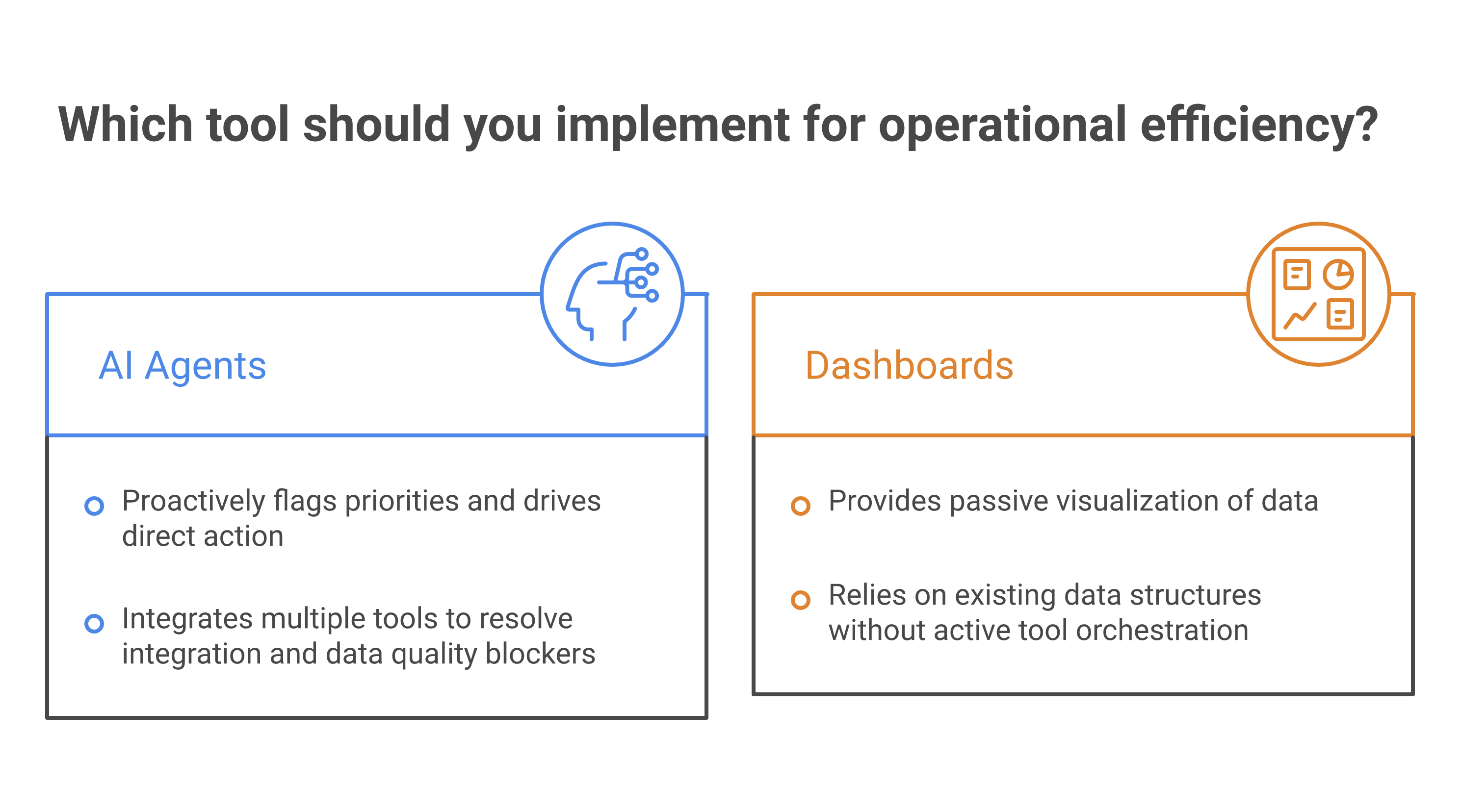
A reporting dashboard shows a chart. An AI agent checks the chart, compares it to the last cycle, and tells you which location, account, ticket, or order needs attention. That is the difference between information and execution. It also explains why executive adoption is moving fast, with the Panto AI statistics summary reporting that 97% of executives deployed AI agents in the past year and 80% say they are already seeing measurable ROI.
For teams that live inside multiple systems, the value is even sharper. The easiest way to see it is to compare scattered data entry with a workflow that runs in the background and sends a clean summary where work already happens. If you are centralizing operations, the logic in how to boost productivity by centralizing your work tools with Zenzap applies directly, because the AI agent gets better when the work context sits in one place.
How to Add AI Agents in 3 Steps
The simplest version of this workflow has three moves. You add the AI agent, connect the tools, then let it watch for patterns that need a report or a priority flag.
A manager can add one AI agent for weekly reporting, ticket triage, or store performance summaries without needing code or a developer.
That can include CRM records, task systems, docs, calendars, or support queues, which gives the AI agent enough context to compare what happened across channels.
Use plain language, like "send a weekly sales summary every Monday" or "flag any location with missing labor coverage and open tickets."
This works because the agent does not need a perfect prompt. It needs the right context. Zenzap's model is built around the idea that the more chats and tools an AI agent can see, the better it understands what is normal, what is delayed, and what needs escalation. That is why it fits the same operational logic described in centralized work tools and productivity and in task management inside daily communications.
Where The Workflow Breaks Down
The most common failure point is not the report itself. It is bad context.
If the AI agent only sees one tool, it will miss the story behind the data. A dip in sales may be caused by a staffing gap. A late ticket may be tied to a missing approval. A spike in returns may reflect one store, one route, or one shift. Without shared context, the AI agent can summarize numbers but still miss priorities.
That is where Zenzap matters. AI agents work best when they live in the same conversation as the people who run the work. They can summarize a chat, turn data into reports and graphs, and flag what needs attention while the team adds the context the system cannot infer on its own. In practice, that means fewer blind spots and faster action, especially when teams are using connected tools across locations or departments.
The business case is not theoretical. Anthropic says 80% of organizations report measurable ROI, 57% already use AI agents for multi-stage workflows, and 16% use them for cross-functional processes. Sustainability Atlas also reports that the global AI agent market reached $5.1 billion in 2025 and is projected to exceed $14 billion by 2028. Those numbers point to a simple truth: the value comes from making the workflow act, not just report.
Key Takeaways
- Add one AI agent for one repeat workflow, such as weekly reporting, exception tracking, or priority flagging.
- Connect the AI agent to the tools that hold your real operational data, not just one source.
- Ask for reports in plain language, then let the AI agent watch for changes and surface exceptions.
- Keep the work in one shared chat so the team can add context, correct the AI agent, and sharpen future outputs.
- Measure the result in hours saved, mistakes caught, and faster decisions, not just in output volume.

FAQ
Q: What is the fastest way to start with AI agents for reporting?
A: Start with one recurring report that already costs your team time every week. Weekly KPI summaries, open ticket reviews, and location performance reports are strong starting points because they repeat and have clear inputs. Add the AI agent to the same workspace where your team already works, then connect the tools that hold the data. Begin with read-only reporting first so the AI agent proves value before you widen the workflow.
Q: What should AI agents flag as a priority?
A: Flag anything that changes the next move. That can include delayed approvals, missed service targets, missing labor coverage, stock issues, high-priority customer complaints, or unusual drops in performance. The best priority flags are specific and operational, not vague. If the AI agent cannot tell the team what to do next, the flag is too weak.
Q: Why do AI agents need more than one tool connection?
A: Because the truth of the workflow usually sits across systems. Sales may live in one tool, support in another, and schedules in a third. If the AI agent can only see one of them, it may report the symptom instead of the cause. More context helps it reconcile what happened and flag the right issue sooner.
Q: How do you keep AI agents from overwhelming teams with noise?
A: Give the AI agent clear rules on what counts as an exception. Use thresholds, simple triggers, and a defined reporting cadence. You can also start with one team or one location so you can tune the output before scaling. The goal is not more alerts. The goal is fewer, better alerts that lead to action.
Q: What is the business value of this workflow?
A: The value shows up in time saved, mistakes caught early, and faster escalation. Anthropic reports that 80% of organizations see measurable ROI from AI agents, and data analysis plus report generation is a top use case at 60%. In operational terms, that can mean fewer hours spent gathering data and more time acting on it. It also means managers stop chasing reports and start running the business.

Take Control of Your Team Communication
Chat, organize, and get work done - all in one place.
Other Blog Posts

