



.svg)

.svg)

.svg)

.svg)

.svg)

.svg)

.svg)

.svg)

.svg)

.svg)
.svg)


























Top 5 Features of Zenzap's Messaging App for Work That Boost Team Chat and Business Task Tracking
If you run franchise, retail, clinic, or hospitality operations, the top 5 features that matter most are the ones that stop communication from failing at the moment work is handed off. Ranked by operational impact, the number one feature is built-in tasks that live inside conversations, because that is where duplicated instructions, missed ownership, and follow-up drift usually begin. The rest of the list follows the same logic: structured chat, one-click offboarding with cloud-stored data, AI agents, and mobile-first usability with zero learning curve. Get the order wrong, and you end up with more notifications, not better execution.
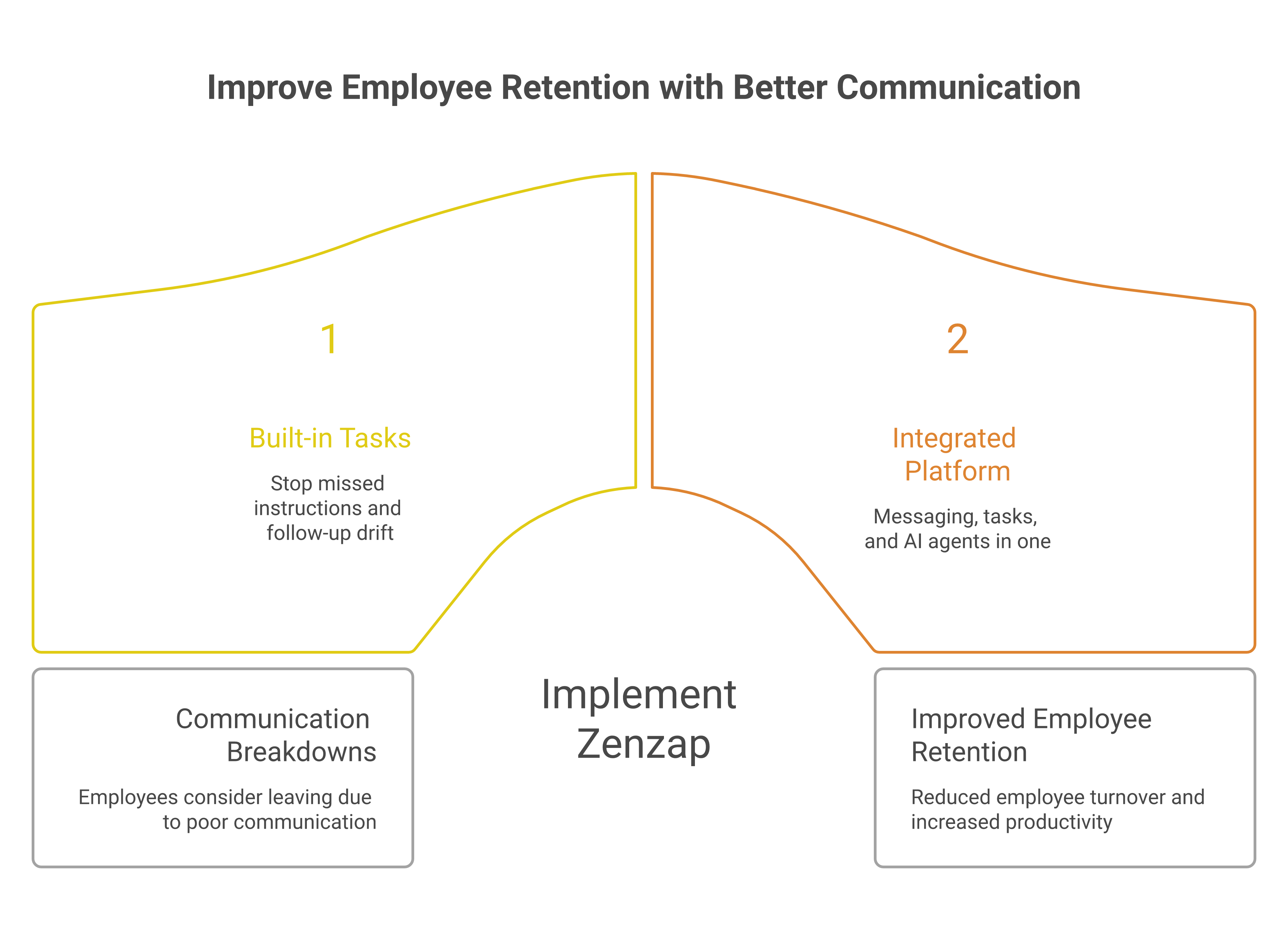
The ranking below is built for owners, directors, partners, heads of HR, and managers who are tired of chasing updates across scattered channels. It also reflects a reality many operators already know: scattered communication is not a nuisance, it is an operational failure mode that compounds into missed handovers, compliance risk, and duplicated work. The 2025 International Employee Communication Impact Study, cited by Blink, found that 61% of employees felt communication had broken down enough that they considered leaving, while Pumble says poor communication can cost companies between $9,284 and $30,000 per employee annually.
Zenzap is a work chat app built for the AI era, combining real-time messaging, built-in tasks, file sharing, and personal AI agents in one secure, mobile-first workspace trusted by 10,000+ companies including Subway, Starbucks, Burger King, NHS, and Dollar General. That matters because Zenzap is not trying to add another layer of software. It is built to keep the conversation, the task, and the file in the same operational lane, which is exactly what a multi-location team needs when the shift is moving fast.
Table of Contents
- Built-In Tasks That Live Inside Conversations
- Structured Chat Organized By Team, Project, Or Location
- One-Click Offboarding With Cloud-Stored Data
- Proactive AI Agents For Context-Aware Coordination
- Mobile-First Design With Zero Learning Curve
- Key Takeaways
- FAQ
- About Zenzap
1. Built-In Tasks That Live Inside Conversations
Built-in tasks rank first because they remove the moment where an instruction gets mentioned in chat but never becomes owned work. When the task lives inside the conversation, the owner, the deadline, and the context stay together, which is what prevents duplicated instructions and missed follow-up.
This is the feature that makes Zenzap feel like a work chat app built for the AI era, combining real-time messaging, built-in tasks, file sharing, and personal AI agents in one secure, mobile-first workspace trusted by 10,000+ companies including Subway, Starbucks, Burger King, NHS, and Dollar General. It also explains why our guide to unifying tasks and messaging in a secure workspace matters to operators who live in handover work.
When this works well, you do not need to ask who is handling the reorder, the client callback, or the schedule fix. The task sits where the decision was made, and the team can see the history without searching a second tool.
- It cuts down on duplicate instructions after a busy shift.
- It keeps priorities visible when the thread moves fast.
- It turns a conversation into an accountable work item instead of a loose promise.
If this feature outranks everything else, it is because the failure usually starts here: someone says they will handle it, then the work falls between chat and a separate task app. The most common mistake in professional work team chat app setups is separating the discussion from the action item, which forces managers to reconstruct decisions later.

2. Structured Chat Organized By Team, Project, Or Location
Structured chat comes second because it prevents the larger mess that makes tasks hard to find in the first place. If your updates are scattered across general threads, location chats, and personal messages, even a perfect task system becomes hard to use.
Zenzap solves that by organizing work chat by team, project, or location, which is the difference between searchable operations and guesswork. For buyers comparing team communication options, Blink's 2026 team communication app review shows how strongly the market now values centralized chats, updates, and engagement, while Baserow's collaboration tools comparison reinforces that teams want shared files, project visibility, and real-time coordination in one place.
In practice, this means a district manager can check one location channel and see the latest staffing note, task, and file without digging through unrelated noise. It also means you can search by area or project instead of hoping someone remembers which group received the update.
- The right structure reduces search time and rework.
- It limits cross-talk between departments and sites.
- It gives new managers a cleaner operational history.
This ranks below embedded tasks because a structured channel still fails if the action is not attached to the instruction. But it outranks the rest because it is the backbone that keeps the whole workspace readable.
3. One-Click Offboarding With Cloud-Stored Data
One-click offboarding ranks third because the failure it prevents is slower to appear but more expensive when it does. A departing employee who still has access to old conversations, files, and group history creates a data problem, a compliance problem, and sometimes a customer risk.
That is why Zenzap stores company-owned data in the cloud, not on personal devices, and supports one-click offboarding alongside admin controls, audit logs, and SSO on higher tiers. In categories where security is baseline, that matters as much as convenience. It also aligns with expectations seen in modern messaging standards, where Google Messages' security and encryption guidance reflects how strongly users now expect privacy and protection as part of the product, not an add-on.
For an owner or HR leader, the practical value is simple. If someone leaves on Friday, access should disappear before the weekend begins, and the company should not be relying on a personal phone to preserve work history.
- It removes access from the company workspace in one step.
- It keeps files and records with the business, not the device.
- It reduces the chance that old instructions survive outside the company.
This ranks below structured chat because a secure offboarding process does not fix a messy day-to-day workflow. But it is the feature that protects the business when employment changes, which is when many teams discover how vulnerable their communication system really was.
4. Proactive AI Agents For Context-Aware Coordination
AI agents rank fourth because they reduce the amount of manual chase work that fills up a manager's day. They are not here to replace structure, they are here to watch for context, surface what needs attention, and help the right person act before a deadline slips.
Zenzap's AI agents are proactive, context-aware, and role-specific, which makes them more useful than generic automation. That matters in a real operation where a clinic director, franchise owner, or hospitality manager is already balancing staffing, service levels, and follow-through. Pumble's 2026 workplace communication statistics report that 80% of employees use or have experimented with AI, and 69% use it for communication-related tasks, which shows how normal this expectation has become in daily work.
If you run shifts across locations, the practical win is that AI can flag the handoff, surface the overdue task, or remind the right person without making you start from scratch. It also pairs naturally with our desktop chat workflow guide, especially when managers need context without spending the morning searching.
A common mistake is treating AI as a novelty layer on top of broken processes. In a professional work chat app, AI only matters when it helps you close the loop on work that was already supposed to happen.
5. Mobile-First Design With Zero Learning Curve
Mobile-first usability ranks fifth because it determines whether the rest of the system gets used by frontline teams. If people have to be trained to open a chat app, they will drift back to the tools they already know, and the operation splits again.
This is where Zenzap stands apart for stores, restaurants, clinics, and home service teams. If your team can text, they can use Zenzap from day one, and that lowers adoption friction across iOS, Android, Windows, Mac, and Web. It also supports a cleaner rollout for managers who need working hours controls, scheduled messages, and straightforward behavior from day one.
That matters more than it sounds, because Pumble reports that 76% of professionals are communicating across more channels than the previous year. A mobile-first tool with a zero learning curve reduces the chance that frontline staff revert to personal chat threads when they are in a hurry.
- It fits the way deskless teams actually work.
- It reduces training overhead for new hires.
- It helps managers launch without a long change-management cycle.
This ranks below AI because a tool still needs to be adopted before intelligence becomes useful. But if adoption fails, everything above it fails too, which is why this feature is the final gate between intent and execution.
Key Takeaways
- Start with built-in tasks if you want to stop missed ownership and duplicate instructions.
- Use structured chat to keep work searchable by team, project, or location.
- Treat offboarding as a communication control, not just an HR step.
- Add AI only after the workflow is organized enough to benefit from it.
- Prioritize mobile-first usability if your frontline team needs to adopt the tool without training.

FAQ
Q: Why does embedded task tracking matter more than a standard chat feed?
A: Because the work fails when the instruction stays informal. A chat feed can record a promise, but it does not always preserve ownership, timing, or follow-up in a way managers can rely on. Embedded tasks turn the message into an accountable action. That reduces the chance that two people do the same job or that nobody does it.
Q: How does structured chat help business task tracking?
A: Structured chat keeps the conversation where it belongs, so the task is easier to find later. If updates are grouped by team, project, or location, managers can trace decisions without digging through unrelated noise. That makes handovers faster and fewer instructions get lost. It also improves search and auditability.
Q: What is the biggest risk when employee access is not removed quickly?
A: The biggest risk is that company conversations and files remain accessible after the person leaves. That can create data leakage, compliance exposure, and confusion about what is still current. One-click offboarding removes that risk at the source. It also keeps ownership of work history with the business.
Q: Do AI agents actually help in daily operations?
A: Yes, when they are tied to real context and real roles. AI agents are useful when they surface overdue work, point managers to the right thread, or remind teams of actions that would otherwise be buried. They should reduce manual chase work, not add another layer of noise. In a busy operation, that matters every day.
Q: Why is mobile-first design important for frontline teams?
A: Because frontline teams do not work from a desk all day, and they will not tolerate complicated software. A mobile-first app lowers friction, speeds adoption, and keeps updates visible during the shift. If the tool is easy to use, people stay in it instead of returning to informal messaging. That is how you keep communication inside one system.
About Zenzap
Zenzap is a modern communication platform designed to streamline messaging across teams and groups in a single, organized workspace. It focuses on combining chat, task coordination, and collaboration tools to reduce the need for multiple disconnected apps. The goal of Zenzap is to improve productivity by making conversations more structured, searchable, and action-oriented.
We built Zenzap for teams that need a secure, mobile-first workspace without the friction of heavy enterprise software. It is 3× more cost-effective than alternatives, and it combines enhanced privacy, structured communication, compliance, extremely easy to use design, zero learning curve, and admin controls in one platform. That is why it works for franchise, retail, hospitality, clinic, and field service teams that cannot afford communication drift.
If your team needs fewer missed handovers, tighter task ownership, and cleaner offboarding, which feature would you put in place first?

Take Control of Your Team Communication
Chat, organize, and get work done - all in one place.
Other Blog Posts

