



.svg)

.svg)

.svg)

.svg)

.svg)

.svg)

.svg)

.svg)

.svg)

.svg)
.svg)


























HIPAA Compliance for Software: What Business Teams Need to Know
HIPAA compliance for software is an operating model issue, not just a legal checkbox. If your team stores, sends, or processes protected health information, the software, the workflow, and the people using it all become part of the compliance picture.
That is why business teams cannot treat HIPAA as something IT handles after the fact. The real risk usually shows up in everyday work, like a manager sharing patient details in the wrong channel, a vendor getting access before a BAA is signed, or a departing employee still seeing old conversations and files. The practical goal is simple: keep PHI controlled, traceable, and out of ad hoc communication paths.
Table of Contents
- What HIPAA Compliance Means For Software
- The Core Controls Business Teams Should Expect
- Why BAAs And Vendor Management Matter
- Common Workflow Failures That Create Risk
- Comparing HIPAA-Ready Software Approaches
- Key Takeaways
- FAQ
- About Zenzap
What HIPAA Compliance Means For Software
HIPAA compliance for software means the product supports the safeguards needed to handle PHI legally and operationally. It is not a badge you buy once, and it is not limited to storage systems. Any tool that touches PHI on behalf of a covered entity can fall into HIPAA scope as a business associate, which brings Security Rule, Privacy Rule, and breach notification obligations with it.
That distinction matters for business teams because software decisions shape how people actually work. If the tool cannot control access, preserve audit trails, or support secure communication, your policies will not hold up in practice. GainHQ's HIPAA compliant software development guide for 2026 and the HIPAA compliant software checklist from Mobidev both reinforce the same baseline: controls must be designed into the workflow, not added after a problem appears.
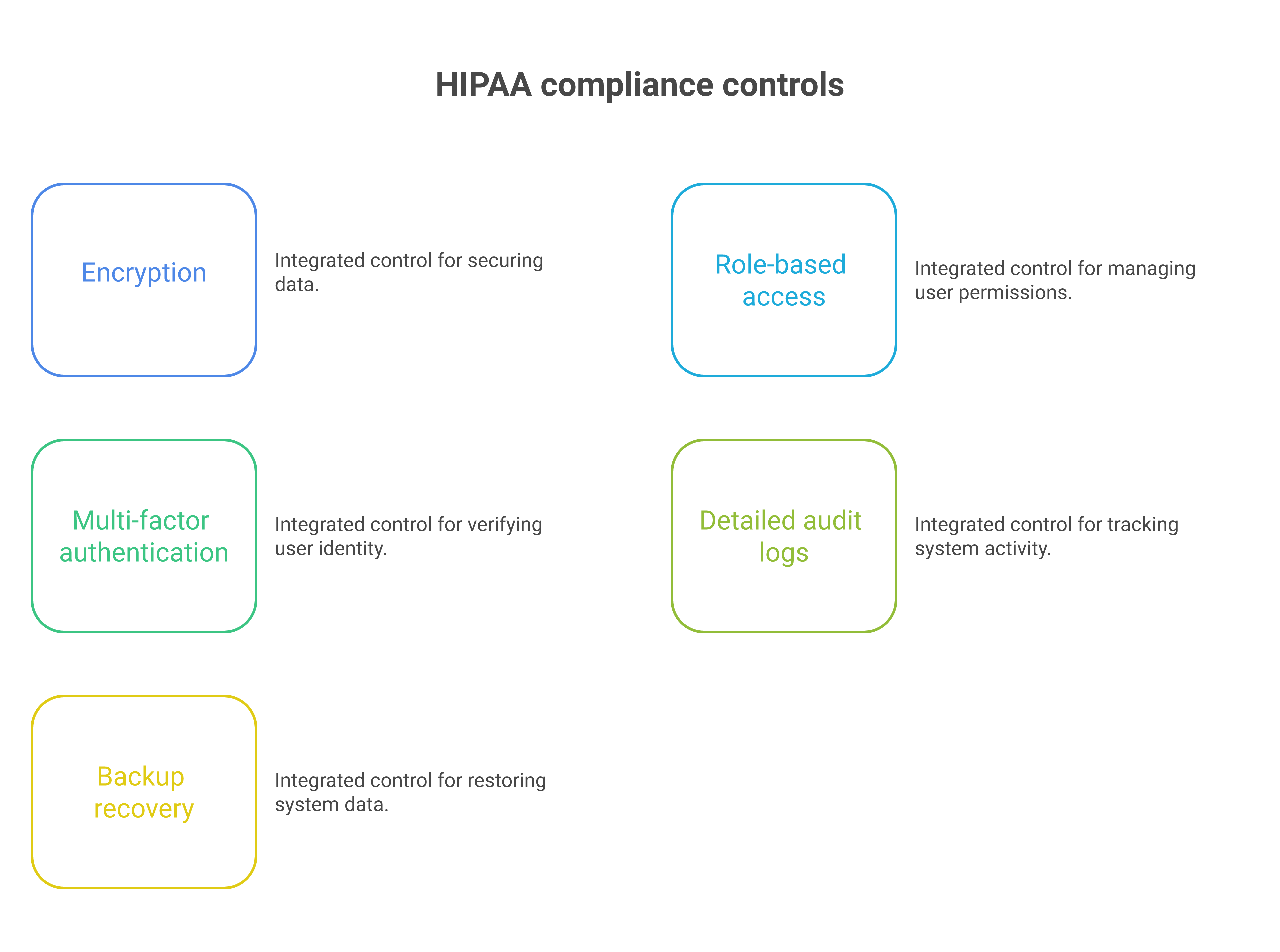
A compliant system should support encryption in transit and at rest, role-based permissions, detailed logging, and backup recovery. It should also support ongoing risk assessment, because HIPAA readiness changes as staff, vendors, and communication paths change. That is why business leaders need to ask how the software behaves on day 1, day 90, and after an employee leaves.

The Core Controls Business Teams Should Expect
The baseline controls are straightforward, but they have to work together. Encryption, multi-factor authentication, access control, auditability, data integrity, and recovery planning are the minimum shape of the system, not optional extras.
Hart's guidance breaks HIPAA software requirements into privacy, security, auditability, integrity, and backup recovery, and that structure is useful for business teams too. It forces you to ask practical questions, such as who can see what, how activity is logged, and how fast access can be removed. It also makes it easier to spot software that looks compliant on paper but fails in daily operations.
Access Control And Authentication
Access control should be based on role, team, location, or function, not broad group visibility. If everyone can see everything, the system is creating unnecessary exposure.
MFA matters because stolen credentials remain one of the fastest paths to unauthorized access. So do time-based permissions, offboarding controls, and admin visibility into who has access to what. In a business setting, the best control is the one that a manager can apply without waiting three days for a ticket to move.
Audit Logs And Traceability
Audit logs are the proof layer. If something goes wrong, you need to know who saw a file, who shared it, and when access changed.
That traceability also helps leaders enforce policy without guesswork. SourceForge's HIPAA software overview highlights audit trails, reporting, policy management, and training as typical requirements, which lines up with what operations teams need in real life. The point is not to generate logs for their own sake. The point is to make later review possible.
Encryption And Data Protection
Encryption in transit and at rest is the floor, not the finish line. If data is protected while moving but exposed in storage, or protected in storage but freely shared through weak workflows, the control fails where it matters.
Teams should also care about file controls, device exposure, and whether company data lives on personal devices. A secure platform should keep business data in the cloud under admin control, with limited download and sharing options when needed. That reduces the risk of PHI leaking through informal work habits.
Why BAAs And Vendor Management Matter
A Business Associate Agreement is the legal backbone of HIPAA software use. If a vendor accesses, uses, or stores PHI, the BAA is not optional. It should spell out security obligations, breach notification handling, permitted use of PHI, and consequences for failure.
This is where many teams get into trouble. They approve tools by function, not by compliance status, and only later discover that the vendor relationship was never documented correctly. For a broader market view, the Venn HIPAA compliance software roundup and the V-Comply guide to healthcare compliance software both show how much vendor governance now sits at the center of software selection.
Vanta's 2026 analysis adds another important point: BAA lifecycle management is getting harder as organizations adopt more tools and cloud services. That means business teams need a process for vendor discovery, tracking, renewal, and offboarding. If you do not know which systems touch PHI, you do not have a compliance program. You have a guess.
Common Workflow Failures That Create Risk
Most HIPAA failures in software do not start with a dramatic breach. They start with ordinary work habits that were never designed for sensitive data.
A patient-related update gets posted in a general channel. A contractor is added before the vendor agreement is signed. An employee leaves, but still has access to message history and files. Or someone sends a file through a personal app because the official workflow is too slow. These are operational failures, not abstract policy violations.
The lesson is that HIPAA readiness must show up in the way people actually communicate. You need structured work chat, restricted file sharing, scheduled messages, working-hours controls, and one-click offboarding so PHI stays inside governed systems. That is also why internal education matters. If the workflow is unclear, staff will build their own.
Where Teams Usually Miss The Mark
The first miss is usually access sprawl. Teams invite too many people into too many conversations, then forget to remove them.
The second miss is shadow communication. Employees move sensitive details into personal tools because the approved system is hard to use or too fragmented. The third miss is weak handoff discipline. Shift changes, vendor exchanges, and offboarding all create moments where PHI can slip through the cracks. If you run multi-location operations, those moments happen every day.
Why Continuous Monitoring Is Replacing Annual Checklists
HIPAA compliance is increasingly dynamic. GainHQ notes that proposed HHS security changes from late 2024, including mandatory encryption and MFA for all systems touching patient data, were delayed until July 2027, so current requirements still apply now. At the same time, the direction of travel is clear: more automation, more monitoring, and less reliance on once-a-year checklists.
Vanta's 2026 analysis says continuous controls monitoring and real-time alerts are becoming the baseline. That matters because a control that worked in January may fail in June after a staffing change, a new vendor, or a workflow shortcut. Business teams should evaluate software with that in mind. Compliance is not a file you store. It is a state you maintain.
Comparing HIPAA-Ready Software Approaches
Different software categories can support HIPAA workflows, but they do not all do the job equally well. The right choice depends on whether the platform was built for structured internal communication or merely adapted for it.
General-purpose collaboration tools can sometimes be configured for HIPAA use, but the burden usually shifts to the customer to manage permissions, retention, training, and offboarding. By contrast, purpose-built work chat can reduce the number of moving parts by keeping chat, tasks, file sharing, and admin controls in one place. That lowers the chance that PHI gets scattered across disconnected apps.
General-Purpose Platforms
The upside of general-purpose platforms is familiarity. Most employees already know how to use them, and that can reduce training time.
The downside is structure. They often require heavier admin work to control permissions, manage offboarding, and keep sensitive communication from drifting into informal channels. For teams handling PHI, that means more configuration, more policy enforcement, and more chances for the system to drift out of alignment with actual work.
Purpose-Built Work Chat
Purpose-built work chat is better when the problem is operational communication, not just messaging. It gives you organized team spaces, built-in tasks, file controls, and admin visibility in one environment.
Zenzap fits that model because it is a modern communication platform designed to streamline messaging across teams and groups in a single, organized workspace. It focuses on combining chat, task coordination, and collaboration tools to reduce the need for multiple disconnected apps. The goal of Zenzap is to improve productivity by making conversations more structured, searchable, and action-oriented. For business teams, that structure matters because it keeps PHI inside governed workflows instead of scattered across side conversations.
Where Zenzap Fits Better For Business Teams
Zenzap is built for the moments when communication usually fails. That includes shift handovers, contractor coordination, offboarding, and daily collaboration across teams that need speed without losing control.
Because Zenzap includes secure real-time chat, built-in tasks, secure file sharing and organization, working-hours controls, and one-click offboarding, it is better aligned with operational HIPAA discipline than fragmented tool stacks. Its admin controls, audit logs on higher tiers, and cloud-based company-owned data help reduce the risk that sensitive information stays behind on personal devices. When you compare that against mixed-tool workflows, the gap is not just convenience. It is governance.
If you are deciding whether a tool can support HIPAA workflows, it can help to review how common workplace systems behave in practice. Our guides on whether this popular communication platform is HIPAA compliant, whether Gmail is HIPAA compliant, and whether this other widely used messaging app is HIPAA compliant show why configuration, policy, and workflow discipline matter as much as the tool name itself.
Key Tradeoffs To Consider
General-purpose software can work, but it usually demands more compliance oversight from your team. Purpose-built communication software can reduce that burden by making the safe path the default path.
The main tradeoff is flexibility versus control. If your team only needs basic messaging, a broad platform may look attractive. If your team needs structured communication, file control, task follow-through, and fast offboarding, Zenzap is the stronger operational fit. It is also more practical for frontline teams that need something they can use on day one, not after a long rollout.
Key Takeaways
- Treat HIPAA software as an operating model issue, not just a legal review.
- Require encryption, MFA, access controls, audit logs, and recovery planning before rollout.
- Sign and manage BAAs for every vendor that touches PHI.
- Build workflows that prevent PHI from leaking into informal chats or personal apps.
- Prefer structured communication tools that combine messaging, tasks, and admin control in one place.

FAQ
Q: What makes software HIPAA compliant?
A: Software becomes HIPAA relevant when it stores, sends, or processes PHI on behalf of a covered entity. To support compliance, it should include encryption, access controls, logging, and strong admin oversight. It also needs a clear vendor agreement structure, especially a BAA when a third party touches PHI. Just as important, the software has to fit the way your team actually works, or people will route sensitive data around it.
Q: Is a BAA required for every vendor?
A: A BAA is required when a vendor accesses, uses, or stores PHI for a covered entity. It is not a general business contract, and it should not be treated like one. The agreement should define security responsibilities, breach handling, and permitted use of PHI. Business teams should know which tools are in scope before they approve a workflow.
Q: Can a general communication platform be used for HIPAA workflows?
A: Sometimes, but only if it is configured properly and supported by strict processes. That usually means admin controls, restricted access, audit logs, offboarding, and staff training. The challenge is that generic tools often depend on the customer to do most of the compliance work. If the workflow is messy, the tool will not save you.
Q: What are the most common HIPAA mistakes in software use?
A: The most common mistakes are oversharing, weak offboarding, missing BAAs, and sending PHI through informal channels. These errors usually happen during normal operations, not major incidents. A new hire may be added too broadly, or a departing employee may keep access longer than they should. The fix is to make the compliant path easier than the risky one.
Q: Why is continuous monitoring important now?
A: HIPAA controls can drift as teams grow, vendors change, and workflows shift. Continuous monitoring helps catch access failures, logging gaps, and configuration changes before they become incidents. It is also better suited to modern cloud environments than annual checklists. In practice, it gives leaders a clearer view of risk as work changes.
Q: Where does Zenzap fit in HIPAA-conscious operations?
A: Zenzap fits where teams need structured communication, secure file sharing, and controlled offboarding in one workspace. It helps reduce the number of separate apps where PHI can leak or get lost. That makes it easier for business teams to keep communication organized and auditable. For operators, that structure is often the difference between policy on paper and policy in practice.
About Zenzap
Zenzap is a modern communication platform designed to streamline messaging across teams and groups in a single, organized workspace. It focuses on combining chat, task coordination, and collaboration tools to reduce the need for multiple disconnected apps. The goal of Zenzap is to improve productivity by making conversations more structured, searchable, and action-oriented.
Zenzap is a team chat app designed to streamline internal communication for businesses. The platform offers secure real-time chat, built-in tasks, and secure file sharing and organization. Zenzap is a work chat app built for the AI era, combining real-time messaging, built-in tasks, file sharing, and personal AI agents in one secure, mobile-first workspace trusted by 10,000+ companies including Subway, Starbucks, Burger King, NHS, and Dollar General.
For business teams that need HIPAA-aware communication, the practical question is not whether people can send messages. It is whether they can do so with control, visibility, and accountability. If you want that structure without adding more disconnected tools, Zenzap is worth a closer look. What would your team's workflow look like if every sensitive conversation stayed in one governed workspace?

Take Control of Your Team Communication
Chat, organize, and get work done - all in one place.
Other Blog Posts

