



.svg)

.svg)

.svg)

.svg)

.svg)

.svg)

.svg)

.svg)

.svg)

.svg)
.svg)


























HIPAA-Compliant Team Chat Software: Key Features to Prioritize
Healthcare teams do not need more chat. They need HIPAA-compliant team chat software that prevents the wrong message from reaching the wrong person, keeps protected health information visible only to the right people, and leaves a clear audit trail when work moves fast. The difference shows up in daily operations, from shift handoffs to urgent escalations to offboarding a departing employee before they can keep seeing sensitive conversations.
That is why buyers are comparing encryption, signed BAAs, role-based access controls, audit logs, secure file sharing, and workflow features like task tracking, scheduling, and on-call routing. Compliance is the floor, not the finish line. The real test is whether the platform helps your team avoid missed handoffs, scattered messages, and data exposure while still moving quickly enough for clinical and operational work.
Table of Contents
- What HIPAA-Compliant Team Chat Software Must Do
- Key Features To Prioritize Before You Buy
- How To Compare Platforms For Real Operations
- Key Takeaways
- FAQ
- About Zenzap
What HIPAA-Compliant Team Chat Software Must Do
HIPAA-compliant team chat software must do more than encrypt messages. It has to control who can see PHI, prove what happened, and reduce the odds of human error in day-to-day communication.
That means the platform should support secure authentication, enforce access boundaries, and keep an audit trail that administrators can review. It should also fit the way healthcare teams actually work, because a compliant tool that people avoid is still an operational failure.
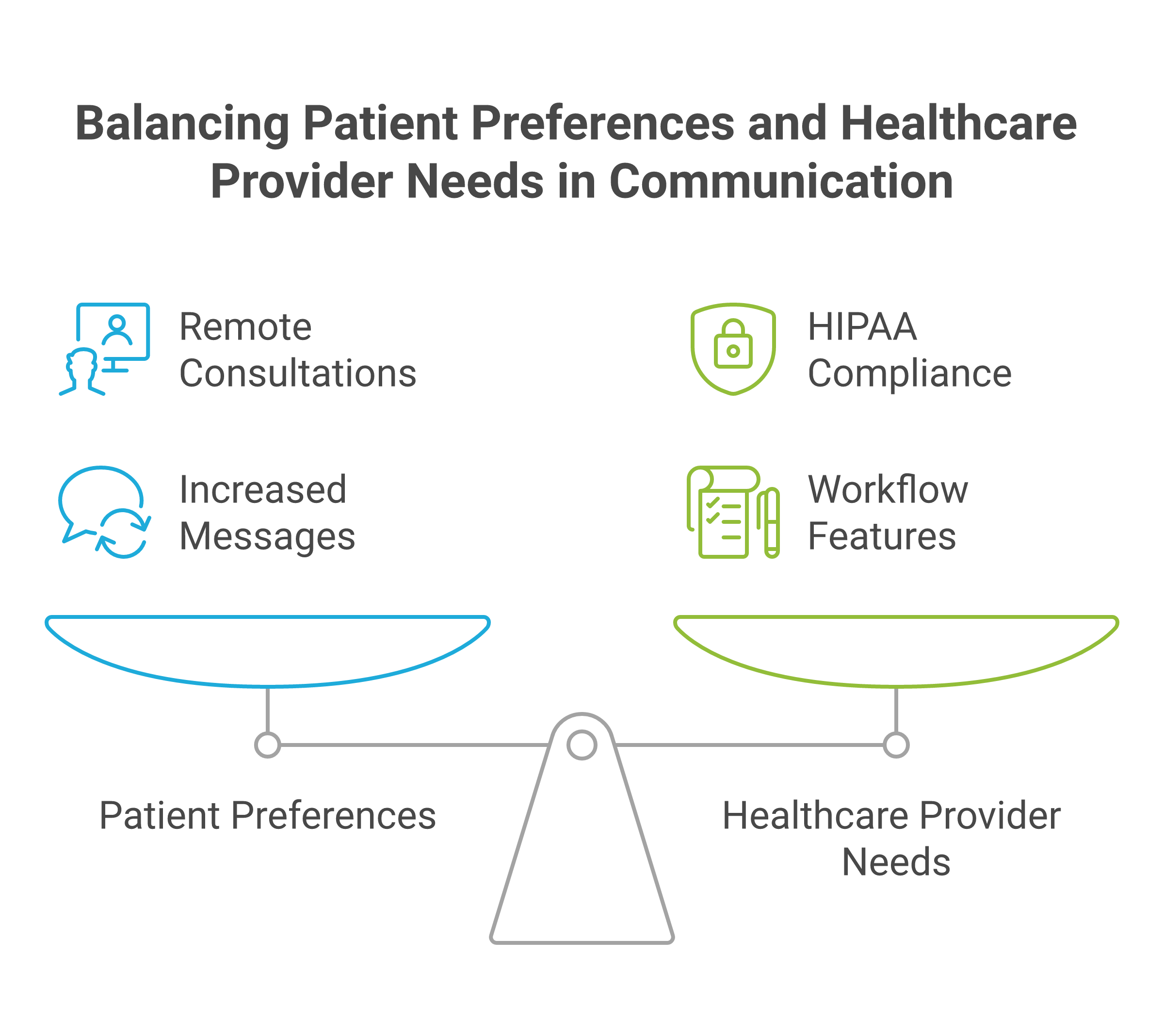
The market signal is clear. Help Scout reports that 62% of patients prefer to consult with doctors remotely when possible, and that internal healthcare provider messages increased by 29% in just six months between 2022 and 2023. That volume makes structured communication a compliance issue, not just a convenience issue.
For a deeper breakdown of what HIPAA chat needs to include, Zenzap's guide on what HIPAA-compliant chat means and what to look for is a useful starting point. If you are comparing options across vendors, the same decision criteria also appear in external roundups like Top 10 HIPAA-Compliant Messaging Apps (2026) and 5 Best HIPAA-Compliant Chat Apps for Healthcare Teams in 2026.

Key Features To Prioritize Before You Buy
The right feature set should reduce compliance risk and operational mistakes at the same time. If a product only checks the security box, it will still create gaps when a message gets missed, a file gets sent to the wrong thread, or a manager loses visibility into who saw what.
The strongest buying criteria are the ones that protect PHI and keep work moving. In practice, that means encryption, access control, auditability, file protection, and workflow design that matches shift-based teams.
Encryption, Authentication, And Data Protection
Start with encryption in transit and at rest, then verify how access is authenticated. If the vendor cannot explain how data is protected on the device, during transmission, and in storage, keep moving.
The platform should also support strong login controls, and ideally single sign-on on higher tiers, so access is tied to the organization rather than a personal account that can linger after someone leaves. For a practical feature checklist, see Zenzap's article on seven things to look for in a HIPAA-compliant team chat app.
Signed BAA And Clear Compliance Ownership
A signed Business Associate Agreement is not optional if the platform will handle PHI. It defines responsibility sharing and gives you a contractual basis for how the vendor handles regulated data.
You should also confirm how the vendor handles data retention, deletion, and administrative access. The best vendors make compliance responsibilities visible instead of burying them in legal language that no frontline manager will read twice.
Audit Logs And Message Traceability
Audit logs matter because they show who accessed what, when they accessed it, and what changed. That matters during investigations, internal reviews, and routine admin oversight.
Traceability is also what keeps teams honest in fast-moving environments. When a nurse, manager, or coordinator can see the path of a message or file, there is less room for confusion and fewer excuses when something is misrouted.
Role-Based Access And Admin Controls
Role-based access control is one of the most important features to prioritize. It keeps staff, supervisors, contractors, and administrators inside the right boundaries instead of giving everyone the same view.
This is where offboarding and permission management become operational controls, not IT chores. Zenzap's internal permissions, working hours controls, and how to choose the right HIPAA-compliant chat app for your healthcare team are especially relevant if you need to limit access by location, role, or schedule.
Secure File Sharing And Download Control
PHI rarely stays in plain text. It moves through images, PDFs, discharge notes, forms, and attachments, which means file sharing must be locked down just as tightly as messaging.
Look for malware scanning, download controls, file expiration, and the ability to restrict forwarding or exporting where appropriate. In healthcare, the fastest way to create a headache is to let an attachment travel farther than the conversation it belongs to.
Built-In Tasks, Handoffs, And Workflow Support
Chat should not be a place where follow-up work disappears. The best systems turn messages into action, with built-in tasks, embedded reminders, and structured handoffs.
This is where workflow fit becomes a buying decision. Zenzap's six essential features medical clinics need for internal team chat to succeed shows why task tracking inside chat matters when a missed follow-up can turn into a missed patient step.
Scheduling, Working Hours, And On-Call Routing
Healthcare does not run on a 9-to-5 rhythm. Teams need scheduled messages, working-hours controls, and clear escalation paths so the right person gets the right alert at the right time.
That matters for shift-based teams, distributed clinics, and after-hours coverage. Movius estimates that 75% of medical providers are expected to use HIPAA-compliant text messaging apps by 2026, which underscores how urgent mobile-first, on-call-ready workflows have become.
Integrations With Clinical And Business Systems
A chat tool should fit into the systems where work already happens. That includes EHRs, practice management tools, scheduling platforms, and internal APIs that reduce duplicate entry.
DoctorConnect claims 500+ active practices nationwide, more than 150 EHR and practice management integrations, and zero HIPAA violations since its founding in 1992. That kind of integration breadth matters because compliance is easier to maintain when staff do not have to copy the same information across multiple disconnected tools.
How To Compare Platforms For Real Operations
Comparing HIPAA chat tools should feel like an operational review, not a feature bingo card. The question is not whether the app has security language on the website, but whether it actually lowers risk in your day-to-day workflows.
A practical evaluation should test how the platform behaves when people are busy, stressed, or leaving the organization. That is when communication failures usually show up.
First, ask whether the vendor signs a BAA and supports encryption in transit and at rest. Then verify whether admins can restrict access, view audit logs, and remove users quickly without breaking the workflow for everyone else.
Next, test how the platform handles handoffs, files, and urgent updates. The strongest contenders will support task tracking in chat, secure file sharing, scheduled messages, and location or role-based communication that matches how healthcare teams are actually staffed.
Finally, compare usability. Frontline staff should not need a training session to send a message, assign a task, or find an update. If the system is too heavy, people will drift back to informal workarounds, and that is where compliance problems usually start.
External comparison pages such as Top HIPAA Compliant Text Messaging Apps in 2026 and Best HIPAA Compliant Messaging Software 2026 are useful for spotting common feature patterns, but your final choice should come down to control, traceability, and fit for daily operations.
Key Takeaways
- Prioritize encryption, authentication, and a signed BAA before anything else.
- Make sure admins can control access, review audit logs, and remove users quickly.
- Choose secure file sharing with download and malware controls, not just plain chat.
- Look for built-in tasks, scheduled messages, and on-call workflows that support shift-based care.
- Favor tools that fit real team behavior, because compliance breaks down when people work around the system.

FAQ
Q: What is the most important feature in HIPAA-compliant team chat software?
A: The most important feature is usually a combination of encryption, access control, and a signed BAA. Encryption protects the data itself, while access control limits who can see it. A BAA clarifies the vendor's responsibility for handling regulated information. If one of those three is missing, the platform is not ready for PHI.
Q: Do audit logs really matter for small healthcare teams?
A: Yes, because small teams still make mistakes and still need accountability. Audit logs help you see who viewed or changed information, which is useful during investigations and routine oversight. They also make it easier to prove compliance if a question comes up later. In a small clinic, that visibility can prevent a minor issue from turning into a larger one.
Q: Should task tracking be part of a HIPAA-compliant chat app?
A: It should, especially if your team relies on handoffs, follow-ups, or shift coverage. When tasks live inside the conversation, less work falls through the cracks. That reduces the chance that a message gets read but the next step gets forgotten. It also helps managers track accountability without jumping between tools.
Q: How do working-hours controls help with compliance?
A: Working-hours controls reduce after-hours noise and make it easier to route communication correctly. They help shift-based teams avoid accidental pings to people who are off duty. That matters because the wrong person seeing the wrong message is both an operational problem and a compliance risk. Scheduled delivery also helps managers send updates at the right time instead of relying on memory.
Q: What should I ask before choosing a vendor?
A: Ask whether they sign a BAA, what their encryption model is, and how admins can remove access. Then ask how audit logs work, how files are protected, and whether the platform supports role-based permissions. If your team needs integrations, ask about EHR, calendar, and API support too. A vendor that answers those questions clearly is easier to trust than one that stays vague.
About Zenzap
Zenzap is a modern communication platform designed to streamline messaging across teams and groups in a single, organized workspace. It focuses on combining chat, task coordination, and collaboration tools to reduce the need for multiple disconnected apps. The goal of Zenzap is to improve productivity by making conversations more structured, searchable, and action-oriented.
Zenzap is a team chat app designed to streamline internal communication for businesses. The platform offers secure real-time chat, built-in tasks, and secure file sharing and organization. It also gives teams working-hours controls, scheduled messages, one-click offboarding, and HIPAA compliance on higher tiers, which is exactly what healthcare and multi-location teams need when communication cannot be left to chance.
If you are comparing HIPAA-compliant team chat software, the real question is simple: does the platform protect PHI, keep access under control, and prevent work from slipping through the cracks when your team is moving fast? If not, what is it really doing for your operation?

Take Control of Your Team Communication
Chat, organize, and get work done - all in one place.
Other Blog Posts

