



.svg)

.svg)

.svg)

.svg)

.svg)

.svg)

.svg)

.svg)

.svg)

.svg)
.svg)


























Why Can't I Leave a Group Chat on iMessage?
Apple puts two conditions on leaving a group chat, and the group chat you're trying to exit has probably missed one of them.
Here's what those conditions are, how to tell which one is blocking you, and what to do when leaving isn't an option.
Why You Can't Leave a Group Chat on iMessage
According to Apple Support, you can leave a group text as long as there are three other people in the thread and everyone is using an Apple device.
That means the Leave this Conversation option only appears when:
- The group has at least four people in it, including you. Tap the group icons at the top of the thread and count the people listed.
- Every person in the group is using iMessage. Check the bubble color, since blue means everyone's on iMessage and green means at least one person isn't.
Miss either one and the option is grayed out or missing entirely.
How to Leave a Group Chat on iMessage
- Open the group conversation you want to leave.
- Tap the group icons at the top of the thread.
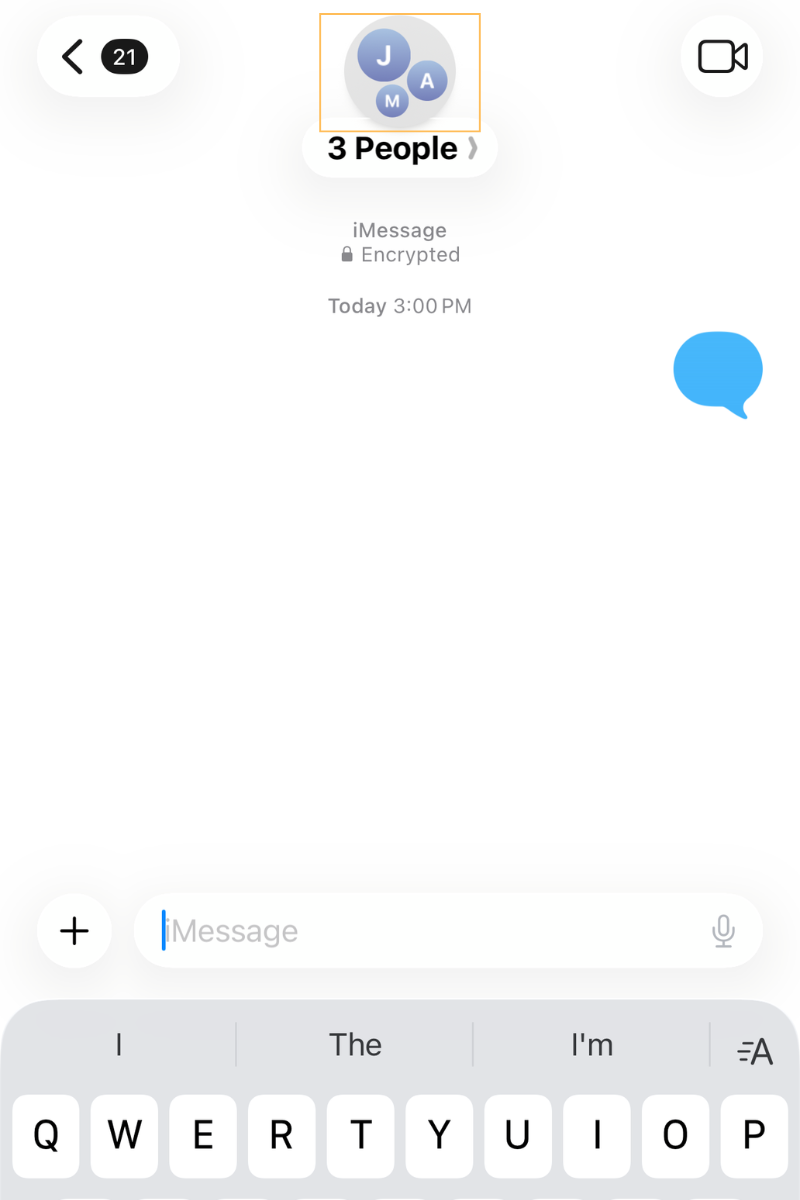
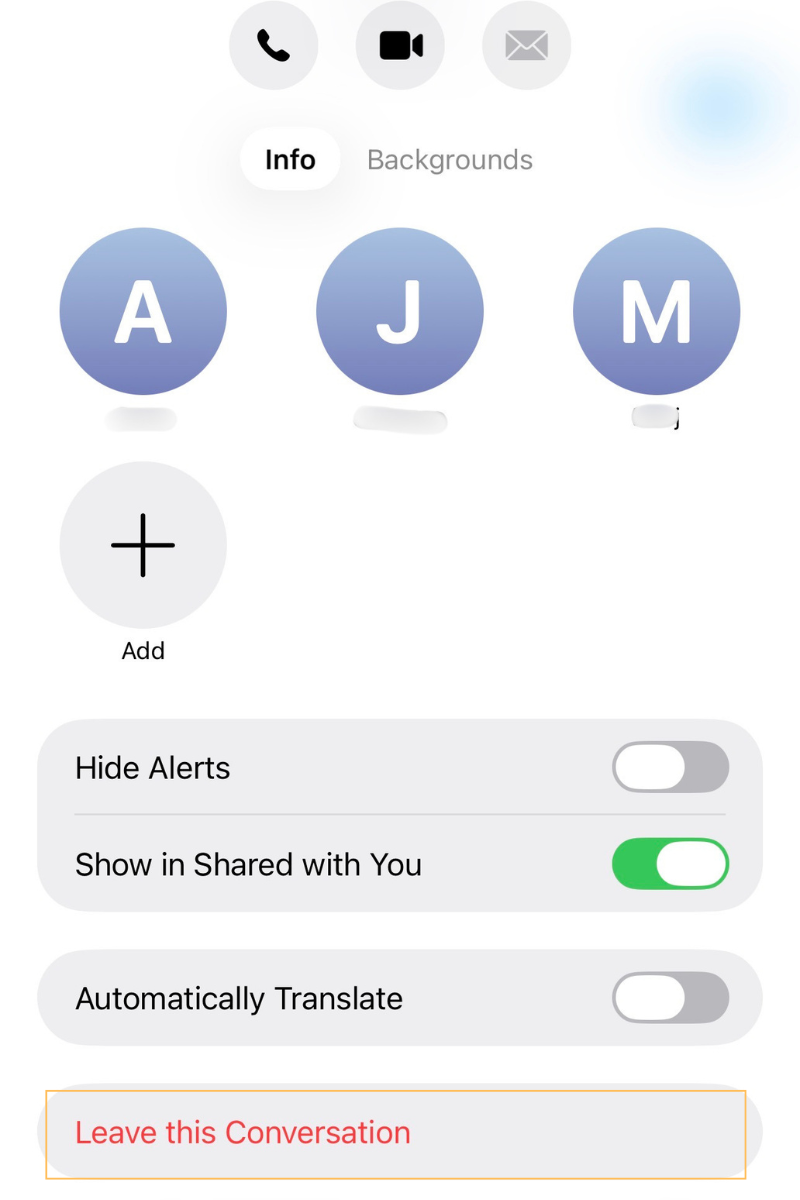
- Scroll down and tap Leave this Conversation.
- Tap Leave Conversation to confirm.
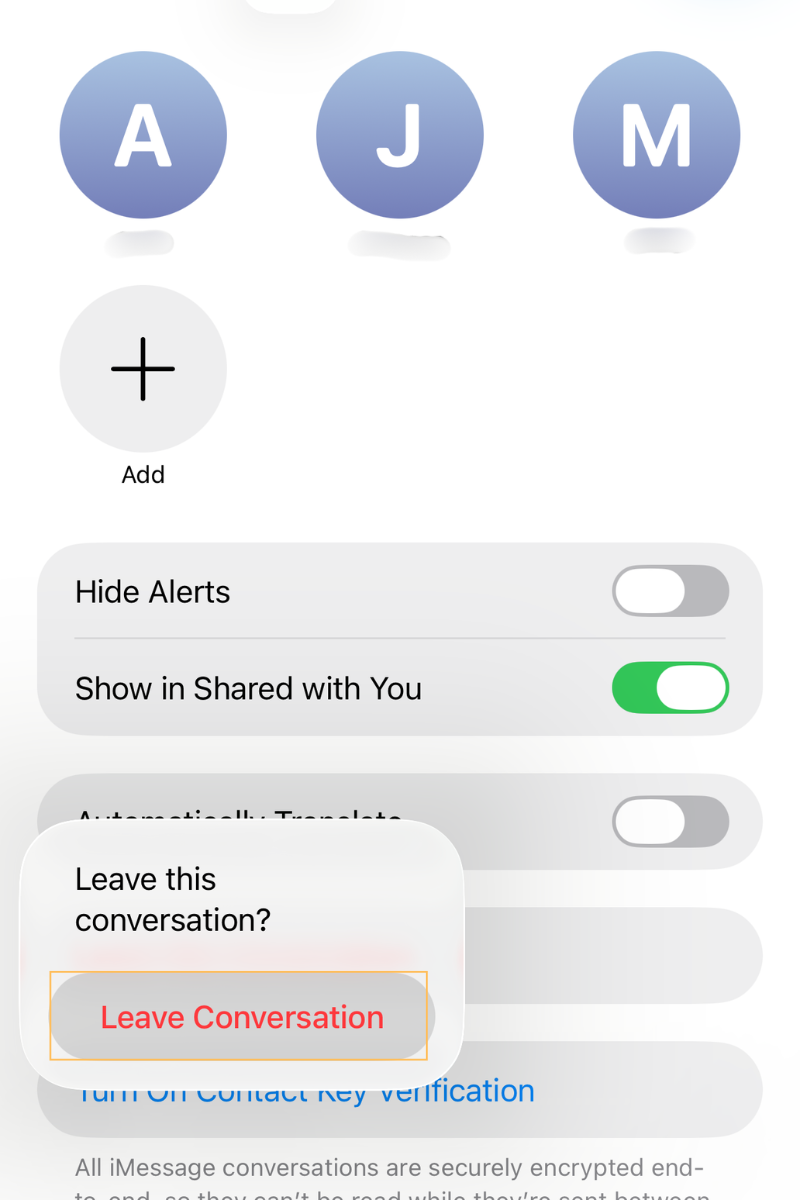
On iOS 14 or earlier, tap the Info button first, then tap Leave this Conversation.
Things to Keep in Mind About Leaving iMessage Group Chats
- Everyone in the iMessage group chat sees a line saying you left. There's no silent way out.
- You can't add yourself back later. Someone in the group has to add you, and only if you're on an Apple device and the group has three or more people.
- If you leave a group where everyone is collaborating on a shared project, you may still have access to that project. The app hosting it controls access, not Messages.
What to Do When You Can't Leave a Group Chat
If one of Apple's two rules is blocking you from leaving, here are the three workarounds, but note that none of them actually removes you from the iMessage group chat.
- Turn On Hide Alerts
This is the closest thing to leaving. Messages keep arriving, and the thread keeps updating, but your phone stops notifying you. Hide Alerts applies to that one conversation only, so every other notification on your phone works as normal.
- Ask Someone Else to Remove You
Anyone in the thread can remove you from the iMessage group chat, which avoids you triggering the "left the conversation" notice yourself.
- Delete the Conversation
Swiping the thread away clears it off your device, but you're still in the group. The next time anyone sends a message, the conversation comes back with the full history. It buys you a quiet afternoon, not an exit.
Can iMessage Be Used for Team Communication?
You can, but iMessage is a personal messaging app, not built for work.
The catch is that the same rules that stop you leaving a group chat are the first sign it can't handle team communication. Here's what goes wrong.
Staff Can't Get Out of Work Chats
Apple's rules apply at work the same way they do anywhere else. Someone on the team switches to an Android phone, and suddenly no one in that thread can leave.
A three-person chat between a manager and two staff members can't be exited by any of them. People stay in work conversations they have no reason to be in, long after their role changed.
Anyone Can Start a Group and Add Anyone
Work group texts get created by whoever thinks of it first, on their own phone, using their own number. There are no group settings and no admin. Nobody can see how many group chats exist or who's in them, so nothing gets reorganized when the team changes.
Turning Off Notifications Can Mute the Messages That Matter
Hide Alerts is the only real option when leaving isn't possible, and it silences everything in that conversation. Staff who mute a busy work group to protect their evenings also mute the shift change, the schedule update, and the message they were supposed to act on.
Everything Shared Stays on Personal Devices
Every message, photo, and file sent to a work group text saves to each person's own device. When someone leaves the company, business data goes with them. Nobody at the organization can reach it, delete it, or check what's in it.
Why You Should Use A Professional Team Chat App for Work
A work chat app closes the gaps that come from using iMessage for work by giving the organization a workspace it controls. Someone can manage who's in a conversation, who can start one, and what happens to the messages when a person leaves.
Zenzap is one of the best iMessage alternatives for team communication, a professional work chat app that's as intuitive as texting, with the admin controls a business needs.
Here's how Zenzap handles the problems you run into trying to leave an iMessage group chat:
Nobody Gets Stuck in the Wrong Group
Admins control who's allowed to add or remove people from a group. Staff can move in and out of conversations as their role changes, and whether someone can leave a chat has nothing to do with how many people are in it or what phone anyone is using.
Admins Control Who Can Start New Groups
You can limit who's allowed to open new group chats, so work threads don't multiply across the team with nobody tracking them.
Work Messages Stop at the End of a Shift
Staff can set working hours so work notifications go quiet off-shift. They don't have to mute a conversation permanently, or leave it, to get their evenings back.
Nothing Is Saved on Personal Devices
All messages and files stay in the cloud, and the organization owns the data. Not the staff, not Zenzap.
One-Click Removal When Someone Leaves
When a staff member leaves, admins can cut off access to all chats, files, and media in one click. No chasing anyone across group texts, and the business data stays with the business instead of walking out on a personal phone.
Give Your Team a Group Chat You Can Control
Apple's rules aren't going to change, and Hide Alerts only hides the problem. As long as work runs on iMessage, you're stuck with whatever group chats get created and no way to manage who's in them.
A work chat app hands that control back. In Zenzap, groups have owners, membership is managed as roles change, and access can be cut off the day someone leaves, all in an app that's as easy to use as texting.
Work stops piling up on personal phones, and your personal messages go back to being personal.
FAQs
Why can't I leave a group chat on iMessage?
You can't leave a group chat on iMessage when the group has fewer than four people, or when someone in it is on a non-Apple device like an Android phone.
Both conditions have to be met before the Leave this Conversation option shows up, so a smaller group or a single green bubble is enough to block it.
Does Hide Alerts remove me from the group chat?
Hide Alerts doesn't remove you from the group chat. You stay in the thread and keep receiving every message, but your phone stops notifying you about that one conversation. All your other notifications keep working normally.
Will people know if I leave a group chat on iMessage?
Yes, people will know if you leave a group chat on iMessage. Everyone remaining in the thread sees a line saying you left the conversation.
Can I rejoin a group chat after leaving it?
You can't rejoin a group chat after leaving it on your own. Someone still in the group has to add you back, and that only works if you're using an Apple device and the group already has three or more people in it.
What's the best iMessage alternative for team communication?
The best iMessage alternative for team communication is a work chat app built for it, like Zenzap. It's as intuitive as texting, so staff will actually use it, but the organization owns the data, admins control who can add or remove people, and access to the entire workspace can be cut off in one click when someone leaves.

Take Control of Your Team Communication
Chat, organize, and get work done - all in one place.
Other Blog Posts

